MusicMan MA Display - Speaker TECHNAXX - Free user manual and instructions
Find the device manual for free MusicMan MA Display TECHNAXX in PDF.

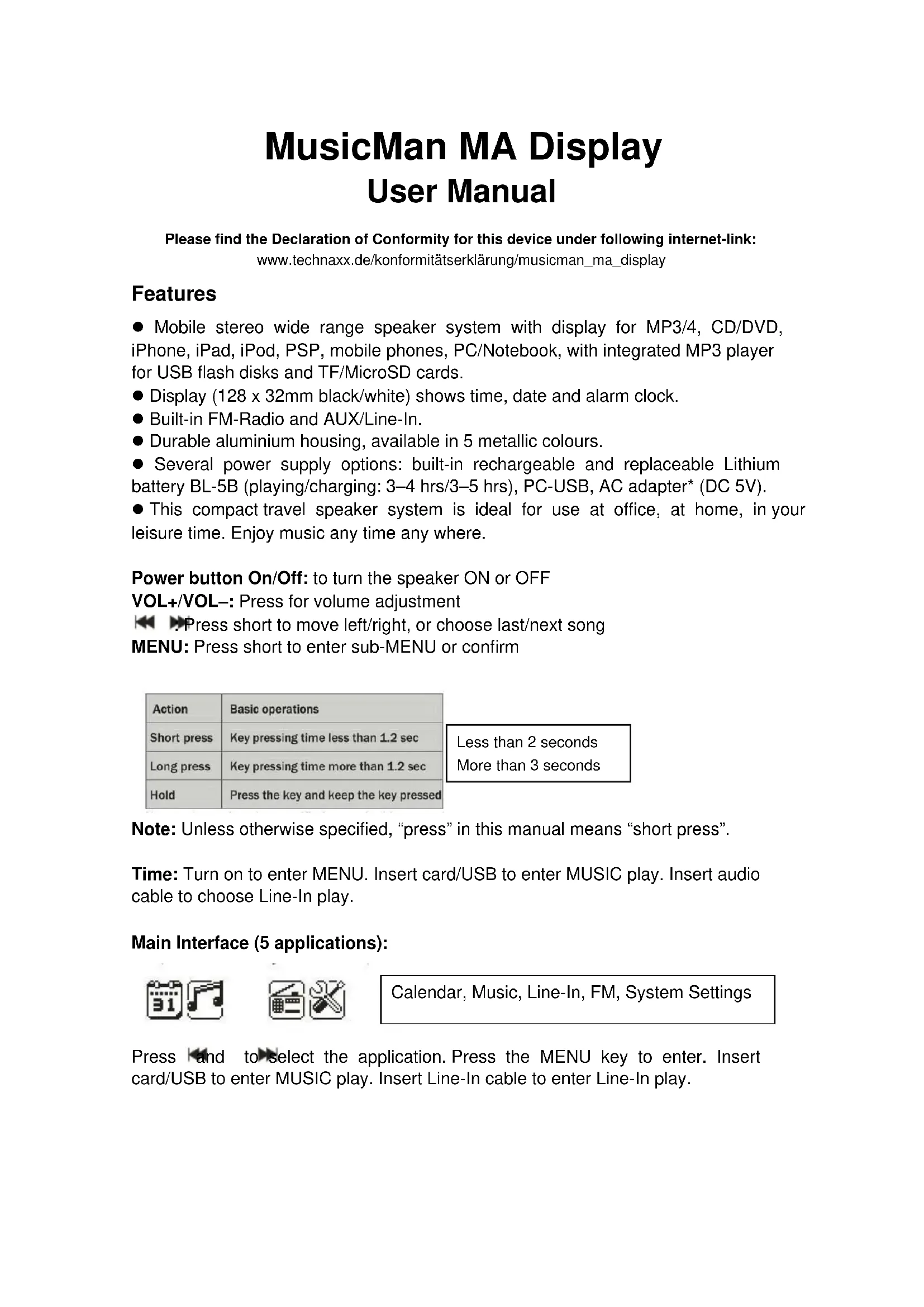


| Product type | Portable stereo speaker with LCD screen |
| Brand | Technaxx |
| Model | MusicMan MA Display |
| Screen | 128 x 32 mm, black and white |
| Power supply | Rechargeable and replaceable BL-5B lithium battery, USB DC 5V, AC adapter |
| Battery life | Playback: 3-4 h, Charging: 3-5 h |
| Supported audio formats | MP3, WMA, WAV |
| Connectivity | Line-In (3.5 mm AUX), USB port, TF/MicroSD card reader |
| FM radio | Yes, 87.5-108 MHz (normal) / 76-90 MHz (Japan), up to 20 presets |
| Main functions | MP3 player, FM radio, clock, calendar, alarm, equalizer (6 modes + SRS WOW), shuffle/repeat playback |
| Audio input/output | 3.5 mm Line-In (analog audio input) |
| Casing material | Aluminum, available in 5 metallic colors |
| Interface languages | 14 languages including French, English, German, Spanish |
| Signal-to-noise ratio | >45 dB |
| Operating temperature | -5 °C to +50 °C |
| Cleaning and maintenance | Soft, dry cloth; do not use solvents or harsh cleaners |
| Battery safety | Keep out of reach of children, do not open, deform, charge or throw into fire |
| Spare parts and repairability | Replaceable BL-5B battery, USB power/audio cable included |
| Box contents | MusicMan MA Display, USB power/audio cable, user manual |
| Warranty and compliance | Declaration of conformity available on manufacturer's website |
Frequently Asked Questions - MusicMan MA Display TECHNAXX
User questions about MusicMan MA Display TECHNAXX
0 question about this device. Answer the ones you know or ask your own.
Ask a new question about this device
Download the instructions for your Speaker in PDF format for free! Find your manual MusicMan MA Display - TECHNAXX and take your electronic device back in hand. On this page are published all the documents necessary for the use of your device. MusicMan MA Display by TECHNAXX.
USER MANUAL MusicMan MA Display TECHNAXX
MusicMan MA Display User Manual
Please find the Declaration of Conformity for this device under following internet-link:
- Mobile stereo wide range speaker system with display for MP3/4, CD/DVD, iPhone, iPad, iPod, PSP, mobile phones, PC/Notebook, with integrated MP3 player for USB flash disks and TF/MicroSD cards.
- Display (128 x 32mm black/white) shows time, date and alarm clock.
Built-in FM-Radio and AUX/Line-In. - Durable aluminium housing, available in 5 metallic colours.
- Several power supply options: built-in rechargeable and replaceable Lithium battery BL-5B (playing/charging: 3-4 hrs/3-5 hrs), PC-USB, AC adapter* (DC 5V).
- This compact travel speaker system is ideal for use at office, at home, in your leisure time. Enjoy music any time any where.
Power button On/Off: to turn the speaker ON or OFF
VOL+/VOL-: Press for volume adjustment
Press short to move left/right, or choose last/next song
MENU: Press short to enter sub-MENU or confirm
| Action | Basic operations |
| Short press | Key pressing time less than 1.2 sec |
| Long press | Key pressing time more than 1.2 sec |
| Hold | Press the key and keep the key pressed |
| Less than 2 seconds |
| More than 3 seconds |
Note: Unless otherwise specified, "press" in this manual means "short press".
Time: Turn on to enter MENU. Insert card/USB to enter MUSIC play. Insert audio cable to choose Line-In play.
Main Interface (5 applications):
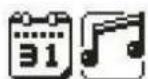

Calendar, Music, Line-In, FM, System Settings
Press and to select the application. Press the MENU key to enter. Insert card/USB to enter MUSIC play. Insert Line-In cable to enter Line-In play.
FUNCTIONAL APPLICATIONS
Calendar: Choose calendar and pess MENU to enter. Press and to adjust date. Press MENU and to return to the main menu.
MUSIC: Insert TF card and choose in the main interface. Press MENU to enter MUSIC play and a long press to exit.
Music Interface
- WMA & MP3 music's stop and playing interface
Note: indicates the current music has lyric, otherwise the icon will be
Submenu 1 and basic operation
In stop status, press MENU to enter the following submenu: USB/Card catalog, Delete file, Delete all, Enter the main menu, Exit.
USB/Card catalog: Select the "USB/Card catalog". Press or to browse the various options. Press MENU to enter the next level directory. Press MENU again to select a file and return to "music player interface". The player supports multi-level directory structure and display. In the process of searching files press to return to "music broadcast".
Play music: press to start playing. Support breakpoint playing.
Pause music: press to switch between pause and continue playing.
Change file / Fast rewind / Fast forward: when playing a file, press / to change to the previous/next file. Long press fast rewind/fast forward (during that no voice playback).
Delete file: select "Delete file". Press MENU to enter the next level interface. Press / / to select "YES" / "NO", to confirm/not confirm the delete of a file.
Delete all: Delete all the files in the current folder (this operation is the same as for Delete file).
Submenu 2
In the playing status press MENU to enter the following submenu: Repeat, Equalizer, FM Radio, Enter Main Interface, Exit.
Repeat: select "Repeat" and press MENU to enter the desired repeat mode.
| Repeat Mode | Icon | Description |
| Normal | # | Play all the files by sequence, no repeat. |
| Repeat one | # | Repeat the current file. |
| Folder | # | Play all the files in the current folder, no repeat. |
| Repeat folder | # | Repeat all the files in the current folder. |
| Repeat all | # | Repeat all the files. |
| Random | # | Play files in random. |
| Intro | # | Play the first 10s of all the files by sequence. |
Equalizer: select "Equalizer" and press MENU to enter the desired mode.
| EQ Mode | Icon | Description |
| Normal | NOR | Standard natural sound. |
| Rock | Rock | Music of strong emotion. |
| Pop | POP | For common pop music. |
| Classic | CLAS | Soft sound. |
| Soft | Soft | Sound quality is very soft. |
| Jazz | JAZZ | Sweet sound full of tender emotion. |
| DBB | DBE | Bass |
| SRS WOW | UNWAL | SRS HD audio |
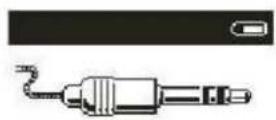
Line-In - function and operation: In the main menu interface insert the Line-In cable to turn into LINE-IN play. Long press MENU to exit.
FM: Select FM in the main interface. Press MENU to enter FM Radio and long press to exit. (User should insert the audio cable as antenna to get a better signal.)
FM Interface: The status will be saved before exit. If re-enter FM, the frequency is the one exited last time. Normal band: 87.5MHz - 108.0MHz (Japan band: 76.0MHz - 90.0MHz).
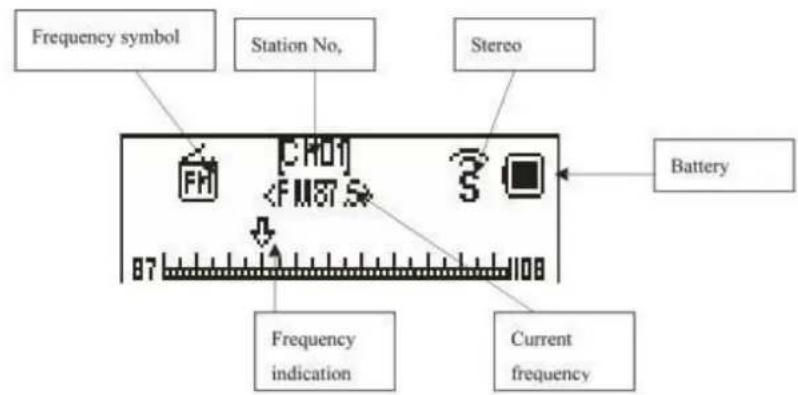
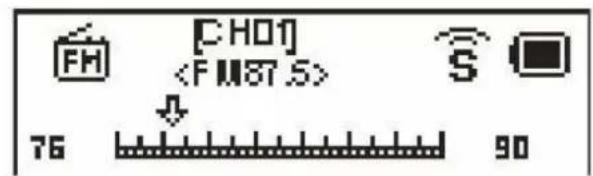
Radio Operation:
1) In the "radio interface": long press / searches automatically backward or forward stations. It stops after receiving a radio broadcast. When the program already is saved, the interface shows the serial number stored. If not saved, you need to save the program manually. When saving is finished, press to switch and play among the saved stations. Press / to fine-tune the search (frequency steps 100KHz.)
2) Press MENU to enter the radio function sub-menu.
3) Long press MENU to go back to main interface.
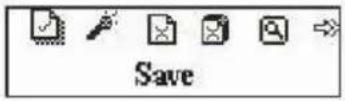
Submenu and Operation: In the FM interface, press MENU to enter this submenu: Auto Search, Return Music, Save Channel, Japan Band, Normal band, Delete Channel, Delete All, Exit.
Save: Search a station desired, press MENU to enter the submenu, select "Save" and press MENU, the system will return to the FM interface and the station is saved. "Save" supports up to 20 stations for each band.
Delete station: Select a station to be deleted, press MENU to enter the submenu and select Delete, press MENU, then the station's serial number (such as CHO2) disappears, indicating the station CHO2 is deleted. User has to re-search this station to listen to it again.
Delete all: Select "Delete all". Press MENU. All the saved stations will be deleted.
System Setting:
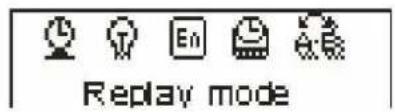
Select SYS in the main interface, press MENU to enter system setting. Press to choose different setting items. Prss MENU to enter setting.
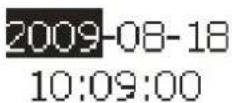
System time: Press to adjust time. Press MENU to choose adjusting item.
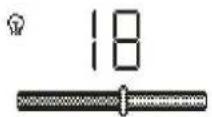
Backlight: Press or to adjust the backlight parameter. Press MENU to confirm and exit.
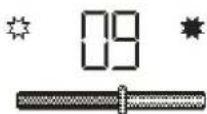
Contrast: Press or to adjust the backlight parameter. Press MENU to confirm and exit.
Language: Press or to choose language. Press MENU to confirm and exit. (14 languages: Simplified Chinese, Traditional Chinese, English, German, French, Italian, Dutch, Spanish, Portuguese, Swedish, Czech, Danish, Russian, Turkish.
TOOL: Press MENU to enter "Tool": Power off set, Alarm, Time FM set, Exit.
Power off set: Press MENU to enter power off time setting. Press or to adjust time. Press MENU to confirm and exit.
Alarm ON/OFF: Press MENU to turn the alarm on/off.
Alarm Time: Press or to adjust time. Press MENU to choose adjust item.
Cycle: Press to choose the desired setting. Press MENU to set: "Every
Day", "One Time" [press or to set the alarm time] or "Cycle" [press or to choose a day]. Press MENU to choose or cancel.
Alarm with Music: Press to choose desired setting. Press MENU to set:
Rings embedded: Press or to choose rings. Press MENU to confirm.
Card Folder: Press MENU to enter. Choose desired ring. Press MENU to confirm and exit.
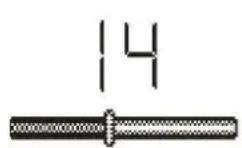
Alarm Volume: Press to adjust volume. Press
MENU to confirm and exit.
2007/06/08
3.1.46.0000
Firmware version: Display version information. Press
MENU to exit.
FAQ
Cannot turn on the device: Check the capacity of the battery. Connect USB cable or charger and try to turn on the device again. Check whether the battery is inserted correctly.
Bad FM Radio signal: Adjust the direction and placement of the device. Pull the audio cable longer. Check whether there is interference from electronic equipment nearby.
Display shows garbage: Check whether the correct language is been chosen.
Technical Specifications
| Screen | 128 x 32mm black & white | |
| Power | BL-5B Lithium battery (replaceable) | |
| FM (Line-In play with FM radio) | Receiving frequency range | 87.5MHz – 108MHz (Normal band) 76MHz – 90MHz (Japan band) |
| Station No. 20/20 | ||
| Signal Noise Ratio >45dB | ||
| Music format | MP3 / WMA / WAV | |
| Temperature | -5°C up to +50°C | |
Security and Disposal Hints for Batteries
- Hold children off batteries. When a child swallowed a battery by mistake go to a doctors place or bring the child into a hospital promptly!
- Look for the right polarity (+) and (—) of batteries! Always change all batteries, never use old and new batteries or batteries of different types together.
- Do NOT open, deform or load up batteries! There is a risk of injury (battery leakage fluid)! Never short batteries. NEVER throw batteries into fire! There is a risk of explosion!
- Take out exhausted batteries from the device and when its not used over a longer period of time also.
Hints for Environment Protection
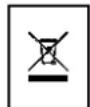
Packages materials are raw materials and can be recycled. Separate the packages by types and put them to an adequate recycling on behalf of the environment. More detailed information you get from your official civil service.
Do not disposal old devices into the domestic waste. Disposal old / defective devices professionally! The environment will be grateful for that. Information regarding places for disposal and opening hours you get from your official civil service.
Do not disposal batteries into the domestic waste. Disposal old / empty / defective batteries professionally! The environment will be more than grateful for that. Information regarding places for disposal and opening hours you get from your official civil service.
Cleaning: Protect the device from contamination and pollution. Only clean the device with soft cloth or drapery, avoid using rough or coarse-grained materials. Do NOT use solvents or other aggressive cleaner. Wipe the device after cleaning accurately.
Important Notice: Should battery fluid leak from a battery, wipe the battery-case with a soft cloth dry and put in a new battery!
Package Contents: MusicMan MA Display, USB Power/Audio cable, User manual
MusicMan MA Display
Interface principale (5 applications):