ManualGo.com
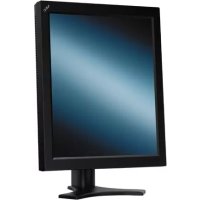
MD462OR - Monitor NEC - Free user manual and instructions
Find the device manual for free MD462OR NEC in PDF.



Download the instructions for your Monitor in PDF format for free! Find your manual MD462OR - NEC and take your electronic device back in hand. On this page are published all the documents necessary for the use of your device. MD462OR by NEC.
USER MANUAL MD462OR NEC
MD462OR Quick Reference Guide.indb iMD462OR Quick Reference Guide.indb i 6/24/14 11:36:20 AM6/24/14 11:36:20 AMDisposing of your old NEC product The aim of recycling is to gain an environmental benefi t by means of re-use, upgrading, reconditioning or reclamation of material. Dedicated recycling sites ensure that environmentally harmful components are properly handled and securely disposed. To ensure the best recycling of our products, NEC DISPLAY SOLUTIONS offers a variety of recycling procedures and gives advice on how to handle the product in an environmentally sensitive way, once it has reached the end of its life. All required information concerning the disposal of the product and country-specifi c information on recycling facilities can be found on our following websites: http://www.nec-display-solutions.com/greencompany/ (in Europe). WEEE Mark (European Directive 2002/96/EC) Within the European Union EU-wide legislation, as implemented in each Member State, requires that waste electrical and electronic products carrying the mark (left) must be disposed of separately from normal household waste. This includes monitors and electrical accessories, such as signal cables or power cords. When you need to dispose of your NEC display products, please follow the guidance of your local authority, or ask the shop where you purchased the product, or if applicable, follow any agreements made between yourself and NEC. The mark on electrical and electronic products only applies to the current European Union Member States. Outside the European Union If you wish to dispose of used electrical and electronic products outside the European Union, please contact your local authority so as to comply with the correct disposal method. Manufacturer’s Recycling Information MD462OR Quick Reference Guide.indb iiMD462OR Quick Reference Guide.indb ii 6/24/14 11:36:21 AM6/24/14 11:36:21 AMEnglish-1 English Index Important Information ...................................................................................................................English-1 Warning, Caution ..........................................................................................................................English-1 Intended Use ................................................................................................................................English-2 Recommended use ......................................................................................................................English-3 Controls ........................................................................................................................................English-4 OSD (On-Screen-Display) ...........................................................................................................English-6 Specifi cations ...............................................................................................................................English-7 Important Information TO PREVENT FIRE OR SHOCK HAZARDS, DO NOT EXPOSE THIS UNIT TO RAIN OR MOISTURE. ALSO, DO NOT USE THIS UNIT’S POLARIZED PLUG WITH AN EXTENSION CORD RECEPTACLE OR OTHER OUTLETS UNLESS THE PRONGS CAN BE FULLY INSERTED. REFRAIN FROM OPENING THE CABINET AS THERE ARE HIGH VOLTAGE COMPONENTS INSIDE. REFER SERVICING TO QUALIFIED SERVICE PERSONNEL. WARNING TO REDUCE THE RISK OF ELECTRIC SHOCK, MAKE SURE POWER CORD IS UNPLUGGED FROM WALL SOCKET. TO FULLY DISENGAGE THE POWER TO THE UNIT, PLEASE DISCONNECT THE POWER CORD FROM THE AC OUTLET. DO NOT REMOVE COVER (OR BACK). NO USER SERVICEABLE PARTS INSIDE. REFER SERVICING TO QUALIFIED SERVICE PERSONNEL. CAUTION Power Cord Important Information CAUTION: Please use the power cord provided with this monitor in accordance with the table below. If a power cord is not supplied with this equipment, please contact your supplier. For all other cases, please use a power cord that matches the AC voltage of the power outlet and has been approved by and complies with the safety standard of your particular country. Plug Type European Continental U.K.Plug ShapeCountryEU (except U.K.) U.K.Voltage230 230 NOTE: This product can only be serviced in the country where it was purchased. Declaration Declaration of the Manufacturer Declaration of the Manufacturer Means of ConformityDevice Classifi cation: Class I, non-measuring functionApplicable Rules: Annex IX, Rules 1.4 (Section 1) and 1.1 (Section 3)Product Name: MD462OR 46" Operating Room SolutionModel Number: MD462ORUMDNS Code: 16-603NEC Display Solutions Europe GmbH declares that the product listed is in conformity with the essential requirements and provisions of the Council Directive 93/42/EEC, including the amendments of the Council Directive 2007/47/EC, and conforms to the applicable clauses of the following standards: – EN 60601-1 – EN 60601-1-2 – EN 61000-3-2 – EN 61000-3-3NEC Display Solutions Europe GmbHLandshuter Allee 12-14. 80637 Muenchen, Germany MD462OR Quick Reference Guide.indb 1MD462OR Quick Reference Guide.indb 1 6/24/14 11:36:21 AM6/24/14 11:36:21 AMEnglish-2 Intended Use The MD462OR Operating Room Solution is intended to be used for review of medical images by trained physicians. MD462OR cannot be used for a life-support system. Safety Precaution The unit is designed for exclusive interconnection with IEC60950 certifi ed equipment outside of patient environment and IEC 60601-1 certifi ed equipment inside the patient environment.
- Equipment connected to digital interfaces must comply with the respective IEC standards (e.g. IEC 60950 for data processing equipment and IEC 60601-1 for medical equipment).
- This device complies with EN60601-1-2. To minimize the interference from other equipment, a minimum 0.5 m distance shall be kept form other potential electromagnetic sources, such as a Cell Phone.
- To reduce the risk of electric shock, make sure the power cord is unplugged from the wall socket. To fully disengage the power to the unit, please disconnect the power cord from the ac outlet. Do not remove the front or back cover. No user serviceable parts inside. Refer servicing to qualifi ed service personnel. The AC outlet shall be readily available and accessible. European Customers Unpacking, Installation and calibration of this monitor must only be done by authorized and trained personnel. Any installation done by a non-authorized person is done under his own risk and we accept no responsibility in any device malfunctioning. NOTE: The MultiSync P463 User’s Manual, is an integral part of this product. For all items exceeding the scope of this Quick Reference Guide, please refer to the MultiSync P463 User’s Manual. MD462OR Quick Reference Guide.indb 2MD462OR Quick Reference Guide.indb 2 6/24/14 11:36:21 AM6/24/14 11:36:21 AMEnglish-3 English Recommended use Safety Precautions and Maintenance
WARNING: Do not modify this equipment without authorization of the manufacturer.
WARNING: To disconnect this product from the mains supply disconnect the mains plug from the socket outlet.
- DO NOT OPEN THE MONITOR. There are no user serviceable parts inside and opening or removing covers may expose you to dangerous shock hazards or other risks. Refer all servicing to qualifi ed service personnel.
- Do not spill any liquids into the cabinet or use your monitor near water.
- Do not place any heavy objects on the power cord. Damage to the cord may cause shock or fi re.
- Do not place this product on a sloping or unstable cart, stand or table, as the monitor may fall, causing serious damage to the monitor.
- The power supply cord you use must have been approved by and comply with the safety standards of your country.
- In UK, use a BS-approved power cord with molded plug having a black (5A) fuse installed for use with this monitor.
- Do not place any objects onto the monitor and do not use the monitor outdoors.
- The lamps in this product contain mercury. Please dispose according to state, local or federal law.
- Do not bend power cord.
- Do not use monitor in high temperatured, humid, dusty, or oily areas.
- Temperature controlled fans are implemented in this monitor. For reliable performance and long useful life of this product, it is mandatory to not cover any vents on the monitor.
- Vibration can damage the backlight. Do not install where the monitor will be exposed to continual vibration.
- If monitor or LCD panel is broken, do not come in contact with the liquid crystal and handle with care.
- To prevent damage to the LCD monitor caused by tipping over due to earthquakes or other shocks, make sure to install the monitor in a stable location and take measures to prevent falling.
- Please do not touch patient and this medical device at the same time. Immediately turn off the power, unplug your monitor from the wall outlet and move to a safe location then refer servicing to qualifi ed service personnel under the following conditions. If the monitor is used in this condition, the monitor may cause fall, fi re and electric shock:
- If the monitor has been wobbled.
- If the monitor has an unusual odor.
- When the power supply cord or plug is damaged.
- If liquid has been spilled, or objects have fallen into the cabinet.
- If the monitor has been exposed to rain or water.
- If the monitor has been dropped or the cabinet damaged.
- If the monitor does not operate normally by following operating instructions.
- Allow adequate ventilation around the monitor so that heat can properly dissipate. Do not block ventilated openings or place the monitor near a radiator or other heat sources. Do not put anything on top of monitor.
- The power cable connector is the primary means of detaching the system from the power supply. The monitor should be installed close to a power outlet which is easily accessible.
- Handle with care when transporting. Save packaging for transporting.
- Do not touch LCD panel surface while transporting, mounting and setting. Applying pressure on the LCD panel can cause permanent damage. After turning off the MD462OR, it is recommended to let them “cool down” for approximately 2 minutes. This minimizes the risk of blowing a fuse in the medical transformer or tripping the wall outlet circuit breaker. Image Persistence: When a residual or “ghost” image of a previous image remains visible on the screen, this is called image persistence. Unlike CRT monitors, LCD monitors’ image persistence is not permanent, but constant images being displayed for a long period of time should be avoided. To alleviate image persistence, turn off the monitor for as long as the previous image was displayed. For example, if an image was on the monitor for one hour and a residual image remains, the monitor should be turned off for one hour to erase the image. NOTE: As with all display devices, NEC DISPLAY SOLUTIONS recommends using a moving screen saver at regular intervals whenever the screen is idle or turning off the monitor when not in use. CAUTION MD462OR Quick Reference Guide.indb 3MD462OR Quick Reference Guide.indb 3 6/24/14 11:36:21 AM6/24/14 11:36:21 AMEnglish-4 Controls (For further details, please refer to the MultiSync P463 User’s Manual) Wireless Remote Control 쐃 POWER button Switches the power on/standby. 쐇 INPUT button Selects input signal. DVI: DVI
: VIDEO, S-VIDEO OPTION: Depends on your connection 쐋 PICTURE MODE button Selects picture mode, [HIGHBRIGHT], [STANDARD], [sRGB], [CINEMA], [CUSTOM1], [CUSTOM2]. HIGHBRIGHT: for moving images such as DVD. STANDARD: for images. sRGB: for text based images. CINEMA: for movies. CUSTOM1 and CUSTOM2: activate auto dimming function. 쐏 ASPECT button Selects picture aspect, [FULL], [WIDE], [DYNAMIC], [1:1], [ZOOM] and [NORMAL]. 쐄 AUDIO INPUT button Selects audio input source [IN1], [IN2], [IN3]*
[HDMI], [DPORT], [HDMI2]*
쐆 KEYPAD Press buttons to set and change passwords, change channel and set REMOTE ID. 쐊 ENT button*
쐎 DISPLAY button Turns on/off the information OSD. 쐅 MENU button Turns on/off the menu mode. 쐈 AUTO SET UP button Enters auto setup menu. 쐉 EXIT button Returns to previous menu within OSD menu. 씈 UP/DOWN button ( / ) Acts as button to move the highlighted area up or down to select adjustment items within OSD menu. Small screen which adjusted “PIP” mode moves up or down. 씉 MINUS/PLUS (-/+) button Increases or decreases the adjustment level within OSD menu settings. Small screen which adjusted “PIP” mode moves left or right and increases or decreases the size. 씊 SET/POINT ZOOM button Makes selection. Activates POINT ZOOM function when OSD menu is not shown. 씋 VOLUME UP/DOWN button (VOL +/-) Increases or decreases audio output level. 씌 CH/ZOOM UP/DOWN button (CH/ZOOM +/-)*
씎 MUTE button Turns on/off mute function. 씏 STILL button ON/OFF button: Activates/deactivates still picture mode. STILL CAPTURE button: Captures still picture. NOTE: This function is released when activating IMAGE FLIP. IMAGE FLIP button Toggle switches between H FLIP, V FLIP, 180° ROTATE and NONE. MD462OR Quick Reference Guide.indb 4MD462OR Quick Reference Guide.indb 4 6/24/14 11:36:22 AM6/24/14 11:36:22 AMEnglish-5 English PIP (Picture In Picture) button ON/OFF button: Toggle switches between PIP, POP, PICTURE BY PICTURE-ASPECT and PICTURE BY PICTURE-FULL. INPUT button: Selects the “picture in picture” input signal. CHANGE button: Replaces to the main picture and sub picture. Note: Enable to change the sub picture size by pressing SET/POINT ZOOM button during PIP mode. Main picture Connector Sub picture DP Out*
Yes Yes Yes Yes Yes Yes Yes Yes Yes Yes DPORT DPORT DVI DVI DVI-D DVI-D Yes Yes
Yes Yes Yes Yes Yes Yes
OPTION OPTION Option Option Yes Yes Yes Yes Yes Yes Yes Yes Yes Yes
OPTION OPTION *3: When VIDEO OUT SETTING is ON, DPORT cannot be selected as the sub picture. *3: When VIDEO OUT SETTING is ON, DPORT cannot be selected as the sub picture. *4: If VGA or Y/Pb/Pr is selected as the main picture, DP out is disabled even when *4: If VGA or Y/Pb/Pr is selected as the main picture, DP out is disabled even when VIDEO OUT SETTING is ON. VIDEO OUT SETTING is ON. *5: DP out can output signal only when VIDEO OUT SETTING is ON. *5: DP out can output signal only when VIDEO OUT SETTING is ON. REMOTE ID button Activates REMOTE ID function. MTS button*
Activates closed captioning. Note: VIDEO*
inputs only. *1: This button’s action depends on which option board you use. Refer to the option board’s manual for further information. *2: This function depends on which option board you use. MD462OR Quick Reference Guide.indb 5MD462OR Quick Reference Guide.indb 5 6/24/14 11:36:22 AM6/24/14 11:36:22 AMEnglish-6 OSD (On-Screen-Display) (For further details, please refer to the MultiSync P463 User’s Manual) NOTE: Some functions may not be available depending on the model or optional equipment. PICTURE MODE Goto Adjustment Select Return Close
1920 x 1080 Over 16 million colors (depending on video card used) 700 cd/m
20 - 80% (without condensation)
0 - 3000 m (Brightness may decrease with altitude)
Storage Environment Temperature: Humidity: -20 - 60°C / -4 - 140°F
10 - 90% (without condensation) / 90% - 3.5% x (Temp - 40°C) regarding over 40°C
DPORT DPORT DVI DVI DVI-D DVI-D
DPORT DPORT DVI DVI DVI-D DVI-D
DPORT DPORT DVI DVI DVI-D DVI-D