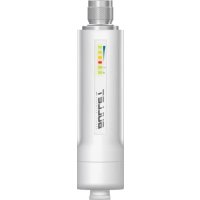
Bullet 2HP - Access Point Ubiquiti Networks - Free user manual and instructions
Find the device manual for free Bullet 2HP Ubiquiti Networks in PDF.



| Product type | Outdoor access point |
| Brand | Ubiquiti Networks |
| Model | Bullet 2HP |
| Network connectivity | Ethernet 10/100, Passive PoE 24V |
| Management interface | AirOS (Web interface) |
| Operating frequency | 2.4 GHz |
| Wireless standard | 802.11 b/g/n |
| Max output power | 27 dBm (adjustable) |
| Max antenna gain | Configurable according to external antenna |
| Power supply | Passive PoE 24V (adapter included) |
| Power consumption | 8 W (typical) |
| Dimensions (H x D) | 162 x 39 x 39 mm |
| Weight | 300 g |
| Operating temperature | -30 °C to 75 °C |
| Humidity | 5% to 95% (non-condensing) |
| Mounting | Wall or pole mount (kit included) |
| Wireless security | WPA2-AES |
| Certifications | CE, FCC, IC |
| Warranty | 1 year |
| Maintenance and cleaning | No special maintenance. Clean with a soft dry cloth. Avoid solvents. |
| Spare parts and repairability | No spare parts available. In case of failure, contact Ubiquiti support. |
Frequently Asked Questions - Bullet 2HP Ubiquiti Networks
User questions about Bullet 2HP Ubiquiti Networks
0 question about this device. Answer the ones you know or ask your own.
Ask a new question about this device
Download the instructions for your Access Point in PDF format for free! Find your manual Bullet 2HP - Ubiquiti Networks and take your electronic device back in hand. On this page are published all the documents necessary for the use of your device. Bullet 2HP by Ubiquiti Networks.
USER MANUAL Bullet 2HP Ubiquiti Networks
Bullet/Pico/Loco/NanoStation
QUICK START GUIDE
English
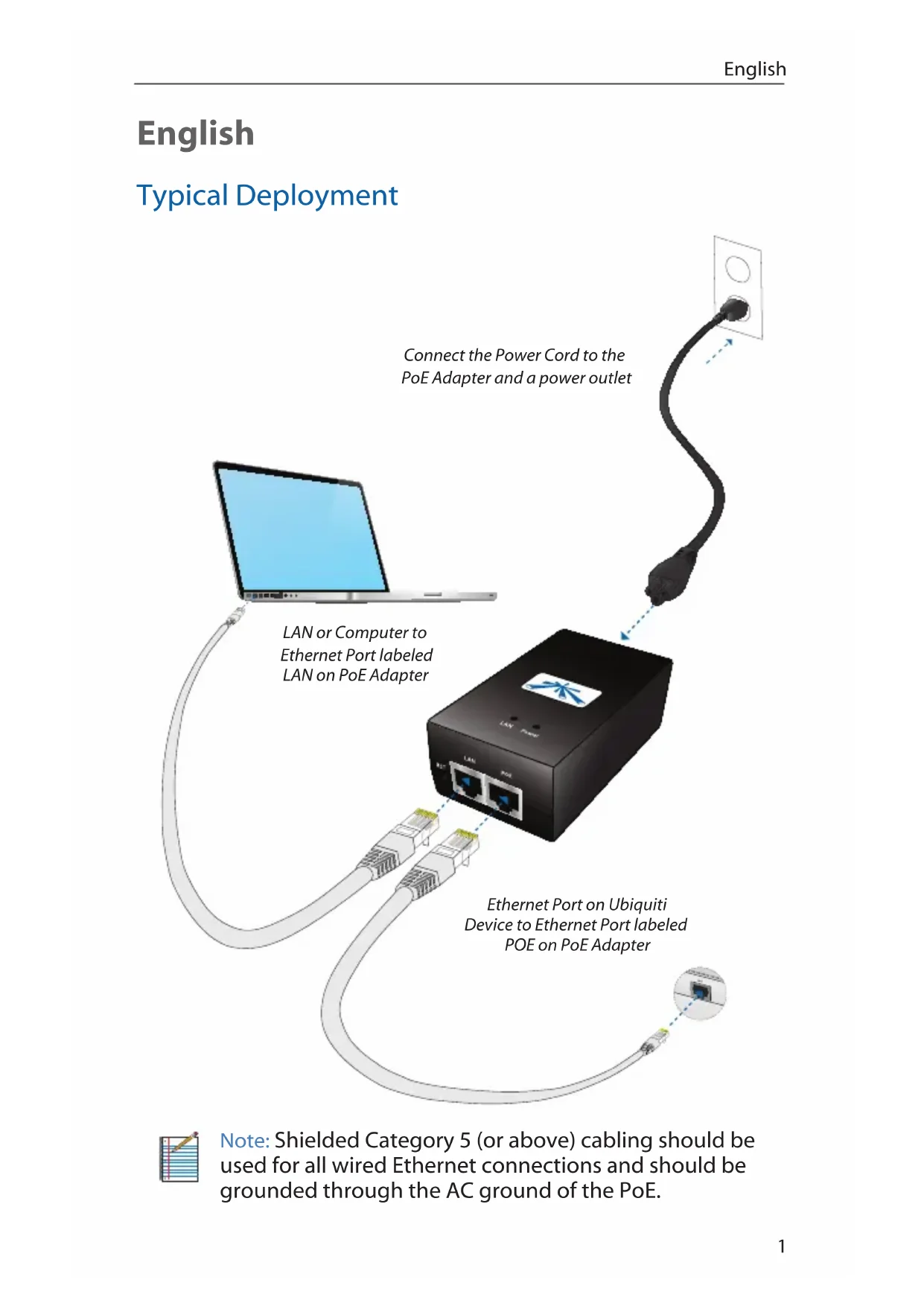
Typical Deployment


Note: Shielded Category 5 (or above) cabling should be used for all wired Ethernet connections and should be grounded through the AC ground of the PoE.
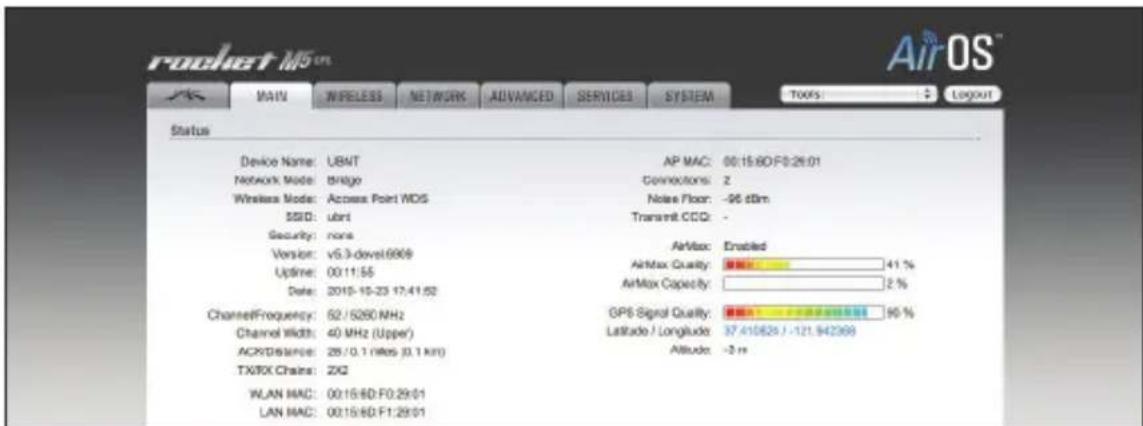
Accessing AirOS
- Make sure that your host machine is connected via Ethernet to the Ubiquiti Networks device (as shown on previous page).
- Configure the Ethernet adapter on your host system with a static IP address on the 192.168.1.x subnet (e.g. 192.168.1.100).
- Launch your Web browser and type http://192.168.1.20 in the address field and press enter (PC) or return (Mac).

- Enter ubnt in theUsername and Password fields. Select your country from the Select Your Country drop-down. To use the product you must agree to the terms of use. To do so, click I agree to these terms of use. Click Login.

- The AirOS Interface will appear allowing you to customize your settings as needed.
Ubiquiti Networks Wiki and Forum
Ubiquiti Networks has an online Wiki with Manuals, Guides, and Information. It is located at www.ubnt.com/wiki.

Another great resource is the Ubiquiti Networks Forum. You can post and view comments, questions, and answers with other forum members and Ubiquiti staff at www.ubnt.com/forum.

Installer Compliance Responsibility
Devices must be professionally installed and it is the professional installer's responsibility to make sure the device is operated within local country regulatory requirements.


Since Ubiquiti Networks equipment can be paired with a variety of antennas and cables, the Antenna Gain, Cable Loss, and Output Power fields are provided to the professional installer to assist in meeting regulatory requirements.
The country that the product is being used in should be selected from the Country Codes drop-down.
Safety Notices
- Read, follow, and keep these instructions.
- Heed all warnings.
- Only use attachments/accessories specified by the manufacturer.

WARNING: Do not use this product in location that can be submerged by water.

WARNING: Avoid using this product during an electrical storm. There may be a remote risk of electric shock from lightning.
Electrical Safety Information
- Compliance is required with respect to voltage, frequency, and current requirements indicated on the manufacturer's label. Connection to a different power source than those specified may result in improper operation, damage to the equipment or pose a fire hazard if the limitations are not followed.
- There are no operator serviceable parts inside this equipment. Service should be provided only by a qualified service technician.
- This equipment is provided with a detachable power cord which has an integral safety ground wire intended for connection to a grounded safety outlet.
a. Do not substitute the power cord with one that is not the provided approved type. Never use an adapter plug to connect to a 2-wire outlet as this will defeat the continuity of the grounding wire.
b. The equipment requires the use of the ground wire as a part of the safety certification, modification or misuse can provide a shock hazard that can result in serious injury or death.
c. Contact a qualified electrician or the manufacturer if there are questions about the installation prior to connecting the equipment.
General Warranty
UBIQUITI NETWORKS, Inc ("UBIQUITI NETWORKS") represents and warrants that the Products furnished hereunder shall be free from defects in material and workmanship for a period of one (1) year from the date of shipment by UBIQUITI NETWORKS under normal use and operation. UBIQUITI NETWORKS sole and exclusive obligation under the foregoing warranty shall be to repair or replace, at its option, any defective Product that fails during the warranty period. The expense of removal and reinstallation of any item is not included in this warranty.
The foregoing warranty is exclusive and in lieu of all other warranties, express or implied, including the implied warranties of merchantability and fitness for a particular purpose and any warranties arising from a course of dealing, usage or trade practice with respect to the products. Repair or replacement in the manner provided herein shall be the sole and exclusive remedy of Buyer for breach of warranty and shall constitute fulfillment of all liabilities of UBIQUITI NETWORKS with respect to the quality and performance of the Products. UBIQUITI NETWORKS reserves the right to inspect all defective Products (which must be returned by Buyer to UBIQUITI NETWORKS factory freight prepaid).
No Products will be accepted for replacement or repair without obtaining a Return Materials Authorization (RMA) number from UBIQUITI NETWORKS. Products returned without an RMA number will not be processed and will be returned to Buyer freight collect. UBIQUITI NETWORKS shall have no obligation to make repairs or replacement necessitated by catastrophe, fault, negligence, misuse, abuse, or accident by Buyer, Buyer's customers or any other parties. The warranty period of any repaired or replaced. Product shall not extend beyond its original term.
Warranty Conditions
The foregoing warranty shall apply only if:
(I) The Product has not been subjected to misuse, neglect or unusual physical, electrical or electromagnetic stress, or some other type of accident.
(II) No modification, alteration or addition has been made to the Product by persons other than UBIQUITI NETWORKS or UBIQUITI NETWORK'S authorized representatives or otherwise approved by UBIQUITI NETWORKS.
(III) The Product has been properly installed and used at all times in accordance, and in all material respects, with the applicable Product documentation.
(IV) All Ethernet cabling runs use CAT5 (or above) shielded cabling.
Disclaimer: UBIQUITI NETWORKS does not warrant that the operation of the products is error-free or that operation will be uninterrupted. In no event shall UBIQUITI NETWORKS be responsible for damages or claims of any nature or description relating to system performance, including coverage, buyer's selection of products for buyer's application and/or failure of products to meet government or regulatory requirements.
Returns
In the unlikely event a defect occurs, please work through the dealer or distributor from which this product was purchased.
Deutsch
Changes or modifications not expressly approved by the party responsible for compliance could void the user's authority to operate the equipment.
NOTE: This equipment has been tested and found to comply with the limits for a Class A digital device, pursuant to part 15 of the FCC Rules. These limits are designed to provance reasonable protection against harmful interference when the equipment is operated in a commercial environment. This equipment generates, uses, and can radiate radio frequency energy and, if not installed and used in accordance with the instruction manual, may cause harmful interference to radio communications. Operations of this equipment in a residential area is likely to cause harmful interference in which case the user will be required to correct the interference at his own expense.
For MPE and antenna usage details, please visit our website at www.ubnt.com/compliance
Industry Canada
This Class A digital apparatus complies with Canadian ICES-003.
Operation is subject to the following two conditions:
- This device may not cause interference, and
- This device must accept any interference, including interference that may cause undesired operation of the device.
To reduce potential radio interference to other users, the antenna type and its gain should be so chosen that the equivalent isotropically radiated power (e.i.r.p.) is not more than that permitted for successful communication.
CE marking on this product represents the product is in compliance with all directives that are applicable to it.
Alert sign! Follows CE marking
Alert sign must be indicated if a restriction on use applied to the product and it must follow the CE marking.

NB-Identification number (if there is any)
Notified body number is indicated if it is involved in the conformity assessment procedure.

Please check the CE mark on the product label to find out which notified body was involved during assessment.
RoHS/WEEE Compliance Statement
English
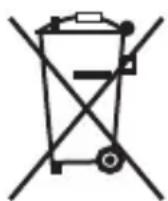
European Directive 2002/96/EC requires that the equipment bearing this symbol on the product and/or its packaging must not be disposed of with unsorted municipal waste. The symbol indicates that this product should be disposed of separately from regular household waste streams. It is your responsibility to dispose of this and other electric and electronic equipment via designated collection facilities appointed by the government or local authorities. Correct disposal and recycling will help prevent potential negative consequences to the environment and human health. For more detailed information about the disposal of your old equipment, please contact your local authorities, waste disposal service, or the shop where you purchased the product.
Deutsch
Declaration of Conformity
| Česky [Czech] | UBIQUITI NETWORKS tímtó prohla uje, e tento UBIQUITI NETWORKS device, je ve shod se základním i po adavyk a dal úm i p islu n mi ustanoveními sm rnice 1999/5/ES. |
| Dansk [Danish] | Undertegnede UBIQUITI NETWORKS erklærer herved, at følgende udstyr UBIQUITI NETWORKS device, overholder de væsentlige krav og øvrige relevante krav i direktiv 1999/5/EF. |
| Nederlands [Dutch] | Hierbij verkaart UBIQUITI NETWORKS dat het toestel UBIQUITI NETWORKS device, in overeenstemming is met de essentièle eisen en de andere relevante bepalingen van richtlijn 1999/5/EG. Bij deze verkaart UBIQUITI NETWORKS dat.Deze UBIQUITI NETWORKS device, voldet aan de essentièle eisen en aan de overige relevante bepalingen van Richtlijn 1999/5/EC. |
| English | Hereby, UBIQUITI NETWORKS, declares that this UBIQUITI NETWORKS device, is in compliance with the essential requirements and other relevant provisions of Directive 1999/5/EC. |
| Eesti [Estonian] | Käesolevaga kinnitab UBIQUITI NETWORKS seadme UBIQUITI NETWORKS device, vastavust direktiivi 1999/5/EÜ pöhinõuetele ja nimetatud direktiivist tulenevatele teistele asjakohastele sâtetele. |
| Suomi [Finnish] | UBIQUITI NETWORKS vakuuttaa täten että UBIQUITI NETWORKS device, typpinen laite on direktiivin 1999/5/EY oleellisten vaatimusten ja sitä koskevien direktiivin muiden ehtoen mukainen. |
| François [French] | Par la présente UBIQUITI NETWORKS déclare que l'appareil UBIQUITI NETWORKS, device est conforme aux exigences essentielles et aux autres dispositions pertinentes de la directive 1999/5/CE. Par la présente, UBIQUITI NETWORKS déclare que ce UBIQUITI NETWORKS device, est conforme aux exigences essentielles et aux autres dispositions de la directive 1999/5/CE qui lui sont applicables. |
| Deutsch [German] | Hiermit erklärrt UBIQUITI NETWORKS, dass sich diese UBIQUITI NETWORKS device, in Übereinstimmung mit den grundlegenden Anforderungen und den anderen relevanten Vorschriften der Richtlinie 1999/5/EG befindet". (BMWi) Hiermit erklärrt UBIQUITI NETWORKS die Übereinstimmung des Gerätes UBIQUITI NETWORKS device, mit den grundlegenden Anforderungen und den anderen relevanten Festlegungen der Richtlinie 1999/5/EG. (Wien) |
| Ελληνική [Greek] | ME THN ΠΑΡΟΥΣΑ UBIQUITI NETWORKS ΔΗλΩNEΙ OTI UBIQUITI NETWORKS device, ΣΥΜΜΟΡΟΦΩNETAΙ ΠΙΝΟ ΠΙΣ ΟΥΣΙΩΔΕΙΣ ΑΠΑΙΤΗΣΕΙΣ KAI ΠΙΣ ΑΟΙΠΕΣ ΣχΕΤΙΚΕΣ ΔΙΑΤΑΞΕΙΣ ΘΗ ΕΟΗΓΙΑΣ 1995/5/EK. |
| Magyar [Hungarian] | Alulírott, UBIQUITI NETWORKS nyilatkozom, hagy a UBIQUITI NETWORKS device, megfelel a vonatkozó alapvető követelményeknek és az 1999/5/EC irányelv egyéb előirásainak. |
| Íslenska [Icelandic] | Hér me I sir UBIQUITI NETWORKS yfir pá a UBIQUITI NETWORKS device, er i samræmi vi grunnkröfur og a rar kröfur, sem ger ar eru i tilskipun 1999/5/EC. |
| Italiano [Italian] | Con la presente UBIQUITI NETWORKS dichiarare che questo UBIQUITI NETWORKS device, è conforme ai requisiti essenziali ed alle altre disposizioni pertinenti stabilite alla direttiva 1999/5/CE. |
| Latviski [Latvian] | Ar o UBIQUITI NETWORKS deklar, ka UBIQUITI NETWORKS device, atbilst Direkt vas 1999/5/EK b tiskaj m pris b m un citiem ar to saist tajiem noteikumiem. |
| Lietuviškai [Lithuanian] | UBIQUITI NETWORKS deklaruoja, kad šis UBIQUITI NETWORKS jrenginys atitinka esminius reikalavimus irKitas 1999/5/EB Direktyvos nuostatas. |
| Malti [Maltese] | Hawnhekk, UBIQUITI NETWORKS, jiddikjara li dan UBIQUITI NETWORKS device, jikkonforma mal- ti ijiet essenzjali u ma provvedimenti o rajn relevanti li hemm fid-Dirrettiva 1999/5/EC. |
| Norsk [Norwegian] | UBIQUITI NETWORKS erklær herved at utstyret UBIQUITI NETWORKS device, er i samsvar med de grunnleggende krav og ovrige relevante krav i direktiv 1999/5/EF. |
| Slovensky [Slovak] | UBIQUITI NETWORKS t mto vyhlasuje, e UBIQUITI NETWORKS device, sp a základné po iadavyk a v etky príslu né ustanovenia Smernice 1999/5/ES. |
| Svenska [Swedish] | Härmed intygår UBIQUITI NETWORKS attenna UBIQUITI NETWORKS device, stär l overensstämmlse med de väsentliga egenskapskrav och övriga relevanta bestämmelser som framgår av direktiv 1999/5/EG. |
| Espanol [Spanish] | Por medio de la presente UBIQUITI NETWORKS declara que el UBIQUITI NETWORKS device, cumple con los requisitos esenciales y caulesquiera other disquisitiones aplicables o exigibles de la Directiva 1999/5/CE. |
| Polski [Polish] | Niniejszym,irma UBIQUITI NETWORKS o wiadcza, e produit seriüi UBIQUITI NETWORKS device, spehnia zasadnicze wymagania i innate istotine postanowientia Dyrektywy 1999/5/EC. |
| Portugués [Portuguese] | UBIQUITI NETWORKS declara que este UBIQUITI NETWORKS device, está conforme com os requisitos essenciais e autres dispositiones da Directiva 1999/5/CE. |
TOUGH Cable
English
We recommend that you protect your networks from the most brutal environments and devastating ESD attacks with industrial-grade shielded Ethernet cable from Ubiquiti Networks. For more details, visit www.ubnt.com/toughcable
Deutsch

www.ubnt.com/toughcable
Français
Ubiquiti Networks Support
Email: support@ubnt.com
Phone (9 a.m. - 5 p.m. PST): 408-942-1153
Online Resources
Wiki Page: www.ubnt.com/wiki
Support Forum: www.ubnt.com/forum
Knowledge Base: www.ubnt.com/kb
Downloads: www.ubnt.com/support/downloads
- ENGLISH
- TYPICAL DEPLOYMENT
- ACCESSING AIROS
- UBIQUITI NETWORKS WIKI AND FORUM
- INSTALLER COMPLIANCE RESPONSIBILITY
- SAFETY NOTICES
- ELECTRICAL SAFETY INFORMATION
- GENERAL WARRANTY
- WARRANTY CONDITIONS
- RETURNS
- DEUTSCH
- INDUSTRY CANADA
- ALERT SIGN! FOLLOWS CE MARKING
- NB-IDENTIFICATION NUMBER (IF THERE IS ANY)
- ROHS/WEEE COMPLIANCE STATEMENT
- DECLARATION OF CONFORMITY
- TOUGH CABLE
- FRANÇAIS
- UBIQUITI NETWORKS SUPPORT
- ONLINE RESOURCES
Brand : Ubiquiti Networks
Model : Bullet 2HP
Category : Access Point