D613C - Phone Clarity - Free user manual and instructions
Find the device manual for free D613C Clarity in PDF.


User questions about D613C Clarity
0 question about this device. Answer the ones you know or ask your own.
Ask a new question about this device
Download the instructions for your Phone in PDF format for free! Find your manual D613C - Clarity and take your electronic device back in hand. On this page are published all the documents necessary for the use of your device. D613C by Clarity.
USER MANUAL D613C Clarity
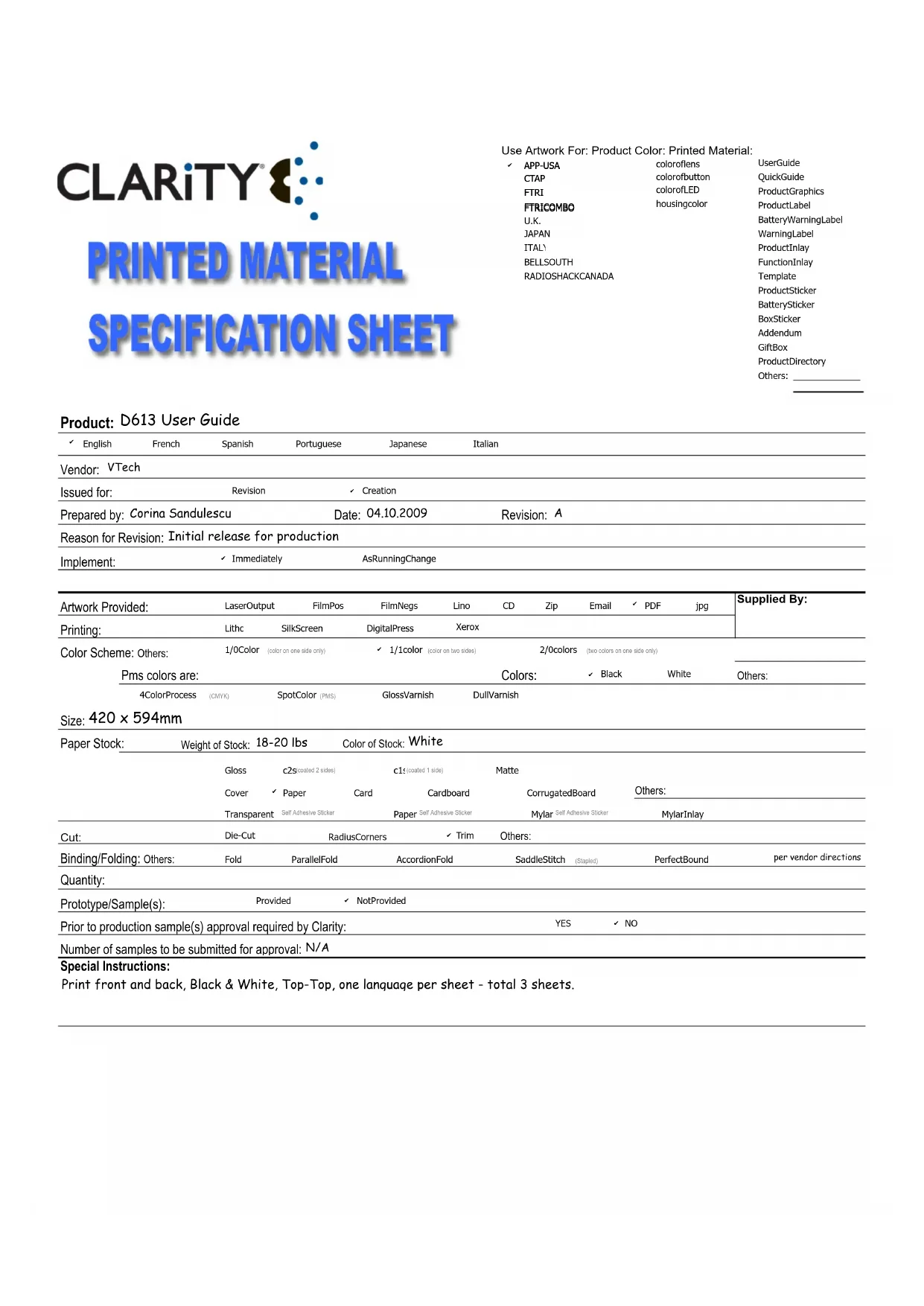
Use Artwork For: Product Color: Printed Material:
| √ APP-USA | coloroflens | UserGuide |
| CTAP | colorofbutton | QuickGuide |
| FTRI | colorofLED | ProductGraphics |
| FTRICOMBO | housingcolor | ProductLabel |
| U.K. | BatteryWarningLabel | |
| JAPAN | WarningLabel | |
| ITAL' | ProductInlay | |
| BELLSOUTH | FunctionInlay | |
| RADIOSHACKCANADA | Template |
Product: D613 User Guide
| English | French | Spanish | Portuguese | Japanese | Italian |
| Vendor: VTech | |||||
| Issued for: | Revision | Creation | |||
| Prepared by: Corina Sandulescu | Date: 04.10.2009 | Revision: A | |||
| Reason for Revision: Initial release for production | |||||
| Implement: | Immediately | AsRunningChange | |||
| Artwork Provided: | LaserOutput | FilmPos | FilmNegs | Lino | CD | Zip | jpg | Supplied By: | ||
| Printing: | Lithc | SilkScreen | DigitalPress | Xerox | ||||||
| Color Scheme: Others: | 1/0Color | (color on one side only) | √ 1/1color | (color on two sides) | 2/0colors | (two colors on one side only) | ||||
| Pms colors are: | Colors: | √ Black | White | Others: | ||||||
| 4ColorProcess | (CMYK) | SpotColor (PMS) | GlossVarnish | DullVarnish | ||||||
Size: 420 × 594mm
| Paper Stock: | Weight of Stock: 18-20 lbs | Color of Stock: White | |||||
| Gloss | c2s (coated 2 sides) | c1s (coated 1 side) | Matte | ||||
| Cover | √ Paper | Card | Cardboard | CorrugatedBoard | Others: | ||
| Transparent | Self Adhesive Sticker | Paper Self Adhesive Sticker | Mylar Self Adhesive Sticker | MylarInlay | |||
| Cut: | Die-Cut | Radius Corners | √ Trim | Others: | |||
| Binding/Folding: Others: | Fold | ParallelFold | AccordionFold | SaddleStitch (Staped) | PerfectBound | per vendor directions | |
| Quantity: | |||||||
| Prototype/Sample(s): | Provided | √ NotProvided | |||||
| Prior to production sample(s) approval required by Clarity: | YES | √ NO | |||||
| Number of samples to be submitted for approval: N/A | |||||||
Special Instructions:
Print front and back, Black & White, Top-Top, one language per sheet - total 3 sheets.
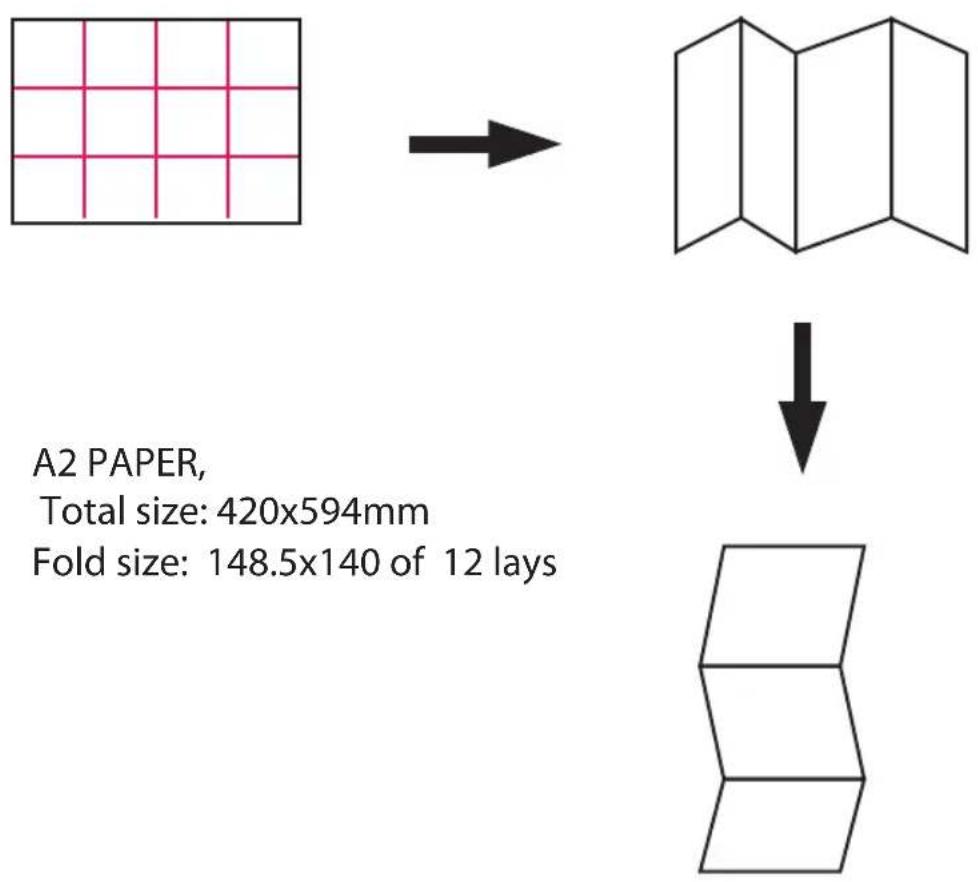
A2 PAPER,
Total size: 420x594mm
Fold size: 148.5x140 of 12 lays
text_image
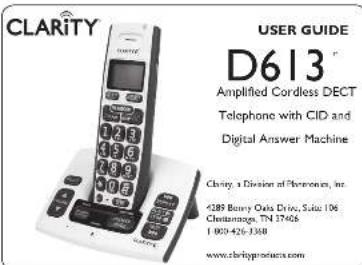
CLARITY USER GUIDE D613® Amplified Cordless DECT Telephone with CID and Digital Answer Machine Clarity, a Division of Phonics, Inc. 4289 Berry Oats Drive, Suite 106 Chlanaroga, TN 37468 1 000-426-3388 www.clarityproducts.com© 2007 Clarity, a division of Plantronics, Inc. All rights reserved. Amplifying your life, Clarity the amplification device. Clarity and the amplification device combined. Clarity. D613. Digital Clarity Power and DCP are trademarks or registered trademarks of Plantronics, Inc. Rev. A (4-09)
CONTENTS & PARTS CHECKLIST
Your package includes all the items as shown here. If there is anything missing, please contact our Customer Care Department immediately.
NOTE: PLEASE RETAIN A COPY OF PROOF OF PURCHASE FOR YOUR RECORDS.
Base unit.


Handset


INSTALLING YOUR D613
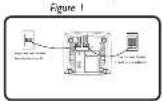
- Connect one and of the telephone cord into the (square) LINE port on the bottom of the base, connect the other end of the phone cord into our wall telephones outlet. See Figure 1.
-
Connect the DC adapter cord into the DC 6V 600mA port on the bottom of the base, play the adapter into your wall outlet. See Figure 1.
-
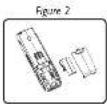
Side open the battery compartment door and connect the rechargeable battery into the battery compartment. Sam Figure 2.
-
Put the handout on the box to charge for at least 24 hours before first use. Subsequent charging time should be 6-8 hours a day.
Battery Performance
The battery iron will think on the menu screen when the battery is low. A fully charged battery will provide an estimated 10 hours of talk time and 100 hours of standby time.
To keep your battery pack in the best condition, leave the handset off the base for a few hours at a time. Turning the battery pack down at least once will help it be as long as possible. The change capacity of rechargeable battery pack will reduce with time as it wears nor giving the handset less outstanding time. Eventually it will need to be replaced. Note: Battery pack and handset may become warm during charging. This is normal.
FEATURE LIST AND OVERVIEW
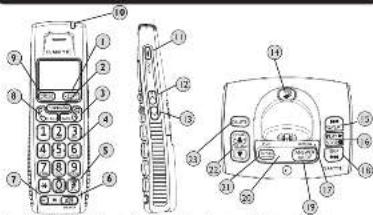
text_image
Diagram of a mobile phone with numbered parts and labeled front and back views① X/CLEAR/MUTE button (Mato:Clear/Delete:Answering Machine main menu: Info mode): Press to access the main menu of the answer machine and lean to the voice.
(Pre-dial Editing mode): Press once to delete a character or digit. Press and hold to delete all characters' data.
(During a call): Press the button to make a call press again to unwrite call (Call Line) to check again from this button to drive the next
(Casie Diclofonbeck and) Press this edition to ensure the entry
(Answering Machine mode): Press this button of the "0" key to add the current message playback.
2 PHONEBOOK button press this button to assess the characterbook.
(Lung Mode): Press to move the cursor to the left
Note: The phonebook will hold up to 30 name and numbers.
- BACK button: Press to end a call
Menu Mode: Pres to move back a menu level.
4Dial pad/Alphanumeric keypad: Enter the desired number you wish to call or character when typing a name into the phonebook entry. * button (Tone): During a call press this button to switch from pulse to tone during (temporarily). After the call has ended, the dial mode will resume to pulse.) Notes you can predict (all before pressing Talk) or press Talk and did after having the dial tone.
51 #/PAUSE/ABC/FORMAT Button
(IdioFro-dia)During a call model. Press to insert a # symbol
the number editing model: Press once to insert the symbol and hold key to insert a pause
(In name editing model: Toggle between ABC/Abc/abc
(In circle for entry): Press to toggle the Caller ID display format among 7, 8, 10 and 11 digits
6) SPEAKER Button: Press the SPEAKER button to engage the speaker phone function, press again to turn the feature off.
① INT. (Intercom): This feature is only available when there are at least 2 registered handsets. It allows you to make internal calls, transfer external calls from one handset to another and use the conference option.
(8) (Take)/FLASH button: Press to make a call, answer an incoming call or to engage the Call Waiting/Color ID function (feature provided by local telephone company).
⑨ MENU:HOLD/SELECT button Press to access the menu list and to confirm these settings in the menu.
(During a call): Press to place the call on hold.
⑩Top Handset Light: The light will flash during an incoming call, the light will remain on when you are on a call and the BOOST is on
SCREEN ICONS (HANDSET AND BASE)
Speakerphone is ON
Menu Screen on Handset Answering Machine is ON, links for new messages.
| NEW New calls are received, turns off after new calls are reviewed. | |
| Ringer volume is turned off. | |
| New voice mod, not yet listened to. (from your local |
(continued company)
Screen on Base Level of charge in your battery flashes when it needs rechange
The following symbols will appear on the base LCD screen to indicate the following:
... "Will be displayed when the answer machine is turned off
-
Indicata no new manager.
-
Indicates how many messages are on the answering machine. [Example: There are 9 corresponding messages in detail. Further will do's when you plan a message
4: "Will flash when the answering machine memory is full. Note: The answering machine
will hold up to 15 minutes of recorded messages with a limit of 59 messages
LA005: Symbols will blink back and forth when recording a personalized announcement or
minutes. The number's example: 95) indicate the total number of messages in answering machine when closing announcement.
In Flashing mode: Answering an incoming call + recording an incoming call.
An : Represents announce only mode.
1.5: Lita rempiere access is in progress.
LA-09 Symbol will blink back and forth when remote access is in progress. The number indicates the total number of new addresses.
L3 Indicates the base speaker volume level. (Example: Volume level is set at level 3. (Note: This speaker level symbol will disappear after three seconds)
FEATURE LIST AND OVERVIEW
⑪ BOOST ON/OFF: Press BOOST to engage the extra amplification (screen briefly displays BOOST ON). In BOOST OFF mode, the phone has a volume range of up to 15dB or amplification in BOOST ON mode, the phone has a volume range of up to 30 dB or amplification.
⑫ UP: Scroll up/Volume up/Call list
(Isle mode) Pows to screen calls in
[Menu Mode]: Press to scroll up.
[Editing Mode]. Press to move cursor to the left.
(During a callAnswer machine model Press to increase volume
⑬ DOWN: Scroll down/Volume down!Redial list:
[dc Medc]: Prus to access the redial lat, [up to 32 digits, up to 5 calls]
(Menu Mask): From to scroll down.
[Editing Model]: Press to move cursor to the right.
(During a call/Answering Machine Model: Press to decrease volume
Call Lice phone manual (redal for entry): Prays to scroll down the line.
(14) FIND: Press to find (page all registered schedules.
⑬ REPEAT (Backward): Press once to replay current message from the beginning. Press twice to playback the previous message.
(14) PLAY/STOP: Press to play a message press again to stop playing message
⑰ CHARGING light (Red): Light will turn on red when the bendue is in the circle by moving charging ⑱ SKIP (Europa), these are also a message and more focused to the next message
10 ANSWER MODE. Hour: Box the intram track answers the following responses
mychne node: ANSWER OFF ANNOUNCE & RECORD ANNOUNCE ONLY
Answering Machine screen: Six options or ICONS for details
② RECORD ANNOUNCEMENT: Short press to play current outgoing messages. Press and hold to record your on-coupling message and release to stop recording.
⑰ VOLUME UP/DOWN: Conduct the answering machine volume (levels 0 to 8)
② DELETE To delete message press this button while message is pizing press and hold co
delete all reviewed messages. New messages cannot be deleted before being reviewed.
ADDITIONAL HANDSETS
Registering Additional Handsets The original handset is pre-registered for use. Up to 5 handsets can be registered to one base station. Additional handsets must be registered to the base before you can use them.
-
Plans the unregistered handset on the cleaner.
-
Press and hold the FIND button for 4 seconds on the tone
-
Release the HND button once the IN DeEight starts to learn.
-
A confirmation core will sound when registered is successful. Handset X is displayed where X denotes the number of Hangers. The phone will then go back to HK.
De-register All Handsets
-
Unplug the power from the base.
-
Press and hold the FIND burden on the base for 10 seconds.
-
Plug back in the power of the base.
-
Within 2 seconds press and release the FIND button on the base again. This will be registered at handsets. The IN USE light on the base will be OFF and NOT REGISTERED will display at each
RESET SETTINGS
Reset All Settings
The will grow at the personal and services on the default services
Note: All entries in the Phonebook, Redal List and Call List will be cleared.
-
Press the MENU button and use the UPDOWN buttons to select Robot Setting
-
Raise price the MEND button and add the DRUCYIN button to select AT setting.
- Raise the MEND button to select Yes
MENU OPTIONS
There are six main menu options on the D613: One & Time. Phonebook. Setup HS, Setup RS, Answer Machine and Reset Settings.
To navigate through the men
I. Press the MENU button;
-
Press the UPDOWN arrow buttons to scroll through the menu;
-
Please the MIND button to open the main button to select an option. Next the [15th CI] BACK button to go back to the previous menu level or to cancel an action.
Note: If you do not press any button on the handset for 30 seconds the display will automatically return to today.
| Main Menu | Date & Time | Phone-book | Setup HS | Setup BS | Answer Machine | Reason Setting |
| Sub Menu | Your Date: Time | ViceAdd EdsDelete | Ringer ToneRinger VolumeKey ToneLow Bit ToneOut Range ToneHandset NameLanguageLCD Contract | Ringer ToneRinger VolumeDial NameArea Code | Answer MachinePlayage AlertNumber of RingsAmancemereRecord MemoCall ScreeningBarrels AccessSecurity Code | CDL Voice MailAI See-Ups |
CALL LIST (CID)
This is a service provided through your local telephone company. The U613 will automatically display the incoming letters name and number along with the data and time for the cell. It will record up to 30 cells.
Note: The time and date will automatically register after receiving your first call.
Call List (CID)
The call list contains the missed and received calls. Entries are displayed in chronological order with the most recent call at the top of the list. When there is a missed call that has not been answered, NEW will be displayed on the menu screen.
Note: When the call is a full, a new call replaces the closest in the list. If you receive more than one call from the same number, only the most recent call is kept in the call list.
View Call List
To View the Call Line information press the UIP button while your phone is in idle mode, the most recent number will be displayed. Press the UPDOWN buttons to scroll through the call list.
Formatting Call List Information
When reviewing an entry from the call list press the # button repeatedly to display the number in different formats. For example, if the call number is displayed at 800-426-3738 the various formats will be: 426-5738, 1-426-3738, 800-426-3738 and 1-800-426-5738.
Save Number from Call List to Phonebook
-
Use the UP/DOWN buttons to scroll to the OD entry you would like to save.
-
Press the MENS Solution 3-4 enter the name using you
-
Pass the MBIL limitation also begin to add the student
-
Press the MENU button and use the UPDOWN buttons to select your desired melody.
-
Press the MENU button to save to the Phonebook.
Notes: Up to 30 names and number can be stored into the phoneback. Numbers can be stored up to 24 digits long and names can be up to 16 characters long. Entries will be stored in alphabetical order.
Delete a Call List Entry
-
Press the LP button to enter the call list.
-
From the UP/DOWN button to your claimed entry.
-
Press the CLEAR/DELETE button to delete the entry
Delete Entire Calls List
-
Press the UP button to enter the call list.
-
Press and hold the CLEAUDELETE BURENT WEL "DELETE ALL CALL LOG ENTRIES"
theoretical
- HAS THE MEN'S TO EARN THE WHITE STRIPES,
BOOST FUNCTION AND VOLUME CONTROL
VOLUME CONTROL
Boost Function - Amplify Incomin
-
While on a call power the BOOST human to engage the amplifier. The D613 has a BOOST button that controls the loudness of the reception. Once the BOOST button is pressed an extra level of amplification is added over the entire range of the Volume Control. During a call, the BOOST button can toggle the Clarity Power function On or Off according to the user's mode. The BOOST button will reheat automatically every time the phone is hung up for at least 5 seconds. The top light will illuminate (Red) while the BOOST function is activated.
-
During a call press UP/DOWN buttons to adjust the volume to the desired sound level (up to 30 dB of amplification) on the car price or loudspeaker. The Volume Control adjusts the level of volume in the handset and speaker in both BOOST or non-BOOST modes. The volume control provides up to 16 dB of volume before the BOOST button is activated.
CAUTION: VOLUME MAY BE LOUD
PROCEED WITH CARE
Setup BS (Base) (Main Menu)
Submenu settings allows you to select your personalised settings for the base: Ringer Tone (Melody settings 1-3), Ringer Volume (1-5). Dial Mode and Area code.
Answer Machine (Main Menu)
Submenu settings allow you to set the following Answer Machine (Answer Off/Announce & Record/Announce Only), Manage Alert (On/Off), Set Number of filings before the Answer Machine picks up. Announcement (Announce & Record/Announce Only), Record Memo, Call Screening, Remote Assist (On/Off) and set your own security code for remote access (default security code is 123).
Reset Setting (Main Menu)
Submenu settings allows you to Clear your Voice Mail (service provided by your local
telephone company) or to reset All Settings to the default settings.
Date and Time (Main Menu)
The submenu will allow you to normally input the Year, Date and Time. If you have CID service (service provided by your local telephone company), this information will automatically register during your first call.
Phonebook (Man Macu)
Submenu settings allows the following options: View, Add, Edit, Delete, Delete All. Check your Playback Capacity and Set your Special Dial for less 1.9.
Setup HS (Hondex) (Main Menu)
Submenu settings allows you to select your own personalized settings for the handset: Ringer Tone (Melody setings 1-3), Ringer Volume (OF, Vol. 1-5). Key Tone (On/Off), Low Batt Tone (On/Off), Out of Range (On/Off), Tone, Handset Name and Language (English FRANCOS/ Español).
MENU OPTIONS
Setup BS (Base) (Main Menu)
Submenu settings allows you to select your personalised settings for the base: Ringer Tone (Melody settings 1-3), Ringer Volume (1-5). Dial Mode and Area code.
Answer Machine (Main Panel)
Submenu settings allow you to set the following Answer Machine (Answer Off/Announce & Record/Announce Only), Manage Alert (On/Off), Set Number of filings before the Answer Machine picks up. Announcement (Announce & Record/Announce Only), Record Memo, Call Screening, Remote Assist (On/Off) and set your own security code for remote access (default security code is 123).
Reset Setting (Main Menu)
Submenu settings allows you to Clear your Voice Mail (service provided by your local
telephone company) or to reset All Settings to the default settings.
[Non-Text]
[Non-Text]
TROUBLESHOOTING
Charging
The Battery icon is not showing that it is charging when the handset is placed on the base.
-
Bad battery contact move the handset slightly
-
Dirty contact. Clean the battery contact with a cloth moistened with alcohol
- Battery is full, no need to charge.
No dial tone
-
No power, check the connections. Reset the phone: unplug and plug back in the electrical outlet.
-
The Battery has lost its charge. Charge the battery pack for at least 24 hours.
-
You are too far from the base, move closer to the base.
-
Make sure that you have used the telephone line cord and DC power adapter provided.
-
Make sure that the DC power adaptor is connected correctly.
Poor audio quality
- The base may be too close to electrical appliances, reinforced concrete walls or metal door frames. Place the base away from any electrical appliances.
Caller ID service does not work
Check your subscription with your network provider.
A phonebook entry cannot be stored
The phonebook may be full. Delete an entry to free memory
No display
-
Try recharging or replacing the battery pack.
-
Reset the telephone base. Unplug the unit's electrical power, then plug it back in. Registration
Unable to register another handset
-
Be sure that it is a Clarity expandable handset that is compatible to the D613.
-
If there is a deal for a handset registered, the maximum has been renewed.
- The display shows NOT REGISTERED. You must de-register a handset in order to register a new one.
TROUBLESHOOTING
Handset loses the link to base during use
-
Check the power cord is connected properly into the telephone base.
-
Make sure the DC power adapter is connected properly into an electrical outlet
-
Move the cordless handset closer to the telephone base. It may be out of range.
-
Reset the telephone base by unplugging the unit's electrical power. Wait for around 15 seconds and plug it back in again. Allow up to one minute for the cordless handset and the telephone base to synchronize.
Static On The Line
- Your phone may be located near a touch lamp, microwave, refrigerator or other
household appliances. Try relocating your phone to another area.
-
A cordless phone on your line may cause static. Try disconnecting the cordless phone. This may eliminate the problem.
-
Extra devices attached to the telephone, such as CID units and answering machines
may cause static. Disconnecting the devices may eliminate the problem,
- If there is also a DSL service in the home, this will cause interference on the line.
That interference is then amplified by the phone, causing a less than optimal quality of conversation. Install the phone line filter provided by the DSL service provider to reduce the amount of interference on the line.
Interference
- Check cords and connections. Frayed or poorly connected cords can cause
interference. Swap cards if necessary.
Noise interference on your radio or television
Your base or charger may be too close. Move it as far away as possible
Answer Machine
-
Make sure the answering machine is on.
-
The memory may be full. If so, you will need to delete some messages.
Still Not Working?
If, after going through this checklist, the D613 is still not functioning properly, call Clarity at 1.800.426.3738.
REGULATORY COMPLIANCE
Part 68 of FCC Rules Information
a) This equipment complies with Part 68 of the FCC rules and the requirements adopted by the ACTA. On the bottom of this equipment is a label that contains, among other information, a product identifier in the format USAAEQ##TXXXX. If requested, this number must be provided to the telephone company.
b) A plug and jack used to connect this equipment to the premises wiring and
telephone network must comply with the applicable FCC Part 60 Rules and requirements adopted by the ACTA. A compliant telephone cord and modular plug, RJIC USOC, is provided with this product. It is designed to be connected to a compatible modular indicator that is also compliant. See installation instructions for detail
c) The REN is used to determine the number of devices that may be connected to a telephone line. Excessive RENs on a telephone line may result in the devices not ringing in response to an incoming call. In most but not all areas, the sum of RENs should not exceed five (5.0). To be certain of the number of devices that may be connected to a line, as determined by the total RENs, contact the local telephone company. For products approved after July 23, 2001, the REN for this product is paid of the product identifier that has the format US:AAEQJmTXXXX.
The digits represented by will are the REN without a decimal point (e.g., 03 is a REN of 0.3). For earlier products, the REN is separately shown on the label.
d) If this telephone equipment causes harm to the telephone network, the telephone company will notify you in advance that temporary discontinuance of service may be required. But if advance notice isn't practical, the telephone company will notify the customer as soon as possible. Also, you will be advised of your right to file a complaint with the FCC if you believe it is necessary.
e) The telephone company may make changes in its facilities, equipment, operations or procedures that could affect the operation of the equipment. If this happens the telephone company will provide advance notice in order for you to make necessary modifications to maintain uninterrupted service.
f) If trouble is experienced with this telephone equipment, for repair or warranty information, please contact Clarity, 1-800-552-3360. If the equipment is causing harm to the telephone network, the telephone company may request that you disconnect the equipment until the problem is resolved.
g) This telephone equipment is not intended to be repaired and it contains no repairable parts. Opening the equipment or any attempt to perform repairs will void the warranty. For service or repairs, call 1-800-552-3368.
h) Connection to party line service is subject to state tariffs. Contact the state public utility commission, public service commission or corporation commission for information.
REGULATORY COMPLIANCE
Part 68 of FCC Rules Information
(i) If your home has specially wired alarm equipment connected to the telephone line, ensure the installation of this telephone equipment does not disable your alarm equipment. If you have questions about what will disable alarm equipment, consult your telephone company or a qualified installer.
i) This telephone equipment is hearing aid compatible
Customer-Owned Coin/Credic Card Phones:
To comply with state tariffs, the telephone company must be given notification prior to connection. In some states, the state public utility commission, public service commission or corporation commission must give prior approval of connection.
Part 15 of FCC Rules Information
This device complies with Part 15 of the FCC Rules. Operation is subject to the following two conditions: (1) This device may not cause harmful interference, and (2) this device must accept any interference received, including interference that may cause undesired operation.
Your equipment has been tested and found to comply with the limits of a Class B digital device, pursuant to Part 15 of FCC rules. These limits are designed to provide reasonable protection against harmful interference in residential installation.
This equipment generates, uses and can radiate radio frequency energy and, if not installed and used in accordance with the instructions, may cause harmful interference to radio communications. However, there is no guarantee that interference will not occur in a particular installation; if this equipment does cause harmful interference to radio or television reception, which can be determined by turning the equipment off and on, you are encouraged to try to correct the interference by one of the following measures:
-
When it can be done quickly, requires the receiving partition or radio sensors.
-
To the extent possible, relocate the television, radio or other receiver with respect to the telephone equipment. (This increases the separation between the telephone equipment and the receiver.)
-
Connect the telephone equipment into an outlet on a circuit different from that to which the television, radio, or other receiver is connected.
-
Consult the dealer or an experienced Radio/TV Technician for help. CAUTION: Changes or modifications not expressly approved by the manufacturer responsible for compliance could void the user's authority to operate the equipment.
IMPORTANT SAFETY INSTRUCTIONS
Privacy of communications may not be ensured when using this phone. Caution: To maintain the compliance with the FCC's RF exposure guideline, place the base unit at least 20 cm from nearby persons.
For body worn operation, this handset has been tested and meets the FCC RF exposure guidelines when used with the Clarity accessories supplied or designated for this product. Use of other accessories may not ensure compliance with FCC RF exposure guidelines.
When using your telephone equipment, basic safety precautions should always be followed to reduce the risk of fire, electric shock and injury to persons including the following:
-
Read and understand all instructions.
-
Follow all warnings and instructions marked on the telephone.
-
Do not use this telephone near a bathtub, wash basin, kitchen sink or laundry tub, in a wet basement, near a swimming pool or any where else there is water.
-
Avoid using a telephone (other than a cordless type) during a storm. There may be a remote risk of electrical shock from lightning.
-
Do not use the telephone to report a gas leak in the vicinity of the hook
-
Unplug this telephone from the wall outlets before cleaning. Do not use liquid
-
Place this telephone on a stable surface. Serious damage and/or injury may result if the telephone falls.
-
Do not cover the slots and openings on this telephone. This telephone should never be placed near or over a radiator or heat register. This telephone should not be placed in a built-in installation unless proper ventilation is provided.
-
Operate this telephone using the electrical voltage as stated on the base unit or the owner's manual. If you are not sure of the voltage in your home, consult your dealer or local power company.
-
Do not place anything on the power cord. Install the telephone where no one will stop or trip on the cord.
-
Do not overload wall outlets or extension cords as this can increase the risk of fire or electrical shock.
-
Never push any objects through the slots in the telephone. They can touch dangerous voltage points or short out parts that could result in a risk of fire or electrical shock. Never spill liquid of any land on the telephone.
-
To reduce the risk of electrical shock, do not take this phone apart. Opening or removing covers may expose you to dangerous voltages or other risks. Incorrect reassembly can cause electric shock when the appliance is subsequently used.
REGULATORY COMPLIANCE
Industry Canada Technica
This product meets the applicable Industry Canada technical specifications. Before installing this equipment, users should ensure that it is permissible to be connected to the facilities of the local telecommunications company. The equipment must also be installed using an acceptable method of connection. In some cases, the company's inside wiring associated with a single line individual service may be extended by means of a certified connector assembly (telephone extension cord). The customer should be aware that compliance with the above conditions may not prevent degradation of service in some situations. Repairs to certified equipment should be made by an authorized Canadian maintenance facility designated by the supplier.
Any repairs or alterations made by the user to this equipment, or equipment malfunctions, may give the telecommunications company cause to request the user to disconnect the equipment.
Users should ensure for their own protection that the electrical ground connections of the power utility, telephone lines and internal metallic water pipe system. If present, are connected together. This precaution may be particularly important in rural areas.
CAUTION: Users should not attempt to make such connections themselves, but should contact the appropriate electrical inspection authority, or electrician, as appropriate.
The Ringer Equivalence Number is an indication of the maximum number of terminals allowed to be connected to a telephone interface. The termination on an interface may consist of any combination of devices subject only to the requirement that the sum of the Ringer Equivalence Numbers of all the devices does not exceed five.
This Class B digital apparatus complies with Canadian ICES-003.
(The term "IC:" before the certification/registration number only signifies that the Industry Canada technical specifications were met.)
TECHNICAL INFORMATION
Amplified dB Level: 30dB
Dimensions
Handiac Size 7" x 2" x 1 194" (H x W x D)
Base Size: 2 1/2" x 5 1/2" x 4" [H x W x D]
Weight
Flanustic Weight 3.14 oz
Base + light. 5.04 02
AC Adapson CVDC
AC Adapter: 6*DC, 000 HA. Battery: 2.4V 550mAh Ni-MH
IMPORTANT SAFETY INSTRUCTIONS
-
Upling this product from the wall outlet and refer servicing to the manufacturer under the following conditions: when the power supply cord or plug is frayed or damaged; if liquid has been spilled into the product; if the telephone has been exposed to rain or water; if the telephone does not operate normally by following the operating instructions; if the telephone has been dropped or the case has been damaged; if the telephone exhibits a distinct change in performance. Adjust only those controls that are covered by the operating instructions. Improper adjustment may require extensive work by a qualified technician to restore the telephone to normal operation; if the telephone does not operate normally by following the operating instructions.
-
Never install telephone wiring during a lightning storm.
-
Never install telephone jacks in wet locations unless the jack is specifically designed for wet locations.
-
Never touch uninsulated telephone wires or terminals unless the tele phone line has been disconnected at the network interface.
-
Use caution when installing or modifying telephone lines
BATTERY SAFETY INFORMATION
Dispose of used batteries according to the instructions. I. Do not dispose of the battery in a fire as it may explode. Check with local codes for possible special disposal instructions.
- Do not open or mutilate the battery. Released electrolyte is corrosive and
may cause damage to the eyes and skin. It may be toxic if swallowed.
- Exercise care in handling batteries in order not to short the battery with
conducting materials such as rings, bracelets and keys. The battery or conduction material may overheat and cause burns.
ONSIBLE FOR
REGULATORY COMPLIANCE
Clarity, A Division of Plantronics, Inc.
4289 Bonny Oaks Drive, Suite 106
Chattanooga, TN 37406
Phone: 1-800-426-3738
WARRANTY SERVICE INFORMATION
Incidental or Consequential Damages: Neither clarify nor your retailer dealer or selling distributors has any responsibility for any incidental or consequential damages including without limitation, commercial loss or profit, or for any incidental expenses, expenses, loss of time, or inconvenience. Some states do not allow exclusion or limitation of incidental or consequential damage, so the share limitation or exclusion may not apply to you.
Other Legal Rights: This warranty gives you specific legal rights and you may also have other rights which vary from state to state.
To obtain warranty service, please prepay shipment and return the unit to the appropriate facility feed below.
Clarity Service Center. Plantronics Service Center
4289 Bonny Oakx Drive, Suite 106, 8112 Trana Canada Highway
Chattanooga, Tennessee 37106 Ville Saint-Laurent, Quebec HS 1M5
Tel: (423) 629-5500 or [820] 552-1368 Tel: (800) 540-8161 or [514] 956-8363
(125) 622-7416 st. (300), 323-8571; (311), 752-7825
Please use the original container, or pack the unit(s) in a sturdy carton with sufficient packing
A proof of number infection model number and data of p
(1) Price of paribas is increasing from 0 to 25 cents. This side is paribas,
Ship-to-address
Number and description of units shipped
Name and telephone number of person to call, should contact be necessary.
Reason for return and description of the problem
Damage occurring during shipments is deemed the responsibility of the carrier, and claims should be made directly with the carrier.
The following warranty and service information applies only to products purchased and used in the U.S. and Canada. For warranty information in other countries, please contact your local retailer or distributors.
Limited Warranty: Clarity, a division of Plantronics, Inc. ("Clarity") warrants to the original consumer purchase that, except for limitations and exclusions see forth below, this product shall be free from defects in materials and workmanship for a period of one (1) year from the date of original purchase ("Warranty Period"). The obligation of Clarity under this warranty shall be at Clarity's option, without charge, of any part or unit that proves to be defective in material or workmanship during the Warranty Period.
Exclusions from Warranty: This warranty applies only to defects in factory materials and factory workmanship. Any condition caused by accident, abuse, misuse or improper operation, violation of manufacture furnished by Clarity, obstruction or sharing, improper electrical vortages or current, or repair or maintenance attempted by anyone other than Clarity or an authorized service center, is not a defect covered by this warranty. Telephone companies manufacture different types of equipment and Clarity does not warrant that its equipment is compatible with the equipment of a particular phone company.
Implied Warranties: Under state law, you may be amended to the benefit of certain implied warranties. These implied warranties will continue in force only during the warranty period. Some states do allow limitations on how long an implied warranty basis, so the above limitation may not apply to you.
text_image
CLARITY GUIDE D'UTILISATION D613® Téléphone amplifié sans fil DECT avec CID et Digital Répondeur Clarity, a Division of France, Inc. 4289 Barry Oats Drive, Suite 106 Chantango, TN 37405 1 000-426-3308 www.clarityproducts.com© 2007 Clarity, a division of Pantronics, Inc. Taxa droits réservés. Amplifying your life. Clarity, the amplification device, Clarity and the amplification device combined. Clarity, D613, Digital Clarity Power and DCP sont des marques déposées ou des marques obcesses de Pantronics, Inc. Rev. A (4-09).
CONTENU DE PIECES DE LA LISTE DE
VÉRIFICATION
text_image
Technical diagram of a mobile phone with numbered parts for identification and labeling(1) The Party Apportion of the 2014 U.S.
(https://doi.org/10.1032/10.1045)
Dipendays (May mineralit
In the present study, we recommend that
5/pondue (5/pondue disactif/Anopoea et coconstruency/pano/soil/moc)
Alerte message (Acta&Desacme)
The quick brown fox jumps over the lazy dog.
Theorem 1. The following is the first law of the algebraic structure of : The algebraic structure of is a finite set of -scales.
Tonsite touches (Active Descriptive)
La Baue: 2 1/2" x 5 1/2" x 4" (H x W x D)
Folius
Felds Combine: 3.14 oz.
Poids Base: 3.04 GB
Adversus CO (V. f.)
Piles: 2.4V 550mAh Ni-MH
CONSIGNES DE SÉCURITÉ
Chattanooga, TN 37406
10 2007 Clarity, a division of Plantronics, Inc. Telco: tax director reservsues. Amplifying your life. Clarity, the amplification device. Clarity and the amplification device combined. Clarity. D613. Digital Clarity Power and DOP son marcas comerciales o marcas comerciales registradas de Plantronics, Inc.
text_image
Technical diagram of a device rear panel with numbered components and labeled ports(During a call): Prizes to place the call on hold.
Elicative structures for the surveillance
-
Desarrollo de la
-
Review versions: instant PDF
with a test that is _0 and a test that is _0 , but the test is _1 and the test is _2 .
Instrumental of Hazeja de lauction de discargy weakness.
Clarity, A Division of Plantronics, Inc.
4289 Bonny Oales Drive, Suite 106
Chattanooga, TN 37406