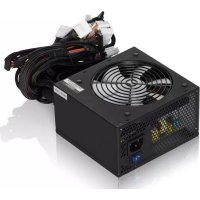
Tesla 650W - Power Supply (PC) Fractal Design - Free user manual and instructions
Find the device manual for free Tesla 650W Fractal Design in PDF.



| Brand | Fractal Design |
| Model | Tesla 650W |
| Product Type | PC Power Supply |
| Total Power | 650 W |
| AC Input Voltage | 100-240 VAC |
| Input Current | 5-10 A |
| Frequency | 47-63 Hz |
| +3.3V Output | 24 A (combined max +3.3V and +5V: 140 W) |
| +5V Output | 24 A (combined max +3.3V and +5V: 140 W) |
| +12V Output | 4 rails, 20 A per rail (max 600 W) |
| -12V Output | 0.5 A / 6 W |
| +5VSB Output | 2.5 A / 12.5 W |
| Protections | Overcurrent, overvoltage, overload, undervoltage, short circuit |
| Power Factor Correction | Active, 99% |
| Fan | 120 mm, temperature control |
| Cables | Sleeved, long for full towers |
| Warranty | 60 months (5 years) |
| Design Origin | Sweden |
Frequently Asked Questions - Tesla 650W Fractal Design
User questions about Tesla 650W Fractal Design
0 question about this device. Answer the ones you know or ask your own.
Ask a new question about this device
Download the instructions for your Power Supply (PC) in PDF format for free! Find your manual Tesla 650W - Fractal Design and take your electronic device back in hand. On this page are published all the documents necessary for the use of your device. Tesla 650W by Fractal Design.
USER MANUAL Tesla 650W Fractal Design
Thank you and congratulations on your purchase of your new Fractal Design Tesla Power Supply!
Before using the power supply, please take the time to read these instructions carefully.
Limited Warranty and Limitation of Liability
This product is guaranteed for sixty (60) months from the date of delivery to end-user against defects in materials or workmanship. During this period, the product will either be repaired or replaced, upon our discretion. The product must be returned to the agent from whom it was purchased with shipping prepaid. The warranty does not cover
A) a product which has been used for hire purposes, misused, handled carelessly or other than in accordance with any instructions provided with respects to it use.
B) a product with damages from acts of nature such as lightning, fire, flood or earthquake are not covered by the warranty.
C) a product where the warranty stickers have been removed or tampered with
About Fractal Design - our concept
The concept of Fractal Design is to provide products with an extraordinary design level, without compromising the important factors of quality, functionality and pricing. The computer of today has come to play a central role in most people's home, creating a demand for appealing design of the computer itself and its accessories.
Our main product areas are computer enclosures, power supplies, cooling and Media Center-products, such as Home Theatre-enclosures, keyboards and remote controls.
Designed and engineered in Sweden
All Fractal Design products have been thoroughly designed, tested and specified in our Swedish head quarter. The well known ideas of Scandinavian design can be found through all of our products; a minimalistic but yet striking design - less is more.
Introduction
Fractal Design's Tesla PSU series delivers top notch performance to an affordable price. All PSU's offers 100% real wattage, high efficiency, plentiful of connectors and a noise level which is practically inaudible. Simply, Tesla PSU series is all an enthusiastic can dream about!
Features
5 years warranty
High efficiency, 80 PLUS certified
- Extremely silent, temperature regulated 120mm fans
- Four +12V-rails, delivering 20A each
- Sleeved cables, long enough even for the user with a big tower.
99% Active Power Factor Correction
Over Current/Voltage/Power Protection, Under Voltage Protection and Short Circuit Protection
Full range universal input 115V-230V
| Model Tesla 650W | |
| AC Input Rating | 100V-240V |
| Input Current | 5-10A |
| Frequency | 47-63Hz |
| DC Output | Max Load / Max Output |
| +3.3V | 24A / 140W combined +3.3V and +5V |
| +5V | 24A / 140W combined +3.3V and +5V |
| +12V | 4 rails, 20A each / 600W |
| -12V | 0.5A / 6W |
| +5VSB | 2.5A / 12.5W |
| Total Power | 650W |
Installation
Please read through this entire manual before proceeding with the installation.
Warning! Do not connect AC power cord before the last step!
- Install the power supply according to the manual of your computer case, with the enclosed mounting screws.
- Connect the 20/24-pin cable to the motherboard. The 20/24-pin cable header has a detachable 4-pin connector if you have an older motherboard with only 20-pin connection.
- Connect the 4pin +12V (also called P4-cable) cable to the motherboard. If your motherboard instead has an 8-pin socket, connect the 8-pin (also called EPS12V-cable) cable to it.
Warning! The detachable 4-pin cable from the 20/24-pin cable is not a P4/+12V connector. Serious damage can occur if you use the detachable 4-pin instead of the P4/+12V connector.
- Connect the peripheral cables to IDE-connected drives if you have such (older HDD and optical drives).
- Connect the SATA power connectors to SATA-connected drives (newer HDD and optical drives)
- Connect the floppy connector if you have a floppy drive
- Connect the AC power cord to the Fractal PSU and turn on the on/off switch.
WARNING!
Always operate the power supply in a safe and dry environment. Never insert any objects into the open ventilation or fan grill area! Hazardous voltages inside power supply! Never remove the cover. Warranty is voided once the cover is removed.
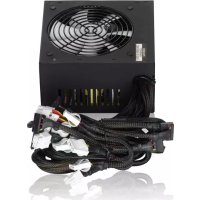
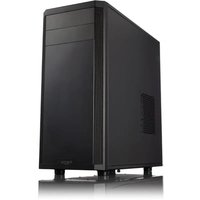

Brand : Fractal Design
Model : Tesla 650W
Category : Power Supply (PC)