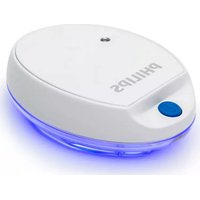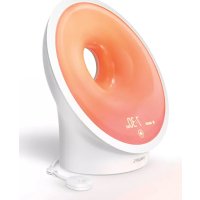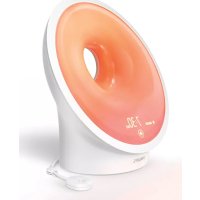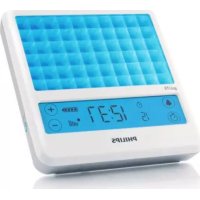
goLITE BLU HF3332 - Light therapy PHILIPS - Free user manual and instructions
Find the device manual for free goLITE BLU HF3332 PHILIPS in PDF.


User questions about goLITE BLU HF3332 PHILIPS
0 question about this device. Answer the ones you know or ask your own.
Ask a new question about this device
Download the instructions for your Light therapy in PDF format for free! Find your manual goLITE BLU HF3332 - PHILIPS and take your electronic device back in hand. On this page are published all the documents necessary for the use of your device. goLITE BLU HF3332 by PHILIPS.
USER MANUAL goLITE BLU HF3332 PHILIPS
Register your product and get support at
www.philips.com/welcome
HF3332, HF3331
goLITE
PHILIPS
PHILIPS
2
3
4


ENGLISH
FRANÇAIS (CANADA) 30
HF3332,HF3331
ENGLISH6
IMPORTANT SAFETY INSTRUCTIONS
Read all warnings and cautions before you use your goLITE BLU energy light.
Observe these safety instructions to avoid potential hazards that could result in personal injuries or damage to your goLITE BLU energy light.
Warnings (a warning indicates the possibility of injury to the user or operator)
- Use the goLITE BLU energy light in vertical position with the stand in place in the recess on the back of the unit. Do not use this appliance laying flat in horizontal position without the stand.
- Do not expose the appliance to rain or moisture. Do not use the appliance near a water source, while bathing, while washing hands or while you are in contact with water.
- If you suffer from an eye disease or have a history of eye disease in your family, consult your ophthalmologist before you use this appliance.
- If you are experiencing any temporary eye problems, wait until the problems are resolved before using this appliance.
- Light emitted by this appliance may interact with photosensitizing medications. Be sure to review all medications that you are currently taking with your doctor before using this appliance.
- As with any bright light source, do not stare into the appliance.
- Do not use this appliance where the light might compromise your ability to perform essential tasks such as driving or operating heavy equipment.
- Do not use this appliance where the light might distract other individuals and compromise their ability to perform essential tasks such as driving or operating heavy equipment.
- Do not increase intensity by sitting closer to the light than recommended. Increased intensity does not improve response and may result in increased side effects.
- The metal stand for the appliance could present a choking hazard.
- Individuals who use photosensitizing medications, who have had cataract surgery, or who have pre-existing eye conditions should


ENGLISH 7
avoid unnecessary exposure to light. They should consult their ophthalmologist before using the goLITE BLU.
- The goLITE BLU should never be used adjacent to or stacked with other equipment. However, if it is necessary, the appliance should be observed to verify normal operation.
- Do not position the goLITE or the attached power adaptor in such a way that makes it difficult to disconnect from the power source.
- No modification of the goLITE BLU device is allowed.
- Not suitable for use in the presence of a flammable anaesthetic mixture with air, oxygen, or nitrous oxide.
Caution (a caution indicates the possibility of damage to the appliance)
- The goLITE BLU energy light contains an internal rechargeable lithium-ion battery pack and a coin cell battery. Do not incinerate, disassemble or expose to high temperatures above 60^ (140^) . Do not operate or charge the GoLITE BLU in temperatures below 0^ (32^) or above 35^ (95^) . Batteries can overheat, causing fire or bursting. Dispose of the appliance with the internal battery properly.
- The user of the goLITE BLU must consider electromagnetic compatibility (EMC) and how portable and mobile RF communication equipment can affect it. The goLITE BLU should be put into service according to the EMC information provided at the end of this manual.
- Do not operate this appliance near any heat sources such as radiators, heat registers, or other heating devices.
- Never use damaged or worn cords or plugs; this could result in electric shock, bums, and/or fire.
- Use our provided AC/DC adaptor (KSAD0950120W1UV-1) only. The use of power adaptors other than those specified and provided by Philips may result in increased electromagnetic emissions or decreased immunity of the goLITE.
- Do not place heavy objects on top of the power cord or the appliance.
- When unplugging the appliance, grasp the adaptor directly to avoid damaging the cord. Never pull on the power cord to remove the adaptor from the outlet.
ENGLISH8
- If this appliance is damaged in any way or is not working, it should not be operated. Please call 1-866-832-4361 for assistance.
- There are no user serviceable parts inside the goLITE BLU. No modification of this equipment is allowed.
SAVE THESE INSTRUCTIONS
IMPORTANT: The power plug contains a transformer. Do not cut off the power plug to replace it with another plug, as this will cause a hazardous condition.
Contraindications
The goLITE BLU energy light may not be suitable for use on individuals who use photosensitizing medications, who have had cataract surgery, who have pre-existing eye conditions, or who have bipolar disorder.
Thank you for purchasing the goLITE BLU energy light.
- To fully benefit from the support that Philips offers, register your goLITE BLU at www.philips.com/welcome
- Learn more about your goLITE BLU at www.philips.com/golite
Safety and compliance
- This appliance meets the requirements of the safety standard for medical devices ANSI AAMI ES60601-1:2005 and CAN/CSA-C22.2 No. 60601-1:2008.
- This device complies with Part 15 of the FCC Rules. Operation is subject to the following two conditions: (1) this device may not cause harmful interference, and (2) this device must accept any interference received, including interference that may cause undesired operation.


Symbol Key
The following symbols may appear on the device:
| Symbol | Description |
| i | Consult accompanying instructions for use |
| - - - | DC Power |
| ○ - ○ + | DC Jack Polarity |
| SN | Serial Number |
| HF3332 | Model Number |
| HF3331 | |
| TUV Safety Standard Compliance for North America | |
| Compliant with the Waste Electrical and Electronic Equipment/Restriction of the Use of Certain Hazardous Substances in Electr and Electronic Equipment (WEEE) recycling directives. | |
| Philips Shield | |
| In US Manufactured for: Philips Consumer Lifestyle, A Division of Philips Electronics North America Corporation, 1600 Summer Street – 5th Floor, Stamford, CT 06905-5125. In Canada Imported for: Philips Electronics LTD, 281 Hillmount Road, Markham, Ontario L6C 2S3 | |
| YYYYWW | Date of Manufacture |
Introduction
Intended use
The goLITE BLU energy light is intended to make people feel more energetic and to provide mood relief from the winter blues. If you suffer from severe mood swings or depression make sure to consult a professional and do not use this device for self treatment. This product has not been approved by FDA for treatment of SAD.
ENGLISH10
Light and health
The human body uses light cues, such as those provided by the sun, to time certain functions. Light exposure can boost mood and energy.
Light has direct alerting and energizing effects and can improve our performance. Bright light therapy is also successfully used for mood relief, especially for seasonal mood swings.
In countries with long winters, many people experience loss of energy and low spirits due to lack of light. These symptoms are referred to as the winter blues. They typically start in the fall and may last for several weeks. Exposure to bright light sources can help alleviate these symptoms and restore the summer mood and summer energy level.
The blue light of the summer sky is well known. We do not get as much of this light in the fall and winter, and indoor light does not emit enough of this essential color. The goLITE BLU energy light helps to deliver the wavelength, color and intensity of light that we see in summer.
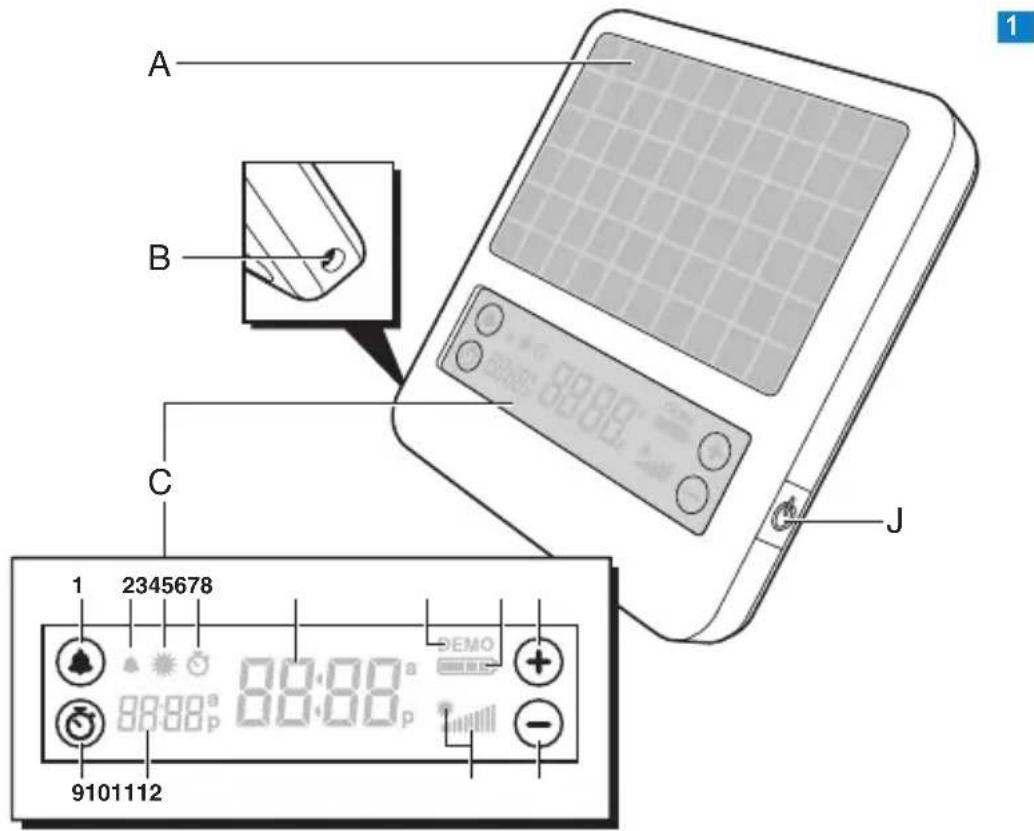
General description (Fig. 1)
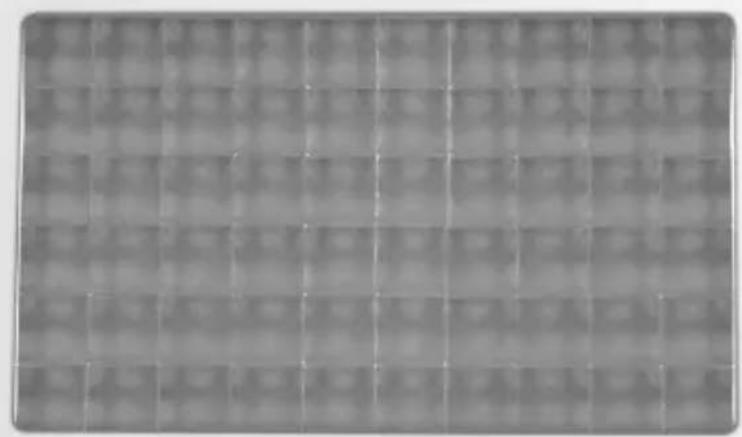
A LED panel
B Socket for appliance plug
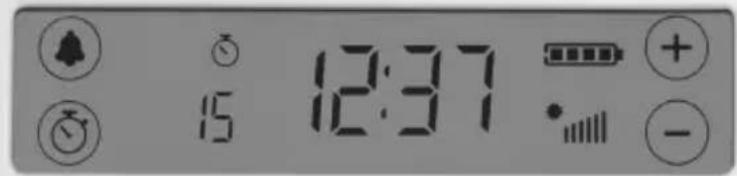
C Interactive touchscreen display
1 Alarm touchscreen button
2 Alarm chime indication
3 Alarm light indication
4 Timer-on indication
5 Clock time
6 Demo mode indication
7 Charge indication
8 Plus (+) touchscreen button
9 Timer touchscreen button
10 Timer countdown time/Alarm time
11 Intensity indication
12 Minus (-) touchscreen button
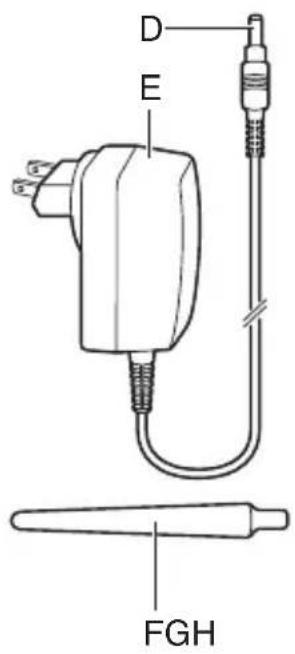
D Small plug
E Adaptor
F Stand
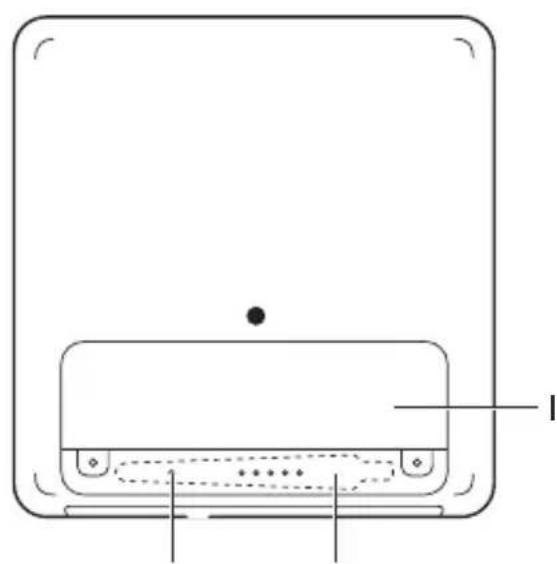
G Reset button


H Stand storage cavity
I Cover of built-in rechargeable battery
J On/off button
Not shown: Pouch
Preparing for use
It is very important that you know how long and how often you should use your Philips goLITE BLU energy light. This knowledge can mean the difference between successfully responding to light and not responding at all. Visit www.lighttherapy.com for a free assessment and to customize a light therapy schedule just for you.
When to use the goLITE BLU energy light
Knowing what time to use the goLITE BLU energy light can mean the difference between feeling better in just a few days instead of weeks, or perhaps not responding at all. Follow these guidelines to understand how light can boost mood and energy and when to use the goLITE BLU for the best results.
Duration and intensity
Most people get beneficial results from 15 to 45 minutes of usage each day. You can start using the goLITE BLU at 50% intensity and increase the light intensity if you feel no response after a week.
Timing
Using the goLITE BLU energy light at any time of day directly affects your alertness. You can use the goLITE BLU energy light as a light bath for the winter blues throughout the day. The best time to use it is in the morning. Do not use the goLITE BLU late in the evening. If you use it within 2 hours of going to bed, it could disrupt your sleep.
- If you find it difficult to get up each day without an alarm clock or if you often sleep in, you need morning light. Use the goLITE BLU within the first hour or two after waking up.
- If you find it difficult to stay awake in the late evening and wake up too early in the morning, you need evening light. Use the goLITE BLU before you start to feel drowsy.
ENGLISH12
- If mornings or evenings do not seem to be the problem, but you feel generally tired during the day, then the time at which you use the goLITE BLU is not as important. You can use the goLITE BLU in the morning or around midday. For example, when you wake up in the morning, use it for 15 to 30 minutes and then again at midday or in the evening for approximately the same amount of time. Place the goLITE BLU further away from you during the evening session. Do not use the goLITE BLU within two hours of your desired bedtime or you may not be able to fall asleep.
Charging
Note: You can also use the appliance while it is charging.
The goLITE BLU energy light comes with a 9.5V AC/DC adaptor that operates on voltages ranging from 100 to 240 volts to allow worldwide use. The adaptor comes with a set of exchangeable adaptor plugs that fit most common worldwide wall outlets (model HF3331 only).
1 Put the adaptor in the wall outlet.
2 Insert the appliance plug into socket on the appliance (Fig. 2).
Only the outline of the charge indication is visible.
As the battery charges, the four bars of the charge indication flash one by one and fill as the charge increases.
- When the battery is fully charged, the charge indication stops flashing.
Note: Charge the goLITE BLU at least 8 hours before you use it for the first time. Charging normally takes 3 to 4 hours.
Note: When the battery is fully charged, it contains enough energy for 3 to 5 sessions.
Installation
1 Remove the stand from the stand storage cavity (Fig. 3).
2 Insert the bevelled end of the stand into the hole on the back of the appliance. Magnets hold the stand in place (Fig. 4).
3 Place the goLITE BLU approximately 20-30 in./50-70cm from your eyes in such a way that the light bathes your face from the side (Fig. 5).
- You can read, eat, work at the computer, watch TV or exercise while you use your goLITE BLU energy light.
- For the best results, place the goLITE BLU at the same level as your midriff (stomach area), e.g. place it on the table at which you are sitting.
Note: Do not stare into the light of the LED panel. It is sufficient that the blue light reaches your eyes indirectly from the side.
- Use your goLITE BLU in a well-lit room to minimize eye strain.
Setting the clock
1 Press the on/off button briefly to turn on the appliance (Fig. 6).
The touchscreen display goes on.
2 Press the alarm button and the timer button simultaneously for 2 seconds (Fig. 7).
The clock time starts to flash on the display (Fig. 8).
3 Set the clock time with the plus or minus button. If you keep the button pressed, the time moves forward or backward quickly (Fig. 9).
4 To switch between the 12-hour (a.m./p.m.) and 24-hour time indication, press the timer button and minus button simultaneously for 2 seconds.
5 Press either the alarm button or the timer button or wait 10 seconds to exit the time-setting mode.
Setting the timer
You can use the timer function to set the light time.
1 Press the on/off button briefly to turn on the appliance (Fig. 6).
D The touchscreen display goes on.
2 Press the timer button (Fig. 10).


ENGLISH14
The timer on-indication and the timer countdown time start to flash (Fig. 11).
3 Press the plus or minus button to set the session time. If you keep the button pressed, the time moves forward or backward quickly (Fig. 9).
You can set a time from 1 to 60 minutes.
The set session time is stored in the memory.
The timer-on indication and the timer countdown time stop flashing.
Note: When you turn on the appliance, the timer counts down the set time. When the countdown is finished, the LED panel turns off automatically.
Demo mode
The demo mode is used to demonstrate the goLITE BLU energy light in stores. When the appliance is turned on in demo mode, customers of the store can:
- adjust the light intensity
- turn the appliance on and off
- set the alarm
- set the light time
If the appliance is not operated for 3 minutes, it reverts to its demo mode default settings.
To activate the demo mode:
1 Make sure the appliance is turned off.
Note: If you want to turn off the appliance, press and hold the on/off button for 2 seconds.
2 Put the adaptor in the wall outlet and insert the appliance plug into socket on the appliance.
3 Press and hold the on/off button for 10 seconds (Fig. 6).
The appliance turns on and the word 'DEMO' appears on the display.
The LED panel goes on at a light intensity of 25% .
The display shows a timer countdown time of 15 minutes, but the timer does not count down. It only starts to count down when the timer time is adjusted.
The display shows an alarm time of 12:00 a.m. and shows the normal clock time, but the alarm mode is off.
Note: The appliance remains turned on in demo mode until it is turned off. To deactivate the demo mode, press and hold the on/off button for 10 seconds.
Using the appliance
Use this appliance for its intended household use as described in this manual.
1 Press the on/off button briefly to turn on the appliance (Fig. 6).
The touchscreen display goes on.
Note: If you do not touch the display or press any button for 5 minutes when the display is turned on and the appliance operates on battery power, the appliance turns off automatically to save battery power.
Note: If you want to turn off the appliance, press and hold the on/off button for 2 seconds.
2 Briefly press the on/off button again to turn on the LED panel.
The timer counts down the set time.
Note: The default session time is 15 minutes. Use the timer to change the session time (see section 'Setting the timer' in chapter 'Preparing for use').
- When the countdown is finished, the LED panel turns off automatically.
Note: If you want to turn off the LED panel before the countdown is finished, press the on/off button briefly.
3 Press the plus or the minus button to change the light intensity (Fig. 9).
You can increase or decrease the intensity in increments of 25% .
ENGLISH16
Pausing a session
1 Press the on/off button or press the minus button to reduce the intensity to 0% .
The remaining minutes of the session are still shown on the display.
2 Press the on/off button to continue the session or press any of the touchscreen buttons to end the session.
Note: If you pause a session while the appliance operates on battery power and do not continue the session within 5 minutes, the appliance turns off automatically.
Setting the alarm
The alarm has three modes: chime only, light only or both chime and light.
1 Press the on/off button briefly to turn on the appliance (Fig. 6).
The touchscreen display goes on.
2 Press the alarm button (Fig. 12).
The alarm indications start to flash (Fig. 13).
3 Press the plus or minus button to switch between the three alarm modes: chime only, light only or both chime and light (Fig. 9).
4 Press the alarm button twice or wait 10 seconds to store the selected mode.
5 To set the alarm time, press the alarm button twice.
The alarm time starts to flash.
6 Press either the plus or the minus button to set the desired time. If you keep the button pressed, the time moves forward or backward quickly.
7 Press the alarm button or wait 10 seconds to store the set alarm time.
Note: The set alarm mode and time remain stored in the memory as long as there is energy in the battery.

Turning off the alarm sound
1 Press any of the touchscreen buttons or the on/off button to turn off the alarm sound when the alarm goes off.
Disabling the alarm
1 To disable the alarm, press and hold the alarm button until the alarm chime and the alarm light indications as well as the alarm time disappear from the display.
Cleaning
Never immerse the appliance in water or any other liquid, nor rinse it under the tap.
Never use scouring pads, abrasive cleaning agents or aggressive liquids such as petrol or acetone to clean the appliance.
1 Clean the appliance with a dry cloth.
This appliance has no other user-serviceable parts. For assistance call 1-866-832-4361.
Storage
- If the appliance will not be used for an extended period of time, remove cord from outlet and store in a safe, dry location where it will not be crushed, banged, or subject to damage.
- Do not wrap cord around the appliance when storing.
Disposal
- Dispose of the device in accordance with local regulations.
- Your local or national recycling organizations may also have disposal information.
- For assistance call 1-866-832-4361.
ENGLISH18
Removing the rechargeable battery and the button cell
Only remove the rechargeable battery when you discard the appliance.
Make sure the battery is completely empty when you remove it.
1 Disconnect the appliance from the outlet and remove the appliance plug.
2 Turn on the LED panel and leave it on until it goes out automatically.
3 Undo the 2 screws with a screwdriver (Fig. 14).
4 Remove the cover of the built-in rechargeable battery (Fig. 15).
5 Lift the blue rectangular rechargeable battery out of the appliance. The battery is connected to the appliance through a red wire and a black wire to a socket inside the appliance (Fig. 16).
6 Grab the wires and pull the socket out of the appliance (Fig. 17). The rechargeable battery has now been removed.
7 Remove the button cell (Fig. 18). Dispose the battery in accordance with local regulations.
Assistance
For assistance call toll free: 1-866-832-4361 or visit our website: www.philips.com/golite
45-Day Money-Back Guarantee
If you are not fully satisfied with your Philips goLITE BLU energy light, send the product back along with the original dated sales receipt and we will refund you the full purchase price.
The goLITE BLU must be shipped prepaid by insured mail, insurance prepaid, and have the original sales receipt, indicating purchase price and the date of purchase, enclosed. We cannot be responsible for lost mail. The goLITE BLU must be postmarked no later than 45 days after the date of purchase. Philips reserves the right to verify the purchase price of the goLITE BLU and limit refunds not to exceed suggested retail price.
To obtain Money-Back Guarantee Return Authorization Form, call 1-866-832-4361. Please allow 4-6 weeks for delivery of the check.
Full Two-Year Warranty
Philips Electronics North America Corporation (USA) and Philips Electronics Ltd (CANADA) warrant each new Philips product, model HF3332, HF3331 against defects in materials or workmanship for a period of two years from the date of purchase, and agree to repair or replace any defective product without charge. IMPORTANT: This warranty does not cover damage resulting from accident, misuse or abuse, lack of reasonable care, or the affixing of any attachment not provided with the product. NO RESPONSIBILITY IS ASSUMED FOR ANY SPECIAL, INCIDENTAL OR CONSEQUENTIAL DAMAGES. In order to obtain warranty service, simply call toll-free 1-866-832-4361.
In US Manufactured for: Philips Consumer Lifestyle, A Division of Philips Electronics North America Corporation, 1600 Summer Street - 5th Floor, Stamford, CT 06905-5125
In Canada Imported for: Philips Electronics LTD, 281 Hillmount Road, Markham, Ontario L6C 2S3
Trademarks owned by the Philips Group.
© 2009 Koninklijke Philips Electronics N.V. All Rights Reserved.
Frequently asked questions
This section lists the questions most frequently asked about the appliance. If you cannot find the answer to your question, call 1-866-832-4361 for assistance.
ENGLISH20
Question Answer
Do I have to No, you can use the goLITE BLU energy light with take off my your glasses on. Do not wear tinted glasses or glasses when I sunglasses when you use the goLITE BLU, as these use the goLITE glasses reduce its effectiveness.
Does the The goLITE BLU is safe if used according to the appliance have instructions. Temporary headaches or nausea have any side effects? been reported. These effects are usually solved by sitting further away from the appliance.
Can I get No, the technology used in the goLITE sunburn from BLU eliminates all UV light. using the
goLITE BLU?
I have heard The goLITE BLU emits safe levels of blue light, that light can be according to current standards. However, if you suffer dangerous. Can from an eye disease or have a history of eye disease the goLITE BLU in your family, consult your ophthalmologist before damage my you use the goLITE BLU. If you have a temporary eyes? eye problem, wait until it is resolved before you use the goLITE BLU.
The goLITE BLU energy light is safe if used according to the instructions. The appliance is free from any ultraviolet light risk to the eye and it produces a safe, diffused field of light. The appliance has been tested for ocular safety.
As with any bright light source, do not look into the light too long. The beneficial reaction happens when the photoreceptors in the eye are stimulated. Since these photoreceptors lie in the periphery of the eye, you get a better result if you place the goLITE BLU at a slight angle to your face.
Question Answer
Should I use the goLITE BLU every day?
You can use the goLITE BLU energy light daily, especially during the winter months. Many people find that they do not need the light in summer. Others use it year-round because they spend most of their time indoors and do not get the right kind of light signals to boost their mood and energy.
Can the light cause harm to children or pets?
No. The light is safe to be used around children and pets. However, do not let children play with the appliance.
Can I use the goLITE BLU more than once a day?
For most people, it is sufficient to use the goLITE BLU once a day. Keep in mind that you may have trouble falling asleep if you use the goLITE BLU too late in the evening.
How long do the LEDs last?
If you use the appliance 30 minutes a day throughout the year, the LEDs have a lifetime of over 50 years.
What if one or more LEDs stop working prematurely?
In the unlikely event that one or two LEDs fail prematurely, you can continue to use your goLITE BLU normally because its effectiveness is not affected. However, if several LEDs stop functioning, call 1-866-832-4361 for assistance.


ENGLISH22
Question Answer
What does 'DEMO' mean on the display?
When 'DEMO' is on the display, the appliance is in demo mode. This mode is used to demonstrate the goLITE BLU energy light in stores. To turn off this mode, press and hold the on/off button for 10 seconds when the goLITE BLU is turned off. The goLITE BLU turns on and the word 'DEMO' disappears from the display.
How do I use the reset button?
The reset button is located in the stand storage cavity on the back of the appliance. If the goLITE BLU locks up or does not work correctly, reset the appliance by inserting the end of a paperclip into the reset button hole. This resets the goLITE BLU and clears its memory.

Specifications
Model HF3332 HF3331
Electrical
Rated voltage appliance (VAC) 100-240
Rated voltage adaptor (V DC) 9.5
Rated frequency (Hz) 50/60
Rated input power adaptor (A) 1.2
Power consumption appliance (A) 1.1
Power consumption adaptor (A) 0.4
IEC 60601-1 classification
-
Insulation class II
-
Ingress of water IPX0


24 ENGLISH
| Model HF3332 HF3331 |
| - Mode of operation Continuous |
| Rechargeable battery type |
| 2-cell lithium-ion pack 7.4V, 850mAh (part #: 4222 018 5787.1) |
| IEC 62133 and UL 2054 compliant |
| Operating conditions |
| Temperature from 0°C (32°F) to +35°C (+95°F) |
| Relative humidity from 15% to 90% (no condensation) |
| Storage conditions |
| Temperature from -20°C (-4°F) to +50°C (+122°F) |
| Relative humidity from 15% to 90% (no condensation) |
| Physical characteristics |
| Dimensions 14 x 14 x 2.5cm (5.5 x 5.5 x .98in) |
| Weight 0.4kg (less than 14 ounces) |
| Circuit diagrams, component part lists and other technical descriptions are available on request. As user of this appliance, you should take measures to prevent the occurrence of electromagnetic interference or other types of interference between this appliance and other appliances. |
| Peak wavelength: 468nm +/- 8nm Half-peak bandwidth: 20nm Typical irradiance (100% intensity): 300μW/cm2 +/- 10% at 50cm |
EMC Information
The goLITE BLU energy light should not be used adjacent to or stacked with other equipment. If adjacent or stacked use is necessary, the goLITE BLU should be observed to verify normal operation in the configuration in which it will be used.
GUIDANCE AND MANUFACTURER'S DECLARATION — ELECTROMAGNETIC EMISSIONS: The goLITE BLU is intended for use in the electromagnetic environment specified below. The user of the goLITE BLU should make sure it is used in such an environment.
| EMISSIONS TEST | COMPLIANCE | ELECTROMAGNETIC ENVIRONMENT - GUIDANCE |
| RF emissions CISPR 11 | Group 1 The goLITE | BLU uses RF energy only for its internal function. Therefore, its RF emissions are very low and are not likely to cause any interference in nearby electronic equipment. |
| RF emissions CISPR 11 | Class B The goLITE | BLU is suitable for use in all establishments, including domestic establishments and those directly connected to the public low-voltage power supply network that supplies buildings used for domestic purposes. |
| Harmonic emissions IEC 61000-3-2 | Class A | |
| Voltage fluctuations/Flicker emissions IEC 61000-3-3 | Complies |
26 ENGLISH
GUIDANCE AND MANUFACTURER'S DECLARATION — ELECTROMAGNETIC IMMUNITY: The goLITE BLU is intended for use in the electromagnetic environment specified below. The customer or the user of the goLITE BLU should make sure it is used in such an environment.
| IMMUNITY TEST | IEC 60601 TEST LEVEL | COMPLIANCE LEVEL | ELECTROMAGNETIC ENVIRONMENT - GUIDANCE |
| Electrostatic Discharge (ESD) IEC 61000-4-2 | ±(2,4,6) kV contact ±(2,4,8) kV air | ±(2,4,6) kV contact ±(2,4,8) kV air | Floors should be wood, concrete or ceramic tile. If floors are covered with synthetic material, the relative humidity should be at least 30%. |
| Electrical Fast Transient/Burst IEC 61000-4-4 | ±2 kV for power supply lines ±1 kV for input-output lines | ±2 kV for power supply lines ±1 kV for input/output lines | Mains power quality should be that of a typical commercial or hospital environment. |
| Surge IEC 61000-4-5 | ±1 kV differential mode ±2 kV common mode | ±1 kV differential mode ±2 kV for common mode | Mains power quality should be that of a typical commercial or hospital environment. |
| Voltage dips, short interruptions and voltage variations on power supply input lines IEC 61000-4-11 | <5% U(>95% dip in Φ) for 0.5 cycle 40% U(60% dip in Φ) for 5 cycles 70% U(30% dip in Φ) for 25 cycles <5% U(>95% dip in Φ) for 5 sec | <5% U(>95% dip in U_T) for 0.5 cycle 40% U(60% dip in Φ) for 5 cycles 70% U(30% dip in Φ) for 25 cycles <5% U(>95% dip in U_T) for 5 sec | Mains power quality should be that of a typical commercial or hospital environment. If the user of the goLITE BLU requires continued operation during power mains interruptions, it is recommended that the goLITE BLU be powered from an uninterruptible power supply o a battery. |
| Power frequency (50/60 Hz) magnetic field IEC 61000-4-8 | 3 A/m 3 A/m Power | frequency magnetic fields should be at levels characteristic of a typical location in a typical commercia or hospital environment. | |
| NOTE: Φ is the a.c. mains voltage prior to application of the test level. | |||

GUIDANCE AND MANUFACTURER'S DECLARATION — ELECTROMAGNETIC IMMUNITY: The goLITE BLU is intended for use in the electromagnetic environment specified below. The customer or the user of the goLITE BLU should make sure it is used in such an environment.
| Immunity TEST | IEC 60601 TEST LEVEL | COMPLIANCE LEVEL | ELECTROMAGNETIC ENVIRONMENT - GUIDANCE |
| Conducted RF IEC 61000-4-6 Radiated RF IEC 61000-4-3 | 3 Vrms 150 kHz to 80 MHz 3 V/m 80 MHz to 2.5 GHz | 3 V 3 V/m | Portable and mobile RF communications equipment should be used no closer to any part of the goLITE BLU, including cables, than the recommended separation distance calculated from the equation applicable to the frequency of the transmitter.Recommended separation distance: d = 1.2√p d = 1.2√p d = 2.3√p Where P is the maximum output power rating of the transmitter in watts (W) according to the transmitter manufacturer and d is the recommended separation distance in meters Field strengths from fixed RF transmitters, as determined by an electromagnetic site survey a, should be less than the compliance level in each frequency range b.Interference may occur in the vicinity of equipment marked with the following symbol |
| NOTE 1: At 80 MHz and 800 MHz, the higher frequency range applies.NOTE 2: These guidelines may not apply in all situations. Electromagnetic propagation is affected by absorption and reflection from structures, objects, and people.a:Field strengths from fixed transmitters, such as base stations for radio (cellular/cordless) telephones and land mobile radios, amateur radio, AM and FM radio broadcast and TV broadcast cannot be predici-theoretically with accuracy. To assess the electromagnetic environment due to fixed RF transmitte an electromagnetic site survey should be considered. If the measured field strength in the location in which the goLITE BLU is used exceeds the applicable RF compliance level above, the goLITE BLU should be observed to verify normal operation. If abnormal performance is observed, additional measures may be necessary, such as re-orienting or relocating the goLITE BLU.b:Over the frequency range 150 kHz to 80 MHz, the field strengths should be less than 3 V/m. | |||

RECOMMENDED SEPARATION DISTANCES BETWEEN PORTABLE AND MOBILE RF COMMUNICATIONS EQUIPMENT AND THE goLITE BLU: The goLITE BLU is intended for use in the electromagnetic environment in which radiated RF disturbances are controlled. The customer or the user of the goLITE BLU can help prevent electromagnetic interference by maintaining a minimum distance between portable and mobile RF communications equipment (transmitters) and the goLITE BLU as recommended below, according to the maximum output power of the communications equipment.
| RATED MAXIMUM POWER OUTPUT OF TRANSMITTER POWER (W) | SEPARATION DISTANCE ACCORDING TO FREQUENCY OF TRANSMITTER (M) | ||
| 150 kHz to 80 MHz d = 1.2√P | 80 MHz to 800 MHz d = 1.2√P | 800 MHz to 2.5 GHz d = 2.3√P | |
| 0.01 0.12 0.1 | 2 0.23 | ||
| 0.1 0.38 0.38 0.73 | |||
| 1 1.2 1.2 2.3 | |||
| 10 3.8 3.8 7.3 | |||
| 100 12 12 | 23 | ||
| For transmitters rated at a maximum output power not listed above, the recommended separation distance d in meters (m) can be estimated using the equation applicable to the frequency of the transmitter, where P is the maximum output power rating of the transmitter in watts (W) according to the transmitter manufacturer. Note 1: At 80 MHz and 800 MHz, the separation distance for the higher frequency range applies. Note 2: These guidelines may not apply in all situations. Electromagnetic propagation is affected by absorption and reflection from structures, objects, and people. | |||