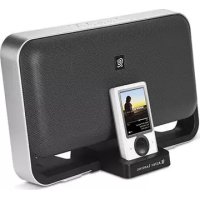
M604 - Docking station ALTEC LANSING - Free user manual and instructions
Find the device manual for free M604 ALTEC LANSING in PDF.

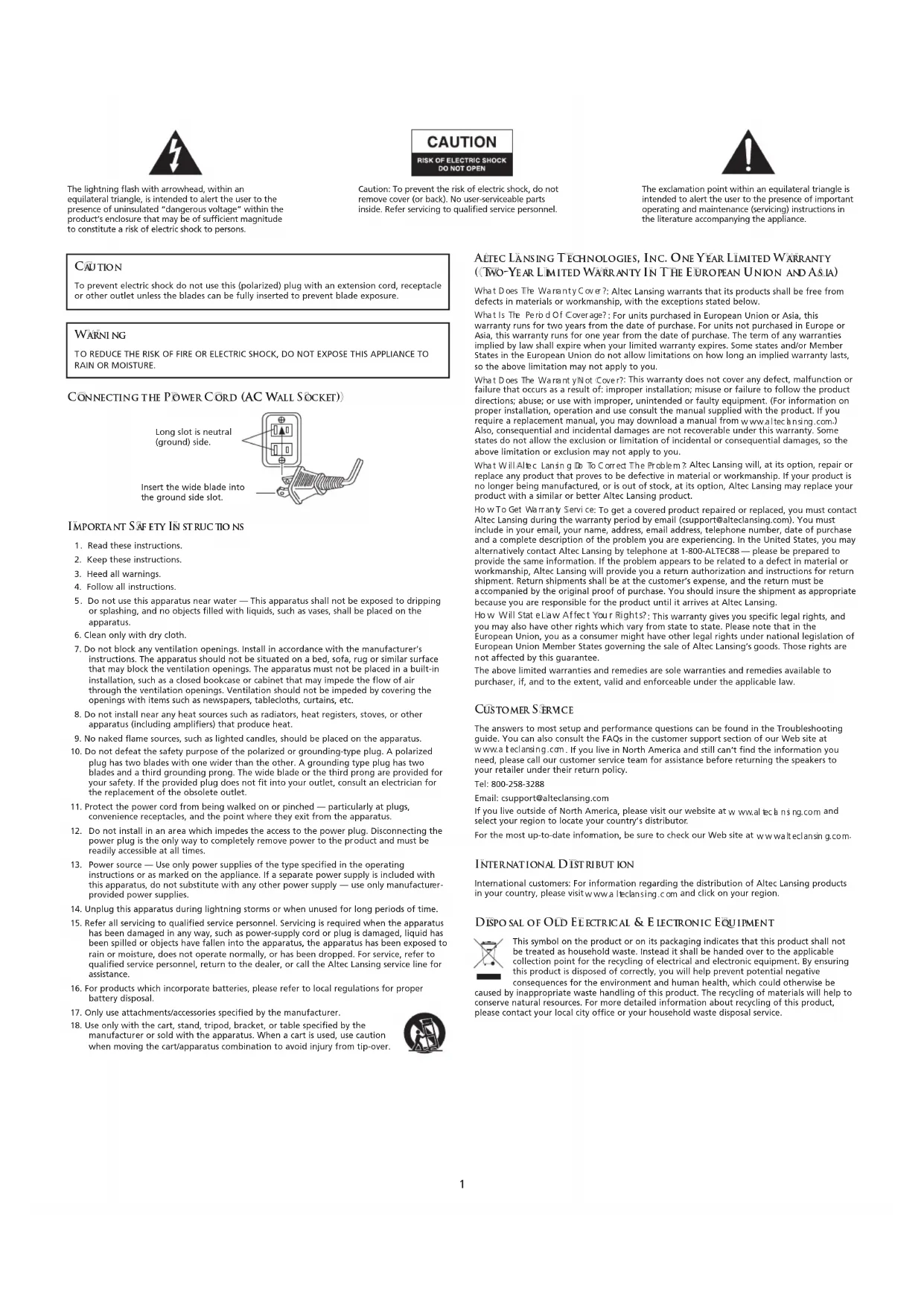


| Brand | Altec Lansing |
| Model | M604 |
| Product Type | Audio Docking Station |
| Compatibility | Zune and other audio sources via auxiliary input |
| Power Supply | External power adapter (included) |
| Connectivity | Zune docking station, 3.5mm auxiliary input, composite RCA video output, Mini USB port |
| Controls | Power On/Off, volume +/-, treble, bass, wireless remote control |
| LED Indicator | Power indicator light |
| Additional Features | Video output for TV display, PC synchronization, factory reset |
| Warranty | 1 year (2 years in EU/Asia) |
| Customer Support | 1-800-ALTEC88 (North America), csupport@alteclansing.com |
| Included Accessories | Power adapter, 3.5mm audio cable, universal MP3 player adapter, user guide |
| Maintenance | Clean with a dry cloth |
| Safety | Do not expose to water, do not block ventilation openings, refer servicing to qualified personnel |
| Certifications | FCC Class B, Canadian ICES-003 |
| Repairability | No user-serviceable parts; contact customer support |
Frequently Asked Questions - M604 ALTEC LANSING
User questions about M604 ALTEC LANSING
0 question about this device. Answer the ones you know or ask your own.
Ask a new question about this device
Download the instructions for your Docking station in PDF format for free! Find your manual M604 - ALTEC LANSING and take your electronic device back in hand. On this page are published all the documents necessary for the use of your device. M604 by ALTEC LANSING.
USER MANUAL M604 ALTEC LANSING
natural_image
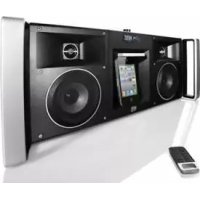
Black electronic device with a CD player displaying music, mounted on a stand (no visible text or symbols on the device body)
M604
User's guide Guía del usuario Mode d'emploi Guía do Usuário
FCC INSTRUCTIONS FOR A CLASS B DIGITAL DEVICE OR PERIPHERAL
Note: This equipment has been tested and found to comply with the limits for a Class B digital device, pursuant to part 15 of the FCC Rules. These limits are designed to provide reasonable protection against harmful interference in a residential installation. This equipment generates, uses and can radiate radio frequency energy and, if not installed and used in accordance with the instructions, may cause harmful interference to radio communications. However, there is no guarantee that interference will not occur in a particular installation. If this equipment does cause harmful interference to radio or television reception, which can be determined by turning the equipment off and on, the user is encouraged to try to correct the interference by one or more of the following measures:
- Reorient or relocate the receiving antenna.
- Increase the separation between the equipment and receiver.
- Connect the equipment into an outlet on a circuit different from that to which the receiver is connected.
- Consult the dealer or an experienced radio/TV technician for help.
THIS CLASS B DIGITAL APPARATUS COMPLIES WITH CANADIAN ICES-003.
INSTRUCTIONS FCC POUR UN PÉRIPHÉRIQUE OU UN DISPOSITIF NUMÉRIQUE DE CLASSE B
The lightning flash with arrowhead, within an equilateral triangle, is intended to alert the user to the presence of uninsulated "dangerous voltage" within the product's enclosure that may be of sufficient magnitude to constitute a risk of electric shock to persons.
CAUTION
RISK OF ELECTRIC SHOCK DO NOT OPEN
Caution: To prevent the risk of electric shock, do not remove cover (or back). No user-serviceable parts inside. Refer servicing to qualified service personnel.

The exclamation point within an equilateral triangle is intended to alert the user to the presence of important operating and maintenance (servicing) instructions in the literature accompanying the appliance.
CAUTION
To prevent electric shock do not use this (polarized) plug with an extension cord, receptacle or other outlet unless the blades can be fully inserted to prevent blade exposure.
WARNING
TO REDUCE THE RISK OF FIRE OR ELECTRIC SHOCK, DO NOT EXPOSE THIS APPLIANCE TO RAIN OR MOISTURE.
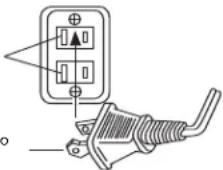
CONNECTING THE POWER CORD (AC WALL SOCKET)
Long slot is neutral (ground) side.
Insert the wide blade into the ground side slot.
IMPORTANT SAFETY IN STRUCTIONS
- Read these instructions.
- Keep these instructions.
- Heed all warnings.
- Follow all instructions.
-
Do not use this apparatus near water — This apparatus shall not be exposed to dripping or splashing, and no objects filled with liquids, such as vases, shall be placed on the apparatus.
-
Clean only with dry cloth.
-
Do not block any ventilation openings. Install in accordance with the manufacturer's instructions. The apparatus should not be situated on a bed, sofa, rug or similar surface that may block the ventilation openings. The apparatus must not be placed in a built-in installation, such as a closed bookcase or cabinet that may impede the flow of air through the ventilation openings. Ventilation should not be impeded by covering the openings with items such as newspapers, tablecloths, curtains, etc.
-
Do not install near any heat sources such as radiators, heat registers, stoves, or other apparatus (including amplifiers) that produce heat.
-
No naked flame sources, such as lighted candles, should be placed on the apparatus.
-
Do not defeat the safety purpose of the polarized or grounding-type plug. A polarized plug has two blades with one wider than the other. A grounding type plug has two blades and a third grounding prong. The wide blade or the third prong are provided for your safety. If the provided plug does not fit into your outlet, consult an electrician for the replacement of the obsolete outlet.
-
Protect the power cord from being walked on or pinched — particularly at plugs, convenience receptacles, and the point where they exit from the apparatus.
-
Do not install in an area which impedes the access to the power plug. Disconnecting the power plug is the only way to completely remove power to the product and must be readily accessible at all times.
-
Power source — Use only power supplies of the type specified in the operating instructions or as marked on the appliance. If a separate power supply is included with this apparatus, do not substitute with any other power supply — use only manufacturer-provided power supplies.
-
Unplug this apparatus during lightning storms or when unused for long periods of time.
-
Refer all servicing to qualified service personnel. Servicing is required when the apparatus has been damaged in any way, such as power-supply cord or plug is damaged, liquid has been spilled or objects have fallen into the apparatus, the apparatus has been exposed to rain or moisture, does not operate normally, or has been dropped. For service, refer to qualified service personnel, return to the dealer, or call the Altec Lansing service line for assistance.
-
For products which incorporate batteries, please refer to local regulations for proper battery disposal.
-
Only use attachments/accessories specified by the manufacturer.
-
Use only with the cart, stand, tripod, bracket, or table specified by the manufacturer or sold with the apparatus. When a cart is used, use caution when moving the cart/apparatus combination to avoid injury from tip-over.

ALTEC LANSING TECHNOLOGIES, INC. ONE YEAR LIMITED WARRANTY (TWO-YEAR LIMITED WARRANTY IN THE EUROPEAN UNION AND ASIA)
What Does The Warranty Cover?: Altec Lansing warrants that its products shall be free from defects in materials or workmanship, with the exceptions stated below.
What Is The Period Of Coverage?: For units purchased in European Union or Asia, this warranty runs for two years from the date of purchase. For units not purchased in Europe or Asia, this warranty runs for one year from the date of purchase. The term of any warranties implied by law shall expire when your limited warranty expires. Some states and/or Member States in the European Union do not allow limitations on how long an implied warranty lasts, so the above limitation may not apply to you.
What Does The Warranty Not Cover?: This warranty does not cover any defect, malfunction or failure that occurs as a result of: improper installation; misuse or failure to follow the product directions; abuse; or use with improper, unintended or faulty equipment. (For information on proper installation, operation and use consult the manual supplied with the product. If you require a replacement manual, you may download a manual from www.aiteansing.com.) Also, consequential and incidental damages are not recoverable under this warranty. Some states do not allow the exclusion or limitation of incidental or consequential damages, so the above limitation or exclusion may not apply to you.
What Will Altec Lansing Do To Correct The Problem? Altec Lansing will, at its option, repair or replace any product that proves to be defective in material or workmanship. If your product is no longer being manufactured, or is out of stock, at its option, Altec Lansing may replace your product with a similar or better Altec Lansing product.
How To Get Warranty Service: To get a covered product repaired or replaced, you must contact Altec Lansing during the warranty period by email (csupport@alteclansing.com). You must include in your email, your name, address, email address, telephone number, date of purchase and a complete description of the problem you are experiencing. In the United States, you may alternatively contact Altec Lansing by telephone at 1-800-ALTEC88 — please be prepared to provide the same information. If the problem appears to be related to a defect in material or workmanship, Altec Lansing will provide you a return authorization and instructions for return shipment. Return shipments shall be at the customer's expense, and the return must be accompanied by the original proof of purchase. You should insure the shipment as appropriate because you are responsible for the product until it arrives at Altec Lansing.
How Will State Law Affect You Rights?: This warranty gives you specific legal rights, and you may also have other rights which vary from state to state. Please note that in the European Union, you as a consumer might have other legal rights under national legislation of European Union Member States governing the sale of Altec Lansing's goods. Those rights are not affected by this guarantee.
The above limited warranties and remedies are sole warranties and remedies available to purchaser, if, and to the extent, valid and enforceable under the applicable law.
CUSTOMER SERVICE
The answers to most setup and performance questions can be found in the Troubleshooting guide. You can also consult the FAQs in the customer support section of our Web site at www.a teclansing.com. If you live in North America and still can't find the information you need, please call our customer service team for assistance before returning the speakers to your retailer under their return policy.
Tel: 800-258-3288
Email: csupport@alteclansing.com
If you live outside of North America, please visit our website at www.altechnsing.com and select your region to locate your country's distributor.
For the most up-to-date information, be sure to check our Web site at www.walteclansing.com.
INTERNATIONAL DISTRIBUTION
International customers: For information regarding the distribution of Altec Lansing products in your country, please visit www.a1eclansing.com and click on your region.
DISPOSAL OF OLD ELECTRICAL & ELECTRONIC EQUIPMENT

This symbol on the product or on its packaging indicates that this product shall not be treated as household waste. Instead it shall be handed over to the applicable collection point for the recycling of electrical and electronic equipment. By ensuring this product is disposed of correctly, you will help prevent potential negative consequences for the environment and human health, which could otherwise be
caused by inappropriate waste handling of this product. The recycling of materials will help to conserve natural resources. For more detailed information about recycling of this product, please contact your local city office or your household waste disposal service.
ALTEC LANSING M604 SPEAKER SYSTEM FOR ZUNE
Thank you for purchasing this Altec Lansing product. For generations, Altec Lansing has been first in audio innovation. Today, our line of powered speakers has received more performance awards than any other brand. In all kinds of environments, in every price range, Altec Lansing offers sound of distinction — giving even the most demanding customers the audio enjoyment they seek. Just listen to this!
BOX CONTENTS
- Altec Lansing M604 speaker system
- Power supply
• 3.5mm stereo audio cable
• Universal MP3 player adapter - User's guide and quick connect instructions
PLACING THE ALTEC LANSING M604
Position the Altec Lansing M604 on a level surface or mount it on the wall (wall-mounting kit available separately.)
MAKING CONNECTIONS
To connect your Zune with the M604:
- Place your Zune into the Altec Lansing M604 Zune dock and press down until it is fully seated on the dock connector.
- Insert the barrel connector from the power supply into the DC connector on the rear of the Altec Lansing M604. After this connection is made, insert the power supply into a wall outlet.
Warning: Do not insert the speaker system's power plug into a wall outlet until all connections are made. Also, turn off the audio source (e.g., your Zune or alternate audio source) before connecting the output to the speaker system's input.
Note: Alternate audio sources — such as CD players, MP3 players, portable DVD players, and laptops — can also be connected to the Altec Lansing M604. For more information, see the "Connecting to alternate audio source" section.
START PLAYING
- With your Zune docked inside the Altec Lansing M604, turn on your Zune.
- Turn on the Altec Lansing M604 by pushing the power button 🔊 located on the top of the unit. An LED will light when the power is on.
POWER OFF
Turn off the Altec Lansing M604 by pushing the power button 🔊 located on the top of the unit. The LED will turn off.
TV OR VCR CONNECTION
The Altec Lansing M604 includes a pass-through video feature that allows you to display videos and photos from your Zune onto a television set. To connect the Altec Lansing M604 to a television set or VCR, follow the steps below:
- Make sure the power to your television set or VCR is turned off.
- Locate a Composite (RCA) cable (sold separately).
- Connect one end of the Composite (RCA) cable to the Composite (RCA) port on the back of the Altec Lansing M604 and the other end to the yellow Composite (RCA) input on your television set or VCR.
CONNECTING TO ALTERNATE AUDIO SOURCE
The Altec Lansing M604 includes a auxiliary input jack that allows you to connect to alternate audio sources, such as CD players, MP3 players, portable DVD players, and laptops. To connect the Altec Lansing M604 to an alternate audio source, follow the steps below.
- Locate a 3.5 mm stereo cable.
- Connect one end of the 3.5 mm stereo cable into the auxiliary input jack (AUX) located on the back of the Altec Lansing M604, and the other end to the headphone or line out jack on your alternate audio device.
- Set the volume on the audio source at mid-level.
- Set the volume on the Altec Lansing M604 at minimum level and adjust upward to a comfortable listening level.
VOLUME
The "+" and "-" buttons on the top of the Altec Lansing M604 are the master volume controls. Press and hold the "+" button to increase the volume and the "-" button to decrease the volume. An LED indicator is located on the front of the unit.
TREBLE AND BASS
To control treble or bass levels, press the "TREBLE" or "BASS" buttons on the top of the unit and press and hold the "+" button to increase the corresponding level, or the "-" button to decrease it.
To control treble or bass levels using the wireless remote, press the "TREBLE" or "BASS" or buttons on the wireless remote, and press and hold the "+" button to increase the corresponding level, or the "-" button to decrease it.
An LED indicator located on the front of the unit will indicate the corresponding level.
Note: After a few seconds, the "+" and "-" controls will automatically reset to "Volume."
RESET
To reset volume, bass and treble functions to original factory settings, press and hold the power button ⏻ on the top of the unit for five seconds.
SYNCING WITH YOUR PC
The Altec Lansing M604 includes a pass-through feature that allows you to connect your Zune to your computer. To connect the Altec Lansing M604 to a PC or laptop, follow the steps below:
- Locate a mini USB-to-USB cable and connect the mini USB connector to the back of the Altec Lansing M604, and the USB connector to the USB port on the PC computer, Mac computer, or USB hub.
• Make sure the M604 is on.
TROUBLESHOOTING
| SYMPTOM | POSSIBLE PROBLEM | SO IUTI ON |
| No Power LED is lit (AC Operation). | The power supply isn't connected to a wall outlet and/or the power supply connector is not plugged into the power supply jack on the back of the Altec Lansing M604. | Insert the barrel connector from the power supply into the DC connector on the back of the Altec Lansing M604. After this connection is made, insert the power supply into a wall outlet. |
| The surge protector (if used) isn't powered on. | If the power supply is plugged into a surge protector, make sure the surge protector is switched on. | |
| The wall outlet is not functioning. | Plug another device into the same wall outlet to confirm the outlet is working. | |
| The power isn't turned on. | Turn on the Altec Lansing M604 by pushing the power button located on the top of the unit. A LED will light when the power is on. | |
| No sound is coming from speakers. | The volume is set too low. | The "+" and "-" buttons on the top of the Altec Lansing M604 are the master volume controls. Press and hold the "+" button to increase the volume. |
| Check the volume level on alternate audio source device and set at mid-level. | ||
| The Zune is not correctly seated into the docking station. | Turn off the Zune, remove it from the docking station, reseat it, and turn it on again. | |
| If using an alternate audio source, the audio source is not properly connected to the Altec Lansing M604 or there is a problem with the alternate audio source. | Connect an alternate audio source — such as a CD player, MP3 player, or portable DVD player — to your Altec Lansing M604 by plugging one end of a 3.5mm stereo cable to the line out of your portable device (if it has one) or to the device's headphone jack. Connect the other end to the input marked "AUX" on the back of the Altec Lansing M604.Set the volume on the audio source at mid-level.Set the volume on the Altec Lansing M604 at minimum level and adjust upward to a comfortable listening level. | |
| There is a crackling sound coming from speakers. | The Zune is not correctly seated into the docking station. | Turn off the Zune, remove it from the docking station, reseat it, and turn it on again. |
| If using an alternate audio source, the audio source is not properly connected to the Altec Lansing M604 or there is a problem with the alternate audio source. | Connect an alternate audio source — such as a CD player, MP3 player, or portable DVD player — to yourAltec Lansing M604 by plugging one end of a 3.5mm stereo cable to the line out of your portable device (if it has one) or to the device's headphone jack. Connect the other end to the input marked "AUX" on the back of the Altec Lansing M604.Set the volume on the audio source at mid-level.Set the volume on the Altec Lansing M604 at minimum level and adjust upward to a comfortable listening level | |
| There is a crackling sound coming from speakers (when connected to PC or laptop). | The operating system's volume level is set too high. | Check the operating system volume level and decrease it if necessary. |
| The sound is distorted. | The Altec Lansing M604's volume level is set too high. | The "+" and "-" buttons on the top of the Altec Lansing M604 are the master volume controls. Press and hold the "-" button to decrease the volume. |
| There is radio interference. | The unit is too close to a radio tower. | Move the unit to see if the interference goes away. |
| Intermittent buzzing. | The unit is located too close to a GSM cell phone. | Move the GSM cell phone away from the unit. |
| Speaker system exhibits erratic or unexpected behavior.Controls do not function. | Static electricity, momentary interruption of power, or abnormal operating conditions may be responsible. | Disconnect the AC power cord from the wall outlet, wait 20-30 seconds, and reconnect. |

DISTR B U T I O N I N T E R N A T I O N A L E
- FCC INSTRUCTIONS FOR A CLASS B DIGITAL DEVICE OR PERIPHERAL
- INSTRUCTIONS FCC POUR UN PÉRIPHÉRIQUE OU UN DISPOSITIF NUMÉRIQUE DE CLASSE B
- CAUTION
- WARNING
- CONNECTING THE POWER CORD (AC WALL SOCKET)
- IMPORTANT SAFETY IN STRUCTIONS
- ALTEC LANSING TECHNOLOGIES, INC. ONE YEAR LIMITED WARRANTY (TWO-YEAR LIMITED WARRANTY IN THE EUROPEAN UNION AND ASIA)
- CUSTOMER SERVICE
- INTERNATIONAL DISTRIBUTION
- DISPOSAL OF OLD ELECTRICAL & ELECTRONIC EQUIPMENT
- ALTEC LANSING M604 SPEAKER SYSTEM FOR ZUNE
- BOX CONTENTS
- PLACING THE ALTEC LANSING M604
- MAKING CONNECTIONS
- START PLAYING
- POWER OFF
- TV OR VCR CONNECTION
- CONNECTING TO ALTERNATE AUDIO SOURCE
- VOLUME
- TREBLE AND BASS
- RESET
- SYNCING WITH YOUR PC
- DISTR B U T I O N I N T E R N A T I O N A L E
Brand : ALTEC LANSING
Model : M604
Category : Docking station