Jumping - Mp3 player ZipyLife - Free user manual and instructions
Find the device manual for free Jumping ZipyLife in PDF.



| Product Type | MP4 player with FM radio and pedometer |
| Brand | ZipyLife |
| Model | Jumping |
| Storage Capacity | 4 GB |
| Power | Built-in rechargeable battery, charges via USB |
| Initial charging time | At least 5 hours |
| Supported formats | MP3, AMV, AVI |
| Main functions | Music playback, AMV/AVI video, FM radio, voice recorder, pedometer, clock, stopwatch |
| Control buttons | On/Off (button 5), navigation (buttons 6 and 7), volume (VOL- and VOL+) |
| Display | LCD screen |
| Pedometer | Step counting, distance, time, annual history |
| Clock and stopwatch | Date and time setting, stopwatch function |
| Compliance | European directives 99/05/EC, standards EN55022, EN55024, EN61000 |
| Safety | Do not expose to high temperatures; use under adult supervision for children |
| Warranty | 2 years (1st year: coverage of defects; 2nd year: proof of manufacturing defect) |
| Included accessories | USB cable, earphones (6-month warranty) |
| Environment | Do not dispose of the device or battery in the trash; place in a suitable container |
| Maintenance | Clean with a soft, dry cloth; avoid moisture |
Frequently Asked Questions - Jumping ZipyLife
User questions about Jumping ZipyLife
0 question about this device. Answer the ones you know or ask your own.
Ask a new question about this device
Download the instructions for your Mp3 player in PDF format for free! Find your manual Jumping - ZipyLife and take your electronic device back in hand. On this page are published all the documents necessary for the use of your device. Jumping by ZipyLife.
USER MANUAL Jumping ZipyLife
Calories: Total Calories brulées
CONDITIONS DE GARANTIE AID
- The material provided in this manual is for informational purposes only. The products described herein are subject to change without prior notice, due to the continuous development of the brand.
- When the product is used by children, they should be supervised by an adult.
It is dangerous for you to lose the perception of sound in the environment. - Do not expose this device to high temperatures, which can cause anomalies in the system. This reason will void your warranty.
The ECG signal strength varies depending on the individual's tissue composition. - The external noise can cause interference in signal transmission
Battery charge
Please charge at least 5 hours before you use for the first time. Connect the device to PC through USB cable to charge it.
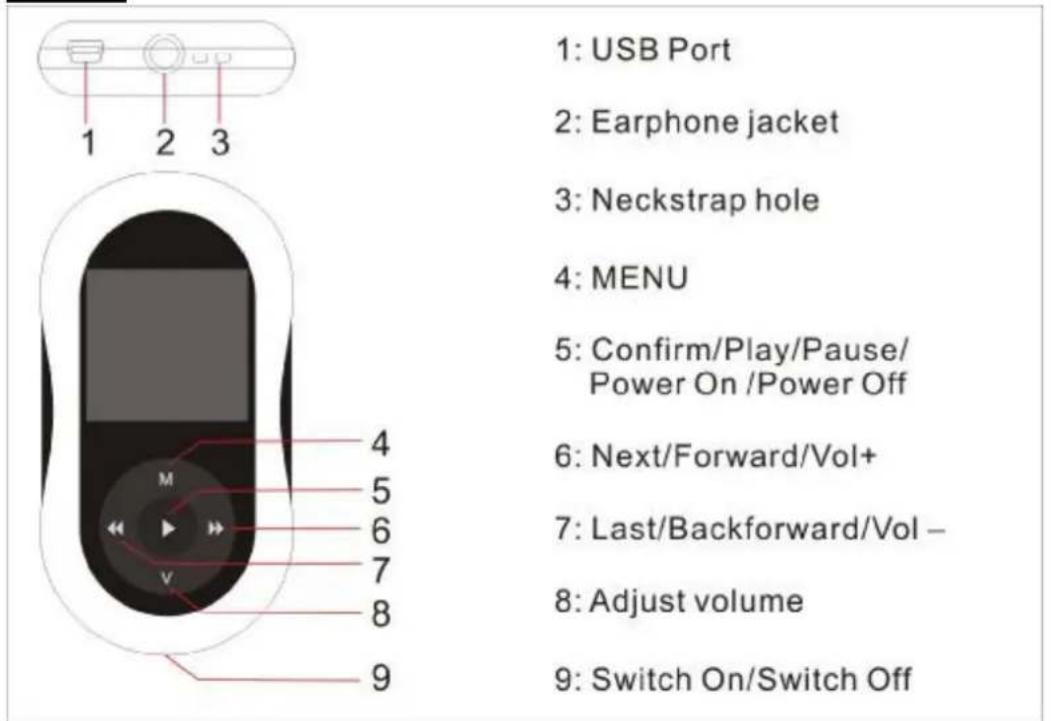
Buttons
Basic operation
Power on: hold button 5 for three seconds to power on the device.
Power off: hold button 5 for three seconds to power off the device.
Note that device will turn off automatically if the battery is low.
Volume adjust : With MP3 mode, AMV/AVI mode, Voice mode and FM mode, press [VOL-] or [VOL+] to decrease/increase the volume one step, while hold [VOL-] or [VOL+] button will decrease/increase continuously.
Main menu
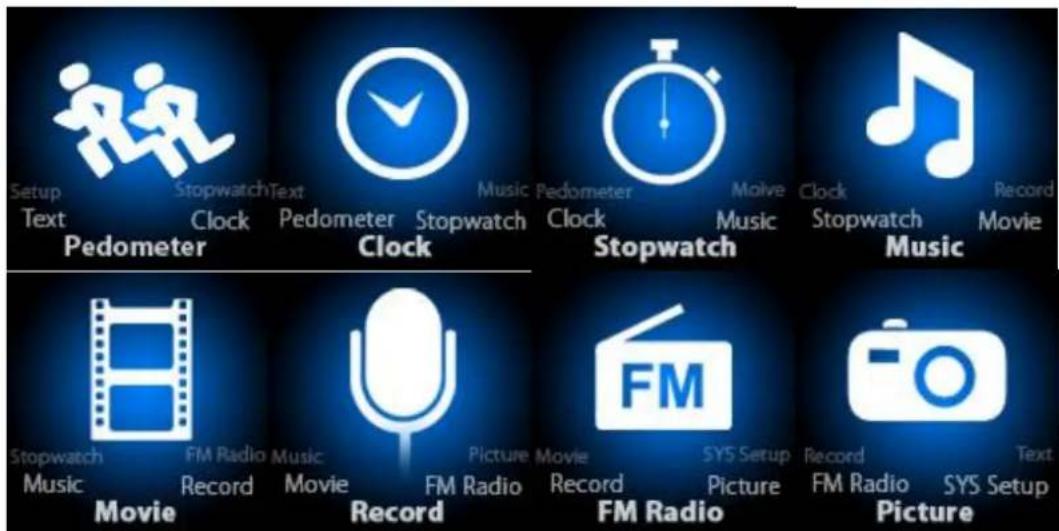
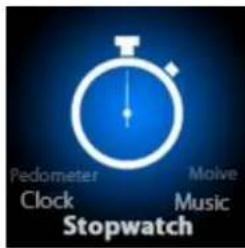
Hold button 5 to enter main menu, there are seven modes which can switch into each other by choosing button 6 and 7
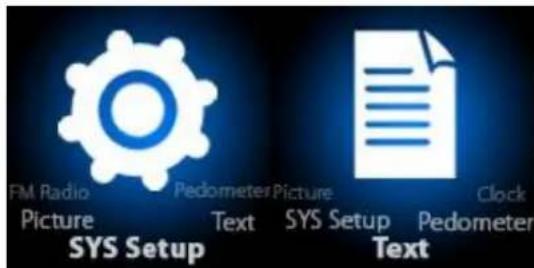
Pedometer Mode
Choose pedometer mode. Press button 5 to enter into, you'll see below following icons
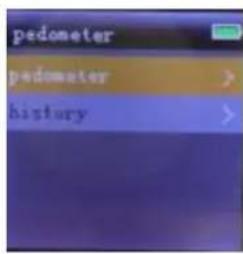
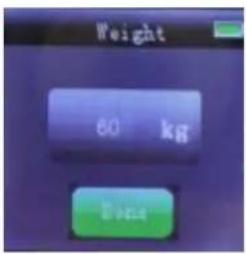
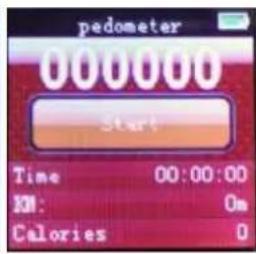
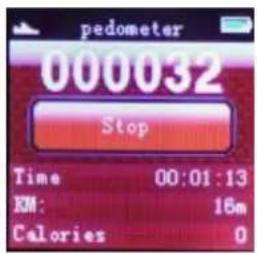
Select "pedometer", then you can choose your weight range to start the pedometer.
After you stop the pedometer, number (000032) is the total steps you made, while under "Stop" button is the statistics where it shows:
Time : total time you made
KM: total distance
Calories: total Calories burned
To check "history", select "history", choose the date to find out. The device itself can store one year history.
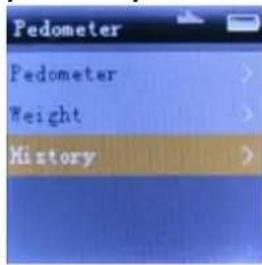
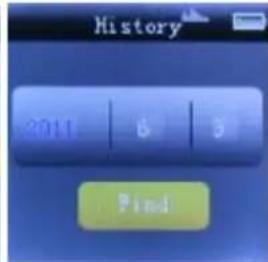
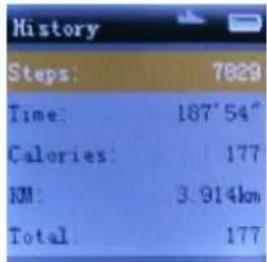
Noted that you can also listen music while you are using Pedometer function,
Clock mode
Under main menu, press button "6" or "7" to choose clock, press button "5" to enter into clock function.
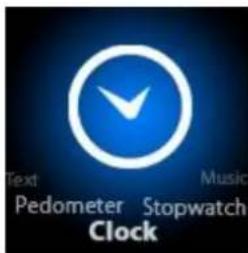
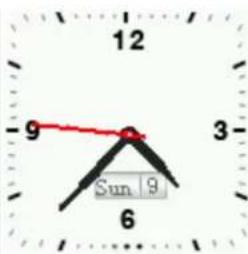
To Set Date and Time sub-menu, follow the steps below.
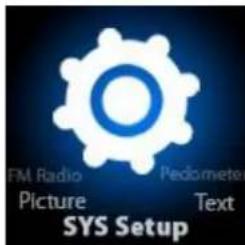
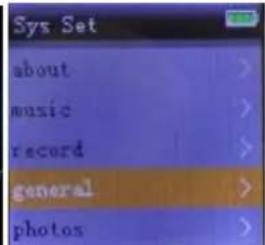
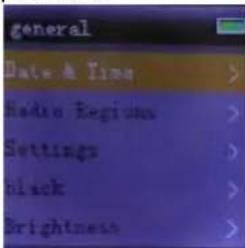
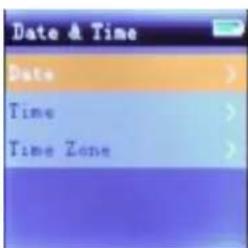
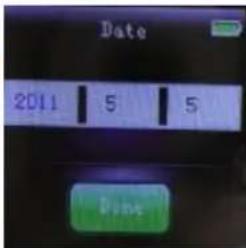
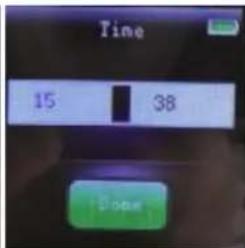
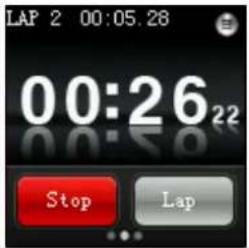
Stopwatch mode
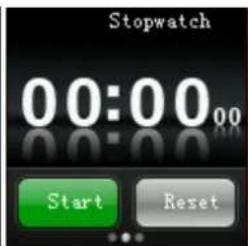
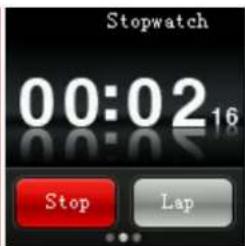
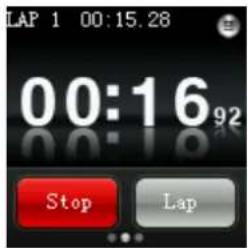
Under main menu, press button "6" or "7" to choose stopwatch, press button "5" to enter into stop watch function.
AID WARRANTY CONDITIONS
EN
AID, in compliance with the Customer Protection Law (Ley 23/2003, July 10th, of Warranty in the Sale of Consumer Goods, BOE no. 165, 11/07/2003), offers Direct Warranty to Spain and Portugal customers for all our brands' products: ZIPY, MUSE, NEW ONE, AC-RAYAN, TNB, BARKAN, BRASFORMA, THE COMPLEMENTS, and GO BY ZIPY, under the following conditions:
A - Our products have a two year warranty. During the first year original defects that may be detected are repaired. In those cases stipulated by law, the buyer will be entitled to the replacement of the device by a new one, provided that the defects are not due to the
negligence or exclusive fault of the buyer in handling the device. During the second year the buyer will need to prove that the malfunctioning of the device is due to a manufacturing defect. In both cases the warranty will apply provided that:
- The product has been used for its destined purpose alone.
- It was not opened, manipulated or altered in any way by someone other than the Official Technical Service.
- It has not undergone shock, flood, overheating, electric overcharge or any other external circumstance that may constitute a possible reason of INVALIDATING the warranty.
- The product will be returned to AID in proper packaging together with the receipt where the brand and type of product, the date of the purchase, the name and address of the shop that sold it and the reason for the malfunctioning should be clearly stated.
Any of the following circumstances invalidates the present warranty:
- Breaking the ports, the screen or the glass.
- Loss of liquid from the screen.
- Wearing out, obvious marks of incorrect manipulation, inappropriate use, ill-treatment, shock, falls, dirt, and so on.
- The data contained in the products are under no circumstances covered by any warranty whatsoever, nor are they to be considered during the physical repairing process of the products. AID guarantees absolute confidentiality of the data.
-
AID does not cover the incorrect configuration or installation of the software / hardware on the part of the client, neither as a component nor as a peripheral, included prives / controllers included.
-
The legislation on guarantees sets certain limits. "the guarantee does not cover additional components such as batteries, nor any elements that are subject to maintenance due to its use such as earphones". These accessories have a 6 months guarantee.
- Waterproof bags have a 48-hour trial period, such as indicated on the product itself, therefore once this time period is elapsed they will no longer be covered by any guarantee.
- Final users do not need to send us the device accessories, especially if they are not the original ones, since we will not be held responsible for them.
CASES:
- If the product is out our guarantee, the AID technical department will facilitate a budget for the repair by fax or e-mail. Said budget will need to be authorized in writing, sealed and signed and the user will have to satisfy the repair fee as well as the freight.
- If the budget is not accepted a diagnosis fee will be charged. (6€)
- Repairs have a 90 days guarantee, provided that the breakdown is under the same concept and in the case of budgeted breakdowns alone.
B - All the freight costs for the product will be covered by AID using only the transportation company designed by AID following the authorization procedure.
The expenses derived from incorrect or unjustified returns on the part of the client will be covered by the client alone.
C - Any incidence detected at the moment of the reception of the merchandise must be immediately notified at the AID Post-Sales Department: maria@accessosdigital.com in compliance with Article 366 from the Code of Commerce, AID will not consider complaints about breakages, shocks or absence of boxes or pieces 24 hours after the delivery of the merchandise.
In the case of shipments originated in Canarias, Ceuta and Melilla, AID will not pay the customs tax nor any kind of reimbursable expenses.
CONFORMITY DECLARATION
ACCESORIOS INTELIGENTES DIGITAL S.A.
C/CARPINTEROS,6,OF-13 VILLAVICIOSA DE ODON.28670 MADRID
We hereby declare, under our exclusive responsibility, our conformity with the
product:
MP3: JUMPING of ZIPY made in China
To which this declaration refers with the following directives:
EN55022:2006+A2:2010
EN55024:2010
EN61000-3-2:2006+A2:2009
EN61000-3-3:2008
In compliance with the resolutions of the Directive 99/05/CE, of the European Parliament and the March 9th 1999 Council, included in the Spanish law system by El Real decreto 1890/2000, November 20th.
Issue location and date
Signed by: Miguel Fauro
May 17, 2011


Waste management for all of your containers and domestic packagings that you deposit in the recycling bin
The packaging contains removable materials in order to treat them later in waste management
Do not deposit the device or the battery in the bin. Please, put it in a recycling bin or carry it to your local nearby store