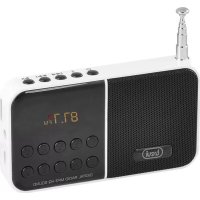
DR 740 SD - Radio Trevi - Free user manual and instructions
Find the device manual for free DR 740 SD Trevi in PDF.



| Product Type | FM Radio with Micro SD Player |
| Brand | Trevi |
| Model | DR 740 SD |
| Power Supply | Rechargeable lithium battery via micro USB DC 5V |
| Output Power | 1.5 W (1 x 1.5 W) |
| Impedance | 4 Ohm |
| Power Consumption | 1.5 W operating, < 0.5 W standby |
| Radio Receiver | FM (band 87.5 - 108 MHz) |
| Storage | Micro SD card reader (card not included) |
| Volume Control | + and - buttons |
| Display | LED screen |
| Antenna | Telescopic antenna |
| Headphone Jack | 3.5 mm jack |
| Charging Time | Approximately 3 hours |
| Playback Functions | Play/Pause, next/previous track, fast search |
| Radio Functions | Automatic and manual search, 40 presets |
| Maintenance | Clean with a soft, slightly damp cloth; avoid solvents and abrasives |
| Safety | Use only a suitable charger; avoid exposure to water, heat, dust |
| Charging Temperature | 5°C to 35°C |
Frequently Asked Questions - DR 740 SD Trevi
User questions about DR 740 SD Trevi
0 question about this device. Answer the ones you know or ask your own.
Ask a new question about this device
Download the instructions for your Radio in PDF format for free! Find your manual DR 740 SD - Trevi and take your electronic device back in hand. On this page are published all the documents necessary for the use of your device. DR 740 SD by Trevi.
USER MANUAL DR 740 SD Trevi
FM RADIO MICROSD
At the first use of the device, charge it for 5 hours.
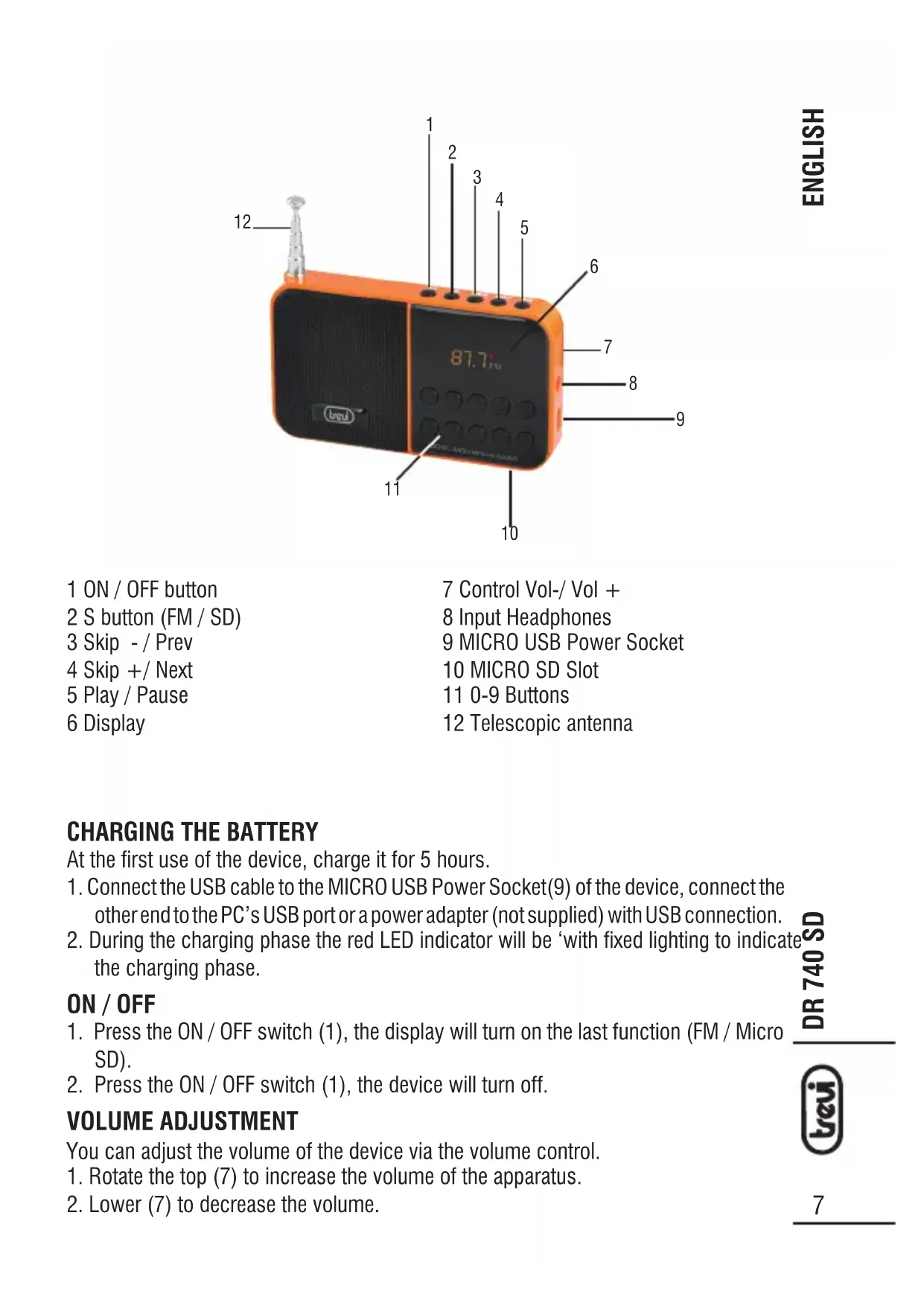
- Connect the USB cable to the MICRO USB Power Socket(9) of the device, connect the other end to the PC's USB port or a power adapter (not supplied) with USB connection.
- During the charging phase the red LED indicator will be 'with fixed lighting to indicate the charging phase.
ON/OFF
- Press the ON/OFF switch (1), the display will turn on the last function (FM/Micro SD).
- Press the ON/OFF switch (1), the device will turn off.
VOLUME ADJUSTMENT
You can adjust the volume of the device via the volume control.
1. Rotate the top (7) to increase the volume of the apparatus.
2. Lower (7) to decrease the volume.
ENGLISH
SOURCE SELECTION
First press the S key (2) to enter the mode Micro SD / FM RADIO.
RADIO OPERATION
- Press the S button (2) until the display shows the FM radio frequency.
- Extend the telescopic antenna (12) for better reception of the stations.
MANUAL SEARCH
Press the buttons for a few seconds SKIP-(3) and SKIP + (4) to perform a manual search of radio frequencies, the search will stop when issuing a receipt will be stereo.
END SEARCH
Press the SKIP- (3) and SKIP + (4) to increase or decrease the frequency of 0.1MHz .
AUTOMATIC STORAGE OF STATIONS
To store stations automatically hold for 2 seconds, the PLAY / PAUSE button and automatically starts scanning.
MANUAL STORAGE OF STATIONS
- To save a radio station press the button PLAY / PAUSE button and then use the SKIP keys-(3) and SKIP + (4) to select the preset number you want. The radio station is now saved to the chosen location. You can save up to 40 radio stations.
- To recall a preset station number using the numeric keypad.
Note: To get the best FM reception, extend the antenna ( 12). If the reception is not good otherwise try to adjust the length of the antenna, however the quality of FM reception depends on the place where the device is placed.
The proximity of TV sets , fluorescent lamps , or other appliances may cause interference inthe reception of radio programs , in this case removed the radio player .
OPERATION MICROSD
- Insert the Micro SD memory entrance (10).
- First press the S button (2) until you see the item SD; wait few seconds for the external player loads all the files.
- Playback will start automatically.
- To insert a pause, press once the PLAY / PAUSE button (5).
- To release the pause, press a second time the PLAY / PAUSE button (5).
- To reverse / forward quickly listening to a song, press and hold the SKIP-(3) and SKIP + (4).
- To switch to the playback of the previous/next track, press the SKIP-(3) and SKIP + (4).
- To select a track using the buttons to type the number (11).
IMPORTANT SAFETY INSTRUCTIONS
The apparatus shall not be exposed to dripping or splashing and that no objects filled with liquids, such as vases, shall be placed on the apparatus.
When the USB cable is used as the disconnect device, the disconnect device shall remain readily operable. To be completely disconnected the power input, the USB cable shall be disconnected from the power source completely.
No naked flame sources, such as lighted candles, should be placed on the apparatus.
Minimum distances 2.0cm around the apparatus for sufficient ventilation. The ventilation should not be impeded by covering the ventilation openings with items, such as newspapers, table-cloths, curtains, etc.
The use of apparatus is in tropical and/or moderate climates.
Attention should be drawn to the environmental aspects of battery disposal.
CAUTION: Danger of explosion if battery is incorrectly replaced. Replace only with the same or equivalent type.
Battery shall not be exposed to excessive heat such as sunshine, fire or the like.
The marking plate is located at the back or the bottom of the apparatus.

Precautions for correct disposal of the product.
The symbol shown on the equipment indicates that waste must be disposed of in "separate collection" and so the product must not be disposed of together with urban waste. The user must take the product to special "separate waste collection centres" provided by local government, or deliver it to the retailer against the purchase of a new product. Separate collection of waste and subsequent treatment, recycling and disposal operations promotes the production of equipment with recycled materials and limits negative effects on the environment and on health caused by improper handling of waste.
Illegal disposal of the product leads to the enforcement of administrative penalties.
WARNING FOR A CORRECT USE OF RECHARGEABLE BATTERY
- Recharge the battery in an ambient temperature between 5ircC and 35ircC .
- Don't recharge more than the suitable period to prevent the risk of overheating and burst.
- Don't recharge the battery for more than 6 hours.
- Recharging the battery over the suitable period or an extended period of inactivity may reduce battery duration.
- Rechargeable battery is liable to wear and tear and its performance will reduce gradually.
- To extend the duration of the battery use it when is completely charged up to the complete discharging, then recharge it fully before use it again. Recharge a battery not completely consumed, will result a reduced duration. In this case, repeat the full charging/discharging cycle many times.
- Avoid recharge the battery for the whole night.
NOTES D'EMPLOI
Dimensions: 102x58x21mm


- FM RADIO MICROSD
- ON/OFF
- VOLUME ADJUSTMENT
- ENGLISH
- SOURCE SELECTION
- RADIO OPERATION
- MANUAL SEARCH
- END SEARCH
- AUTOMATIC STORAGE OF STATIONS
- MANUAL STORAGE OF STATIONS
- OPERATION MICROSD
- IMPORTANT SAFETY INSTRUCTIONS
- Precautions for correct disposal of the product.
- WARNING FOR A CORRECT USE OF RECHARGEABLE BATTERY
- NOTES D'EMPLOI
Brand : Trevi
Model : DR 740 SD
Category : Radio