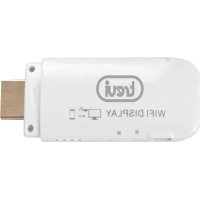
ET 335 TV - Media player Trevi - Free user manual and instructions
Find the device manual for free ET 335 TV Trevi in PDF.



| Product Type | Media Player |
| Brand | Trevi |
| Model | ET 335 TV |
| Dimensions | 86 x 30 x 14 mm |
| Power Supply | Micro-USB 2.0, 5V DC |
| Video Interface | HDMI 1.4 |
| Power Interface | Micro-USB 2.0 |
| System Compatibility | Android 4.2.2 or higher with Wireless Display support |
| Main Function | Wireless screen mirroring of smartphone/tablet to TV |
| Wireless Connection | Wi-Fi (network VCast-XXXXX) |
| Default Password | 12345678 |
| Box Contents | Device, USB cable, instruction manual |
| Maintenance | Clean with a soft, slightly damp cloth; avoid solvents |
| Safety | Do not open; avoid heat, humidity, dust, magnetic fields |
| Repairability | No user-serviceable parts; contact Trevi support center |
| Warning | Do not use near flammable or explosive gases |
| Operating Temperature | Avoid extreme temperatures (not specified) |
Frequently Asked Questions - ET 335 TV Trevi
User questions about ET 335 TV Trevi
0 question about this device. Answer the ones you know or ask your own.
Ask a new question about this device
Download the instructions for your Media player in PDF format for free! Find your manual ET 335 TV - Trevi and take your electronic device back in hand. On this page are published all the documents necessary for the use of your device. ET 335 TV by Trevi.
USER MANUAL ET 335 TV Trevi
Thank you for choosing the Smart Extension Display for tablet and smartphone Android Trevi ET 335 TV. Please read this manual carefully to learn how to use the device and appreciate its features and usability.
- Our company reserves the right to change the contents of this manual without prior notice.
WARNING: IN ACCORDANCE WITH THE SYSTEM REQUIREMENTS FOR THIS DEVICE, THE SMARTPHONE OR TABLET MUST RUN ANDROID 4.2.2 OS OR HIGHER WITH WIRELESS DISPLAY SUPPORT.
- As the Android operating system is an open source system, it is in continuous development and is used in different devices. Therefore, the words Phone, Mobile Phone, MID or TABLET, Device that may appear on the display of the device, indicate "Device".
- The settings described in this manual are the default settings of the device.
- TREVI is not responsible for problems in speed and performance caused by third-party software.
- TREVI is not responsible for incompatibility or performance issues caused by changes to the device system settings made by the user.
- TREVI is not responsible for any "virus" or "damage" to the software caused by the user's internet browsing.
- TREVI declines any liability for the violation of the copyright laws by the user.
- In the event that the product is damaged, please contact the seller.
- Check that all the accessories are present.
- Do not open the device: there are no controls that can be manipulated by the user or spare parts inside. For servicing, please contact a Trevi authorised service centre.
- All trademarks and copyrights are property of their respective owners.
PACKAGE CONTENTS:
The following are included in the package:
Device
USB cable
- Instruction manual
NOTES ON USE
This is a high-precision electronic device; avoid using it in the following cases:
Near strong heat sources such as radiators or stoves.
In conditions that are too cold or too hot.
- In very humid places such as bathrooms, swimming pools, etc.
In very dusty places.
In places with strong magnetic fields.
In places subject to strong vibrations.
WARNING
The use of the device affects the duration of the battery charge.
- Do not use the device near flammable or explosive gases. This could cause a malfunction or a fire hazard.
- Keep the device out of the reach of children. The device is not a toy. The device is made of small removable parts that, if ingested, could cause suffocation.
- Do not place the device on unstable or uneven surfaces.
- If any liquid gets into the device, unplug it from the USB port immediately and take it to the nearest TREVI authorised service centre.
- Only use accessories provided in the package; other products may cause overheating, explosion or fire.
- Switch off the device in areas where the device is not permitted, such as airports or hospitals.
- Do not use the device in places where it can affect the normal operation of electronic devices and medical instruments.
- Please do not use this appliance near high-precision electronic devices. RF interference may cause electronic devices to malfunction (hearing aids, pacemakers and other electronic medical devices) and create other problems.
CAR SAFETY
Refer to the laws and regulations on the use of mobile phones in the car when driving on road networks.
- Avoid using the device while driving, as the decreased ability to focus caused by the use of the device may significantly increase the risk of road accidents.
- The proper functioning of the device when the vehicle is in motion is not guaranteed.
- RF may affect electronic devices in the vehicle, such as car stereos and safety equipment.
- To avoid serious injury caused by an air bag malfunction, do not obstruct any air bags with portable wireless equipment.
CARE AND MAINTENANCE
Use a slightly damp, soft cloth for cleaning. Do not use solvents and abrasive substances.
IMPORTANT
This device has been carefully built to ensure long-lasting perfect performance. However, should any problems occur, please contact your local TREVI authorised service centre.
2. HOW TO USE TREVI ET 335 TV FOR SMARTPHONE AND TABLET
WARNING: IN ACCORDANCE WITH THE SYSTEM REQUIREMENTS FOR THIS DEVICE, THE SMARTPHONE OR TABLET MUST RUN ANDROID 4.2.2 OS OR HIGHER WITH WIRELESS DISPLAY SUPPORT.
Switch off your smartphone or tablet before doing the following:
- Connecting the device to the USB cable provided.
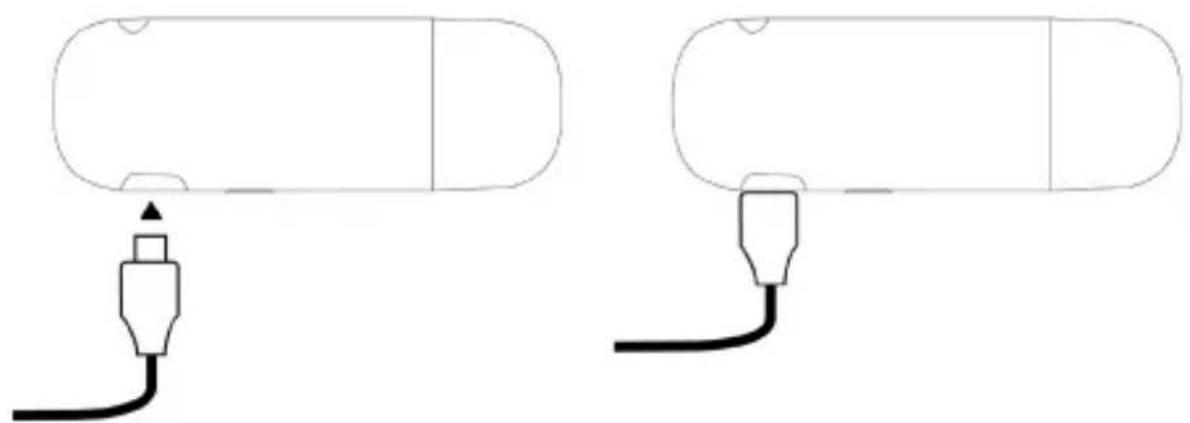
- Connecting the device to a television HDMI jack and the power supply to a USB port.
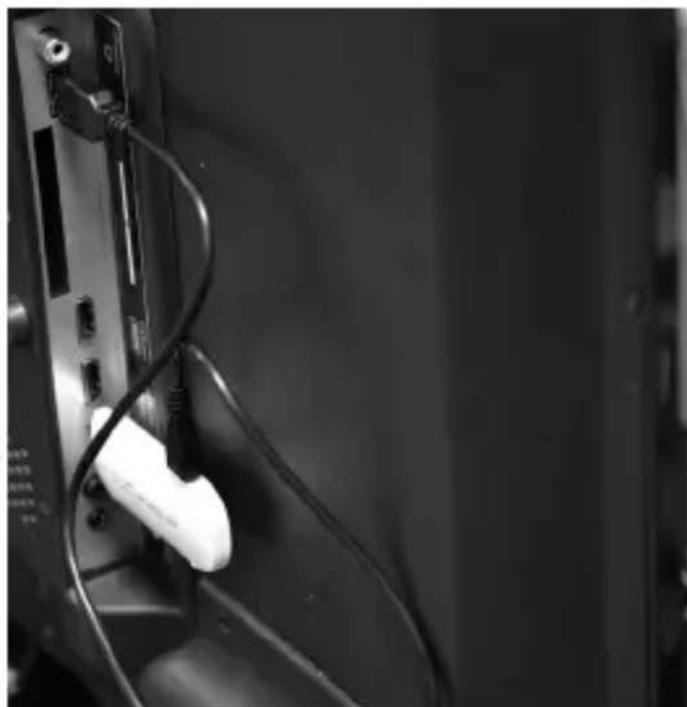

- Selecting with the television remote control the HDMI jack to which the Trevi ET 335 TV device has been connected.
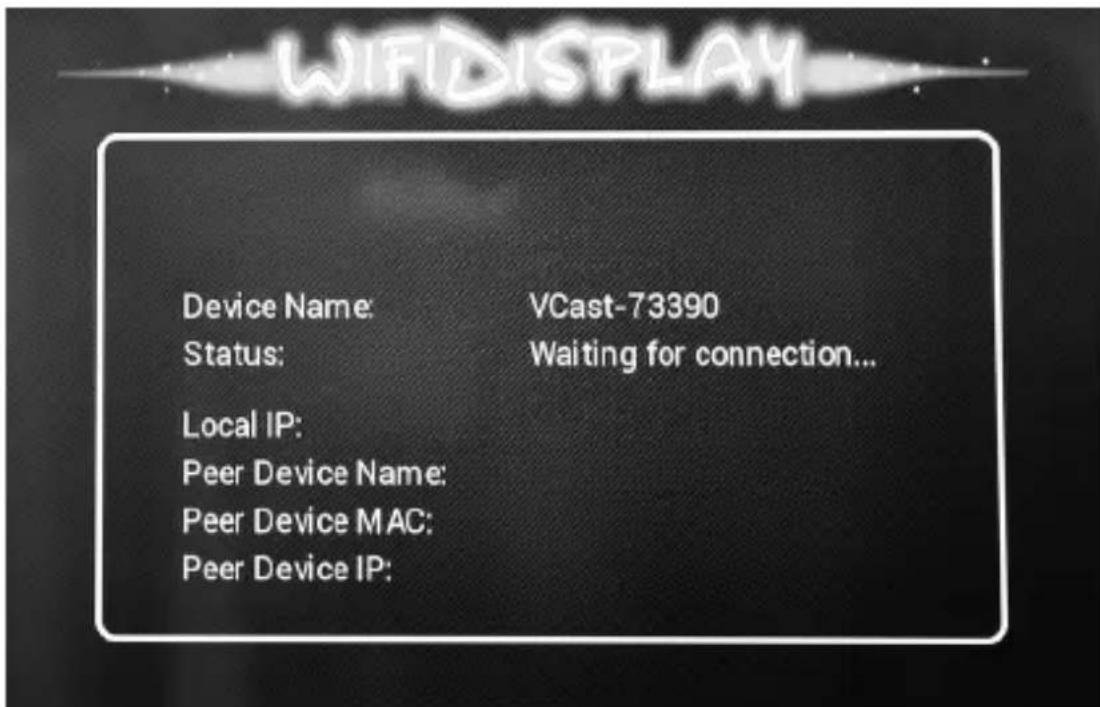
- To connect the device to your smartphone or tablet, access the Wi-Fi menu and search for new networks, select VCast-XXXXX and enter the default password "12345678".
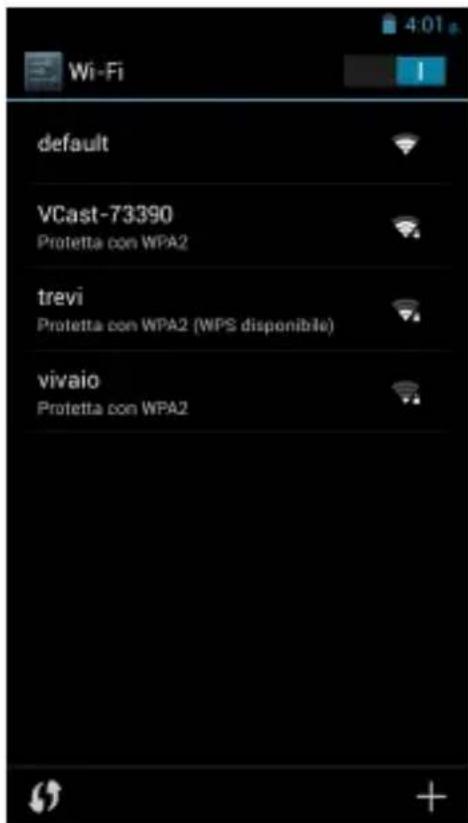
- Activate the wireless display on your device.
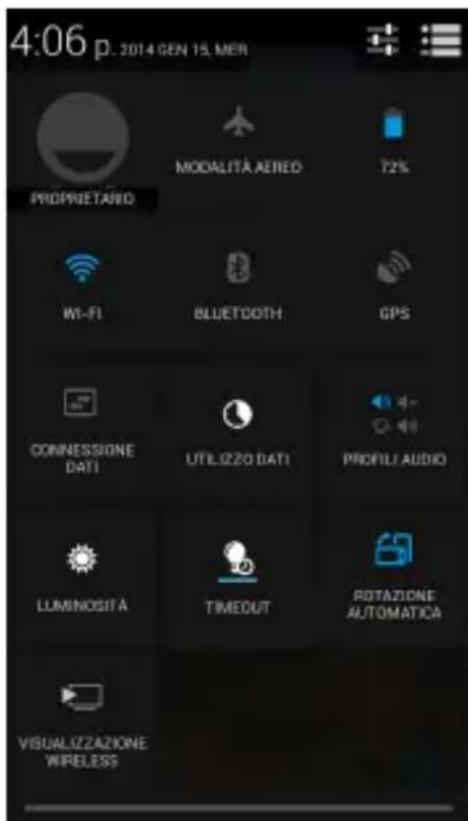
Access the menu and select "Search Screens" until it appears on the smartphone or tablet screen.
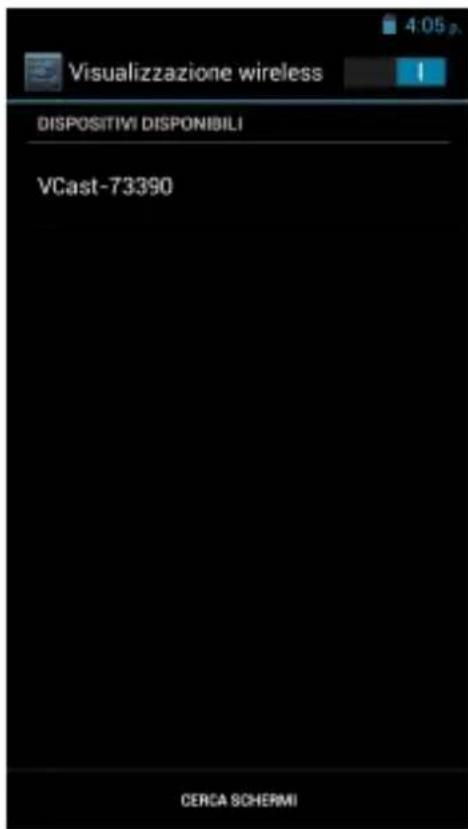
Select VCast-XXXXX to start using it.
CAUTION: ONCE CONNECTED YOU WILL NOT HAVE INTERNET ACCESS THROUGH WI-FI DEVICE, AS IT ALREADY OCCUPIED BY CONNECTION WITH THE ET 335 TV.
3. TECHNICAL SPECIFICATIONS
Audio/video interface HDMI 1.4
Power interface micro-USB 2.0, DC 5V
Dimensions 86× 30× 14mm
System requirements: 1 input HDMI, 1 input USB,
0.S. Android 4.2.2 or above with
Wireless Display support
4. TROUBLESHOOTING
This chapter lists some problems that may occur when using the device.
| Problem Causes Possible solutions | ||
| The device does not turn on | Is not compatible with your smartphone or tablet or does not meet the system requirements. | In accordance with the system requirements for this device, the smartphone or tablet must run Android 4.2.2 or higher with Wireless Display support. |
| No signal is received The device was not properly connected to your smartphone or tablet or television. | Check that the device is properly connected to your smartphone or tablet or television. | |
1. PREFACE ET AVERTISSEMENTS
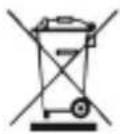
Precautions for correct disposal of the product.
The symbol shown on the equipment indicates that waste must be disposed of in "separate collection" and so the product must not be disposed of together with urban waste.
The user must take the product to special "separate waste collection centres" provided by local government, or deliver it to the retailer against the purchase of a new product.
Separate collection of waste and subsequent treatment, recycling and disposal operations promotes the production of equipment with recycled materials and limits negative effects on the environment and on health caused by improper handling of waste.
Illegal disposal of the product leads to the enforcement of administrative penalties.
- WARNING: IN ACCORDANCE WITH THE SYSTEM REQUIREMENTS FOR THIS DEVICE, THE SMARTPHONE OR TABLET MUST RUN ANDROID 4.2.2 OS OR HIGHER WITH WIRELESS DISPLAY SUPPORT.
- PACKAGE CONTENTS:
- NOTES ON USE
- WARNING
- CAR SAFETY
- CARE AND MAINTENANCE
- IMPORTANT
- HOW TO USE TREVI ET 335 TV FOR SMARTPHONE AND TABLET
- TECHNICAL SPECIFICATIONS
- TROUBLESHOOTING
- PREFACE ET AVERTISSEMENTS
- Precautions for correct disposal of the product.
Brand : Trevi
Model : ET 335 TV
Category : Media player