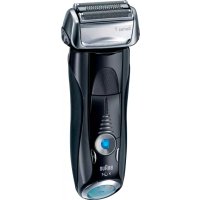
Series 7 760cc4 - Shaver BRAUN - Free user manual and instructions
Find the device manual for free Series 7 760cc4 BRAUN in PDF.



| Brand | Braun |
| Model | Series 7 760cc4 |
| Product type | Electric shaver |
| Shaving system | Pivoting head with flexible foils |
| Integrated trimmer | Retractable for long hair |
| Power adjustment | 3 levels via + and - buttons (dark blue, light blue, white) |
| Battery life | Up to 50 minutes cordless |
| Power supply | Rechargeable battery, can be used while plugged in |
| Cleaning system | Self-cleaning Clean&Renew station with 32 to 43 minute cycles |
| Cleaning cartridge capacity | Approximately 30 cleaning cycles |
| Battery level indicator | Screen with charge indicators (green, red) |
| Cassette replacement indicator | Symbol on screen after approximately 18 months |
| Safety | Integrated transformer plug, flammable cleaning liquid to keep away from ignition sources |
| Maintenance | Automatic cleaning in the station or manual under running water |
| Included accessories | Clean&Renew station, power cord, travel case, cleaning brush |
| Replacement parts | Shaver cassette 70S, Clean&Renew CCR cleaning cartridge |
| Warranty | 2 years |
| Corded or cordless use | Yes, cordless shaving or plugged into mains |
| Head lock | Possible for difficult areas (under the nose) |
| Counter reset | Reset button after cassette replacement |
| Standby function | Automatic after 10 minutes (station) or a few minutes (shaver) |
Frequently Asked Questions - Series 7 760cc4 BRAUN
User questions about Series 7 760cc4 BRAUN
0 question about this device. Answer the ones you know or ask your own.
Ask a new question about this device
Download the instructions for your Shaver in PDF format for free! Find your manual Series 7 760cc4 - BRAUN and take your electronic device back in hand. On this page are published all the documents necessary for the use of your device. Series 7 760cc4 by BRAUN.
USER MANUAL Series 7 760cc4 BRAUN
(Audio Supplies Company Ltd.)
www.service.braun.com
Deutsch

Our products are designed to meet the highest standards of quality, functionality and design. We hope you enjoy your new Braun Shaver.
Warning
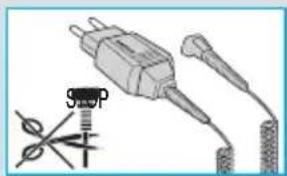
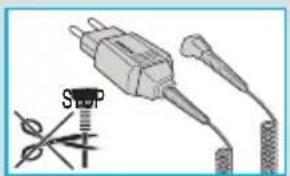
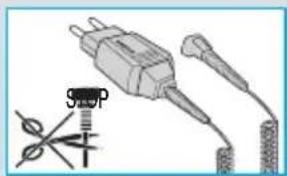
Your shaving system is provided with a special cord set, which has an integrated Safety Extra Low Voltage power supply. Do not exchange or tamper with any part of it, otherwise there is risk of an electric shock.
This appliance is not intended for use by children or persons with reduced physical, sensory or mental capabilities, unless they are supervised by a person responsible for their safety. In general, we recommend that you keep the appliance out of reach of children. Children should be supervised to ensure that they do not play with the appliance.
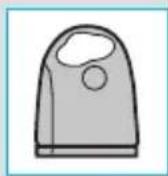
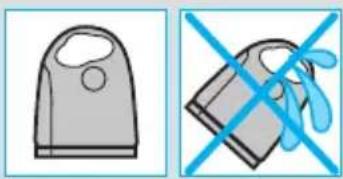
To prevent the cleaning fluid from leaking, ensure that the Clean&Renew station is placed on a fl at surface. When a cleaning cartridge is installed, do not tip, move suddenly or transport the station in any way as cleaning fluid might spill out of the cartridge. Do not place the station inside a mirror cabinet, nor over a radiator, nor place it on a polished or lacquered surface.
The cleaning cartridge contains a highly flammable liquid so keep it away from sources of ignition. Do not smoke near the station. Do not expose to direct sunlight for long periods of time.
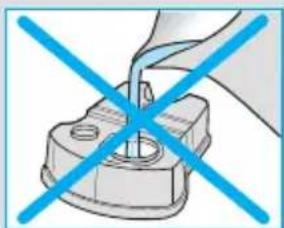
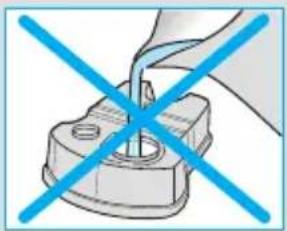
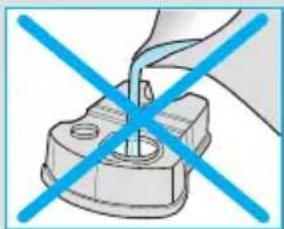
Do not refill the cartridge and use only original Braun refill cartridges.
Description
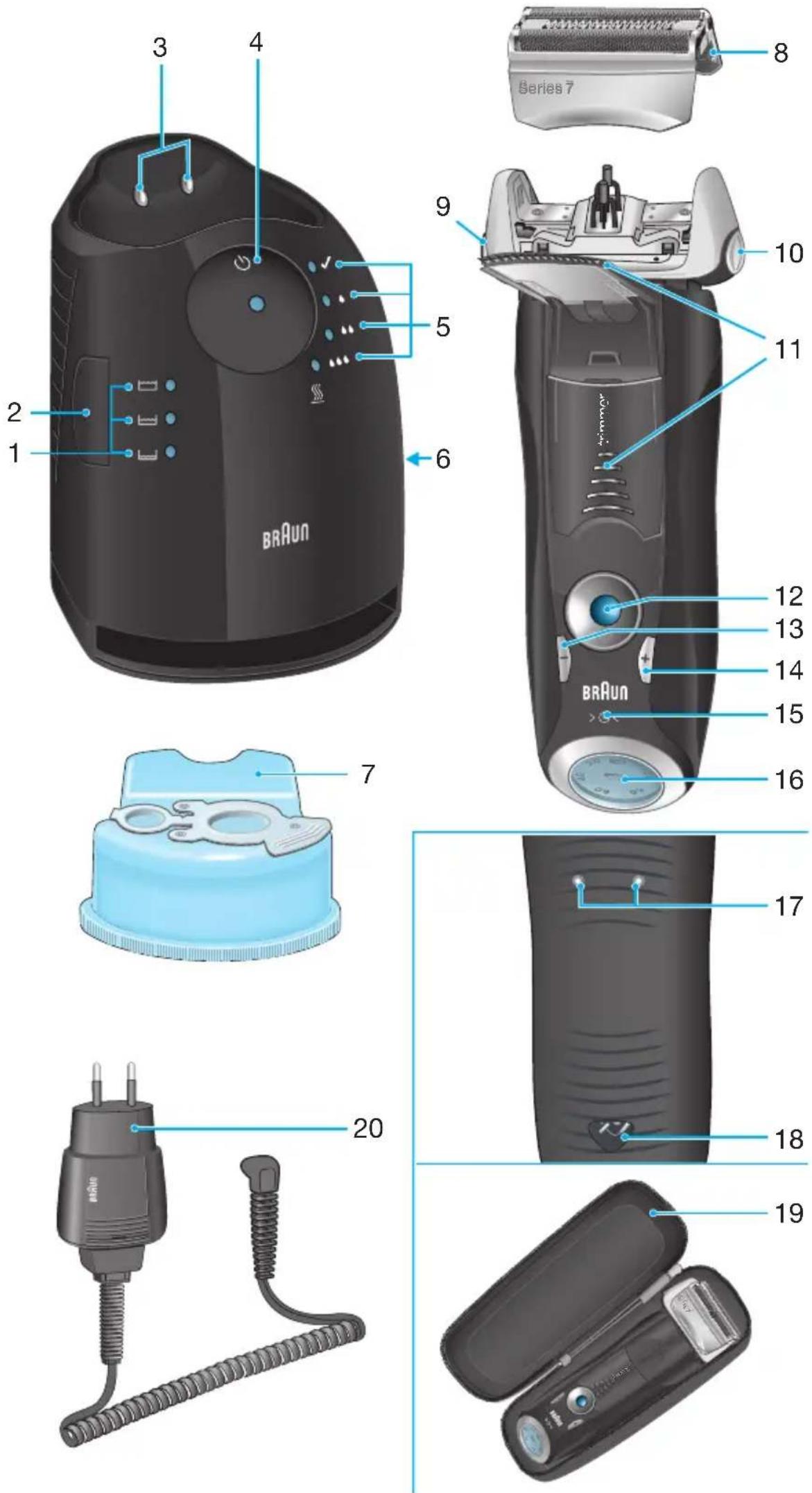
Clean&Renew station
① Cleaning fluid display
② Lift button for cartridge exchange
③ Station-to-shaver contacts
④ Start button
⑤ Cleaning program indicators
⑥ Station power socket
⑦ Cleaning cartridge
Shaver
⑧ Foil & Cutter cassette
Cassette «release» button
⑩ Shaver head «lock» switch
11 Pop-out long hair trimmer
English
12 On/off switch
(3) setting button (sensitive)
14 (+) setting button (intensive)
⑤ Reset button
Shaver display
⑦ Shaver-to-station contacts
⑱ Shaver power socket
19 Travel case
② Special cord set
Before shaving
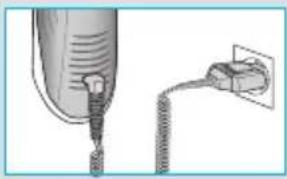
Prior to first use you must connect the shaver to an electrical outlet using the special cord set ② or alternatively proceed as below.
Installing the Clean&Renew station
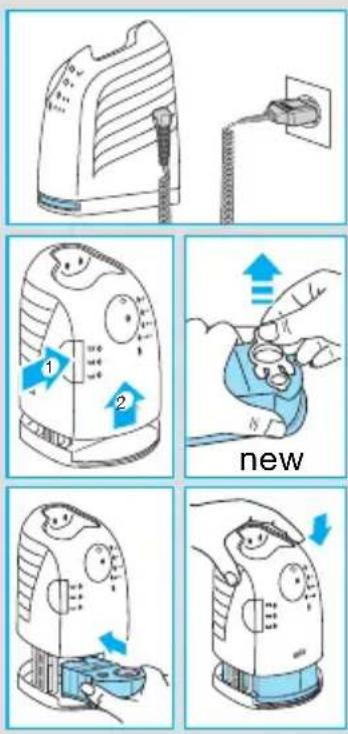
- Using the special cord set ② , connect the station power socket ⑥ to an electrical outlet.
- Press the lift button ② to open the housing.
- Hold the cleaning cartridge ⑦ down on a flat, stable surface (e.g. table).
- Carefully remove the lid from the cartridge.
- Slide the cartridge into the base of the station as far as it will go.
- Slowly close the housing by pushing it down until it locks.
The cleaning fluid display ① will show how much fluid is in the cartridge:
up to 30 cleaning cycles available
up to 7 cleaning cycles remaining
new cartridge required
Charging and cleaning the shaver
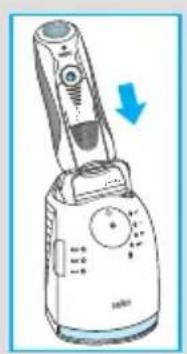
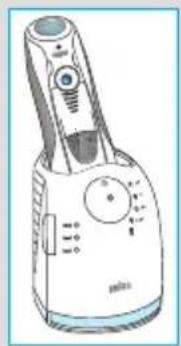
Insert the shaver head down into the cleaning station. (The contacts ⑦ on the back of the shaver will align with the contacts ③ in the cleaning station).
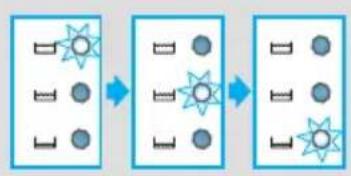
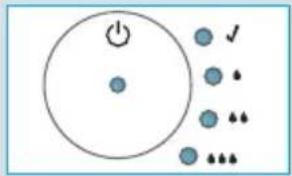
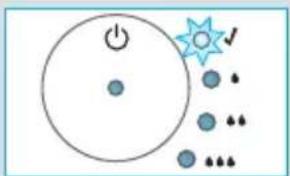
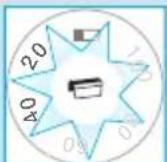
If required, the Clean&Renew station will automatically charge the shaver. The hygiene status of the shaver will also be analyzed and one of the following cleaning program indicators ⑤ will light up:
shaver is clean
short economical cleaning required
normal level of cleaning required
串串 high intensive cleaning required
If the station selects one of the required cleaning programs, it will not start unless you press the start button ④ . For best shaving results, we recommend cleaning after each shave.
Whilst cleaning is in progress, the respective cleaning program indicator will blink. Each cleaning program consists of several cycles, where cleaning fluid is flushed through the shaver head and a heat drying process dries the shaver. Depending on the program selected the total cleaning time will range from 32 to 43 minutes.
The cleaning programs should not be interrupted. Please note that whilst the shaver is drying, the shaving head may be hot and wet. When the program is finished, the blue indicator will light up. Your shaver is now clean and ready for use.
Stand-by mode
10 minutes after completing the charging or cleaning session, the Clean&Renew station switches to the stand-by mode: The indicators of the Clean&Renew station turn off.
Shaver display
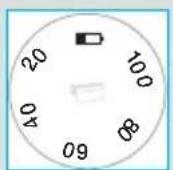
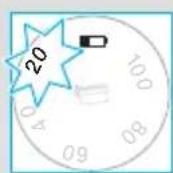
The shaver display ⑥ shows the charge status of the battery. During charging or when using the shaver, the respective green charge status will blink. When the battery is fully charged the green charge status will light up continuously, provided the shaver is switched on or connected to an electrical outlet.
Stand-by mode
(Shaver is switched off but connected to the mains)
Some minutes after completing the charging, the shaver switches to the stand-by-mode:
The display turns off.
Low charge indicator:
The red low charge indicator blinks to indicate that the charge has dropped below 20% , provided the shaver is switched on.
The remaining battery capacity is suffi cients for 2 to 3 shaves.
Charging information
- A full charge provides up to 50 minutes of cordless shaving time. This may vary according to your beard growth.
- The best environmental temperature for charging is between 5^ to 35^ . Do not expose the shaver to temperatures higher than 50^ for extended periods of time.
Personalizing your shaver
Personalizing your shaver
With the (-) ⑬ and (+) ⑭ buttons you can choose the best setting for shaving different areas of your face and as per your specific needs. The different settings are indicated by the pilot light incorporated in the on/off switch ⑫:
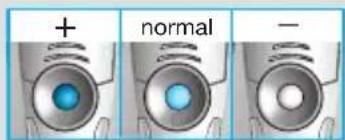
- dark blue (powerful shave)
- light blue (normal)
- white (for a thorough comfortable shave in sensitive areas of your face such as neck)
For a thorough and fast shave we recommend the + setting. When switching on next time, the last used setting will be activated.
How to use
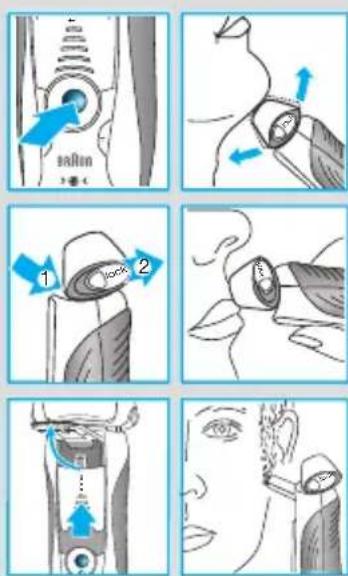
Press the on/off switch ⑫ to operate the shaver:
- The pivoting shaver head and fl oating foils automatically adjust to every contour of your face.
- To shave hard to reach areas (e.g. under the nose) slide the shaver head «lock» switch ⑩ to the back position to lock the pivoting head at an angle.
- To trim sideburns, moustache or beard, slide the pop-out long hair trimmer upwards.
Tips for the perfect shave
For best shaving results, Braun recommends you follow 3 simple steps:
- Always shave before washing your face.
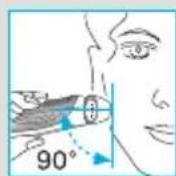
- At all times, hold the shaver at right angles (90^) to your skin.
- Stretch your skin and shave against the direction of your beard growth.
Shaving with the cord
If the shaver has run out of power (discharged), and you do not have the time to recharge it in the Clean&Renew station, you may also shave with the shaver connected to an electrical outlet via the special cord set.
Cleaning
Automatic cleaning
After each shave, return the shaver to the Clean&Renew station and proceed as described above in the section «Before shaving». All charging and cleaning needs are then automatically taken care of. With daily use, a cleaning cartridge should be sufficient for about 30 cleaning cycles.
The hygienic cleaning cartridge contains alcohol, which once opened will naturally evaporate slowly into the surrounding air. Each cartridge, if not used daily, should be replaced after approximately 8 weeks.
The cleaning cartridge also contains lubricants, which may leave residual marks on the outer foil frame after cleaning. However, these marks can be removed easily by wiping gently with a cloth or soft tissue paper.
Manual cleaning

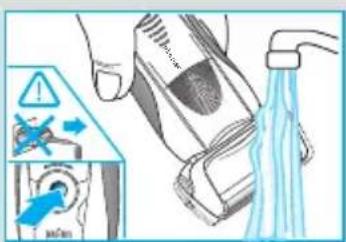
The shaver head is suitable for cleaning under running tap water.
Warning: Detach the shaver from the power supply before cleaning the shaver head in water.
Rinsing the shaving head under running water is an alternative way to keep the shaver clean, especially when travelling:
- Switch the shaver on (cordless) and rinse the shaving head under hot running water. You may use liquid soap without abrasive substances. Rinse off all foam and let the shaver run for a few more seconds.
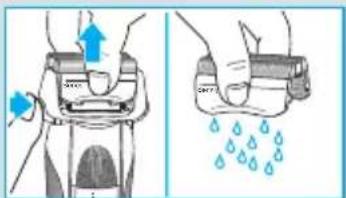
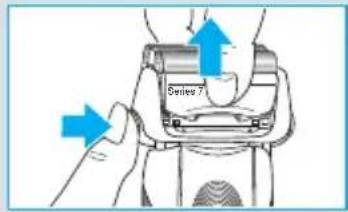
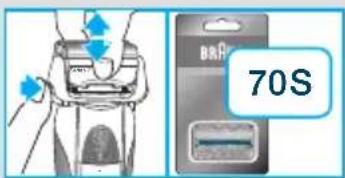
- Next, switch off the shaver, press the «release» button ⑨ to remove the Foil & Cutter cassette ⑧ and let it dry.
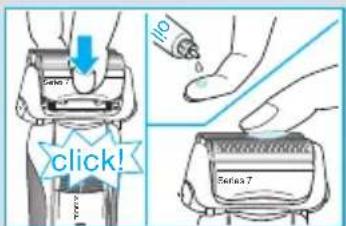
- If you regularly clean the shaver under water, then once a week apply a drop of light machine oil on top of the Foil & Cutter cassette.
Alternatively, you may clean the shaver using the brush provided:
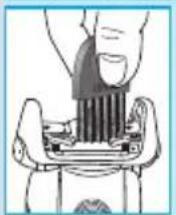
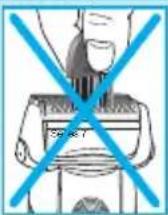
- Switch off the shaver. Remove the Foil & Cutter cassette ⑧ and tap it out on a fl at surface. Using the brush, clean the inner area of the pivoting head. However, do not clean the cassette with the brush as this may damage it.
Cleaning the housing
From time to time clean the housing of the shaver and the Clean&Renew station with a damp cloth, especially inside the cleaning chamber where the shaver rests.
Replacing the cleaning cartridge
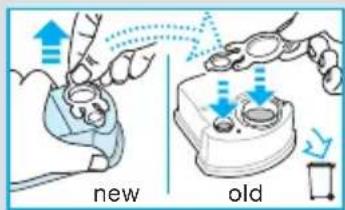
After having pressed the lift button ② to open the housing, wait for a few seconds before removing the used cartridge to avoid any dripping. Before discarding the used cartridge, make sure to close the openings using the lid of the new cartridge, since the used cartridge will contain contaminated cleaning solution.
Keeping your shaver in top shape
Replacing the Foil & Cutter cassette/reset
To maintain 100% shaving performance, replace the Foil & Cutter cassette (8), when the replacement symbol lights up on the shaver display (16) (after about 18 months) or when cassette is worn.
The replacement symbol will remind you during the next 7 shaves to replace the Foil & Cutter cassette. Then the shaver will automatically reset the display.
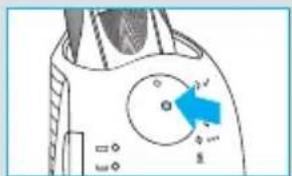
After you have replaced the Foil & Cutter cassette, use a ball-pen to push the reset button for at least 3 seconds to reset the counter. While doing so, the replacement light blinks and goes off when the reset is complete. The manual reset can be done at any time.
Accessories
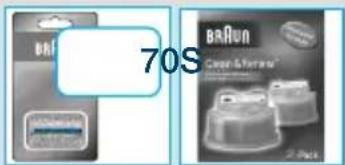
Available at your dealer or Braun Service Centres:
- Foil & Cutter cassette 70S
- Cleaning cartridge Clean&Renew CCR
Environmental notice
This product contains rechargeable batteries. In the interest of protecting the environment, please do not dispose of the product in household waste at the end of its useful life. Disposal can take place at a Braun Service Centre or at appropriate collection points provided in your country.
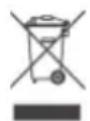
The cleaning cartridge can be disposed with regular household waste.
Subject to change without notice.
For electric specifications, see printing on the special cord set.
Guarantee
We grant a 2 year guarantee on the product commencing on the date of purchase. Within the guarantee period we will eliminate any defects in the appliance resulting from faults in materials or workmanship, free of charge either by repairing or replacing the complete appliance at our discretion.
This guarantee extends to every country where this appliance is supplied by Braun or its appointed distributor.
This guarantee does not cover: damage due to improper use, normal wear and tear (e.g. shaver foil or cutter block) as well as defects that have a negligible effect on the value or operation of the appliance. The guarantee becomes void if repairs are undertaken by unauthorised persons and if original Braun parts are not used.
To obtain service within the guarantee period, hand in or send the complete appliance with your sales receipt to an authorised Braun Customer Service Centre (address information available online at www.service.braun.com).
For UK only:
This guarantee in no way affects your rights under statutory law.
Français

Supporto Clean&Renew
Installering at Clean&Renew-stationen
Räd for perfect barbing
trconsumers@custhelp.com
Ta npoiovta maç kataokéuaçovtai etai wotε va πλnpouv ta uψηλóτepa npótu na nolotntac, λεitoupyikótntauç kalxδiaoou. Eλπizouμε va ikavonoiθεite anóluta ano mv kaivoupyia saç Eupiotk n μnxavn Braun.
PpoeiOnoInon
H Eupiotikn oac mnxavn eival efoiaoEvn me
eva EIoko oet kaawoiou, to oniodelta tetei
evomegaatwoevo etaoxmaTn noLu xaunlnc
tao nlaepiooTepn aoPala. Ia tov
Loyo auto bve npent va avtkataotnoTe
n tpononoTcE TOIOBNOTE MEOC TOU.
Ze avtiOeTm nepiTTwON unapxki kivduvo
nAekptoanxiac.
Autn n ouokcun npoopizetai yia xpon ano naia n atoua u e uwueves comegaatikec n diavontkec ikavotntec, ktoc av EiBentovta i ano ato o unufovo ia tv aopaaleia touc. Evika, ouviotoue va kpatate tn v ouokun paipia ano naia. Ta naia npenla va enonteuovtai ia va eaoopaalizetai otidev naizouv u e tn ouokcun.
Ia va anopuyETe onoiadnTote diappon Tou uypoK aqipou, TOnoTheTne T OuaKeuN Clean&Rnew 0e mia einEbn Eupavla. Mny yepvETe n eTakivite EaVika Tn ouokun, e OIOIOvONOTE Tpno, av exi TOnoTheTne i hon n Kaotkaqapiaou. Mny tonoTeITE T m OuaKEUn oTo papi Tou kaPeptn oac Oute naW ano kaLopiepn oe yuaIouec Eupavieic n EpiapveicKaUmuEvc uE bepviKI.
H ouokkun kaohapouo npiexel eiaepetika eukkto uyp. KpatnoTe Tnv maekla ano nnycac avapalenc. Mny kaanizetekovta otnv ouokun. Mny ekteTe Tn ouokun aea o naiakn akivobolia yia eya lo xpovikó diaotma.
Mny\xavayeuiEeTNeVnaiKaoeTaueTo uypo kaapou. Xpnoonoiite mvo yvnoia avtaaaktik TaC Braun.