225FD - Surveillance Camera AXIS - Free user manual and instructions
Find the device manual for free 225FD AXIS in PDF.


User questions about 225FD AXIS
0 question about this device. Answer the ones you know or ask your own.
Ask a new question about this device
Download the instructions for your Surveillance Camera in PDF format for free! Find your manual 225FD - AXIS and take your electronic device back in hand. On this page are published all the documents necessary for the use of your device. 225FD by AXIS.
USER MANUAL 225FD AXIS
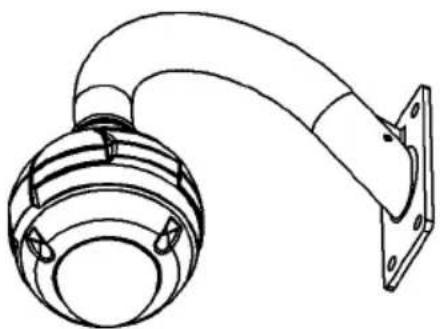
AXIS 225FD Pendent Kit
Installation Guide
AXIS 225FD Pendent Kit - Installation Guide
This installation guide provides instructions for installing the Pendent Kit for the AXIS 225FD Fixed Dome Network Camera. Please read through the entire guide before installation.
For instructions on how to install the camera, please refer to the AXIS 225FD Installation Guide, available from www.axis.com or the Axis Network Video CD.
natural_image
Technical line drawing of a mechanical device with a curved arm and mounting bracket (no text or symbols)Package contents
• (1) Cast Aluminum Pendent Adapter
• (1) Pendent Adapter Gasket
• (1) 1.5 inch to 22mm Adapter
• (3) M 5 x 20 Bolts
• (1) Teflon sealing Tape
• (3) 5mm washers
Follow these instructions to install the pendent kit
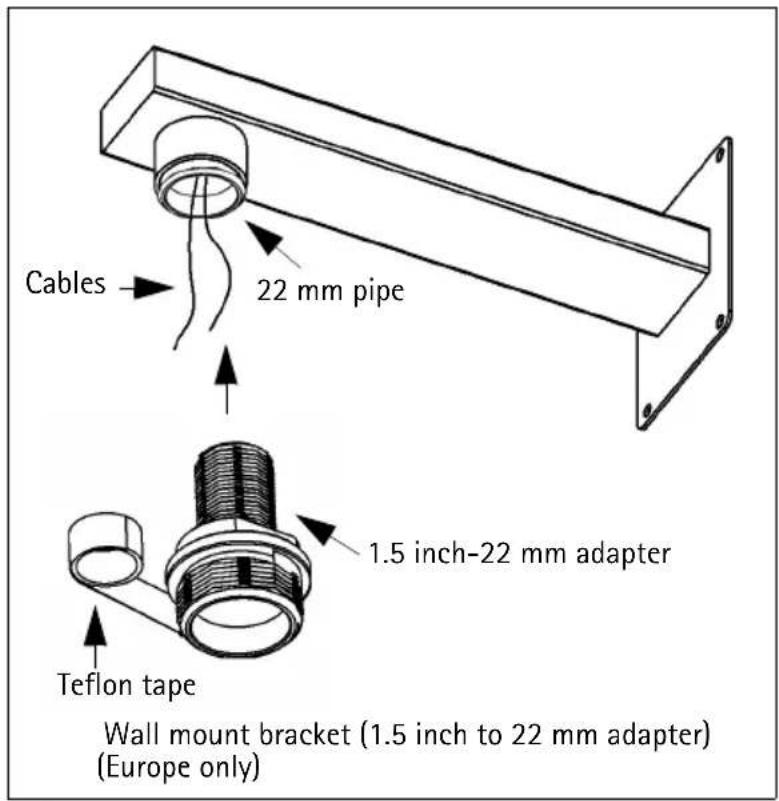
- Route power and network cables through the wall mount and allow to extend as shown. Install the wall mount bracket in the desired position.
text_image
Cables 22 mm pipe 1.5 inch-22 mm adapter Teflon tape Wall mount bracket (1.5 inch to 22 mm adapter) (Europe only)
text_image
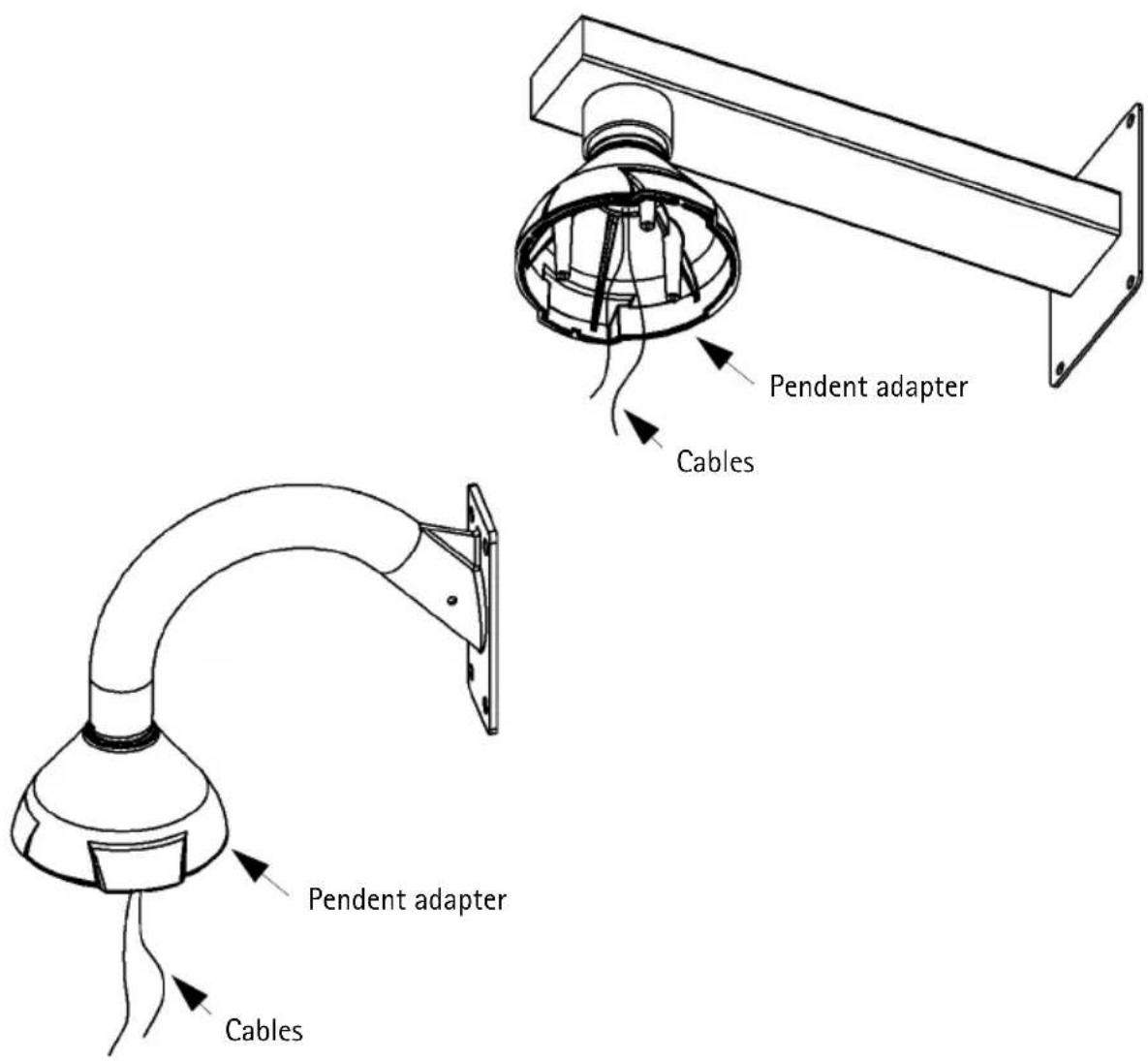
Teflon tape Cables 1.5 inch pipe Wall mount bracket (1.5 inch pipe) (US only)- To seal the pendent attachment, use the supplied teflon tape as shown in the illustration.
text_image
Pendent adapter Cables Pendent adapter Cables- Route the cables through the cable gland as described in the AXIS 225FD Installation Guide and secure the gland to the camera unit.
Note:
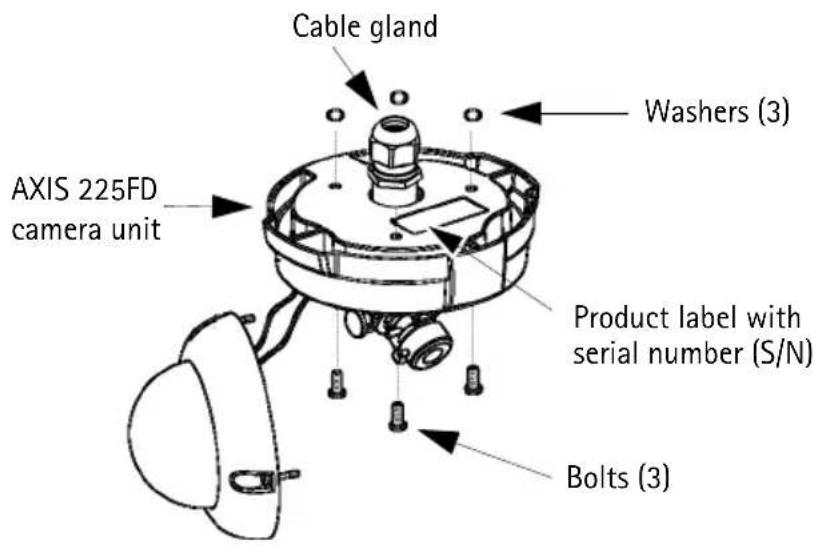
Before installing the camera, make a note of the serial number (S/N) which is located on the product label on the base of the unit casing. The serial number is used in the installation.
- To secure the AXIS 225FD camera unit to the pendent adapter, push the supplied bolts through the camera unit and place a washer on each bolt (see illustration below). Make sure the gasket is properly aligned and secure the bolts in the screw holes in the pendent adapter.
text_image
Cable gland Washers (3) AXIS 225FD camera unit Product label with serial number (S/N) Bolts (3)- Refer to the AXIS 225FD Installation Guide for instructions on how to complete the installation.
The installation guide is available from the Axis web site at: www.axis.com
Kit suspendu AXIS 225FD - Guide d'installation
natural_image
Technical line drawing of a mechanical component with curved arm and flanged base (no text or symbols)Installationshandbuch
natural_image
Technical line drawing of a mechanical sensor or clamp assembly (no text or symbols)Lieferumfang
natural_image
Technical line drawing of a mechanical component with curved arm and flanged base (no text or symbols)natural_image
Technical line drawing of a mechanical device with a curved arm and flange (no text or symbols)AXIS 225FD Pendent Kit
Copyright © Axis Communications AB, 2007
February 2007
Part No. 27338