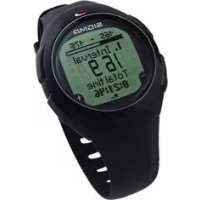
Onyx Pro - Sports Watch SIGMA - Free user manual and instructions
Find the device manual for free Onyx Pro SIGMA in PDF.


| Product type | Heart rate monitor (sports watch) |
| Brand | Sigma |
| Model | Onyx Pro |
| Measurement technology | ECG precision with coded digital wireless transmission |
| Chest strap | Elastic belt with transmitter, electrodes to moisten |
| Power supply | 2 CR2032 batteries (watch and strap) |
| Water resistance | Up to 10 meters (do not press buttons underwater) |
| Main functions | Heart rate measurement, free training, lap training, marathon, endurance, intervals, detailed memory, stopwatch, countdown timer, alarm |
| Training programs | 10 types: free, laps, marathon, regenerative, long, medium, personal endurance, extensive, intensive, personal intervals |
| Memory | 7 detailed sessions + total values (week, month, since reset) |
| Time functions | Time, date, stopwatch 1/10s, countdown timer, alarm |
| User settings | Gender, date of birth, weight, max HR, HR zones, IAT (anaerobic threshold) |
| Display | Liquid crystal display with HR zones, time, heart rate |
| Available languages | French, English, German, Spanish, Italian, Dutch |
| Maintenance | Clean with a soft, dry cloth; avoid solvents |
| Safety | Medical consultation recommended before exercise; respect temperature ranges (0°C to 55°C) |
| Replacement batteries | CR2032 (ref. 00342) |
| Warranty | Legal warranty; batteries excluded; contact retailer or Sigma Elektro GmbH |
Frequently Asked Questions - Onyx Pro SIGMA
User questions about Onyx Pro SIGMA
0 question about this device. Answer the ones you know or ask your own.
Ask a new question about this device
Download the instructions for your Sports Watch in PDF format for free! Find your manual Onyx Pro - SIGMA and take your electronic device back in hand. On this page are published all the documents necessary for the use of your device. Onyx Pro by SIGMA.
USER MANUAL Onyx Pro SIGMA
natural_image
Red heart symbol with sound waves, no text or symbols presentHEART RATE

natural_image
Black double-headed mechanical component with two square holes (no text or symbols visible)ONYX PRO
DEUTSCH
ITALIANO
ENGLISH
ESPAÑOL
FRANÇAIS
NEDERLANDS
- Hauptmenü Training 17
4.2.1 Freies Training 21
4.2.2 Rundentraining 22
4.2.3 Marathontraining 24
4.4.1 Extensives Training 30
4.4.2 Intensives Training 31
4.4.3 Eigenes Training 32
INHALT
natural_image
Close-up of a black wristwatch with a circular dial showing the time (no visible text or symbols)
natural_image
Illustration of hands using a tool to adjust or install a mechanical component (no text or symbols visible)natural_image
Line drawing of hands tying a knot around a rope (no text or symbols)natural_image
Line drawing of a person holding a tool with a labeled grip (no text or symbols present)natural_image
Diagram of a car interior showing a seatbelt and circular ring, with red arrows indicating direction (no text or symbols)2.4 HERZFREQUENZMESSUNG
4.2.3 MARATHONTRAINING
4.4 INTERVALTRAINING
Dauer und HF Zone:
6.2.2.3 MARATHON WETTKAMPF
6.2.2.3 MARATHON WETTKAMPF
→ HF Zone
→ Zeit in HF Zone
→ % in HF Zone
→ Erholungs HF
2. HF Zone (Fitness-Zone) - Fitness:
70-80 % der HF max.
natural_image
Black plastic object with rounded edges and a small hole, no visible text or symbols-
Foreword and package contents 54
-
Basic operation principle 55
2.1 Funtion summary (tree diagramm) 55
2.2 Key occupancy and navigation principle 57
2.3 Fixing the chest belt/attaching the handlebar holder 58
2.4 Measuring the heartbeat 59
- Settings before the first trainings
→ Main menu setting 62
3.1 Setting User 63
3.2 Setting Unit 65
3.3 Setting Training 65
3.3.1 Own endurance training 66
3.3.2 Own interval training 66
- Main menu training 67
4.1 Basic operating principle and display in the training menu
4.2 General training 70
4.2.1 Free training 71
4.2.2 Laps 72
4.2.3 Marathon 74
4.3 Endurance training 76
4.3.1 Recovery Run (pre-programmed) 76
4.3.2 Long (pre-programmed) 77
4.3.3 Medium (pre-programmed) 77
4.3.4 Own (freely programmable) 78
4.4 Interval training 79
4.4.1 Extensive 80
4.4.2 Intensive 81
4.4.3 Own 82
CONTENT
5. Main menu time 83
6. Main menu memory 86
6.1 Total values 86
6.2 Memory 87
6.2.1 Overall infos 88
6.2.2 Memory general training 88
6.2.3 Memory endurance training 90
6.2.4 Memory interval training 90
7. Other Information 93
7.1 Information on heart rate 93
7.2 IAT and measuring lactate 94
7.3 Notes on using the training program 96
7.4 FAQ 97
7.5 Beep Summary 98
7.6 Troubleshooting 99
7.7 Changing the battery and warranty 100
1. FOREWORD AND PACKAGE CONTENTS
Congratulations on choosing a heart rate monitor from SIGMA SPORT®. Your new ONYX PRO will be a faithful companion for sport and leisure for many years to come.
The ONYX PRO is a technically demanding measuring device. In order to learn and apply the varied functions of your new heart rate monitor, please read this user manual carefully.
SIGMA SPORT® wishes you a lot of fun using your ONYX PRO.
natural_image
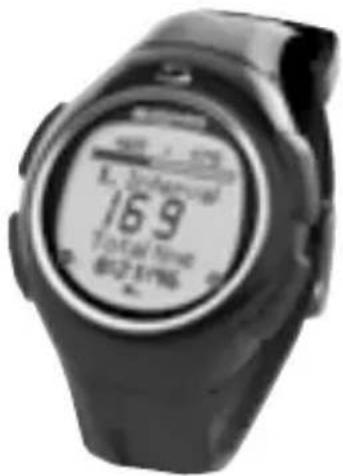
Close-up of a black wristwatch with a circular dial showing the time (no visible text or symbols)Digitally coded heart rate monitor ONYX PRO.
→ ECG-accurate
→ Manufactured based on medical standards


Chest belt with digitally coded radio transmission.

Handlebar holder to use the ONYX PRO on the bike with an O ring.
2. BASIC OPERATION PRINCIPLE
2.1 FUNCTION SUMMARY (tree diagram)
Training
Run
IntervalGeneral Endurance
ExtensivFree Recovery
IntensivLaps Long
ProgramMarathon Medium
Own
Memory
Time
Memory Clock
Total
values
Per weekMemory 1 Date
Memory 2
Per month Stopwatch
Memory 3
Memory 4
Memory 5
Memory 6
Memory 7
Alarm
2. BASIC OPERATION PRINCIPLE
2.1 FUNCTION SUMMARY (tree diagram)
Setting
UnitUser Training
LanguageGender Endurance
DateBirthday Interval
ClockWeight
VolumeHR max
-
HR zone
-
HR zone
-
HR zone
Button- tones
Zone-alarm
Training- tones
My namelAT
2.1 FUNCTION SUMMARY
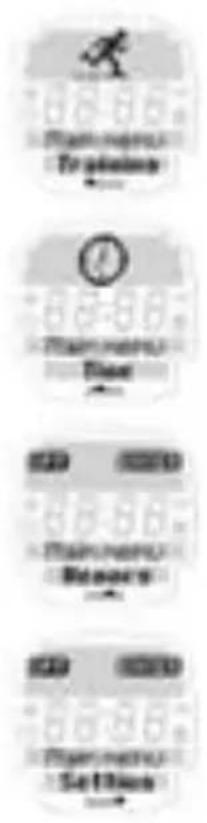
The four main menus of the ONYX PRO
Your ONYX PRO is classified into 4 main menus - "training", "time", "memory" and "setting".
The symbol and description on the screen indicates where you find yourself in the main menus. Use the PLUS /MINUS buttons to change between the individual main menus.
2.2 KEY OCCUPANCY AND NAVIGATION PRINCIPLE
The ONYX PRO covers three menu levels. When navigating through the menus and submenus of the ONYX PRO the user should always refer to the tree diagram in Chapter 2.1 "Function summary".
The menu guidance on the ONYX PRO is made much simpler by the navigation level. The navigation level always appears when you press one of the two upper function buttons. The possible buttons functions for the two upper buttons are shown in the navigation level in order to:
→ Move to the next deeper level (ENTER)
→ Go back to the next higher level (BACK / OFF)
2.2 KEY OCCUPANCY AND NAVIGATION PRINCIPLE
→ Start training (START)
→ End training (END)
→ Save training (SAVE)
→ Start another training phase (SKIP) or move to the next lap (NEXT).
Confirm the function shown in the navigation level with another click. Use the two lower buttons PLUS /MINUS to change between the individual menu options on one level.
2.3 FIXING THE CHEST BELT / HANDLEBAR HOLDER
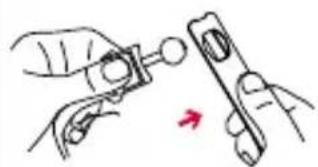
natural_image
Illustration of hands using a tool to adjust or install a mechanical part (no text or symbols visible)Connect the transmitter with the elastic belt.
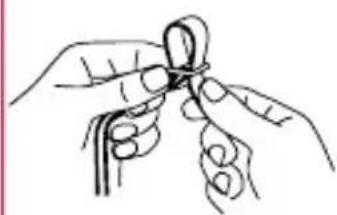
natural_image
Line drawing of hands tying a knot around a rope (no text or symbols)Use the adjusting mechanism to individually adapt the length of the belt.
Ensure that you set the length of the belt so that it sits well but is not too tight.
2.3 FIXING THE CHEST BELT / HANDLEBAR HOLDER
Place the belt such that for men the transmitter is below the chest muscles and for women below the breasts.
The SIGMA logo must always be readable from the front.
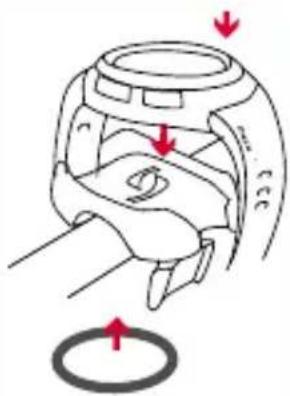
Lift the belt slightly from the skin. Dampen the ribbed zones (electrodes) on the rear of the transmitter with salvia or cardio gel.
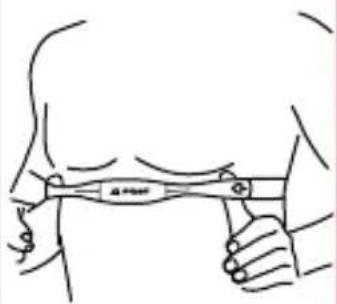
natural_image
Line drawing of a person holding a tool with a bandage, no text or symbols present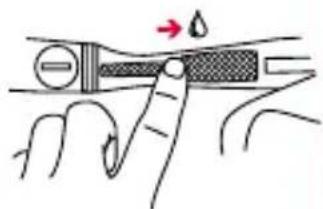
Assemble the handlebar holder. Then fix the handlebar holder with the "O" ring and close the wristband.
natural_image
Diagram of a car interior showing a seatbelt and seatbelt with red arrows indicating movement or force (no text or symbols)2.4 MEASURING THE HEARTBEAT
When you are not training your ONYX PRO is in sleep mode and can be worn as a normal watch. Before and after training the screen shows the date, time and product name.
01.01.2006
13:46
ONTX PRO
2.4 MEASURING THE HEARTBEAT
You can enter another word with up to 8 characters under the ONYX PRO font (my name function). Please refer to Chapter 3.2 "Setting unit".
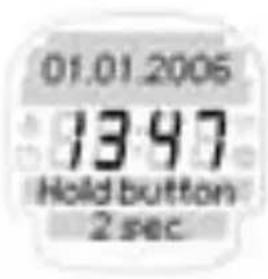
To activate your ONYX PRO hold down any button for two seconds. The clock changes to active mode and you enter the training main menu.
Note: At the start always refer to the tree diagram shown in 2.1
Synchronisation of Watch and Chestbelt
Your ONYX PRO is equipped with a digitally coded chest belt that enables you to have fault-free training.
2.4 MEASURING THE HEARTBEAT
Before starting to train you have to synchronise the chest belt with the watch once.
Select any training and press the Navigation button → ENTER.
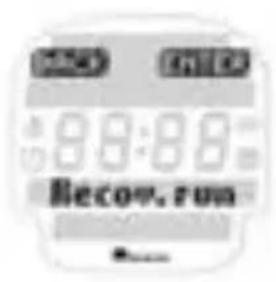
The synchronisation starts automatically and takes just a few seconds.
Note: If you do not see this indication on your watch synchronisation has already been completed successfully.
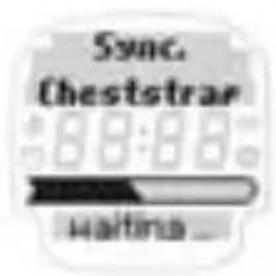
After successful synchronisation your ONYX PRO gives a short confirmation with "Sync ok".
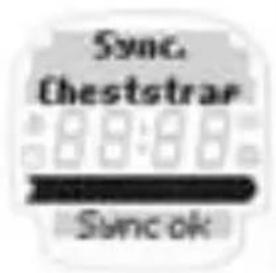
After your ONYX PRO has successfully synchronised with your chest belt you can start training by pressing → START.
Note: please refer to Chapter 7.6 "Troubleshooting" for possible problems with synchronisation.
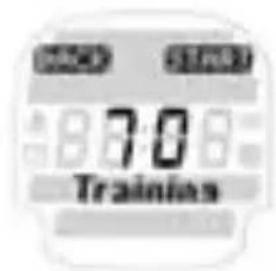
2.4 MEASURING THE HEARTBEAT
Switch off ONYX PRO
The ONYX PRO switches itself off automatically after 5 minutes if no training is undertaken. You can return your watch to sleep mode manually at any time.
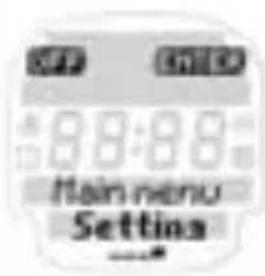
To switch off your ONYX PRO you have to be in the Main Menu.
Press the Navigation button → OFF to activate sleep mode.
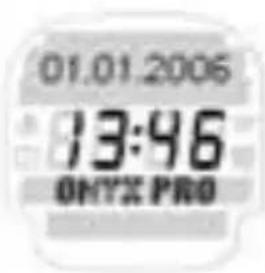
Your ONYX PRO is again in sleep mode and can be worn as an everyday watch.
3. SETTINGS BEFORE THE FIRST TRAINING
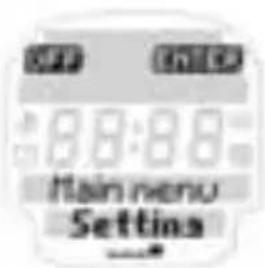
Before the first training session enter your personal settings. Go to main menu by pressing the PLUS /MINUS button until you reach the "Setting menu" option. Press the Navigation button → ENTER to open the "Setting menu".
3. SETTINGS BEFORE THE FIRST TRAINING
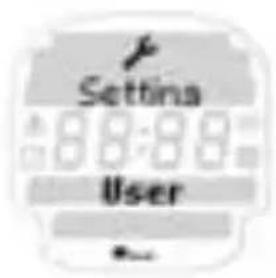
The Setting main menu is sub-divided into user, unit and training settings [Setting / User, Setting / Unit, Setting / Training].
Switch between these points by pressing the PLUS /MINUS buttons. Open the relevant menu with the Navigation button → ENTER.
Now various setting values are displayed in each menu. Change the setting value using the Navigation button → CHANGE.
Increase / reduce the value to be set using PLUS / MINUS.
Confirm the relevant setting with OK and save the setting when you have finished using → SAVE.
Note: The ONYX PRO has an additional memory so that the personal settings in your ONYX PRO are retained when you change the battery.
3.1 SETTING USER
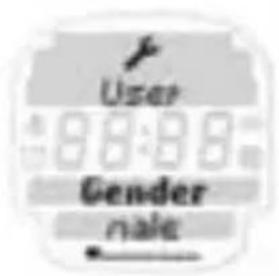
In "Setting user" enter in succession your gender, birthday and weight. Your maximum heart frequency is calculated by the following equations.
3.1 SETTING USER
Male:
$$ 2 1 0 - (1 / 2 \text { age }) - (0. 1 1 \times \text { weight in kg }) + 4 $$
Female:
$$ 2 1 0 - (1 / 2 \text { age }) - (0. 1 1 \times \text { weight in kg }) $$
The calculated HR max. is the basis for setting the upper and lower limits of the 3 training zones. The following 3 training zones are available for the Free Training, Laps Training and Marathon Training types.
Note: You can find more information on the training types in Chapter 4. Please refer to the start of this chapter for information on the setting principle.
1 ^st training zone:
→ approx. 55 - 70 % of HR max.
Recovery training, training the metabolism.
2^nd training zone:
→ approx. 70 - 80 % of HR max.
Heart-circulation training to improve aerobic performance
3^rd training zone:
→ approx 80 - 100 % of HR max.
Performance-led competition training
The upper and lower limits of the training zones and HR max can be set manually using the Navigation button → CHANGE.
3.1 SETTING USER
IAT
Ambitious, competitive athletes have the opportunity with the ONYX PRO to programme in their individual anaerobic threshold = IAT. The training zones are then determined by IAT instead of max HR. The foundation of this very precise method of determining the training zones and performance is a lactate measurement. Please refer to Chapter 7.2 “IAT and lactate measurement” for more information on IAT.
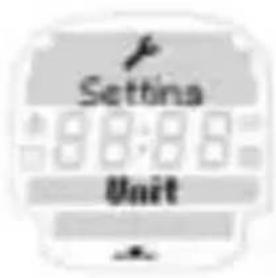
3.2 SETTING UNIT
The setting unit menu provides the language (D, GB, F, ES, IT) / date / clock (12 / 24 h mode) and various volume settings.
Please refer to Chapter 7.5 "Beep summary" for a summary of the acoustic signals. You will find information on the setting principle at the start of this chapter.
In the sub menu setting unit you can personalise the ONYX PRO using the "my name" function. In sleep mode the watch displays the name or any font of up to 8 characters in length.
3.3 SETTING TRAINING
In addition to the preprogrammed endurance and interval training your ONYX PRO gives you the option of freely programming your own endurance or interval training.
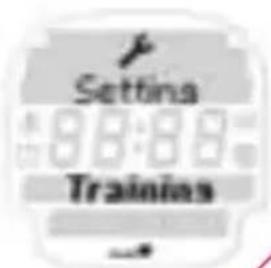
Your own endurance training is always characterized by a warm-up, workout with freely settable training zone and a cool-down.
In the settings menu you can set the time and heart rate for all 3 phases (warm-up, workout and cool-down) manually according to your own requirements.
Note: If the warm-up and cool-down are set to "O" the training starts immediately with the workout and ends afterwards.
Your own interval training always has a warm-up, interval, rest and cool-down phase. For your own interval training the users themselves can select whether the rest phase is to be controlled by heart rate or time.
→ For time-controlled interval training the rest phase ends after a defined period of time (e.g. 1 minute).
→ For pulse-controlled interval training the rest phase only ends when the pulse value falls to a predefined value (e.g. 120 beats /minute).
Note: For all interval trainings the user can select whether the rest phase is to be controlled by heart rate or time. If the warm-up and cool-down are set to "O" the training starts with the workout immediately.
Note: Please refer to the start of this chapter on notes on the setting principle.
4. MAIN MENU TRAINING
Your ONYX PRO is equipped with a total of 10 different training settings. In addition to the option of freely setting your personal time and HR zones the following training programmes are available to the ONYX PRO user.
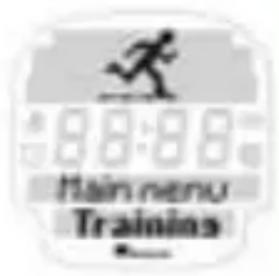
Training type summary:
→ 4 endurance trainings (recovery run, long, medium, own)
→ interval trainings (extensive, intensive, own)
→ free training with HR zones/or IAT
→ lap training with three HR zones / IAT
→ marathon competition (all distances)
4. MAIN MENU
→ For 3 endurance trainings (recovery run, long, medium) and 2 interval trainings (extensive, intensive) the training time and intensity (% of HR max) or IAT is stipulated. These training types are the foundation stones for any endurance training. The training programs were produced by SIGMA in close cooperation with Freiburg University in Germany.
The individual training types and their primary objectives are explained below. Please refer to Chapter 7.3 "Notes" on using the training programs for more information on training programs and combining them.
4.1 BASIC OPERATING PRINCIPLE AND DISPLAY IN THE TRAINING MENU
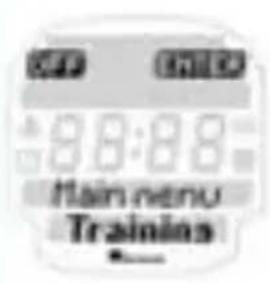
Press the Navigation button → ENTER to open the main menu training.
Use the PLUS / MINUS buttons to select general, endurance and interval training types.
4.1 BASIC OPERATING PRINCIPLE AND DISPLAY IN THE TRAINING MENU
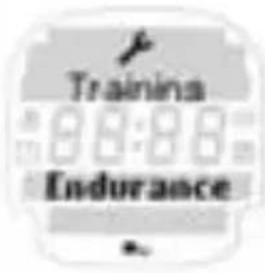
Example: endurance training:
Press the Navigation button → ENTER to open the endurance training menu.
Use the PLUS /MINUS buttons to select between the individual endurance training programs.
If you want to undertake a recovery run press the Navigation button → ENTER
After you have successfully synchronised your ONYX PRO with your chest belt you can start your training by pressing → START.
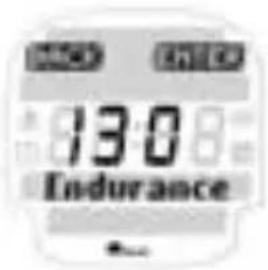
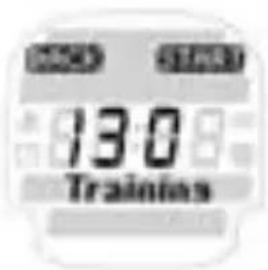
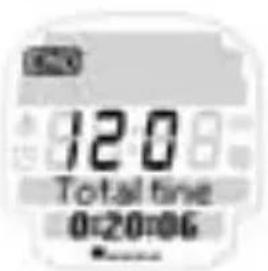
Display during training:
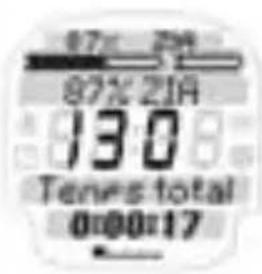
In the upper area of the screen you will find all the information on your target heart rate zone and the remaining time for your training unit. You will see your current heart rate in the middle.
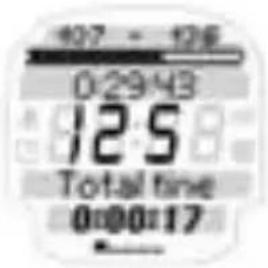
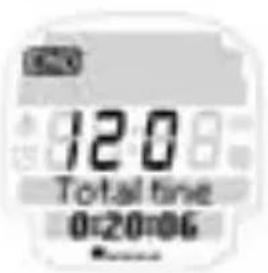
In the lower area you can call up the following values during training depending on the training type: Endurance training:
→ Total time
→ Average HR
→ Highest HR
→ Kcal
→ Clock
4.1 BASIC OPERATING PRINCIPLE AND DISPLAY IN THE TRAINING MENU
Intervalltraining:
→ Total time
→ Clock
→ Outstanding time for the interval
Use the PLUS / MINUS buttons during training to switch as you wish between the individual training values. If you want to end the training press the Navigation button → END. Then follow the instructions on the screen to save your completed training. To analyse your training switch to main menu “memory”. Please refer to Chapter 6 Memory for more information on the “memory”.
4.2 GENERAL TRAINING
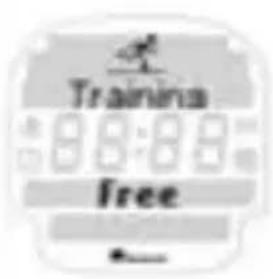
Your ONYX PRO is equipped with a total of 3 general training programs.
Summary of other training programs:
→ 1 free training with 3 HR zones or IAT
→ 1 lap training with 3 HR zones or IAT
→ 1 marathon training with all normal distances
4.2 GENERAL TRAINING
For all general training programs the user can freely select the length and intensity of the training unit. References for the intensity result from the 3 training zones or 2 IAT ranges (\% under or over IAT) that were calculated in advance by measuring lactate:
1^st training zone Approx. 55–70 % of HR max. Regeneration training, training the metabolism
2^nd training zone Approx. 70 - 80% of HR max. Heart circulation training to improve the aerobic performance
3^rd training zone 80 - 100 % of HR max. Performance oriented competition training
4.2.1 FREE TRAINING
Time and HR zone:
→ Training time unlimited
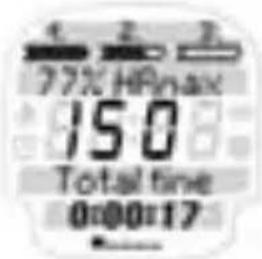
4.2.1 FREE TRAINING
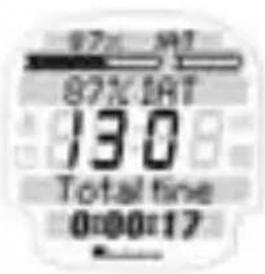
→ 3 HR zones calculated automatically from HR max. or freely programmed or 2 IAT ranges (below and above IAT)
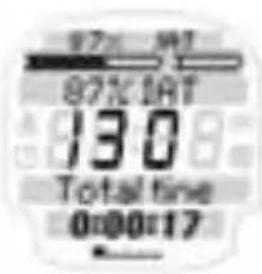
In the upper range of the display you will find all the information on your three target zones or IAT ranges as well as the current percentage of your HR max. or IAT.
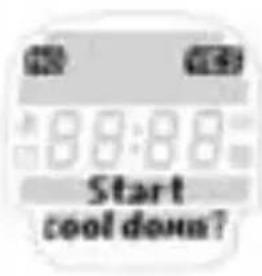
After ending the free training you have the option of saving your cool-down HR every 30 seconds for a period of three minutes on the ONYX PRO.
YES: save Cool-down HR for 3 min NO: do not save Cool-down HR
4.2.2 LAPS
Time and HR zone:
→ 50 laps with max. 9 hours per lap
→ 3 HR zones calculated automatically or freely selectable from HR max or 2 IAT ranges (below and above IAT)
4.2.2 LAPS
Press the Navigation button → NEXT to start the next lap.
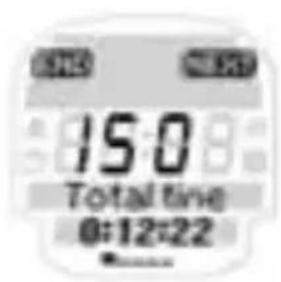
The new lap is started. The previous lap time flashes for 5 sec in the top display area.
In the top area of the display you will find all the information on your 3 target zones or IAT ranges and the current percentage value of your heart frequency related to your maximum heart rate (HR max.) or IAT.
To start a new lap press the Navigation button → NEXT again.
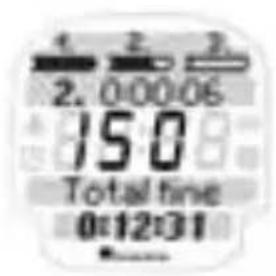
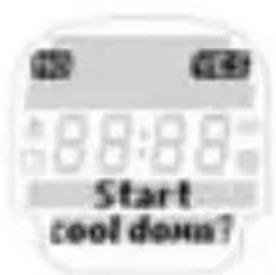
After ending the lap training you can save your cool-down HR every 30 seconds for a period of 3 min on the ONYX PRO.
YES: Cool-down HR is saved for 3 min NO: Cool-down HR is not saved
4.2.3 MARATHON
The marathon function allows the runner to precisely monitor and analyze HR and time values during the marathon. In marathon races each kilometre is marked at the edge of the track. So the runner can save each kilometre by pressing button NEXT and analyze the HR and time values for individual kilometres after the marathon. The marathon function has precisely 43 memory spaces and detects automatically that the last value saved only measures 195m and not a kilometre (total length of a marathon = 42,195 km). As an alternative to the marathon, half and quarter marathons are also saved. For the American market the marathon and half marathons distances are also stored in miles.
Time and HR zone:
→ Training time unlimited
→ 3 HR zones calculated automatically or can be freely programmed from HR max. or 2 IAT ranges (under and over IAT)
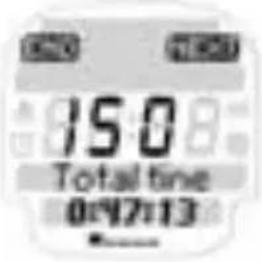
When you pass the kilometre board press the Navigation button → NEXT.
4.2.3 MARATHON
This starts the next kilometre.
The previous kilometre time flashes for 5 sec. in the upper display area. In the upper area of the display you will find all the information on your 3 target zones or IAT ranges and the current percentage of your heart rate related to your maximum heart rate (HR max.) or your IAT.
Important:
Do not forget to confirm each kilometre by pressing NEXT. Otherwise a “double kilometre” is recorded and the number of kilometres will be incorrect.
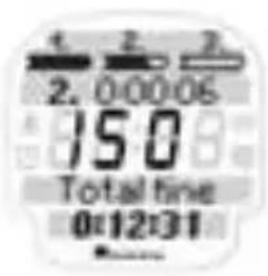
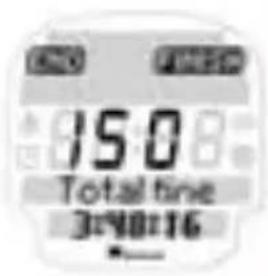
When you pass the finish line press the Navigation button → FINISH.
Important:
Confirm the data saved immediately by pressing YES.
4.3 ENDURANCE TRAINING
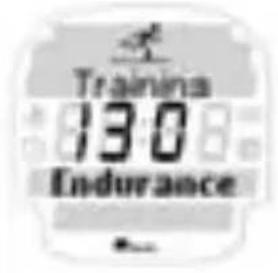
Your ONYX PRO is equipped with a total of 4 different endurance training programs.
Summary of endurance training:
→ Recovery run
→ Long
→ Medium
→ Own endurance training
(1 training zone, intensity and time can be programmed freely) The aims of the different training programmes are shown below. When using the menus please refer to the basic “function principle” described above.
4.3.1 RECOVERY RUN (pre-programmed)
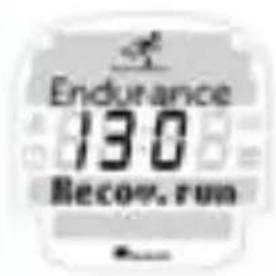
Time and pulse range:
Main part: 30 min at 55–70 % HR max. or 70–80 % of IAT.
Training objectives:
→ Active regeneration training after hard competitions or preparing for the season.
Promotes the removal of metabolic final products after previous training units.
→ Trains the metabolism.
→ Training programme is suitable for those who are new to or are re-starting training
4.3.2 LONG (pre-programmed)
Time and pulse range:
Main part: 60 min at 55–70 % HR max. or 70–80 % IAT.
Training objectives:
→ Training the metabolism
→ Improving the stability of joints and sinews
→ Improving the oxidising capacity in the heart and functional muscles when running
→ Increases the number of mitochondria (Note: mitochondria are used to obtain energy and are also called the cell's power plants)
→ Improves O_2 intake and CO_2 output by increasing blood volume and density of capillaries in the lungs and tissues
→ Improves the VO _2 max
(maximum oxygen intake capacity)
4.3.3 MEDIUM (pre-programmed)
Time and pulse range:
Warm-up:
5 min at 55-70 % HR max. or 70-80 % IAT
Main part:
50 min at 70-80 % HR max. or 80-93 % IAT
Cool-down:
5 min at 55-70 % HR max. or 70-80 % IAT
4.3.3 MEDIUM (pre-programmed)
Training objectives:
→ Basic training, used generally to improve overall endurance performance (aerobic condition).
→ Increases competition speed as the VO_2 max. can be exploited over a longer period.
→ Increases the beating volume of the heart (i.e. increases the quantity of blood that can be pumped by one heart beat).
→ Increases the number of mitochondria (cell's power plant)
→ improved provision of energy
→ Improved O_2 intake and CO_2 output by increasing blood volume and density of capillaries in the lungs and tissues
→ Improves VO_2 max.
Note: Medium endurance training starts with a 5 min warm-up and ends with a 5 min cool-down. At the end of the 5 min fixed warm-up and cool-down times these phases end automatically. You can also end the warm-up and cool-down prematurely with the Navigation button → SKIP and start the main part of the training program.
4.3.4 OWN (freely programmable)
Note: You can program your own personal endurance training. Please refer to Chapter 3.3.1 Own endurance training for more information on this subject.
4.3.4 OWN (freely programmable)
Time and HR zone:
Warm-up: can be set freely (optional)
Main part: can be set freely
Cool-down: can be set freely (optional)
Training objectives:
For this training you can select the desired time and HR zone in the settings menu ("Setting" // "Training" // "Endurance").
This means the user can freely train as s /he wishes.
4.4 INTERVAL TRAINING
Your ONYX PRO is equipped with 3 different interval training programs.
Summary of interval training:
→ Extensive interval (controlled by HR)
→ Intensive interval (controlled by time)
→ Own, freely programmable interval training
Note:
Unlike the endurance training where there is an automatic transfer from warm-up to the main part, here you have to end the warm-up phase manually by pressing the Navigation button → Skip.
The number of intervals is not strictly assigned for interval training on the basis of the high intensity of this kind of training. But in general terms it can be said that for extensive interval training a training stimulus is achieved after 5 intervals, and after 8 intervals for intensive interval training. That is why a beep sounds after 5 intervals for extensive and after 8 intervals for intensive interval training.
4.4.1 EXTENSIVE (pre-programmed, HR controlled)
Time and HR zone:
Warm-up:
10 min at 60-75 % HR max. or 80-93 % IAT
Interval:
4 min at 85-90 % HR max or 97-107 % IAT
Rest:
controlled by HR, when the HR has fallen to 70 % HR max or 80 % IAT, the next interval phase starts.
Cool-down:
10 min at 60-75 % HR max or 80-93 % IAT
4.4.1 EXTENSIVE (pre-programmed, HR controlled)
Training objectives:
→ Improvement of transfer zone from aerobic to anaerobic metabolism
→ Improved metabolism due to improved ability of the working muscles to burn glycolitic and oxidative enzymes
→ Increase in blood buffer capacity
Note: The number of intervals during extensive training is not strictly specified due to the high intensity of this type of training. Generally speaking, however, it is found that a training stimulus is achieved after 5 intervals when doing extensive training. That is why a beep is emitted after 5 intervals when doing extensive interval training.
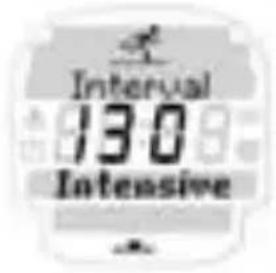
4.4.2 INTENSIVE (pre-programmed, time controlled)
Time and HR zone:
Warm-up: 10 min at 60 - 75 %
HR max. or 80 - 93 % IAT
Interval: 1 min at minimum 90%
HR max. or 107 % IAT
Rest 30 sec (controlled by time), i.e. after 30 seconds the next interval starts no matter how much the heart rate has fallen.
Cool-down: 10 min at 60–75%
HR max. or 80-93 % IAT
4.4.2 INTENSIVE (pre-programmed, time controlled)
Training objectives:
→ Improving the anaerobic capacity
→ Improved functional leg power and basic running speed
→ Increased ability to tolerate high lactate values
→ Increased plasma volume
→ Improved neuro-muscular recruitment ( improved efficiency of the complete movement process when running)
Note: The number of intervals during intensive training is not strictly specified due to the intensity of this type of training. Generally speaking, however, it is found that a training stimulus is achieved after 8 intervals when doing intensive training. That is why a beep is emitted after 8 intervals when doing intensive interval training.
4.4.3 OWN (freely programmable)
Note:
You can program your personal own interval. For your own interval you can choose between a rest phase that is controlled by heart rate or time.
Please refer to Chapter 3.3.2 "Settings" / "Training" / Interval for more information on interval training.
Time and heart beat range:
Warm-up: can be set freely [optional]
Main part: can be set freely
Cool-down: can be set freely (optional)
4.4.3 OWN (freely programmable)
Training objectives:
You can set your own training freely and define your training objectives yourself.
5. MAIN MENU TIME
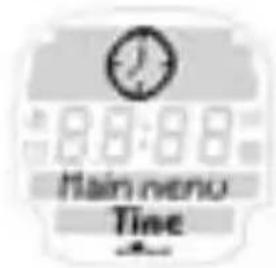
Your ONYX PRO has a main menu "time" for all important time functions.
Summary of time functions:
→ Clock
→ Date
→ Stopwatch with 1/10 seconds
→ Countdown timer
→ Alarm
Press the Navigation button → ENTER to open the "time" menu.
5. MAIN MENU TIME
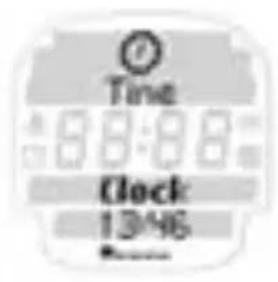
The ONYX PRO shows you the current time.
Please refer to Chapter 3.2 Unit settings for more information "setting" the time in the "Setting unit" menu.
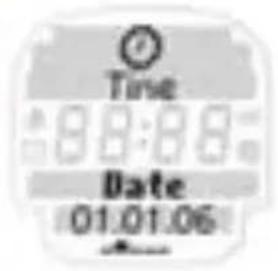
The ONYX PRO shows you the current date.
Please refer to Chapter 3.2 Unit settings for more information "setting" the date in the "Settings main" menu.
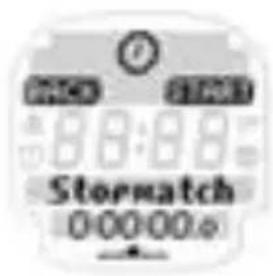
The stopwatch is used to measure time separately from training. To start your stopwatch press → START. Then follow the instructions on the screen.
Note: If the stopwatch or countdown timer is activated in the main menu "Time", these functions continue in the background of sleep mode and the relevant icon is displayed on the screen.
5. MAIN MENU TIME
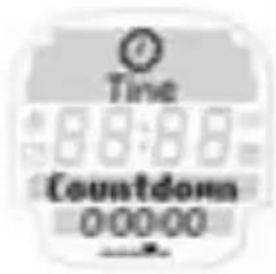
The countdown timer counts a freely selectable time down to "O" and then issues an acoustic and optical alarm.
To set the countdown timer press the Navigation button → CHANGE. Then follow the instructions on the screen.
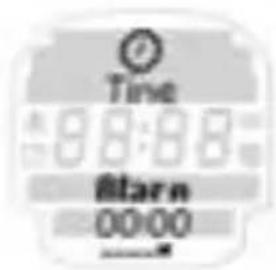
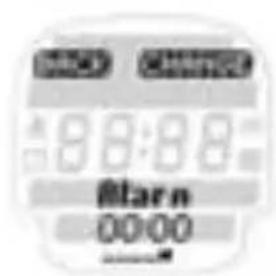
You can also use your ONYX PRO as an alarm or reminder. To set the alarm press the Navigation button → CHANGE.
Then follow the instructions on the screen.
To leave the "time" menu press the Navigation button → BACK.
You are now back in the main menu "time".
6. MAIN MENU MEMORY
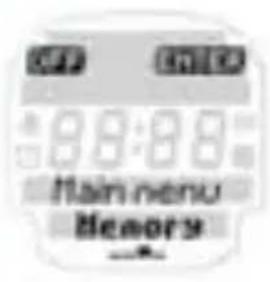
Press the Navigation button → ENTER to open the “memory” menu.
Use the PLUS /MINUS buttons to select the total values and memory 1-7.
6.1 TOTAL VALUES
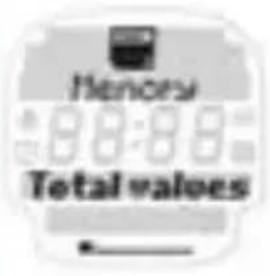
Press the Navigation button → ENTER to open the total values menu or memory 1-7.
In total values you can see the training units you have completed over various periods of time in a kind of training diary. In this way you can observe the most important training data over a much longer period than in memory 1–7. In contrast to memory 1–7 this memory is not used to precisely analyze an individual training unit but rather to analyze the “training discipline” over a longer period (how regularly have I trained in a certain week or month).
6.1 TOTAL VALUES
Your ONYX PRO saves the most important total values of the training units you have completed over the following periods of time:
→ Per week (up to 12 weeks)
→ Per month (up to 12 months)
→ Since reset
For this the following values are displayed for the desired period of time:
→ Number of training units
→ Total training time
→ Average training time
→ Kcal

6.2 MEMORY 1-7
In addition to the total values your ONYX PRO has a very detailed memory for analyzing up to 7 independent training units. There is a difference between overall info and the detailed information on the Warm-up, / Workout, Cool-down training sections.
Depending on the type of training unit completed the ONYX PRO memory is structured differently to provide an ideal analysis of your training. Your most recently saved training unit is always stored in memory 1. After you store 7 exercise units, the last training unit will be deleted to make room for the new.
6.2.1 OVERALL INFO / MEMORY 1-7
No matter what training type when saving a training program general overall information that relates to the complete training program (Warm-up, Workout, Cool-down) is recorded.
The overall information for a training unit shows the user the following values:
→ Date
→ Start time
→ Total time
→ Average HR
→ Highest HR
→ Kcal
6.2.2 MEMORY GENERAL TRAINING
6.2.2.1 FREE TRAINING
When you have completed general training you can analyze this in detail in your memory.
Choice of 3 training zones or training as per IAT:
→ Overall infos (cf. 6.2.1)
→ % and time in HR zones or over / under IAT
→ Recovery time for HR after interval every 30 seconds as information on ability to recover
6.2.2.2 LAP TRAINING
When you have completed lap training you can analyze this in detail in your memory.
Option of 3 training zones (HZ, FZ, PZ) or training as per IAT:
→ Overall info (cf. 6.2.1)
→ % and times time in HR zones or above /below IAT
→ Results /lap /average lap time /fastest lap over all laps /time/average and highest HR per lap
→ Cool down HR after the interval every 30 sec. as information on ability to recover.
6.2.2.3 MARATHON COMPETITION
When you have completed a marathon competition you can analyse it in detail in your memory. To do so you have to confirm each kilometre in the marathon.
Choice of 3 training zones (HZ, FZ, PZ) or training as per IAT:
→ Overall infos (cf. 6.2.1)
→ % and time in HR zones or over/under IAT
→ Results /km /average time per kilometre / fastest of all KM as well as time /average /maximum HR per km)
→ HR recovery times after the interval every 30 seconds as information on ability to recover.
6.2.2.3 MARATHON COMPETITION
During the analysis, the watch also detects that the last value is just 195 m in length and shows the relevant value for this stretch at the end. For marathon counters the distances 42,195 km, 21,1 km, 10,5 km and 26,2 and 13,1 miles are stored.
6.2.3 MEMORY ENDURANCE TRAINING
When you have completed endurance training you can analyze this in detail in your memory. For endurance training the following values are shown:
→ Overall info (cf. 6.2.1)
→ HR zone and time in HR zone(s)
→ % in HR zone/s
For training programs with warm-up and cool-down the actual times spent in these phases are also shown.
6.2.4 MEMORY INTERVAL TRAINING
When you have completed interval training you can analyze this in detail in your memory.
6.2.4.1 EXTENSIVE INTERVAL TRAINING
For extensive interval training a target HR zone is stipulated for the interval. The recovery phase is controlled by the heart rate, i.e. the following interval only starts when the heart rate has fallen to a particular value.
The following values can be called up in the memory for extensive interval training:
→ Overall info (cf. 6.2.1)
→ Warm-up time
→ Results per interval
→ Info on all intervals
→ HR zone
→ Time in HR zone
→ % in HR zone
→ Rest HR
→ Info on each individual interval:
→ Average HR per interval
→ Rest time
→ Cool-down time
6.2.4.2 INTENSIVE INTERVAL TRAINING
For intensive interval training a target HR zone is stated for the interval phase. The recovery phase is controlled by time. The following interval starts after a fixed time no matter the heart rate.
6.2.4.2 INTENSIVE INTERVAL TRAINING
The following values can then be called up in the memory for extensive interval training:
→ Overall info
→ Warm-up time
→ Info on all intervals (in the training unit):
→ HR zone
→ Time in HR zone
→ % in HR zone
→ Rest time
→ Info on each individual interval:
→ Average HR per interval
→ Rest min HR (this shows how quickly the body has regenerated itself during the recovery phase of the training. This can be an indicator for the ability to recover after the interval phase)
→ Cool-down time
6.2.3.3 OWN INTERVAL
Depending on whether the interval training is controlled by heart rate or time:
→ Controlled by heart rate → the same values as for extensive interval training
→ Controlled by time → the same values as for intensive interval training
7. OTHER INFORMATION
7.1 INFORMATION ON HEART RATE
The heart rate (HR) is stated in beats per minute.
Maximum heart rate
The maximum heart rate (HR max.) is the maximum possible rate at which your heart beats when exploiting your physical performance completely. Your personal HR max. varies with your age, gender, ability to perform, performance related to your type of sport and your physical fitness. We recommend undertaking this test with a doctor and repeating it regularly.
The HR max. is approximated automatically in the ONYX PRO using the following mathematical equation:
Men:
210 - "half age" - (0.11 x personal weight in kg) +4
Women:
210 - "half age" - (0.11 x personal weight in kg)
The right training pulse
The training zone is the range in which the heart rate should beat during effective and targeted training.
Please note that general exercise plans can never address personal issues! Therefore really ideal training can only be designed by a well educated trainer who knows you personally.
7.1 INFORMATION ON HEART RATE
1. HR zone (health zone) - Health:
55-70 % of HR max
Designed for: health for people who are new to training (or starting again) This zone is also called the “fat burning zone” and it trains the aerobic metabolism. More fat than carbohydrate is burned or converted to energy over longer times at lower intensity.
2. HR zone (fitness zone) - fitness:
70-80 % of HR max.
Designed for: fitness at advanced level. You train much more intensively in the fitness zone. Cardiovascular training in this zone is aimed at building basic stamina and thus improving aerobic performance.
3. HR zone (power zone) - performance:
80-100 % of HR max.
Designed for: training for performance-oriented athletes, partially in anaerobic range. Training in the power zone is very intensive and should only be carried out by well trained athletes.
7.2 IAT AND MEASURING LACTATE (advantages, background)
The ONYX PRO gives you the opportunity to enter your lactate values to control your training in a very precise manner via your individual anaerobic threshold IAT. The anaerobic threshold is determined by measuring lactate: several blood samples are taken from the ear in a stepped interval test.
7.2 IAT AND MEASURING LACTATE (advantages, background)
Information on IAT
The anaerobic threshold is very important for training efficiency as important performance parameters can be determined with reference to this value (\% above and below IAT). Depending on the level of load the body takes the energy required from various sources. We can differentiate between three situations relating to the anaerobic threshold:
→ For loads below the anaerobic threshold the energy is primarily provided by converting oxygen, i.e. “aerobically”. It is possible to maintain endurance for a very long time, e.g. for a marathon race.
→ Loads on the anaerobic threshold are relatively high to be maintained over a long period of time (the glycogen reserves are virtually exhausted after 60 to 90 minutes depending on the training stated at high intensity).
→ Loads above the anaerobic threshold are handled primarily by providing energy “anaerobically”. The lactate increases and this can adversely affect performance so that it is only possible to maintain the performance for a short period of time (a few minutes).
Tips for training with the ONYX PRO
General recommendations on combining the available training types are very difficult as a result of individual differences between people who undertake sport. In general we recommend people who are new to sport or starting again to start with regenerative and long endurance training (lower intensity). After a physiological change then medium endurance training should be a fixed element in the training plan of any athlete. The following general recommendation is for athletes who have already trained their endurance at a high basic level (for competitive sport):
→ Once a week, long endurance training (may even be longer, i.e. 90–120 min)
→ Average endurance run (somewhat higher intensity than for long endurance training). We recommend subsequent block training days without a rest day in between.
→ Extensive intervals
→ Intensive intervals
→ Progressive timed runs with increasing intensity. The free training with its three training zones is particularly suited to this: start with 70–80 % of HR max. (2nd HR zone) or 80–95 % IAT and increase the speed successively in to the 3rd HR zone or above 100 % of IAT.
Note: You should give yourself at least one recovery day per week for this.
7.4 FAQ
What happens if I remove the chest belt during training?
The watch will no longer display a signal, the screen will indicate "O" – after a short period of time the ONYX PRO goes into sleep mode.
Do SIGMA heart rate monitors switch off completely?
No – in sleep mode only the time and date are displayed so you can use the heart rate monitor as a normal watch. In this state the ONYX PRO uses only very little power.
Why does the display react slowly or is colored black?
The operating temperature may be too high or low. Your heart rate monitor is designed for temperatures between 0^ C and 55^ C (32 - 131 degrees F).
What should I do if the screen display is weak?
A weak display may be due to weak batteries. You should change them as quickly as possible - battery type CR 2032 (Item No. 00342)
The different volume settings are:
Button tones:
Button tones give the user acoustic feedback each time a button is pressed.
Zone alarm:
The zone alarm is an acoustic signal when the user changes from one training zone to the next.
Training tones:
Training tones always sound when the watch switches from one training phase (e.g. warm-up) to another (e.g. workout).
1 x long:
→ When entering Zone 1
→ always when a recovery pulse is saved (0 sec, 30 sec, 60 sec, ...)
2 x long:
→ When entering Zone 2
→ if there is only one zone, when entering this zone
3 x long:
→ When entering Zone 3
3 x short:
→ If you are below Zone 1
→ above zone 3, if there is only one zone
→ if there is only one zone – when you are below the zone
5 x short:
→ When there is only one zone – when you are above the zone
7.5 BEEP SUMMARY
3 x short in interval:
→ Countdown is complete
→ Alarm
1 x Long - 2 x short - 1 x long - 2 x short - 1 x long:
→ at end of rest
→ transfer from warm - up to main part
→ transfer from main part to cool-down
→ at end of cool-down
1 x short
→ Button beep
7.6 TROUBLESHOOTING
No chest belt was found. Please ensure you have placed the chest belt correctly. Press
→ SYNC to restart synchronisation.
Please refer to chapter 2.4 "Heart rate measurement" for more information.
During synchronisation two or more chest belts were found close by. Move away and press → SYNC again to start synchronisation.
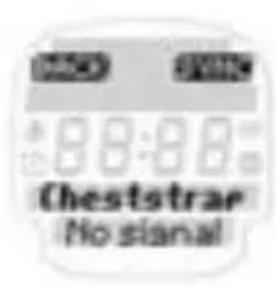
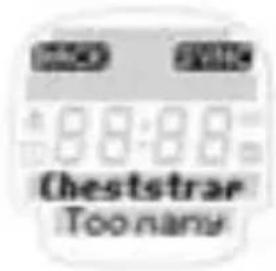
If no heart rate is shown on the display, this may be due to the following reasons:
→ The belt with the heart rate transmitter is not worn correctly.
→ The sensors (electrodes) on the heart rate transmitter are dirty or dry.
→ Transmitter battery (CR 2032) is empty (Item no. 00342).
Before starting to train consult your doctor to avoid risks to your health. This applies in particular if you have cardiovascular problems.
7.7 CHANGING THE BATTERY AND WARRANTY
natural_image
Black plastic object with rounded corners and a small hole, no visible text or symbolsChanging the battery
Battery CR 2032 (item no. 00342) is used in the heart rate monitor and chest belt.
Chestbelt:
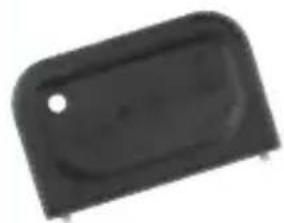
→ Open the top cover with a coin
→ Pay attention to the polarity!
Heart rate monitor:
→ Open top cover with tool.
→ Pay attention to polarity!
7.7 CHANGING THE BATTERY AND WARRANTY
Waterproofing
The ONYX PRO is waterproof down to 10m.
Do not press any buttons under water.
Warranty
We are liable to our contractual partner for faults as defined by law. Batteries are excluded from the warranty. If you need to use the warranty please contact the dealer where you bought the heart rate monitor or send the monitor with proof of purchase and all accessories with adequate postage to:
SIGMA Elektro GmbH
If your warranty claim is justified we will send you a replacement unit. You only have the right to the current model at the time.
The manufacturer reserves the right to make technical changes.
- Menu principal Training 117
6.2 Mémoires 1-7 137
6.2.1 Général 138
6.2.2 Mémoire Générale Trainings 138
6.2.3 Mémoire Training d'endurance 140
6.2.4 Mémoire Training à intervalles 140
natural_image
Close-up of a black wristwatch with a circular dial showing the number 71 (no visible text or symbols on the watch face)
2.2 FONCTIONS DES TOUCHES ET PRINCIPE DE NAVIGATION
natural_image
Illustration of hands using a tool to adjust or install a mechanical part (no text or symbols visible)natural_image
Line drawing of two hands tying a knot around a string (no text or symbols)natural_image
Diagram of a car interior showing a seatbelt and circular ring, with red arrows indicating direction (no text or symbols)2.4 MESURE DE LA FRÉQUENCE CARDIAQUE
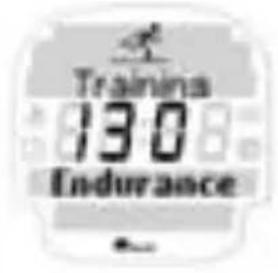
Ex.: Training /Endurance :
4.2.1 ENTRAÎNEMENT LIBRE
4.2.3 MARATHON
4.3 TRAINING D'ENDURANCE
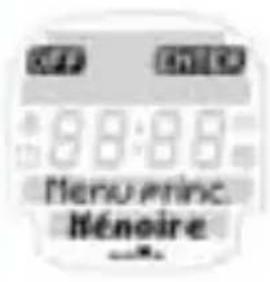
6. MENU PRINCIPAL MéMOIRE
natural_image
Black plastic object with rounded corners and a small hole, no visible text or symbols4.4 Training Ripetuto 179
4.4.1 Estensivo 180
4.4.2 Intensivo 181
4.4.3 Personale 182
CONTENUTO
5. Menu Tempo 183
6. Menu memoria 186
6.1 Valori totali 186
6.2 Memoria 1-7 187
6.2.1 Generale 188
natural_image
Close-up of a black wristwatch with a circular dial showing the time (no visible text or symbols)Cardiofrequenzimetro a codifica digitale ONYX PRO.
→ Precisione ECG

natural_image
Illustration of hands using a tool to adjust or install a mechanical part (no text or symbols present)natural_image
Line drawing of two hands tying a knot around a string (no text or symbols)natural_image
Line drawing of a person holding a tool with a labeled grip (no text or symbols present)natural_image
Diagram of a car interior showing a seatbelt and circular ring, with red arrows indicating direction (no text or symbols)4.2.1 TRAINING LIBERO
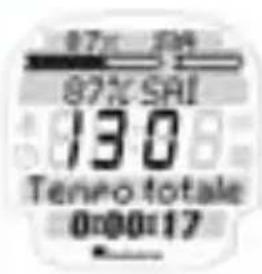
4.2.3 MARATONA
Parte principale (Training):
4.4 TRAINING RIPETUTO
natural_image
Black plastic object with rounded corners and a small hole, no visible text or symbolsnatural_image
Close-up of a black and white wristwatch with a circular dial showing the brand name (no visible text or symbols on the watch face)
natural_image
Illustration of hands using a tool to adjust or install a mechanical part (no text or symbols visible)natural_image
Line drawing of two hands tying a knot around a string (no text or symbols)natural_image
Diagram of a car interior showing a seatbelt and circular ring with red arrows indicating direction (no text or symbols)3.3 AJUSTES /TRAINING
Parte principal (Training):
4.4 TRAINING INTERVALO
→ Intervalo/Recuperation:
natural_image
Black plastic electronic component with rounded edges and a small hole (no text or symbols visible)4.2.1 Vrije training 271
6.2.3 Geheugen conditietraining ("Memory Endurance Training") 290
6.2.4 Geheugen intervaltraining ("Memory Interval Training") 290
natural_image
Close-up of a black wristwatch with a circular dial showing the time (no visible text or symbols)
2.2 TOETSINDELING EN NAVIGATIEPRINCIPE
natural_image
Illustration of hands using a tool to adjust or install a mechanical part (no text or symbols visible)natural_image
Line drawing of two hands tying a knot around a string (no text or symbols)natural_image
Line drawing of a person holding a tool with a labeled grip (no text or symbols present)natural_image
Diagram of a car interior with red arrows indicating movement or force, showing no text or symbols.2.4 HARTFREQUENTIEMETING
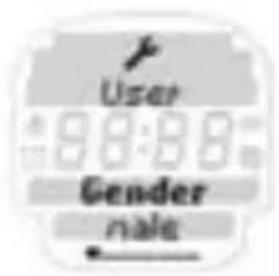
3.1 GEBRUIKERSINSTELLINGEN („SETTING USER”)
3.3 TRAININGSINSTELLINGEN („SETTING TRAINING“)
3.3.1 EIGEN CONDITIETRAINING („ENDURANCE TRAINING“)
4.1 FUNDAMENTEEL FUNCTIEPRINCIPE
EN DISPLAYAANDUIDING IN HET TRAININGSMENU
Intervaltraining:
4.2.1 VRIjE TRAINING
4.2.3 MARATHON
4.3 CONDITIETRAININGEN („ENDURANCE“)
4.4 INTERVALTRAINING („INTERVAL TRAINING“)
Duur en HF zone:
→ Warming-up: 10 min op 60–75 % van de HF max. („HR max.”) resp. 80–93 % van de IAT
→ Interval /belasting ("Interval"): 4 min op 85-90 % van de HF max. („HR max.“) resp. 97-107 % van de IAT
5. HOOFDMENU TIjD („MAIN MENU TIME“)
6. HOOFDMENU GEHEUGEN („MAIN MENU MEMORY”)
→ countdown is afgelopen wekker
1x lang - 2x kort - 1x lang - 2x kort - 1x lang:
natural_image
Black plastic object with rounded corners and a small hole, no visible text or symbolsYou can find the CE Declaration under: www.sigmasport.com
Asia, Australia, South America, Africa
10F, No.192, Zhonggong 2 ^nd Rd.,
Xitun Dist., Taichung City 407, Taiwan