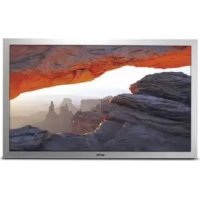
52LH1WP - Monitor SANYO - Free user manual and instructions
Find the device manual for free 52LH1WP SANYO in PDF.


| Product Type | LCD Monitor |
| Brand | Sanyo |
| Model | 52LH1WP |
| Screen Size | 52 inches (132 cm diagonal) |
| Native Resolution | 1920 x 1080 (WXGA) |
| Contrast Ratio | 1500:1 |
| Viewing Angles | Horizontal: 176°, Vertical: 176° |
| Power Supply | 100-240 V AC, 50/60 Hz |
| Power Consumption | Not specified, standby: < 1 W (estimated) |
| Dimensions (W x H x D) | 1304 x 800 x 234 mm |
| Weight | 83.5 kg |
| Connectivity | SCART (AV1), BNC (AV2: RGBHV/YPbPr), BNC (AV3: composite), DVI-D, PC (D-Sub 15), RS-232C, LD-Net, PC audio input (3.5 mm) |
| Audio Outputs | 2 x 10 W (built-in speakers), RCA line output |
| Protection | IP66 rating (not submersible) |
| Special Features | PIP/POP, mosaic mode, teletext, winter mode, child lock, timer, PC fine adjustment |
| Operating Temperature | 0°C to 40°C |
| Maintenance | Unplug before cleaning; use a damp cloth; do not use liquid or aerosol cleaners |
| Spare Parts & Repairability | Contains no user-serviceable parts; refer repairs to qualified service personnel |
| Safety | Grounding required; do not overload outlets; do not expose to rain or moisture |
Frequently Asked Questions - 52LH1WP SANYO
User questions about 52LH1WP SANYO
0 question about this device. Answer the ones you know or ask your own.
Ask a new question about this device
Download the instructions for your Monitor in PDF format for free! Find your manual 52LH1WP - SANYO and take your electronic device back in hand. On this page are published all the documents necessary for the use of your device. 52LH1WP by SANYO.
USER MANUAL 52LH1WP SANYO
GB English Page 2\~15
F Français Page 16\~28
natural_image
Line drawing of a rectangular electronic device with a label 'aplo' at the bottom (no other text or symbols)Please read this Instruction book before using your LCD monitor. We wish you many hours of pleasure from your new LCD monitor.
Installation/Utilisation
natural_image
Pure electrical circuit lines without any symbolsAdresse : 21605 Plummer Street, Chatsworth, Californie 91311
Concession de license, conditions et restrictions
natural_image
Line drawing of a plug inserted into an electrical outlet (no text or symbols)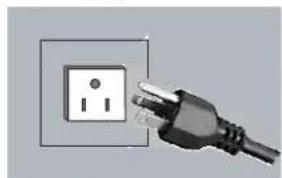
natural_image
Electrical outlet with a black plug inserted into the socket (no text or symbols visible)4. AV3
Entrée de signal composite (CVBS)
6. Connexion PC
Entrée
natural_image
Line drawing of a rectangular electronic device with labeled parts (1 and 2), no text or symbols present.Menu Image
natural_image
Colorful geometric tile pattern with a blue starry sky on the left (no text or symbols)■ Mode PIP2
natural_image
Colorful geometric tile pattern with starry sky and diamond shapes (no text or symbols)■ Mode ARRET
natural_image
Colorful geometric tile pattern with interlocking diamond shapes (no text or symbols)■ Mode POP
natural_image
Two-panel image: left shows a colorful geometric tile pattern with hexagonal and diamond motifs; right shows a starry night sky with stars (no text or symbols)Functional Execution Command Table
| Command | Item |
| C00 | POWER ON |
| C01 | POWER OFF |
| C24 | Wide “Natural” direct |
| C25 | Wide “Zoom 16:9” direct |
| C26 | Wide “Title in 16:9” direct |
| C27 | Wide “Zoom 14:9” direct |
| C28 | Wide “Title in 14:9” direct |
| C29 | Wide “Full” direct |
| C0F | Wide “Normal” direct |
| C70 | AV1 direct |
| C71 | RGB direct |
| C72 | AV2 RGBHV direct |
| C73 | AV2 YPbPr direct |
| C74 | AV3 direct |
| C75 | DVI direct |
| C76 | PC direct |
| C64 | PC Auto adjust |
| C92 | Factory settings |
| CF PSAVE ON | Power save ON |
| CF PSAVE OFF | Power save OFF |
| CF CLOK ON | Child lock ON |
| CF CLOK OFF | Child lock OFF |
| CF DEA RMCY | RC inhibition OFF |
| CF DEA RMCN | RC inhibition ON |
Image control Read Command Table
| Status read command Item | |
| CR BRIGHT | Status of Brightness. |
| CR CONT | Status of Contrast. |
| CR COLOR | Status of Color. |
| CR TINT | Status of Tint. |
| CR SHARP | Sharpness. |
| CR WBAL | Status of White Balance Mode information. |
| CR WBAL-R | Status of White Balance Red |
| CR WBAL-G | Status of White Balance Green |
| CR WBAL-B | Status of White Balance Blue |
| CR NZRED | Status of Noise reduction setting. |
| CR FILM | Status of Film mode setting. |
| CR IMAGE | Status of Image selection.(The same as PICTURE mode) |
| CR DCDI | Status of DCDi setting. |
| CR ACCACM | Status of ACC/ACM setting. |
| CR CCS | Status of CCS setting. |
| CR MPEGNR | Status of MPEG NR setting. |
PC Read Command Table
| Status read command Item | |
| CR H-POS | Status of Horizontal position. |
| CR V-POS | Status of Vertical position. |
| CR PHASE | Status of PHASE value. |
| CR CLOCK | Status of CLOCK value. |
Input Read Command Table
| Status read command Item | |
| CR INPUT | Status of Input selection. |
| CR SOURCE | Status of Input source mode. |
| CR SYSTEM | Status of system of Input mode. |
Screen Read Command Table
| Status read command Item | |
| CR SCREEN | Status of screen size (The same of WIDE mode) |
RS232C Command Tables
Time Read Command Table
| Status read command Item | |
| CR PANELH | Status of accumulated lifetime of panel. (The same as CR_LAMPH Command) |
| CR MONH | Status of accumulated lifetime of monitor (The same as CR_PROJH Command) |
Sound control Read Command Table
| Status read command | Item |
| CR VOLUME | Status of volume value. |
| CR MUTE | Status of MUTE. |
Setting Read Command Table
| Status read command Item | |
| CR LANG | Status of Language selection. |
| CR P-MANE | Status of Power management setting |
| CR TILE | Status of Tile mode ON/OFF setting |
| CR TILE-HSETS | Status of Tile mode, the number of Horizontal array. |
| CR TILE-VSETS | Status of Tile mode, the number of Vertical array. |
| CR TILE-HLOCAT | Status of Tile mode, the number of Horizontal allocation. |
| CR TILE-VLOCAT | Status of Tile mode the number of Horizontal allocation. |
| CR TILE-BZLHADJ | Status of Tile mode, the width of bezel(Horizontal) |
| CR TILE-BZLVADJ | Status of Tile mode, the width of bezel (Vertical) |
| CR ONPROG | Status of On Program information/ |
| CR WINTERMODE | Status of Winter mode Information. |
| CR PANELPROTECT | Statuses of Panel protect Information. |
| CR LEDLIGHT | Status of LED light Information. |
| CR AVAUTOSHUT | Status of AV auto shut OFF Information. |
| CR CHILDLOCK | Statuses of Child lock Information. |
| CR RCINHIBITION | Status of RC Inhibit Information. |
Other Read Command Table
| Status read command Item | |
| CR STATUS | Status of the operation of the monitor. |
| CR SIGNAL | Status of with or without signal. |
| CR FREEZE | Status of Freeze setting. |
| CR FANLOCK | Statuses of fun lock error. |
| CR TEMP | Status of current temperature value. |
UK5 Read Command Table (Basic Command)
| Command | Item | Note |
| CR0 | Power | On, Standby, power |
| CR1 | Input Mode | AV1, AV2, ..., DVI, PC |
| CR WIDE | Wide mode | Auto, Normal, Full, |
| CR PICTURE | Picture mode | Dynamic, Standard, ... |
| CR SIGNAL | Signal existence | Signal / No signal |
| CR CHILD | Child lock | On / Off |
| CR PSAVE | Power save | On / Off |
| CRTM | Panel usage time | |
| CR RMC | RC inhibition | On / Off |
| CR MDL | Model number | 52LH1 |
Error code Table
| Error code | |
| ? | • Receiving the data that cannot be decoded• The wrong indication of parameter(Wrong figured number, or wrong word is included.) |
| 0 0 0 | Normal receiving (no error) |
| 1 0 2 | If the command of out of range is directly entered valuable parameter. |
| 1 0 3 | No matching with Hardware(Command for optional function which is not equipped.) |
| 2 0 1 | If the command of "Out of range" is entered by inclement or decrements by numeric value. |
| 3 0 1 | While capturing the picture, no execution. Wait and transmit command again. |
| 4 0 2 | While PIN code is in operation, no execution.Wait and transmit command again. |
| 1 0 1 | The errors not including above. |
error,

Brand : SANYO
Model : 52LH1WP
Category : Monitor