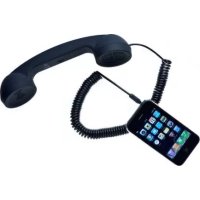
MoshiMoshi01 - Earphones Native Union - Free user manual and instructions
Find the device manual for free MoshiMoshi01 Native Union in PDF.



| Product type | Handset for mobile phone (hands-free kit) |
| Brand | Native Union |
| Model | MoshiMoshi01 |
| Dimensions | Approx. 150 x 50 x 30 mm (estimated) |
| Weight | Approx. 80 g (estimated) |
| Connectivity | 3.5 mm jack |
| Power source | None (passive, powered by phone) |
| Main functions | Make and receive calls, last number redial, voice command (depending on phone) |
| Call control | Central button (answer/hang up) |
| Compatibility | Most mobile phones with hands-free output; adapter required for some models |
| Included adapters | Not included (check at www.nativeunion.com/adapters) |
| Care and cleaning | Clean with a dry cloth only |
| Safety | Do not use near water, do not expose to heat sources, do not force connections |
| Spare parts and repairability | Not specified; contact Native Union support |
| Warranty | Limited warranty (see www.nativeunion.com/support) |
| General information | Designed in France by David Turpin, assembled in China |
| Standards | Complies with FCC Part 15 (Class B) |
| Recycling | Do not dispose of with household waste; follow local directives (WEEE) |
Frequently Asked Questions - MoshiMoshi01 Native Union
User questions about MoshiMoshi01 Native Union
0 question about this device. Answer the ones you know or ask your own.
Ask a new question about this device
Download the instructions for your Earphones in PDF format for free! Find your manual MoshiMoshi01 - Native Union and take your electronic device back in hand. On this page are published all the documents necessary for the use of your device. MoshiMoshi01 by Native Union.
USER MANUAL MoshiMoshi01 Native Union
(MM01H) MoshiMoshi01 Handset
Instruction Manual
Thank you for buying a MoshiMoshi handset, you will love this new experience of comfortable and radiation safe talk.
For the most up-to-date information, be sure to check our Web site at www.nativeunion.com
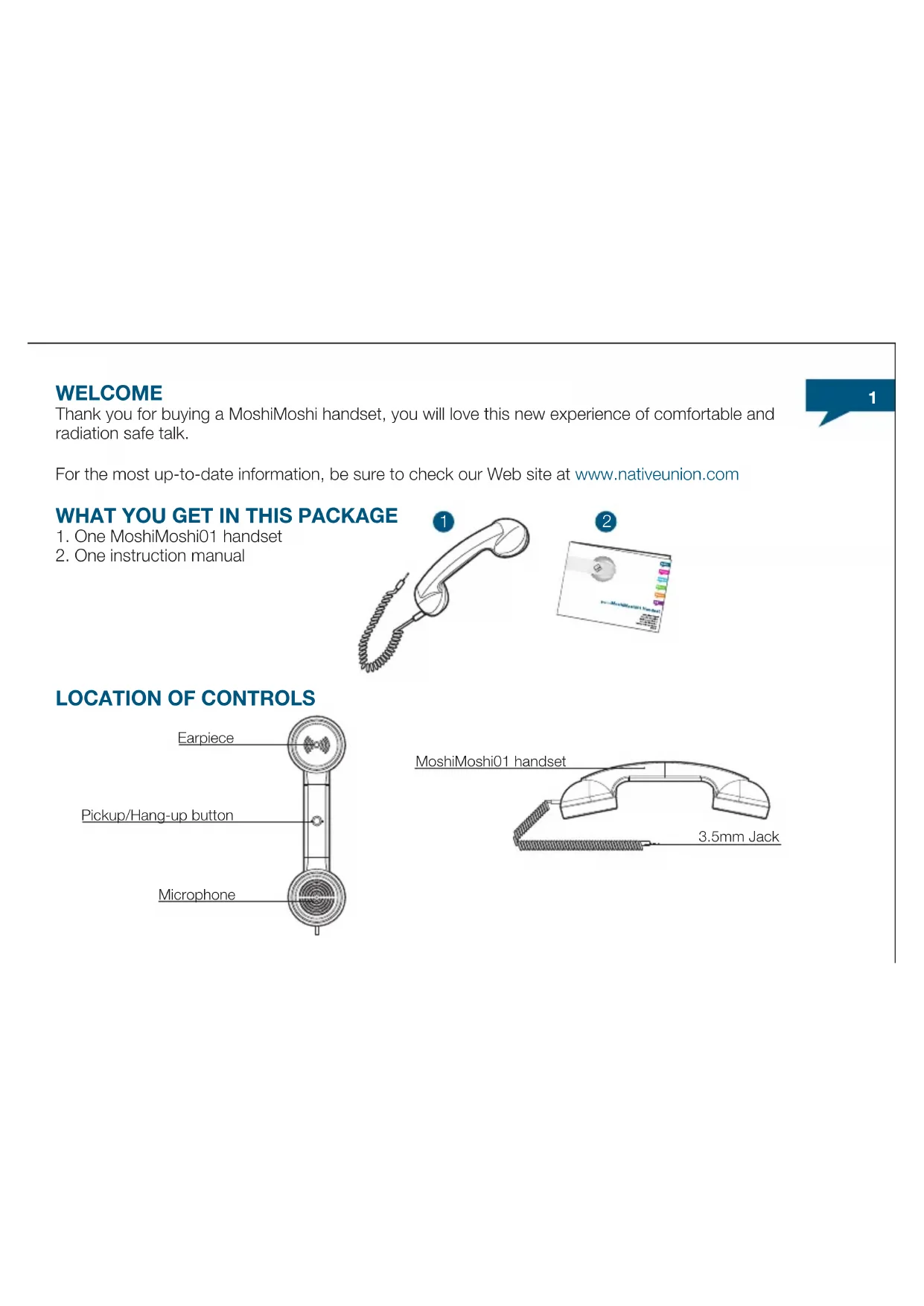
WHAT YOU GET IN THIS PACKAGE
- One MoshiMoshi01 handset
- One instruction manual

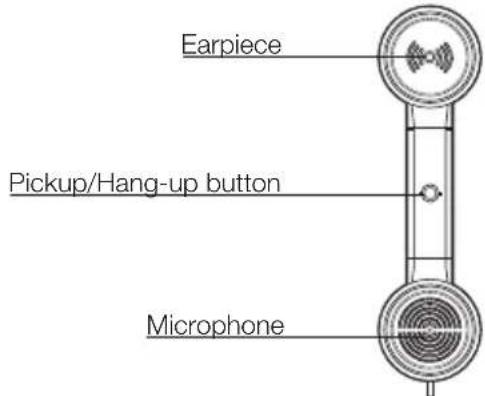
LOCATION OF CONTROLS
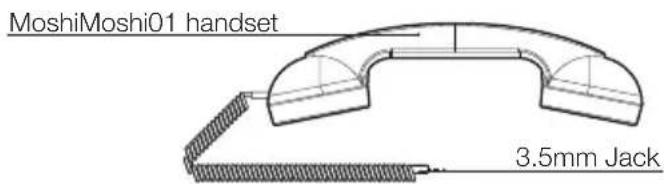
How to use the MoshiMoshi01 Handset:
PLEASE READ THESE INSTRUCTION CAREFULLY before using your new handset
IMPORTANT SAFETY INSTRUCTIONS READ BEFORE OPERATING EQUIPMENT
This product was designed and manufactured to meet strict quality and safety standards.
There are, however, some installation and operation precautions which you should be particularly aware of :
- Read these instructions.
- Keep these instructions.
- Heed all warnings.
- Follow all instructions.
- Do not use this apparatus near water.
- Clean only with dry cloth.
- Do not install near any heat sources such as radiators, heat registers, stoves, or other apparatus (including amplifiers) that produce heat.
- Only use attachments/accessories specified by the manufacturer.
CONNECTING YOUR MOSHIMOSHI01 TO YOUR MOBILE PHONE
STEP1
You need to refer to the attached adaptor table to check which adaptor is needed to connect your mobile phone to your new MoshiMoshi. If your mobile phone doesn't require an adaptor, please proceed directly to step 3.
STEP2 (optional, please check on the adaptor list if your phone need it) Plug the corresponding adaptor to the 3.5mm jack end of your MoshiMoshi.
STEP3
You can now securely plug your MoshiMoshi into the hands-free port of your mobile phone (please refer to your mobile's phone instruction manual to locate this port)
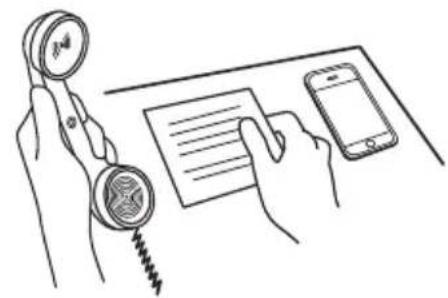
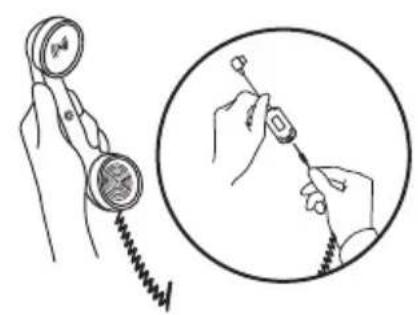
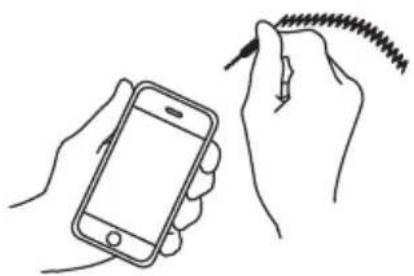
BE CAREFUL not to force the adaptor into your mobile phone, you could damage it. We can not be held responsible for any damage you will do to your mobile phone while trying to plug your MoshiMoshi. Depending on your brand and model of mobile phone, a message or logo may now appear to your screen indicating that the MoshiMoshi have been detected.
MAKING A CALL
Once your MoshiMoshi is connected to your mobile phone, you can make a call as you normally do it. Volume is controlled through your mobile phone as usual.
ANSWERING AN INCOMING CALL
Most mobile phone will support the MoshiMoshi answer button function. Just press the central button on the handle of the handset and it will work as your mobile phone answer button.
If your mobile phone doesn't support the answer button function, you can then answer the call by pressing the regular answer button on your mobile phone.
DISCONNECTING A CALL
Once you have terminated your conversation, simply press the answer button of the MoshiMoshi handset again and you will be disconnected.
If your mobile phone doesn't support the answer button function, you can then disconnect the call by pressing the regular disconnect button on your mobile phone.
LAST NUMBER DIALLED
Depending on your mobile phone brand and model, you may be able to redial the last number called by simply pressing the MoshiMoshi answer button while phone in standby.
VOICE ACTIVATED DIALING
The MoshiMoshi handset also supports "voice activated dialing" with certain brand and model of mobile phones. Before you can use this function, you need to set up voice tags on your mobile phone (please check your mobile's phone instruction manual for more details). To make a voice activated call, hold down the answer button of the MoshiMoshi handset until you hear a "bip". You must then pronounce the name of the contact you wish to call.
TROUBLESHOOTING
If you are having problems using your MoshiMoshi handset, please go to www.nativeunion.com for further help and information, or consult your local retailer.
ADAPTORS
The MoshiMoshi handset works with most of the mobile phone available on the market. Some of them will require a special adaptor to connect to your MoshiMoshi handset.
To check which adaptor your phone requires to be connected to a MoshiMoshi handset, please go to www.nativeunion.com/moshimoshi/adaptors.
LIMITED WARRANTY
If the product appears to be damaged or does not function properly, please follow the advice in this booklet.
If you can not find any solution in this booklet, please go to www.nativeunion.com/support for instructions about how to obtain warranty service.

FCC COMPLIANCE
This device complies with Part 15 of the FCC Rules. Operation is subject to the following 2 condition :
(1) this device may not cause harmful interference, and
(2) this device must accept any interference received, including interference that may cause undesired operation.
Changes or modifications not expressly approved by the party responsible for compliance could void the user's authority to operate the equipment.
IMPORTANT SAFETY WARNINGS
- FCC regulations state that any change or modification to the equipment, not expressly approved by the manufacturer or its authorized parties, could void user's authority to operate this equipment.
- To prevent fire or electric shock, do not expose the unit to rain or moisture.
- Never attempt to open the casing. Always refer servicing to a qualified technician.
FCC NOTICE (USA)
As specified in Part 15 of the FCC Rules, this equipment complies within the limits of a Class B digital device. These restrictions provide sufficient protection against radio and TV interference in residential areas. However, even during normal operation, this device may cause TV or radio interference. In attempting to eliminate some or all interference, you should try one or more of the following corrective measures:
- Increase the distance between the device and the radio and/or TV
- Try a different outlet on various electrical circuits for the device, the radio and/or TV.
- Reposition the receiving antenna
Disposal of old electrical and electronic equipment :
After the implementation of the European Directive 2002/96/EU in the national legal system, the following applies:
Electrical and electronic devices may not be disposed of with domestic waste. Consumers are obliged by law to return electrical and electronic devices at the end of their service lives to the public collecting points set up for this purpose or point of sale. Details to this are defined by the national law of the respective country. This symbol on the product, the instruction manual or the package indicates that a product is subject to these regulations. By recycling, reusing the materials or other forms of utilizing old devices, you are making an important contribution to protecting our environment.
Designed in France by David Turpin
www.nativeunion.com
Spec. is subject to change without prior notice.
© Native Union and Native Union Logo are registered trademarks of Design Pool Ltd
All other trademarks and registered trademarks are the property of their respected owners.
Other product and company names mentioned herein may be trademarks of their respective companies.

www.nativeunion.com
Assembled in China
BIENVENUE
Comment utiliser vote Combiné MoshiMoshi01

- (MM01H) MOSHIMOSHI01 HANDSET
- WHAT YOU GET IN THIS PACKAGE
- LOCATION OF CONTROLS
- HOW TO USE THE MOSHIMOSHI01 HANDSET
- IMPORTANT SAFETY INSTRUCTIONS READ BEFORE OPERATING EQUIPMENT
- CONNECTING YOUR MOSHIMOSHI01 TO YOUR MOBILE PHONE
- STEP1
- STEP3
- MAKING A CALL
- ANSWERING AN INCOMING CALL
- DISCONNECTING A CALL
- LAST NUMBER DIALLED
- VOICE ACTIVATED DIALING
- TROUBLESHOOTING
- ADAPTORS
- LIMITED WARRANTY
- FCC COMPLIANCE
- IMPORTANT SAFETY WARNINGS
- FCC NOTICE (USA)
- BIENVENUE
- COMMENT UTILISER VOTE COMBINÉ MOSHIMOSHI01
Brand : Native Union
Model : MoshiMoshi01
Category : Earphones