
POP Phone - Earphones Native Union - Free user manual and instructions
Find the device manual for free POP Phone Native Union in PDF.


| Product Type | True Wireless Earphones |
| Brand | Native Union |
| Model | POP Phone |
| Connectivity | Bluetooth 5.0 |
| Wireless Range | Up to 10 meters (33 ft) |
| Battery Life (Earbuds) | Approximately 5 hours per charge |
| Battery Life (with Charging Case) | Approximately 20 hours total |
| Charging Time | Approximately 1.5 hours for earbuds and case |
| Charging Input | USB-C (case) |
| Driver Size | 10 mm dynamic drivers |
| Frequency Response | 20 Hz – 20 kHz |
| Impedance | 16 ohms |
| Water Resistance | IPX4 (splash-proof) |
| Weight (Each Earbud) | Approximately 5 g |
| Weight (Charging Case) | Approximately 40 g |
| Dimensions (Earbud) | Approximately 25 x 20 x 15 mm |
| Dimensions (Case) | Approximately 70 x 40 x 25 mm |
| Compatibility | iOS, Android, and other Bluetooth devices |
| Controls | Touch controls for playback, calls, and voice assistant |
| Microphones | Built-in microphone with noise reduction |
| Included Accessories | Charging case, USB-C cable, silicone ear tips (S/M/L), user manual |
| Cleaning Instructions | Wipe with a soft, dry cloth; avoid liquids on earbuds |
| Safety Warnings | Do not disassemble; keep away from children; avoid high volume for extended periods |
| Repairability | Non-user-serviceable; contact Native Union for support |
Frequently Asked Questions - POP Phone Native Union
User questions about POP Phone Native Union
0 question about this device. Answer the ones you know or ask your own.
Ask a new question about this device
Download the instructions for your Earphones in PDF format for free! Find your manual POP Phone - Native Union and take your electronic device back in hand. On this page are published all the documents necessary for the use of your device. POP Phone by Native Union.
USER MANUAL POP Phone Native Union
Thank you for buying a POP PHONE, you will love this new experience of comfortable and radiation safe talk, with high quality audio.
For the most up-to-date information, be sure to check out website at www.nativeunion.com
WHAT YOU GET IN THIS PACKAGE
- One POP PHONE Handset
- One Instruction Manual

natural_image
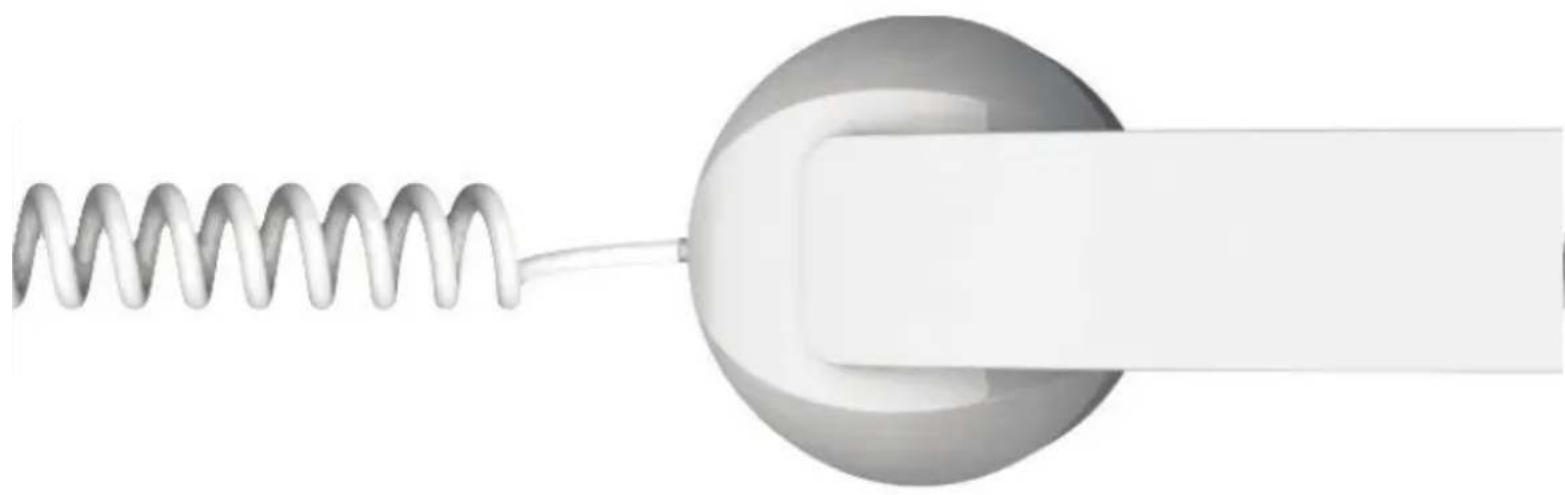
Line drawing of a telephone handset with coiled cord and base, labeled '1' (no text or symbols on device)
LOCATION OF CONTROLS


How to use the POP PHONE:
PLEASE READ THESE INSTRUCTIONS CAREFULLY before using your new handset
IMPORTANT SAFETY INSTRUCTIONS READ BEFORE OPERATING EQUIPMENT
This product was designed and manufactured to meet strict quality and safety standards.
There are, however, some installation and operation precautions which you should be particularly aware of :
- Read these instructions.
- Keep these instructions.
- Heed all warnings.
- Follow all instructions.
- Do not use this apparatus near water.
- Clean only with dry cloth.
- Do not install near any heat sources such as radiators, heat registers, stoves, or other apparatus (including amplifiers) that produce heat.
- Only use attachments/accessories specified by the manufacturer.
CONNECTING YOUR POP PHONE TO YOUR MOBILE PHONE
Step 1
Check if your mobile phone requires any adaptor. If your mobile phone doesn't require an adaptor, please proceed directly to step 3
Step 2
Plug the corresponding adaptor to the 3.5mm jack end of your handset
Step 3
Plug the 3.5mm jack end of the POP PHNOE securely into the 3.5mm port of your mobile phone


natural_image
Illustration showing hands using a handheld device to connect wires, with a magnified circular view of the cable being inserted (no text or symbols present)
BE CAREFUL
Not to force the adaptor into your mobile phone, you could damage it.
We cannot be held responsible for any damage you will do to your mobile phone while trying to plug your POP PHONE.
MAKING A CALL
Once your POP PHONE is connected to your mobile phone, you can make a call as you normally would. Volume is controlled through your mobile phone as usual.
ANSWERING AN INCOMING CALL
Most mobile phone will support the POP PHONE answer button function. Just press the center button on the handle of the handset to answer a call.
If your mobile phone doesn't support the answer button function, you can then answer the call by pressing the regular answer button on your mobile phone.
DISCONNECTING A CALL
Simply press the center button on the handle of the POP PHONE to end a call. If your mobile phone doesn't support the button function, you can then end the call by pressing the regular disconnect button on your mobile phone.
REDIALING LAST NUMBER
Depending on your mobile phone brand and model, you may be able to redial the last number called by simply pressing the center button of the POP PHONE while the phone is in standby.
VOICE ACTIVATED DIALING
The POP PHONE also supports “voice activated dialing” with certain brand and model of mobile phones. Before you can use this function, you need to set up voice tags on your mobile phone (please check your mobile phone’s instruction manual for more details).
To make a voice activated call, hold down the center button of the handset until you hear an alert tone. You must then pronounce clearly the name of the contact you wish to call.
TROUBLE SHOOTING
If you are having problems using your POP PHONE, please go to www.nativeunion.com for further help, or consult your local retailer.
ADAPTORS
The POP PHONE handset works with most of the mobile phones available on the market.
However, some of them might require a special adaptor to connect to your POP PHONE. To check which adaptor your phone might need, please go to www.nativeunion.com/adaptors
LIMITED WARRANTY
If the product appears to be damaged or does not function properly, please follow the advice in this booklet.
If you cannot find any solution in this booklet, please go to www.nativeunion.com/support for instructions about how to obtain warranty service.

FCC COMPLIANCE
This device complies with Part 15 of the FCC Rules. Operation is subject to the following 2 condition:
- this device may not cause harmful interference, and
- this device must accept any interference received, including interference that may cause undesired operation. Changes or modifications not expressly approved by the party responsible for compliance could void the user's authority to operate the equipment.
IMPORTANT SAFETY WARNINGS
- FCC regulations state that any change or modification to the equipment, not expressly approved by the manufacturer or its authorized parties, could void user's authority to operate this equipment.
- To prevent fire or electric shock, do not expose the unit to rain or moisture.
- Never attempt to open the casing. Always refer servicing to a qualified technician.
FCC NOTICE (USA)
As specified in Part 15 of the FCC Rules, this equipment complies within the limits of a Class B digital device. These restrictions restrictions provide sufficient against radio and TV interference in residential areas. However, even during normal operation, this device may cause TV or radio interference. In attempting to eliminate some or all interference, you should try one or more of the following corrective measures:
- Increase the distance between the device and the radio and/or TV
- Try a different outlet on various electrical circuits for the device, the radio and/or TV.
- Reposition the receiving antenna
Disposal of old electrical and electronic equipment:
After the implementation of the European Directive 2002/96/EU in the national legal system, the following applies:
Electrical and electronic devices may not be disposed of with domestic waste. Consumers are obliged by law to return electrical and electronic devices at the end of their services lives to the public collecting points set up for this purpose or point sale. Details to this are defined by the national law of the respective country. This symbol on the product, the instruction manual or the package indicates that a product is subject to these regulations. By recycling, reusing the materials or other forms of utilizing old devices, you are making and important contributions to protecting our environment.
Designed in France by David Turpin www.nativeunion.com
Spec. is subject to change without prior notice.
© Native Union and Native Union Logo are registered trademarks of Design Pool Ltd All other trademarks and registered trademarks are the property of their respected owners.
Other products and company names mentioned herein may be trademarks of their respective companies.
natural_image
Pure diagram of a coiled spring attached to a circular component with a rectangular extension (no text or symbols)
www.nativeunion.com
Assembled in China
- WHAT YOU GET IN THIS PACKAGE
- LOCATION OF CONTROLS
- How to use the POP PHONE:
- IMPORTANT SAFETY INSTRUCTIONS READ BEFORE OPERATING EQUIPMENT
- CONNECTING YOUR POP PHONE TO YOUR MOBILE PHONE
- Step 1
- Step 2
- Step 3
- BE CAREFUL
- MAKING A CALL
- ANSWERING AN INCOMING CALL
- DISCONNECTING A CALL
- REDIALING LAST NUMBER
- VOICE ACTIVATED DIALING
- TROUBLE SHOOTING
- ADAPTORS
- LIMITED WARRANTY
- FCC COMPLIANCE
- IMPORTANT SAFETY WARNINGS
- FCC NOTICE (USA)
Brand : Native Union
Model : POP Phone
Category : Earphones