Series 7000 QC5380 - Beard trimmer PHILIPS - Free user manual and instructions
Find the device manual for free Series 7000 QC5380 PHILIPS in PDF.



User questions about Series 7000 QC5380 PHILIPS
0 question about this device. Answer the ones you know or ask your own.
Ask a new question about this device
Download the instructions for your Beard trimmer in PDF format for free! Find your manual Series 7000 QC5380 - PHILIPS and take your electronic device back in hand. On this page are published all the documents necessary for the use of your device. Series 7000 QC5380 by PHILIPS.
USER MANUAL Series 7000 QC5380 PHILIPS
Always here to help you
Register your product and get support at
www.philips.com/welcome

text_image
Question? Contact PhilipsQC5380
natural_image
PHILIPS POWER electric toothbrush with turbo button (no text or symbols on body)User manual
PHILIPS

natural_image
Simple line drawing of an open book with a grid on the left and a closed page on the right (no text or symbols)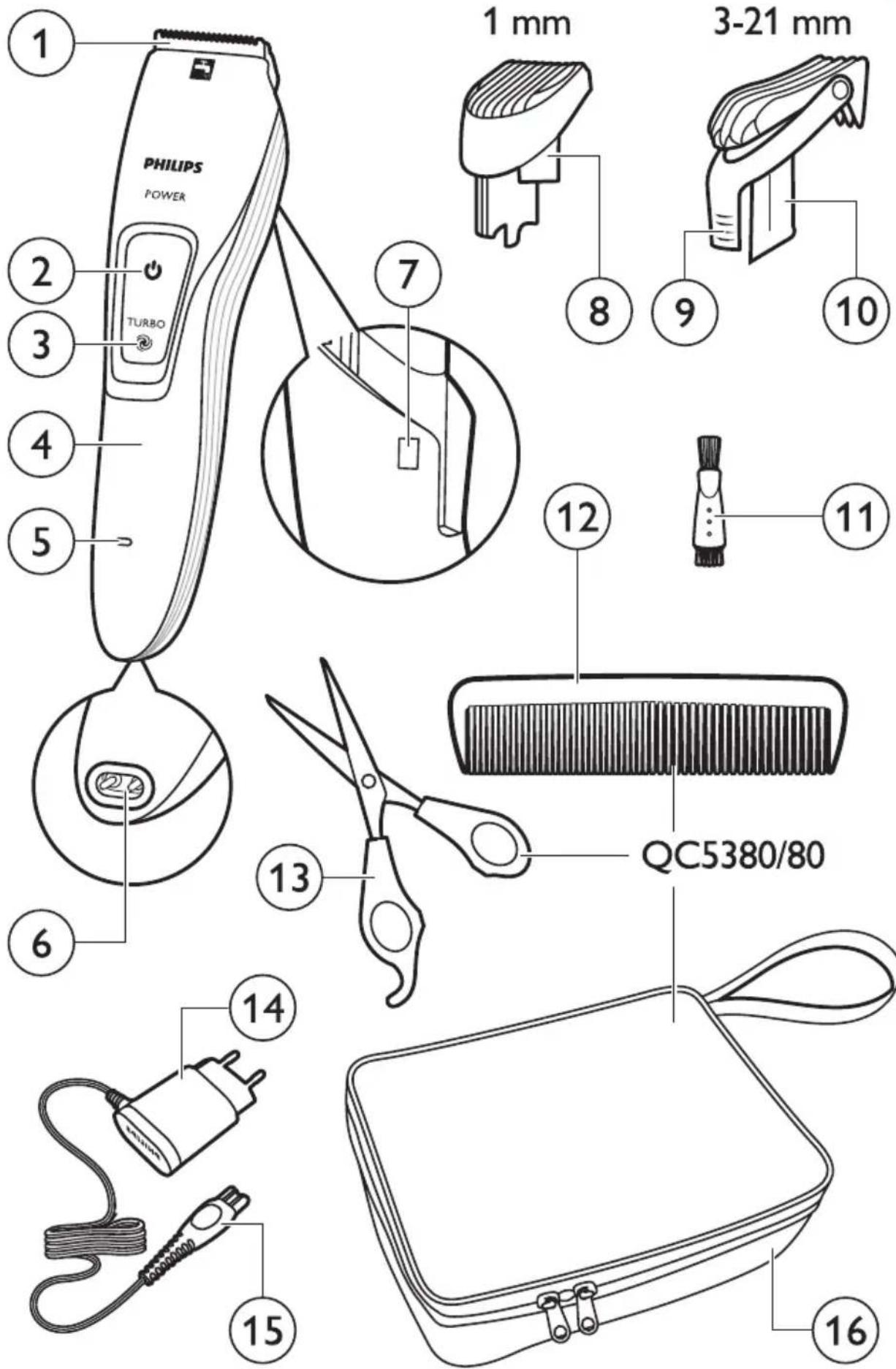
text_image
PHILIPS POWER TURBO 1 mm 3-21 mm 8 9 10 12 11 QC5380/80 6 13 14 15 16ENGLISH 6
DANSK 10
DEUTSCH 14
ΕΛΛΗΝΙΚΑ 18
ESPAÑOL 22
SUOMI 26
FRANÇAIS 30
ITALIANO 34
NEDERLANDS 38
NORSK 42
PORTUGUÊS 46
SVENSKA 50
TÜRKÇE 54
Introduction
Congratulations on your purchase and welcome to Philips! To fully benefit from the support that Philips offers, register your product at www.philips.com/welcome.
General description (Fig. 1)
1 Cutting element
2 On/off button
3 Turbo button
4 Handle
5 Charging light
6 Socket for appliance plug
7 Hair length settings window
8 Buzz comb
9 Setting selector
10 Large comb
11 Cleaning brush
12 Barber comb (QC5380/80 only)
13 Scissors (QC5380/80 only)
14 Adapter
15 Appliance plug
16 Pouch (QC5380/80 only)
Preparing for use
Note: You can also use the appliance directly from the mains when the battery is empty.
Charging
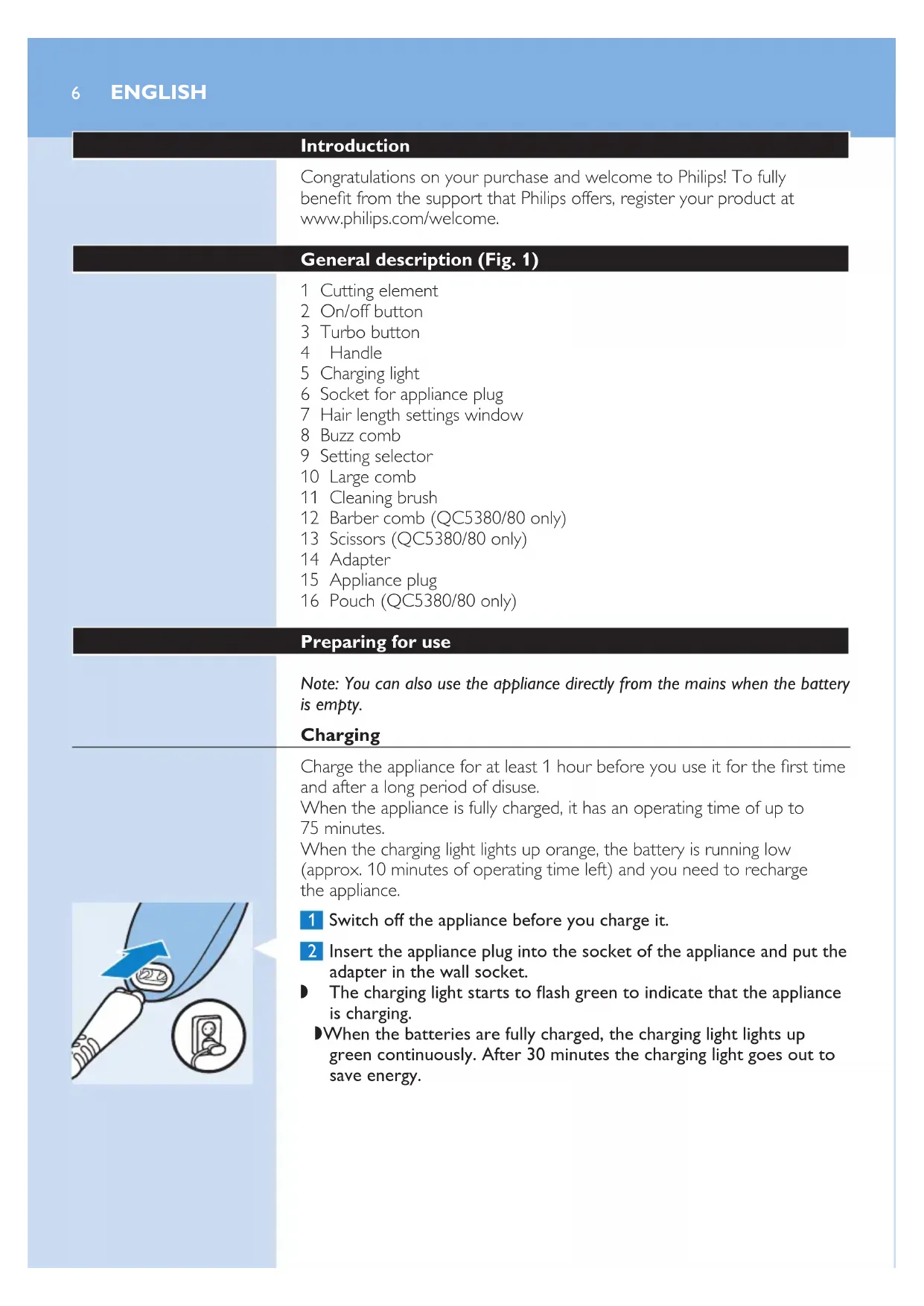
Charge the appliance for at least 1 hour before you use it for the first time and after a long period of disuse.
When the appliance is fully charged, it has an operating time of up to 75 minutes.
When the charging light lights up orange, the battery is running low (approx. 10 minutes of operating time left) and you need to recharge the appliance.
natural_image
Illustration of a medical or dental tool interacting with a patient's ear, showing a blue arrow and an inset close-up of the ear (no text or symbols present)1 Switch off the appliance before you charge it.
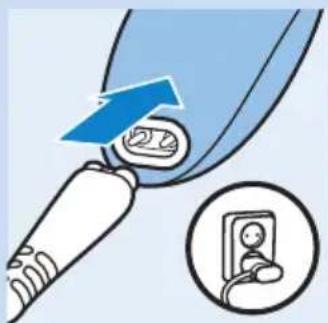
2 Insert the appliance plug into the socket of the appliance and put the adapter in the wall socket.
The charging light starts to flash green to indicate that the appliance is charging.
When the batteries are fully charged, the charging light lights up green continuously. After 30 minutes the charging light goes out to save energy.
Using the appliance
Note: You can also use the appliance directly from the mains when the battery is empty.
Clipping with comb
natural_image
Illustration of a cleaning or cleaning device with a blue handle and downward arrow indicating flow or inspection (no text or symbols)The appliance comes with 2 combs for different hair lengths.
The hair length settings are indicated in millimetres on the comb.
The settings correspond to the remaining hair length after clipping.
text_image
Diagram showing a hand holding a small device with two labeled arrows indicating process steps or actions.1 Select the comb you want to use.
The buzz comb cuts the hair to a length of 1mm.
The large comb cuts the hair to a length of 3mm to 21mm.
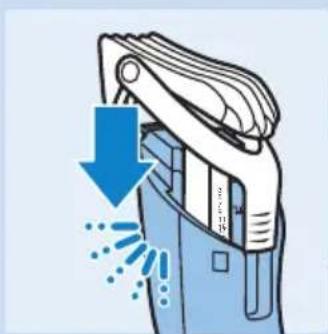
2 Slide the comb straight into the guiding grooves on both sides of the handle ('click').
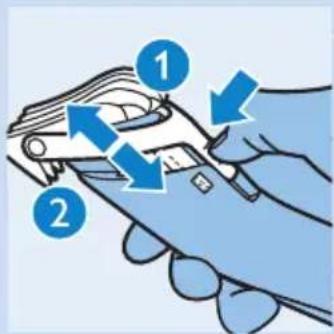
3 To set the comb to the desired setting, press the setting selector (1) and slide the comb to the desired hair length setting (2).
The settings in the window show the selected hair length in millimetres after cutting.
Tip: Write down the hair length settings you selected to create a certain hairstyle as a reminder for future clipping sessions.
text_image
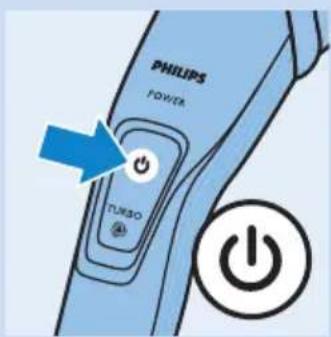
PHILIPS POWER TURSO4 Press the on/off button to switch on the appliance.
5 Move the appliance through the hair slowly.
Tips
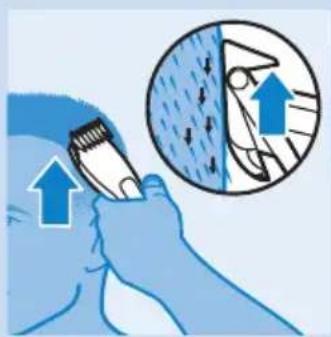
- To clip most effectively, move the appliance against the hair growth direction.
- Since all hair does not grow in the same direction, you need to move the appliance in different directions (upwards, downwards and across).
text_image
Diagram illustrating hair cleaning technique with magnified view of hair damage and blue arrows indicating direction- Make sure that the flat part of the comb is always fully in contact with the scalp to obtain an even result.
- Make overlapping passes over the head to ensure that you cut all the hair that needs to be cut.
6 Regularly remove cut hair from the comb.
If a lot of hair has accumulated in the comb, remove the comb from the appliance and blow and/or shake the hair out of it.
Contouring without comb
You can use the appliance without comb to trim hair very close to the skin (0.5mm) or to contour the neckline and the area around the ears.
Be careful when you clip without comb because the cutting element removes every hair it touches.
text_image
PHILIPS POWER TURBO1 Press the setting selector and slide the comb up, to remove the comb off the appliance.
2 Before you start to contour the hairline around the ears, comb the hair ends over the ears.
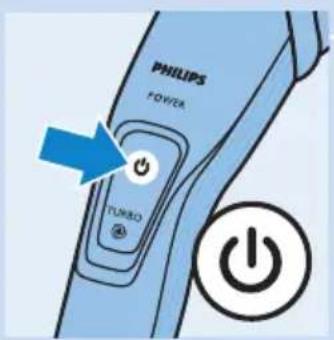
3 Press the on/off button to switch on the appliance.
Note: During trimming, you can use the turbo function for extra suction power and trimming speed (see section 'Turbo function' below).
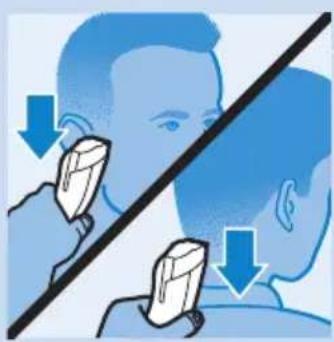
4 Tilt the appliance in such a way that only one edge of the cutting element touches the hair ends when you shape the contours around the ears.
Only cut the hair ends. The hairline should be close to the ear.
natural_image
Illustration showing facial massage technique with hand placement and blue arrows indicating direction (no text or symbols)5 To contour the neckline and sideburns, turn the appliance and make downward strokes.
Move the appliance slowly and smoothly. Follow the natural hairline.
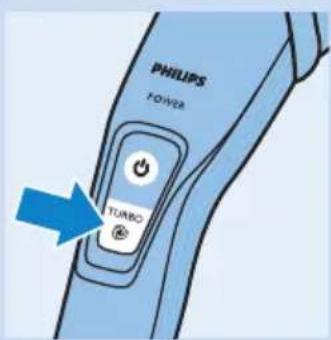
Turbo function
You can use the turbo function to increase the cutting speed.
1 Switch on the appliance.
text_image
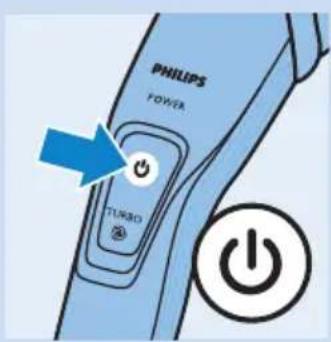
PHILIPS POWER TURBO Power2 Press the turbo button.
When you switch off the appliance, the turbo function is deactivated automatically.
text_image
PHILIPS POWER TURBOCleaning
Clean the appliance every time you have used it with the cleaning brush and with warm water (max. 40°C).
Never use compressed air, scouring pads, abrasive cleaning agents or aggressive liquids such as petrol, acetone or ethereal oils to clean the appliance.
Note: The appliance does not need any lubrication.
natural_image
Illustration of hands holding a device with blue arrows indicating rotation or change (no text or symbols)1 Switch off the appliance and disconnect it from the mains.
2 Remove the comb from the appliance and rinse it under the tap.
3 Brush the outside of the shaving unit with the brush supplied.
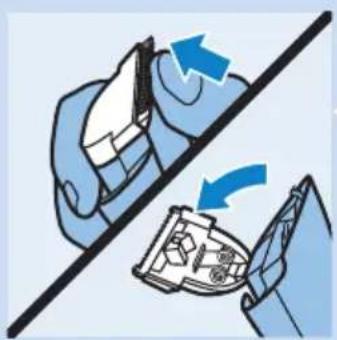
4 Push the centre top end of the cutting element upwards with your thumb until it opens.
natural_image
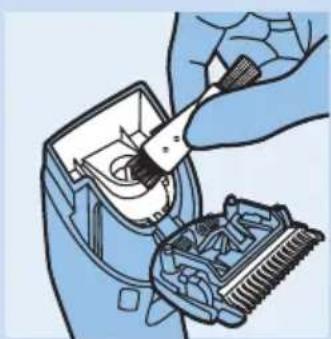
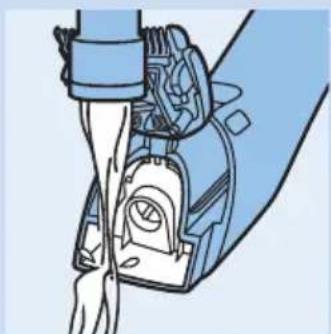
Illustration of a hand using a tool to adjust or install a mechanical component, showing internal components and a mesh texture (no text or symbols)5 Use the cleaning brush to remove the cut hair.
natural_image
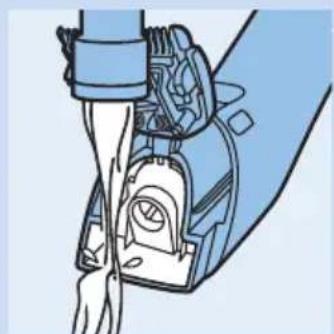
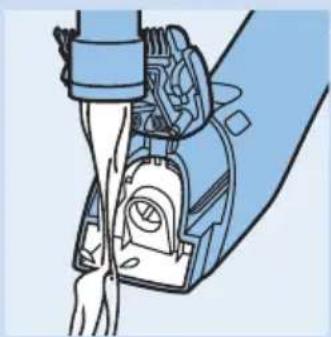
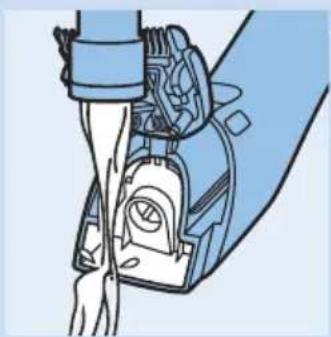
Illustration of a mechanical device with hands operating a lever (no text or symbols visible)6 Clean the appliance under a warm running tap to flush out the cut hair.
Introduktion
natural_image
Illustration of a medical or electrical device with a blue arrow pointing to a device and an inset showing a close-up of a device (no text or symbols present)natural_image
Illustration of a cleaning or cleaning device with a downward arrow and motion lines indicating flow or movement (no text or symbols)text_image
Diagram showing a hand holding a tool with two labeled arrows indicating movement or process stepstext_image
Illustration showing a person using a tool to clean or wear a surface, with an inset magnified view highlighting the process.natural_image
Illustration showing two human faces with medical or surgical tools, one pointing at the nose and the other holding a tool, both with downward arrows indicating direction of care (no text or symbols present)natural_image
Illustration of hands holding a device with blue arrows indicating rotation or change (no text or symbols)natural_image
Illustration of a hand using a tool to adjust or install a mechanical component, with no visible text or symbols.5 Brug rensebørsten til at fjerne afklippet hår.
natural_image
Diagram of a mechanical assembly with no visible text or symbolsnatural_image
Illustration of a medical device with an arrow pointing to a device inside a room, accompanied by a close-up inset showing a person's feet (no text or symbols present)natural_image
Illustration showing a person using a tool to interact with another person, both pointing at the same face (no text or symbols present)Turbofunktion
natural_image
Illustration of a hand holding a device with a blue arrow indicating rotation, no text or symbols presentnatural_image
Illustration of a hand using a tool to adjust or install a mechanical component (no text or symbols visible)natural_image
Diagram of a mechanical device with hands operating a lever and internal components (no text or symbols)natural_image
Illustration of a medical or dental tool interacting with a patient's ear, showing a blue arrow and an inset close-up of the ear (no text or symbols present)natural_image
Illustration of a cleaning or cleaning device with a blue handle and downward arrow indicating compression or dust removal (no text or symbols)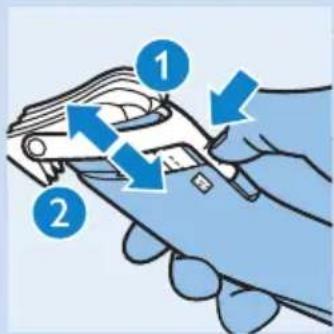
text_image
Diagram showing a hand holding a device with labeled parts and directional arrows indicating process steps.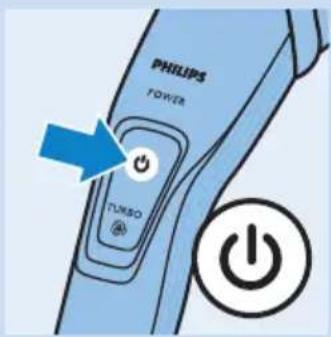
text_image
PHILIPS POWER TURSO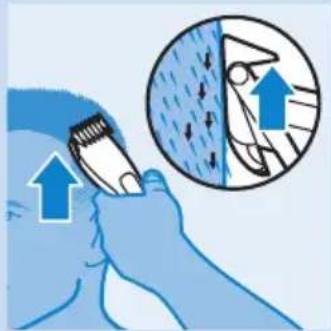
text_image
Diagram illustrating hair cleaning technique with magnified circular detail showing hair removal and hair damagenatural_image
Illustration showing two people using a tool to interact, with arrows indicating direction of interaction (no text or symbols present)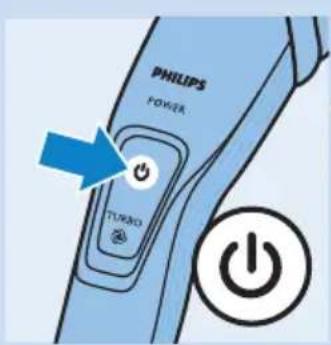
text_image
PHILIPS POWER TURNO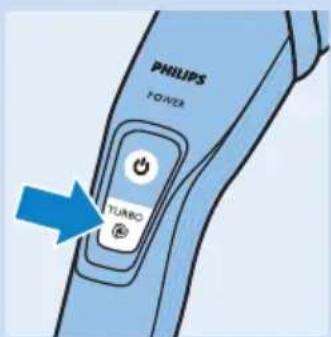
text_image
PHILIPS POWER TURBOnatural_image
Illustration of hands holding a device with blue arrows indicating rotation or change (no text or symbols)natural_image
Illustration of a hand using a tool to adjust or install a mechanical component, with no visible text or symbols.natural_image
Mechanical assembly diagram showing a hand pressing a component into a blue housing (no text or symbols visible)natural_image
Illustration of a medical or electrical device with a blue arrow pointing to a device inside, and an inset showing a close-up of a device (no text or symbols present)natural_image
Illustration of a cleaning or cleaning device with a blue handle and downward arrow indicating flow or inspection (no text or symbols)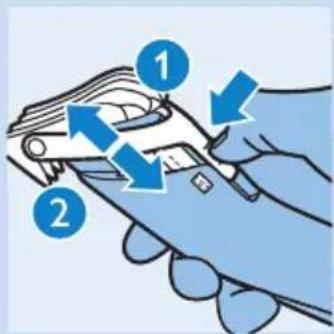
text_image
Diagram showing a hand holding a car with labeled parts and directional arrows indicating motion or movement.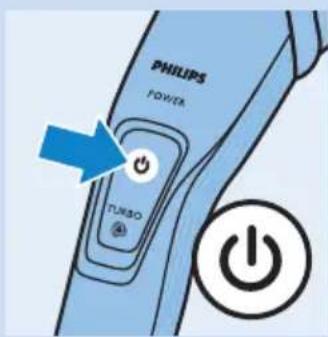
text_image
PHILIPS POWER TURSO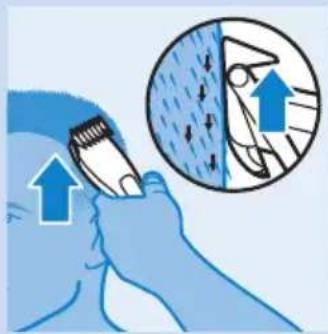
natural_image
Illustration of a hand holding a tool with an arrow pointing upward, next to a circular diagram showing a gear or mechanical component (no text or symbols)natural_image
Illustration showing two people using a tool to interact, with arrows indicating direction of interaction (no text or symbols present)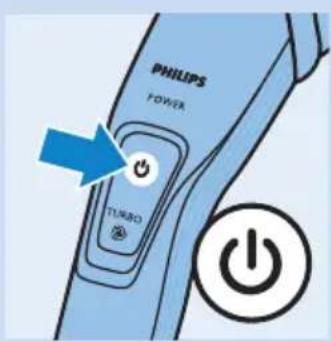
text_image
PHILIPS POWER TURBO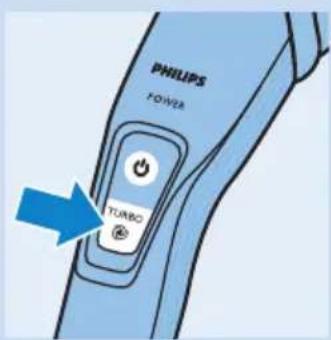
text_image
PHILIPS POWER TURBOnatural_image
Illustration of a hand holding a device with blue arrows indicating rotation or change (no text or symbols present)natural_image
Illustration of a hand using a tool to adjust or install a mechanical component (no text or symbols visible)natural_image
Diagram of a mechanical device with internal components and hands, no visible text or symbolsJohdanto
natural_image
Illustration of a medical device with a blue arrow pointing to a device inside a circle, showing a close-up of a patient's ear (no text or symbols present)natural_image
Illustration of a cleaning or cleaning device with a downward arrow and motion lines indicating flow or movement (no text or symbols)text_image
Diagram showing a hand holding a tool with numbered instructions and blue arrows indicating movement or change.text_image
Illustration showing a hand using a tool to clean or store items, with an inset magnified view highlighting the process.natural_image
Illustration showing facial massage technique with hand placement and pressure drop (no text or symbols)natural_image
Illustration of hands holding a device with blue arrows indicating rotation or change (no text or symbols)natural_image
Illustration of a hand using a tool to adjust or install an electronic device into a circuit board (no text or symbols visible)natural_image
Diagram of a mechanical assembly with no visible text or symbolsnatural_image
Illustration of a medical device with a blue arrow pointing to a device inside a device, accompanied by an inset showing a close-up of the device (no text or symbols present)natural_image
Illustration showing two human faces with downward arrows indicating pressure or force application, no text or symbols present.Fonction Turbo
natural_image
Illustration of a hand holding a device with blue arrows indicating rotation or change (no text or symbols present)natural_image
Illustration of a hand using a tool to adjust or install a mechanical component, with no visible text or symbols.natural_image
Illustration of a mechanical device with hands operating a lever (no text or symbols visible)natural_image
Illustration of a medical device with a blue arrow pointing to a device inside, and an inset showing a close-up of a device (no text or symbols present)natural_image
Illustration showing facial massage technique with hand and blade positions (no text or symbols)natural_image
Illustration of a hand holding a device with blue arrows indicating rotation or change (no text or symbols present)natural_image
Illustration of a hand using a tool to adjust or install a mechanical component (no text or symbols visible)natural_image
Illustration of a mechanical device with hands operating a lever and internal components (no text or symbols visible)natural_image
Illustration of a medical device with a blue arrow pointing to a device inside a circular inset showing a close-up of a device (no text or symbols present)natural_image
Illustration showing two people using a tool to interact, with arrows indicating direction of movement (no text or symbols present)natural_image
Illustration of a hand holding a device with blue arrows indicating rotation or change (no text or symbols)natural_image
Illustration of a hand using a tool to adjust or install a mechanical component, with no visible text or symbols.natural_image
Illustration of a mechanical device with hands operating a lever (no text or symbols visible)natural_image
Illustration of a medical device with a blue arrow pointing to a device inside a circle, showing a close-up of the device's electrical socket (no text or symbols present)natural_image
Illustration of a cleaning or cleaning device with a downward arrow and motion lines indicating flow or movement (no text or symbols)1 Velg den kammen du vil bruke.
Trimmekammen klipper håret til en lengde på 1 mm.
Den store kammen klipper håret til en lengde på 3–21 mm.
text_image
Diagram showing a hand holding a tool with two labeled arrows indicating movement or process stepstext_image
Illustration showing a hand using a tool to clean or store items, with an inset magnified view highlighting the process.Konturer uten kam
natural_image
Illustration showing facial massage technique with hand placement and downward arrows (no text or symbols)natural_image
Illustration of hands holding a device with blue arrows indicating rotation or change (no text or symbols)natural_image
Illustration of a hand using a tool to adjust or install an electronic device into a circuit board (no text or symbols visible)natural_image
Diagram of a mechanical assembly with no visible text or symbolsnatural_image
Illustration of a medical device with a blue arrow pointing to a device inside a device, accompanied by an inset showing a close-up of the device (no text or symbols present)1 Desligue o aparelho antes de o carregar.
2 Introduza a ficha do aparelho na tomada do aparelho e introduza o adaptador na tomada eléctrica.
natural_image
Illustration of a cleaning machine with blue spray and downward arrow indicating process (no text or symbols)text_image
Diagram showing a hand holding a tool with numbered instructions and blue arrows indicating movement or change.text_image
Illustration showing a person using a tool to clean or wear a surface, with an inset magnified view highlighting the process.Contornos sem pente
natural_image
Illustration showing two people using a tool to interact, with arrows indicating direction of interaction (no text or symbols present)natural_image
Illustration of hands holding a device with blue arrows indicating rotation or change (no text or symbols)natural_image
Illustration of a hand using a tool to adjust or install a mechanical component (no text or symbols visible)5 Utilize a escova de limpeza para remover os cabelos cortados.
natural_image
Illustration of a robotic arm gripping a mechanical device (no text or symbols visible)natural_image
Illustration of a medical or dental procedure showing a tool interacting with a device and a close-up of a patient's ear (no text or symbols present)natural_image
Illustration of a cleaning or cleaning device with a blue handle and downward arrow indicating action (no text or symbols)text_image
Diagram showing a hand holding a tool with two labeled parts (1 and 2) indicating different states or actions.natural_image
Illustration of a person using a tool to clean or brush with an inset showing a magnified view of the tool (no text or symbols present)natural_image
Illustration showing two people using a tool to interact, with arrows indicating direction of interaction (no text or symbols present)natural_image
Illustration of a hand holding a device with blue arrows indicating rotation or change (no text or symbols present)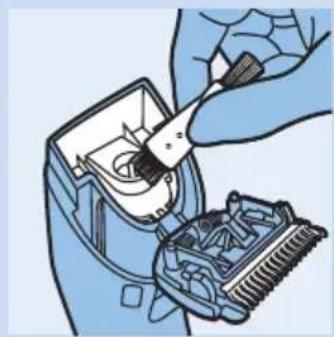
natural_image
Illustration of a hand using a screwdriver to adjust or install a mechanical component (no text or symbols visible)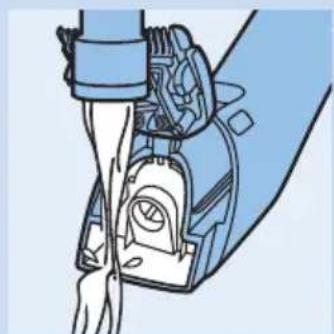
natural_image
Illustration of a robotic arm joint with visible mechanical components (no text or symbols)natural_image
Illustration of a medical device with a blue arrow pointing to a device inside, and an inset showing a close-up of a patient's ear (no text or symbols present)natural_image
Illustration of a cleaning or cleaning device with a blue downward arrow indicating compression or disassembly (no text or symbols present)text_image
Diagram showing a hand holding a tool with two labeled parts (1 and 2) indicating different states or states of action.text_image
Illustration showing a hand using a tool to clean or store items, with an inset magnified view highlighting the process.natural_image
Illustration of a person using a tool to interact with another person, showing facial changes (no text or symbols present)natural_image
Illustration of hands holding a device with blue arrows indicating rotation or change (no text or symbols)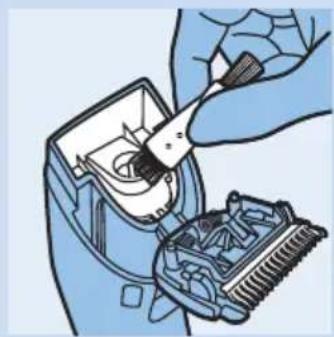
natural_image
Illustration of a hand using a tool to adjust or install a mechanical component, with no visible text or symbols.