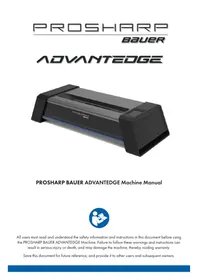
PROSHARP BAUER ADVANTEDGE - Skate sharpening machine BAUER - Free user manual and instructions
Find the device manual for free PROSHARP BAUER ADVANTEDGE BAUER in PDF.



User questions about PROSHARP BAUER ADVANTEDGE BAUER
0 question about this device. Answer the ones you know or ask your own.
Ask a new question about this device
Download the instructions for your Skate sharpening machine in PDF format for free! Find your manual PROSHARP BAUER ADVANTEDGE - BAUER and take your electronic device back in hand. On this page are published all the documents necessary for the use of your device. PROSHARP BAUER ADVANTEDGE by BAUER.
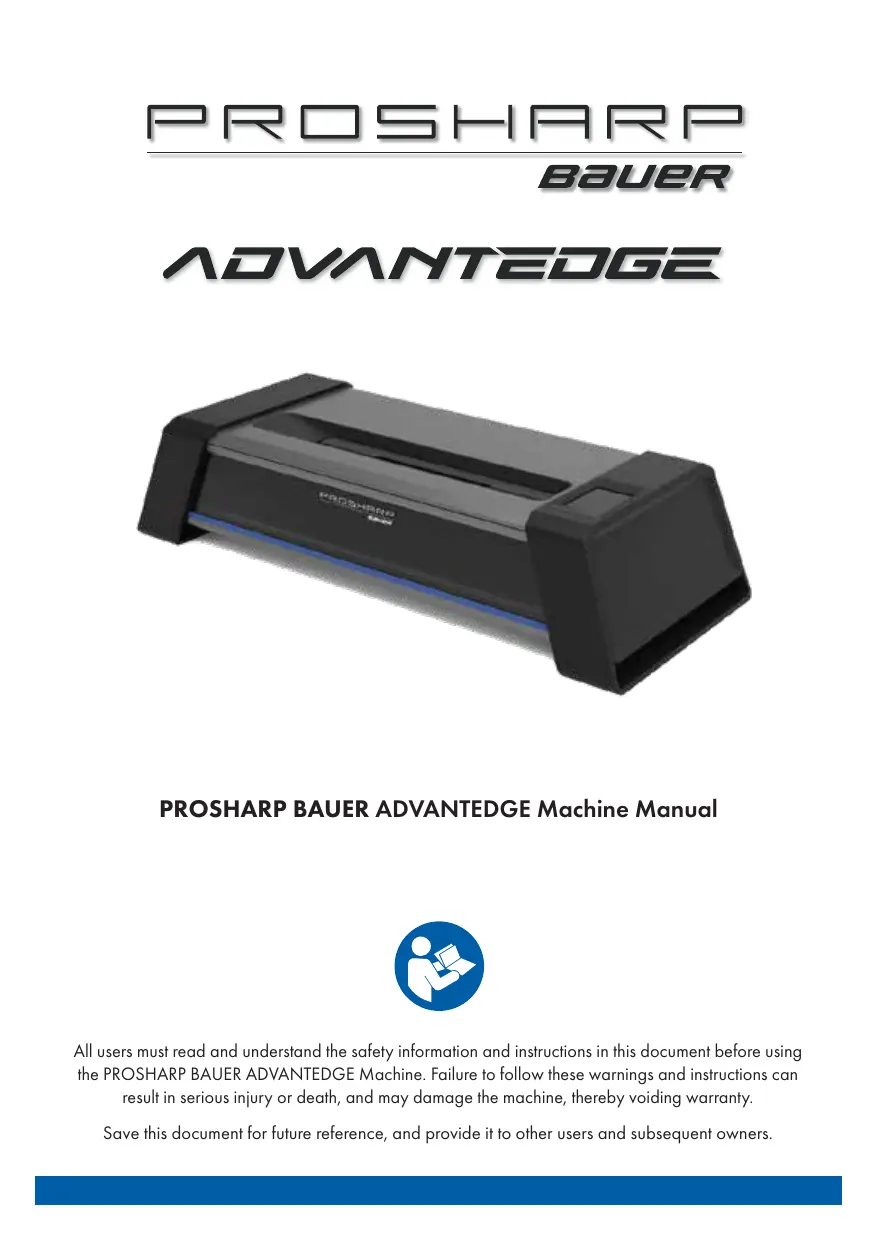
USER MANUAL PROSHARP BAUER ADVANTEDGE BAUER
All users must read and understand the safety information and instructions in this document before using the PROSHARP BAUER ADVANCEDGE Machine. Failure to follow these warnings and instructions can result in serious injury or death, and may damage the machine, thereby voiding warranty.
Save this document for future reference, and provide it to other users and subsequent owners.
TABLE OF CONTENTS
English
SAFETY PRECAUTIONS 3
INTRODUCING YOUR SHARPENING MACHINE 5
INSTALLATION INSTRUCTIONS 6
HMI TOUCH SCREEN 6
GRINDING WHEELS AND WHEEL LIFE 7
INSTALLING AND CHANGING GRINDING WHEEL 7
HOW TO SHARPEN YOUR SKATE BLADE 8
MACHINE CALIBRATION 9
HOW TO STORE A USER PROFILE 9
CLEANING AND EMPTYING DUST TRAY 10
SHARPENING AND STEEL INFORMATION 10
BLUETOOTH® AND WI-FI 11
TECHNICAL DATA 11
WARRANTY 11-12
TRAVELING WITH THE MACHINE 13
TROUBLESHOOTING 13-14
Français 15
Deutsch 29
Upon set up scan the QR code to register your device and discover your companion app (available at APP Store) for further assistance.

EB0与H0

www.bauer.com/pages/prosharp-bauer-advantaged
www.bauer.com/prosharp
SAFETY PRECAUTIONS
WARNING! Failure to follow warnings and instructions may result in serious or fatal injuries due to moving parts, electric shock, fire and other hazards.
Note: The term "machine" in this document refers to your PROSHARP BAUER ADVANCEDGE Machine.
User Qualifications
- Users must read and follow the safety information and instructions in this manual before using the machine.
Supervise children and ensure that they are mature enough to follow all required safety precautions. - Do not use this machine while you are tired or under the influence of drugs, alcohol or medication.
Use only for hockey skate sharpening
- Use the PROSHARP BAUER ADVANCEDGE Machine only for sharpening ice hockey and recreational ice skate blades without a toe pick. Other uses may be unsafe or damage the machine.
Avoid hazardous moving parts in the skate blade slot
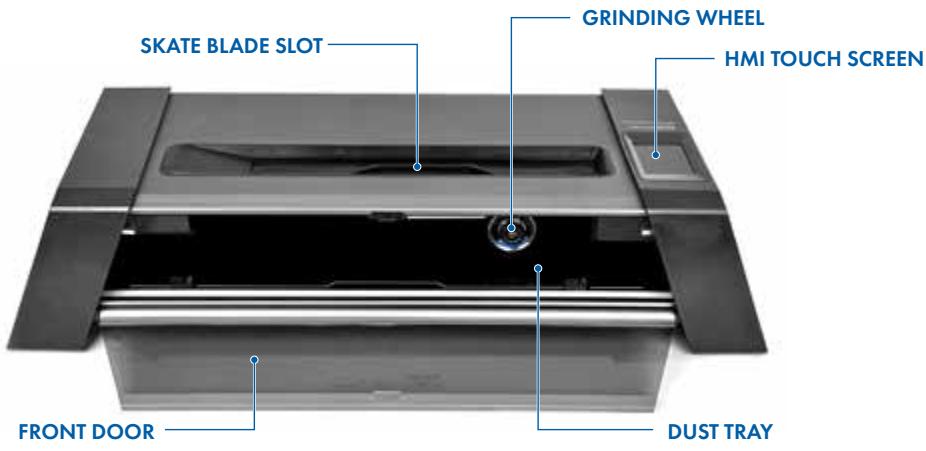
- The skate blade slot provides access to hazardous moving parts, including the blade clamp and grinding wheel.
- Do not put anything other than ice hockey skate blades in the skate blade slot.
- Keep fingers and other body parts out of the skate blade slot. Movement of the blade clamp can cause injury. Contact with the rotating grinding wheel can also cause injury.
-
Long hair, jewelry, skate laces, drawstrings, scarves and other loose items can go into the skate blade slot and be entangled in moving parts. This can pull you into the machine and cause serious injury.
-
Tie up long hair.
- Remove dangling jewelry and scarves.
- Do not wear clothing with dangling drawstrings or other loose parts.
-
Check that skate laces are secured away from the slot.
-
Ensure that bystanders do not access the hazardous area inside the skate blade slot. Do not leave the machine unattended during operation.
- For emergencies: press the on/off switch to stop the machine. This will stop the grinding wheel immediately.
Note: this may damage the skate blade.
Cleaning
- Sharpening skate blades produces fine dust. Excessive dust build up can be a fire hazard.
- Keep your machine clean to prevent excessive dust build up.
- A vacuum can be connected to the dust collection port to minimize dust build up.
- Do not blow dust with compressed air.
Skate blade and grinding wheel handling
- Ensure that the grinding wheel is fully seated and the grinding wheel lock is screwed on completely and snugly. An improperly installed grinding wheel could come loose during operation, potentially damaging the machine.
After use, grinding wheel will be hot. Allow to cool or use protective gloves when changing wheels that have just been used. - Skate blades are sharp, particularly after sharpening. Protective gloves may help prevent cuts.
Set up a safe work area
- Use in a dry area. Do not expose the machine or power cord to rain or wet conditions. Water increases the risk of electric shock.
-
Do not operate in explosive atmospheres, such as in the presence of flammable liquids, gases or dust.
-
The machine creates sparks which may ignite dust or fumes. Place on a level, stable surface and in a protected location, away from bystanders.
- Secure or route the power cord to avoid people tripping or other damage.
- Keep work area clean and well lit.
Electrical Safety
- Connect only to a properly grounded electrical outlet.
Machine plug must match the outlet. Never modify the plug or outlet. - Do not abuse the cord. Keep cord away from heat, sharp edges or moving parts. Do not pull the cord to disconnect from the socket.
- Do not use a damaged power cord. Contact Bauer Hockey for an identical replacement; do not use any other power cord.
Storage and Maintenance
- Turn off power when not in use.
- Prevent unintentional starting. Ensure the switch is in the off position before connecting the power source, picking up or moving the machine.
- Unplug when machine when unused for an extended period (e.g., overnight or longer), and before cleaning, making adjustments, changing wheels or storing the machine.
- Store the machine out of reach of children.
- Check the machine for damage before use. If damaged or malfunctioning, unplug and do not use. Contact Bauer Hockey for repair.

THE FRONT DOOR CAN ONLY BE OPENED USING HMI TOUCH SCREEN

WARNING!

KEEP FINGERS, HAIR AND CLOTHING AWAY FROM CLAMPING AREA AND GRINDING WHEEL AT ALL TIMES.
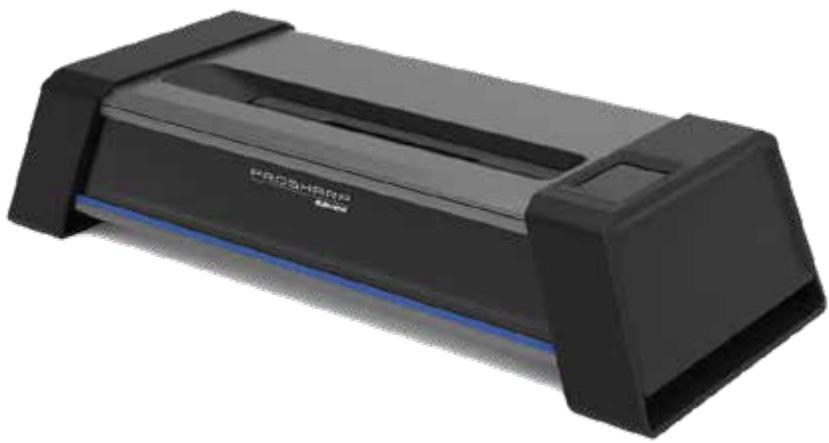
INTRODUCING YOUR PROSHARP BAUER ADVANCEDGE PARTS
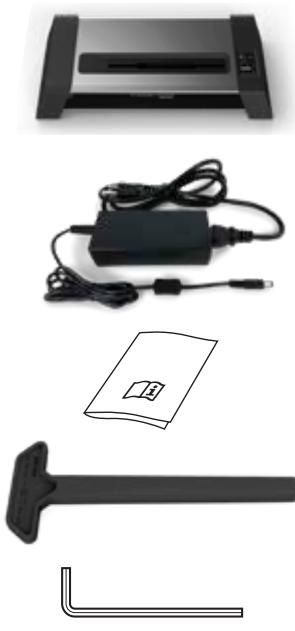
1 X PROSHARP BAUER ADVANCEDGE MACHINE
1 X POWER CORD
1 X INSTRUCTION MANUAL
1 X MANUAL ADJUSTMENT TOOL
1 × 2 ~mm HEX WRENCH
INSTALLATION INSTRUCTIONS
- Place the machine on a level surface.
- The power cord is in the accessories box that is included with the machine.
- Protective film on the HMI touch screen can be removed.
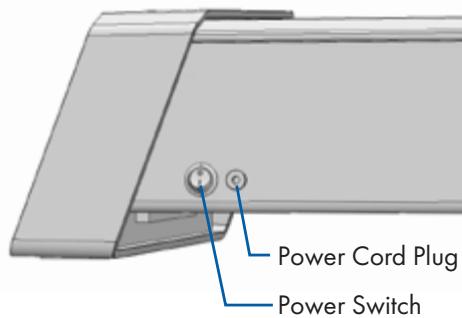
- Plug in the power cord and turn on the machine by flipping the power switch located at the back of the machine beside the plug. The machine will power on.
- Follow the prompts on the HMI touch screen to get started. The screen will guide you to remove the internal protection packaging.
HMI TOUCH SCREEN
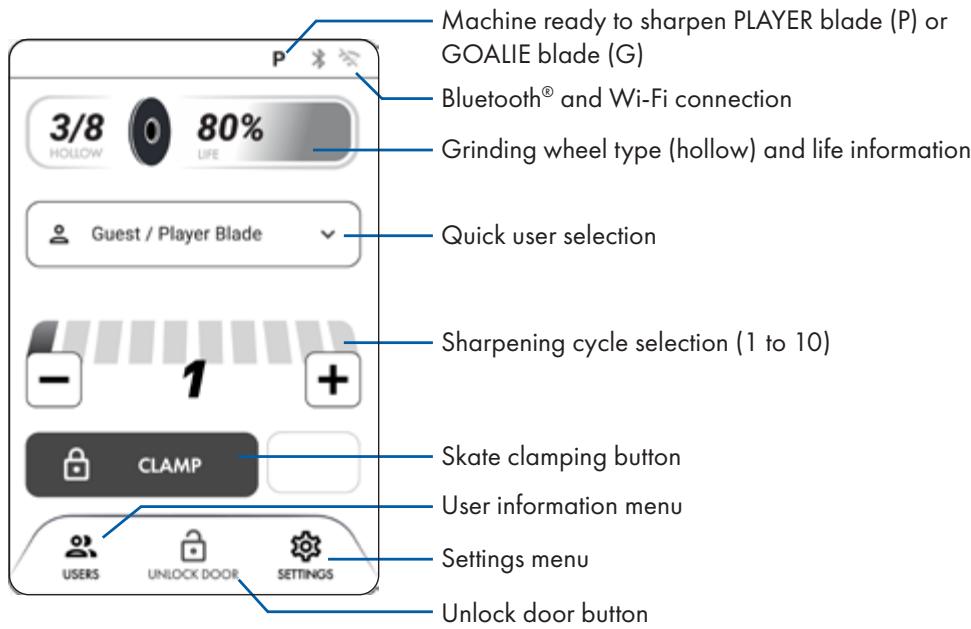
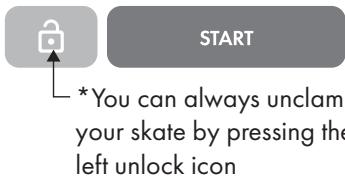
After pressing "CLAMP", the buttons will change to "START". To unclamp the skate,
press the gray unlock icon.

GRINDING WHEELS AND WHEEL LIFE
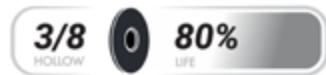
All PROSHARP BAUER ADVANCEDGE grinding wheels are sold separately. Change the wheel according to the instructions. The wheel type (hollow) and wheel life is monitored on the HMI touch screen.
From 10% and below, the machine will notify for wheel
replacement. When the wheel life arrives at 0% , it cannot be used anymore to sharpen your skate. Replacement cou
also be required when it is no longer taking away material
from the steel and/or giving an unsatisfying result. Only PROSHARP BAUER ADVANCEDGE accessories will work on the machine. Non-PROSHARP BAUER components are not compatible. Attempting to use non-compatible accessories will void warranty.
INSTALLING AND CHANGING A PROSHARP BAUER GRINDING WHEEL
WARNING! After sharpening, grinding wheel are hot to the touch. Allow to cool off before touching or wear protective gloves.
- Open the front door of the machine using touch screen. WARNING! Leaving the machine plugged in presents a risk of unexpected startup.

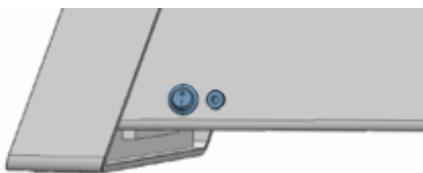
- Turn off the power switch and unplug the machine.
- Unscrew the grinding wheel lock (counterclockwise) while holding the grinding wheel in place. Wheel is snug, pull off carefully without excessive force while rocking the grinding wheel off the spindle.
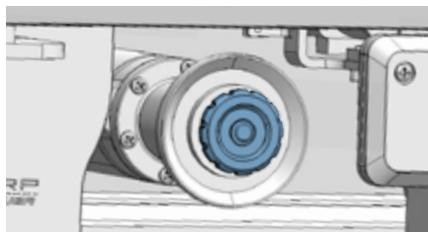
- Replace with a new grinding wheel, set in place. Do not push on with force, just place on the spindle and turn wheel lock clockwise while holding grinding wheel until snug.
- Close front door, plug machine back in and turn power back on. The motor package will now return to its home position.

Scan the QR code to get a further step-by-step guide or consult your PROSHARP App.

HOW TO SHARPEN YOUR SKATE BLADE
Using the HMI Touch screen, select either "Guest/Player Blade", "Guest/Goalie Blade" or any user that was previously saved (see Create User Information section).
- Put the skate in the machine with the heel towards the HMI touch screen. WARNING! Pinch hazard! Be sure nothing but the skate blade is in the slot when clamping. Press "CLAMP" on the HMI touch screen and wait until the motor has stopped.

CLAMP
- Select the number of passes using the +/- symbols on the HMI touch screen. You may sharpen up to 10 cycles at a time- depending on your need.
A. Average is 4 cycles.
B. First time skates or skates with bad nicks OR changing hollow depth could require up to 10 cycles.

- Press the "START" button on the HMI touch screen. WARNING! Entanglement hazard! Check that no loose items are in or near the skate slot (for example, laces, clothing, jewelry, or hair). Motor package will do a 'dry pass' to determine the length and height of your blade, protecting your profile with specific entry and exit points.
- After skate is done sharpening, machine LED lights will turn green and HMI touch screen. will indicate, "SHARPENING COMPLETE". Skate will unclamp automatically.
- Press "CONTINUE" on HMI touch screen to go back to Home Screen.

SHARPENING COMPLETE
CONTINUE
WARNING! Skate is sharp! Use caution when handling. Protective gloves are recommended for steps 6 & 7 below.
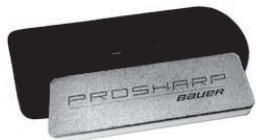
- Deburr the skate safely with a PROSHARP hone (not included) by pressing the honing stone against the face of the skate blade. With light pressure, press down on the lower side of the stone and slowly run the stone back and forth along the edge of the blade for 2-4 full passes. Repeat on the opposite side. ALERT- When deburring coated steel, make sure to only use the X-5 or X-3 Combi Hone on the porcelain side or Gummi Hone (not included) to ensure you do not remove or damage the coating. Visit www.bauer.com/prosharp to learn more.
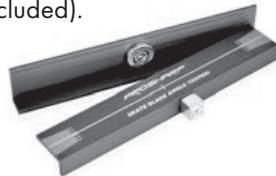
- Check level using a PROSHARP blade angle tester (not included).
MACHINE CALIBRATION
WARNING! Turn off and unplug machine before calibration to prevent unexpected startup.
When checking the blade level with the PROSHARP blade angle tester, if it is off-center, your machine may be out of calibration. First try running more cycles as your skate blade may have been un level to begin with. If the problem persists, adjust the manual wheel calibration nut accordingly to find the center of the blade again using the manual adjustment tool (shown on page 5) provided with purchase.
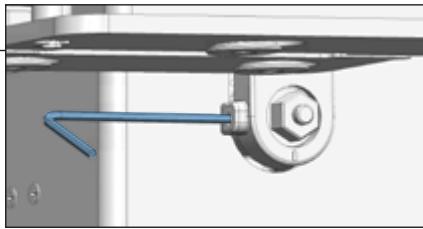
- Insert the 2mm hex wrench into the bracket hole as shown and turn it counterclockwise for one full rotation.
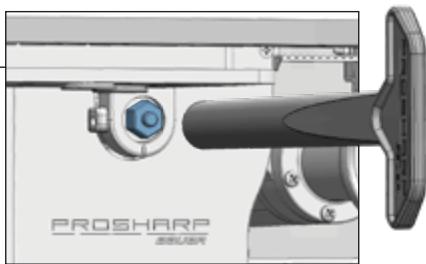
- Place the adjustment tool into the hexagonal adjustment nut located inside the machine. -
- Rotate the adjustment tool counterclockwise to adjust the grinding wheel towards the door direction, and clockwise to adjust it in the opposite direction.
- After completing the adjustment, use the 2mm hex wrench to tighten the bolt clockwise.
- After the adjustment is done, test grind the ice skate to confirm if the desired accuracy is achieved. If the ice blade still doesn't meet the requirements, repeat steps (1-4) to complete the adjustment.
Scan the QR code to get a further step-by-step guide or consult your PROSHARP App.

HOW TO STORE A USER PROFILE
- To create a new user, go to the user menu by selecting the "USERS" button at the bottom left of the touch screen.

- Select "Create new user" at the top of the menu.

Create new user
- Input a name then select your preferences for wheel hollow, number of cycles and the type of blade (player or goalie)

Wheel Hollow

Number of Cycles

Blade Type
- Make sure you select "SAVE" at the bottom of the user preferences menu.
CLEANING AND EMPTYING THE DUST TRAY
WARNING! Clean the machine according to these instructions to reduce the risk of fire.
The machine will regularly notify you for a cleaning routine every 10, 30 or 50 pairs of skates you sharpened. This reminder and the frequency can be managed in "Cleaning Schedule" menu inside the "Settings" menu. You can also start the cleaning procedure manually by selecting the "Start Cleaning" button inside the "Cleaning Schedule" menu, then follow the step-by-step instructions on the screen. Machine should be cleaned out regularly to maintain optimum performance. Do not use any solvents or chemical products in and around the machine. When starting the cleaning procedure:
- The front door will automatically open after starting the procedure. Note that the grinding wheel will stay on the right side (home) position during the cleaning process.
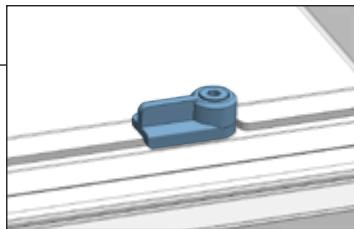
- Remove the internal dust tray carefully by disengaging the 2 clips. Dispose all dust on this tray.
- Use a vacuum to thoroughly vacuum at the top, sides and around the edges inside the machine.
- Replace the tray and secure it with the front clips.
- Close the door.
Please note, excessive dust can and may void the warranty. Not cleaning the machine properly can lead to issues and can cause fire. Please clean machine when prompted to maintain warranty. Turning cleaning prompts off also voids warranty.
Additionally, a vacuum port is built on the left side of the machine to connect a 1 14 (32mm) vacuum hose. Remove the side cover to access the vacuum port. This will further reduce the accumulation of dust inside your machine but it does not replace the need for a proper cleaning routine like described above.
SHARPENING AND STEEL INFORMATION
- For new steel PROSHARP BAUER recommends 3 cycles with a FLAT Hollow Wheel followed by 4 cycles with your Hollow Wheel of choice. All grinding wheels are sold separately.
- FLAT Grinding Wheel: Whether prepping new steel, or refreshing damaged edges, our flat grinding wheel will reset your blade so you can build your preferred hollow.
- For used steel PROSHARP BAUER recommends 3- 4 cycles with a your Hollow Wheel of choice.
- For player steel, the PROSHARP BAUER ADVANCEDGE is compatible for Size 6 Youth Steel up to Size 15 Senior Steel.
- For goalie steel, the PROSHARP BAUER ADVANCEDGE is compatible for Size 10 Youth Steel up to Size 12 Senior Steel.
- Please use the CL (Center Line) markings on the skate slot to center your steel for best results.
- To sharpen the blade only without the skate, please use the single blade holder sold separately.
Blade compatibility:
Length: 160mm - 350mm / 6.3 in - 13.77 in
Hardness: 35 RHC - 62 RHC


BLUETOOTH® AND Wi-Fi
The PROSHARP BAUER ADVANCEDGE machine is Wi-Fi & Bluetooth compatible. Please read through the next section to understand capabilities and set up.
Please note, only broadcast Wi-Fi networks will appear when searching for Wi-Fi. Hidden networks will not be able to be added to your machine.
To manage your Bluetooth® and Wi-Fi settings access the " SETTINGS" menu using the bottom right button on the HMI touch screen.
The machine has the capability to update its firmware via Wi-Fi. To check if your machine is running on the latest firmware version, or to proceed with an update, make sure your machine is connected to Wi-Fi. Proceed to the "Software" menu inside the " SETTINGS" main menu to determine current machine status.
Upon set up scan the QR code to register your device and discover your companion phone APP (available in APP Store) for further assistance.
Upon the launch of the PROSHARP BAUER ADVANCEDGE, only iOS devices will be supported with the companion APP and Bluetooth® functionality for the PROSHARP BAUER ADVANCEDGE.

TECHNICAL DATA
Voltage: 24V
Power: 96W
Weight: 25.6 lb / 11.6KG
Noise Level: ≤ 85dB
Width: 12.4in / 315mm
Length: 30 in / 762mm
Height: 6.85 in /174mm
LIMITED WARRANTY
Any purchase of a PROSHARP BAUER ADVANCEDGE Machine is covered under the associated product warranty posted at www.bauer.com. Bauer Hockey may at any time, and in its sole discretion, modify any of the terms and conditions contained in the warranty policy.
Bauer Hockey represents and warrants to the end user that, under normal use and provided that you have followed our reasonable care and maintenance instructions, your PROSHARP BAUER ADVANCEDGE machine will be free from defects in materials and workmanship for a period of one (1) year from the date of consumer receiving the machine from Bauer Hockey or an authorized Bauer Hockey reseller or 12,000 sharpening cycles
(whichever comes first). Your exclusive remedy, and our sole obligation, is to repair or replace any Product that Bauer Hockey reasonably determines complies with this warranty or, at our sole discretion, to accept the return of such product and refund to you the price paid therefore.
Products that have been repaired or replaced hereunder shall be covered by this warranty for the longer of thirty (30) days after being shipped back to you or the remainder of the original 1-year/ 12,000 cycle (whichever comes first) warranty period. Any defective Product or component that is replaced becomes the sole property Bauer Hockey.
HOW TO MAKE A WARRANTY CLAIM
If you experience any problems with your PROSHARP BAUER Product, please contact Customer Service at www.bauer.com/pages/warranty. In order to make a warranty claim, a valid proof of purchase is required. A valid proof of purchase is either a valid order number from the bauer.com website or a dated sales receipt from an authorized Bauer Hockey Dealer that shows the date of shipment and a description of the product along with its price.
Upon confirmation and approval of your warranty claim, we will assign a return material authorization number ("RA"). At your risk and expense, you must deliver the nonconforming
Product (with prominent indication of the RA) to Bauer Hockey or its designated repair center.
Products returned without RA shall not be afforded warranty service, and you shall be liable for all costs and expenses incurred by us in connection with servicing the unauthorized return.
EXCLUSIONS
All claims under this limited warranty must be made during the applicable warranty period.
The limited warranty obligations do not cover physical damage sustained from improper handling during shipping. This limited warranty shall be void and not apply to any Product that was (a) used, handled, operated, maintained, or stored improperly, or in any manner not in accordance with our documentation, instructions, maintenance procedures, or recommendations; (b) subjected to unusual physical or electrical stress; (c) subjected to abuse, misuse, accident, neglect; (d) exposed to moisture, flooding, fire, electrical problems associated with incoming power or other acts not the fault of BAUER HOCKEY; (e) altered or modified by anyone other than BAUER HOCKEY or its authorized agents. This limited warranty shall be void and not apply to any Product damage caused by repairs made or attempted by anyone other than BAUER or its authorized agents. This limited warranty shall be void and not apply to any Product damage caused by hardware modifications or through the use of any parts or accessories that were not certified or approved by BAUER, including without limitation the use of grinding wheels not from BAUER. This limited warranty shall be void and not apply to any Product that is found to have a usage history that is inconsistent with the claimed ownership history or for which the supplied proof of purchase is inconsistent with the Product returned to BAUER HOCKEY.
Warranty Coverage Contact: www.bauer.com/pages/warranty
TRAVELING WITH THE PROSHARP BAUER ADVANCEDGE
- Proceed with a complete cleaning cycle by following the "Cleaning and Emptying the Dust Tray" section of page 10 of this manual.
- When cleaning is completed, close the front door and ensure the grinding wheel is in the home position (right side of the machine).
- Switch Power Off.
- Unplug the power supply.
For the highest level of protection and safety, we recommend traveling with the PROSHARP BAUER carry bag (sold separately).
ALERT: When setting up the machine after travel, wipe down the clamp and grinding wheel housing to remove any unwanted steel shavings that may have gathered during transit. This will ensure proper fit of the grinding wheel when sharpening again.
TROUBLESHOOTING
| Machine Warning | Cause and solutions |
| Verify grinding wheel | When there is a difference of hollow between your selected user preference and the current wheel installed on the machine. Discuss the warning or open the door and change the wheel. |
| Clamping problems | Your skate blade is probably not positioned correctly. Make sure your skate is leveled before clamping. If your skate is clamped correctly and the machine still detects a problem, make sure there is no object obstructing the clamp. |
| Check blade height | Your skate blade is probably too low in height. The machine cannot sharpen when it reaches the security limit. Make sure your skate is clamped properly or change your blade. |
| Maintenance cleaning | You need to proceed with the cleaning routine of your machine. |
| Loss of power | Your machine experienced a loss of power during a sharpening sequence, resulting in an abrupt stop in the process. Please check your blade sharpening result and proceed with a new sharpening if needed. |
| Error | There is a problem with your machine. Try rebooting your machine by doing a power cycle. If rebooting and all of the above do not help with troubleshooting, please call customer service. |
| Problem | Cause and solutions |
| Cannot open the door | The machine has a hidden manual unlock button located underneath on the left side near the left leg. If the problem persists, please call customer service. |
| Black HMI Screen | Make sure your machine is powered on. If the machine has power, the screen could be in hibernation mode. Just touch the screen to wake it up. |
Customer Service Contacts:
USA REST OF WORLD https://www.bauer.com/pages/warranty https://eu.bauer.com/pages/warranty Phone: 1-833-897-9942 Phone: +46 31 705 52 95
CANADA
https://ca.bauer.com/pages/warranty
Phone: 1-833-897-9942
REST OF WORLD
https://eu.bauer.com/pages/warranty
Phone: +46 31 705 52 95
Machine serial #:
Date of purchase:
PROS HARM
BAUER
ADVANTEEDGE
www.bauer.com/pages/prosharp-bauer-advantaged
www.bauer.com/prosharp
MESURES DE SECURITE
1 X MANUEL D'INSTRUCTIONS
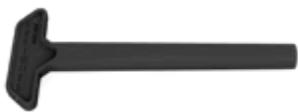
1 X OUTFIL DE RÉGLAGE MANUEL
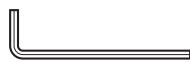
1 x CLÉ HEXAGONALE DE 2mm
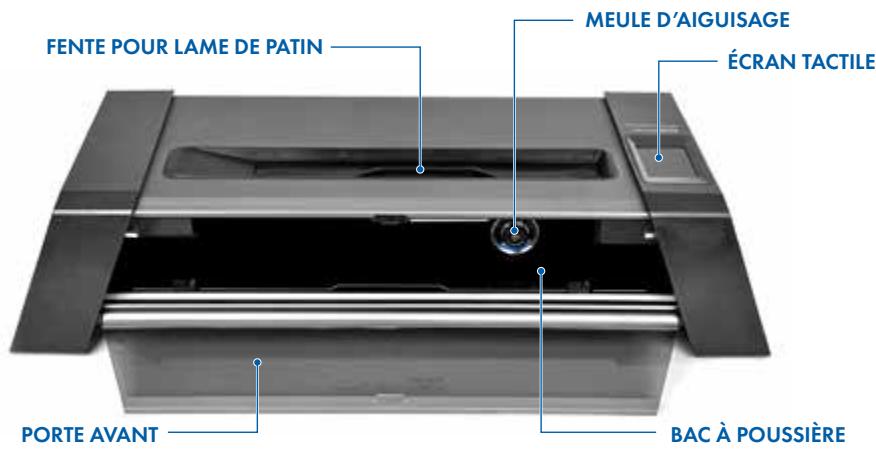
INSTRUCTIONS D'INSTALLATION
https://www.bauer.com/pages/warranty
Phone: 1-833-897-9942
CANADA
https://ca.bauer.com/pages/warranty
Phone: 1-833-897-9942
RESTEDU MONDE
https://eu.bauer.com/pages/warranty
Phone: +46 31 705 52 95
www.bauer.com/pages/prosharp-bauer-advantage
www.bauer.com/prosharp
MESURES DE SECURITÉ
BESCHRÄNKTE GARANTIE
https://www.bauer.com/pages/warranty
Phone: 1-833-897-9942
CANADA
https://ca.bauer.com/pages/warranty
Phone: 1-833-897-9942
Übrige Welt
https://eu.bauer.com/pages/warranty
Phone: +46 31 705 52 95
Exeter, New Hampshire
U.S.A. 03833
BAUER HOCKEY AB
Nellickevagen 24
412 63 Göteborg
Sweden