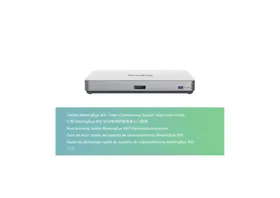
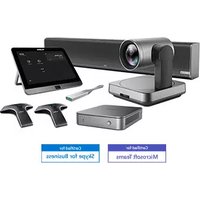
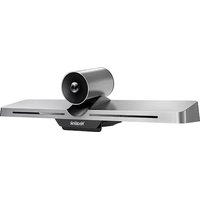
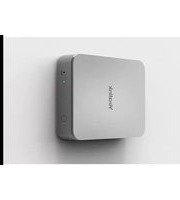
MeetingEye 800 - Video Conferencing System Yealink - Free user manual and instructions
Find the device manual for free MeetingEye 800 Yealink in PDF.


| Product Type | Video Conferencing System |
| Brand | Yealink |
| Model | MeetingEye 800 |
| Power Supply | Power adapter 48V/2.0A (included) |
| Operating Temperature | 0 °C to 40 °C |
| Operating Humidity | 5% to 90%, non-condensing |
| Storage Temperature | -30 °C to 70 °C |
| Rack Mounting | 19-inch rack compliant with IEC 60297 |
| Included Accessories | Codec, Ethernet cable, power adapter, screwdriver, wall mount bracket, screws, interface cover, quick start guide |
| Main Functions | HD video conferencing, wireless content sharing (WPP20 optional), touch control |
| Maintenance and Cleaning | Clean with a soft, dry, anti-static cloth; disconnect before cleaning |
| Safety | Use only original adapter; do not expose to water; keep at least 20 cm away from body |
| Spare Parts and Repairability | Contact Yealink support (ticket.yealink.com) for any repairs |
| General Information | Manufactured by YEALINK(XIAMEN) NETWORK TECHNOLOGY CO., LTD.; compliant with RoHS regulations |
Frequently Asked Questions - MeetingEye 800 Yealink
User questions about MeetingEye 800 Yealink
0 question about this device. Answer the ones you know or ask your own.
Ask a new question about this device
Download the instructions for your Video Conferencing System in PDF format for free! Find your manual MeetingEye 800 - Yealink and take your electronic device back in hand. On this page are published all the documents necessary for the use of your device. MeetingEye 800 by Yealink.
USER MANUAL MeetingEye 800 Yealink
Yealink MeetingEye 800 Video Conferencing System Quick Start Guide
亿联 MeetingEye 800 会议电视终端快速入门指南
VCR11 Remote Control
VCR11遥控器
VCR11 Fernbedienung
Mando a distancia VCR11
Télécommande VCR11
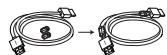
(1.8m, 5.91ft)
HDMI Cable×3
HDMI线x3
HDMI-Kabel × 3
Cable HDMI
Cable HDMI

Velcro×2
魔术贴 × 2
Expansion Screw and Machine Screw
膨胀螺丝和机械螺丝
Screw (8), Mounting ears (2)
螺丝 (8), 挂耳 (2)
Optional Accessories
可选配件 - Optionales Zubehör - Accesorios OPCIONALES - Accessoires optionnels
VCH51
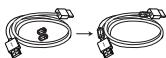
(0.6m, 1.97ft)
HDMI Cable
HDMI线
HDMI-Kabel
Cable HDMI
Cable HDMI
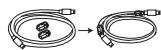
(0.6m, 1.97ft)
USB Type-C Cable
USB Type-C线
USB Type-C-Kabel
Cable USB Type-C
Cable USB Type-C

Quick Start Guide
快速入门指南
Kurzanleitung
Interface Protective Cover
接口保护罩
Kurzanleitung
VCH51 Wired Sharing Package
Expansion Screw and Machine Screw
膨胀螺丝和机械螺丝
Expansion Screw and Machine Screw
膨胀螺丝和机械螺丝
VCM34 Package (Microphone)
VCM34套件(麦克风)
VCM34-Lieferumfang(Mikrofon)
Paquete VCM34 (microfono)
Emballage VCM34 (Microphone)
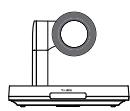
UVC84

VESA Accessory
VESA配件
VESA-Zubehör
Accesorio VESA
Accessoire VESA
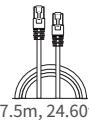
Ethernet Cable网线
Ethernet-Kabel Cable Ethernet Cable Ethernet

Cable Tie×5束线带×5
Kabelbinder × 5 Sujetacables × 5 Serre cables × 5
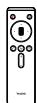
VCR20 Remote Control VCR20遥控器
VCR20 Fernbedienung Mando a distancia VCR20
Télécommande VCR20

Quick Start Guide 快速入门指南
Kurzanleitung
Guía de inception rápido
Power Adapter (48V/0.7A)
电源适配器(48V/0.7A)
Netzteil (48V/0.7A)
Adaptador de corriente (48V/0.7A)
Support muralet accessoires

Velcro×5
魔术贴 × 5
(Optional)WPP20 Wireless Sharing Package
(可选)WPP20无线投屏套件
(OptionaI)WPP20 Wireless Sharing-Lieferumfang
(Optional)Paquete de uso compado inalábrico WPP20
(Facultatif)Package de partage sans fil WPP20
System Installation
终端安装 - Systeminstallation - Instalación del sistema - Installation du système
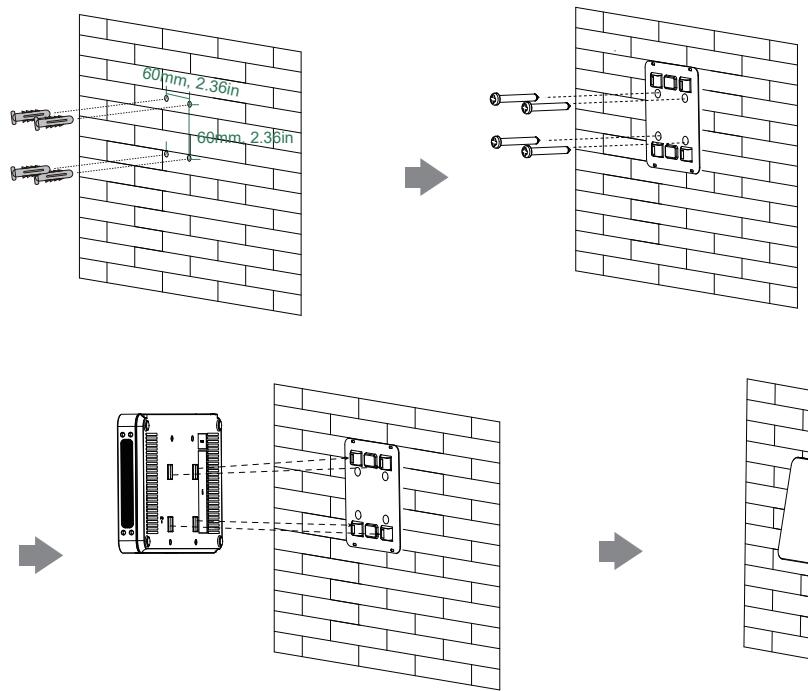
- Mount on the Wall - 墙装 - Wandmontage - Montaje en pared - Montage mural, the height is less than 2 m .
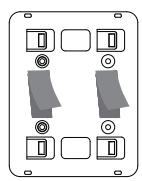
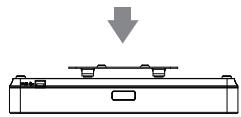
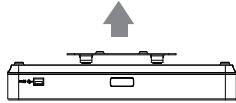
- Stick to the Table - 墙装 - Wandmontage - Montaje en pared - Montage mural
→
→

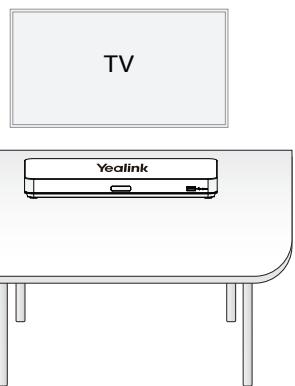
- Put on the desk - 置于桌面 - Auf einen Schreibtisch stellen - Coloquelo sobre escritorio - Installation sur un bureau
The cabinet in which the Box will be placed must be a 19-inch cabinet compliant with IEC 60297.
Installing the mounting ears to the sides of the Box.
将挂耳安装到终端两侧。
Push the MeetingEye 800 into the cabinet, and then fix it to the cabinet with screws.
Package Contents do not include screws.
包装清单中不附送螺丝。
Use the Yealink original power adapter (48V/2.0A) to charge the endpoint only. The use of the third-party power adapter may cause the damage to the endpoint.
For more information on WPP20 wireless presentation pod, refer to Yealink WPP20 Wireless Presentation Pod Quick Start Guide.
Cable Ties Installation
By default, the administrator account of the endpoint is "admin" and the passport is "0000".
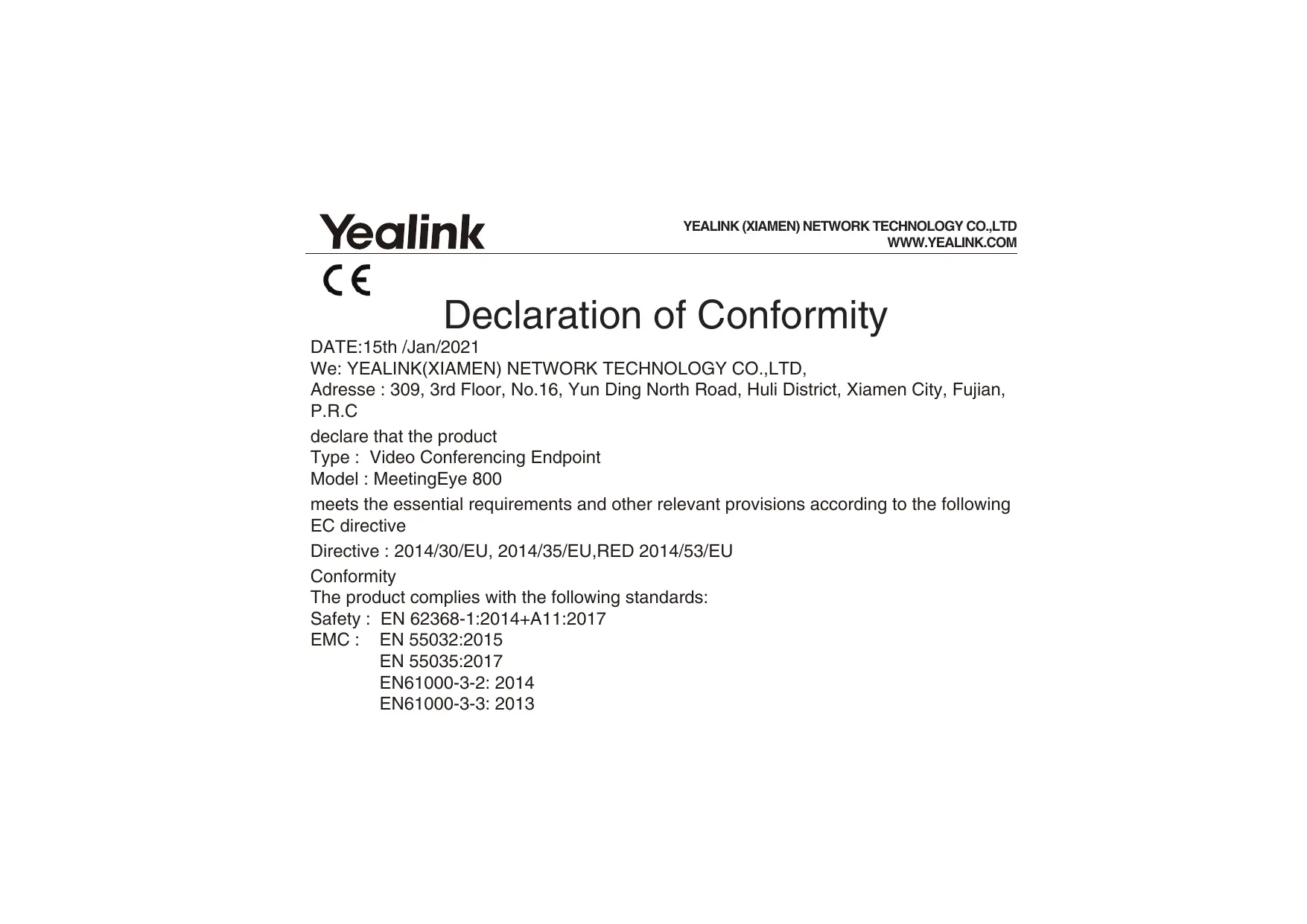
Declaration of Conformity
DATE:15th /Jan/2021
We: YEALINK(XIAMEN) NETWORK TECHNOLOGY CO.,LTD,
Adresse : 309, 3rd Floor, No.16, Yun Ding North Road, Huli District, Xiamen City, Fujian,
P.R.C
declare that the product
Type : Video Conferencing Endpoint
Model:MeetingEye 800
meets the essential requirements and other relevant provisions according to the following
EC directive
Directive : 2014/30/EU, 2014/35/EU,RED 2014/53/EU
Conformity
The product complies with the following standards:
Safety: EN 62368-1:2014+A11:2017
EMC: EN 55032:2015
EN 55035:2017
EN61000-3-2: 2014
EN61000-3-3:2013
Radio : ETSI EN 301 489-1 V2.2.3,
ETSI EN 301 489-3 V2.1.1,
ETSI EN 301 489-17 V3.2.2,
ETSI EN 300 328 V2.2.3;
ETSI EN 301 893 V2.1.1
EN 300 440 V2.2.1
Health: EN 62311:2008; EN62479:2010
Directive 2011/65/EU et (EU)2015/863 of the European Parliament and of the Council of 8 June 2011 and 4 June 2015 on the restriction of the use of certain hazardous substances in electrical and electronic equipment(RoHS2.0)
Directive 2012/19/EU of the European Parliament and of the Council of 4.July.2012 on Waste electrical and electronic equipment(WEEE)
Regulation (EC) No.1907/2006 of the European Parliament and of the Council of 18.December.2006 on Registration, Evaluation, Authorization, and Restriction of Chemicals (REACH)
NAME: Stone Lu
DATE: 15/Jan/2021
TITLE: Vice President
YEALINK (EUROPE) NETWORK TECHNOLOGY B.V.
Adresse: Strawinskylaan 3127, Atrium Building, 8th floor, 1077ZX Amsterdam, the Netherlands
Telephone: +31 (0) 64 61 11 373
Courriel: EUROPE@Yealink.com
Regulatory Notices
Operating Ambient Temperatures
- Operating temperature: +32 to 104°F (0 to 40°C )
- Relative humidity: 5% to 90% , noncondensing
Storage temperature: -22 to +160°F (-30 to +70°C)
Warranty
Our product warranty is limited only to the unit itself, when used normally in accordance with the operating instructions and the system environment. We are not liable for damage or loss resulting from the use of this product, or for any claim from a third party. We are not liable for problems with Yealink device arising from the use of this product; we are not liable for financial damages, lost profits, claims from third parties, etc., arising from the use of this product.
DC symbol
- is the DC voltage symbol.
Restriction of Hazardous Substances Directive (RoHS)
This device complies with the requirements of the EU RoHS Directive. Statements of compliance can be obtained by contacting support@yealink.com.
Safety Instructions
Save these instructions. Read these safety instructions before use! The following basic safety precautions should always be followed to reduce risk of fire, electrical shock, and other personal injury.
General Requirements
- Before you install and use the device, read the safety instructions carefully and observe the situation during operation.
- During the process of storage, transportation, and operation, please always keep the device dry and clean.
- During the process of storage, transportation, and operation, please avoid collision and crash of the device.
Please attempt not to dismantle the device by yourself. In case of any discrepancy, please contact the appointed maintenance center for repair. - Without prior written consent, no organization or individual is permitted to make any change to the structure or the safety design of the device. Yealink is under no circumstance liable to consequences or legal issues caused by such changes.
- Please refer to the relevant laws and statutes while using the device. Legal rights of others should be respected as well.
Environmental Requirements
-
Place the device at a well-ventilated place. Do not expose the device under direct sunlight.
-
Do not tread on, pull, or over-bend any cable in case of malfunction of the device.
- During a thunderstorm, stop using the device and disconnect it from the power supply. Unplug the power plug and the Asymmetric Digital Subscriber Line (ADSL) twisted pair (the radio frequency cable) to avoid lightning strike.
- If the device is left unused for a rather long time, disconnect it from the power supply and unplug the power plug.
- When there is smoke emitted from the device, or some abnormal noise or smell, disconnect the device from the power supply, and unplug the power plug immediately. Contact the specified maintenance center for repair.
- Do not insert any object into equipment slots that is not part of the product or auxiliary product.
- Before cleaning the device, stop using it and disconnect it from the power supply. Do not disconnect the grounding cable until you disconnect all other cables.

Cleaning Requirements
- Before cleaning the device, stop using it and disconnect it from the power supply.
- Use a piece of soft, dry and anti-static cloth to clean the device.
- Keep the power plug clean and dry. Using a dirty or wet power plug may lead to electric shock or other perils.

ENVIRONMENTAL RECYCLING
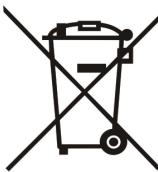
Never dispose of the device with domestic waste
Ask your Town Council about how to dispose of it in an environmentally friendly way. The cardboard box, plastic packaging and player components may be recycled in accordance with prevailing recycling regulations in your country.
Always adhere to prevailing regulations
Those who fail to do so may be fined or prosecuted in accordance with the law. The crossed out garbage can that appears on the device means that when it has reached the end of its useful life, it should be taken to a special waste disposal centre and treated separately to general urban waste.
Troubleshooting
The unit cannot supply power to Yealink device.
There is a bad connection with the plug.
-
Clean the plug with a dry cloth.
-
Connect it to another wall outlet.
The usage environment is out of operating temperature range.
- Use in the operating temperature range.
The cable between the unit and the Yealink device is connected incorrectly.
- Keep the device dry and free of dusts.
- Place the device on a stable and level platform.
- Please place no heavy objects on the device in case of damage and deformation caused by the heavy load.
- Keep at least 10cm between the device and the closest object for heat dissipation.
- Do not place the device on or near any inflammable or fire-vulnerable object, such as rubber-made materials.
- Keep the device away from any heat source or bare fire, such as a candle or an electric heater.
- Keep the device away from any household appliance with strong magnetic field or electromagnetic field, such as a microwave oven or a refrigerator.
Operating Requirements
- Do not let a child operate the device without guidance.
- Do not let a child play with the device or any accessory in case of accidental swallowing.
- Please use the accessories provided or authorized by the manufacturer only.
- The power supply of the device shall meet the requirements of the input voltage of the device. Pleaseusethe provided surge protection power socket only.
- Before plugging or unplugging any cable, make sure that your hands are completely dry.
-
Do not spill liquid of any kind on the product or use the equipment near water, for example, near a bathtub, washbowl, kitchen sink, wet basement or
-
Connect the cable correctly.
You cannot connect the cable properly. - You may have connected a wrong Yealink device.
-
Use the correct power supply.
Some dust, etc., may be in the port. -
Clean the port.
Contact your dealer or authorized service facility for any further questions.
Contact Information
YEALINK NETWORK TECHNOLOGY CO.,LTD.
309, 3rd Floor, No.16, Yun Ding North Road, Huli District, Xiamen City, Fujian, P.R.C
YEALINK (EUROPE) NETWORK TECHNOLOGY B.V.
Netherlands
YEALINK (USA) NETWORK TECHNOLOGY CO., LTD.
999 Peachtree Street Suite 2300, Fulton, Atlanta, GA, 30309, USA
Made in China
Yealink is a global leading provider of enterprise communication and collaboration solutions, offering video conferencing service to worldwide enterprises. Focusing on research and development, Yealink also insists on innovation and creation. With the outstanding technical patents of cloud computing, audio, video and image processing technology, Yealink has built up a panoramic collaboration solution of audio and video conferencing by merging its cloud services with a series of endpoints products. As one of the best providers in more than 140 countries and regions including the US, the UK and Australia, Yealink ranks No.1 in the global market share of SIP phones shipments.
Technical Support
Visit Yealink WIKI (http://support.yealink.com/) for the latest firmware, guides, FAQ, Product documents, and more. For better service, we sincerely recommend you to use Yealink Ticketing system (https://ticket.yealink.com) to submit all your technical issues.

YEALINK(XIAMEN) NETWORK TECHNOLOGY CO.,LTD.
Web: www.yealink.com
Copyright©2020 YEALINK(XIAMEN) NETWORK
TECHNOLOGY CO.,LTD. All rights reserved.
Sicherheitshinweise
TECHNOLOGY CO.,LTD. All rights reserved.
309, 3rd Floor, No.16, Yun Ding North Road, Huli District, Xiamen City, Fujian, P.R.C. YEALINK (EUROPE) NETWORK TECHNOLOGY B.V.
Strawinskylaan 3127, Atrium Building, 8th floor, 1077ZX Amsterdam, The Netherlands
YEALINK (USA) NETWORK TECHNOLOGY CO., LTD.
999 Peachtree Street Suite 2300, Fulton, Atlanta, GA, 30309, USA
Made in China
Acerca de Yealink
TECHNOLOGY CO.,LTD. All rights reserved.
309, 3rd Floor, No.16, Yun Ding North Road, Huli District, Xiamen City, Fujian, China
YEALINK (EUROPE) NETWORK TECHNOLOGY B.V.
Strawinskylaan 3127, Atrium Building, 8th floor, 1077ZX Amsterdam, Pays-Bas
YEALINK (USA) NETWORK TECHNOLOGY CO., LTD.
999 Peachtree Street Suite 2300, Fulton, Atlanta, GA, 30309, Etats-Unis
Fabrique en China
A propos de nous
Assistance technique
TECHNOLOGY CO.,LTD. All rights reserved.
FCC Caution:
Any Changes or modifications not expressly approved by the party responsible for compliance could void the user's authority to operate the equipment.
This device complies with part 15 of the FCC Rules. Operation is subject to the following two conditions:
(1) This device may not cause harmful interference, and (2) this device must accept any interference received, including interference that may cause undesired operation.
IMPORTANT NOTE:
Note: This equipment has been tested and found to comply with the limits for a Class B digital device, pursuant to part 15 of the FCC Rules. These limits are designed to provide reasonable protection against harmful interference in a residential installation. This equipment generates, uses and can radiate radio frequency energy and, if not installed and used in accordance with the instructions, may cause harmful interference to radio communications. However, there is no guarantee that interference will not occur in a particular installation. If this equipment does cause harmful interference to radio or television reception, which can be determined by turning the equipment off and on, the user is encouraged to try to correct the interference by one or more of the following measures:
-Reorient or relocate the receiving antenna.
-Increase the separation between the equipment and receiver.
-Connect the equipment into an outlet on a circuit different from that to which the receiver is connected.
-Consult the dealer or an experienced radio/TV technician for help.
FCC Radiation Exposure Statement:
This equipment complies with FCC radiation exposure limits set forth for an uncontrolled environment. This equipment should be installed and operated with minimum distance 20cm between the radiator & your body.
ISEDC Warning
Operation of 5150-5350 MHz is restricted to indoor use only.
This device complies with Innovation, Science, and Economic Development Canada licence-exempt RSS standard(s).
Operation is subject to the following two conditions:
(1) this device may not cause interference, and
(2) this device must accept any interference, including interference that may cause undesired operation of the device.
The device is compliance with RF exposure guidelines, users can obtain Canadian information on RF exposure and compliance. The minimum distance from body to use the device is 20cm.
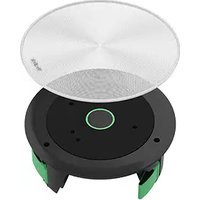
- OPTIONAL ACCESSORIES
- VCH51 WIRED SHARING PACKAGE
- VCM34 PACKAGE (MICROPHONE)
- (OPTIONAL)WPP20 WIRELESS SHARING PACKAGE
- SYSTEM INSTALLATION
- CABLE TIES INSTALLATION
- DECLARATION OF CONFORMITY
- REGULATORY NOTICES
- OPERATING AMBIENT TEMPERATURES
- WARRANTY
- DC SYMBOL
- RESTRICTION OF HAZARDOUS SUBSTANCES DIRECTIVE (ROHS)
- SAFETY INSTRUCTIONS
- GENERAL REQUIREMENTS
- ENVIRONMENTAL REQUIREMENTS
- CLEANING REQUIREMENTS
- NEVER DISPOSE OF THE DEVICE WITH DOMESTIC WASTE
- ALWAYS ADHERE TO PREVAILING REGULATIONS
- TROUBLESHOOTING
- OPERATING REQUIREMENTS
- CONTACT INFORMATION
- TECHNICAL SUPPORT
- SICHERHEITSHINWEISE
- ACERCA DE YEALINK
- A PROPOS DE NOUS
- ASSISTANCE TECHNIQUE
- FCC CAUTION
- IMPORTANT NOTE
- FCC RADIATION EXPOSURE STATEMENT
- ISEDC WARNING
Brand : Yealink
Model : MeetingEye 800
Category : Video Conferencing System