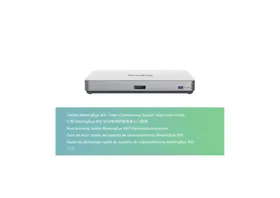
VC210 - Video Conferencing System Yealink - Free user manual and instructions
Find the device manual for free VC210 Yealink in PDF.


Pick your language and provide your email: we'll send you a specifically translated version.
| Product Type | Video Conferencing System |
| Model | VC210 |
| Brand | Yealink |
| Dimensions (W x D x H) | 128 mm x 128 mm x 32 mm |
| Weight | 0.45 kg |
| Power Supply | PoE (802.3af) or 12V DC, 1.5A |
| Video Resolution | Up to 1080p@30fps |
| Camera Field of View | 120° (diagonal) |
| Microphone Array | 6 built-in microphones, 360° pickup |
| Speaker | Full-duplex with echo cancellation |
| Connectivity | 1x HDMI out, 1x USB 2.0, 1x RJ45 (PoE) |
| Compatibility | Works with Zoom, Teams, Skype, etc. |
| Mounting Options | Desktop stand, wall mount (optional) |
| Operating Temperature | 0°C to 40°C |
| Maintenance | Wipe with a soft, dry cloth; avoid liquid |
| Safety | Use only supplied power adapter; do not disassemble |
| Spare Parts & Reparability | Not user-repairable; contact Yealink support |
| Package Contents | VC210 unit, stand, cable, power adapter, quick start guide |
Frequently Asked Questions - VC210 Yealink
How do I connect the Yealink VC210 to my TV or monitor?
Connect the included HDMI cable from the VC210's HDMI OUT port to your TV or monitor's HDMI IN port. Ensure your display is set to the correct input source.
Does the VC210 support Power over Ethernet (PoE)?
Yes, the VC210 supports PoE (802.3af). You can power it directly from a PoE switch or injector using the RJ45 port.
Which video conferencing platforms are compatible?
The VC210 works with popular platforms like Zoom, Microsoft Teams, Skype for Business, Google Meet, and others via USB or cloud services.
How do I adjust the camera angle?
The VC210 has a fixed mount with a 10° upward tilt. For adjustments, you can use the included desktop stand or optionally mount it on a wall using a compatible bracket.
What is the maximum video resolution?
The VC210 supports up to 1080p at 30 frames per second for sharp and smooth video.
Can I use the VC210 without a computer?
Yes, the VC210 can operate as a standalone device when connected to a TV and network. It supports SIP and H.323 protocols for direct calling.
How do I clean and maintain the VC210?
Wipe the exterior with a soft, dry cloth. Avoid using liquids or abrasive cleaners. Do not attempt to open the device; there are no user-serviceable parts inside.
Why is there no audio during a call?
Check if the microphone is muted (press the mute button on the device). Also verify that the volume is not set to zero. If using a USB connection, ensure the computer's audio output is set to the VC210.
Does the VC210 have a warranty?
Yes, Yealink offers a 2-year limited warranty for hardware defects. For warranty claims, contact Yealink support with proof of purchase.
Can I add an external microphone or speaker?
The VC210 has built-in microphones and speakers. It does not have ports for external audio devices. However, you can connect a separate audio system via the HDMI audio output.
User questions about VC210 Yealink
0 question about this device. Answer the ones you know or ask your own.
Ask a new question about this device
No questions yet. Be the first to ask one.
Download the instructions for your Video Conferencing System in PDF format for free! Find your manual VC210 - Yealink and take your electronic device back in hand. On this page are published all the documents necessary for the use of your device. VC210 by Yealink.