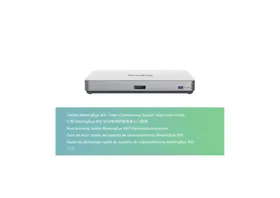
MVC860 - Video Conferencing System Yealink - Free user manual and instructions
Find the device manual for free MVC860 Yealink in PDF.


Pick your language and provide your email: we'll send you a specifically translated version.
| Product Type | Video Conferencing System |
| Model | MVC860 |
| Brand | Yealink |
| Camera Resolution | 4K (3840x2160) |
| Camera Field of View | 120° diagonal |
| Microphone Array | 8-element, 360° pickup |
| Speaker Type | Full-duplex, 94 dB SPL |
| Connectivity | HDMI, USB 2.0, Ethernet (PoE+) |
| Power Supply | PoE+ (IEEE 802.3at) or AC adapter (12V/2A) |
| Camera Dimensions (HxWxD) | 130 x 70 x 70 mm |
| Speakerphone Dimensions | 200 x 200 x 50 mm |
| Hub Dimensions | 150 x 100 x 30 mm |
| Camera Weight | 0.5 kg |
| Speakerphone Weight | 1.0 kg |
| Hub Weight | 0.3 kg |
| Power Consumption | 30 W (max) |
| Operating Temperature | 0°C to 40°C |
| Certifications | CE, FCC, RoHS |
| Warranty | 2 years |
| Maintenance | Wipe with soft dry cloth; do not use liquid cleaners |
| Safety Precautions | Mount securely; avoid heat sources and moisture |
| Spare Parts Availability | Through authorized Yealink dealers |
Frequently Asked Questions - MVC860 Yealink
How do I connect the MVC860 to my display?
Use the provided HDMI cable to connect the hub to your display. Ensure the display supports 4K resolution for optimal video quality.
Does the MVC860 work with Microsoft Teams?
Yes, the MVC860 is certified for Microsoft Teams. Simply plug in the USB cable from the hub to a Teams-capable PC or use a dedicated Teams Room system.
How do I pair the speakerphone with the camera?
The speakerphone connects to the hub via a dedicated cable included in the package. No pairing is required; it is automatically recognized.
What is the maximum number of participants supported?
The MVC860 is designed for small to medium rooms, typically supporting up to 10 participants comfortably with its 120° field of view and 8-microphone array.
Can I use the MVC860 with Zoom?
Yes, the MVC860 is compatible with Zoom. You may need to install Yealink's USB camera driver and select the camera and speakerphone as devices in Zoom settings.
How do I update the firmware?
Firmware updates are performed via Yealink's Device Manager software or through the web interface of the hub. Download the latest firmware from the Yealink support website.
The video is blurry, what should I do?
Ensure the camera lens is clean and not obstructed. Check that the USB connection is secure. Adjust the camera focus if possible, or reset the camera settings.
What is the recommended mounting height for the camera?
Mount the camera at eye level, approximately 1.2–1.5 meters from the floor, centered on the primary seating area for the best field of view.
How do I clean the MVC860 components?
Use a soft, lint-free cloth slightly dampened with water. Do not use any chemical cleaners. For the microphone array, gently blow out any dust from the grille.
Is the MVC860 power over ethernet?
Yes, the hub supports PoE+ (IEEE 802.3at) for power and data. Alternatively, you can use the included AC adapter if PoE is not available.
User questions about MVC860 Yealink
0 question about this device. Answer the ones you know or ask your own.
Ask a new question about this device
No questions yet. Be the first to ask one.
Download the instructions for your Video Conferencing System in PDF format for free! Find your manual MVC860 - Yealink and take your electronic device back in hand. On this page are published all the documents necessary for the use of your device. MVC860 by Yealink.
USER MANUAL MVC860 Yealink

Manual assistant
Powered by Anthropic
Waiting for your message
Product information
Brand : Yealink
Model : MVC860
Category : Video Conferencing System