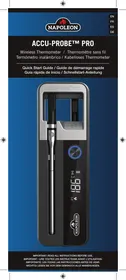
ACCU-PROBE™ PRO - Thermometer Napoleon - Free user manual and instructions
Find the device manual for free ACCU-PROBE™ PRO Napoleon in PDF.



User questions about ACCU-PROBE™ PRO Napoleon
0 question about this device. Answer the ones you know or ask your own.
Ask a new question about this device
Download the instructions for your Thermometer in PDF format for free! Find your manual ACCU-PROBE™ PRO - Napoleon and take your electronic device back in hand. On this page are published all the documents necessary for the use of your device. ACCU-PROBE™ PRO by Napoleon.
USER MANUAL ACCU-PROBE™ PRO Napoleon
MORE
INFORMATION
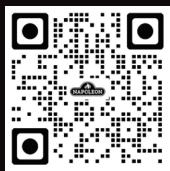
Scan this code
for further
product details.
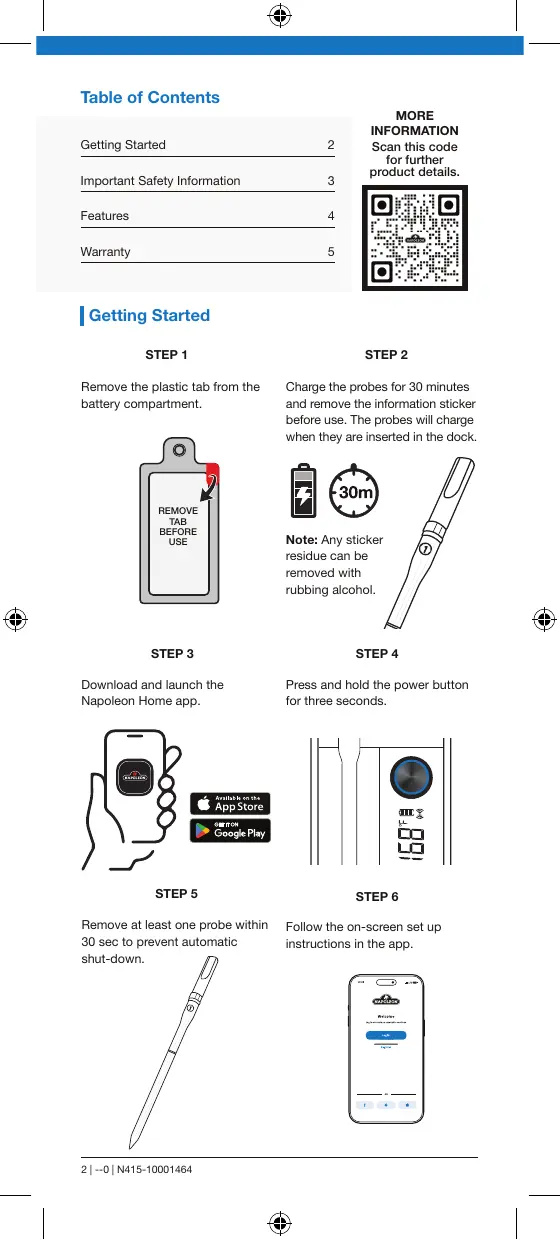
Getting Started
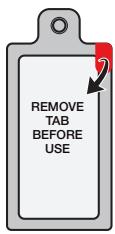
STEP1
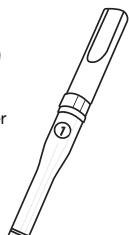
Remove the plastic tab from the battery compartment.
STEP3
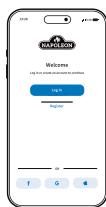
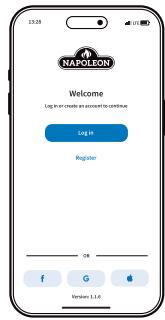
Download and launch the Napoleon Home app.
STEP2
Charge the probes for 30 minutes and remove the information sticker before use. The probes will charge when they are inserted in the dock.


Note: Any sticker residue can be removed with rubbing alcohol.
STEP4
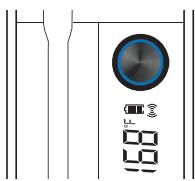
Press and hold the power button for three seconds.
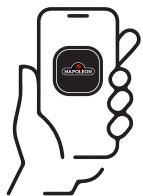

Available on the
App Store

OTITON Google Play
STEP5
STEP6
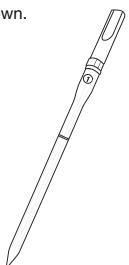
Remove at least one probe within 30 sec to prevent automatic shut-down.
Follow the on-screen set up instructions in the app.
Important Safety Information
- Use the device ONLY for its intended purpose.
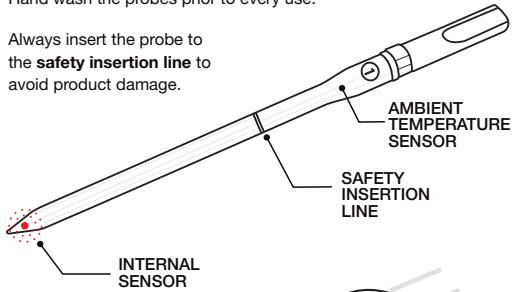
- Hand wash the probes prior to every use.
- Always insert the probe to the safety insertion line to avoid product damage.
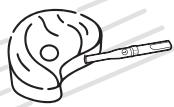
- Always keep the probe inserted in the food throughout the cooking process.
- Do not allow the probe to directly contact cooking grids, hot surfaces, or direct flame. If this occurs, adjust placement.
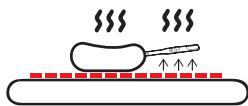
Note: The probe is equipped with an over-temperature safety shutoff. A disconnect notification will be transmitted if the internal sensor reaches temperatures exceeding 100^ (212°F). If this occurs, remove the probe from the food. The ambient sensor will not register temperatures below 50^ , and "LO" will be displayed.
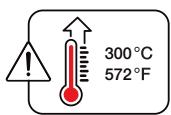
- Do not use the probe at cooking temperatures exceeding 300^ (572 F). If this occurs, remove the probe from the food.
-
Wear eye protection if temperature limitations have been exceeded, or if the probe has been in direct contact with flame.
-
Wear heat resistant gloves when handling the probe when hot.

Do not immerse in water.
Do not leave exposed to inclement weather.
-
During long term storage, battery should be charged and discharged once every 3 months.
-
Always cook your food to minimum recommended safe temperatures.
12.Do not use the probe in a microwave, deep fryer, or pressure cooker.

-
The tip of the probe is sharp. Use caution when handling and keep away from children.
-
Keep the charging dock away from hot surfaces.
Features
Wirelessly Monitor Your Cook
()
()
100 m (328 ft)
Maximum total wireless range of up to 100m (328 ft).
Measure internal and ambient temperatures in degrees Celsius (^) and Fahrenheit (^)
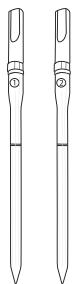
- Two probes included.
- Constructed from sturdy, food safe stainless steel and ceramic materials.
Full charge provides up to 48 hours of continuous probe use.
- Probes are water-resistant for easy cleaning. Hand wash only. Not dishwasher safe.
- 2 Rechargeable AAA 1.2V NI-MH batteries included. The replacement must be of the same type.
- USB Type-C Cable included.
- 5V 1A power source required for charging. Some fast
charging power adapters are not compatible.
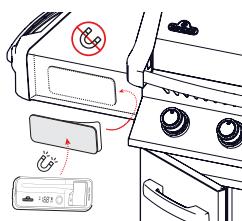
- The dock features a convenient magnet for easy attachment to most BBQ surfaces. If your BBQ shelf isn't magnetic, such as some stainless steel grills, you can securely attach it using the provided adhesive-backed steel plate in any safe location. This ensures a stable mount for the dock.
Display Features
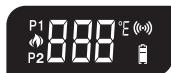
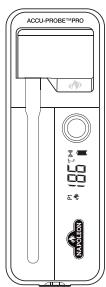
Backlight: For better visibility in various lighting conditions.

Temperature Read Out

Probe Connected (Internal)
P# indicates the current probe number temperature read out.

Probe Connected (Ambient)
P# indicates the current probe number temperature read out.

Temperature Unit
Double press button on dock to switch temperature units.

Dock Battery Status
Auto Shut-Off
When no probes are connected, the dock would turn off in 30 seconds to conserve battery.

Dock to Phone Connection Status
- Flashing indicates dock is currently not connected to a phone.
- Solid indicates connection to phone is currently present.
Button Control
| Action | Description |
| Press and hold 5 seconds | Power dock ON/OFF |
| Single press with backlight OFF | Turns ON backlight temporarily. The backlight will turn OFF to conserve battery. |
| Single press with backlight ON | Display will cycle through various temperature readings. Pause and resume by pressing the button. Cycle Pattern - P1 Internal, P1 Ambient, P2 Internal, P2 Ambient. |
| Double press | Switch units °C/°F |
Warranty
NAPOLEON President's 1 Year Limited Warranty
NAPOLEON warrants that components in your new NAPOLEON product will be free from defects in material and workmanship from the date of purchase, for a period of 1 year from date of purchase.

If this product fails to meet your expectations for any reason, please mail our customer solutions department or visit our website for more information.
NORTH AMERICA:
Website: www.napoleon.com
Email: grills@napoleon.com
Customer Solutions: 1-866-820-8686
EUROPE:
Website: www.napoleon.com
Email: eu.info@napoleon.com
Conditions and Limitations
NAPOLEON warrants its products against manufacturing defects to the original purchaser only, provided that the purchase was made through an authorized NAPOLEON dealer and is subject to the following conditions and limitations: This factory warranty is non-transferable and may not be extended what-so-ever by any of our representatives.
This limited warranty does not cover damages caused by misuse, lack of maintenance, grease fires, extreme environments, accident, alterations, abuse or neglect. Discoloration to plastic parts from chemical cleaners or UV exposure is not covered by this warranty.
This limited warranty further does not cover any damage determined to be caused by heat or water.
NAPOLEON will not be responsible for: environmental conditions such as interference caused by other operating devices.
The bill of sale or copy will be required together with a serial number and a model number when making any warranty claims from NAPOLEON.
NAPOLEON reserves the right to have its representative inspect any product or part prior to honoring any warranty claim.
NAPOLEON shall not be liable for any transportation charges, labor costs, or export duties.
Table des matieres
Pour commencer 6
NAPOLEON declares that the radio equipment NAPOLEON model 70111 is in compliance with Directive 2014/53/EU.
This device complies with Part 15 of the FCC Rules. Operation is subject to the following two conditions:
- The device may not cause harmful interference; and
- This device must accept any interference received, including interference that may cause undesired operation.
Changes or modifications not expressly approved by the party responsible for compliance could void the user's authority to operate the equipment.
This equipment has been tested and found to comply with the limits for a Class B digital device, pursuant to Part 15 of the FCC Rules.
These limits are designed to provide reasonable protection against harmful interference in a residential installation. This equipment generates, uses and can radiate radio frequency energy and, if not installed and used in accordance with the instructions, may cause harmful interference to radio communications.
However, there is no guarantee that interference will not occur in a particular installation.
If this equipment does cause harmful interference to radio or television reception, which can be determined by turning the equipment off and on, the user is encouraged to try to correct the interference by one or more of the following measures:
Reorient or relocate the receiving antenna.
- Increase the separation between the equipment and receiver.
- Connect the equipment into an outlet on a circuit different from that to which the receiver is connected.
- Consult the dealer or an experienced radio/TV technician for help.
This equipment complies with FCC radiation exposure limits set forth for an uncontrolled environment. This equipment should be installed and operated with a minimum distance of 20~cm between the radiator and your body.
However, there is no guarantee that interference will not occur in a particular installation.
This device contains license-exempt transmitter(s)/receiver(s) that comply with Innovation, Science and Economic Development Canada's license exempt RSS(s). Operation is subject to the following two conditions:
- This device may not cause interference.
- This device must accept any interference, including interference that may cause undesired operation of the device.
This equipment complies with IC RSS-102 radiation exposure limits set forth for an uncontrolled environment. This equipment should be installed and operated with minimum distance 20cm between the radiator & your body.
The Bluetooth® word mark and logos are registered trademarks owned by Bluetooth SIG, Inc. and any use of such marks by Napoleon is under license. Other trademarks and trade names are those of their respective owners.
Android™ and Google Play™ are trademarks of Google Inc.; Apple, iPhone®, and the Apple App Store is a trademark of Apple Inc.; iOS is a trademark or registered trademark of Cisco Inc.
Disposing of the product. (Applicable in the European Union and other European states with systems for the separate collection of reusable waste materials) Old devices must not be disposed of with household waste if the product can no longer be used, all users are required by law to dispose of old devices separately from their household waste, e.g. at a collection point in their community/borough. This ensures that old devices are recycled in a professional manner and also rules out negative consequences for the environment. For this reason, electrical equipment is marked with the symbol shown here.
Internal temperature sensor accuracy is ± 1^ (2^) . Ambient temperature sensor accuracy may vary based on the cooking environment and the type of food which the probe is inserted into.
PROBE #2/SONDE #2 SONDA #2/SONDE
N680-0005


NAPOLEON
24 NAPOLEON ROAD, BARRIE, ONTARIO, L4M 0G8
103 MILLER DRIVE, CRITTENDEN, KENTUCKY, USA 41030
7200 TRANS CANADA HIGHWAY, MONTREAL, QUEBEC H4T 1A3
DE RIEMSDIJK 22,4004 LC,TIEL, THE NETHERLANDS