
Pad 6 - Tablet Xiaomi - Free user manual and instructions
Find the device manual for free Pad 6 Xiaomi in PDF.



| Product Type | Tablet |
| Brand | Xiaomi |
| Model | Pad 6 |
| Dimensions (estimated) | 254 x 165 x 6.5 mm |
| Weight (estimated) | 490 g |
| Power supply | Lithium-ion battery 8840 mAh, charging via USB-C power adapter |
| Operating system | MIUI (based on Android) |
| Connectivity | Wi-Fi (2.4 GHz and 5 GHz), Bluetooth |
| Main functions | Touchscreen, camera, speakers, wireless reverse charging (145 kHz) |
| Maintenance and cleaning | Clean with a soft, dry cloth. Do not use abrasive products or solvents. |
| Safety | Do not expose to moisture, use only approved accessories, respect the temperature range 0-40 °C. |
| Spare parts and repairability | Contact Xiaomi customer service or an authorized center for any repairs. |
| General information | Tablet preconfigured with MIUI, OTA update, SAR and FCC certifications. |
Frequently Asked Questions - Pad 6 Xiaomi
User questions about Pad 6 Xiaomi
0 question about this device. Answer the ones you know or ask your own.
Ask a new question about this device
Download the instructions for your Tablet in PDF format for free! Find your manual Pad 6 - Xiaomi and take your electronic device back in hand. On this page are published all the documents necessary for the use of your device. Pad 6 by Xiaomi.
USER MANUAL Pad 6 Xiaomi
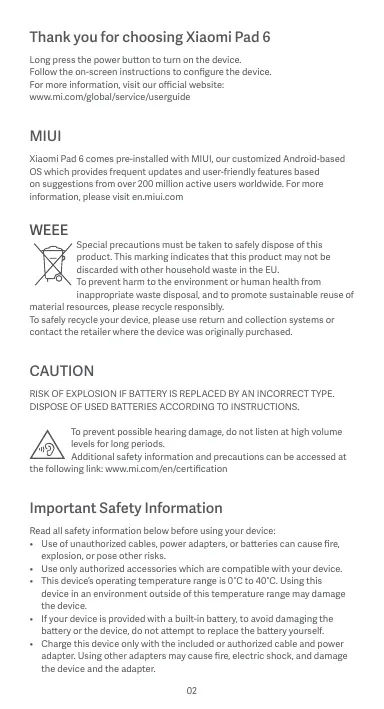
Thank you for choosing Xiaomi Pad 6
Long press the power button to turn on the device.
Follow the on-screen instructions to configure the device.
For more information, visit our official website:
www.mi.com/global/service/userguide
MIUI
Xiaomi Pad 6 comes pre-installed with MIUI, our customized Android-based OS which provides frequent updates and user-friendly features based on suggestions from over 200 million active users worldwide. For more information, please visit en.miui.com
WEEE

Special precautions must be taken to safely dispose of this product. This marking indicates that this product may not be discarded with other household waste in the EU. To prevent harm to the environment or human health from inappropriate waste disposal, and to promote sustainable reuse of
material resources, please recycle responsibly.
To safely recycle your device, please use return and collection systems or contact the retailer where the device was originally purchased.
CAUTION
RISK OF EXPLOSION IF BATTERY IS REPLACED BY AN INCORRECT TYPE. DISPOSE OF USED BATTERIES ACCORDING TO INSTRUCTIONS.

To prevent possible hearing damage, do not listen at high volume levels for long periods.
Additional safety information and precautions can be accessed at
the following link: www.mi.com/en/certification
Important Safety Information
Read all safety information below before using your device:
- Use of unauthorized cables, power adapters, or batteries can cause fire, explosion, or pose other risks.
- Use only authorized accessories which are compatible with your device.
- This device's operating temperature range is 0°C to 40°C. Using this device in an environment outside of this temperature range may damage the device.
- If your device is provided with a built-in battery, to avoid damaging the battery or the device, do not attempt to replace the battery yourself.
- Charge this device only with the included or authorized cable and power adapter. Using other adapters may cause fire, electric shock, and damage the device and the adapter.
- After charging is complete, disconnect the adapter from both the device and the power outlet. Do not charge the device for more than 12 hours.
- The battery must be recycled or disposed of separately from household waste. Mishandling the battery may cause fire or explosion. Dispose of or recycle the device, its battery, and accessories according to your local regulations.
- Do not disassemble, hit, crush, or burn the battery. If the battery appears deformed or damaged, stop using it immediately.
- Do not short circuit the battery, as this may cause overheating, burns, or other injury.
- Do not place the battery in a high-temperature environment.
- Overheating may cause explosion.
- Do not disassemble, hit, or crush the battery, as this may cause the battery to leak, overheat, or explode.
- Do not burn the battery, as this may cause fire or explosion.
- If the battery appears deformed or damaged, stop using it immediately.
- User shall not remove or alter the battery. Removal or repair of the battery shall only be done by an authorized repair center of the manufacturer.
- Keep your device dry.
- Do not try to repair the device yourself. If any part of the device does not work properly, contact Mi customer support or bring your device to an authorized repair center.
- Connect other devices according to their instruction manuals. Do not connect incompatible devices to this device.
- For AC/DC adapters, the socket-outlet shall be installed near the equipment and shall be easily accessible.

Safety Precautions
- Observe all applicable laws and rules restricting use of tablet in specific situations and environments.
- Do not use your tablet at petrol stations or in any explosive atmosphere or potentially explosive environment, including fueling areas, below decks on boats, fuel or chemical transfer or storage facilities, or areas where the air may contain chemicals or particles such as grain, dust, or metal powders. Obey all posted signs to turn off wireless devices such as your tablet or other radio equipment. Turn off your tablet or wireless device when in a blasting area or in areas requiring "two-way radios" or "electronic devices" to be turned off to prevent potential hazards.
- Do not use your tablet in hospital operating rooms, emergency rooms, or intensive care units. Always comply with all rules and regulations of hospitals and health centers. If you have a medical device, please consult your doctor and the device manufacturer to determine whether your tablet may interfere with the device's operation. To avoid potential interference with a pacemaker, always maintain a minimum distance of 15 cm between your tablet and the pacemaker. To avoid interference with medical equipment, do not use your tablet near hearing aids, cochlear implants, or other similar devices.
- Observe all aircraft safety regulations and turn off your tablet on board aircraft when required.
- When driving a vehicle, use your tablet in accordance with relevant traffic
laws and regulations.
- To avoid being struck by lightning, do not use your tablet outdoors during thunderstorms.
- Do not use your tablet in places with high humidity, such as bathrooms. Doing so may result in electric shock, injury, fire, and charger damage.
Security Statement
Please update your tablet's operating system using the built-in software update feature, or visit any of our authorized service outlets. Updating software through other means may damage the device or result in data loss, security issues, and other risks.
EU Regulations
RED Declaration of Conformity
CE
Xiaomi Communications Co., Ltd. hereby declares that this Tablet with Bluetooth and Wi-Fi 23043RP34G is in compliance with the essential requirements and other relevant provisions of the RE Directive 2014/53/EU. The full text of the EU declaration of conformity is available at the following internet address: www.mic.com/en/certification
RF Exposure Information (SAR)
This device is in compliance with Specific Absorption Rate (SAR) limits for general population/uncontrolled exposure (Localized 10-gram SAR for trunk, limit: 2.0 W/kg) specified in Council Recommendation 1999/519/EC, ICNIRP Guidelines, and RED (Directive 2014/53/EU).
During SAR testing, this device was set to transmit at its highest certified power level in all tested frequency bands.
When attaching the device near the body, a belt clip or holster should be used which does not contain metallic components. RF exposure compliance was not tested or certified with any accessory containing metal worn on the body, and use of such an accessory should be avoided.
Certification Information (Highest SAR)
SAR 10 g limit: 2.0W / Kg SAR Value:Body:YYYYY/Kg( 00 mm distance).
Legal Information
This device may be operated in all member states of the EU. Observe national and local regulations where the device is used. This device is restricted to indoor use only when operating in the 5250 to 5350MHz frequency range in:AT,BE,BG,HR,CY,CZ,DK,EE,FI,FR,DE,EU,HL,UI,ET,LVT,LU,MT,NL,PL,PT,RO,SK,IS,ES,SE,UK(NI),IS,LI,NO,CH,TR
Wi-Fi connectivity (including Wi-Fi frequency bands, Wi-Fi standards and other features as ratified in IEEE Standard 802.11 specifications) may vary based on regional availability and local network support. The function may be added via OTA when and where applicable
Restrictions in the 2.4 GHz band:
Norway: This subsection does not apply for the geographical area within a radius of 20km from the centre of Ny-Ålesund.
Ensure the power adapter used meets the requirements of Clause 6.4.5 in IEC/EN 62368-1 and has been tested and approved according to national or local standards.
Frequency Bands and Power
This tablet offers the following frequency bands in EU areas only and maximum radio-frequency power:
Bluetooth:20 dBm
Wi-Fi 2.4 GHz band: 20 dBm
Wi-Fi 5 GHz: 5150 to 5250MHz: 23 dBm, 5250 to 5350 MHz: 23 dBm
5470 to 5725 MHz: 23 dBm, 5725 to 5850 MHz: 14 dBm
Wireless reverse charging: 145KHz < 42dBuA / m at 10m Distance
FCC Regulations
This tablet complies with part 15 of the FCC Rules. Operation is subject to the following two conditions: (1) This device may not cause harmful interference, and (2) this device must accept any interference received, including interference that may cause undesired operation.
This tablet has been tested and found to comply with the limits for a Class B digital device, pursuant to Part 15 of the FCC Rules.
These limits are designed to provide reasonable protection against harmful interference in a residential installation.
This equipment generates, uses and can radiate radio frequency energy and, if not installed and used in accordance with the instructions, may cause harmful interference to radio communications.
However, there is no guarantee that interference will not occur in a particular installation. If this equipment does cause harmful interference to radio or television reception, which can be determined by turning the equipment off and on, the user is encouraged to try to correct the interference by one or more of the following measures:
- Reorient or relocate the receiving antenna.
- Increase the separation between the equipment and receiver.
- Connect the equipment into an outlet on a circuit different from that to which the receiver is connected.
- Consult the dealer or an experienced radio/TV technician for help.
RF Exposure Information (SAR)
This device meets the government's requirements for exposure to radio waves. This device is designed and manufactured not to exceed the emission limits for exposure to radio frequency (RF) energy. The exposure standard
for wireless devices employs a unit of measurement known as Specific Absorption Rate, or SAR.
The SAR limit set by the FCC is 1.6W / kg . For body-worn operation, this device has been tested and meets the FCC RF exposure guidelines for use with an accessory that contains no metal. RF exposure compliance with any body-worn accessory that contains metal was not tested and certified, and use of such body-worn accessory should be avoided.
FCC Note
Changes or modifications not expressly approved by the party responsible for compliance could void the user's authority to operate the equipment. Shielded cables must be used with this unit to ensure compliance with the Class B FCC limits.
E-label
This device has an electronic label for certification information.
To access it, please go to Settings > About tablet > Certification, or open Settings and type "Certification" into the search bar
Instructions for Factory reset
Path: Settings > About phone > Factory reset
You can quickly erase the local data on the device via "Factory reset".
Data to be erased includes: Accounts, Contacts, Photos and videos, Apps, Backups, SD card data and Other items on this device.
Model: 23043RP34G
2304 indicates that this product will be launched after 202304.
When using this device as a wireless charger it is intended for use as a desktop device and should not be carried when in this mode.
To comply with RF exposure requirements when using in the wireless charging mode please place the device at a minimum distance of 20cm from persons.
Disclaimer
This quick start guide is published by Xiaomi or its local affiliated company. Improvements and changes to this guide necessitated by typographical errors, inaccuracies of current information, or improvements to programs and/or equipment, may be made by Xiaomi at any time and without notice. Such changes will, however, be incorporated into new online editions of the quick start guide (please see details at www.mi.com/global/service/userguide). All illustrations are for illustration purposes only and may not accurately depict the actual device.
www.mi.com/global/service/userguide
MIUI
019, 9th Floor, Building 6, 33 Xi'erqi Middle Road, Haidian District, Beijing, China, 100085
www.mi.com/global/service/userguide
MIUI
SAR limit 10 g: 2.0 W/kg
AT, BE, BG, HR, CY, CZ, DK, EE, FI, FR, DE, EL, HU, IE, IT, LV, LT
LU, MT, NL, PL, PT, RO, SK, SI, ES, SE, UK(NI), IS, LI, NO, CH, TR
www.mi.com/global/service/userguide
MIUI
www.mi.com/global/service/userguide
MIUI
www.mi.com/global/service/userguide
MIUI
www.mi.com/global/service/userguide
MIUI
SAR limit 10 g: 2.0 W/kg
SAR value: Body: Y.YYY W/kg (distance 0 mm).
Legal information
www.mi.com/global/service/userguide
MIUI
www.mi.com/en/certification
SAR limit 10 g: 2.0 W/kg
SAR values: body: YYYY W/kg (distance 0 mm).
Legal information
SAR limit 10 g: 2.0 W/kg
SAR value: Body: Y.YYY W/kg (distance 0 mm).
Legal information
Device setup instructions are provided in the user guide.
For more information, visit the official website:
www.mi.com/global/service/userguide
MIUI
Xiaomi Pad 6 runs on MIUI, based on the Android operating system, offering convenient features and over 200 million active users worldwide. To learn more, visit mi.com.
Electrical and electronic equipment
disposal (WEEE)

To prevent potential harm to the environment and human health, please follow the specific disposal instructions. This marking indicates that this product should not be disposed of with other household waste. To avoid uncontrolled waste disposal, please recycle it responsibly to promote sustainable resource reuse.
For proper recycling, please contact the relevant authorities or the retailer where you purchased the product.
For safety information and proper usage, please refer to the user guide or contact the manufacturer.
WARNING!
Improper use of the battery may cause damage or injury.
Use the battery with care and follow the instructions.

Do not expose the battery to excessive heat or fire, and avoid short-circuiting it.
Detailed safety information and precautions are provided in the user guide.
Regulatory information: www.mi.com/en/certification
Safety information
Read all safety information before using this device.
Using unapproved cables, adapters, or chargers may cause fire, explosion, or other hazards. Use only approved accessories that are compatible with your device. The operating temperature range is from 0 to 40 degrees Celsius. The device may not work properly if used outside the specified temperature range.
range.
- If the device is equipped with a built-in battery, do not attempt to replace it yourself. Only qualified service personnel should replace the battery or the device. Use only the provided or approved cables and adapters. Using other adapters may cause damage, electric shock, or fire. If the battery is swollen, do not use the device and contact the manufacturer. Do not charge the device near water.
- The battery needs to be recycled or disposed of properly at the end of its life. Improper disposal of the battery may cause harm to the environment or human health. Recycle or dispose of the device, its battery, and accessories in accordance with local regulations. Do not disassemble, impact, crush, or burn the battery. If the battery is deformed or damaged, stop using it immediately.
- Do not short-circuit the battery, as this may cause overheating, fire, or other hazards.
- Do not expose the battery to high temperatures.
- Overheating may cause explosion. Do not disassemble, hit, or crush the battery, as this may cause electric shock, overheating, or explosion.
- Do not burn the battery, as this may cause an explosion.
- If the battery is deformed or damaged, stop using it immediately.
- CORRECTIVE MAINTENANCE OF THE BATTERY OR ITS REPLACEMENT AND CONTROL OF CHANGES MUST BE PERFORMED ONLY BY AUTHORIZED SERVICE CENTER PERSONNEL. Ensure that the device is dry.
- Do not attempt to repair the device yourself. If the device is malfunctioning, contact the service center or return it to an authorized service center for repair. Do not open the device. Opening the device may void the warranty. For warranty service, contact the service center or the place of purchase.

Safety Precautions
- Follow all applicable laws and regulations regarding the use of wireless devices. Do not use the device in areas where wireless devices are prohibited, such as hospitals, aircraft, or near medical equipment, and in vehicles or other areas where wireless signals may cause interference.
Use only the supplied charger and cables. Do not use the device with damaged or frayed cables. Unplug the charger from the power outlet when not in use. Do not use the device in wet or damp conditions, as this may cause electric shock or damage to the device.
Do not use the device in explosive atmospheres, such as near fuel or chemicals. Follow all safety regulations and guidelines from relevant authorities. If you have any questions, consult the device manufacturer or service center. If the device overheats, stop using it immediately and allow it to cool down. Do not use the device in areas with high humidity or moisture. Keep the device away from water and other liquids. Do not expose the device to extreme temperatures or direct sunlight.
Safety Precautions
Update the device software using the built-in update function or the manufacturer's software update service. Updating the software may cause data loss or corruption, so it is recommended to back up important data before updating.
EU Regulations
Directive on radio equipment (RED)
CE
Xiaomi Communications Co., Ltd. hereby declares that this Bluetooth device 1Fi-23043P34G is in compliance with the essential requirements and other relevant provisions of Directive 2014/53/EU. The full text of the EU declaration of conformity is available at the following internet address: www.mi.com/en/certification
SAR information
This device complies with the limits for general population/uncontrolled exposure
(SAR) for head and body (maximum value of 2.0 W/kg), as recommended by Council Recommendation 1999/519/EC, and with the guidelines of the International Commission on Non-Ionizing Radiation Protection (ICNIRP) and Directive 2014/53/EU (RED).
During SAR testing, this device was set to transmit at its highest certified power level in all tested frequency bands.
When using the device near the body, maintain a distance of 0 mm to ensure compliance with RF exposure requirements. Use only approved accessories. The device has been tested and found compliant with the requirements when used with approved accessories.
Certification information (highest SAR level)
Highest SAR value (10 g): 2.0 W/kg, SAR value for TINA: YYYYY W/kg (at 0 mm).
Additional information
This device can be operated in all EU countries.
Observe national and local regulations where the device is used.
This device is restricted to indoor use in the frequency band 5250 to 5350 MHz in the following countries: AT, BE, BG, HR, CY, CZ, DK, EE, FI, FR, DE, EL, HU, IE, IT, LV, LT, LU, MT, NL, PL, PT, RO, SK, SI, ES, SE, UK(NI), IS, LI, NO, CH, TR
The Wi-Fi frequency band (depending on the Wi-Fi standard used, which may differ from the IEEE 802.11 standard) may vary depending on the region and local regulations. The device can be updated over the air (OTA), if applicable.
O6MeKHeH B dianao30124 TtU Hopberia. Uei nipo3n i He aactocobetycdo rereporpaioHIOI terntopB bapacyc 20 KM bd CEHTpy HooNcyeHua.
BmKOpncTbOyHn daIaIeTp KjbnHEnnep, nepeKohJeTae, 0o Bn iBD nIOBdoAcB HmNOMr yNCHy 6.4.5 cTaNATy/ECN 62368-1, a TAKOK nproJwOB BnIPoSyBaHNHa Ta oPrrmaB CxBAleHnR 3rIHO dePekzabHmN A b6o McEbuMn CTaHApDAMT.
UactOTNI diaana0Hn noTuyKHiCtB
IeJaanhaJIHnTnPHyME TINKHeB HNIKeH JHnKcAteCHTOH jIaONAHBOBC 8 CC 3A MAXKAHMOHOTNYKHOCTPADIJOACCTOHORHO BNPOPMIOBHAA
Bluetooth:20 d5M
DianaoHWi-Fi2,4TgU:20d6M
Wi-Fi 5 Γu: 5150-5250 MΓu: 23 dB; 5250-5350 MΓu: 23 dB;
5470-5725 MФ: 23 ΜΜ; 5725-5850 MФ: 14 ΜΜ
3BPOtHe 6e3dpoToBe 3apJxKanHn:145 KfU< 42 d5MkA/M hA bIcTaHI 10 M
Pernamentn FedeepaIbHoI komici3i 3B'3ky CUSA (FCC)
www.mi.com/global/service/userguide
MIUI
Xiaomi Pad 6 ima unapred instalinar MUII, naš prilagodeni operativniystem zasnovan no systamen USAO, koji ima.czěžažurjanj i funkčje prilagodere korsinizica zasnozvan na predlozima vize od 200 mlnáktivn khorsinka Sfrozm svota. Za višće informacji posetite en.mui.uni
WEEE

图纸发布日期/artwork issue date:YYYY.MM.DD
Materials/Paper use of user guide:
Cover page: 105g C2S (coated two side) matt art paper
Inner pages: 80g C2S (coated two side) matt art paper
Water-based matt varnish on front/back side
Size/Side
Single page/folding: 65X120mm
Basic printing requirements
PANTONE Cool Gray 11C
Binding method
Perfect binding
Number according to the regulations and check carefully
1. Datamatrix size: 6X6mm
2. The scan code display format:
xxxxxxxxxxxA
- THANK YOU FOR CHOOSING XIAOMI PAD
- MIUI
- WEEE
- CAUTION
- IMPORTANT SAFETY INFORMATION
- SAFETY PRECAUTIONS
- SECURITY STATEMENT
- EU REGULATIONS
- RED DECLARATION OF CONFORMITY
- CE
- RF EXPOSURE INFORMATION (SAR)
- CERTIFICATION INFORMATION (HIGHEST SAR)
- LEGAL INFORMATION
- FREQUENCY BANDS AND POWER
- FCC REGULATIONS
- FCC NOTE
- E-LABEL
- DISCLAIMER
- ELECTRICAL AND ELECTRONIC EQUIPMENT
- DISPOSAL (WEEE)
- WARNING
- SAFETY INFORMATION
- DIRECTIVE ON RADIO EQUIPMENT (RED)
- SAR INFORMATION
- CERTIFICATION INFORMATION (HIGHEST SAR LEVEL)
- ADDITIONAL INFORMATION
- UACTOTNI DIAANA0HN NOTUYKHICTB
- PERNAMENTN FEDEEPAIBHOI KOMICI3I 3B'3KY CUSA (FCC)
Brand : Xiaomi
Model : Pad 6
Category : Tablet