Pad 6 - Tablet Xiaomi - Free user manual and instructions
Find the device manual for free Pad 6 Xiaomi in PDF.



| Product Type | Tablet |
| Brand | Xiaomi |
| Model | Pad 6 |
| Dimensions (estimated) | 254 x 165 x 6.5 mm |
| Weight (estimated) | 490 g |
| Power supply | Lithium-ion battery 8840 mAh, charging via USB-C power adapter |
| Operating system | MIUI (based on Android) |
| Connectivity | Wi-Fi (2.4 GHz and 5 GHz), Bluetooth |
| Main functions | Touchscreen, camera, speakers, wireless reverse charging (145 kHz) |
| Maintenance and cleaning | Clean with a soft, dry cloth. Do not use abrasive products or solvents. |
| Safety | Do not expose to moisture, use only approved accessories, respect the temperature range 0-40 °C. |
| Spare parts and repairability | Contact Xiaomi customer service or an authorized center for any repairs. |
| General information | Tablet preconfigured with MIUI, OTA update, SAR and FCC certifications. |
Frequently Asked Questions - Pad 6 Xiaomi
User questions about Pad 6 Xiaomi
0 question about this device. Answer the ones you know or ask your own.
Ask a new question about this device
Download the instructions for your Tablet in PDF format for free! Find your manual Pad 6 - Xiaomi and take your electronic device back in hand. On this page are published all the documents necessary for the use of your device. Pad 6 by Xiaomi.
USER MANUAL Pad 6 Xiaomi
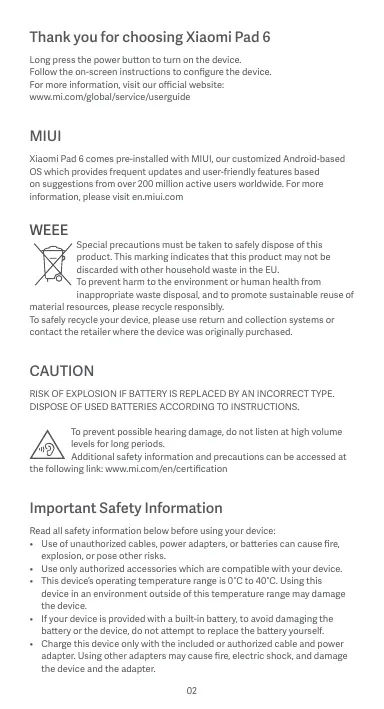
Thank you for choosing Xiaomi Pad 6
Long press the power button to turn on the device.
Follow the on-screen instructions to configure the device.
For more information, visit our official website:
www.mi.com/global/service/userguide
MIUI
Xiaomi Pad 6 comes pre-installed with MIUI, our customized Android-based OS which provides frequent updates and user-friendly features based on suggestions from over 200 million active users worldwide. For more information, please visit en.miui.com
WEEE

Special precautions must be taken to safely dispose of this product. This marking indicates that this product may not be discarded with other household waste in the EU. To prevent harm to the environment or human health from inappropriate waste disposal, and to promote sustainable reuse of
material resources, please recycle responsibly.
To safely recycle your device, please use return and collection systems or contact the retailer where the device was originally purchased.
CAUTION
RISK OF EXPLOSION IF BATTERY IS REPLACED BY AN INCORRECT TYPE. DISPOSE OF USED BATTERIES ACCORDING TO INSTRUCTIONS.

To prevent possible hearing damage, do not listen at high volume levels for long periods.
Additional safety information and precautions can be accessed at
the following link: www.mi.com/en/certification
Important Safety Information
Read all safety information below before using your device:
- Use of unauthorized cables, power adapters, or batteries can cause fire, explosion, or pose other risks.
- Use only authorized accessories which are compatible with your device.
- This device's operating temperature range is 0ircC to 40ircC . Using this device in an environment outside of this temperature range may damage the device.
- If your device is provided with a built-in battery, to avoid damaging the battery or the device, do not attempt to replace the battery yourself.
-
Charge this device only with the included or authorized cable and power adapter. Using other adapters may cause fire, electric shock, and damage the device and the adapter.
-
After charging is complete, disconnect the adapter from both the device and the power outlet. Do not charge the device for more than 12 hours.
- The battery must be recycled or disposed of separately from household waste. Mishandling the battery may cause fire or explosion. Dispose of or recycle the device, its battery, and accessories according to your local regulations.
-
Do not disassemble, hit, crush, or burn the battery. If the battery appears deformed or damaged, stop using it immediately.
-
Do not short circuit the battery, as this may cause overheating, burns, or other injury.
- Do not place the battery in a high-temperature environment.
- Overheating may cause explosion.
- Do not disassemble, hit, or crush the battery, as this may cause the battery to leak, overheat, or explode.
- Do not burn the battery, as this may cause fire or explosion.
-
If the battery appears deformed or damaged, stop using it immediately.
-
User shall not remove or alter the battery. Removal or repair of the battery shall only be done by an authorized repair center of the manufacturer.
- Keep your device dry.
- Do not try to repair the device yourself. If any part of the device does not work properly, contact Mi customer support or bring your device to an authorized repair center.
- Connect other devices according to their instruction manuals. Do not connect incompatible devices to this device.
- For AC/DC adapters, the socket-outlet shall be installed near the equipment and shall be easily accessible.

Safety Precautions
- Observe all applicable laws and rules restricting use of tablet in specific situations and environments.
- Do not use your tablet at petrol stations or in any explosive atmosphere or potentially explosive environment, including fueling areas, below decks on boats, fuel or chemical transfer or storage facilities, or areas where the air may contain chemicals or particles such as grain, dust, or metal powders. Obey all posted signs to turn off wireless devices such as your tablet or other radio equipment. Turn off your tablet or wireless device when in a blasting area or in areas requiring "two-way radios" or "electronic devices" to be turned off to prevent potential hazards.
- Do not use your tablet in hospital operating rooms, emergency rooms, or intensive care units. Always comply with all rules and regulations of hospitals and health centers. If you have a medical device, please consult your doctor and the device manufacturer to determine whether your tablet may interfere with the device's operation. To avoid potential interference with a pacemaker, always maintain a minimum distance of 15cm between your tablet and the pacemaker. To avoid interference with medical equipment, do not use your tablet near hearing aids, cochlear implants, or other similar devices.
- Observe all aircraft safety regulations and turn off your tablet on board aircraft when required.
- When driving a vehicle, use your tablet in accordance with relevant traffic
laws and regulations.
- To avoid being struck by lightning, do not use your tablet outdoors during thunderstorms.
- Do not use your tablet in places with high humidity, such as bathrooms. Doing so may result in electric shock, injury, fire, and charger damage.
Security Statement
Please update your tablet's operating system using the built-in software update feature, or visit any of our authorized service outlets. Updating software through other means may damage the device or result in data loss, security issues, and other risks.
EU Regulations
RED Declaration of Conformity
CE
Xiaomi Communications Co., Ltd. hereby declares that this Tablet with Bluetooth and Wi-Fi 23043RP34G is in compliance with the essential requirements and other relevant provisions of the RE Directive 2014/53/EU. The full text of the EU declaration of conformity is available at the following internet address: www.mic.com/en/certification
RF Exposure Information (SAR)
This device is in compliance with Specific Absorption Rate (SAR) limits for general population/uncontrolled exposure (Localized 10-gram SAR for trunk, limit: 2.0W / kg ) specified in Council Recommendation 1999/519/EC, ICNIRP Guidelines, and RED (Directive 2014/53/EU).
During SAR testing, this device was set to transmit at its highest certified power level in all tested frequency bands.
When attaching the device near the body, a belt clip or holster should be used which does not contain metallic components. RF exposure compliance was not tested or certified with any accessory containing metal worn on the body, and use of such an accessory should be avoided.
Certification Information (Highest SAR)
SAR 10 g limit: 2.0W / Kg SAR Value:Body:YYYYY/Kg( 00 mm distance).
Legal Information
This device may be operated in all member states of the EU. Observe national and local regulations where the device is used. This device is restricted to indoor use only when operating in the 5250 to 5350MHz frequency range in:AT,BE,BG,HR,CY,CZ,DK,EE,FI,FR,DE,EU,HL,UI,ET,LVT,LU,MT,NL,PL,PT,RO,SK,IS,ES,SE,UK(NI),IS,LI,NO,CH,TR
Wi-Fi connectivity (including Wi-Fi frequency bands, Wi-Fi standards and other features as ratified in IEEE Standard 802.11 specifications) may vary based on regional availability and local network support. The function may be added via OTA when and where applicable
Restrictions in the 2.4 GHz band:
Norway: This subsection does not apply for the geographical area within a radius of 20km from the centre of Ny-Ålesund.
Ensure the power adapter used meets the requirements of Clause 6.4.5 in IEC/EN 62368-1 and has been tested and approved according to national or local standards.
Frequency Bands and Power
This tablet offers the following frequency bands in EU areas only and maximum radio-frequency power:
Bluetooth:20 dBm
Wi-Fi 2.4 GHz band: 20 dBm
Wi-Fi 5 GHz: 5150 to 5250MHz: 23 dBm, 5250 to 5350 MHz: 23 dBm
5470 to 5725 MHz: 23 dBm, 5725 to 5850 MHz: 14 dBm
Wireless reverse charging: 145KHz < 42dBuA / m at 10m Distance
FCC Regulations
This tablet complies with part 15 of the FCC Rules. Operation is subject to the following two conditions: (1) This device may not cause harmful interference, and (2) this device must accept any interference received, including interference that may cause undesired operation.
This tablet has been tested and found to comply with the limits for a Class B digital device, pursuant to Part 15 of the FCC Rules.
These limits are designed to provide reasonable protection against harmful interference in a residential installation.
This equipment generates, uses and can radiate radio frequency energy and, if not installed and used in accordance with the instructions, may cause harmful interference to radio communications.
However, there is no guarantee that interference will not occur in a particular installation. If this equipment does cause harmful interference to radio or television reception, which can be determined by turning the equipment off and on, the user is encouraged to try to correct the interference by one or more of the following measures:
- Reorient or relocate the receiving antenna.
- Increase the separation between the equipment and receiver.
- Connect the equipment into an outlet on a circuit different from that to which the receiver is connected.
- Consult the dealer or an experienced radio/TV technician for help.
RF Exposure Information (SAR)
This device meets the government's requirements for exposure to radio waves. This device is designed and manufactured not to exceed the emission limits for exposure to radio frequency (RF) energy. The exposure standard
for wireless devices employs a unit of measurement known as Specific Absorption Rate, or SAR.
The SAR limit set by the FCC is 1.6W / kg . For body-worn operation, this device has been tested and meets the FCC RF exposure guidelines for use with an accessory that contains no metal. RF exposure compliance with any bodyworn accessory that contains metal was not tested and certified, and use of such body-worn accessory should be avoided.
FCC Note
Changes or modifications not expressly approved by the party responsible for compliance could void the user's authority to operate the equipment. Shielded cables must be used with this unit to ensure compliance with the Class B FCC limits.
E-label
This device has an electronic label for certification information.
To access it, please go to Settings > About tablet > Certification, or open Settings and type "Certification" into the search bar
Instructions for Factory reset
Path: Settings > About phone > Factory reset
You can quickly erase the local data on the device via "Factory reset".
Data to be erased includes: Accounts, Contacts, Photos and videos, Apps, Backups, SD card data and Other items on this device.
Model: 23043RP34G
2304 indicates that this product will be launched after 202304.
When using this device as a wireless charger it is intended for use as a desktop device and should not be carried when in this mode.
To comply with RF exposure requirements when using in the wireless charging mode please place the device at a minimum distance of 20cm from persons.
Disclaimer
This quick start guide is published by Xiaomi or its local affiliated company. Improvements and changes to this guide necessitated by typographical errors, inaccuracies of current information, or improvements to programs and/or equipment, may be made by Xiaomi at any time and without notice. Such changes will, however, be incorporated into new online editions of the quick start guide (please see details at www.mi.com/global/service/userguide). All illustrations are for illustration purposes only and may not accurately depict the actual device.
FR
www.mi.com/global/service/userguide
MIUI
019, 9th Floor, Building 6, 33 Xi'erqi Middle Road, Haidian District, Beijing, China, 100085
www.mi.com/global/service/userguide
MIUI
Limite SAR 10 g:2,0 W/kg
AT,BE,BG,HR,CY,CZ,DK,EE,FI,FR,DE,EL,HU,IE,IT,LV,LT
LU,MT,NL,PL,PT,RO,SK,SI,ES,SE,UK(NI),IS,LI,NO,CH,TR
www.mi.com/global/service/userguide
MIUI
www.mi.com/global/service/userguide
MIUI
www.mi.com/global/service/userguide
MIUI
www.mi.com/global/service/userguide
MIUI
Limit SAR 10 g:2,0 W/kg
Wartosc SAR:Ciao:Y,YYY W/kg (odlegtosc 0 mm).
Informacja prawne
www.mi.com/global/service/userguide
MIUI
www.mi.com/en/certification
Limit SAR 10 g:2,0 W/kg
Hodnoty SAR: telo: YYYY W/kg (vzdalenost 0 mm).
Právní informace
Limita SAR 10 g:2,0 W/kg
Valoare SAR: Corp: Y,YYY W/kg (distanta de 0 mm).
Informatii juridice
HanaaHTyBaHH npncTpoIO DotpmyItecb IHctpkyiHa ekpaHI.
I06di3HaTnc6bIbe,3aBtaiTeHaHauoqiuiHm caiT:
www.mi.com/global/service/userguide
MIUI
Xiaomi Pad 6 Noctuahc3r 3 MUI, Hauho nopeIeBIO tCbAHO BHeHIOO onepaOHIO HO CTeMHO A63i Android, Oo MICTb 3pyHn iKopncHi yfnku, zanpOnOBOAHi 6blu hix 200 MInBoHAmH aKtBNHs KOpCTyBaHIN bNo cBcMy cBti, ta perynnpoHO OHNOEtcBc.106 dSHTHCs 6blue, BiDjaiBaIte caR n.mui.com
Bixxodn enektpuHoro n enektpoHoro
6bnaHaHHa(WEEE)

106 Ce63eHHYtniYTHaBAT BIViE, Heo6IgDIO BkHTMIO OcObIMBXn 3ano6IbHXHx 3aoXID. Take MapKByAHN 03hAeA, 8Uc EBIp VIbI 3abOpHOHe NtYTHbAT pAO3OM iNobyTOBIMN IbxDoxAMn B CC.
106 He 3aBdATNIbO KoDDIO BokIIINIO 3abDOIO JIoNDIpe3 CE HneAEHNJyTnH13aIO BIXDjB i cnprNITI CTANMOY NOPTOBHY
BKNOPCTAHNO MATEPIALHbN XEPcyci8,Notp6HO BIDNOBIAbIbHO CTaIBINrA O nepeRb6nK.
Iaen 6e3neHNe OpeBnckn IpoNTOO npBeHrO Ro yNoynK TPOHNO aO bEepHbTcIOo oAoPdIbHO rnoDabua, yKOro npDbaNn npOCTri.
YBARA!
BKNOPICHTAHNHEINPABUNBHOTIOAKMYJITORTAO MOKE CIPNIUYNTNHBIEXV.
YTNJI3YIETBVKOPNCTAHI AKYMILATOPN 3IINHO 3IHCPKCIEO.

LIO 3ano 6010fTHMIOKMOHBOI NOPIRSEHNO CNYe, he NPOCxyoBpyte ayio h BOCINY RTOYBNPDOBPO TPNBAORO nepidyO.
DdaTkoBbIbOMocTi npo 6e3neKy Ta 3anobixhi 3axoNn BnKlaedeHO
3a noceHnHaHm: www.mi.com/en/certification
Baxlina ihiopmaia np6e3neky
O3hajOMTeC 3 yCImA BIDOMOCTMnI npo 6e3neKy, nepiH NIX BIKOPNCTOBYBATNI pnpctT:
BmokpntahnHa Heo3oBolneHnx Ka6eNb, adanTepB XnBLeHHa a60 aykmjIopTb Moe cnpuHHTn noKxey, Bv6yx a60 cTahOBtHn HsiH p3HKn.
Bukopucctobyte tibkn yxbalehi akcecyapn, cymichi 3 baum npncptpoem.
- Temepatypa hahKoLHbHorO cerpeDobuHaI ENKcJyAuaTnPcIPO
stohonBt bID 0 do 40ircC . IprctiMpo Moe nookdntnc, kaoIO BVKOPcTObYbattor HOrO 3a MEkAMa 3azhauHeHO rtemepayHOrO
diana3ohy.
- Jäkuo pinnctpr ðOchauho 86bDorabHIM kAkyMylTApOpM, He HAMaIaTEc3 ZAMHInTu Ioro BIAChOpHy, Üö6 3aONbIiN ToNkOdKjEnHNO kAkyMylTApOp a60 npiCTpOk.
3-AprakndktaeIeIynpnctriTnIbtkIaIzIIOIMOKoKaIeBIO aIadntepaX
JKBINHNN, KJI NcOCTaNtAoiB C KOMNKLTei 6aCXBLeHI. BIKOPKCTAHNI
IHIXHX aIADNTepR MoKE npNCTEHTo 0a3AIIMAHU, ypaKeHHN eLEKTKpyNHMM
CTPymOM IIONUKDEHINpNCTPOI aIeYIOHN
Koln saprjdkannah 3aeebtpnch, bieDdHaei daanrpeB iD pnrctpo Ta poetkN. He saprjdkn peprchtni nohd 12doyni. -
Akymytaptor nortip60HbIaDanHa nepepeko6y aboIiyIaBsyatnOkpEmi bID nojtoBovix bIXdoijh. HenpabinyIbeNoOxdekJeHH 3Akymytaptom MOKOE npriBeCTn Do 3aMamHna 6o BInyXy. YUInIzIye 6o 3dAbaiTe Ha nepeko6y pniCtpi, Ioro Akymytapt o IXacceCyapn IBIONlHO do MICeBHX HOPM.
3AzoopnoHretcBpO36ipatni, yadapri, namati Abo cnaIIOBAti akymyIaTOp.
Rkso akymyIaTOp BnVIIaDee defOpMOBaHm Abo noXkOJKeHm, HeraiHo
pninnH Hm KoprCtByATmc. -
He IonycaKaiye KOPOTOKO 3AMKHKAHN AYKMIYNRTOPA, OCKINKJI CE MOKE pni3BCTE do neperipBHHAON, oniIKI abo IHsIW TpAB.
- 3a60pOHeNoTHoP3aUOyBAYn AkyMynIrTOp Y cepEOBni3 BICOKOIO tEmpehyPOK.
- PerperpibaHnMoKe npu3BecTn do Bn6yxy.
-3a6pOHeNo 603eip4y, a4aytno 6a no lamata myakynlptop, ocklbjke u meOp npi38ctn do bHTOK eneptonpy, perpeipnaBb 6bIb6yx. - 3a60pOHeNO CnAIOKbATN AkyMmTApOT, OCKIbIKu Ie MOKe npI3BcETNo DO NOKBe1x AB6HyBX.
-
韩亞fty aymyTMOTBnIyIaDE. d ofoMOBAHIM A60 ONUOKOJHEHM, HERIAO pinnHITMs HMI KOPNCTBYtncs.
-
KOPHYBAYAM 3ab0pOHOHE BIMATNI AkyMMYIHTOP abo BHOCNTN I BYO KOHTPKUIO 3MHN, BImMAHNO aBOPEMT AkyMMYITOPaOBINHHI 3dJIbCHOBATNI LIIHNE pIeCTADTNNIKI APTOBIOSAHOR pEMOTHOH TcENHTy BPOVHKNA
Cniikkyte,io6 npncptpi 3abxdi 6by cyxni. - He hamaraiTcE pemohyBATn pnpriCTi cAMOtyKrk. I My6koIy4a-KeIaIbTn pCPTIOHcOe HkykuHcyoHE NALekmNCHUMOH, B3epHtICsD o Cny6kN iPITPMNKMi A60 pnpHcEhPbNCHMPTi OAOBTPOSAHOHORCEpHCHOIOTHyTc
PnKIOJIaOHaeI HNI pNCTO rIgHO aNocHsIKAM3 aX ekcNytaalTA. 3abOpHNeTbI cNpKIOJIaOHaeI NECMHCI pNCTO dUcFO rNCPTO.
Aaantep 3mHIORTO CPMYI CINBKMTH BPOSETKY, IKA POSTA0OBOHA nopyn i3 HPTCPoEM o IA KOJI MOKHA NIEKO OTPMIA MTOCTDy.

3aTepeXeHn7 0do6eNeKn
- DTOMYIMETEC yicX THMHNX HOPM 3AKOHDACTBCTO, Yo M6EKOyHTB BMKOPHANT HAHNJUHAUEA N BENHHX CYUJIAXI AEO cpeODBOHUAIX.
BHe KINOPCOTOBYI NPAHUHTW NO tHuTHNI BO B6VXOHE63NEHINX cepEOBIMAAK, 3OKPema No6nHsA Toa3oapAHNx CTAnHJ, yZAKPHYN H npMImEHNHX HA CyHNXA XcOBNX AANMA bAO xMIHNXpeOyBNH H na TAPCNOPTHNX 3ACoDax JI xIEpeBENHNN,A TAKOQ I MCIENX, da NobIRrMOKE 8yNT hAnCHENHM XmIHMHnnOeBOHAMN a60dIPHMHN
TachyHKMAH NICKY, NYNE, METABEXN BINOPOJIK TOO. DTOMPYTEBEM BRMOY cYXc OTOLOWENb NO PEOXIDHCTB BMNKAMHN 6E3POTOBHX pNCTPOBIK, AKTO BAOWO NIIAHUWEI HUYI INHUO PAIOOOBANHNAHBM. BMNKAMTE NIAHJET ABOE 6A0D3PONPb IPOCITBI YBI6XHOHE63NEHNU MIXxA60 TAM, DE BMNAeTcBcBAWMKATPiNJADNABDCOTOPHO BAOIOB3Akyo AEBOKTOHNI PNCPTOI JAN3OIBARHH MOKINJIH NIE63NEH
He koprjctytehre napanlomet b onopeauiHn 3axi napkheb, npimiuHnHexI pyadnaHHN 6010000006 a peahmua.32BakdDn doptmuYteTc ynnHnx npabnil i perpanemtib lkapereb I meuynHx ceHTpB. Jiaoo y bac c meunHnnpntcP, pnoKoHcytbTyteh3 n kapem E biopNOHKOM pncrTOPO, oO6 B3NaUCHNY, YM MOE nlaHwet nepeuXoDKAta IYO roqOTo. 106 ynuNKHyTO MOKXIMBXnepekoHg ypoStO KAPIOCTMnYPnTora, 3ABXND TrpmaJIe npanuET ha NIDCTAHI OJouHMnue 15 CB mB horo. 106 He nepeuXoDKAta poOto MeUNHOI OBOdaHNHa, he koprjctytehre napanlomet bIN cyNoXBx anapatIB, KOxNeapHXn imNAaTH 66 aoNDIOHx npriCTOB.
- DTOMMYIe8y cYk npBnA 63EaENKb aXianepeBSe3bI h BAIMORY BIMNKAIe4 NpHsHT n 60pyt hIaKa.
Пд acкуberаньт tratс�норгима 3ackobokmpocrtseлпаншетов
ztirdo 3 bitodoindiHmimakohamim pRanpabinamol dopoxrobo pyxu.
Choyu hynkyhny ypaekhenha 6nnckabkoio, he koprchyttec nlaahtetom Hauabopi niq lac pocrno.
He Kopričtýřěc Tpána HUHTOUM Y miciučíx I3 BOCOKO BOJOLÍRÍCTO, KJ-OT y bánníx kIMhátax. Lé Móge pπm3běctNOу pázajehně něteptvNHM CTpyMOM, TpámaN, NOKEKVI, A takov NKoukOdKeHHA 3APADHO rnoPCTPO.
3aBa 0do 6e9eKn
OHOBIOIte OpanaIIHcy CINCTM yPiHsTe 3a dnonOMOo 6bDyBaHOI
fHyKUO OHOBENHn nprrpAmHOA 3aeZebEnHHA 6b 6yB- kMyOH 3 hauHX
aBTOP30ABHIX cpcBHCNcTcPIB. OHOBENHn nprrpAMHO 3aeZebEnHHA
B HsiHN cnciO Moe pniE3CtBu DnoKoJdEHHn ppiCTPO A60 BTPAT
DAHXN, BVIHHKNEHn nploEBm I 63eKeNO K HsiHN p3IMk.
PerlaMeHTN EC
Eknapaiai DjbnoiDhooi3riHno 3 DipeKTHBOO npo radioIo6bnaHaHHN (RED)
CE
Koemkhani Xiaomi Communications Co., Ltd. zhaaren, zuo cei nanpuan hui
njtqmMnOo Bluetooth 1Fi-23043P34G btiobnoidae osoOBHM BMOMT a
ihmm aktyaHBM nnonokhenHM DinepkTHBn np radioob6naDHaHNH 2014/53/EU.
3NoBHMM KektoTM Jeckapauo npoBDnHbCTs CTanadpT MCOKhA
03hOMTNCHAR na Be6-ctropHui www.mi.com/en/certification
IhopmaizipoBnPbNpSAR
Ley npicpi BIDNOBidae 06mExeHHM NITOMORO KOeiciHt aNOrnHaHH
(SAR) IJNAH HACENEH ANO HEKOTPLOBHOBOH BINPOMIHOBHAN (MAKIMCHAMN BOHNPYNTMIE 3HAENOHSAHR SAH NO 10rmaJIHHKTHA BPAI HOCHIN HA TIN:2.0 Br/kr), kki B3HAENEOPEKOMEHDAJIO OPAI EC 1999/519/EC, POKEMHDAJIMMI MIIHKAPDOHOI KOMCIITI 3aXCTMYD IEHIOHILQYHX WBNPHOMIHBOAH II JXDPKTEKWOIO 2014/53/EU (RED).
Пиц д acte baryan SAR ue nprictpr byno nanaiaotbo an d nepea hi na Hainbnioumo ceptnifikobahomy pbihi notyckhoI b yicix toctobahnx cactotthnx diianazhaon.
706 zakarchinii nptiprni h na tini, cnbi BVKOPRcObTuBaTn peMHINI 3aHTNKcA b6o dtylnar, zo hi MeCTB metaneBvix KOMHOENTH. TepeBipk ta ceptiKaiau iBDnoBIDNocti BMORAM zo do BnByu Np y paSi HCINH npCtIOH no TaHI MAnEOBIMCIMM kAcXeCyapm E nproBodInaL, ToK BVKOPrHATAKTHx AkceCyapB iDyNkuHAI.
IhOpmaia npo ceptnphiacuo (haibnui pibeh SAR)
Галгиме 3нанчим SHR (10 r): 2.0Вt/kt, 3нанчим SHR for TINA: YYYYY BTw (bɪdʒaṭhə 0 Mm).
UpduHa iHΦopMaia
Ue npncptpi MOxHa EKcnIyAtyBatn y BCix KpaIHax EC.
DtoMpyuTbeAepdckpBXHn i McEeBx npabll, kai IIObTa h aTePOTPIX, de BkOHPoCTOByctb npiCPTb.
LeynpioprstiaabopoheneBbAOKpOHTOBaYBmPiPnHIIbIKNkUO bI npaooaBjanaohaohiaactovet 5250 do 5350 MfUa:ATBE,BG,HR,CYCZ, DKE,EE,FL,FR,DE,EU,HU,IE,IT,VLT,LU,MT,NL,PL,PT,RO,SK,SI,ES,SE,UK(NI),IS, L1,NO,CH,TR
Плдимпкяйненчу Wi-Fi (30kрма diaraoHy cheTOT Wi-Fi,Standartiy Wi-Fi Tia ihiuXhФнuii,ztatepdkhenxne cnaqufikaioe dostandary IEEE 802.11) moke pi3nHTNc3aJIeKHO bI perIOYIO nI tdpMknMmMICeBHX mEpeK. LioФнkuOMOKe 6tHydoHaO no 6e3pTOBOTOMy 3b'3Kxy (OTA),KOnI Ta deNo cetorNIO.
O6MeKHeH B dianao30124 TtU Hopberia. Uei nipo3n i He aactocobetycdo rereporpaioHIOI terpntopB bapacyc 20 KM bd CEHTpy HooNcyeHua.
BmKOpncTbOyHn daIaIeTp KjbnHEnnep, nepeKohJeTae, 0o Bn iBD nIOBdoAcB HmNOMr yNCHy 6.4.5 cTaNATy/ECN 62368-1, a TAKOK nproJwOB BnIPoSyBaHNHa Ta oPrrmaB CxBAleHnR 3rIHO dePekzabHmN A b6o McEbuMn CTaHApDAMT.
UactOTNI diaana0Hn noTuyKHiCtB
IeJaanhaJIHnTnPHyME TINKHeB HNIKeH JHnKcAteCHTOH jIaONAHBOBC 8 CC 3A MAXKAHMOHOTNYKHOCTPADIJOACCTOHORHO BNPOPMIOBHAA
Bluetooth:20 d5M
DianaoHWi-Fi2,4TgU:20d6M
Wi-Fi 5 Γu: 5150-5250 MΓu: 23 dB; 5250-5350 MΓu: 23 dB;
5470-5725 MФ: 23 ΜΜ; 5725-5850 MФ: 14 ΜΜ
3BPOtHe 6e3dpoToBe 3apJxKanHn:145 KfU< 42 d5MkA/M hA bIcTaHI 10 M
Pernamentn FedeepaIbHoI komici3i 3B'3ky CUSA (FCC)
www.mi.com/global/service/userguide
MIUI
Xiaomi Pad 6 ima unapred instalinar MUII, naš prilagodeni operativniystem zasnovan no systamen USAO, koji ima.czěžažurjanj i funkčje prilagodere korsinizica zasnozvan na predlozima vize od 200 mlnáktivn khorsinka Sfrozm svota. Za višće informacji posetite en.mui.uni
WEEE

图纸发布日期/artwork issue date:YYYY.MM.DD
材料/Paper use of user guide:
封面页:105g无光铜/105gC2S(coated two side) matt art paper
内文页:80g无光铜/80gC2S(coated two side) matt art paper
正背哑油/water-base matt varnish on front/back side
尺寸/Side
单页/folding:65X120mm
基本印刷工艺/Printing requirement
PANTONE Cool Gray 11C
装订方式/blinding
胶装/
number according to the regulations and check carefully
1,Datamatrix码尺寸/Datamatrix size:6X6mm
2,扫码显示格式为/The scan code display format:
xxxxxxxxxxxA

- Thank you for choosing Xiaomi Pad 6
- MIUI
- WEEE
- CAUTION
- Important Safety Information
- Safety Precautions
- Security Statement
- EU Regulations
- RED Declaration of Conformity
- CE
- RF Exposure Information (SAR)
- Certification Information (Highest SAR)
- Legal Information
- Frequency Bands and Power
- FCC Regulations
- FCC Note
- E-label
- Disclaimer
- FR
- Informacja prawne
- Právní informace
- Informatii juridice
- Bixxodn enektpuHoro n enektpoHoro
- 6bnaHaHHa(WEEE)
- YBARA!
- Baxlina ihiopmaia np6e3neky
- 3aTepeXeHn7 0do6eNeKn
- 3aBa 0do 6e9eKn
- PerlaMeHTN EC
- Eknapaiai DjbnoiDhooi3riHno 3 DipeKTHBOO npo radioIo6bnaHaHHN (RED)
- IhopmaizipoBnPbNpSAR
- IhOpmaia npo ceptnphiacuo (haibnui pibeh SAR)
- UpduHa iHΦopMaia
- UactOTNI diaana0Hn noTuyKHiCtB
- Pernamentn FedeepaIbHoI komici3i 3B'3ky CUSA (FCC)
Brand : Xiaomi
Model : Pad 6
Category : Tablet