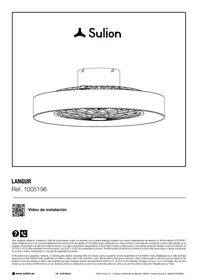
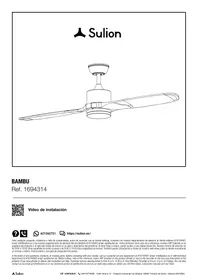
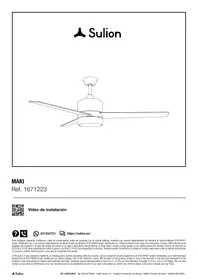
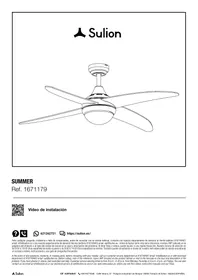
ROBOTTO - Fan SULION - Free user manual and instructions
Find the device manual for free ROBOTTO SULION in PDF.


| Product Type | Ceiling fan with LED lighting and Bluetooth speaker |
| Brand | SULION |
| Model | ROBOTTO |
| Power Supply | 220-240 V~, 50/60 Hz |
| Energy Class | Class I |
| Protection Rating | IP20 |
| Weight | 2.9 kg |
| Maximum Fan Power | 15 W |
| Number of Speeds | 6 |
| Maximum Speed | 1052 rpm |
| Maximum Airflow | 2700 m³/h |
| Maximum Noise Level | 49 dB |
| Integrated LED Lighting | Yes, 26 W, 2600 lm, color temperature 3000-6000 K, RGB, dimmable |
| Bluetooth Speaker | Power 10 W, Bluetooth 4.0 |
| Remote Control | Yes, with timer, breeze mode, summer/winter rotation direction |
| Special Features | Natural breeze mode, timer, winter/summer function, multiple synchronization |
| Installation | By qualified electrician, minimum blade height 2.3 m, minimum clearance 30 cm |
| Maintenance and Cleaning | Soft cloth or microfiber, no water, check fasteners twice a year |
| Spare Parts and Repairability | LED, driver, receiver and remote control replaceable |
| Warranty | 3 years (general), 5 years LED, 8 years DC motor |
Frequently Asked Questions - ROBOTTO SULION
User questions about ROBOTTO SULION
0 question about this device. Answer the ones you know or ask your own.
Ask a new question about this device
Download the instructions for your Fan in PDF format for free! Find your manual ROBOTTO - SULION and take your electronic device back in hand. On this page are published all the documents necessary for the use of your device. ROBOTTO by SULION.
USER MANUAL ROBOTTO SULION
EN Do you have questions about the installation? Any problem or missing components? At Sulion we help you. Contact us, tell us your problem, the IMP and reference that you will find behind the control.
Customer service: Monday to Thursday from 9:00 a.m. to 6:00 p.m., Friday from 9:00 a.m. to 2:00 p.m. Time Spain
Download the userguide in our web: sulion.es/ean/8426107059215

FR
Pala / Blade - Ref. 0403
PCB Led - Ref. 2184722
Altavoz / Speaker - Ref. 2188584
Driver bluetooth - Ref. 2187723
Kit receptor + mando / Kit receiver + RC - Ref. 2184630
Difusor / Diffuser - Ref. 2184814
Driver - Ref. 2187679
Congratulations on your purchase
Congratulations on purchasing the latest energy-efficient ceiling fan technology. This fan has a direct current (DC) motor, giving it high energy efficiency and air circulation volume without added noise.
Energy efficiency: The DC motor is the latest in fan design technology. It saves up to 70% of energy compared to fans with traditional alternating current (AC) motors.
Silent operation: This fan's DC motor uses a stabilised current, which significantly reduces the operating noise.
Low-heating operation: This DC motor is powered efficiently, reducing its operating temperature to under 50^ . This results in better cooling than a standard AC motor and increases its durability.
Comfort: This fan with a DC motor includes a six-speed remote control that exceeds the traditional number of speeds in AC motors, allowing a greater variety of comfort levels.
Safety precautions
The information included on the following pages has been prepared to ensure that you get the most from your fan:

Carefully follow these instructions to ensure maximum safety when installing and operating this equipment.
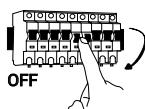
Any action performed on the appliance's electrical connection, such as cleaning, must be carried out after ensuring that the general power supply is disconnected, by removing the corresponding fuse or "disarming" the protective switch to ensure total isolation of the power supply.

The equipment must be installed by a certified electrician in accordance with the standards in force in the country where the installation takes place. Please remember to require your installer to test all the fan functions before leaving. In case of any doubt from the installer, do not hesitate to contact us.
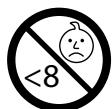
This device may be used by children aged 8 years and above and persons with reduced physical, sensory or mental capabilities or lack of experience or knowledge, if they are properly supervised or trained in the safe use of the device and understand the dangers of its use. Children should not play with the device. The cleaning and maintenance of the device should not be carried out by children without supervision.

The mounting bracket must be attached to a ceiling structure that is capable of supporting a minimum of 30kg . At least 30mm of the length of the screws must be screwed into the ceiling. If the fan is being installed onto a ceiling junction box, secure the fan sufficiently to prevent it from loosening or rotating.

The system of attaching the fan bracket to the ceiling will depend on the type of ceiling where the installation is to be done. The decision on which attachment system to use and the quantity is the installer's responsibility.
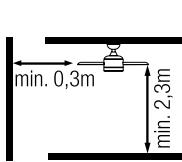
The fan must be installed to ensure that the blades are at least 2.3m above the ground. Make sure that there is a space of at least 30~cm between the fan's blades and any wall or other obstacle with which they could collide. It is important to note that the greater the distance, the more efficient the airflow would be.

The fan's ground wire must be connected to the installation's earth network to avoid any surges putting people in danger.
Do not connect the fan's power supply to any regulating elements or potentiometers, as it could cause the fan to malfunction and/or will damage the motor. For the electrical connection, a circuit breaker must be installed in accordance with the installation regulations, which ensures a multipole break, is directly connected to the power terminals and has contact separation in all poles, which provides total disconnection in accordance with Category III overvoltage conditions. Only use the fan's control to turn it on or stop it.

It is recommended to not use these types of fans with gas installations simultaneously in the same room.

Do not insert anything that could hit the fan's blades while it is rotating, as this could cause damage to people, damage the blades and can offset the unit, causing vibrations and wobbling.

After installing the fan, ensure that all the fastenings are secure and tightened in order to avoid any noise caused by loose elements.
Some fastenings may become loose due to the fan's movement. Check all fastenings at least twice a year to ensure that they are tight enough. If necessary, they must be retightened.
If the power cable is damaged, it must be replaced by the manufacturer, its after-sales service or similar certified personnel to avoid any hazard.

Only suitable for indoor.
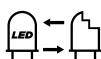
Replaceable LED
Replaceable driver
Replaceable receiver and remote control
Do not dispose of electrical products with household waste. Please recycle the packaging at designated collection points. Contact the local authorities or your service provider for recycling advice. Thank you for recycling at the designated collection points.
Note: The important warnings and instructions in this manual are not guaranteed to cover all possible conditions and situations that may arise. Products do not come with common sense, caution and care. Users must use the fan with due care and caution, employing common sense, to make good use of the fan.
Device technical specifications
General
| Voltage and nominal frequency | 220-240V~AC 50/60Hz |
| Energy rating | Class I |
| Ingress protection | IP20 |
| Working temperature | -5 ↔40°C |
| Maximum ceiling slope angle on which it can be installed | 0° |
| Weight | 2,9 kg |
| Energy consumption in standby mode (W) | <0,5 |
| Service value measurement standard | IEC 60879:2019 |
LED
| Power | 26 W |
| Light output | 2600 lm |
| Color temperature | 3000-6000 K |
| RGB | Yes |
| Light data measurement | 360° |
| ON/OFF cycles | 10.000 |
| Life hours | 30.000 |
| Dimmable | Yes |
| Light beam angle | 120° |
| CRI | >80 |
| This product have a light source of energy efficiency class | G |
Fan
| No. of speeds | 6 |
| Power (W) | 15 |
| RPM | 1052 |
| Airflow (m3/min) | 45 |
| Airflow (m3/h) | 2700 |
| Max noise level (dB) | 49 |
| Service value SV ((m3/min)/W) | 3 |
| Maximum air speed (m/s) | 1,95 m/s |
Speaker
| Power | 10W |
| Control | Bluetooth |
Bluetooth
| Bluetooth | 4.0 |
| Control frequency | 2,4Ghz |
Preparing for setup
Note: The estimated Setup time is 120 minutes. This product must only be installed by a certified electrician.
Remove the fan from the packaging carefully, avoiding the use of knives which could scratch any part of it.
Remove all the components. Place the motor on a cloth or soft surface so as not to damage its surface finish.
Carefully handle the unit to make sure that its casing does not bend or get scratched.
The fan must be mounted on the floor or a large enough table to prevent any component from falling off.
Remote control
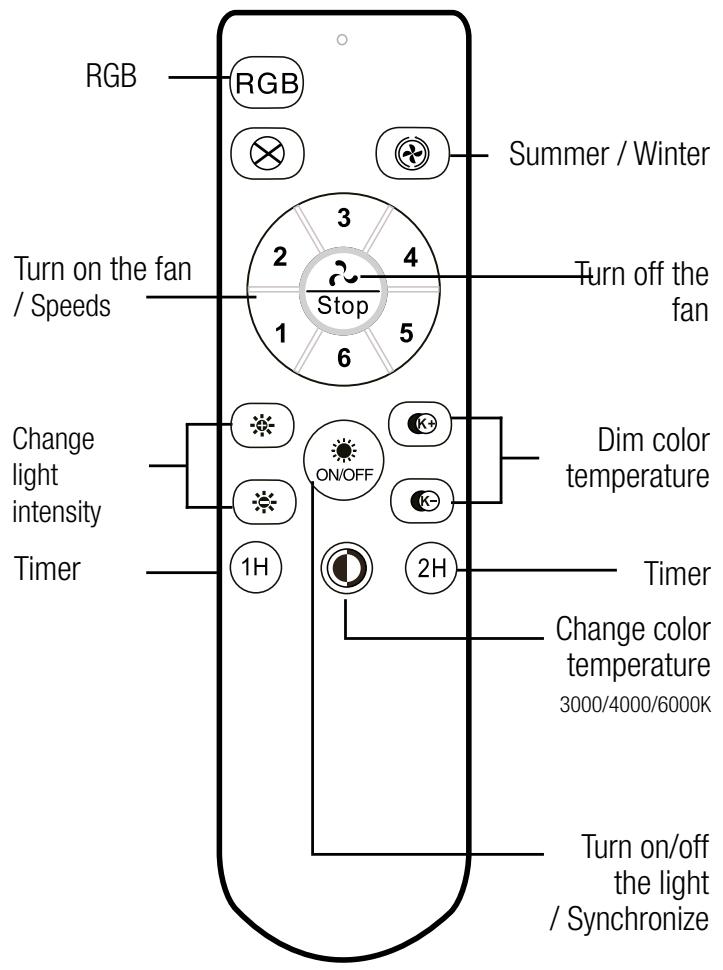
Timer: If any button is pressed after a shutdown schedule has been selected, it will be cancelled.
Nature wind: Increase and decrease the fan speed automatically, generating a breeze effect. To link this function, the fan must be previously turning at a certain speed.
Pressing any button afterward will override this feature.
Synchronisation of one or more fans with a single control:
CAVEAT! Prior toSyncing, make sure the ceiling fans you don't want to sync to the same remote are turned off at the wall switch, otherwise they might besynced too, and once Synced they can't be unsynchronized
1.- Switch on the power (wall switch) of the fans to be controlled, and then, within the next 3 seconds, press the remote control button ONOFF for 5 continuous seconds.
2.- The flashing light indicates that the connection has been made and the equipment can work normally.
3. - Now, the remote control and the fan receivers will have been synchronised. Turn off the power to the fans using the switch or the automatic switch and then turn them on again, this step is the one that closes the synchronisation process.
Rotation direction: summer and winter
The sliding switch controls the direction, whether clockwise or counterclockwise.
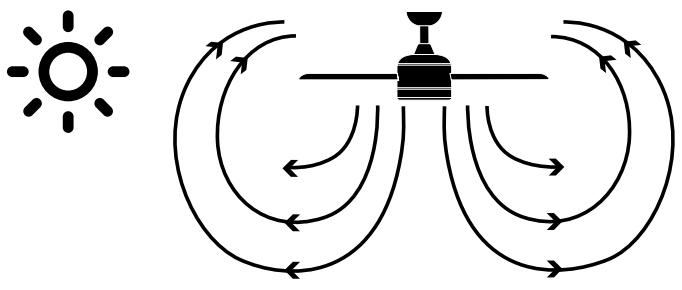
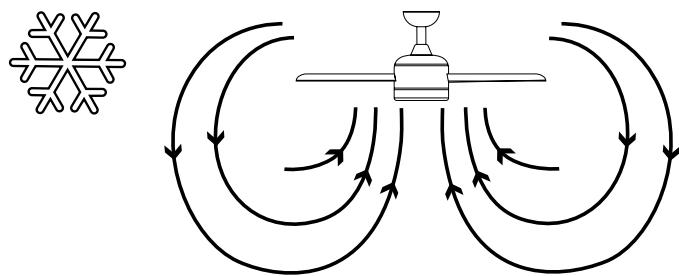
Summer option/down - he downwards air current creates a refreshing effect as indicated in diagram A.
Winter option/up - An ascending air current pushes hot air away from the fan area near the ceiling, as indicated in diagram B. This allows you to use less central heating.
Speaker bluetooth
Connection
- Turn on the light of the fan
- Activate the Bluetooth from your device (phone, laptop or Tablet).
- Search the device in the list of available devices for pairing
Once the fan is paired, the music can be played from the device.
Troubleshooting
Remote control malfunction
1.Make sure all connections are correctly made.
2.Make sure that the remote control contains batteries.
3.Make sure that all switches (main and isolation) are on.
4. Receiver resynchronization and remote control.

The receiver and remote for this fan are paired at the factory, they do NOT need to be paired once the fan is installed. Synchronization will only proceed due to a malfunction of the remote
control. If you have questions before performing the resynchronization, contact Sullion.
CAVEAT! Beforeyncing, if you have another ceiling fan in the same or another room that you don't want to sync, check that it is turned off at the wall switch, if not; it could beynced also with the same remote control and onceynced it cannot be unsynchronized.
Blade balancing kit / Balancing problems in fan operation
Your fan box may include one of the following blade balancing kits.
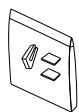
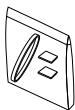
If you notice your fan is excessively swinging, you can use this kit to fix this. You will find the instructions on our website or in the following QR Code.

Maintenance and warranty information Maintenance and cleaning:
- The fan's natural movement can cause certain connections to loosen. Check the mounting bracket's connections, fastening parts and blade accessories twice a year. Make sure that they are securely fastened.
- Regularly clean the fan to help keep it looking new over the years. Do not use water to clean it, as this may damage the motor or the wood, or could cause an electrical shock.
- Only use a soft brush or a microfibre cloth so as not to scratch the finish. The veneer is sealed with a layer of lacquer to minimise discolouration or loss of shine.
- The fan does not need to be oiled. The motor contains bearings with permanent lubrication.
Note: Failure to comply with these instructions results in the loss of the equipment warranty.
Warranty service:
The manufacturer's warranty covers real faults that may occur but not minor complaints, such as the noise generated by the appliance, as all electric motors generate a certain amount of noise.
Operating the fan with slightly loose components (i.e. screws that have not been tightened enough) or deformed blades due to excessively vigorous cleaning may cause excessive noise and wobbling that will not be covered by the warranty. Regularly retightening elements and non-aggressive cleaning are enough to prevent these problems.
Controller:
The appliance's warranty will be invalid if it is installed for use with a wall controller or a solid-state dimmer. The product must only be used with the remote control supplied.
Installing the fan:
According to this warranty's terms and conditions, this fan can only be installed by a certified electrician. Fans that are installed incorrectly can be dangerous for people and very expensive to repair and will lose their warranty. This fan is designed for interior use only. It must be protected and kept away from water and damp, otherwise, the warranty will be lost.
The system of attaching the fan bracket to the ceiling will depend on the type of ceiling where the installation is to be done. The decision on which attachment system to use and the quantity is the installer's responsibility.
Wobbling:
All ceiling fans tend to wobble while operating. Movement of a couple of centimetres is perfectly acceptable and does not indicate any malfunction nor will it cause the fan to fall, as long as it is mounted to the ceiling correctly following the instructions in this manual. This ceiling fan has a completely secure mounting system that uses steel brackets and ball joints to allow it to rotate and to prevent the transmission of vibrations to the ceiling structure. Please note that all ceiling fans are different, even the same model.
Some may move more or less than others and it does not indicate that the fan is malfunctioning or there is a manufacturing fault.
Increased perception of noise when operating at night:
The manufacturer's warranty does not cover when the user perceives the fan's operating noise as being more apparent during the night when the surrounding area is quieter. In addition, the power supply may experience alterations that could cause the device to make more noise, which does not indicate any malfunctioning or manufacturing fault.
Fan lighting system:
Except for extremely rare manufacturing defects, the fan's lights are not covered by the fan warranty. Noises and vibrations can be greater when the lighting system is on. For example, the light diffuser can produce a slight buzz if it is not securely fastened. Once again, non-aggressive cleaning and regularly checking that elements are securely fastened will prevent these disturbances. Glass light diffusers are covered by the warranty until the distributor warehouses and are subject to verification during shipping.
Warranty:
Sulion guarantees the correct functioning of the equipment and the possible repairs or supply of spare parts in the event of manufacturing defects for up to 3 years from the date of sale. This warranty is 5 years for the LED diodes and 8 years for the DC fan motor. Sulion is not responsible for improper use.
More info on warranty terms and conditions at: https://sulion.es/es/content/12-terminos-y-garantia
EC DECLARATION OF CONFORMITY
SULION declare under its own responsibility that the products listed below have been manufactured in accordance with the following European standards.
DÉCLARATION DE CONFORMITÉ CE
EN Take care of the planet
At Sulion we have it clear, we are at your disposal to solve any incident with your product, before returning an item to the store, please contact Sulion. Most problems have an easy and quick solution, we offer spare parts with minimal handling and easy replacement. We want to avoid throwing away products and creating unnecessary waste. Think about the environment, choose to repair and not throw away. Thanks for helping.