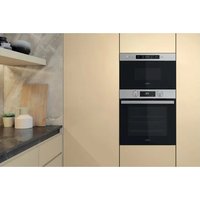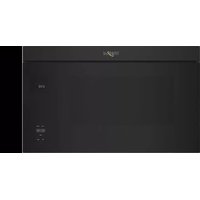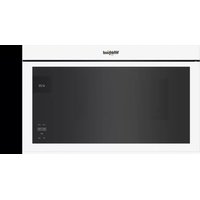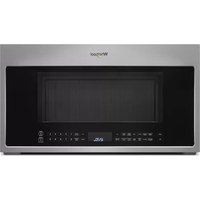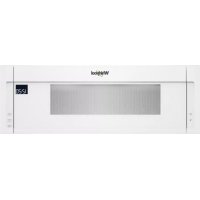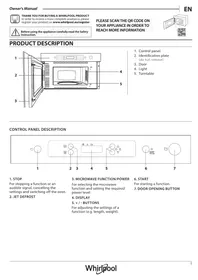
MBNA900X - Microwave WHIRLPOOL - Free user manual and instructions
Find the device manual for free MBNA900X WHIRLPOOL in PDF.

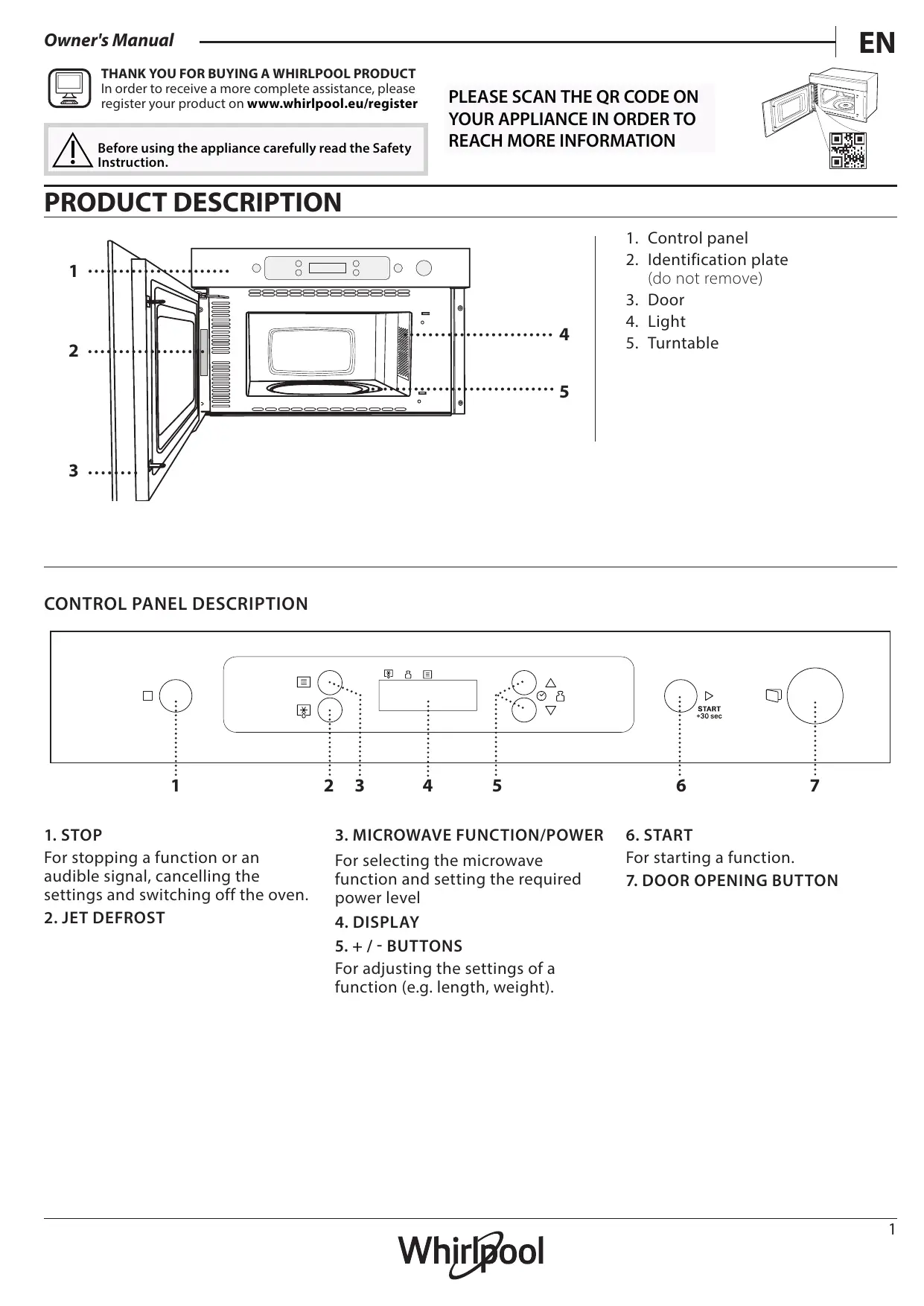


| Product type | Microwave oven |
| Brand | Whirlpool |
| Model | MBNA900X |
| Maximum microwave power | 750 W |
| Power levels | 5 (750, 500, 350, 160, 0 W) |
| Control type | Touch |
| Display | Digital screen |
| Main functions | Microwaves, Jet Defrost (quick defrost), Timer |
| Turntable | Glass, included |
| Turntable support | Included |
| Door opening | Touch handle |
| Interior lighting | Yes |
| Safety lock | Automatic (prevents accidental start) |
| Cleaning | Interior and exterior surfaces: damp cloth; accessories: dishwasher |
| Dishwasher-safe accessories | Turntable and support |
| Repairability | Spare parts available via after-sales service |
| Additional information | QR code on product for documentation; registration at whirlpool.eu |
Frequently Asked Questions - MBNA900X WHIRLPOOL
User questions about MBNA900X WHIRLPOOL
0 question about this device. Answer the ones you know or ask your own.
Ask a new question about this device
Download the instructions for your Microwave in PDF format for free! Find your manual MBNA900X - WHIRLPOOL and take your electronic device back in hand. On this page are published all the documents necessary for the use of your device. MBNA900X by WHIRLPOOL.
USER MANUAL MBNA900X WHIRLPOOL
- Control panel
- Identification plate (do not remove)
- Door
- Light
- Turntable
CONTROL PANEL DESCRIPTION
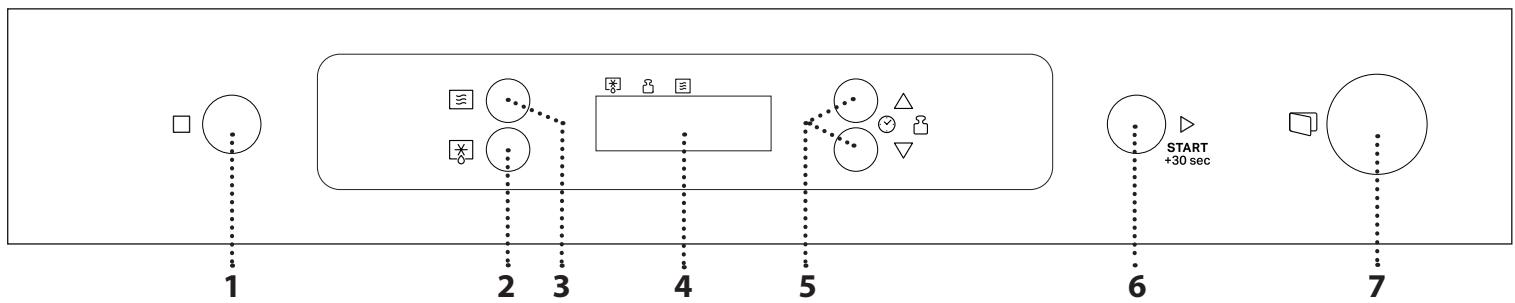
1. STOP
For stopping a function or an audible signal, cancelling the settings and switching off the oven.
2.JET DEFROST
3. MICROWAVE FUNCTION/POWER
For selecting the microwave function and setting the required power level
-
DISPLAY
-
- / - BUTTONS
For adjusting the settings of a function (e.g. length, weight).
6. START
For starting a function.
7. DOOR OPENING BUTTON
TURNTABLE
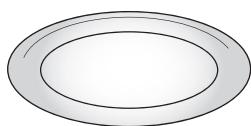
Placed on its support, the glass turntable can be used with all cooking methods.
The turntable must always be used in containers or accessories.
The number and the type of accessories may vary depending on which model is purchased.
There are a number of accessories available on the market. Before you buy, ensure they are suitable for microwave use and resistant to oven temperatures.
Metallic containers for food or drink should never be used during microwave cooking.
TURNTABLE SUPPORT
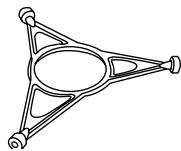
Only use the support for the glass turntable.
Do not rest other accessories on the support.
Other accessories that are not supplied can be purchased separately from the After-sales Service.
Always ensure that foods and accessories do not come into contact with the inside walls of the oven.
Always ensure that the turntable is able to turn freely before starting the oven. Take care not to unseat the turntable whilst inserting or removing other accessories.
FUNCTIONS

MICROWAVE
For quickly cooking and reheating food or drinks.
| POWER | RECOMMENDED FOR |
| 750 W | Quickly reheating drinks or other foods with a high water content or meat and vegetables. |
| 500 W | Cooking fish,meaty sauces,or sauces containing cheese or egg. Finishing off meat pies or pasta bakes. |
| 350 W | Slow, gently cooking. Perfect for melting butter or chocolate. |
| 160 W | Defrosting frozen food or softening butter and cheese. |
| 0 W | When using the minuteminder only. |

JET DEFROST
For quickly defrosting various different types of food simply by specifying their weight. Food should be placed directly onto the glass turntable. Turn the food when prompted. Food should be placed directly onto the glass turntable. Turn the food when prompted. A standing time after defrosting always improves the result.
. SELECT A FUNCTION
Simply press the button for the function you require to select it.
. SET THE LENGTH
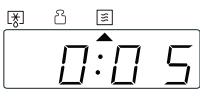
After selecting the function you require, use or to set the length for it to run.
The time can be changed during cooking by pressing or or by increasing the length for 30 seconds each time by pressing > .
Press as many times as required to select the power level for the microwave.
Please note: You can also change this setting during cooking by pressing 3 .
.JET DEFROST
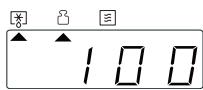
Press , then use or to set the weight of the food. During defrosting, the function will pause briefly to allow
you to turn the food. Once the operation is complete, close the door and press
. ACTIVATE THE FUNCTION
Once you have applied the settings you require, press to activate the function.
Every time the button is pressed again, the cooking time will be increased by a further 30 seconds.
You can press at any time to stop the function that is currently active.
.JET START
When the oven is switched off, press to activate cooking with the microwave function set at full power (750 W) for 30 seconds.
.PAUSE
To pause an active function, for example to stir or turn the food, simply open the door.
The setting will be maintained for 10 minutes.
To start it up again, close the door and press
A beep will signal once ot twice a minute for 10 minutes when the cooking is finished. Press the STOP button or open the door to cancel the signal.
Please note: The oven will only hold the setting for 60 seconds if the door is opened and then closed after the cooking is finished.
.COOLING DOWN
When a function is finished, the oven may carry out a cooling procedure the oven switches off automatically.
. SAFETY LOCK
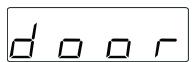
This function is automatically activated to prevent the oven from being switched on accidentally. Open and
close the door, then press to start the function.
. SET THE TIME OF THE DAY
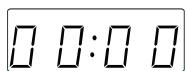
Press until the two digits for the hour (on the left) starting flashing.
Use or to set the correct hour
and press to confirm: The minutes will flash on the display. Use or to set the minutes and press to confirm.
Please note: You may need to set the time again following lengthy power outages.
. MINUTEMINDER
The display can be used as a timer. To activate the function and set the length of time you require, use or . Press to set the power to 0W , then press to activate the countdown.
Please note: The timer does not activate any of the cooking cycles. To stop the timer at any time, press .
.CLEANING
Never use steam cleaning equipment.
Do not use wire wool, abrasive scourers or abrasive/ corrosive cleaning agents, as these could damage the surfaces of the appliance.
INTERIOR AND EXTERIOR SURFACES
- Clean the surfaces with a damp microfibre cloth. If they are very dirty, add a few drops of pH-neutral detergent. Finish off with a dry cloth.
- Clean the glass in the door with a suitable liquid detergent.
- At regular intervals, or in case of spills, remove the turntable and its support to clean the bottom of the oven, removing all food residue.
ACCESSORIES
All accessories are dishwasher safe.
TROUBLESHOOTING
| Problem | Possible cause | Solution |
| The oven is not working. | Power cut. Disconnection from the mains. | Check for the presence of mains electrical power and whether the oven is connected to the electricity supply. Turn off the oven and restart it to see if the fault persists. |
| The display is showing "Err". | Software fault. | Contact you nearest After-sales Service Centre and state the letter or number that follows “Err”. |
| The display shows unclear text and appears to be broken. | Another language set. | Contact you nearest Client After-sales Service Centre. |
Policies, standard documentation and additional product information can be found by:
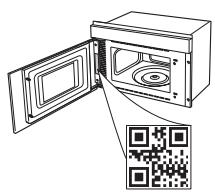
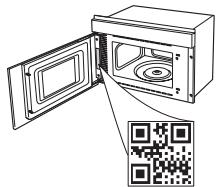
Using the QR on your product
- Visiting our website docs.whirlpool.eu
- Alternatively, contact our After-sales Service (See phone number in the warranty booklet). When contacting our After-sales Service, please state the codes provided on your product's identification plate.

DANKE, DASS SIE SICH FÜR EIN WHIRLPOOL PRODUKT ENTSCHEDEN HABEN
IocTaBeHa Bbpxy cToiKaTa Cn, CTbKLeHaTa BbPTra Ce NoCTaBKa MOxE Da Ce I3NoI3Ba PpN BCuKIn MeToDn Ha rOTBeHe.
Bbpttata ce noctabka Tp6Ba BnHaRn da ce n3noJ3Ba KaTO OCHOBA 3a npyru CbIOBe IIN npHaNJeKHOCTN.
BpoT N BnBbT Ha npHaJneKHOCTNeMoXe da e pa3JIuYeH B 3aBNCUMOCT OT 3aKUpeHnRA MoJeI.
He noctabraye npyrnpnHaJekHOCTNbpxcToiKaTa.
IOCTaBkata, MoT aIa 6bIaT 3aKyIeH N OTdJIHO OT OTdJa 3a CneInpoJaxKbeHo O6cIyXBaHe.
PnHaJneXHOctHe BIn3aT BdoNp C BbTpewHnTe CteHN Ha cyphHata.
Bunhar npobepaBte daH bptTaaTa ce noctabKa ce Bbptn cbo6oJHo, npedn da BKliouHTe fypHaTa.
BnMaBaIte Da He OTMeCTInTe BbPrtIaTa Ce nOCTaBka, DOKaTO NoCTaBYe IJI N IpemaxBaTe dpyrnpuHaNdJeKHOCTN.
ФУнкциN

MVKPOBJIHNI
3a 6bp3o npuroTBHe n npeToPJIHe Ha xpaHn HAnNTKn.
.3ADAIHTEPPODbJIIXTEJIHOCTTA
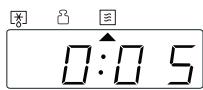
Clek KaTo n36epeTe Heo6xOImMaTa yHKu, n3PON3BaIte △nIn ▽, 3a Da HAcTpoNTe PPOdJIKINTEHOCCTTa Ha
pa6oTaTa
BpeMeTo MoXe Da ce npomEny nO BpeMe Ha rotBeHe cHaTnCKaHe Ha △nnn ▽, nnu Ype3 yBeJInuAbaHe Ha npoIbJnxTeJIHocTTa C 30 cekyni BCEKn nbT npn HaTnCKaHe Ha ▷.
.3ADAIte MOUHOCTTA HA MUKPOBJIHITE
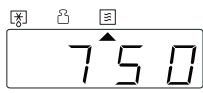
HaTnCHeTe KOJKOTo nBtN e Heo6XoDnMo, 3a Da N36epeTe HNBOTO Ha MOuHOCrHa MmKPOBbHNHTe.
MoiJI, maiTe npeDbNd: MoKeTe cIbI Oa npomHeTHaCTpOiKaTa IIO BpeMe Ha rOTBeHc, KaTO HaTnCKaTe
.JET DEFROST
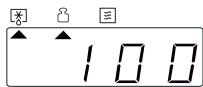
HaTnucheTe ,cnei Koeto n3noJ3BaIte △nJN V,3aJa 3aJaTe TeTJIoTO Ha xpaHata. IIO BpeMe Ha
pa3Mpa3ЯBaHe ΦyHKцЯТа 3a KpaTKO ige OCTaHe Ha Naay3a, 3a Да можete Да обьрhteхранATA. След kaTo 3aВьршITEОпациЯТа, 3aTBОpeTe BpaTNUKATAи HATNCHETe .
. AKTUBINAUTE ΦΥΚζιΝΑΤΑ
Clek KaTo npInoXnTe Heo6xOaMnTe HaCTPOiKn, HATNCHeTe ,3a daakTNBnPaTe yHKuIyTa.
Bcekn nbl, KOrato HaTnCHte 6yToHa ,KbM BpeMeTo 3a rotBeHe ce npnbabrt oue 30 cekyn.
MokTe Da HaTnchete NO BcAko BpeMe, 3a Da cnpeTe AKTNBHaTa B MOMeHTa yHKun.
. JET START
Korato yphatae n3KluyeHa,HaTncHeTe ,3a da aKTNBpaTe rotBeHTo C MUKPOBbJHOBa yHKuY, 3aadaEHa Na PbLnHa MoUHocT (750 W) 3a 30 cekyHnI.
.PAY3A
3a da noctabnte Ha nay3a aKTNBHa yHKu,Ha npimep 3a da pa36bpkate nn o6bpHeTe xpaHaTa, npocTo OTBOPe BpTuKaTa.
HactpoikataIe ce noDbpxaB npOdbJxHeNe Ha 10 MNHyTn.
3a da cTapTnpaTe OTHOBO, 3aTBOpTe BpaTuKaTa N HaTnCHete
KpaTbK 3BykoB cnHnIe Ce cyuBa BeHbX nIi Dba IbTu Ha MInHyTa B npOdbJxKeHne Ha 10 MInHyTu, cIeKaTO rotBeHeTo 3aBbPSh. 3a da ppeKpaTNe CnHana, HATncHeTe 6yToHa STOP nIi OTbOpTe BpaTnUkata.
Molna, mmaTe npedBnD: Dpyhata ue noaBpka hactpoiKaTa B npoBnKHeHne Ha 60 cekyndi, aKO BpaTuKhKaTa ce OTbOpn n 3aTBOpN, CNeI KaTO rOTBeHTo 3aBbPSh.
. OXJAAKDAHE
Korato dahe ha yHKnna npNKIOUH, cypHaTa MoKe da n3BbPmOxJaDaa IpoceDypa N CLeT OBa Da ce N3KIOUH aBTOMaTNoHO.
.3AUNTHO 3AKJIIOUBAHE
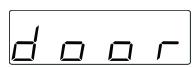
Ta3nФункцЯ ce aKTINBupa
aBTOMaTnUHO 3a npeDToBpaTЯBaHe Ha
HeHaDeHOTO BKNIOUcBaHe HaФурHata.
OTBOPeI 3aTBoPeTe BpaTnUkKaTa, cJeI KOeTo HATnCHeTe , 3a Da CTapTnpaTe yHKcunraTa.
. HACTPOIBAHE HA TOUHO BPEME
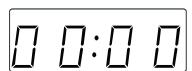
HaTnCHeTe ,doKaToDbBeTe uΦpn Ha yaca (OTJBAO) 3aNoUHaT da MmRaT. I3noJI3BaIte △ nIe V, 3a Da
HaCTpOnTe TOnHHa c, HHaTnCHete , 3a Da NOTBbPdnte: MInHyTnTe ige MmraT Ha dncnJe.
U3nOJ3BaITe △nIIN ∇, 3aJaHaCTpOnTe MInHyTtTe, HAtuChHeTe , 3aJaNotBbPdNTe.
Mоля, Имайт eпeдВиД: CлeД прдьжИтELHО npeКьСВане Ha eЛeКТрOЗaХpaHBAHeTO мож e Да се НALJOЖИ д a CBepиTe yacOBнka OTHOBO.
.БРОЧHA MИНΥТИ
Диспляг може да ce ИЗПОЛЗВа KaTo TaМер. 3a Да aKТИВИраTe ФУнКцЯТа И 3aДаДeTe ПоДьЛжИтЕЛHOCТТа Ha HeоБхODIMOTO Врeme,HaTиСHTe IИN :
HaTnCHeTe 三 , 3a da 3aJaTe MoUHocTTa Ha 0 W, cnei KOEtO HATnCHeTe , 3a Da aKTbBupaTe o6paTHOTO 6poEHe.
SISE- JA VÄLISPINNAD
DEKOJAME, KAD ISIGIJOTE, WHIRLPOOL" GAMIN!
HaTnCKaIte 3, nOKn He 6ynde BCTaHOBJIeHO 6aJkaHn pIBeHb NOTxKHOCTi MiKpOXBnIb.
3BepHtbybary: TaKoX MoKHa 3MiHnTn Ze HaJaWtYBaHHa NiD Yac RotyBaHHa,HaTNCHyBUn
.JETDEFROST(UBNIDKEPO3MOPYKUBAHNA)
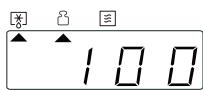
HaTnCHiTB KHONKy , a NOTIM 3 BnKOpNCtAHNjam KHONKn △a6o V BCTaHOBITbary npOdykTy.Пд уac
po3MOPoJxBuHaHnpo60Ty yHKnCiIb6yJe npN3yHnHeHO Ha KOpOTkn Yac DnA nepeBepTaHn IpOdyKtY. Pic7aBepWeHHBaKoHaHnZiEiDII 3aKpnTe DBePcTa TaHaTNCHTb KHONKy
.AKTNBAUZIyHKUII
3acTocyBaBnHNotpi6Hi HanaHTyBaHHa,HaTnciItb 106akTNByBaTn yHKciIO.
3 KOKHnM HaCTyHnM HATNCKaHHM KHONKU ac npriroTyBaHHra 36iNbSyBaTmEtbcra Ha 30 cekyHd. Bn MojkeTe B 6yd-b-akn Yac HaTNCHTn ,Oo6 3ynHHTn aKTNBHy yHKciIO.
.JET START (MNTTEBNI 3ANYCK)
KoIyOBy 7a7y BUMKHyTo,HaTncHiB KHOJKy D, 3a noBHOi NOyXHocTi (750 Bt) npotrorm 30 cekyHd.
.PAY3A
Ioo npn3yynHHTn aKTNBHy yHKciIO,HaNPnKlaad, 0o6 nomiwaTn a6o nepeBepHyTu npOdyKTu, npocTo BIDKnTe DBepzTa.
BctaHOBJIeHe HanaHTyBaHHa 36epiratmEtbcn npotrarom 10xbuINH.
Для NOВTOPHORO 3aNYCKy Φункii 3akpnIte DBepcraTa Ta 3HOBy HATNCHITb KHNKy
3BykoBn CnHaJI NyHaTmE OINH-DA Ba pa3N Ha XBInHy BnpoobK 10 XbInn, IIO Bka3yE Ha 3aBepWeHHraTsyBaHH. Ⅲ6 npinnHnI Npaay 3BykoBx CnHaJIb, HATNCHTb Ha KhoNkY CTOPI a6o BiDUnHITb DBePcTa.
3BepHbY bary:Пiuy 36epiratime HanaTuBaHHa BnpoDobx 60 ceKuHd,Якso nicJy 3aBepWeHHn prooccy roTyBaHHa BiKpHTn, a NOTIM 3HOBy 3akpHTn DBePcTa.
.OXOJODXEHH
TAK FORDI DU HAR KØBT ET WHIRLPOOL PRODUKT
Registrar venligst dit produit pa
www.whirlpool.eu/register, for at modtage en mere
komplet assistance
SCAN QR-KODEN PÅ DIT APPARAT, FOR AT INDHENTE FLERE OPLYSNINGER

TACK FÖR ATT DU HAR KÖPT EN PRODUKT FRÄN WHIRLPOOL
For att fä en mer omfattande support, ∀nlogen registrera din produit på www.whirlpool.eu/register