ACTIVA 21 programmes - Elliptical bike CARE FITNESS - Free user manual and instructions
Find the device manual for free ACTIVA 21 programmes CARE FITNESS in PDF.



| Device type | Elliptical trainer |
| Brand | CARE FITNESS |
| Model | ACTIVA 21 programmes |
| Training programs | 21 (1 manual, 10 preset P1-P10, 5 customizable CUSTOM1-5, 1 power control P16, 4 heart rate control P17-P20) |
| Resistance levels | 16 (1 to 16) |
| Display | LCD (speed, RPM, time, distance, calories, pulse, resistance level, watts) |
| Heart rate sensors | Hand grips (hand sensors) + wireless chest strap (optional) |
| Pulse recovery test | Yes (rating from F1 to F6) |
| Power supply | AC adapter (included) |
| Automatic standby | After 4 minutes of inactivity |
| User profiles | 5 custom programs (CUSTOM1 to CUSTOM5) |
| Displayed speed range | 0.0 to 99.9 km/h |
| Distance range | 0.0 to 999 km (preset 1.0 to 999) |
| Time range | 0:00 to 99:59 (preset 5:00 to 99:00) |
| Calorie range | 0 to 999 (preset 10 to 990) |
| Pulse range | 60 to 240 BPM |
| Watt range | 30 to 350 (in increments of 10) |
| Constant power control | Yes (program P16) |
| Target heart rate control | Yes (55%, 75%, 95% HR and customizable target HR) |
| Maintenance | Clean with a soft, dry cloth |
Frequently Asked Questions - ACTIVA 21 programmes CARE FITNESS
User questions about ACTIVA 21 programmes CARE FITNESS
0 question about this device. Answer the ones you know or ask your own.
Ask a new question about this device
Download the instructions for your Elliptical bike in PDF format for free! Find your manual ACTIVA 21 programmes - CARE FITNESS and take your electronic device back in hand. On this page are published all the documents necessary for the use of your device. ACTIVA 21 programmes by CARE FITNESS.
USER MANUAL ACTIVA 21 programmes CARE FITNESS
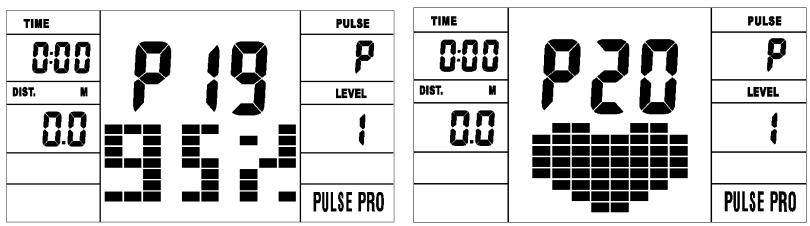
95 % F.C. et F.C. CIBLE
| TIME | P18 952 | PULSE | TIME | P20 | PULSE |
| 0:00 | P | 0:00 | P | ||
| DIST. N | LEVEL | DIST. M | LEVEL | ||
| 00 | 1 | 00 | 1 | ||
| PULSE PRO | PULSE PRO |
Connection bluetooth & application
https://cloud.carefitness.com/index.php/s/AaPSTDkzU1Nsmyq
E mail: sav@carefitness.com
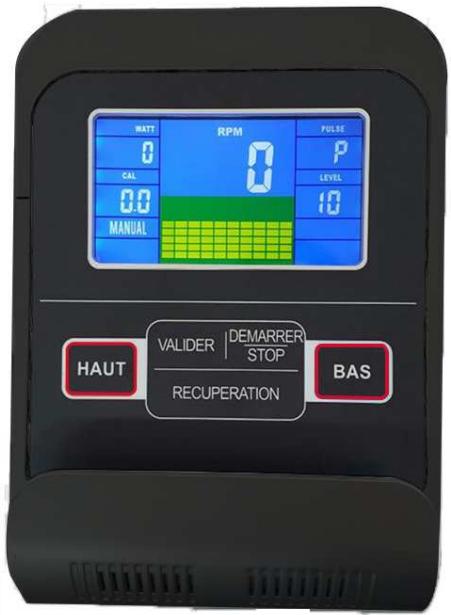
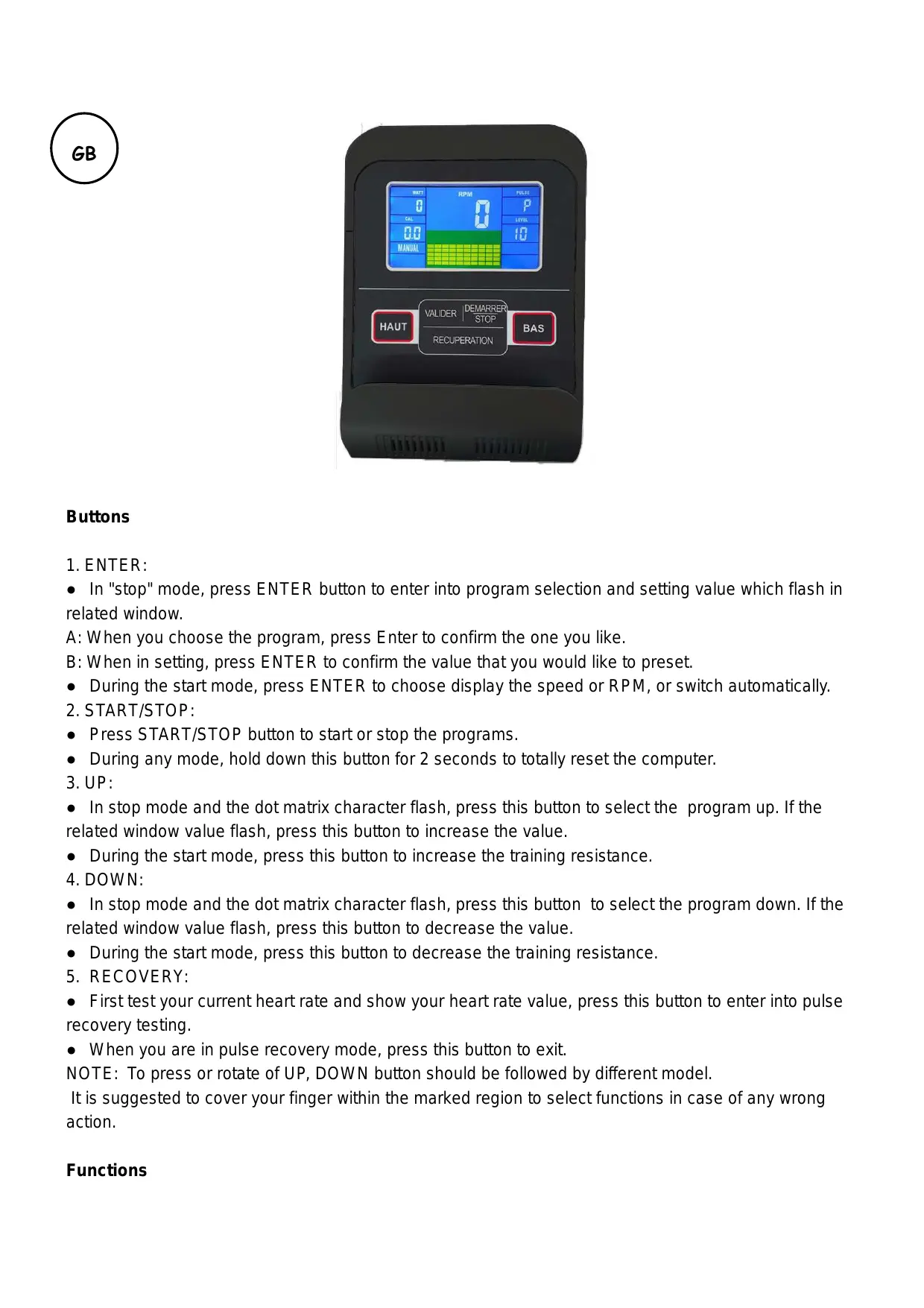
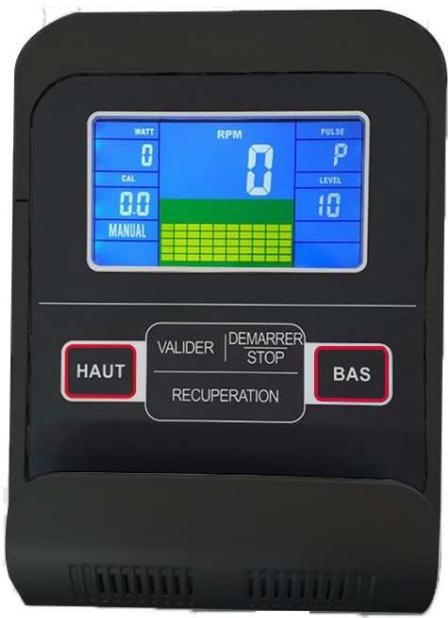
Buttons
1. ENTER:
- In "stop" mode, press ENTER button to enter into program selection and setting value which flash in related window.
A: When you choose the program, press Enter to confirm the one you like.
B: When in setting, press ENTER to confirm the value that you would like to preset.
- During the start mode, press ENTER to choose display the speed or RPM, or switch automatically.
2. START/STOP:
- Press START/STOP button to start or stop the programs.
- During any mode, hold down this button for 2 seconds to totally reset the computer.
3. UP:
- In stop mode and the dot matrix character flash, press this button to select the program up. If the related window value flash, press this button to increase the value.
- During the start mode, press this button to increase the training resistance.
4. DOWN:
- In stop mode and the dot matrix character flash, press this button to select the program down. If the related window value flash, press this button to decrease the value.
- During the start mode, press this button to decrease the training resistance.
5. RECOVERY:
- First test your current heart rate and show your heart rate value, press this button to enter into pulse recovery testing.
- When you are in pulse recovery mode, press this button to exit.
NOTE: To press or rotate of UP, DOWN button should be followed by different model.
It is suggested to cover your finger within the marked region to select functions in case of any wrong action.
Functions
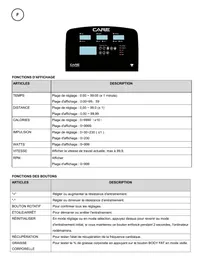
Speed KM/H(M/H): showing your current speed. Range: 0.0 ~ 99.9 KM/H(M/H).
RPM: showing the current rotate per minute. Range : 0 ~ 999.
TIME: the accumulative exercise time, range : 0:00 ~ 99M59S.
the preset time range is 5:00 ~ 99M00S. The computer will start to count down from preset time to 0:00 with average time for each resistance level. When it reaches zero, the program will stop and computer alarm. If you do not preset the time, it will run with one minute decrement each resistance level.
DIST: the exercise accumulative distance. Range : 0.0 ~ 99.9 ~ 999KM(MILE) the preset distance
range : 1.0 99.0 999 . When the distance reaches 0, the program will stop and the computer will alarm.
CALORIE: he exercise accumulative calories burnt. Range : 0.0 ~ 99.9 ~ 999 the preset calories
range :10.0 ~ 90.0 ~ 990. When the calorie reaches 0, the program will stop and the computer will alarm.
PULSE: showing the exercise heart rate value.
Range: 60 240 BPM (beat per minute)
RESISTANCE LEVEL: showing level. Range: 1 16
WATT: show the exercise watt, the interval should be 10, between 30-350
- Plug in one end of the adaptor to the AC electrical source and connect the other end to the bike. The computer will beep and enter into initial mode.
-
Program select and value setting
-
Manual Program and Preset Program P1 ~ P10
A. Press UP, DOWN button to select the program that you like.
B. Press ENTER button to confirm the selected program and enter time setting window.
C. The time will flash, and then press UP, DOWN button to set up your desired time. Press ENTER to confirm the value.
D. The distance will flash, and then press UP, DOWN button to set up the desired distance value. Press ENTER to confirm the value.
E. The calories will flash, and then press UP, DOWN to set up the desired calories to be consumed. Press ENTER to confirm the value.
F. Press START/ STOP to begin exercise.
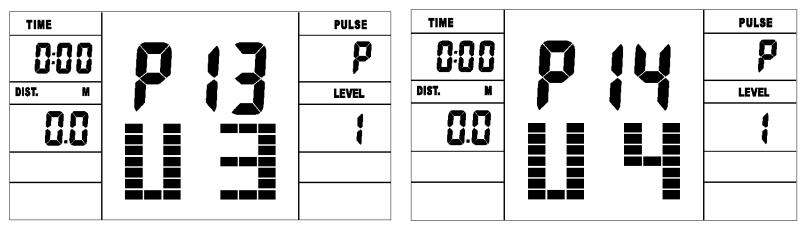
- User Profile Programs: CUSTOM1 ~ CUSTOM5(P11-P15)
A. Press UP, DOWN button to select the user.
B. Press ENTER to confirm your choice, and enter into time setting window.
C. The time display will flash, and then press UP, DOWN button to set up the desired time to do the exercise. Press ENTER to confirm the value.
D. The distance will flash, and then press UP, DOWN button to set up the desired distance value. Press ENTER to confirm the value.
E. The calories will flash, and then press UP, DOWN button to set up the desired calories to be consumed. Press ENTER to confirm the value.
F. The first resistance level will flash, and then press UP, DOWN button to set the desired load resistance. Press ENTER to confirm. Then repeat above operation to set the resistance from 2 to 10.
G. Press START/ STOP to begin exercise.
The pulse recovery test is to compare your heart rate before and after exercise. It is target to determine your heart strength via the measuring. Please do the test as below:
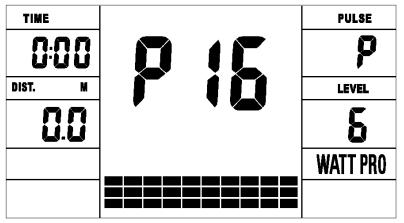
- Watt Control Program(WATT PRO:P16)
A. Press UP, DOWN to select the watt control program.
B. Press ENTER to confirm the selected watt control program, and enter into time setting window.
C. The time will flash, and then press UP, DOWN button to set up the desired time,. Press ENTER to confirm the value.
D. The distance will flash, and then press UP, DOWN button to set up the desired distance value. Press ENTER to confirm the value.
E. The calories will flash, and then press UP, DOWN button to set up the desired calories to be consumed. Press ENTER to confirm the value.
F. The watt display will flash, and then press UP, DOWN button to set up the watt to do the exercise. Press ENTER to confirm the value.
G. Press START/ STOP to begin exercise.
NOTE: The WATT value is decided by the TORQUE and RPM. In this program, the WATT value will keep at constant value. It means that if you peddle quickly, the load resistance will decrease and if you peddle slowly, the load resistance will increase to ensure you at the same watt value.
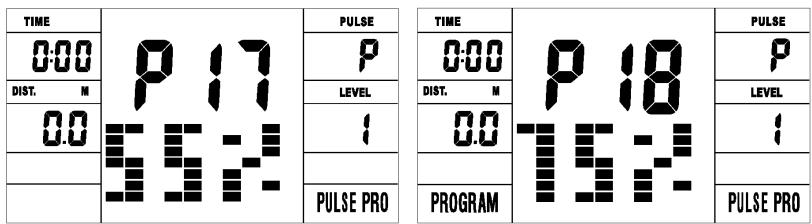
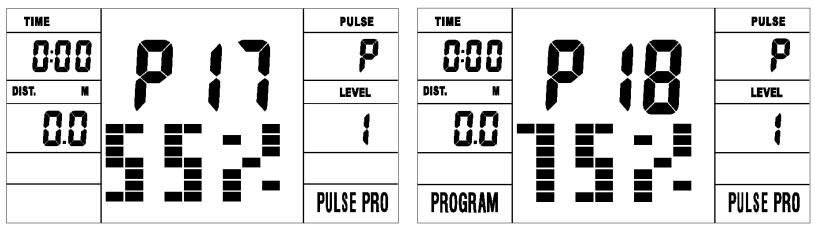
- HEART RATE CONTROL PROGRAM: 55 % H.R, 75 % H.R and 95 % H.R(PULSE PRO: P17-P19) The maximum heart rate depends on different age and this program will ensure you do the healthy exercise within maximum heart rate.
A. Press UP , DOWN button to choose the heart rate control program.
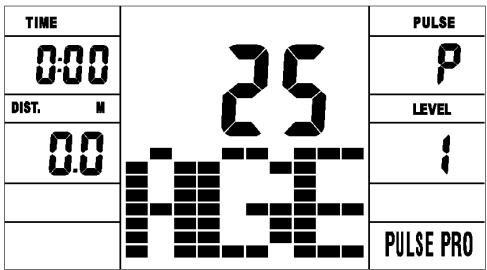
B. Press ENTER to confirm the heart rate control program, and enter into AGE setting window.
C. The time will flash, and then press UP, DOWN button to set up the desired time. Press ENTER to confirm the value.
D. The distance will flash, and then press UP, DOWN button to set up the desired distance value. Press ENTER to confirm the value.
E. The calories will flash, and then press UP, DOWN button to set up the desired calories to be consumed. Press ENTER to confirm the value.
F. The age will flash, and then press UP, DOWN button to set the user's age. Press ENTER to confirm the value.
G. When the target heart rate control program flash, the computer will display the user's target heart rate according to user's age.
H. Press START/ STOP to begin exercise.
- HEART RATE CONTROL PROGRAM: TARGET HEART
RATE(PULSE PRO: P20)
The user can set any target heart rate to do the exercise.
A. Press UP, DOWN button to select TARGET HEART RATE program.
B. Press ENTER to confirm your choice and enter time setting window.
C. The time display will flash, and then press UP, DOWN button to set the desired time to do the exercise. Press ENTER to confirm the value.
D. The distance will flash, and then press UP, DOWN button to set up the desired distance value. Press ENTER to confirm the value.
E. The calories will flash, and then press UP, DOWN button to set up the desired calories to be consumed. Press ENTER to confirm the value.
F. The target heart rate will flash, and then press UP, DOWN button to set up your target heart rate. Press ENTER to confirm the value.
G. Press START/ STOP to begin exercise.
NOTE: During exercise, the user's heart rate value depends on resistance level and speed. The heart rate control program is to ensure your heart rate within the preset value. When the computer detects your current heart rate is higher than preset, it will decrease the resistance level automatically or you may slow down exercise. If your current heart rate is lower than preset, it will increase resistance and you may speed up.
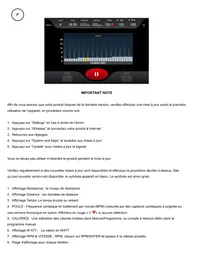
A. Both your hands hold the pulse sensor or via wireless transmitter belt to test the pulse(if applicable), the computer will display your current pulse value.
B. Press RECOVERY to enter the pulse recovery test and the computer program will enter the stop status.
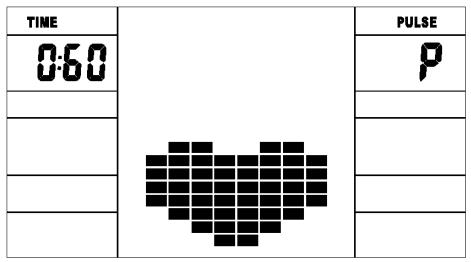
C. Keep pulse detecting.
D. Time will count down from 60 seconds to 0 second.
E. When time reaches 0, the test result (F1-F6) appears on the display.
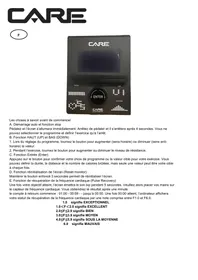
F1=Excellent F2=Good F3=Fair F4=below average F5= No Good F6= Poor
F. If the computer does not detect your current heart rate first, pressing RECOVERY will not enter into pulse recovery test. During the pulse recovery test, press RECOVERY to exit the test and return to the stop status.
4. Pulse Measurement
Please place both your palms on the contact pads and the computer will show your current heart beat rate in beats per minute (BPM) on the LCD after 3~4 seconds. During the measurement, heart icon will flash with simulative ECG showing.
Remark: During the process of pulse measurement, because of the contact jamming, the measurement value may not be stable when start, then it will return to normal level. The measurement value cannot be regarded as the basis of medical treatment.
NOTE: If the computer is also equipped with wireless heart rate measuring via the transmitter belt, and with hand pulse function, the hand-measurement-signal-detecting is preferred.
Program: 21 programs as following
A:1 Manual Program
| TIME | SPEED | PULSE |
| 0.00 | 8.0 | P |
| DIST. M | LEVEL | |
| 0.0 | 6 | |
| MANUAL | ||
B: 10 Preset Program Profile (PROGRAM : P1-P10 )
| TIME | P1 | PULSE |
| 0:00 | P | |
| DIST. | LEVEL | |
| 00 | 4 | |
| PROGRAM |
| TIME | P2 | PULSE |
| 0:00 | P | |
| DIST. M | LEVEL | |
| 00 | 12 | |
| PROGRAM |
| TIME | P3 | PULSE |
| 0:00 | P | |
| DIST. M | LEVEL | |
| 00 | 2 | |
| PROGRAM |
| TIME | P4 | PULSE |
| 0:00 | P | |
| DIST. M | LEVEL | |
| 00 | 4 | |
| PROGRAM |
| TIME | P5 | PULSE |
| 0:00 | P | |
| DIST. M | LEVEL | |
| 0.0 | 2 | |
| PROGRAM |
| TIME | P6 | PULSE |
| 0:00 | P | |
| DIST. M | LEVEL | |
| 00 | 4 | |
| PROGRAM |
| TIME | P1 | PULSE |
| 000 | P | |
| DIST. M | LEVEL | |
| 00 | 6 | |
| PROGRAM |
| TIME | P8 | PULSE |
| 000 | P | |
| DIST. M | LEVEL | |
| 00 | 6 | |
| PROGRAM |
| TIME | P9 | PULSE |
| 000 | P | |
| DIST. M | LEVEL | |
| 00 | 3 | |
| PROGRAM |
| TIME | P 10 | PULSE |
| 000 | P | |
| DIST. | LEVEL | |
| 00 | 6 | |
| PROGRAM |
P1: ROLLING P2:VALLEY P3: FATBURN P4:RAMP P5:MOUNTAIN
P6: INTERVAL P7:CARDIO P8:ENDURANCE P9:SLOPE P10:RALLY
C: 5 User Setting Programs: CUSTOM1 to CUSTOM5 (P11 ~ P15)
| TIME | P11 | PULSE | TIME | P12 | PULSE |
| 0:00 | P | 0:00 | DIST. | M | P |
| DIST. | M | LEVEL | LEVEL | ||
| 0:0 | 1 | 0:0 | 0:0 | 1 | 1 |
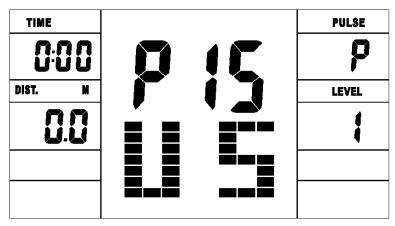
D: 1 Watt Control Program (WATT PRO : P16 )
E: 4 Heart Rate Control Program: (PULSE PRO : P17-P20) 55% H.R, 75% H.R, 95% H.R and TARGET H.R
- Record the user's data of 5 User Setting Programs.
- Display Speed(RPM), TIME and WATT., CAL and DIST, at the same time.
- The computer will turn off automatically if there is no operation, speed signal and pulse signal over 4 minutes. Mean while, it will store your current exercise data and urn the loading resistance to the minimum. Once you press any button or in motion, the computer will turn on automatically.
Bluetooth & application connection
Copy the link here under to your brower (Edge, Firefox, Chrome, Safari etc)
https://cloud.carefitness.com/index.php/s/AaPSTDkzU1Nsmyq
And Followw the detailed instruction
Cardio - Training:
Before programming your training, it is essential to take account of your age, particularly for people of more than 35 years of age, as well as your physical condition. If you have a sedentary lifestyle without regular physical activity, it is vital that you consult your doctor to determine the level of intensity of your training. Once determined, do not attempt to achieve your maximum during the first training sessions. Be patient; your performance will quickly improve.
This enables you to develop your cardiovascular system (fitness of the heart / blood vessels). During Cardio-Training, the muscles need a supply of oxygen and nutritive substances. They also need to eliminate waste. Our heart increases its rhythm and sends a larger amount of oxygen to the body by means of the cardiovascular system.
The more often you exercise regularly and repetitively, the more your heart will develop, just like any other muscle. In daily life, this translates into the ability to bear greater physical effort and improve your intellectual faculties.
Definition of your work Zone:
The Maximum Heart Rate (MHR) = 220 - age (180 - age for sedentary people).
The Warming Up Zone and Cooling Down Zone are equal to 55% of your MHR.
The Fat Loss Zone is between 55 / 65% of your MHR.
The Aerobic Zone is between 65 / 85% of your MHR.
The Anaerobic Zone is between 85% of your MHR and your MHR.
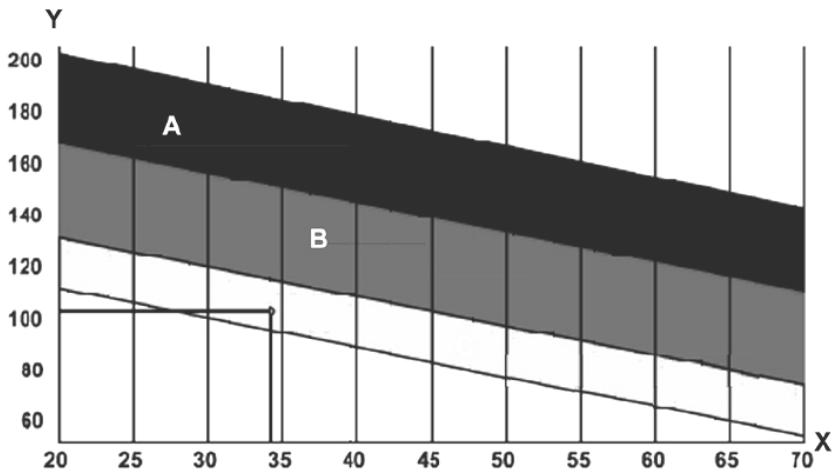
The progressive training stages:
1) A warming up phase:
Start each training session by warming up progressively (10-20 min, more if you are over 50) which will put your muscles on standby and gently increase your heart rate. Gently increase your pulse to 55% of your MHR (Maximum Heart Rate).
Keep your Heart Rate at this level for the duration of the warming up time. If you
begin your training too quickly, you are in danger of increasing the risk of tendon or muscle injury.
2) A work phase:
This is the main part of the training session. Depending on your specific goals and your initial physical condition, weight loss, improvement of cardiovascular resistance (aerobic work), development of stamina (anaerobic work), it is possible to choose the appropriate target zone.
The Fat Loss Zone, 55 - 65%
The heart rate must be low and the duration of the exercise quite long. This zone is advised for people resuming physical activity after a long period of idleness, who
are trying to eliminate excess weight or are susceptible to cardiac problems. Do not forget that for this type of training the duration of the exercise must be at least 30 minutes and the Heart Rate (HR) between 55 and 65% of the MHR. - Gradually increase from 30 to 60 minutes per session.
Exercise 3 or 4 times a week.
The Aerobic Zone, 65-85%
This zone is recommended for those who are in good physical condition who train
regularly. By training in this zone, you will improve your physical condition but avoid overworking.
Duration: 20 to 30 minutes per session.
- Frequency: At least 3 or 4 times a week.
The Anaerobic Zone, 85% - MHR
This zone is exclusively for experienced athletes and is never recommended
without medical approval and supervision. This zone is designed only for very fit people. It is used for interval training (or for short sprints) to help you to improve or measure your level of stamina.
The time spent in this zone must be brief to avoid the risk of accident.
3) A cooling down phase:
This entails a reduction of exertion (10 to 20 min). It enables you to return your cardiovascular system to normal (55% of your MHR) and prevent or reduce muscular pain such as cramp and stiffness. You must follow the training with a session of stretching exercises while your joints
are still warm. This relaxes the muscles and helps to prevent stiffness. Stretch slowly and gently. You must never stretch until you reach the pain threshold. Hold each stretch for 30 to 60 seconds while breathing out.
Check your progress
As it improves, your cardiovascular system will have an HR which will be lower when at rest. You will take longer to reach your target zone and it will be easier for you to maintain it. Sessions will seem easier and easier and you will have more stamina in your daily life.
If, on the other hand, your HR is higher than usual when at rest, you will have to rest or reduce the intensity of your training.
Do not be discouraged by the initial sessions. Motivate yourself by scheduling specific training times. Work hard!
To order spare parts
To guarantee an efficient service, make sure you have the following items before you contact our After Sales Service:
The name or reference of the product.
The manufacturing number shown on the main chassis and on the packing box.
Tasten
1. ENTER:
https://cloud-carefitness.com/index.php/s/AaPSTDkzU1Nsmyq
E mail: service-de@carefitness.com
Botones
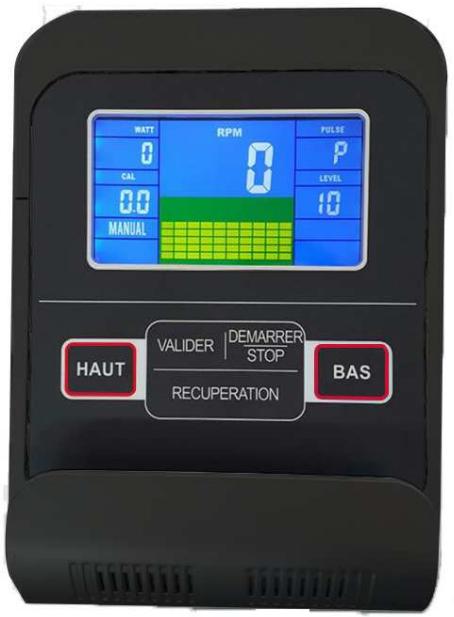
1. ENTER:
E mail: service-it@carefitness.com
Knoppen
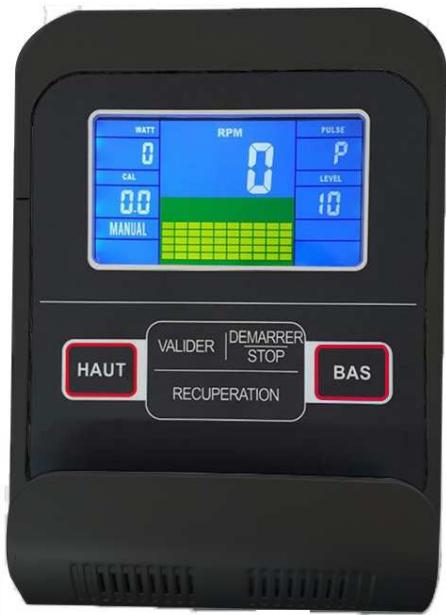
1. ENTER:
De harttraining (cardiotraining):
2 tot 3 trainingen per week = circa 30 minutes per keer.
1 tot 2 trainingen per week = circa 50 minutes per keer.
E-mail: service-nl@carefitness.com