
PC-KA1169 - Electric coffee maker PROFICOOK - Free user manual and instructions
Find the device manual for free PC-KA1169 PROFICOOK in PDF.



| Product type | Electric coffee maker |
| Brand | PROFICOOK |
| Model | PC-KA1169 |
| Power supply | 220-240 V~, 50/60 Hz |
| Power | 900 W |
| Water tank capacity | 1.5 L |
| Net weight | Approximately 1.9 kg |
| Coffee type | Ground coffee |
| Brewing system | Paper filter (size 1x4) |
| Auto shut-off function | Yes, after 40 minutes |
| Keep warm function | Yes, hot plate |
| Anti-drip device | Yes |
| Programmable timer | Yes (TIMER) |
| Flavor strength setting | 3 levels: mild, medium, strong |
| Display | LED |
| Standby mode | Yes |
| Protection class | I |
| Carafe material | Glass |
| Cleaning | Do not immerse; clean with a damp cloth |
| Descaling | Recommended with citric acid |
| Safety | Auto shut-off, hot surface warning |
Frequently Asked Questions - PC-KA1169 PROFICOOK
User questions about PC-KA1169 PROFICOOK
0 question about this device. Answer the ones you know or ask your own.
Ask a new question about this device
Download the instructions for your Electric coffee maker in PDF format for free! Find your manual PC-KA1169 - PROFICOOK and take your electronic device back in hand. On this page are published all the documents necessary for the use of your device. PC-KA1169 by PROFICOOK.
USER MANUAL PC-KA1169 PROFICOOK
ATTENTION: Anti-goutte
Thank you for choosing our product. We hope you will enjoy using the appliance.
Symbols in these Instruction Manual
Important information for your safety is specially marked. It is essential to comply with these instructions in order to avoid accidents and prevent damage to the appliance:
WARNING:
This warns you of dangers to your health and indicates possible injury risks.
CAUTION:
This refers to possible hazards to the appliance or other objects.
NOTE: This highlights tips and information.
Contents
Overview of the Components 3
General Notes 37
Special Safety Instructions for this Appliance. 37
Designated Use 38
Unpacking the Appliance 39
Overview of the Components/ Scope of Delivery 39
Notes for Use 39
Button Functions 39
Operation 40
De-scaling 41
Cleaning 41
Storage 41
Troubleshooting 42
Technical Data. 42
Disposal. 42
General Notes
Read the operating instructions carefully before putting the appliance into operation and keep the instructions including the warranty, the receipt and, if possible, the box with the internal packing. If you give this appliance to other people, please also pass on the operating instructions.
- The appliance is designed exclusively for private use and for the envisaged purpose. This appliance is not fit for commercial use.
- Do not use it outdoors. Keep it away from sources of heat, direct sunlight, humidity (never dip it into any liquid) and sharp edges. Do not use the appliance with wet hands. If the appliance is humid or wet, unplug it immediately.
- When cleaning or putting it away, switch off the appliance and always pull out the plug from the socket (pull the plug itself, not the lead) if the appliance is not being used and remove the attached accessories.
- Do not operate the appliance without supervision. If you leave the room you should always turn the appliance off. Remove the plug from the socket.
- The appliance and the mains lead have to be checked regularly for signs of damage. If damage is found the appliance must not be used.
- Use only original spare parts.
- In order to ensure your children's safety, please keep all packaging (plastic bags, boxes, polystyrene etc.) out of their reach.
WARNING:
Do not allow small children to play with the foil. There is a danger of suffocation!
Special Safety Instructions for this Appliance
WARNING: Risk of burns!
- The hotplate and the jug get very hot. Only grab the glass jug by the handle. The surface of the warming plate may still be hot after having used the appliance.
- Never open the lid of the water reservoir during the cooking process.

CAUTION:
This appliance is not intended to be immersed in water during cleaning. Please observe the instructions that we have included in the chapter "Cleaning".
- Use the appliance only on a level work surface.
- Only use the appliance when water is filled into the water container.
- Do not move the appliance when it is in operation.
- This appliance can be used by children aged from 8 years and above if they have been given supervision or instruction concerning the safe use of the appliance understand the hazards involved.
- Cleaning and maintenance by the user shall not be made by children unless they are older 8 years and supervised.
- Keep the appliance and its cord out of reach of children less than 8 years.
- Children shall not play with the appliance.
- Appliances can be used by persons with reduced physical, sensory or mental capabilities or lack of experience and knowledge if they have been given supervision or instruction concerning use of the appliance in a safe way and if they understand the hazards involved.
- Do not repair the appliance by yourself. Please contact authorized personnel. If the supply cord is damaged, it must be replaced by the manufacturer, its service agent or similarly qualified persons in order to avoid a hazard.
- Please see the following chapter "Designated Use". The abuse for any other purposes may result in injury.
Designated Use
- This appliance serves for brewing of ground coffee.
-
Only use the appliance in a dry, indoor area.
-
It is intended for domestic use and similar areas of use such as e.g.: - In staff kitchens in shops, offices and other commercial areas; - By guests in hotels, motels and other accommodation facilities. It is not intended for use in farm accommodation or Bed & Breakfast establishments.
Unpacking the Appliance
- Remove the appliance from its packaging.
- Remove all packaging material such as plastic films, filler material, cable ties and cardboard packaging.
- Sensitive surfaces are possibly protected with foil. Remove these foils.
- Check the content for any missing parts.
- In the event that the packaging content should be incomplete or if damages are noticeable, do not operate the appliance. Return it to the dealer immediately.

NOTE:
There may be dust and production residue on the appliance. We recommend cleaning the appliance as described under "Cleaning".
Overview of the Components/ Scope of Delivery
1 Filter holder
2 Water tank lid
3 Tab to open the water tank lid
4 Water tank
5 Glass jug with lid
6 Warming plate
7 Water level indicator
8 Function buttons
HOUR Hour
MIN Minute
ON/OFF Turn appliance on and off
PROG Set current time
Program TIMER operation
MODE Adjusting aromatic strength
9 Display
Notes for Use
Placement
- Place the automatic coffee maker on a stable and level surface. Place the appliance in such way that it cannot tip over.
- Do not place the appliance in close proximity to a gas or electric stove or any other heat source.
Note About the Brewing Process
During the brewing process and depending on the degree of grinding and the used amount, the coffee powder absorbs a certain amount of water. That is why the quantity of coffee might diverge from the quantity of water in the water tank.
European Regulations on Energy Saving

NOTE:
The European Directive 2009/125/EC (Ecodesign Directive) incorporates measurements for energy saving. The following applies to coffee makers: The keep-warm period is limited to max. 40 minutes after which the appliance turns off automatically. You benefit from better safety and lower energy consumption.
Electric Connection
- Ensure that your mains power corresponds with the specifications of the appliance. The specifications are printed on the type label.
- Connect the mains cable to a properly installed and earthed wall outlet. The appliance is in standby mode. The time on the display is signalizing that the appliance is on stand by mode.
Initial Operation
Before making coffee for the first time operate the appliance twice with clean water only and without paper filter. This removes dust, which may have collected during transport. Follow the instructions given under "Switching on the Coffee Machine Directly".
Button Functions
ON/OFF
Pressing once: Turn on the device, immediate brewing process (The indicator light shines red.)
Pressing twice: TIMER mode, brewing process will start at the programmed time (The indicator light shines blue.)
Pressing 3 times: Turning off device. (The control lamp goes out.)
PROG
Pressing once: Setting of the current time;
Pressing twice: Adjusting the timer; query of the adjusted start time.
HOUR Hour
MIN Minute
MODE Adjusting aromatic strength
$$ \begin{array}{c} \mathbb {O} \ = \text {m i l d} \end{array} $$
$$ \begin{array}{c c} \mathcal {D} & \mathcal {D} \ \hline \end{array} = \text {m e d i u m} $$
$$ \begin{array}{c c c} \mathcal {O} & \mathcal {O} & \mathcal {O} \ \hline \end{array} = \text {s t r o n g} $$
Operation
Set the Time
The device works in the 24-hour mode. The time "12:00" is preset.
Press the PROG button one time. "CLOCK" will appear above the time in the display.
- Set hours: Press the HOUR button.
- Set minutes: Press the MIN button.
- Leaving the setting mode: Wait ca. 5 seconds after the last push of a button. "CLOCK" in the display goes out.
Preparing the Coffee Machine
- Open the lid of the water tank.
- Fill cold water according to the desired amount of cups of coffee into the rear water tank. The water level is displayed on the indicator.
i NOTE:
You can use the jug to fill the water tank.

CAUTION:
Do not overfill the tank! Do not fill it above the "max" mark.
- Ensure that the filter holder is properly attached.
- Turn over the lower fold of the paper filter (size 1 × 4 ) and place it in the filter funnel. Then fill it with coffee powder.
i NOTE:
Do not put too much coffee powder into the filter to avoid spillage.
- Now close the lid of the water tank. It must snap into place.
- Place the jug onto the warming plate.
CAUTION: Drip stop
Your appliance comes with a drip stop. It closes when removing the coffee jug. This prevents the coffee from dripping onto the warming plate if there is still water in the filter.
- Ensure that the lid is attached to the coffee jug. It opens the drip stop.
CAUTION: Drip stop
- If there is still water in the tank, place the jug underneath as soon as possible. Otherwise the filter might overflow.
Selection of Aroma Strength
Filter coffee develops more aroma if it swells prior to brewing. This means: The longer the swelling time, the stronger the aroma.
The appliance allows you to choose from three different aroma strengths: mild, medium and strong. Swelling time is increased or decreased in accordance with the brewing procedure.
- Press the MODE button once. "O" appears above the time, in the display.
- Increase aroma strength by pressing the MODE button several times.
Leaving the setting mode:
Wait ca. 5 seconds after the last push of a button. The aroma strength notification in the display will go out.

NOTE:
The adjusted aroma strength will be saved for future brewing operations.
Switching on the Coffee Machine Directly
Please follow the instructions under points "Preparing the Coffee Machine".
- Press the ON/OFF button once. The appliance commences operation immediately using the previously selected aroma strength. The indicator light shines red.

NOTE:
- The unit switches off automatically about 40 minutes after the brewing. The control lamp goes out. The appliance is once again in standby mode.
If you yourself would like to shut off the device beforehand, press the ON/OFF button twice.
Automatic Operation
Please follow the instructions under points "Preparing the Coffee Machine".
- Press the PROG button twice. "TIMER" will appear above the time in the display.
-
Set start time:
-
Set hours:
Press the HOUR button.
- Set minutes:
Press the MIN button.
- Leaving the setting mode:
Wait ca. 5 seconds after the last push of a button.
"TIMER" in the display goes out.
- Press the ON/OFF button twice to start the TIMER operation. The indicator light shines blue.

NOTE:
- The appliance switches on automatically at the present time. The indicator light shines red.
- Press the ON/OFF button once to deactivate TIMER operation. The control lamp goes out.
- If you would like to start the brewing process sooner, press the ON/OFF button twice. The indicator light shines red.
The Coffee is Ready
- When no more coffee is flowing through the filter you can remove the jug.
- Turn the appliance off.
- Would you like to keep the remaining coffee warm? Leave the appliance turned on until the end of the keep-warm period. If you wish to keep the coffee warm even after the keep-warm period has finished, pour the remaining coffee into a thermal flask.

NOTE:
The filter holder can be removed from the machine by its handle.
This makes it easier to dispose of the old coffee filter, for example.

WARNING:
If you want to make another jug of coffee immediately, switch off the device first. Let it cool down with the water tank open in order to avoid hot water splashing when refilling with water.
De-scaling
De-scaling is necessary when the brewing time increases substantially.
- Use only commercially available citrus acid-based descaler.
- Dose as indicated on packaging or instruction leaflet.

WARNING:
- Afterwards you should boil fresh water in the jug three or four times in order to rinse out residues of the de-scaling agent.
- Do not use any coffee powder!
- Do not use this water for consumption.
Cleaning

WARNING:
- Before cleaning, always remove the mains plug and wait until the appliance has cooled down.
- Do not immerse the appliance in water. Otherwise this might result in an electric shock or fire.

CAUTION:
- Do not use a wire brush or any abrasive items.
-
Do not use any acidic or abrasive detergents.
-
The exterior of the appliance should be cleaned as necessary with a slightly damp cloth – without any additives.
- Remove spilled coffee grounds with a paper towel to the inner casing. Afterwards wipe with a damp cloth
- The coffee jug and the filter pad should be cleaned by rinsing in warm water. Use a soft brush if necessary.
Storage
- Clean the appliance as described and let it dry completely.
We recommend that you store the appliance in its original packaging when it is not to be used for a longer period.
Always store the appliance at a well ventilated and dry place outside the reach of children.
Troubleshooting
| Problem | Possible cause | Solution |
| The appliance does not work. | The appliance is not connected to mains power. | Check the wall outlet with a different appliance. |
| Insert the plug properly in the wall outlet. | ||
| Check the fuse. | ||
| The appliance is defective. | Contact our service or a repair centre. | |
| Filter blockage: coffee grounds spill over the edge of the filter. | The drip stop is closed: The coffee jug is not on the warming plate or the lid is not on the coffee jug. | 1. Switch the appliance off. Disconnect from mains power supply. 2. Put the coffee jug with lid on the warming plate so that the filter is emptied. 3. Dispose of the paper filter. 4. Clean the appliance as described. |
| Too much coffee powder in the filter. | ||
| Coffee grounds in the coffee. | The paper filter is too small. | Use a paper filter size “1 x 4”. |
| Too much coffee powder in the filter. | Use less coffee powder. | |
| The brewing process takes too long. | Lime-scale deposits in the appliance. | De-calcify the appliance as described. |
| The appliance turns off automatically. | This is not a malfunction of the appliance. In order to comply with the Ecodesign Directive (2009/125/EC), the appliance turns off automatically after max. 40 minutes after the brewing process has finished. |
Technical Data
Model: PC-KA 1169
Power supply: 220-240V\~, 50/60Hz
Power consumption: 900W
Filling quantity: 1.5 litre
Protection class: I
Net weight: approx. 1.9kg
The right to make technical and design modifications in the course of continuous product development remains reserved.
This appliance has been tested according to all relevant current CE guidelines, such as electromagnetic compatibility and low voltage directives, and has been constructed in accordance with the latest safety regulations.
Disposal
Meaning of the "Dustbin" Symbol
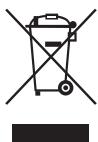
Protect our environment: do not dispose of electrical equipment in the domestic waste.
Please return any electrical equipment that you will no longer use to the collection points provided for their disposal.
This helps avoid the potential effects of incorrect disposal on the environment and human health.
This will contribute to the recycling and other forms of re-utilisation of electrical and electronic equipment.
Information concerning where the equipment can be disposed of can be obtained from your local authority.
Instrukcja obslugi
CTC Clatronic Sp. z o.o
Ul. Brzeska 1
45-960 Opole
Usuwanie
Yka3bIbAeHT Ha BO3MOXHyO NaCHOCTb DnI N3dJIINn IpyTnx OKpyKaIOuIXn PpeMeTOB.
I PIPMEUAHNIA: Daet COBEBt i INHΦOpMaJIHO.
Copepkanie
O63op detae npibopa 3
Obuine 3amueaHna 56
CneuabHbIe yka3aHnI no 6e3oNaChOCTn
dIra 3ToI npi6opa. .56
Ha3naeHne 58
PacnaKOBka yctpoiCTBa. 58
O63op detanei npibopa/KomnIeKT nocTbKn 58
PpIMeuaHnI IO NcNoJIb3OBAHnI 58
Функции Кнорok. 59
Pabota 59
UdaneHne Hakn.. 60
Ynctka. 61
Xpahene 61
UcTpaHHeH HeNcnpaBHOCTeI 61
TexHHueckne daHHbIe. 62
Ytuln3aun 62
Osbüne 3ameyanra
Ipeed nauanom 3KcNpyataunn npinbopa BNMaTeNbHO npouHTaTne npinaraemyIO INCTpykUIO NO 3KcNpyataunn COxpaHNTe ee B HadeXHom MeCTe, BMECTe C rapaHTnHBIM TaONOH, KaccOBbIM YekOM N, NO BO3MOXHOCTN, KAPTOHN KOpO6KO cynakOBoYbIM MaTePnAiom. Ecn daete KMy-1noNoJIb3ObaTc npInbOpom, O6BaTeNbHO daTBe B npndauy dAnHyIO INCTpykUIO NO 3KcNpyataunn.
Пльзутесь пиборМToIbКоЧаТьМобраЗМИпНаЗнayehи.Пибор He npedHa3Hauen Дя КOMмерчe-CKOTOICNOLtsOBAHIN.
He noIb3yIeTcB npn6bOp moI OTkpbITbIM He6om. Ipe- doXpaHnTe npn6bOpOTKapbl, npmBIX COJIneHcybIX nyuei, BnAaXHOCTN (HIn B KOem clyae He nOpykaTe erO B BoD) uYapOB 06 octpIbe yrbl. He npnkacaiTeck npn6bOp Bnaxhblm pykam. Ecn npn6bOp yBaXHHncnCn HnHAMOK, Tyt Je Xe BbIbTe BNlky n3 pO3eTKn.
Iocne 3KcPiyatauM,MOHTaxe pInHaJdEKeHCTeY HCTke INIINIOLOMEKpeN6bopa Bcerda BbHMaIte BnIKy N3PO3ETKN(TAHNTe 3aBnIKy,aHe 3aKa6Bel).
He octabJIte yctpoCTBO 6e3 Ha3Opa BO BpemraaboIb.ObaTeBnHO BbIKIOuaTe yctpoCTBO,ecnINOKndaete nomeueHne.N3BNEkaTBe BNky n3 po3eTKN.
Пибови Кабелсетево PMTаня Heo6xodmopeyIЯрнообследовьт haHaJIчne cIeIOB nobpek-DeHnI.Пи obHapuyKeHnIOBpeKdHnI pIb3OBAtbcnpi6bOpM 3aIpeuTaBcJ.
- Icnoj3yTeToJbKOOpnHaJIbHbIe3aHaCTN.
- 13 coobpaehen 6e3oNaChOCTn dIaTe He octabIyIte IeXaTb ynaKOBky (PiactNKOBbie MeuKn, KapTOH, NeHONJtAc n T.D.) 6e3 npCmOTpa.
IPEyIpyEKeDEHNE:
He nO3BOJnIe TeTAM mIpaTb C nOIN3TNHeHOBIO nnEko. Onachoctb yduyba!
B npoucece npnroTOBneHn B 3aBNCIMOCn OT cTeeneHn NOMoIa N ObEma MOJToB KOeNORIoUaET HeKOTOpoe KOniueCTBO BObl. PO3TOMy KOInueCTBO KoKe MoKet He COOTBeTCTBOBaT KOINueCTBy BObl B EMKOCTn DnB OBoI.
Ebponeckne HopmbI 3heproscbepekeHn

ПИМЕЧАнЯ:
Ebrpeckag DnpeKTbBa 209/125/EC (DnpeKTbBa no 3KoJn3aHy) BKIOuHaET Bce6 MaBbI NO 3HeproScbepeKeHHIO.
Cneyuooee nooKeHHe npImeHReTcB OTHOWeHHN KoeBapok: PepnoD noDepeJxAHnI KoFe B TeTIOM COCTOHN OrpAHuBaETcMAKCMyM 40 MmHTAMN, NocJe Yero npInbOp aBtOMaTuYeCKn OTKIOUaTcR.
BbI n3BJIeHete noIb3y I3 ycIIeHNo 6e3oNaChOCTn I noHKeHHOrO 3HeprOnOTpe6JIeHnI.
IopknIOueHne
- Ybeintecb, yto napametpbI 3JIeKtpoINtAHmN COOTBETCTBYOT CNEUФКИАЦИ NCTPOJcTBa.CNEUФКИАЦHANeHuATAHa Ha 3TnKETke.
- Bctabte 1ttenceIb Ihypa 3nEklptonHAn H B nCpabHyIO h 3a3eMJIeHNyO po3ETKy. Pnp6bp HaxoNTcB RpeKIMe OxMDAHN.IHINkAuaN BpeMeHn Ha DnCpnee COo6uaeT O TOM, YTO np6bp HaxoNTcB RpeKIMe OxMDAHN.
BbOaBcTPOI
IpeTe TEM KAc Bapntb KoPeB nepBbI pa3,BKIOUHTe KoOeBapKy Dba p3a npocTo C uHCTo BOdo N 6e3 bMyXHOrO fInbTpa.3To ydaNTn3 UcTpoiCtBA nbIb, KOTOPaMOrIa cKoNtBcra BO BpeM rTaHCnOpTnPoBKn.CneDyIte HnCTpykUmB pa3dene «HeNocepTeBHeHoe BKNUChHeMe KoOeBapKnI»
Функшин KHONOK
ON/OFF
Ondokpathoe haxkatae: BkHouThb npi6op, HemeDteHNO HauHETcra pOceCb BapKn KoFe (Topit KpaChbInnDkaTOp.)
Дыкраиме накати: Реким TIMER,iproцесварки КODEн haHHeTcB 3aNPoRpAMMn-poBaHNoE Bpem;(Topt CINHINHДИКATOp.)
Tpexkparthoe haxaTne: OTKIOUCHITb npH6Op. (KoHTpOJIb- HbI INHDMKATOP rachet.)
PROG
Ondokpathoe haxatne: Hactpoika Tekyuzero BpeMeHH; DBykpathoe haxatne: Hactpoika TaHmepa; 3anpoc HactpoehHO BpeMeHH 3anycka.
HOUR Yac
MIN MInHyTa
MODE PerynpoBka HacbIeHNOCTn apomata
$$ = \text {M A R K N I} $$
$$ = \text {c p e d n i n} $$
0
$$ = \text {K p e n k n i} $$
Pa6ota
IpebeOuaocB
IpoTobKa KoFeHOro ABToma Ka pa6ote
- OtkpoTe KpbIuKy EMKoCTn IJIa BObl.
- HanonHnnte eMKoCTb DnI B0bl, HaxOJaUyOcB 3aDHeuactn yCTpOJCTBa, XoJIOHOB BOIOB B COOTBETCTBnCKeJaembl KOnlueCTbOM HaJeK KoPe. YpoBeHb BoBl6yDet OTo6paKaTbCa HnIHnKaTope.

ПРИМЕЧАНО:
ДяЗлпеняй EMKOSTДЯ BOДБВБМОКЕВОПЛБ3OBaTbCЯ KOFeHINKOM.

BHIMAHNE:
He nepenolHnIe EMKoCTb nIy BODI! He 3aIbaiTe BOY BblIe OTMeTkn «max»
- YbEaNTecB, YTO DepeKataTeB pfNtpa yctaHOBnien DOJIKHbIM 06pa3OM.
4.ПлдогнITE NIXHIN KpaJ 6bymaxKHOФФИьТра (pa3Mep 1x4)иуloxHTe erO BФИьТрOBaJIbHyI OBOpHky. HanONHITe erO MONOTbIM KoPe.

ITPIMEYAHIN:
TObbI36eXaTb pa36pbIaRmbHnA, He NOpMaIte B cnIbTp CnIuKOM MHOr MOIOTOro KoPe.
- 3aKpOte KpbIuKy EMKoCTn Dnra BoNb. KpbIuKa DoNkHa UeJIKNHyTb.
- NocTabte Yau Ha noDorpeBaIOUyu NOCTabky.

BHIMAHHE:3aunra ot nOTeKaHn
UcTPOCTBO CHa6KeHO 3aIHTOJ T NOTeKaHn. OHO 3aKpbBaETCpN IN3BLeueHmN KoPeHnKa. 3To npe-OTBpaAaET KAnAHne KoPe Ha 3JIeKTpONIINTKy, ecIn B cnMbTpe BCE eEe ectb Boda.
- YbEiNTecB, YTO KpIbIka npCoeDInHeHa K KoFeHnky. OHa oBeCeNeHbAeT 3aunity OT NoTeKaHnra.
EcnB EMKoCTNeEeEcTB B0aT,TO CBOEBpeMeHCHOBA NOCTabTe KcpeHnK. HNaYe MoKeT nepeONHnTbCfNtTp.
BbIbOp INHTeHcNBHOCTn apomata
Фильт дя Кофе co3daet 60lee nHTeHcNHBi apomat, ecn ero npedbarntelbno 3amOHTb. 3TO O3haaET cIeDykoee: Yem 60lbse Bpema 3amauHbHa, yem CnIbHe apomat.
PnB6pno3oB0JrAeT Bb6paTb Tpu pa3JIuHbIX INHTehCNBHOCTn apomata: MrgkN, CpeHNI KpeKIN. Bpem 3aMaHBAHNyBEJIuHbAEETIIN yMeHbSAeTCB COOTBcTBNC npOeDpyoPiNTOBHeHNOpe.
- Haxmite Odni pa3 KhoNkIy MODE. Ha dinCnIee NaHnDnkauein BpeMeHH OTobpaXaetc []
- UTo6bI yBEniHTb INTEHcNBHOCTb apOMaTa, HAXIMaTe KHOINKy MODE HECKOJIbKO pa3.
- BbIXoI n3 peKIMa HacTpoKn: IIOxOJIte OKOLO 5 cekyHd nocne nocJeHero haxaTnA KHOJKN. INHDAKUaN HHTeHCINBHOCTn apOMaTa Ha DmCpIee rachet.
ITPIMEUYAHIA:
3aahanha INTeHCNBHOCTb apomata coxpaHaretc dIpy nprirotobnna KoeB 6yduem.
HenocpeedBHeHoe BKNIOUeHne KOFeBaPkn
IocynaiTe kak onicaHO B noDnyHKtax rnaBbl «IodroTobKa KoofeHOrO aBtOMaT a pa6oTe»
- HaxMMte Ondn pa3 KhoNk ON/OFF. Pnp6op hauHnaet npiroTOBHeHn cpa3y Jc C nIOJb3ObaHnem 3aHaHNo pahee INTeHCNBHOCT apomata. Topnt KpaChbI INdikatOp.
ITPIMEUYAHNA:
UcTpaHEnHeNcnpaBHOCTe
BmeCTHMOCTb: 1,5 nItpOB
Klacc 3auntbI:
Bec HeTTO: np6J. 1,9K
CoxpaheNo npabo Ha texHnueckne IN KOHCTpyKUIOHbIe N3MeHeHnB B pAMkax npdoJTKaIOUeIcra pa3pa6OKn npDoyKa.
DaHHoe yctpoCTBO COOTBETCTBYeT BCEM TEKUIM DnpeK TnBAM CE, TAKM KAK 3JNTKpOMaTHNTHAOR COBMcTeMOCTb N H3KOE HANPRAJEHNE; OHO IPOUN3BeDEHO B COOTBETCTBNI C HOBEINMM INPABINAMTN TEXHNIKI 6E0NACHOCTN.
YtJnI3aun
3HaYeHHe CmBOna «KOp3nHa»
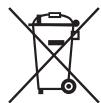
3aunita okpykaioe cpebl: He donyckaetcnytun3aunia 3neKtpnpnbopOB Bmecte C bI-TObblIM NTXoamn.
YtIIN3aIyUCTapeBWeTexHnNHeCnpabhIX 3JIeKTPoPnp6OBpNpO3BOJNTcB torOpDcKx pInEMHbIX nyHKtax.
He donyckaIte He npabInbHO ytniN3aUN OTxOIOB. 3To HAnocHT Bpe OkpykaIOUe CpeE N OKa3bIAeT HeraTMBHOE BO3DeIcTBNe Ha 3IOPOBBe IIODeI.
Oka3bIaIte coeTcBne npOrpAmme yTuIm3aunn nDpyTMMΦopMaMpepeap60TKn 3NeKtpoHNO n 3NeKtpuYeCKO TEXHNIK.
HΦopMaζIOnO ΑŋHKTx yTmIaζIe 6bITOBOy TexnKMOxHO ΜηUyntB MecTHbIX OρaHax BλactN.
#
Lolc aas 45jg o8sbl baaall jglll abla
a daii aie iiaai 15 1j00000000
.
.
.
.
.1Jab
JgLio j 80 g aaggl 100 3 jgll joo p LfO
1,2,3,4 1,2,3,4 1,2,3,4
| اللّ | الإستعمال | الإستعمال |
| .الجَزَمُبْعَدِهُ بَعْدِهُ بَعْدِهُ بَعْدِهُ بَعْدِهُ بَعْدِهُ بَعْدِهُ بَعْدِهُ بَعْدِهُ بَعْدِهُ بَعْدِهُ بَعْدِهُ بَعْدِهُ بَعْدِهِ | .الجَزَمُبْعَدِهُ بَعْدِهُ بَعْدِهُ بَعْدِهُ بَعْدِهُ بَعْدِهُ بَعْدِهُ bَعْدِهُ bَعْدِهُ bَعْدِهُ bَعْدِهُ bَعْدِهُ bَعْدِهُ bَعْدِهُ bَعْدِهُ bَعْدِهُ bَعْدِهُ bَعْدِهُ bَعْدِهُ bَعْdْ | .الجَزَمُبْعَدِهُ bَعْدِهُ bَعْدِهُ bَعْdْ |
| .الجَزَمُبْعَدِهُ bَعْدِهُ bَعْدِهُ bَعْدِهُ bَعْdْ | .الجَزَمُبْعَdِهُ bَعْdْ | |
| .الجَزَمُبْعَdِهُ bَعْdْ | .الجَزَمُبْعَdِهُ bَعْdْ | |
| .الجَزَمُبْعَdِهُ bَعْdْ | .الجَزَمُبْعَdِهُ bَعْdْ | |
| .الجَزَمُبْعَdِ� bَعْdْ | .الجَزَمُبْعَdِهُ bَعْdْ | |
| .الجَزَمُبْعَdِهُ bَعْdْ | .الجَزَمُبْعَdِهُ bَعْdْ | |
| .الجَزَمُبْعَdِهُ bِعْdْ | .الجَزَمُبْعَdِهُ bَعْdْ | |
| .الجَزَمُبْعَdِهُ bَعْdْ | .الجَزَمُبْعَdِهُ bَعْdْ | |
| .الجَزَمُبْعَdِهُ bَعَدْ | .الجَزَمُبْعَdِهُ bَعَdْ | |
| .الجَزَمُبْعَdِهُ bَعَدْ | .الجَزَمُبْعَdِهُ bَعَdْ | |
| .الجَزَمُبْعَdِهُ bَعَdْ | .الجَزَمُbْعَdِهُ bَعَdْ | |
| .الجَزَمُبْعَdِهُ bَعَdْ | .الجَزَمُbْعَdِهُ bَعَdْ | |
| .الجَزَمُبْعَdِهُ bَعَdْ | .الجَزَمُbْgَdِهُ bَعَdْ | |
| .الجَزَمُبْعَdِهُ bَعَdْ | .الجَزَمُbْgَdِهُ bَعَdْ | |
| .الجَزَمُبْعَdِهُ bَعَdْ | .الجَزَمُbْgَ dِهُ bَعَdْ | |
| .الجَزَمُbْعَdِهُ bَعَdْ | .الجَزَمُbْgَ dِهُ bَعَdْ | |
| .الجَزَمُbْعَdِهُ bَعَdْ | .الجَزَمُbْgَ dِهُ bَعَdْ | |
| .الجَزَمُbْgَdِهُ bَعَdْ | .الجَزَمُbْgَ dِهُ bَعَdْ | |
| .الجَزَمُbْgَdِهُ bَعَdْ | .الجَزَمُbْgَ dِهُ bَgَdْ | |
| .الجَزَمُbْgَdِهُ bَعَdْ | .الجَزَمُbْgَ dِهُ bَgَdْ | |
| .الجَزَمُbْgَdِهُ bَعَdْ | .الجَزَمُbْgَ dِهُ bَgَ dْ | |
| .الجَزَمُbْgَdِهُ bَعَdْ | .الجَزَمُbْgَ dِهُ bَgَ dْ | |
| .الجَزَمُbْgَdِهُ bَعَdْ | .الجَزَمُbْgَ dِهُ bَgَ dْ | .الجَزَمُbْgَ dِهُ bَgَ d^\prime\ |
| .الجَزَمُbْgَdِهُ bَعَdْ | .الجَزَمُbْgَ dِهُ bَgَ d^\prime\ | |
| .الجَزَمُbْgَdِهُ bَعَdْ | .الجَزَmُbْgَ d^\prime\ | |
| .الجَزَمُbْgَdِهُ bَعَd^- | .الجَزَmُbْg·d^\prime\ | |
| .الجَزَمُbْgَdِهُ bَعَd^- | .الجَزَmُbْg·d^\prime\ | |
| .الجَزَmُbْg·d^\prime\ | .الجَزَmُbْg·d^\prime\ | |
| .الجَزَmُbْg·d^\prime\ | .الجَزَmُbْg·d^\prime\ | |
| .الجَزَmُbْg·d^\prime\ | .الجَزَmُbْg·d^\prime\ | |
| .الجَ茲·d^\prime\ | .الجَ茲·d^\prime\ | |
| .الجَ茲·d^\prime\ | .الجَ茲·d^\prime\ | |
| .الجَ茲·d^\prime\ | .الجَ茲·d^\prime\ | |
| .الجَ茲·d^\prime\ | .الجَ茲·d^\prime\ | |
| .الجَ茲·d^\′\ | .الجَ茲·d^\′\ | |
| .الجَ茲·d^\′\ | .الجَ茲·d^\′\ | |
| .الجَ茲·d^\′\ | .الجَ茲·d^\′\ | |
| .الجَ茲·d^\′\ | .الجَ茲·d^\′\ | |
| .الجَ茲·d^\′\ | .第1页 | |
| .الجَ茲·d^\′\ | .第2页 | |
| .第3页 | .第4页 |
joll no alol
a aaaa aaa aaa aa aaa
J 10
aagjyJg aJyJgJ1 cUzbl pUzwl oUcI gU
jolalill jgl gill jslaly aalebltl cloglbl de gall j
aabla ablaal Udo jolul
ab = 10
labj. 3g1 ju2j 1y 0y ON/OFF jj jbc
.
jue le baoi doyou agall ouyou aol ouyou ci j13
JON/OFF
0jolg 0g0
32y11d1j d1s e 1aab1 s 8gall j wj61 wpuus
j4
jglqdl jsl?a1sla aabldoggall 1e abslabbl
10 10000000000000000000000000000000000000000000000
S_ OBC = 12 × CD × 3
:ab
- jolal jabil no joljgal no elal al 15j
Jlal JnL Jc, aagall gai jolal all o ul
:
A
jglall aaggl ggl all oogll no jol 1scll cdl 13
oalw ic jolll alu wul uol uol uol uol uol uol
b1b2 = b1b3 = 2
a1b1 a2b1j
Ludz kusill cog oolj uic aang aas ulu uulj udacn zuo
Lus 20051 Cog oolj uic aagc alas 6b jdl jalos
gul. alu uaiy lj jgsbdua aas baa
Lgog6b plzulwlll
:
g 15g> g2yj 3a2c0e o0o j00 p00 all c00 c00
a11111111111111111111
logalloo
a_i = 70%
ab = 30
i
aallld aayblllagall
δδuδgall aLsL
"8gall 1a 2000"blai cui 0ygllllglll
a a a a a a a a a a a a a a a a a 1.7
gull y 120
.
4ab = 5a
i
joo jao aaa 40 aoe []a Jgai Ue e aia
Jzssssssssssssssssssssssssssssssssssssssssssssss
S2 = 02 = 0
ON/OFF jgjbcjdojglzoljzdlj
.
jalalw
"8gaii aiaaiaaa"blai cui 8yglilalglj
10 10 10 10 10 10 10 10 10 10 10 10 10 10 10 10 10 10 10 10 10 10 10 10 10 10 10 10 10 10 10 10 10 10 7
.
.8
:
.HOUR JJ Jd Jb
:
MIN jj d b
b_ all
"TIMER" abai jil de aiao oj 5gao
a
d_小s = 12
aahs pduuowdy ojnl wic jall yolll kull
.11111111111111111111111111
山
c0gblb
1200" 24 24 j 1
3 CogCtG"CLOCK" jzj.0g PROG j 1
.
:cll
.HOUR JJ Jd Jb
:
MINjjde
:aballgogjogjogj
CLOCK 5
.
ogai aio
.1olub1olobolobololololololololololololololololololololololololololololololololololololololololololol
oagall aLgol yIe golal oJyU ogolololololololol.2
4ab = 10

a1 = 1,a2 = 2,·s ,a34 = 12,a35 = 12,·s ,a_44 = 12
:4

max" 4.5xle jst aale y! pssu o jst jyssy
.1aab 40g (4x1wao) 2jll jll jll 4
.ogai Iogosu
4ab = 10

KwJyIyI yWj61 3g8aill gQxu Jy61
.415a jzj 0j .jll 0j 0j 0j 0j 0j 0j
. 12. S ACD = S COD + S DCE = S CDE +
jbj:1j:1
Gd ggdall xbaia 10g. xbaill aal 10b1 10b1 10g2 10g2
S_ OBC = 12 · OB · BC = 12 × CD × 5
aai 1 1 1 1 1 1 1 1 1 1 1 1 1 1 1 1 1 1
.
Jd JdJIyIe 10
a)jjjoojjolalabla jiuaowy.
aJzJIaJIgJzJIaJI JzJIaJI
gaii iag. aaiil jie caij lsl ao jy jao yjbj oogall nui
jaiyaiSol jajaiuui ciis,ciis jbjcuii
aoguygaggygagagagagagagagagagagagagagagagagagagagagagagagagagagagagagagagagagagagagagagagagagagagagagagagagagagagagag
1.2a 1.3
Ogill 0000000000000 MODE jj Jb
a
oo mode MODE jj le baxll aalll ogall g
:duallgogjno
jlll jll lalal algolal
.
山
olauuuiuuaa juyo jaylul uaiyue oya Ugj Ogall Lus
cssj jz jz jz jz jz jz jz jz jz jz jz jz jz jz jz jz
"oo oagall aioo 0000gll ogolgl gai Jaiil el
1
ON/OFF