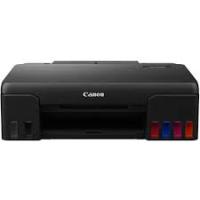
I-SENSYS MF443DW - Laser MFP CANON - Free user manual and instructions
Find the device manual for free I-SENSYS MF443DW CANON in PDF.


Pick your language and provide your email: we'll send you a specifically translated version.
| Product Type | Mono laser multifunction printer |
| Brand | Canon |
| Model | I-SENSYS MF443DW |
| Functions | Copy, print, scan, fax |
| Duplex printing | Automatic |
| Network connectivity | Ethernet 10/100/1000, Wi-Fi 802.11 b/g/n, USB 2.0 |
| Mobile connectivity | AirPrint, Google Cloud Print, Canon PRINT Business |
| Touch screen | 5-inch color touch screen |
| Document feeder | Automatic duplex document feeder (DADF) |
| Standard paper capacity | 250-sheet cassette, 100-sheet multipurpose tray |
| Supported paper sizes | A4, A5, A6, B5, Letter, Legal, Envelopes, etc. |
| Print resolution | 1200 x 1200 dpi |
| Print speed | Up to 38 ppm (A4) |
| Warm-up time | Approx. 14 seconds |
| Processor | Canon LBP 1 GHz |
| Memory | 1 GB |
| Storage | 256 GB hard drive (optional) |
| Toner cartridge | Canon 057 (standard black 3,100 pages, high capacity 10,000 pages) |
| Dimensions (W x D x H) | 565 x 693 x 605 mm |
| Weight | Approx. 27 kg |
| Power supply | 220-240 V, 50/60 Hz, max consumption 1,400 W |
| Security | PIN authentication, TLS encryption, IP firewall, access management |
| Maintenance | Regular cleaning of feeder, platen glass, toner replacement |
| Spare parts and repairability | Replaceable toner cartridge, maintenance kit available, expansion options |
Frequently Asked Questions - I-SENSYS MF443DW CANON
How to configure Wi-Fi connection on Canon I-SENSYS MF443DW?
Use the control panel: go to Menu > Preferences > Network > Wireless LAN. Choose Router Selection or WPS push button or WPS PIN code. Follow the on-screen instructions.
How to scan a document to a computer?
Place the original in the feeder or on the platen. On the screen, select Scan > Scan to computer. Choose the destination computer (WSD or shared folder) and start scanning.
How to replace the toner cartridge?
Open the front cover, remove the old cartridge, insert the new one until it clicks. Close the cover. The device automatically detects the new cartridge.
What to do if the printer shows 'Tray empty' when paper is present?
Check that the paper is correctly loaded and the guides are adjusted. Remove and reinsert the cassette. Ensure the paper type and size match the settings in Preferences > Paper.
How to set up fax on the MF443DW?
Connect the phone line. On the screen, go to Menu > Fax Settings. Register the fax number and sender name, choose the reception mode (automatic or manual).
How to print a secure document from a computer?
In the print dialog, select the Canon driver and click Properties. Go to the Finishing or Security tab and check Secure Print. Set a PIN. On the device, go to Secure Print and enter the PIN.
How to clean the platen glass?
Turn off and unplug the device. Open the cover, clean the glass with a soft lint-free cloth slightly dampened. Wipe with a dry cloth. Close the cover.
How to configure the Remote UI?
From the control panel, go to Menu > Preferences > Network > HTTP Settings and enable Use HTTP. Note the device IP address. On a computer on the same network, open a browser and enter https://. Log in with the administrator ID and PIN.
What security measures are recommended for network use?
Assign a private IP address, enable the IP firewall (address filtering), encrypt communications with TLS, set a PIN for the remote interface and for the system administrator.
How to copy a two-sided ID card?
Place the card face down on the platen. On the screen, select Copy > ID Card Copy. Press Start. Turn the card over and press Start again.
User questions about I-SENSYS MF443DW CANON
0 question about this device. Answer the ones you know or ask your own.
Ask a new question about this device
No questions yet. Be the first to ask one.
Download the instructions for your Laser MFP in PDF format for free! Find your manual I-SENSYS MF443DW - CANON and take your electronic device back in hand. On this page are published all the documents necessary for the use of your device. I-SENSYS MF443DW by CANON.
USER MANUAL I-SENSYS MF443DW CANON
MF449x / MF446x / MF445dw / MF443dw