STREETPARTY - Bluetooth speaker GEAR4 - Free user manual and instructions
Find the device manual for free STREETPARTY GEAR4 in PDF.



User questions about STREETPARTY GEAR4
0 question about this device. Answer the ones you know or ask your own.
Ask a new question about this device
Download the instructions for your Bluetooth speaker in PDF format for free! Find your manual STREETPARTY - GEAR4 and take your electronic device back in hand. On this page are published all the documents necessary for the use of your device. STREETPARTY by GEAR4.
USER MANUAL STREETPARTY GEAR4
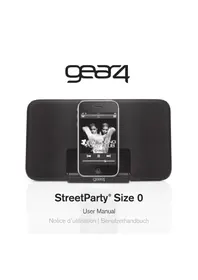
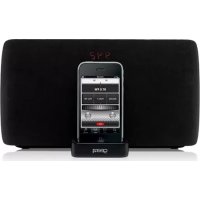
Thank you for buying the StreetParty Revolve, portable speaker for iPod and iPhone. Please read over this manual before use and retain it for future reference.
Made for iPod touch (1st, 2nd, and 3rd generation), iPod classic, iPod with video and iPod nano (1st, 2nd, 3rd, 4th, and 5th generation). Made for iPhone 4, iPhone 3GS, iPhone 3G and iPhone.
Box contents:
Power supply (UK / EU)
Alimentation (EU / GB)
Netzteil (EU / GB)
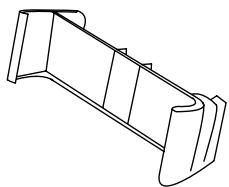
7 dock adapters for iPod / iPhone
Declaration of Conformity
Product Name: GEAR4 StreetParty Revolve
Model: PG466
Distributor: Disruptive Limited
Address: Windsor House, Turnpike Road, High Wycombe, Bucks, HP12 3NR, United Kingdom.
Declare that the product described below is in conformity with the relevant provisions of the following directives and National Laws and Regulations adopting these directives.
The Low Voltage Directive 2006/95/EC
The EMC Directive 2004/108/EC
The product has been tested and assessed by application of the following standards or specifications. Together with all relevant National Technical Standards and Specifications as applicable.
Standard Year Description
EN55013 2001 Sound and television broadcast receivers and associated +A1:2003 equipment - radio disturbance characteristics - limits and +A2:2006 methods of measurement
EN55020 2002+A1 Sound and television broadcast receivers and associated 2003+A2:2005 equipment - immunity characteristics - limits and methods of measurement
EN61000-3-3 1995-A1+A2 Limitation of voltage changes
Issued in: High Wycombe, Bucks, United Kingdom
Authorised Representative: Carl Walastyan
Position: Commercial Director
Date: 10/12/09
Signature:
C E

RoHS

FC

1

4

7

11

14

17

20

23

26
Features:
Rotating dock for watching movies in landscape
■ Powered by 4 AAA batteries (not included) or mains
Line in port for use with other music players
■ Big sound, small speaker
Charges iPod / iPhone (when powered by mains)
Getting started:
Plug the power supply cable firstly into the back of the unit and then into the mains supply. Alternatively insert 4 AAA batteries into the bottom of the speaker.
To activate the speaker, press the button.
For use with iPod / iPhone:
- Select and insert the correct docking adapter to suit your iPod / iPhone.
N.B. Please ensure that you use the correct dock adapter for your iPod / iPhone to avoid damage to the dock connector. If the specific adapter is not included, please use the adapter that was provided by Apple with your iPod / iPhone. GEAR4 will not be responsible for any damage resulting in not using a dock adapter.
Pull the left hand side of the speaker to extend.
- Carefully insert your iPod / iPhone into the dock.
- Your iPod / iPhone can be rotated to the landscape position by turning it to the left.
To adjust the volume press +/- on the speaker or use the volume bar on your iPod / iPhone.
- To put the speaker into standby mode, press the button.
N.B. If no music is played for 5 minutes, the StreetParty Revolve will automatically go into standby mode. The unit will reactivate when the iPod / iPhone is in play mode again.
For use with other audio devices:
Plug one end of a 3.5mm audio cable (not included) into your MP3 or MP4 player and connect the other end into the AUX line-in port at the back of the unit.
- Select the track and press play on your music source.
N.B. When a device is connected via the AUX line-in port, the StreetParty Revolve will not play your iPod / iPhone. Unplug the external device to return to iPod / iPhone mode.
To download some of the finest new music around for FREE, visit:
www.gear4.com/newmusic
Please ensure that your iPod / iPhone is using the latest software version. To update the software, connect your iPod / iPhone to iTunes. If there is a newer software version available you will be prompted to upgrade.
Copyright © 2010 Disruptive Limited. All rights reserved. Reproduction in part or in whole is prohibited. GEAR4 and StreetParty are registered trade marks of Disruptive Limited. iPhone, iPod, iPod nano, iPod classic and iPod touch are trade marks of Apple Inc., registered in the U.S. and other countries.
"Made for iPod" and "Made for iPhone" mean that an electronic accessory has been designed to connect specifically to iPod or iPhone respectively and has been certified by the developer to meet Apple performance standards.
Apple is not responsible for the operation of this device or its compliance with safety and regulatory standards.
WARNING
To reduce the risk of fire or electric shock, do not expose this unit to rain or moisture.
CAUTION
Use of controls or adjustments of performance or procedures other than those specified may result in hazardous radiation exposure.
UNPACKING AND INSTALLATION
Unpack your unit carefully. We recommend that you save the packaging in case you ever need to store your unit. To avoid damage, never place the unit or its batteries near radiators, in front of heating vents, under direct sunlight or near water.
FOR YOUR SAFETY
- When disconnecting the power cable, pull the power plug first. Do not pull the cord by itself.
-
Never handle the power plug with wet hands, as this could cause fire or electric shock.
-
Refer servicing to qualified personnel only.
- Do not open the housing.
- Do not twist or pinch the power cable. If the plug or power cable needs to be replaced, ensure that it complies with the manufacturer's recommendation.
- Unplug the unit during lightning storms and when unused for extended periods of time.
DISPOSAL
According to the European Directive 2002/96/EC all electrical and electronic products must be collected separately by a local collection system. Please act according to your local rules and do not dispose of your old products with your normal household waste.

The lightning flash with arrowhead symbol, within an equilateral triangle, is intended to alert user to the
presence of uninsulated 'Dangerous Voltage' within the product's enclosure that may be of sufficient magnitude to constitute risk of electric shock to person.

The exclamation point within an equilateral triangle is intended to alert user to the presence of important
operating and maintenance (servicing) instruction in the literature accompanying the appliance.

CAUTION
RISK OF ELECTRIC SHOCK·DO NOT OPEN

CAUTION: TO REDUCE THE RISK OF ELECTRIC SHOCK
DO NOT REMOVE COVER (OR BACK).
NO USER-SERVICABLE PARTS INSIDE
REFER SERVICING TO QUALIFIED SERVICE PERSONNEL
Commandes deStreetParty Revolve :
VEILLE
2 VOLUME +
3 VOLUME -
4 COMPARTIMENTS A PILES
⑤ PRISE D'ENTREE HAUT NIVEAU AUX
⑥ PRISE D'ALIMENTATION EN COURANT CONTINU
RISQUE D'ÉLECTROCUTION - NE PAS OUVRIR.

ATTENTION: POUR RÉDUIRE LE RISQUE D'ÉLECTROCUTION, NE PAS RETIRER LE COUVERCLE NI LE FOND. CET APPAREIL NE CONTIENT AUCUNE PIECE RÉPARABLE PAR L'UTILISATEUR. CONSULTER LE PERSONNEL QUALIFIÉ POUR TOUTE RÉPARATION.
Bedienelementedes StreetParty Revolve:
1 STANDBY
LAUTSTARKE +
LAUTSTARKE -
AKKUFÄCHER
⑤ AUDIO-EINGANG (AUX IN)
GLEICHSTROM-EINGANG
Produktmerkmale:
UPPACKING OCH INSTALLATION
AF HENSYN TIL DIN SIKKERHED
GEAR4 One-Year Warranty
Disruptive Limited, who owns the GEAR4 brand, warrants this product to be free from defects in workmanship and materials at the point of sale and that when this product is used in accordance with the instructions for its use it shall continue to be free from defects, for a period of one (1) year from the date of original purchase.
Any damage or defects caused by a failure to follow the instructions which relate to this product or as the result of an accident, abuse, misuse, misapplication, product modification, faulty ancillary equipment, improper voltage or current, lightning or other acts of God, commercial non-home use, normal wear and tear, shipping damage or loss, damage to digital media players or damage caused by service performed by anyone other than Disruptive Limited are expressly excluded from the warranty stated above.
Disruptive Limited will, at its sole election, repair or replace any product that proves to be defective in either or both of workmanship or materials and which is covered by this warranty. If the product is no longer current or is out of stock, at its sole election, Disruptive Limited may replace your product with a similar product. Disruptive Limited's liability is limited to the repair or replacement, of any defective product under warranty and any incidental or consequential damages are expressly excluded to the fullest extent permitted by law. This warranty is not transferable and does not extend to users other than the person who originally purchased the product.
Return Policy / Warranty Service
Warranty claims will only be valid when accompanied with proof of purchase to evidence that the product was purchased from an authorised dealer and that the claim is within allowed period. To make a warranty claim you must first contact Disruptive Limited by email to support@gear4.com stating your name, full postal address, telephone number, date and place of purchase and a detailed description of the problem you are experiencing and don't forget to include the name of the product and its serial number.
If the defect is covered by this warranty then you will be provided with a Return to Manufacturer Authorization number and instructions for return shipment. Sending the product back to us under this warranty shall be at your expense, and the return MUST be accompanied by the original proof of purchase whilst we highly recommend that you retain a copy of this. Disruptive Limited shall not responsible for lost or damaged products during shipment. Any product returned without the original proof of purchase will be returned without being examined or tested and such return shall be at the customer's expense.
To avoid any additional charges, all returns and exchanges must include the original packing materials, product box, all included accessories which may include, but not necessarily be limited to, power adapters or power cords, connecting cables, remote controls, adapters, inserts cards and instruction manuals. The absence of any of the aforementioned items may mean that you incur a charge for their replacement. Disruptive Limited shall not be liable for any inconvenience, or loss of time, loss of use of the product.
This warranty gives you specific legal rights in addition to the ones afforded you by the laws of your country and nor is this warranty intended nor does it operate to limit such legal rights.
MODEL NO:PG466
POWER ADAPTER: KSAD0500200W1UV-1
INPUT: 100-240V ~ 50/60Hz 0.4.A
OUTPUT: 5.0V = 2.0A