
BT-191 - Bluetooth speaker LENCO - Free user manual and instructions
Find the device manual for free BT-191 LENCO in PDF.



| Product type | Portable Bluetooth speaker with NFC and AUX input |
| Brand and model | Lenco BT-191 |
| Dimensions | 170 mm (L) × 50 mm (D) × 70 mm (H) |
| Weight | 465 g |
| Power supply | Lithium battery 3.7 V 2600 mAh, recharging via micro-USB port (5 V, 1 A) |
| Charging time | Approximately 5 hours (first charge: 6 to 7 hours) |
| Playback time | 4 to 5 hours at maximum volume |
| Bluetooth version | Standard Bluetooth (profiles A2DP, AVRCP) |
| Bluetooth range | Up to 10 meters in open space |
| Connectivity | Bluetooth, NFC (fast pairing), AUX 3.5 mm stereo input |
| Main functions | Hands-free (built-in microphone), last number redial, playback controls (previous/next, volume), 5 LED light modes |
| Output power | 2 × 3.6 W (RMS) at 4 ohms |
| Frequency response | 60 Hz to 20 kHz |
| Operating temperature | -5 °C to 45 °C |
| Maintenance and cleaning | Clean with a soft, slightly damp cloth. Do not use solvents. |
| Safety | Do not expose to water, excessive heat, or strong magnetic fields. Do not open the device. |
| Spare parts and repairability | No user-repairable parts. Non-replaceable internal battery. Contact the retailer for any repairs. |
| General information | For domestic use only. Warranty according to European legislation. Manufactured by Lenco Benelux BV, Netherlands. |
Frequently Asked Questions - BT-191 LENCO
User questions about BT-191 LENCO
0 question about this device. Answer the ones you know or ask your own.
Ask a new question about this device
Download the instructions for your Bluetooth speaker in PDF format for free! Find your manual BT-191 - LENCO and take your electronic device back in hand. On this page are published all the documents necessary for the use of your device. BT-191 by LENCO.
USER MANUAL BT-191 LENCO
natural_image
Exterior view of a modern office building (no signage)USER MANUAL Bluetooth stereo speaker with AUX IN and NFC
English Bluetooth stereo speaker with AUX IN and NFC
Warning
Don'ts
- Do not place naked flames, such as lighted candles on or near the product.
- Do not place objects filled with liquids, such as vases on or near the product.
- Do not use or store this product in a place where it is subject to direct sunlight, heat, excessive dust or vibration.
- Do not use this product with wet hands.
- Do not clean this product with water or other liquids.
- Do not block or cover the slots and holes in the product.
- Do not push foreign objects into the slots or holes in the product.
- Do not attempt to open this product yourself. There are no user serviceable parts inside.
- Do not allow children access to plastic bags.
- Caution: Danger of explosion if battery is incorrectly replaced. Replace only with the same or equivalent type.
- The battery shall not exposed to excessive heat such as sunshine, fire or the like.
- Attention should be drawn to the environmental aspects of battery disposal.
- The product is designed to be used in moderate climate.
- Do not use this device near water.
- Don't step on or pinch the power adaptor. Be very careful, particularly near the plugs and the cable's exit point. Do not place heavy items on the power adaptor, which may damage it. Keep the entire device out of children's reach! When playing with the power cable, they can seriously injure themselves.
- Avoid using the device near strong magnetic fields.
- Do not use in wet or moist areas such as bathrooms, steamy kitchens or near swimming pools.
- Do not use this device when condensation may occur.
Safety Instructions
Before using this product, read and follow all warnings and instructions.
- This product is not intended for use by young children. Young children should be properly supervised.
- This product is intended for household use only and not for commercial or industrial use.
- Do not expose to dripping or splashing.
- No naked flame sources, such as lighted candles, should be placed on the product.
- Ventilation should not be impeded by covering ventilation openings with items such as newspapers, table cloths, curtains and the like.
- Make sure the unit is adjusted to a stable position. Damage caused by using this product in an unstable position or by failure to follow any other warning or precaution contained within this user manual will not be covered by warranty.
- Never remove the casing of this apparatus.
- Never place this apparatus on the other electrical equipment.
- Clean only with a slightly damp cloth.
• Install in accordance with the supplied user manual.
- Keep the device away from heat sources such as radiators, heaters, stoves, candles and other heat-generating products.
- Although this device is manufactured with the utmost care and checked several times before leaving the factory, it is still possible that problems may occur, as with all electrical appliances. If you notice smoke, an excessive build-up of heat or any other unexpected phenomena, you should disconnect the plug from the main power socket immediately.
- This device must be well ventilated at all time!
- Keep away from rodents. Rodents enjoy biting on power cords.
- To clean the device, use a soft dry cloth. Do not use solvents or petrol based fluids. To remove severe stains, you may use a damp cloth with dilute detergent.
- The apparatus can only be used in moderate extremely cold or climates warm environments should be avoided.
- This device is not intended for use by people (including children) with physical, sensory or mental disabilities, or a lack of experience and knowledge, unless they're under supervision or have received instructions about the correct use of the device by the person who is responsible for their safety.
- Only use attachments/accessories specified by the manufacturer.
- Refer all servicing to qualified service personnel. Servicing is required when the apparatus has been damaged in any way, such as the power supply cord or the plug, when liquid has been spilled or objects have fallen into the apparatus, when the apparatus has been exposed to rain or moisture, does not operate normally, or has been dropped.
- Warning: prolonged exposure to loud sounds from personal music players may lead to temporary or permanent hearing loss.
- To reduce the risk of electric shock, do not remove screws. The device does not contain any user-serviceable parts. Please leave all maintenance work to qualified personnel.
- Where the mains plug is used as the disconnect device, the disconnect device shall remain readily operable.
- The cell batteries shall not be exposed to excessive heat such as sunshine, fire or the like.
We suggest to retain the packaging in case for future transport of the product.
WARNING:

- Never remove the casing of this apparatus.
- Never place this apparatus on the other electrical equipment.
\*Remark
Rating label is located on the bottom of the product
| symbols | Explanation | |
 | DC voltage | |
 | See instruction | |
A. Outlook and Controls
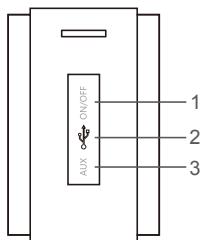
Side view
Top view
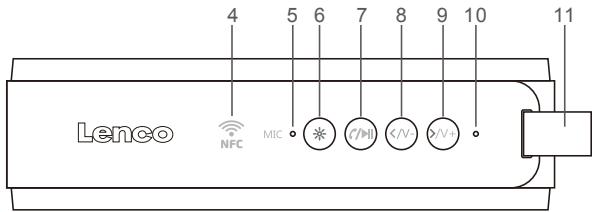
| Item | Description |
| 1 | Power ON – OFF |
| 2 | Micro USB socket (DC Input:DC 5V 1A) |
| 3 | AUX IN (3.5mm Jack, Stereo) |
| 4 | NFC Sensor Position (for Bluetooth pairing) |
| 5 | MIC Position (for hands-free) |
| 6 | Patterns MODE (5modes+1mode is blank-black) |
| 7 | C/▶II button (Play/Pause, Pick up/Hang up call/Last dialed,AUX) |
| 8 | < /v- button (Volume down, Previous track) |
| 9 | >/+ button (Volume up, Next track) |
| 10 | Bluetooth/Charging LED indicator |
| 11 | Hand belt |
B. About the rechargeable Battery
This Bluetooth Speaker has an internal, non-user-replaceable battery. For the best results, the first time you use this Bluetooth Speaker, let it charge for about 6\~7 hours or until the charging LED indicator light goes from a red light to 'off' which shows you the battery is fully charged.
To maintain the battery life and performance, if the speaker isn't used for a while, the battery might need to be recharged. Charge the battery at least once every month.
To charge the rechargeable battery:
- Connect the Bluetooth Speaker's "Micro USB socket (2)" with the USB power charger which able to provide output at least DC 5V 1A for charge connection via the original USB cable (supplied).
- The "Charge (10)" LED will turn On in red, the battery is in charging.
- The "Charge (10)" LED will turn Off when the rechargeable battery is fully charged.
- Disconnect the USB cable when it is done.
C. Power ON and Pairing
- Slide "ON/OFF switch (1)" on the device to ON till to listen "DUDU", the Bluetooth searching are open;
- "Bluetooth (10)" LED is fast blinking in blue.
- Then, activate the Bluetooth function in your Bluetooth device (such as Mobile Phone); the device will enter to Bluetooth searching mode automatically, if not, tap the relate selection to manually enter to searching mode. ( refer to your device's manual when necessary )
- Your Bluetooth device should show "BT-191" in list, and then select it for pairing. Waiting for some seconds and you will see connected message as shown on your mobile device. If pairing is successful, a tone will sound "DU" and the "Bluetooth (10)" LED will keep lighting blue slowly.
- Now, you can start to music play from the mobile device by its music player program.
- Slide "ON/OFF switch (1)" to OFF when it is not in use.
D. Disconnect from paired device
- To disconnect with paired device and for better result, turn Off the Bluetooth Speaker by Slide the "ON/OFF switch (1)" to OFF directly;
- Or, you can choose "Disconnect" from Bluetooth paired device list on your mobile device;
- In this case; the Bluetooth Speaker will turn back into "Searching/Pairing" mode in seconds, the "Bluetooth (10)" LED will turn to fast blinking
in blue from slowly blinking.
- Now, you can process for new mobile device pair or power Off the Bluetooth Speaker if you wanted.
- Notice: even disconnected Bluetooth for long time but it will be reconnected when you come back to use this speaker.
E. Auto reconnect with paired device
- Every time you turn On the Bluetooth Speaker's power; it will firstly searching for the mobile device which has been paired previously and and still in record;
- The Bluetooth Speaker will reconnect this mobile device as priority if it is in the Bluetooth searching device mode and in the connection range.
- If no device found in some seconds, then the Bluetooth Speaker will automatically turn into the pairing mode.
- Now you can process for new mobile device pair.
F. Use NFC for fast Bluetooth pairing
a. On Bluetooth Speaker:
- Turn on the unit
- Make sure that the NFC detection mark "NFC (4)" is at the right place to touch.
b. On Mobile Phone:
-
Make sure that the mobile phone has the NFC function turned on and the screen is active (unlocked).
-
Touch the mobile device NFC sensor on the Bluetooth Speaker's NFC detection mark. Keep touching until the mobile device vibrates and or sound. (When the devices connect, some mobile phone may pop up a dialog box to confirm on it screen)
-
After pairing is successful; from Bluetooth speaker, a tones will sound and the "Bluetooth(10)" LED will blink slowly in Blue
-
To disconnect the Bluetooth Speaker from an NFC connected phone, touch it with the mobile device again.
Hint: If you cannot connect the unit, try the following:
- Move the mobile phone slowly over the "NFC" mark of the Bluetooth Speaker.
- If the mobile phone is in case (especially metal), remove it from the case.
G. Bluetooth Music Playing Controls (two way function)
a. On your Bluetooth Device:
- Switch to the music player menu and choose music to start the play from the playlist or by using the “/V+” button. Play/Pause the playing music by using the “/▶” button.
- To adjust the volume level use the device's volume control “/V+”” button on your Bluetooth device. (refer to your device's user manual when necessary)
b. On Bluetooth Speaker:
- While playing music, press the “C/▶(7)” button to pause the playing music. Press it again to resume.
- Press and hold the “>/V+ (9)” button to increase the volume level.
- Press and hold the “</V-(8)” button to decrease the volume level. Notice: this unit has no volume recorder function in Bluetooth mode, when you turn on the unit again the volume is the default volume that is 50% volume level. When maximum volume is reached, a beep sound will be heard.
- Press the “>/V+ (9)” button to change next music file play.
- Press the “</V-(8)” button to change previous music file play.
H. Hand Free Function
- When there is an incoming call during Bluetooth music playing mode;
- The ringing sound (an coming call) will up and the playing music will pause automatically.
- Press and hold "/ (7)" button to reject the call if you want. Or,
- Press "/ (7)" button to pick up the call.
- Now you have hand free function with the Bluetooth speaker.
- Press "/ (7)" again to hang up the call when finished. And the paused music will resume automatically.
Tip: speak to the "MIC (5)" direct with distance in 30\~50cm to get the best speakerphone performance when necessary.
I. Redial For Last Call Function
- To redial for last called number by the Bluetooth Speaker, even it is in music playing mode.
- Press twice the “/▶II(7)” button to enter into redial function, the playing will pause and switch to hand free function for redial.
- Press the “/▶II (7)” Button again to hang up the redial call.
- Make sure that your mobile phone has have last dial call used, if not, the redial for last call function cannot be activated.
J. Low Power Reminder And turn off
- The Bluetooth Speaker will send tones out from speaker by every 10 seconds to 1 minute when the battery still has around 20 minutes working time. When you heard this reminder, please connect the device to the USB power for charging, if you still want to use the device.
- If not, the Bluetooth Speaker will power Off to the sleep mode when the battery keeps a low energy level after 30 minutes.
K. Use AUX IN Function
In this design, the Bluetooth module give priority to Bluetooth function as master, the AUX In function is become slave, if Bluetooth has been connected and in playing mode.
a. Use AUX In under power ON mode: (Bluetooth un-paired)
- Make sure that the external device is switched on and controlled to the AUX output source with music playing.
- Turn on the unit;
- Connect the Bluetooth Speaker's "AUX (3)" jack with an external device's jack output through the Audio cable.
- The mode will switch to the "AUX IN" function automatically and the "AUX IN (3)"LED will turn on with blinking blue. Now, the Bluetooth Speaker's AUX In function is in use.
b. Use AUX In under the Bluetooth music playing mode:
- In Bluetooth music playing mode, connect the Bluetooth Speaker's "AUX (3)" jack with an external device's "AUX/LINE" output through the audio cable. The AUX IN connected device will then play.
c. To adjust volume level:
- Press and hold “</V-(9)” button to decrease the volume.
- Press and hold “>/V+ (8)” button to increase the volume.
Or adjust the volume by your connect external equipment
Notice: To change back Bluetooth playing, press and hold Play button and press play button on unit or from Smartphone.
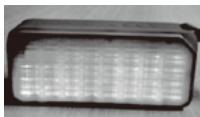
L. LED Themes
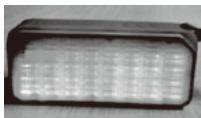
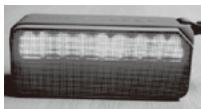
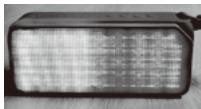
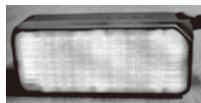
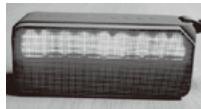
Press the ⚙ (6) to select five different LED themes or switch off (black in black).
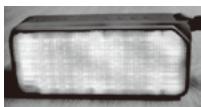
- Press the first time:
Jumping
natural_image
Close-up of a rectangular electronic device with a grid-patterned surface (no visible text or symbols)- press the second time:
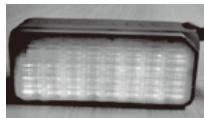
Soaring
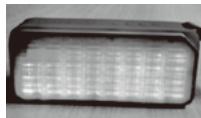
natural_image
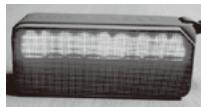
Close-up of a black rectangular electronic device with a grid-patterned light fixture (no visible text or symbols)- press the third time:
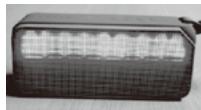
Equalize
natural_image
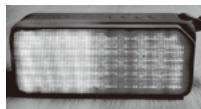
Black rectangular electronic device with grid pattern and indicator lights (no visible text or symbols)- press the fourth time:
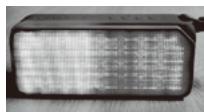
Colorful
natural_image
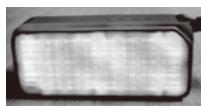
Close-up of a black rectangular electronic device with a grid-patterned surface (no visible text or symbols)- press the fifth time:
Rainbow
natural_image
Close-up of a rectangular electronic component with a grid pattern on its surface (no visible text or symbols)- Press the sixth time: The LED switch off : black-black
Notice: when you turn off the product, LED will be turned off directly.
| M. Trouble Shooting | |
| No power | ●Check battery is it charged with enough energy. ●Check whether the device is powered OFFmode. |
| No sound | ●Check whether the volume level is in lower position on your Bluetooth speaker and mobile device. ●Make sure that your Bluetooth device is within the effective operation range. ●Check whether the Bluetooth device is paired. ●Check whether the Bluetooth device show connected. ●Check if you have selected the correct audio source. |
| No response from speaker | ●Restart the speaker by power Off and On. |
| Unit hang | ●Under the environment with electrostatic discharge and radio interference field, the sample may malfunction and need user reset to recover sometimes. |
| N. Specification | ||
| Dimensions | 170 mm (L) x 50 mm (D) x 70 mm (H) | |
| Weight | 465g | |
| Bluetooth | Specification | BT |
| Supported Profile | A2DP, AVRCP | |
| Connection Distance | In 10 meters (open area) | |
| Built-In Battery | Lithium 3.7V 2600mAh | |
| Battery charge time: 5hours, Playing Time: 4-5 hours(at max.100% of volume setting) | ||
| Power Source Input | Micro USB Port | |
| DC 5V, 1A | ||
| Audio | Output Power: 2*3.6W | |
| Frequency Responses:60HZ-20KHz | ||
| NFC Connect | For Bluetooth pair | 3.6W (RMS) x 2 (4 Ohm) |
| Operating Temperature | -5 to 45°C | 60Hz to 20KHz |
This product operates at 2400-2483.5 MHz and is designated only to be used inside a normal household environment. This product is suited for this purpose within all EU countries.
O. Guarantee
Lenco offers service and warranty in accordance with the European law, which means that in case of repairs (both during and after the warranty period) you should contact your local dealer.
Important note: It is not possible to send products that need repairs to Lenco directly.
Important note: If this unit is opened or accessed by a non-official service center in any way, the warranty expires.
This device is not suitable for professional use. In case of professional use, all warranty obligations of the manufacturer will be voided.
P. Disclaimer
Updates to Firmware and/or hardware components are made regularly. Therefore some of the instruction, specifications and pictures in this documentation may differ slightly from your particular situation. All items described in this guide for illustration purposes only and may not apply to particular situation. No legal right or entitlements may be obtained from the description made in this manual.
Q. Disposal of the Old Device
natural_image
Symbol of a trash bin crossed with no text or labels, representing waste sorting or disposal (no text present)This symbol indicates that the relevant electrical product or battery should not be disposed of as general household waste in Europe. To ensure the correct waste treatment of the product and battery, please dispose them in accordance to any applicable local laws of requirement for disposal of electrical equipment or batteries. In so doing, you will help to conserve natural resources and improve standards of environmental protection in treatment and disposal of electrical waste (Waste Electrical and Electronic Equipment Directive).
R. Service
For more information and helpdesk support, please visit www.lenco.com Lenco Benelux BV, Thermiekstraat 1a, 6361 HB, Nuth, The Netherlands.
® All rights reserved
Waarschuwing
Doe dit nooit
natural_image
Close-up of a rectangular electronic device with grid pattern (no visible text or symbols)- tweemaal indrukken:
zweven
natural_image
Close-up of a black rectangular electronic device with grid-patterned surface (no visible text or symbols)- driemaal indrukken:
Equalize
natural_image
Close-up of a black rectangular electronic device with a grid-patterned front panel (no visible text or symbols)- viermaal indrukken:
Kleurrijk
natural_image
Close-up of a black rectangular electronic device with a grid-patterned surface (no visible text or symbols)- vrijmaal indrukken:
Regenboog
natural_image
Close-up of a rectangular electronic component with a dark border and grid pattern (no visible text or symbols)natural_image
Symbol of a trash bin crossed out by two crossed lines, with no text or labels present.natural_image
Exterior view of a rectangular electronic device with a grid-patterned display (no visible text or symbols)- Der zweite Druck:
schwebend
natural_image
Close-up of a black rectangular electronic device with grid-patterned LED array (no visible text or symbols)- Der dritte Druck:
Klangverlauf
natural_image
Black rectangular electronic device with grid-patterned front panel (no visible text or symbols)- Der vierte Druck:
bunt
natural_image
Close-up of a black rectangular electronic device with a grid-patterned surface (no visible text or symbols)- Der fünfte Druck:
Regenbogen
natural_image
Close-up of a rectangular electronic device with a grid pattern on its surface (no visible text or symbols)natural_image
Symbol of a trash bin crossed with no text or labels, representing waste sorting or disposal (no text present)natural_image
Close-up of a rectangular electronic device with a grid-patterned surface (no visible text or symbols)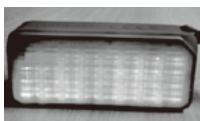
natural_image
Close-up of a black rectangular electronic device with grid-patterned LED array (no visible text or symbols)- Troisième appui :
Égalisation
- Quatrième appui :
Coloré
- Cinquième appui :
Arc-en-ciel
natural_image
Black rectangular electronic device with grid pattern and indicator lights (no visible text or symbols)
natural_image
Black rectangular electronic device with grid pattern, no visible text or symbols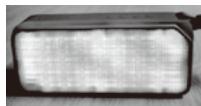
natural_image
Close-up of a rectangular electronic component with a grid-like surface (no visible text or symbols)natural_image
Symbol of a trash bin with crossed lines indicating no waste or restriction, and a solid black rectangle below (no text or symbols)natural_image
Close-up of a rectangular electronic device with a grid-patterned surface (no visible text or symbols)- pulsando dos veces:
creciente
natural_image
Close-up of a black rectangular electronic device with grid-patterned LED array (no visible text or symbols)natural_image
Close-up of a black rectangular electronic device with a grid-patterned light fixture (no visible text or symbols)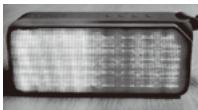
natural_image
Close-up of a black rectangular electronic device with a grid-patterned surface (no visible text or symbols)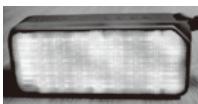
natural_image
Close-up of a rectangular electronic component with a grid pattern (no visible text or symbols)natural_image
Symbol of a trash bin crossed with a diagonal line, no text or numbers present- English Bluetooth stereo speaker with AUX IN and NFC
- Warning
- Don'ts
- Safety Instructions
- WARNING:
- \*Remark
- Outlook and Controls
- About the rechargeable Battery
- To charge the rechargeable battery:
- Power ON and Pairing
- Disconnect from paired device
- Auto reconnect with paired device
- Use NFC for fast Bluetooth pairing
- a. On Bluetooth Speaker:
- b. On Mobile Phone:
- Hint: If you cannot connect the unit, try the following:
- Bluetooth Music Playing Controls (two way function)
- a. On your Bluetooth Device:
- b. On Bluetooth Speaker:
- Hand Free Function
- Redial For Last Call Function
- Low Power Reminder And turn off
- Use AUX IN Function
- LED Themes
- Guarantee
- Disclaimer
- Disposal of the Old Device
- Service
- Waarschuwing
- Doe dit nooit
Brand : LENCO
Model : BT-191
Category : Bluetooth speaker