
VS20A95973B/WA - VS20A95943N/WA - VS20A95973B/WA - VS20A95823W/WA - VS20A95843W/WA - VS20A95843B/WA - Vacuum Cleaner SAMSUNG - Free user manual and instructions
Find the device manual for free VS20A95973B/WA - VS20A95943N/WA - VS20A95973B/WA - VS20A95823W/WA - VS20A95843W/WA - VS20A95843B/WA SAMSUNG in PDF.



| Product Type | Cordless Vacuum Cleaner (Clean Station included) |
| Brand | Samsung |
| Models | VS20A95973B/WA, VS20A95943N/WA, VS20A95823W/WA, VS20A95843W/WA, VS20A95843B/WA |
| Vacuum Cleaner Dimensions | Width 250 mm x Depth 210 mm x Height 1000 mm |
| Clean Station Dimensions | Width 300 mm x Depth 300 mm x Height 850 mm |
| Vacuum Cleaner Weight | 2.7 kg (with Double Jet Brush) |
| Power Supply | Lithium-ion Battery 25.2 V, 2200 mAh, 7 cells |
| Power Consumption | 580 W (vacuum cleaner) |
| Charging Time | 3.5 hours |
| Runtime (MID mode) – Double Jet Brush | Approximately 24 minutes |
| Runtime (MIN mode) – Double Jet Brush | Approximately 42 minutes |
| Runtime (MAX mode) – Double Jet Brush | Approximately 14 minutes |
| Runtime (JET mode) – Double Jet Brush | Approximately 8 minutes |
| Runtime (WASH mode) – Spray Rotating Mop | Approximately 100 minutes |
| Included Accessories | Telescopic tube, Pet hair tool, Combination tool, Extension crevice tool, Soft nozzle, Dust bags (1 installed, 2 spare), Double Jet Brush, Spray Rotating Mop with wet pads, Accessory base stand, Additional battery (depending on model) |
| Filter Maintenance | Dust bin, washable micro filter, metal mesh grid filter, fine dust filter are washable with water; dry in the shade |
| Clean Station Cleaning | Automatic dust bin emptying; replaceable dust bag |
| Safety | Automatic shut-off if brush is blocked; overheating protection; do not use on wet floors or with flammable substances |
| Operating Temperature | 5 °C to 45 °C |
Frequently Asked Questions - VS20A95973B/WA - VS20A95943N/WA - VS20A95973B/WA - VS20A95823W/WA - VS20A95843W/WA - VS20A95843B/WA SAMSUNG
User questions about VS20A95973B/WA - VS20A95943N/WA - VS20A95973B/WA - VS20A95823W/WA - VS20A95843W/WA - VS20A95843B/WA SAMSUNG
0 question about this device. Answer the ones you know or ask your own.
Ask a new question about this device
Download the instructions for your Vacuum Cleaner in PDF format for free! Find your manual VS20A95973B/WA - VS20A95943N/WA - VS20A95973B/WA - VS20A95823W/WA - VS20A95843W/WA - VS20A95843B/WA - SAMSUNG and take your electronic device back in hand. On this page are published all the documents necessary for the use of your device. VS20A95973B/WA - VS20A95943N/WA - VS20A95973B/WA - VS20A95823W/WA - VS20A95843W/WA - VS20A95843B/WA by SAMSUNG.
USER MANUAL VS20A95973B/WA - VS20A95943N/WA - VS20A95973B/WA - VS20A95823W/WA - VS20A95843W/WA - VS20A95843B/WA SAMSUNG
- In order to save valuable resources, we are reducing paper manuals and providing electronic user manuals that you can check on your smartphone or a website.
- For the instructions of how to use the product, please refer to the user manuals provided as QR code or the Samsung Electronics' website (www.samsung.com).
Viewing the user manuals
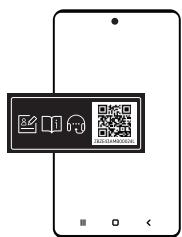
STEP1 Launch a QR code reader app and then scan the QR image attached to the product.
STEP 2 Select a menu from the product registration, viewing the manuals, or connecting a service. When you select a manual, you can view the manual of your purchased product.
natural_image
Modern furniture with metallic curved chairs and white leather sofas on a plain surface (no text or symbols visible)- Before operating the appliance, please read this manual thoroughly and retain it for your reference.
- Because the following operating instructions cover various models, the characteristics of your vacuum cleaner may differ slightly from those described in this manual.
Important safety symbols
WARNING
Indicates that a danger of death or serious injury exists.
CAUTION
Indicates that a risk of personal injury or material damage exists.
NOTE
Indicates that the following text contains additional important information.
General
For information on Samsung's environmental commitments and product specific regulatory obligations e.g. REACH (WEEE, Batteries) visit: samsung.com/uk/aboutsamsung/samsungelectronics/corporatecitizenship/data_corner.html
Failure to meet these requirements could cause damage to the internal parts of the vacuum and void your warranty.
- Read all instructions carefully. Before switching the vacuum on, make sure that the voltage of your electricity supply is the same as that indicated on the rating plate at the rear of the handy vacuum cleaner (battery contact side).
- This appliance can be used by children aged from 8 years and above and persons with reduced physical, sensory or mental capabilities or lack of experience and knowledge if they have been given supervision or instruction concerning use of the appliance in a safe way and understand the hazards involved. Children should not play with the appliance. Children should not clean or perform maintenance on the vacuum without adult supervision.
- Do not allow the vacuum cleaner to run unattended at any time.
- This product is intended for household use only. (Do not use this product for other than its intended purposes.)
- Do not allow children to ride on or play with the product.
– An injury or product damage may occur.
Vacuum cleaner
- When assembling the vacuum, be careful not to catch your fingers or hands in the movement fold of the handle.
- Do not use the vacuum cleaner on a wet rug or floor.
-
Do not use the product at the following places;
-
In a place where a burning candle or a desk lamp is placed on the floor.
- In a place where heaters are turned on or unextinguished embers exist in an unattended fireplace or an ashtray etc.
- In a place where there are combustible materials such as oil paint, paint thinner, mothproofing substances, gasoline, alcohol, thinner, ashtrays with unextinguished cigarettes, etc.
– In a closed place filled with explosive or toxic vapor.
- Do not pick up the following things. Abnormal operation or product damage may occur.
- A match or unextinguished ashes or cigarettes
- Hard or sharp objects
- Toxic materials (chlorine bleach, ammonia, drain cleaner etc.)
- Liquid such as water or beverage or pet's waste
- Chalk powder
- If there is a gas leak or combustible spray such as a dust remover is used, do not touch the power outlet and open the window for ventilation.
- An explosion or fire may occur.
- If the product makes a strange sound or emits a smell or smoke, turn off the product immediately, and then contact a Samsung service center.
– Electric shock or fire may occur.
- When using the vacuum cleaner, be careful not to hurt yourself on the moving or spinning parts.
- Keep your body parts (Hair, hands, etc.) from the spin brush or the spin disk.
- When cleaning the wall or ceiling, you should use both hands.
- If you clean with one hand, you can damage your wrist or drop the vacuum and cause an injury or damage the vacuum.
- Do not use the vacuum cleaner on objects that can be easily scratched (monitors, stainless steel appliances, etc.).
- Sometimes the wheel of a brush can scratch the floor. Before using the vacuum cleaner, check the wheels of the brush.
- If there is foreign matter on the wheel of the brush which cannot be removed easily, contact a Samsung service center.
- When the spin brush inside a brush is working, do not touch the brush.
- Otherwise, your hand can be caught and it may cause an injury.
- Do not use the vacuum cleaner in direct sunlight or high heat.
- If excessive force is applied to an accessory with motor or foreign matter is caught in the spin brush (or spin disk), the accessory may stop working to protect the motor or the product. Turn the vacuum cleaner off, remove the foreign matter, and then turn it back on.
- Static electricity may occur depending on the humidity, temperature, or floor material, etc. in your home. If it happens repeatedly, contact a Samsung service center.
- Do not use Pet Tool in a small area for a long time and do not let Pet Tool keep spinning in one place.
– Damage may occur if used on sensitive materials
- Do not use Combination Tool on hard materials such as leather or wood while bristles are not extended.
Maintenance
- While using or after using the vacuum cleaner, you should lay the vacuum cleaner down or place it on the Clean Station to store.
- The product may fall and an injury and severe product damage occur. In addition, you may not be compensated for the damage.
- Do not store the vacuum cleaner inside a car.
- Before removing foreign matter inside the product, turn off the product first.
- If the product is on while you are removing the foreign matter, you can hurt yourself or damage the product.
- When cleaning the exterior of the product, turn off the product first and then wipe it with a dry towel. Do not spray water directly onto the product or wipe it with volatile materials such as benzene, thinner, or alcohol.
- If water gets into the product and an error occurs, turn off the product and contact a Samsung service center.
- When cleaning the washable parts, do not use alkaline detergent, acid, industrial detergent, air freshener, acetic acid, etc.
- Product damage such as plastic breakage, deformation, discoloration, printing deterioration, etc. may occur.
| Washable Parts | Dustbin, Washable Micro Filter, Fine Dust Filter, Metal Mesh Grille Filter, dry cloth | |
| Acceptable detergent | Neutral | Dish washing detergent |
| Prohibited detergent | Alkaline | Lox, mold cleaner, etc. |
| Acid | Paraffin oil, an emulsifier, etc. | |
| Industrial cleaners | NV-I, PB-I, Opti, alcohol, acetone, benzene, thinner, etc. | |
| Air freshener | Jet spray air fresheners (coffee flavor, herb, etc.) | |
| Oils | Animal oils, vegetable oils | |
| Etc. | Edible acetic acid, vinegar, glacial acetic acid, etc. | |
- Storing the product in sunlight for long hours may cause parts of the product to deform or discolor. Therefore, store the product in the shade.
- After cleaning the dustbin, Metal Mesh Grille Filter, or Washable Micro Filter with water, dry them in the shade.
- When heat is applied, part deformation may occur.
Clean Station
- Do not pull or carry by the cord, use the cord as a handle, close a door on the cord, or pull the cord around sharp edges or corners. Keep the cord away from heated surfaces.
- Do not unplug by pulling on the cord. To unplug, grasp the plug, not the cord.
- Do not pull the power cord and do not touch the power plug with wet hands.
– Electric shock or fire may occur.
- Do not use extension cords or outlets with inadequately rated current.
- If there is dust, water, etc. on a pin or contact point of the power plug pin, wipe them carefully.
- Abnormal operation or electric shock may occur.
- Do not use a damaged power plug, power cord, or loose power outlet.
– Electric shock or fire may occur. - Unplug the Clean Station from the outlet before servicing.
- Do not expose the Clean Station to high temperatures or allow moisture or humidity of any kind to come into contact with the Clean Station.
- Do not plug the Clean Station into a power source with the incorrect voltage. Do not plug the Clean Station into a multi-plug outlet or power strip.
– Electric shock or fire may occur. - If the power cord is damaged, have a Samsung authorized service center replace the power cord with a new power cord.
– Electric shock or fire may occur. - Make sure that the charging terminals of the vacuum cleaner and the Clean Station do not come into contact with a conductor such as a bracelet, watch, metal rod, nail, etc.
– Product malfunction or electric shock may occur. - As the Clean Station is designed for the use of Samsung Jet cordless vacuum cleaner only, do not use the Clean Station for other electronic appliances and other purposes.
– Severe damage to the Clean Station or fire may occur. - Do not allow children to cling to or push the Clean Station.
– Personal injury, product and floor damage may occur. -
Do not charge the product near a window, heater, toilet, bathroom, etc.
-
Do not attempt to open the Clean Station. Repairs should be only carried out by a qualified Samsung service center.
- Injury or product malfunction from incorrect installation of the Clean Station may not be compensated.
- Do not bend the power cord with excessive force or put heavy objects on the power cord.
– Electric shock or fire may occur. - Before unplugging or plugging in the Clean Station, turn off the vacuum cleaner and make sure that the pins of the power plug do not come into contact with your hands.
– Fire or electric shock may occur.
Battery
- Do not mutilate or incinerate batteries as they will explode at high temperatures.
- Do not drop or strike the battery or subject it to a sudden shock.
- Do not disassemble the battery and make sure that you do not create a short circuit across the plus (+) and minus (-) terminals.
- As the battery is manufactured only for this product, do not use the battery for other electronic appliances or other purposes.
- When you purchase a new battery, make sure to check the model name (VCA-SBTA95) and the genuine SAMSUNG logo.
- Contact your nearest Samsung Electronics retailer or Samsung service center to purchase any consumable accessories.
- Leaks from battery cells can occur under extreme usage or temperature conditions. If the liquid gets on your skin, wash the affected area quickly with water. If the liquid gets into your eyes, flush them immediately with clean water for a minimum of 10 minutes. Seek medical attention.
- When attaching the battery to the vacuum cleaner, insert it until you hear a click. This assures that the battery is firmly attached.
- Otherwise, the battery may fall and could cause product damage or injury.
- If you are not going to use the vacuum cleaner for a long period of time or you are going to be away from home for a long period of time, unplug the Clean Station, and then detach the battery from the vacuum cleaner. When the battery is not being charged and not being used, it will slowly discharge.
- To protect the motor and the battery, the product may not operate when the temperature is lower than 5 °C or higher than 45 °C.
- Dispose of the dead battery in compliance with the local regulations.
Accessories
The accessories with the '*' mark may differ depending on the models.
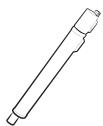
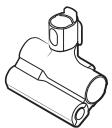
Telescopic pipe
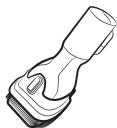
Pet Tool
Combination Tool
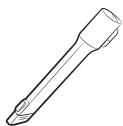
Extension Crevice Tool
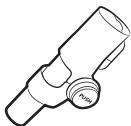
Flexible Tool
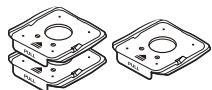
Dust bags (1 installed, 2 extra)
User manual
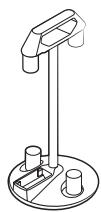
natural_image
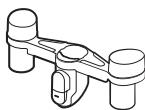
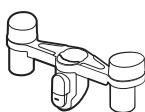
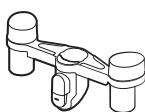
Line drawing of a stand with two cylindrical components and a handle, mounted on a circular base (no text or symbols)Accessory Cradle
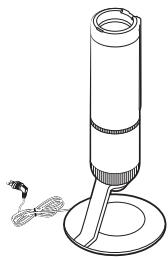
natural_image
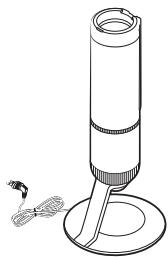
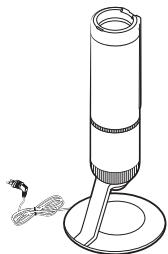
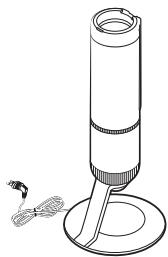
Line drawing of a cylindrical device with a base and a small object nearby (no text or symbols)Clean Station
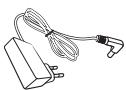
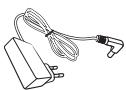
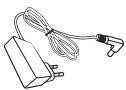
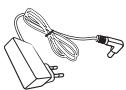
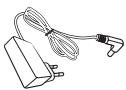
* Charger
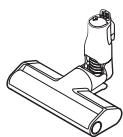
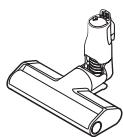
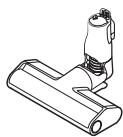
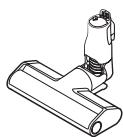
* Slim Action Brush
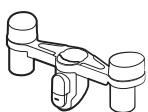
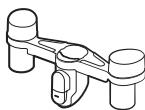
* Accessory Cradle Holder
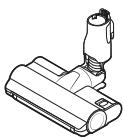
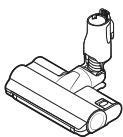
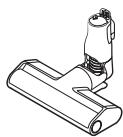
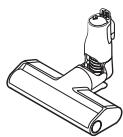
* Jet Dual Brush
natural_image
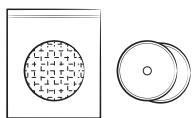
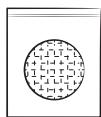
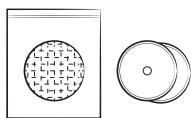
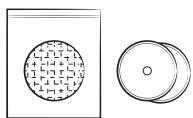
Two technical diagrams showing a circular component with crosshatched pattern and a separate circular component with concentric rings (no text or symbols)* Disposable wet pads / Attachable pad
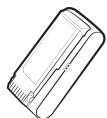
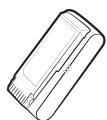
* Battery
(VS20A959***: 2 units)
natural_image
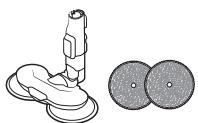
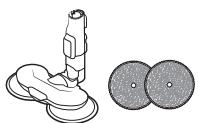
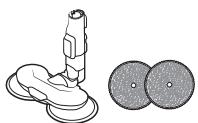
Illustration of a cleaning tool and two circular components (no text or symbols)* Spray Spinning Sweeper / Reusable wet pads
* Optional
- VS20A958*** model: The additional battery and charger can be purchased separately.
- The Spray Spinning Sweeper includes reusable wet pads and disposable wet pads.
- The Spray Spinning Sweeper and Jet Dual Brush are only compatible with VS20A95**** model.
Parts overview
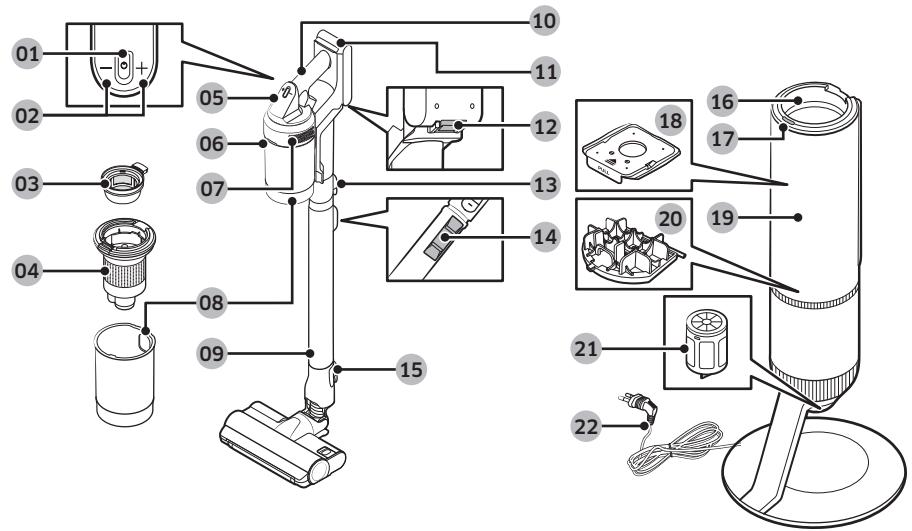
01 Power (⏻) button
02 Suction power control buttons
03 Washable Micro Filter
04 Metal Mesh Grille Filter
05 Display
06 Dustbin release button
07 Fine Dust Filter
08 Dustbin
09 Adjustable pipe
10 Handle
11 Battery level indicator
12 Battery release button
13 Pipe release button
14 Pipe length adjustment button
15 Brush release button
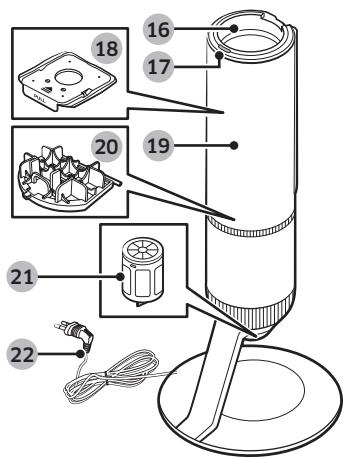
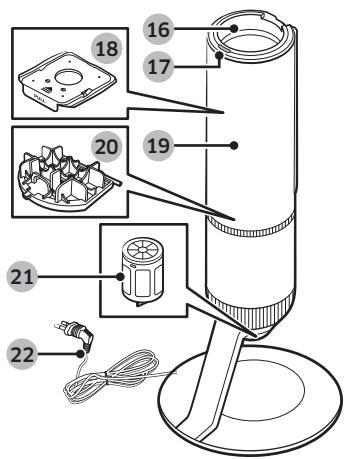
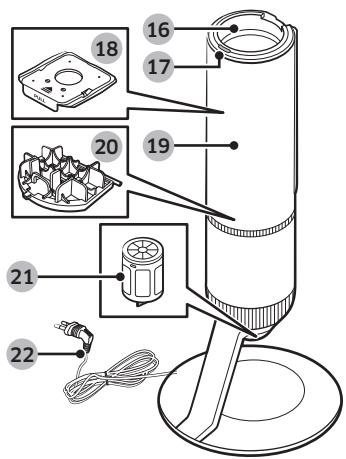
16 Dustbin joint
17 Clean Station START/STOP button
18 Dust bag
19 Clean Station front cover
20 Clean Station Premotor Filter
21 Clean Station Fine Dust Filter
22 Power cord
NOTE
The wave pattern on the exterior of the product is a natural appearance due to the use of pearl plastic materials and its pearl distribution. In addition, the shining pearl used in the material gives an excellent gloss coating, no extra coating necessary.

For detailed information, please refer to the QR code.
Installing the Clean Station
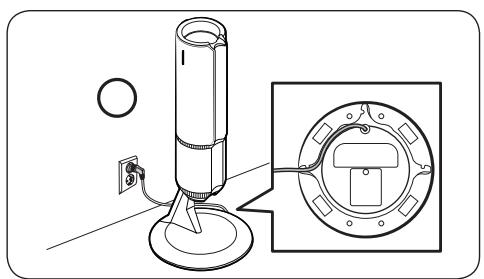
natural_image
Technical line drawing of a mechanical device with mounting base and close-up view of internal components (no text or symbols)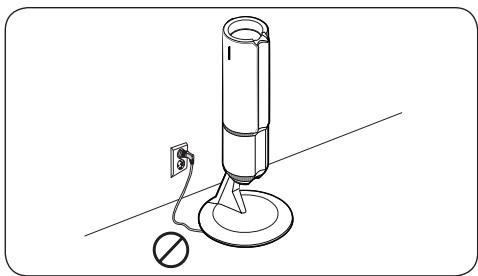
natural_image
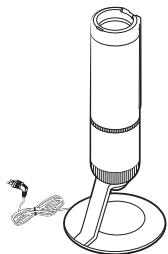
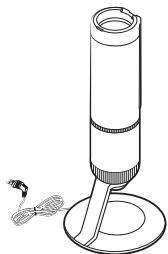
Line drawing of a cylindrical device with a base, connected to a power outlet and a circular base (no text or symbols)- Run the power cord of the Clean Station along the round groove at the bottom.
- Make sure the power cord is correctly placed so that the Clean Station stands without tilting.
- Before plugging in the Clean Station, arrange the power cord neatly.
- When plugging in the Clean Station, the START/STOP button turns blue for 5 seconds and goes off.
Using the Clean Station
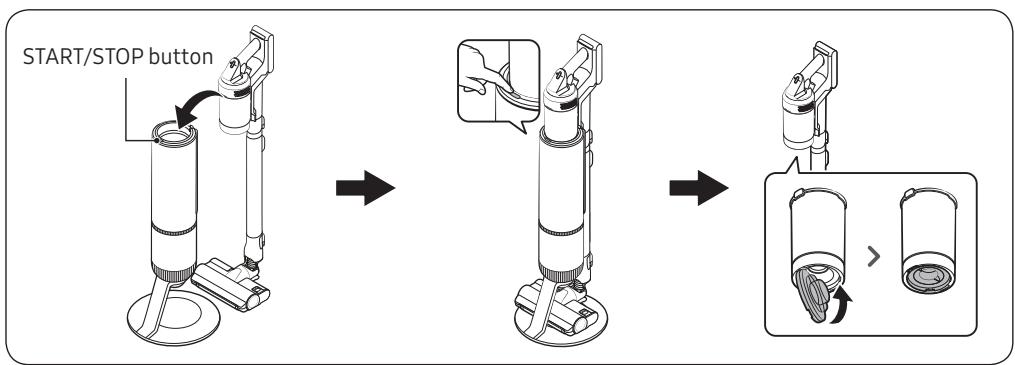
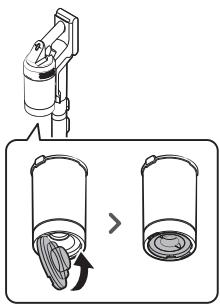
- After inserting the vacuum cleaner into the Clean Station, press the START/STOP button to empty the dustbin.
- Press the START/STOP button again to stop its operation.
- Close the bottom cover of the dustbin before using the vacuum cleaner as the bottom cover is open after emptying dustbin at the Clean Station.
Using the buttons and display
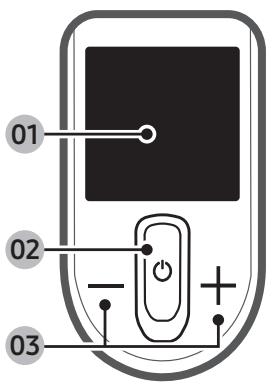
01 Display
- Displays the current mode ('MIN, MID, MAX, JET, or WET') or the alert message.
02 Power (⏻)
- Press this button to turn on or off the vacuum cleaner.
- When you turn on the power, the vacuum cleaner starts in the 'MID' mode.
- If you assemble the Spray Spinning Sweeper, the vacuum cleaner starts in the 'WET' mode.
03 Suction power control (+ / -)
- You can change the suction power mode ('MIN, MID, MAX, or JET').
- In the 'WET' mode, press the + button to spray water once or press and hold the + button to spray water for up to 2 seconds.
- Press and hold the + button for 3 seconds to enter or exit the language setting. Press the + or - button to select a language.
- While the vacuum cleaner is on the Clean Station, press and hold the + button for 5 seconds to enable or disable the Energy Saving mode.
NOTE
- Only the + button works when the vacuum cleaner is in the 'WET' mode.
- You cannot enter the language settings when the vacuum cleaner is in the 'WET' mode.
- The Energy Saving mode is automatically disabled if you use the vacuum cleaner.
- The brush may cling to the floor or does not turn properly depending on the floor material (a carpet, a mat, bedding, etc.). If such a problem occurs, change the suction power mode to 'MIN or MID'.
Alert messages
| Message | Explanation |
| Low battery | Displays when battery is low. |
| Object stuck in brush/tool | Error displays when something is caught in the brush or tool. |
| Filter not inserted | Error displays when Micro Filter is missing. |
| Clogged | Error displays when the vacuum cleaner is clogged. |
| Check brush, tool, or filter | Alerts the user to check the brush, tool, or filter in order to solve the clogging error. |
| Clean Micro filter | Alerts and recommends the user to regularly check and wash the Micro Filter. |
| Energy Saving on | Displays when the Energy Saving mode is on. |
| Energy Saving off | Displays when the Energy Saving mode is off. |
Product specification
Charging and cleaning time may differ depending on the brushes and the conditions of use.
| Model | VS20A95**** Series | ||
| Power consumption (Vacuum cleaner) | Based on a handy vacuum cleaner: 580 W | ||
| Battery specification | Li-ion 25.2 V, 2200 mAh, 7 cell | ||
| Weight (Vacuum cleaner) | 2.7 kg (Jet Dual Brush) | ||
| Size | Vacuum cleaner | Width 250 mm x Depth 210 mm x Height 1,000 mm | |
| Clean Station | Width 300 mm x Depth 300 mm x Height 850 mm | ||
| Charging time | 3.5 hours | ||
| Cleaning time (Default mode: MID) | Combination Tool / Extension Crevice Tool | MIN: Approx. 60 min. | MID: Aprox. 30 min. |
| MAX: Approx. 10 min. | JET: Approx. 3 min. | ||
| Jet Dual Brush | MIN: Approx. 42 min. | MID: Aprox. 24 min. | |
| MAX: Approx. 14 min. | JET: Approx. 8 min. | ||
| Slim Action Brush | MIN: Approx. 50 min. | MID: Aprox. 25 min. | |
| MAX: Approx. 15 min. | JET: Approx. 9 min. | ||
| Spray Spinning Sweeper | Approx. 100 min. | ||
NOTE
Cleaning time stated in the above table is based on a test after using one battery. Cleaning time doubles when you use two batteries consecutively.
Tolmuimeja
Kasutusjuhend
Seeria VS20A95****
natural_image
Modern white leather sofa with curved metal legs and a book on top (no visible text or symbols)Ohutusalane teave
natural_image
Line drawing of a stand with two cylindrical components and a handle (no text or symbols)Tarvikute alus
natural_image
Line drawing of a cylindrical device with a base and a small object nearby (no text or symbols)Puhastusjaam
* Laadija
* Jet Duali hari
* Kitsas koristamise hari
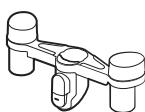
* Tarvikute aluse hoidik
natural_image
Illustration of a cleaning tool and two circular components (no text or symbols)natural_image
Two technical diagrams showing a circular component with crosshatched pattern and a separate circular component with concentric rings (no text or symbols)natural_image
Technical line drawing of a mechanical device with mounting base and close-up view of internal components (no text or symbols)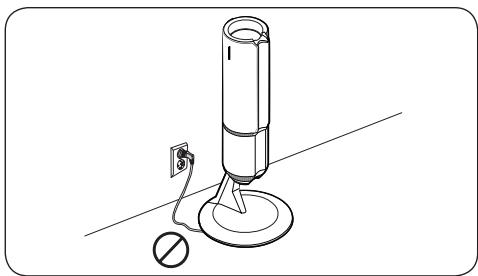
natural_image
Line drawing of a cylindrical device with a base and a switch, no text or symbols presentnatural_image
Modern white leather chair with metallic curved arms and ribbed backrest, placed on a plain surface (no text or symbols visible)natural_image
Illustration of a medical or laboratory device next to two circular components (no text or symbols)natural_image
Line drawing of a stand with two cylindrical components and a handle (no text or symbols)natural_image
Line drawing of a cylindrical device with a base and a small protrusion, no text or symbols presentAttīrītājs
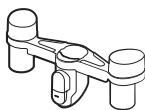
natural_image
Technical line drawing of a mechanical device with mounting base and close-up view of internal components (no text or symbols)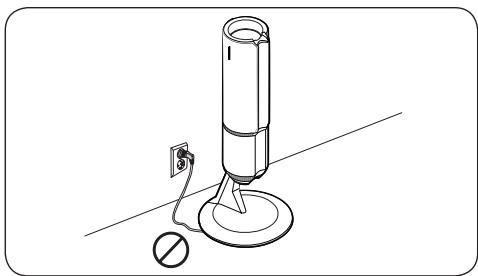
natural_image
Line drawing of a cylindrical device with a base and a switch, no text or symbols presentnatural_image
Technical line drawing of a cylindrical mechanical device with base and clamped components (no text or symbols)
1 VEIKSMAS
natural_image
Modern furniture with metallic curved chairs and white leather sofas on a plain surface (no text or symbols visible)natural_image
Illustration of a medical or laboratory device next to two circular components (no text or symbols)natural_image
Line drawing of a stand with two cylindrical components and a handle (no text or symbols)Priedų dėklas
* Plonas šepetys

* Vienkartiniai drègni kiliméliai / Pritvirtinamas kilimélis
natural_image
Line drawing of a cylindrical device with a base and a small object nearby (no text or symbols)Valymo stotelè
natural_image
Technical line drawing of a mechanical device with mounting base and close-up view of internal components (no text or symbols)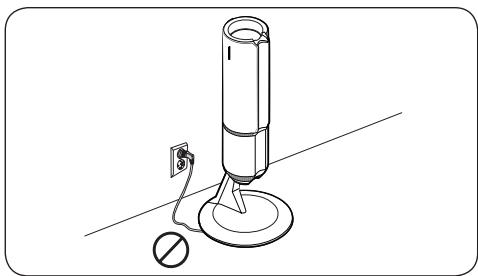
natural_image
Line drawing of a cylindrical device with a base, connected to a power outlet and a circular base (no text or symbols)natural_image
Modern furniture with metallic curved chairs and white leather sofas on a plain surface (no text or symbols visible)natural_image
Line drawing of a stand with two cylindrical components and a handle (no text or symbols)natural_image
Line drawing of a cylindrical device with a base and a small protrusion, no text or symbols presentClean station
natural_image
Illustration of a cleaning tool and two circular components (no text or symbols)natural_image
Two technical diagrams showing a circular component with internal patterns and a separate circular component (no text or symbols)* Tamponi bagnati monouso / Tampone adesivo
* Batteria
(VS20A959***: 2 pezzi)
* Optional
natural_image
Technical line drawing of a mechanical device with mounting base and close-up view of internal components (no text or symbols)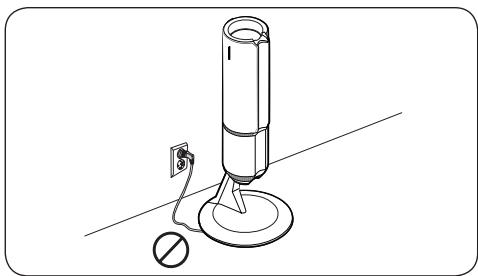
natural_image
Line drawing of a cylindrical device with a base, connected to a power outlet and a circular base (no text or symbols)www.samsung.com/it/support
Aspirador
Manual del usuario
Serie VS20A95****
PASO 1
natural_image
Modern furniture with metallic chair and cushion, no visible text or symbolsnatural_image
Line drawing of a stand with two cylindrical components and a handle (no text or symbols)natural_image
Line drawing of a cylindrical device with a base and a small protrusion, no text or symbols presentnatural_image
Illustration of a cleaning tool and two circular components (no text or symbols)natural_image
Two technical line drawings: a rectangular box with a circular pattern and a circular ring with a central hole (no text or symbols)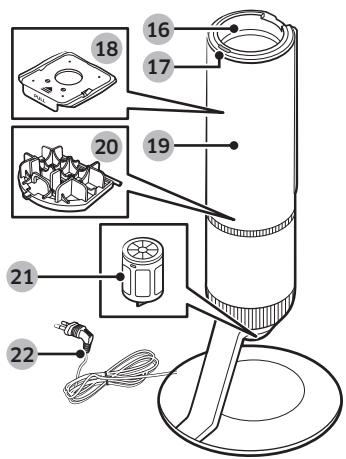
natural_image
Technical line drawing of a mechanical device with mounting base and close-up view of internal components (no text or symbols)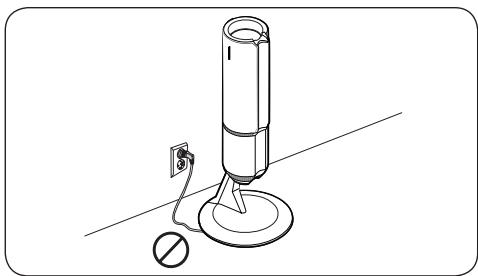
natural_image
Line drawing of a cylindrical device with a base and a switch, no text or symbols presentnatural_image
Modern office chair with metallic curved armrests and white leather backrest (no text or symbols visible)natural_image
Illustration of a medical or laboratory device next to two circular components (no text or symbols)natural_image
Line drawing of a stand with two cylindrical components and a handle (no text or symbols)Base dos acessórios
natural_image
Two technical line drawings: a rectangular box with a circular pattern and a circular ring with a central hole (no text or symbols)natural_image
Line drawing of a cylindrical device with a base and a small object nearby (no text or symbols)Estação de limpeza
natural_image
Technical line drawing of a mechanical device with mounting base and close-up view of internal components (no text or symbols)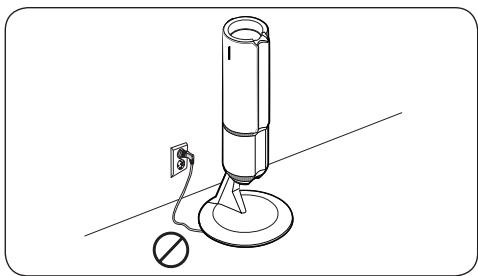
natural_image
Line drawing of a cylindrical device with a base, connected to a power outlet and a circular base (no text or symbols)www.samsung.com/pt/support
Staubsauger
Benutzerhandbuch
natural_image
Modern furniture with metallic chair and cushion, no visible text or symbolsnatural_image
Line drawing of a stand with two cylindrical components and a handle (no text or symbols)Zubehörhalter
natural_image
Line drawing of a cylindrical device with a base and a small protrusion, no text or symbols presentReinigungsstation
* Ladegerät
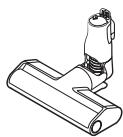
*Flachturbobürste
natural_image
Two technical diagrams showing a circular component with internal patterns and a separate circular component (no text or symbols)natural_image
Technical line drawing of a cleaning tool and two circular components (no text or symbols)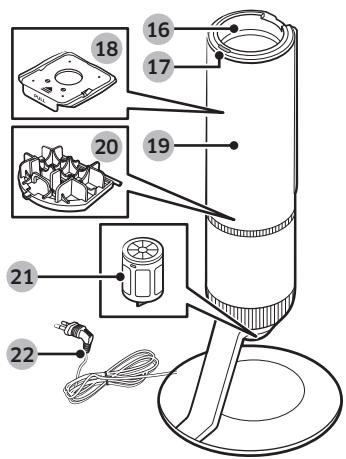
natural_image
Technical line drawing of a mechanical device with mounting base and close-up view of internal components (no text or symbols)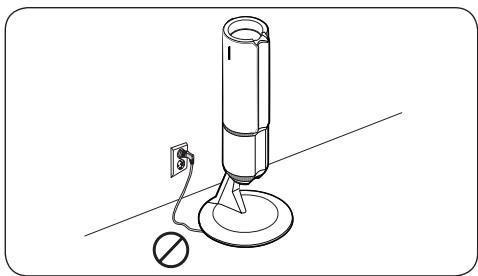
natural_image
Line drawing of a cylindrical device with a base, connected to a power outlet and a circular base (no text or symbols)STAP1
natural_image
Modern furniture with metallic curved chairs and white leather sofas on a plain surface (no text or symbols visible)natural_image
Line drawing of a stand with two cylindrical components and a handle (no text or symbols)Accessoirestandaard
natural_image
Line drawing of a cylindrical device with a base and a small protrusion, no text or symbols presentReinigingsstation
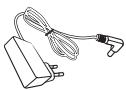
* Oplader
natural_image
Two technical line drawings: a rectangular box with a circular pattern and a circular ring with a central hole (no text or symbols)natural_image
Illustration of a cleaning tool and two circular components (no text or symbols)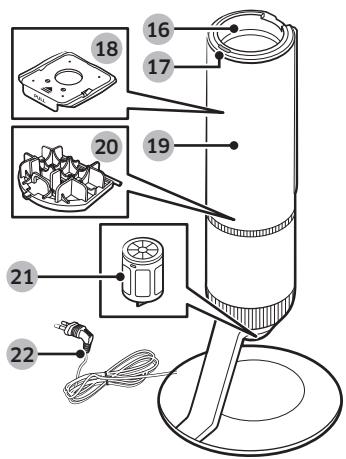
natural_image
Technical line drawing of a mechanical device with mounting base and close-up view of internal components (no text or symbols)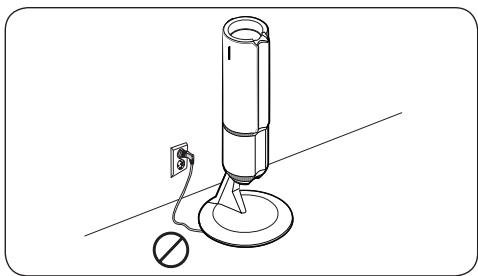
natural_image
Line drawing of a cylindrical device with a base, connected to a power outlet and a circular base (no text or symbols)ÉTAPE 1
natural_image
Modern office chair with metallic curved armrests and white leather backrest (no text or symbols visible)natural_image
Line drawing of a stand with two cylindrical components and a handle (no text or symbols)Socle accessoire
natural_image
Line drawing of a cylindrical device with a base and a small protrusion, no text or symbols presentClean Station
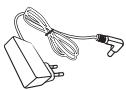
* Chargeur
natural_image
Two technical line drawings: a rectangular box with a circular pattern and a circular ring with a central hole (no text or symbols)natural_image
Illustration of a cleaning tool and two circular components (no text or symbols)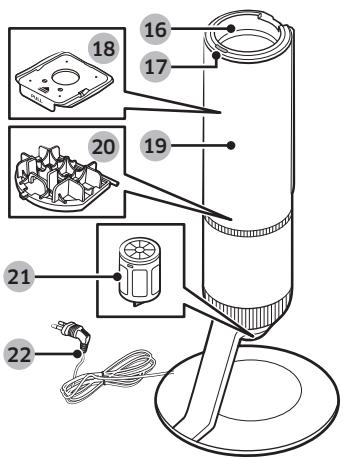
natural_image
Technical line drawing of a mechanical device with mounting base and close-up view of internal components (no text or symbols)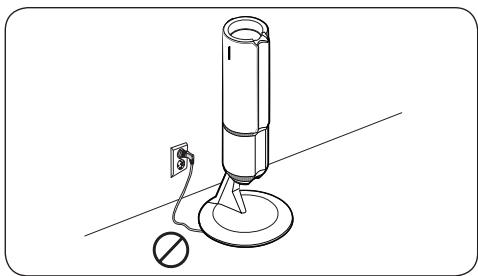
natural_image
Line drawing of a cylindrical device with a base, connected to a power outlet and a circular base (no text or symbols)STEG 1
natural_image
Modern furniture with metallic curved legs and white leather seats, no visible text or symbolsSäkerhetsinformation
natural_image
Illustration of a cleaning tool and two circular components (no text or symbols)natural_image
Line drawing of a mechanical stand with two cylindrical components and a handle (no text or symbols)Tillbehörsdocka
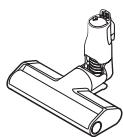
* Smal borste
natural_image
Two technical line drawings: a rectangular box with a circular pattern and a circular ring with a central hole (no text or symbols)natural_image
Line drawing of a cylindrical device with a base and a small object nearby (no text or symbols)Städstation
natural_image
Technical line drawing of a mechanical device with mounting base and close-up view of internal components (no text or symbols)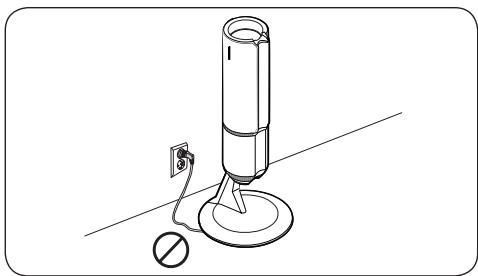
natural_image
Line drawing of a cylindrical device with a base and a switch, no text or symbols presentTRIN 1
natural_image
Modern white leather chair with metallic curved arms and ribbed backrest, displayed on a plain surface (no text or symbols visible)natural_image
Line drawing of a stand with two cylindrical components and a handle, mounted on a circular base (no text or symbols)Tilbehørsstativ
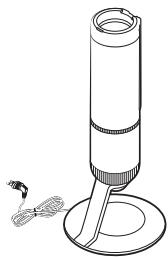
natural_image
Line drawing of a cylindrical device with a base and a small object nearby (no text or symbols)Rengøringsstation
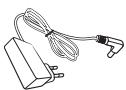
* Oplader
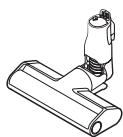
* Tynd børste
natural_image
Two technical diagrams showing a circular component with crosshatched pattern and a separate circular component with concentric rings (no text or symbols)natural_image
Illustration of a cleaning tool and two circular components (no text or symbols)natural_image
Technical line drawing of a mechanical device with mounting base and close-up view of internal components (no text or symbols)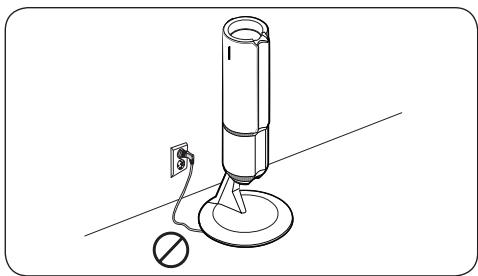
natural_image
Line drawing of a cylindrical device with a base and a switch, no text or symbols presentflowchart
graph TD
    A["START/ STOP-knap"] --> B["Assembly"]
    B --> C["Final Packaging"]
natural_image
Modern furniture with metallic curved legs and white leather seats, no visible text or symbolsnatural_image
Line drawing of a stand with two cylindrical components and a handle, mounted on a circular base (no text or symbols)Tilberhørsstativ
natural_image
Line drawing of a cylindrical device with a base and a small object nearby (no text or symbols)Rengjøringsstasjon
* Lader
* Tynn børste
* Tilberhørsstativholder
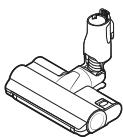
* Dobbel jet-børste
natural_image
Two technical diagrams showing a circular component with crosshatched pattern and a separate circular component with concentric rings (no text or symbols)* Våt engangspute / Festbar pute
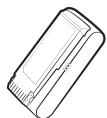
* Batteri
(VS20A959***: 2 enheter)
natural_image
Illustration of a cleaning tool and two circular components (no text or symbols)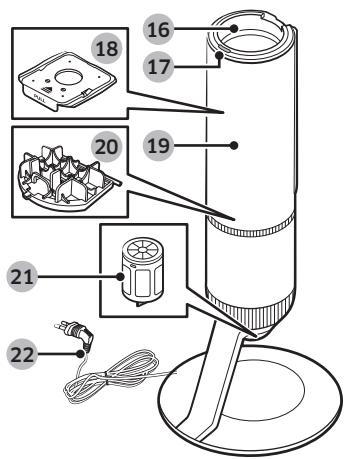
01 Av/På (⏻)-knapp
02 Sugekraftkontroll-knapper
03 Vaskbart mikrofilter
04 Metallgrillfilter
05 Skjerm
06 Utløserknapp for støvbeholder
07 Fint støvfilter
08 Støvbeholder
09 Justerbart rør
10 Håndtak
11 Batterinivåindikator
natural_image
Technical line drawing of a mechanical device with mounting base and close-up view of internal components (no text or symbols)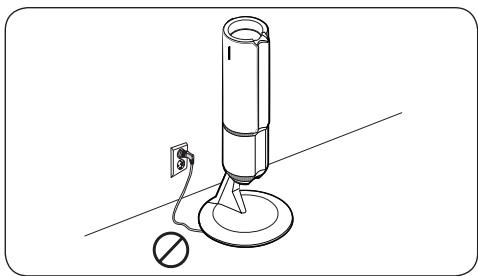
natural_image
Line drawing of a cylindrical device with a base, connected to a power outlet and a circular base (no text or symbols)VAIHE1
natural_image
Modern furniture with metallic curved legs and white leather seats, no visible text or symbolsTurvallisuusohjeet
natural_image
Line drawing of a stand with two cylindrical components and a handle, no text or symbols presentLisävarusteteline
natural_image
Line drawing of a cylindrical device with a base and a small protrusion, no text or symbols presentPuhdistusasema
* Laturi
* Ohut harja
natural_image
Illustration of a cleaning tool and two circular components (no text or symbols)natural_image
Two technical line drawings: a rectangular box with a circular pattern and a circular ring with a central hole (no text or symbols)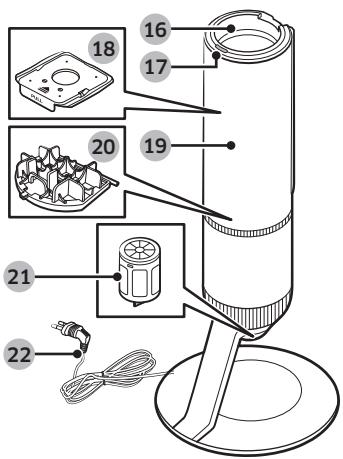
natural_image
Technical line drawing of a mechanical device with mounting base and close-up view of internal components (no text or symbols)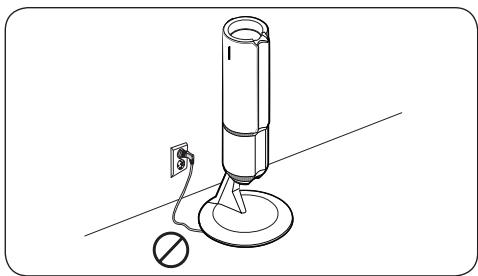
natural_image
Line drawing of a cylindrical device with a base, connected to a power outlet and a circular base (no text or symbols)- Viewing the user manuals
- Important safety symbols
- WARNING
- CAUTION
- NOTE
- General
- Vacuum cleaner
- Maintenance
- Clean Station
- Battery
- Accessories
- Parts overview
- Installing the Clean Station
- Using the Clean Station
- Using the buttons and display
- Display
- Power (⏻)
- Suction power control (+ / -)
- Product specification
- Tolmuimeja
- Kasutusjuhend
- Ohutusalane teave
- VEIKSMAS
- Aspirador
- Manual del usuario
- PASO 1
- Staubsauger
- Benutzerhandbuch
- STAP1
- ÉTAPE 1
- STEG 1
- Säkerhetsinformation
- TRIN 1
- VAIHE1
- Turvallisuusohjeet
Brand : SAMSUNG
Model : VS20A95973B/WA - VS20A95943N/WA - VS20A95973B/WA - VS20A95823W/WA - VS20A95843W/WA - VS20A95843B/WA
Category : Vacuum Cleaner