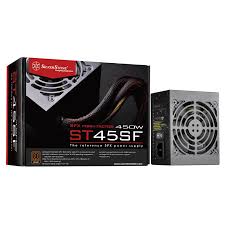
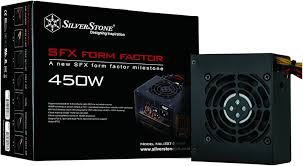
STRIDER ST45SF 80PLUS BRONZE - Power supply SILVERSTONE - Free user manual and instructions
Find the device manual for free STRIDER ST45SF 80PLUS BRONZE SILVERSTONE in PDF.

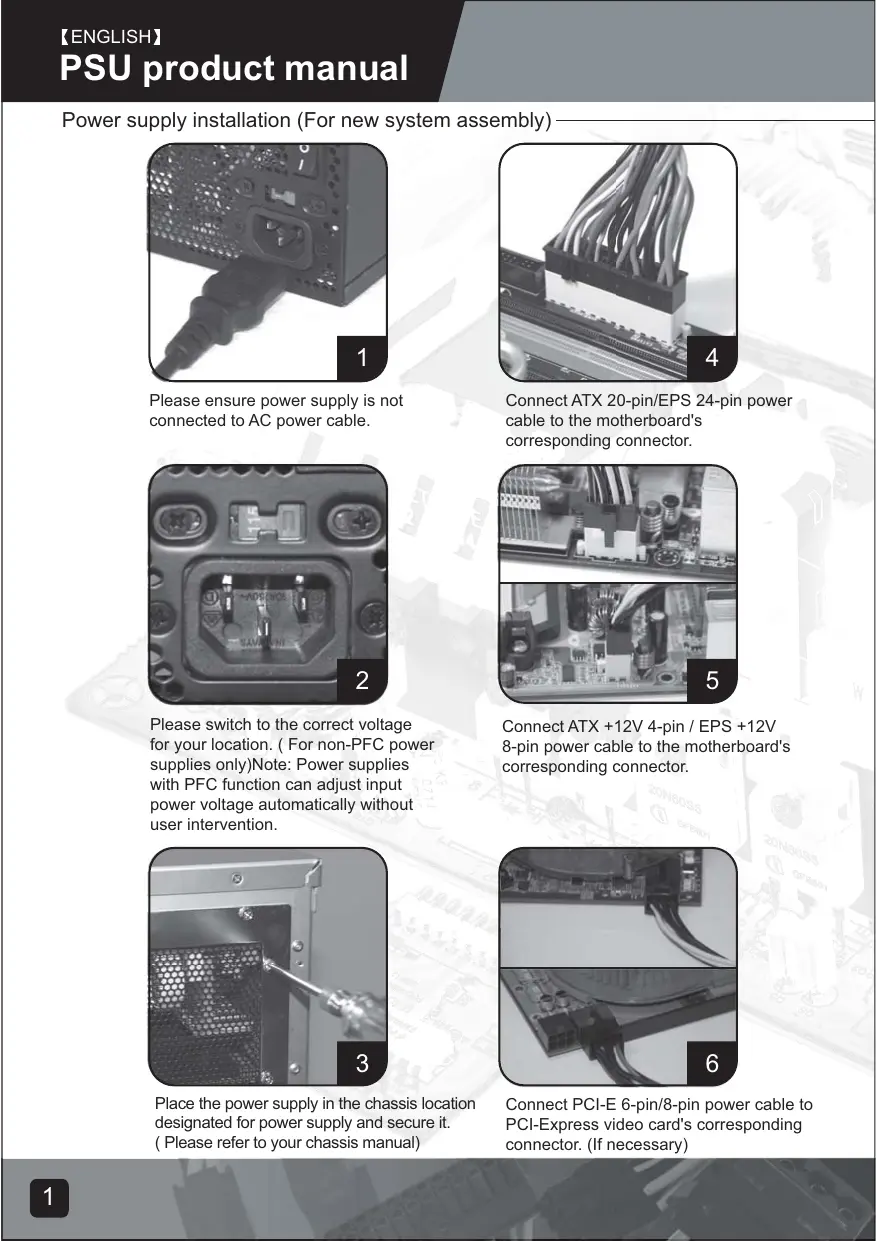


| Product type | PC Power Supply |
| Form Factor | SFX (Small Form Factor) |
| Rated Power | 450 W |
| 80 PLUS Certification | Bronze (up to 85% efficiency) |
| Input Voltage | 100-240 V AC, 50-60 Hz |
| Active PFC Protection | Yes (automatic voltage adjustment) |
| Dimensions (L x W x H) | 125 x 100 x 63.5 mm |
| Weight | Approximately 1.2 kg |
| Fan | 1 x 80 mm fan |
| Main Connector | 1 x 24-pin (ATX/EPS) |
| CPU Connector | 1 x 8-pin EPS (detachable into 4+4) |
| PCI-Express Connectors | 2 x 6+2-pin |
| SATA Connectors | 4 x SATA |
| Peripheral Connectors (Molex) | 2 x 4-pin |
| Floppy Connector | 1 x 4-pin (small) |
| Integrated Protections | Overvoltage, Undervoltage, Overcurrent, Short Circuit, Overtemperature |
| Voltage Switch | No (active PFC, auto-detection) |
| Usage | Indoor use only |
| Warranty | 3 years (subject to proper use conditions) |
| Maintenance | Do not open, clean with a dry cloth, check air intakes |
Frequently Asked Questions - STRIDER ST45SF 80PLUS BRONZE SILVERSTONE
User questions about STRIDER ST45SF 80PLUS BRONZE SILVERSTONE
0 question about this device. Answer the ones you know or ask your own.
Ask a new question about this device
Download the instructions for your Power supply in PDF format for free! Find your manual STRIDER ST45SF 80PLUS BRONZE - SILVERSTONE and take your electronic device back in hand. On this page are published all the documents necessary for the use of your device. STRIDER ST45SF 80PLUS BRONZE by SILVERSTONE.
USER MANUAL STRIDER ST45SF 80PLUS BRONZE SILVERSTONE
Power suppl multilanguage manual
Index
ENGLISH 1 - 6
DEUTSCH 7 - 12
FRANCAIS 13 - 18
ITALIANO 19 - 24
ESPANOL 25 - 30
русский 31 - 36
日本語 37 - 42
한국어 43 - 48
简体中文 49 - 54
繁体中文 55 - 60
Power supply installation (For new system assembly)
natural_image
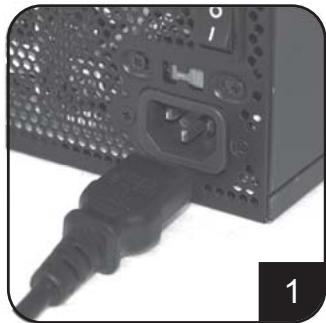
Close-up of a computer power connector with a black plastic plug inserted (no visible text or symbols)Please ensure power supply is not connected to AC power cable.
natural_image
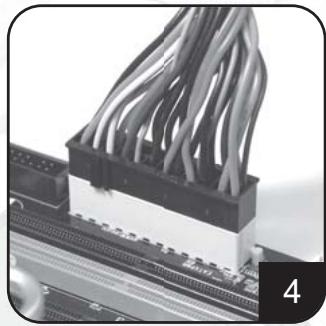
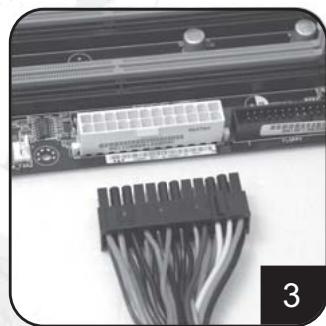
Close-up of a server rack with bundled cables (no visible text or symbols)Connect ATX 20-pin/EPS 24-pin power cable to the motherboard's corresponding connector.
natural_image
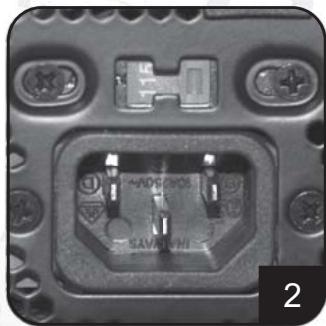
Close-up of a black electronic component with two pins and mounting holes (no visible text or symbols)Please switch to the correct voltage for your location. ( For non-PFC power supplies only)Note: Power supplies with PFC function can adjust input power voltage automatically without user intervention.
natural_image
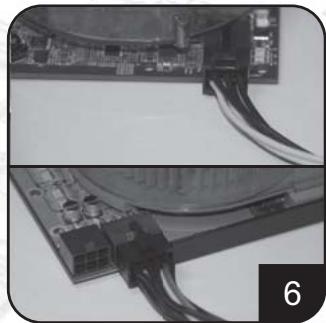
Close-up of a computer motherboard with visible circuit boards and components (no text or symbols)Connect ATX +12V 4-pin / EPS +12V 8-pin power cable to the motherboard's corresponding connector.
natural_image
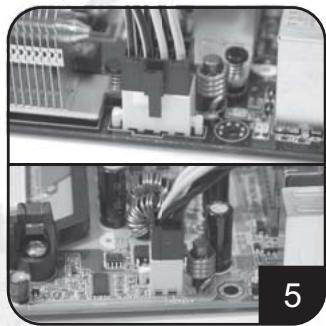
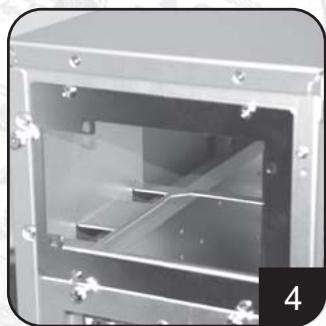
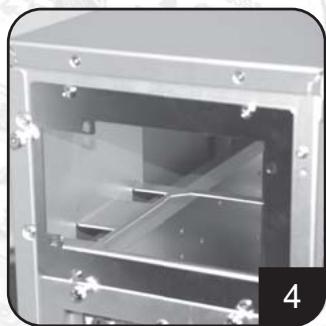
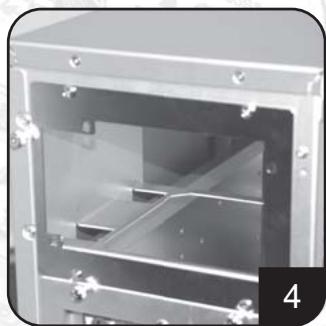
Close-up of a hand using a screwdriver to insert a meshed metal panel (no text or symbols visible)Place the power supply in the chassis location designated for power supply and secure it. ( Please refer to your chassis manual)
natural_image
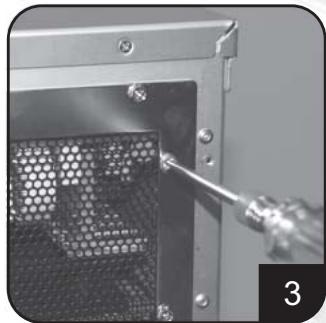
Close-up of electronic components with visible wiring and circuit board (no text or symbols)Connect PCI-E 6-pin/8-pin power cable to PCI-Express video card's corresponding connector. (If necessary)
Power supply installation (for new system assembly)
natural_image
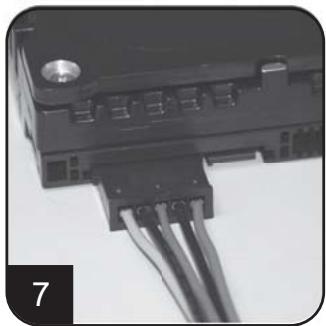
Close-up of a black electronic component with multiple wires attached (no visible text or symbols)Connect SATA power cables to SATA hard drives or devices.
natural_image
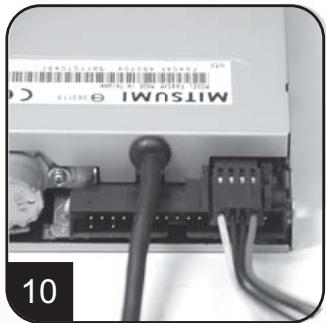
Close-up of a Mitsubishi electronic device with visible wiring and connectors (no readable text or symbols)Connect small 4-pin power cable to floppy drives or other compatible devices
natural_image
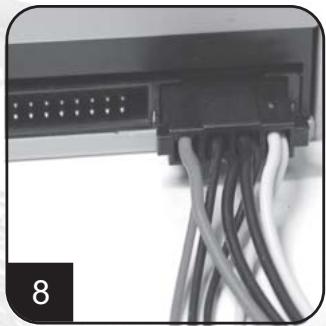
Close-up of a black electronic device with multiple white cables connected to its port (no visible text or symbols)Connect 4-pin peripheral power cables to IDE hard drives, optical drives or other devices.
natural_image
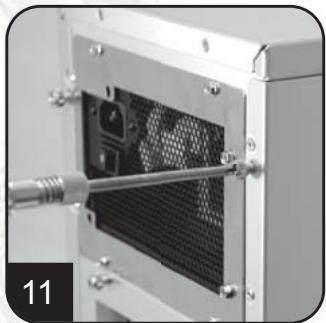
Close-up of a mechanical device with a mesh panel and metal frame, no visible text or symbolsReinstall chassis's cover, and secure it. ( Please refer to the installation of chassis)
natural_image
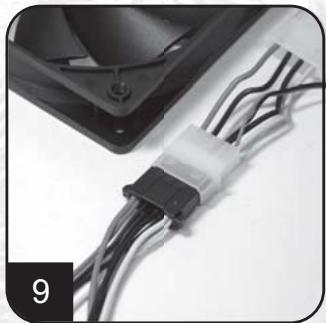
Close-up of a black plastic connector with black wires attached, no visible text or symbolsConnect 4-pin peripheral power cables to fans utilizing the peripheral connectors. (DC +12V variety)
natural_image
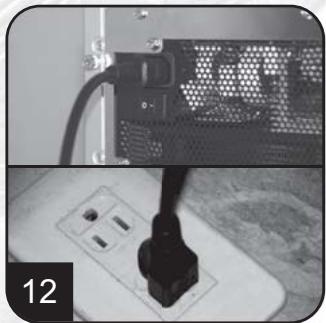
Close-up of a black plug inserted into a socket, next to a computer monitor with ventilation grille (no visible text or symbols)Connect AC power cable to the power supply. (Caution: please do not use extension socket, if using extension socket is necessary, avoid combined usage with other higher powered household appliances such as TV, audio amplifier, etc…)
Power supply installation (For new system assembly)
natural_image
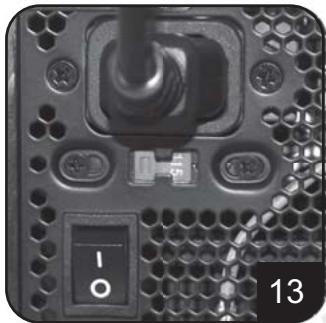
Close-up of a computer drive head with indicator lights and screw holes (no readable text or symbols)Turn on the power supply by switching to "I" (I/O) mode.
Caution: The power supply is on standby now. System on and off is controlled by the motherboard.
(Please refer to the motherboard manual)
Power supply installation (For replacement)
natural_image
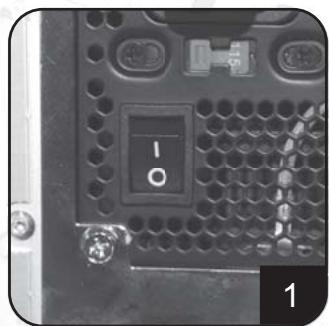
Close-up of a computer drive head panel with a labeled indicator (no readable text or symbols beyond the label)After turning off the system, switch the power supply to "O" position to disable system standby and make sure the system is no longer drawing any power.
natural_image
Close-up of a computer motherboard with a black plastic connector and cable spool, no visible text or symbolsRemove all power supply cables connected to the motherboard, video card, hard drive and other device.
natural_image
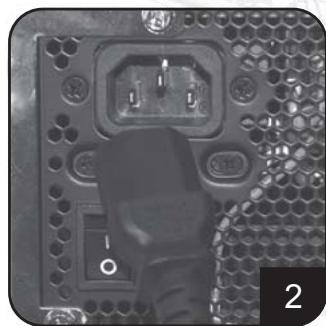
Close-up of a computer RAM socket with visible ports and connectors (no text or symbols)Remove AC power cable from the power supply.
natural_image
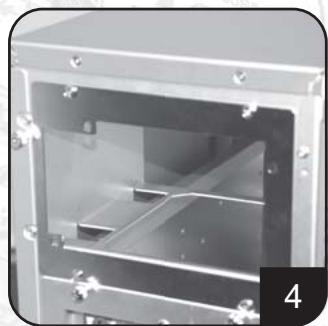
Interior view of a laboratory or industrial equipment cabinet with transparent glass panels and metal components (no visible text or symbols)Remove power supply from the chassis. (Please refer to your chassis's installation manual.)
- Please refer now to Step 1 of "Power supply installation (for new system assembly)"
Power supply usage notes and caution
- The power supply includes dangerous high voltage; please do not open the power supply in any condition. Once the power supply enclosure is opened, it will no longer be covered under warranty.
- Please use power supply in safe and dry surroundings.
- Please do not obstruct, insert, or put anything into power supply's vents and any other openings.
- The AC cable included with the power supply has been stringently examined by the factory for defects and quality so please use only the AC cable supplied with your power supply. AC power cable manufactured by a third party may produce incompatible results and possibly cause damage to your system or power supply.
- This product is designed for indoor use only.
Troubleshooting
If your power supply is not operating properly, please refer to the following steps:
- Please make sure the voltage switch is in the correct mode for use in your location (115V or 230V). (For power supplies without PFC function only)
- Please ensure AC power cable is connect to the power supply.
- Please make sure power supply's "I/O" is switched to "I" mode.
- Please double check to see if all motherboard, video card(s), hard drives, and devices' cables are connected correctly.
- Please turn off the power supply by switching the "I/O" to "O" mode. Wait for approximately 5 minutes for the power supply to reset its protection mechanisms, then switch on "I" mode and reboot the system.
Caution: The power supply includes dangerous high voltage; please do not open the power supply under any circumstances. Once the power supply enclosure is opened, it will no longer be covered under warranty.
Power supply connectors
natural_image
Close-up of a black electronic connector with coiled cable (no visible text or symbols)5.1
natural_image
Close-up of a black electronic circuit board with multiple leads and connectors (no visible text or symbols)EPS 24-pin motherboard power connector
Support the latest ATX/BTX PC motherboard Support EEB/CEB server/workstation motherboard
ATX 20-pin motherboard power connector
Support ATX PC motherboard
EPS 8-pin CPU +12V power connector
Support Dual CPU server/ workstation Support latest single CPU system
ATX 4-pin CPU +12V power connector
Support latest single CPU system.
PCI-E 6-pin power connector
Support high-end PCI-Express video card, some high-end video cards may require two PCI-E 6 pin connectors.
PCI-E 8 pin power connector
Support high-end PCI-Express video card, some high-end video cards may require another PCI-E 6-pin connector in addition to PCI-E 8pin connector.
SATA hard disk power connector
Support latest SATA hard drives and devices
Standard 4-pin peripheral power connector
Support IDE/SCSI hard drives, optical drives, fans, etc...
Small 4-pin floppy power connector
Support standard floppy drives or compatible devices
Power supply connectors
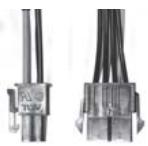
natural_image
Close-up of two electrical connectors with black wires, no visible text or symbols
Converting wire
EPS 8-pin connector to convert into ATX 4-pin connector
Caution:
- Please turn off your system and switch to "O" mode on the power supply before attaching or detaching power connectors.
- All power connectors are keyed to prevent incorrect connections. If you cannot connect them easily, please double check to ensure the connector's direction and type before attempting to connect again. Do not attach the connector by force; incorrect connection will damage power supply or devices in your system.
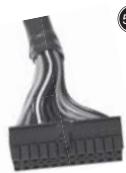
- The converting wire (picture 5.10) can only be attached with EPS 8-pin connector to convert into ATX 4-pin connector. Incorrect connection will damage power supply or devices in your system.
The connectors shown above may differ depending on the model of your power supply.
Warranty
Product component defects or damages resulted in defective production is covered under warranty. Damages resulted with the following conditions will be fixed or replaced under SilverStone's jurisdiction.
- Usage in accordance with instructions provided in this manual, with no misuse, overuse, or other inappropriate actions.
- Damage not caused by natural disaster (thunder, fire, earthquake, flood, salt, wind, insects, animals etc...)
- Product is not disassembled, modified, or fixed. Components not disassembled or replaced.
- Warranty mark/stickers is not removed or broken.
Loss or damages resulted from conditions other than ones listed above are not covered under warranty.
natural_image
Close-up of a computer power connector with a black plastic plug inserted (no visible text or symbols)natural_image
Close-up of a mechanical component with bundled cables (no visible text or symbols)natural_image
Close-up of a black electronic component with internal pins and mounting holes (no readable text or symbols)natural_image
Close-up of a computer motherboard with visible circuit boards and components (no text or symbols)natural_image
Close-up of a hand using a tool to insert or install a mesh panel inside a metal enclosure (no text or symbols visible)natural_image
Close-up of electronic circuit boards with visible traces and connectors (no text or symbols)natural_image
Close-up of a black electronic component with multiple wires and connectors (no visible text or symbols)natural_image
Close-up of a computer interface showing a network switch and cable connections (no readable text or symbols)natural_image
Close-up of a black electronic device with multiple ports and coiled cables (no visible text or symbols)natural_image
Close-up of a mechanical device with a mesh internal panel and metal components, no visible text or symbolsnatural_image
Close-up of a black plastic connector with black wires attached, next to a black plastic housing (no visible text or symbols)natural_image
Close-up of a server rack with ventilation grilles and an electrical plug inserted into a socket (no visible text or symbols)natural_image
Close-up of a black electronic device with a switch and connector, no visible text or symbolsnatural_image
Close-up of a computer drive head panel showing a black indicator light and screw base (no readable text or symbols)natural_image
Close-up of a computer RAM socket with visible ports and connectors (no text or symbols)natural_image
Close-up of a computer motherboard with a connector cable and indicator lights (no visible text or symbols)natural_image
Interior view of a mechanical device with transparent casing and internal compartments (no visible text or symbols)Support ATX PC Motherboard
| 5.3 | BLACK | GND | YELLOW | +12V | |
| BLACK | GND | YELLOW | +12V | ||
| BLACK | GND | YELLOW | +12V | ||
| BLACK | GND | YELLOW | +12V | ||
| 5.4 | BLACK | GND | YELLOW | +12V | |
| BLACK | GND | YELLOW | +12V |
EPS 8-pin CPU +12V Strombuchse/Stecker
Small 4-pin Floppy Strombuchse/Stecker
natural_image
Close-up of two connectors with visible wires, no text or symbols presentnatural_image
Close-up of a black plastic plug inserted into a computer tower socket (no visible text or symbols)natural_image
Close-up of a computer RAM module with bundled cables (no visible text or symbols)natural_image
Close-up of a black electronic component with two pins and mounting holes (no visible text or symbols)natural_image
Close-up of a computer motherboard with visible circuit boards and components (no text or symbols)natural_image
Close-up of a metal door with a screwdriver inserted, showing a mesh pattern inside (no text or symbols visible)natural_image
Close-up of electronic circuit board components with visible wiring and connectors (no text or symbols)natural_image
Close-up of a black electronic component with multiple wires and a small circular head (no visible text or symbols)natural_image
Close-up of a black electronic device with multiple white connectors and coiled cables (no visible text or symbols)natural_image
Close-up of a mechanical device with a mesh internal structure and a metallic rod inserted (no visible text or symbols)natural_image
Close-up of a black plastic connector with black wires attached, next to a black plastic housing (no text or symbols visible)natural_image
Close-up of a server rack with ventilation slots and an electrical plug inserted into a socket (no visible text or symbols)natural_image
Close-up of a computer RAM module with hexagonal socket and indicator lights (no readable text or symbols)natural_image
Close-up of a computer drive head panel showing a black button labeled '10' and a metallic screw (no readable text or symbols beyond the label)natural_image
Close-up of a computer RAM socket with visible ports and connectors (no text or symbols)natural_image
Close-up of a computer motherboard with a black connector and cable bundle (no visible text or symbols)natural_image
Interior view of a mechanical device with transparent casing and internal compartments (no visible text or symbols)natural_image
Close-up of a black electronic connector with coiled cable (no visible text or symbols)5.1
natural_image
Close-up of a black electronic circuit board with multiple leads and connectors (no visible text or symbols)natural_image
Close-up of two electrical connectors with visible wires and connectors (no text or symbols)Le fil convertissant
natural_image
Close-up of a black plastic plug inserted into a computer drive (no visible text or symbols)natural_image
Close-up of a server rack with bundled cables (no visible text or symbols)natural_image
Close-up of a black electronic component with two internal slots and mounting holes (no visible text or symbols)natural_image
Close-up of a computer motherboard with visible circuit boards and components (no text or symbols)natural_image
Close-up of a hand using a screwdriver to insert a meshed metal panel (no text or symbols visible)natural_image
Close-up of electronic circuit boards with visible traces and connectors (no text or symbols)natural_image
Close-up of a black electronic component with multiple wires attached (no visible text or symbols)natural_image
Close-up of a black electronic device with multiple ports and coiled cables (no visible text or symbols)natural_image
Close-up of a mechanical device with a mesh internal structure and metal components, no visible text or symbols.natural_image
Close-up of a black plastic connector with multiple wires attached to a black plastic housing (no visible text or symbols)natural_image
Close-up of a server rack with ventilation grilles and a plug inserted into a socket (no visible text or symbols)natural_image
Close-up of a black electronic device rear panel with indicator lights and ports (no readable text or symbols)Accendere l`unita` passando a modalita` "l" (I/O).
natural_image
Close-up of a computer drive head panel showing a black button labeled 'I/O' and a metallic screw (no readable text or symbols beyond the label)natural_image
Close-up of a computer motherboard with a black plastic connector and cable spool, no visible text or symbolsnatural_image
Close-up of a computer RAM socket with visible ports and connectors (no text or symbols)natural_image
Interior view of a transparent industrial machine with internal compartments and mounting holes (no visible text or symbols)natural_image
Close-up of a black electronic connector with coiled cable (no visible text or symbols)5.1
natural_image
Close-up of a black electronic circuit board with multiple leads and connectors (no visible text or symbols)natural_image
Close-up of two electrical connectors with visible wires and connectors (no text or symbols)
natural_image
Close-up of a black plastic plug inserted into a computer tower socket (no visible text or symbols)natural_image
Close-up of a computer RAM module with bundled cables (no visible text or symbols)natural_image
Close-up of a black electronic component with two pins and mounting holes (no visible text or symbols)natural_image
Close-up of a computer motherboard with visible circuit boards and components (no text or symbols)natural_image
Close-up of a metal door with a screwdriver inserted, showing a mesh pattern inside (no text or symbols visible)natural_image
Close-up of electronic circuit board components with visible wiring and connectors (no text or symbols)natural_image
Close-up of a black electronic component with multiple wires and a small circular head (no visible text or symbols)natural_image
Close-up of a Mitsubishi electronic device with visible wiring and connectors (no readable text or symbols)natural_image
Close-up of a black electronic device with multiple white cables plugged into the port, no visible text or symbolsnatural_image
Close-up of a mechanical device with a mesh internal component and a metallic housing (no visible text or symbols)natural_image
Close-up of a black plastic connector with black wires attached, no visible text or symbolsnatural_image
Close-up of a server rack with ventilation slots and a black plug inserted into a socket (no visible text or symbols)natural_image
Close-up of a computer drive head with indicator lights and a switch (no readable text or symbols)natural_image
Close-up of a computer drive head panel showing a black button labeled 'I/O' and a metallic screw (no readable text or symbols beyond the label)natural_image
Close-up of a computer motherboard with a black plastic connector and cable spool, no visible text or symbolsnatural_image
Close-up of a computer RAM socket with visible port and socket (no text or symbols)natural_image
Interior view of a mechanical device with transparent casing and internal compartments (no visible text or symbols)natural_image
Close-up of a black electronic connector with coiled cable (no visible text or symbols)natural_image
Close-up of a black electronic circuit board with multiple leads and connectors (no visible text or symbols)EPS 8-pin CPU +12V power connector
natural_image
Close-up of two electronic connectors with visible wires and connectors (no text or symbols)5.10
El alambre de convertir
natural_image
Close-up of a black computer power connector with socket and plug (no visible text or symbols)natural_image
Close-up of a computer RAM module with bundled cables (no visible text or symbols)natural_image
Close-up of a black electronic component with two pins and mounting tabs (no readable text or symbols)natural_image
Close-up of a computer motherboard with visible circuit boards and components (no text or symbols)natural_image
Close-up of a screwdriver inserted into a meshed panel inside a device (no visible text or symbols)natural_image
Close-up of electronic circuit boards with visible traces and connectors (no text or symbols)natural_image
Close-up of a black electronic component with multiple wires and a small circular head (no visible text or symbols)natural_image
Close-up of a Mitsubishi electronic device with visible wiring and connector (no readable text or symbols)natural_image
Close-up of a black electronic device with multiple white cables plugged into the port (no visible text or symbols)natural_image
Close-up of a mechanical device with a mesh internal component and a metallic housing (no visible text or symbols)natural_image
Close-up of a black plastic connector with black wires attached, no visible text or symbolsnatural_image
Close-up of a black plug inserted into a socket, next to a server rack with ventilation grille (no visible text or symbols)natural_image
Close-up of a computer RAM module with hexagonal socket and indicator lights (no readable text or symbols)natural_image
Close-up of a computer drive head panel showing a black button labeled 'I/O' and a metallic screw (no readable text or symbols beyond the label)natural_image
Close-up of a computer RAM socket with visible pin and socket (no text or symbols)natural_image
Close-up of a computer motherboard with a connector cable and a battery module (no visible text or symbols)natural_image
Interior view of a metallic industrial machine with transparent casing and internal compartments (no visible text or symbols)natural_image
Close-up of a black electronic connector with coiled cable (no visible text or symbols)5.1
natural_image
Close-up of a black electronic circuit board with multiple leads and connectors (no visible text or symbols)natural_image
Close-up of two electronic connectors with visible wires and terminal labels (no readable text or symbols)
Шнур преобразования
natural_image
Close-up of a computer power connector with socket and cable (no visible text or symbols)電源に交流電源ケーブルが接続
されていないことを確認してください。
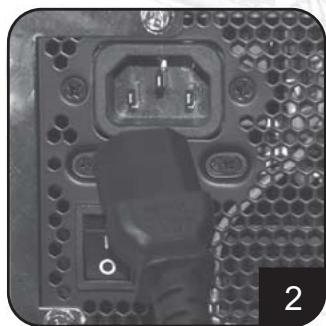
natural_image
Close-up of a computer RAM module with bundled cables (no visible text or symbols)natural_image
Close-up of a black electronic component with two pins and mounting holes (no visible text or symbols)natural_image
Close-up of a computer motherboard with visible circuit boards and components (no text or symbols)natural_image
Close-up of a screwdriver inserted into a meshed panel with a grid pattern (no text or symbols visible)natural_image
Close-up of electronic circuit boards with visible traces and connectors (no text or symbols)natural_image
Close-up of a black electronic component with multiple wires attached (no visible text or symbols)natural_image
Close-up of a Mitsubishi Ethernet cable connector with visible wiring and port (no readable text or symbols)natural_image
Close-up of a black electronic device with multiple connected cables (no visible text or symbols)natural_image
Close-up of a mechanical device with a mesh internal component and a metallic housing (no visible text or symbols)natural_image
Close-up of a black plastic connector with wires wrapped around it, next to a black fan (no text or symbols visible)natural_image
Close-up of a server rack with ventilation slots and a black plug inserted into a socket (no visible text or symbols)natural_image
Close-up of a computer drive head with indicator lights and ports (no readable text or symbols)natural_image
Close-up of a computer drive head panel showing a black button labeled 'I O' and a metallic screw (no readable text or symbols beyond the label)システムをオフにした後、電源を“
0”位置に切り替えてシステムの
スタンバイを無効にし、システムが
電力を消費していないことを確認します。
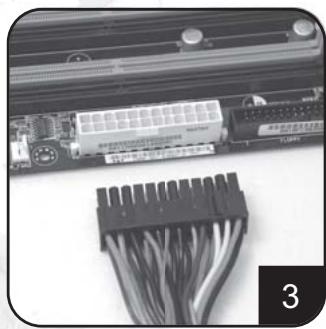
natural_image
Close-up of a computer motherboard with a black plastic connector and cable connectors (no visible text or symbols)マザーボード、ビデオカード、
ハードディスクドライブ、その他
デバイスに接続されている全ての電源
ケーブルをはずします。
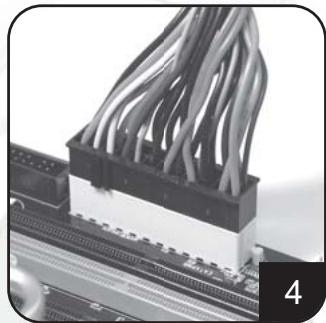
natural_image
Close-up of a computer RAM socket with a black plug inserted, showing port and socket details (no text or symbols visible)交流電源ケーブルを電源から抜きます。
natural_image
Interior view of a mechanical device with transparent casing and internal compartments (no visible text or symbols)シャーシから電源を取り除きます
natural_image
Close-up of a black electronic component with multiple leads and wires (no visible text or symbols)natural_image
Close-up of a black electronic circuit board with multiple leads and connectors (no visible text or symbols)natural_image
Close-up of two electronic connectors with black wires, no visible text or symbols切替用導線
natural_image
Close-up of a black plastic plug inserted into a computer drive (no visible text or symbols)natural_image
Close-up of a computer RAM module with bundled cables (no visible text or symbols)natural_image
Close-up of a black electronic component with two internal slots and mounting holes (no visible text or symbols)natural_image
Close-up of a computer motherboard with visible circuit boards and components (no text or symbols)natural_image
Close-up of a metal door with a grid-patterned panel and a tool inserted, no visible text or symbolsnatural_image
Close-up of electronic circuit boards with visible traces and connectors (no text or symbols)natural_image
Close-up of a black electronic component with multiple wires attached (no visible text or symbols)natural_image
Close-up of a black electronic device with multiple ports and coiled cables (no visible text or symbols)natural_image
Close-up of a mechanical device with a mesh internal structure and metal components, no visible text or symbols.natural_image
Close-up of a black plastic connector with multiple wires attached to a black plastic housing (no visible text or symbols)natural_image
Close-up of a server rack with ventilation grilles and a plug inserted into a socket (no visible text or symbols)natural_image
Close-up of a black electronic device rear panel showing ports, a switch, and a circular vent (no readable text or symbols)natural_image
Close-up of a computer drive head panel showing a black indicator button labeled '10' and a numbered corner (no readable text or symbols beyond the indicator)natural_image
Close-up of a computer motherboard with a black plastic connector and cable spool, no visible text or symbolsnatural_image
Close-up of a computer power connector socket with visible pins and connectors (no text or symbols)natural_image
Interior view of a metallic industrial machine with transparent casing and internal compartments (no visible text or symbols)natural_image
Close-up of two electronic connectors with visible wires and connectors (no text or symbols)변환케이블
natural_image
Close-up of a black plastic connector with ports and socket (no visible text or symbols)natural_image
Close-up of a computer RAM module with bundled cables (no visible text or symbols)natural_image
Close-up of a black electronic component with two pins and mounting holes (no visible text or symbols)natural_image
Close-up of a computer motherboard with visible circuit boards and components (no text or symbols)natural_image
Close-up of a hand using a screwdriver to insert a meshed metal panel (no text or symbols visible)natural_image
Close-up of electronic components with visible wiring and circuit board (no text or symbols)natural_image
Close-up of a black electronic component with multiple wires and a small circular head (no visible text or symbols)natural_image
Close-up of a Mitsubishi Ethernet cable connector with visible wiring and connectors (no readable text or symbols)natural_image
Close-up of a black electronic device with multiple white connectors and coiled cables (no visible text or symbols)natural_image
Close-up of a mechanical device with a mesh internal structure and a metallic rod inserted (no visible text or symbols)natural_image
Close-up of a black plastic connector with black wires attached, next to a black fan (no visible text or symbols)natural_image
Close-up of a server rack with ventilation grilles and an electrical plug inserted into a socket (no visible text or symbols)natural_image
Close-up of a computer drive head with indicator lights and a switch (no readable text or symbols)natural_image
Close-up of a computer drive head panel showing a black button labeled 'I/O' and a metallic screw (no readable text or symbols beyond the label)natural_image
Close-up of a computer motherboard with a black plastic connector and cable spool, no visible text or symbolsnatural_image
Close-up of a computer RAM socket with visible ports and connectors (no text or symbols)将电源供应器上的AC交流电源线移除。
natural_image
Interior view of a mechanical device with transparent casing and internal components (no visible text or symbols)natural_image
Close-up of a black electronic connector with coiled cable (no visible text or symbols)5.1
natural_image
Close-up of a black electronic circuit board with multiple leads and connectors (no visible text or symbols)EPS 8-pin CPU +12V 电源线接头
ATX 4-pin CPU +12V 电源线接头
支持最新型CPU规格之PC系统
5.5
| YELLOW | +12V |
| YELLOW | +12V |
| YELLOW | +12V |

| BLACK | GND |
| BLACK | SENSE |
| BLACK | GND |
PCI-E 6-pin 电源线接头
natural_image
Close-up of two connectors with visible wires, no text or symbols present转接线
EPS 8-pin 连接头转 ATX 4-pin 连接头
注意:
natural_image
Close-up of a black computer power connector with socket and socket port (no visible text or symbols)natural_image
Close-up of a computer RAM module with bundled cables (no visible text or symbols)natural_image
Close-up of a black electronic component with two pins and mounting tabs (no visible text or symbols)natural_image
Close-up of a computer motherboard with visible circuit boards and components (no text or symbols)natural_image
Close-up of a screwdriver inserted into a meshed panel inside a metal enclosure (no text or symbols visible)natural_image
Close-up of electronic circuit boards with visible traces and connectors (no text or symbols)natural_image
Close-up of a black electronic component with multiple wires and a small circular head (no visible text or symbols)natural_image
Close-up of a black electronic device with multiple white connectors and coiled cables (no visible text or symbols)natural_image
Close-up of a mechanical device with a mesh internal structure and a metallic housing (no visible text or symbols)natural_image
Close-up of a black plastic connector with black wires attached to a device (no visible text or symbols)natural_image
Close-up of a server rack with ventilation grilles and a black plug inserted into a socket (no visible text or symbols)natural_image
Close-up of a computer drive head with indicator lights and a switch (no readable text or symbols)natural_image
Close-up of a computer drive head panel showing a black button labeled 'I/O' and a metallic screw (no readable text or symbols beyond the label)natural_image
Close-up of a computer motherboard with a black plastic connector and cable spool, no visible text or symbolsnatural_image
Close-up of a computer RAM socket with visible ports and connectors (no text or symbols)將AC交流電源線由電源供應器上移除。
natural_image
Interior view of a mechanical device with transparent casing and internal components (no visible text or symbols)將電源至電腦機箱中移除。
(請參照電腦機箱之安裝說明書)
- 請按照 “一、電源供應器的安裝
(建構全新系統)”之步驟進行安裝。
電源供應器使用注意事項
natural_image
Close-up of a black electronic circuit board with multiple leads and connectors (no visible text or symbols)5.2
natural_image
Close-up of two electrical connectors with visible wires (no text or symbols)5.10
轉接線
To be valid, this sheet must be filled out by your salesperson at the time of purchase.
Store : Purchaser : Purchase date : Model No. : Serial No. :
SilverStone Technology Co., Ltd.
www.silverstonetek.com

- Power suppl multilanguage manual
- Index
- Power supply installation (for new system assembly)
- Power supply usage notes and caution
- Troubleshooting
- Power supply connectors
- EPS 24-pin motherboard power connector
- ATX 20-pin motherboard power connector
- EPS 8-pin CPU +12V power connector
- ATX 4-pin CPU +12V power connector
- PCI-E 6-pin power connector
- PCI-E 8 pin power connector
- SATA hard disk power connector
- Standard 4-pin peripheral power connector
- Small 4-pin floppy power connector
- Converting wire
- Caution:
- Warranty
- EPS 8-pin CPU +12V Strombuchse/Stecker
- Small 4-pin Floppy Strombuchse/Stecker
- Le fil convertissant
- El alambre de convertir
- Шнур преобразования
- 切替用導線
- 변환케이블
- EPS 8-pin CPU +12V 电源线接头
- ATX 4-pin CPU +12V 电源线接头
- PCI-E 6-pin 电源线接头
- 转接线
- 注意:
- 電源供應器使用注意事項
- 轉接線
Brand : SILVERSTONE
Model : STRIDER ST45SF 80PLUS BRONZE
Category : Power supply