
SDC525/00 - Breast Pump PHILIPS AVENT - Free user manual and instructions
Find the device manual for free SDC525/00 PHILIPS AVENT in PDF.



| Product type | Baby monitor |
| Technology | DECT (digital wireless) |
| Brand | Philips Avent |
| Model | SDC525/00 |
| Power supply parent unit | 2 NiMH AAA 850 mAh batteries (included); mains charger |
| Power supply baby unit | 4 non-rechargeable AA 1.5V batteries (not included) or mains adapter |
| Battery life parent unit | 24 hours (after 4 charge cycles) |
| Outdoor range | 330 meters (open air) |
| Indoor range | Up to 50 meters |
| Main features | Two-way audio monitoring (Talk), nightlight, lullaby (5 melodies), ECO mode, sound alert, temperature alert, temperature display, adjustable microphone sensitivity, sound level indicators, paging function |
| Display | LCD screen with backlight, battery icons, temperature, ECO mode, lullaby, nightlight |
| Temperature sensor | Integrated in baby unit; programmable range (default 14°C - 35°C) |
| ECO mode | Reduces transmission power; outdoor range reduced to 260m |
| Lullaby | 5 built-in melodies, continuous or random play |
| Nightlight | Integrated in baby unit, dimmable |
| Talk function | Two-way communication from parent unit |
| Included accessories | Belt clip, neck strap, charger for parent unit, mains adapters (baby unit and charger) |
| Operating temperature | 7°C to 40°C |
| Maintenance | Clean with a damp cloth (do not immerse) |
| Spare parts | Mains adapters available (references SSA-5W-09 EU/UK); standard batteries |
| Warranty | International Philips warranty; register at www.philips.com/welcome |
Frequently Asked Questions - SDC525/00 PHILIPS AVENT
User questions about SDC525/00 PHILIPS AVENT
0 question about this device. Answer the ones you know or ask your own.
Ask a new question about this device
Download the instructions for your Breast Pump in PDF format for free! Find your manual SDC525/00 - PHILIPS AVENT and take your electronic device back in hand. On this page are published all the documents necessary for the use of your device. SDC525/00 by PHILIPS AVENT.
USER MANUAL SDC525/00 PHILIPS AVENT
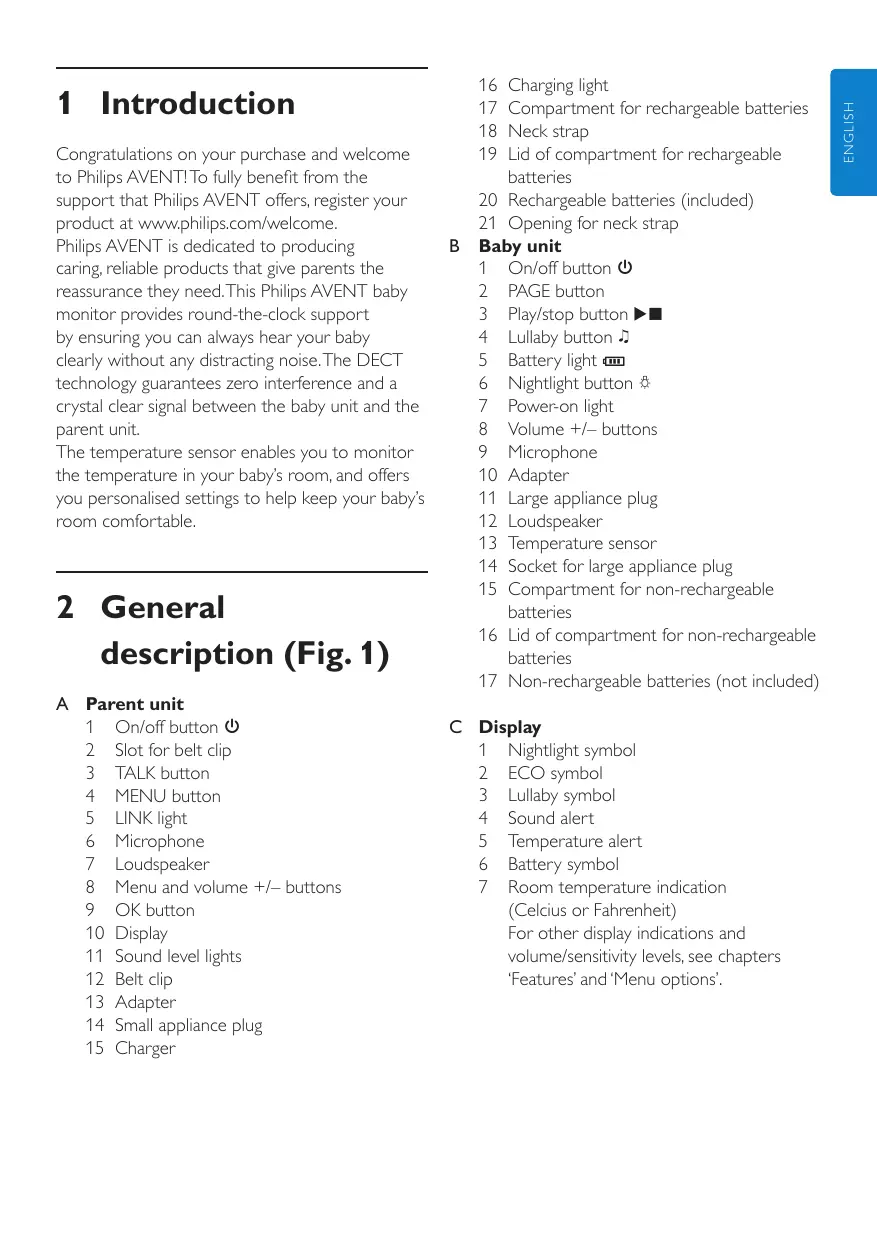
Congratulations on your purchase and welcome to Philips AVENT! To fully benefit from the support that Philips AVENT offers, register your product at www.philips.com/welcome.
Philips AVENT is dedicated to producing caring, reliable products that give parents the reassurance they need. This Philips AVENT baby monitor provides round-the-clock support by ensuring you can always hear your baby clearly without any distracting noise. The DECT technology guarantees zero interference and a crystal clear signal between the baby unit and the parent unit.
The temperature sensor enables you to monitor the temperature in your baby's room, and offers you personalised settings to help keep your baby's room comfortable.
2 General description (Fig. 1)
A Parent unit
1 On/off button
2 Slot for belt clip
3 TALK button
4 MENU button
5 LINK light
6 Microphone
7 Loudspeaker
8 Menu and volume + / - buttons
9 OK button
10 Display
11 Sound level lights
12 Belt clip
13 Adapter
14 Small appliance plug
15 Charger
16 Charging light
17 Compartment for rechargeable batteries
18 Neck strap
19 Lid of compartment for rechargeable batteries
20 Rechargeable batteries (included)
21 Opening for neck strap
B Baby unit
1 On/off button
2 PAGE button
3 Play/stop button
4 Lullaby button
5 Battery light
6 Nightlight button
7 Power-on light
8 Volume + / - buttons
9 Microphone
10 Adapter
11 Large appliance plug
12 Loudspeaker
13 Temperature sensor
14 Socket for large appliance plug
15 Compartment for non-rechargeable batteries
16 Lid of compartment for non-rechargeable batteries
17 Non-rechargeable batteries (not included)
C Display
1 Nightlight symbol
2 ECO symbol
3 Lullaby symbol
4 Sound alert
5 Temperature alert
6 Battery symbol
7 Room temperature indication (Celcius or Fahrenheit) For other display indications and volume/sensitivity levels, see chapters 'Features' and 'Menu options'.
3 Important
Read this user manual carefully before you use the appliance and save it for future reference.
3.0.1 Danger
- Never immerse any part of the baby monitor in water or any other liquid.
- Do not place the appliance where water or any other liquid can drip or splash onto it.
- Never put any object containing liquid on top of the baby unit.
3.0.2 Warning
- Check if the voltage indicated on the adapters of the baby unit and the charger corresponds to the local mains voltage before you connect the appliance.
Only use the adapter supplied to connect the baby unit to the mains.
Only use the charger and adapter supplied to charge the parent unit. - The adapters contain a transformer. Do not cut off the adapters to replace them with other plugs, as this causes a hazardous situation.
- If the adapters are damaged, always have them replaced with one of the original type in order to avoid a hazard. For the correct type, see chapter 'Replacement'.
If the charger of the parent unit is damaged, always have it replaced with one of the original type. - Never use the baby monitor in moist places or close to water.
Except for the battery compartments, do not open the housing of the baby unit and parent unit in order to prevent electric shock. - This appliance is not intended for use by persons (including children) with reduced physical, sensory or mental capabilities, or lack of experience and knowledge, unless they have been given supervision or instruction concerning use of the appliance by a person responsible for their safety.
Children should be supervised to ensure that they do not play with the appliance.
3.0.3 Caution
Use and store the appliance at a temperature between 7^ and 40^
- Do not expose the baby unit and parent unit to extreme cold or heat or to direct sunlight. Do not put the baby unit and the parent unit close to a heating source.
Make sure the baby unit and the cord are always out of reach of the baby (at least 1 metre/3.5 feet away).
- Never place the baby unit inside the baby's bed or playpen.
- Never cover the parent unit and the baby unit with anything (e.g. a towel or blanket).
Always place non-rechargeable batteries of the correct type in the baby unit.
Always place rechargeable batteries of the correct type in the parent unit.
- If you place the parent unit next to a transmitter or other DECT appliance (e.g. a DECT telephone or wireless router for the internet), the connection with the baby unit may be lost. Move the baby monitor further away from the other wireless appliances until the connection is restored.
- Switched-on mobile phones in the vicinity of the baby monitor may cause interference with the baby monitor.
- Radio interference is inevitable and may have an effect on the sound quality of the baby monitor.
3.0.4 General
- This baby monitor is intended as an aid. It is not a substitute for responsible and proper adult supervision and should not be used as such.
Take every precaution to make sure that your baby can sleep safely. - The temperature sensor only measures the temperature in the baby room. It cannot be used to control or adjust the temperature in the baby room.
3.0.5 Important information about nonrechargeable and rechargeable batteries
Non-rechargeable batteries and rechargeable batteries may explode if exposed to sunshine, fire or high temperatures due to other causes.
Always place rechargeable batteries of the correct type in the parent unit to avoid the risk of explosion. Do not use non-rechargeable batteries to avoid the risk of explosion.
Always place non-rechargeable batteries of the correct type in the baby unit to avoid the risk of explosion. The baby unit does not have a charging function.
Make sure that your hands are dry when you insert or replace non-rechargeable batteries or rechargeable batteries.
- To avoid damage due to leakage of non-rechargeable or rechargeable batteries:
1 Do not expose the appliance to temperatures higher than 35^
2 Remove the rechargeable batteries of the parent unit and the non-rechargeable batteries of the baby unit if you are not going to use the appliance for one month or more.
3 Do not leave empty non-rechargeable batteries in the baby unit.
- Dispose of non-rechargeable batteries and rechargeable batteries properly (see chapter 'Environment').
3.0.6 Electromagnetic fields (EMF)
This Philips AVENT appliance complies with all standards regarding electromagnetic fields (EMF). If handled properly and according to the instructions in this user manual, the appliance is safe to use based on scientific evidence available today.
4 Preparing for use
4.1 Baby unit
You can use the baby unit from the mains or on non-rechargeable batteries. Even if you are going to use the unit from the mains, we advise you to insert the non-rechargeable batteries. This guarantees automatic back-up in case of mains failure.
4.1.1 Mains operation
1 Put the large appliance plug in the baby unit and put the adapter in a wall socket (Fig. 2).
4.1.2 Operation on non-rechargeable batteries
The baby unit runs on four 1.5V R6 AA batteries (not included). We strongly advise you to use Philips LR6 PowerLife batteries.
Do not use rechargeable batteries, as the baby unit does not have a charging function.
Place batteries in the baby unit if you do not want to use it from the mains or if you want to be sure of backup power in case of mains failure. Replace the batteries when the baby unit indicates that the batteries are low (the empty battery symbol flashes on the display and the text 'Battery low' appears).
Warning:
Unplug the baby unit and make sure your hands and the unit are dry when you insert the nonrechargeable batteries.
1 Remove the lid of the compartment for nonrechargeable batteries. (Fig. 3)
2 Insert four non-rechargeable batteries (Fig. 4).
Note:
Make sure the + and - poles point in the right direction.
3 Reattach the lid. (Fig. 5)
Note:
When the batteries are low, the battery light on the baby unit flashes red.
4.2 Parent unit
4.2.1 Operation on rechargeable batteries
The parent unit comes with two rechargeable NiMH AAA 850mAh batteries.
Charge the parent unit before you use it for the first time or when the parent unit indicates that the batteries are low (the empty battery symbol flashes on the display and the parent unit beeps). The parent unit starts indicating that the batteries are low 30 minutes before the batteries are completely empty.

Note:
If the batteries are completely empty, the parent unit automatically switches off and loses contact with the baby unit.
1 Remove the lid of the compartment for the rechargeable batteries (Fig. 6).
2 Insert the rechargeable batteries (Fig. 7).

Note:
Make sure the + and - poles of the batteries point in the right direction.
3 Reattach the lid (Fig. 8).
4 Insert the small appliance plug into the charger, put the adapter in a wall socket and place the parent unit in the charger (Fig. 9).
The charging light on the charger goes on.
- The display shows a charging battery symbol to indicate that the parent unit is charging.
5 Leave the parent unit in the charger until the batteries are fully charged.
During charging, the charging light on the charger stays on.
- When the batteries are fully charged, the display of the parent unit shows a full battery symbol 山
- When you charge the parent unit for the first time or after a long period of disuse, switch it off and let it charge continuously for at least 10 hours.
- Charging normally takes 8 hours, but it takes longer when the parent unit is switched on while charging. To keep the charging time as short as possible, switch off the parent unit during charging.
- When the batteries are fully charged, the parent unit can be used cordlessly for up to 24 hours.

Note:
When the parent unit is charged for the first time, the operating time is less than 24 hours. The batteries only reach their full capacity after you have charged and discharged them four times.

Note:
When the parent unit is not in the charger, the batteries gradually discharge, even when the parent unit is switched off.
5 Using the appliance
1 Place the parent unit and the baby unit in the same room to test the connection (Fig. 10). Make sure the baby unit is at least 1 metre/3.5 feet away from the parent unit.
Press and hold the on/off button on the baby unit until the green power-on light goes on. (Fig. 11)

Note:
The power-on light always lights up green, even when there is no connection with the parent unit.
The nightlight lights up briefly and then goes out again.
The battery light lights up briefly and then goes out again. (Fig. 12)
3 Press and hold the on/off button on the parent unit until the sound level lights light up briefly. (Fig. 13)
- The display goes on and the battery symbol appears on the display (Fig. 14).
The LINK light flashes red and the message 'Searching' appears on the display. (Fig. 15) - The LINK light on the parent unit turns green and lights up continuously when a connection has been established between the baby unit and parent unit. The message 'Linked' appears on the display. (Fig. 16)
After 2 seconds the message 'Linked' disappears and the temperature value is shown on the display. (Fig. 17)
If no connection is established, the LINK light on the parent unit flashes red. The parent unit beeps from time to time and the message 'Searching' appears on the display, followed by the message 'Not Linked' (Fig. 18).
5.1 Positioning the baby monitor
1 Place the baby unit at least 1 metre/3.5 feet away from your baby (Fig. 19).
2 Place the parent unit within the operating range of the baby unit. Make sure it is at least 1 metre/3.5 feet away from the baby unit to avoid acoustic feedback (Fig. 10). For more information on the operating range, see section 'Operating range' below.
5.1.1 Operating range
The operating range of the baby monitor is 330 metres/1000 feet in open air. Depending on the surroundings and other disturbing factors, this range may be smaller. Indoors the operating range is up to 50 metres/150 feet.
Note:
If the ECO mode is switched on, the operating range of the baby monitor is also smaller. See section 'ECO mode' in chapter 'Menu options'.
| Dry materials | Material thickness | Loss of range |
| Wood, plaster, cardboard,< 30cm/12in 0-10% glass (without metal, wires or lead) | |
| Brick, plywood | < 30cm/12in 5-35% |
| Reinforced concrete | < 30cm/12in 30-100 |
| Metal grilles or bars | < 1cm /0.4in 90-100 |
| Metal or aluminium sheets | < 1cm/0.4in 100% |
For wet and moist materials, the range loss may be up to 100% .
6 Features
The following features are described in chapter 'Menu options', as they can only be operated in the menu of the parent unit:
Adjusting microphone sensitivity
Sound alert on/off
- Setting room temperature range (minimum and maximum temperature)
Temperature alert on/off
ECO mode on/off
- Setting temperature scale (Fahrenheit or Celcius)
6.1 Adjusting loudspeaker volume
Press the volume + or - button on the baby unit until the desired loudspeaker volume for the baby unit has been reached (Fig. 20).
Note:
You can only set the loudspeaker volume on the baby unit when a lullaby is playing.
Press the volume + or - button on the parent unit until the desired loudspeaker volume for the parent unit has been reached (Fig. 21).
The display gives visual feedback on the volume settings of the parent unit: (Fig. 22)
Volume switched off/silent baby monitoring
Minimum volume
Maximum volume
Note:
If the volume is set to a high level, the units consume more power.
6.2 Talk function
You can use the TALK button on the parent unit to talk to your baby (e.g. to comfort your baby).
Press and hold the TALK button and talk clearly into the microphone from a distance of 15-30cm (Fig. 23).
The green LINK light starts flashing and the message 'Talk' appears on the display.
2 Release the TALK button when you have finished talking.
6.3 Sound level lights
The parent unit continuously monitors the sound level in your baby's room and the sound level lights let you know if there is any activity. If your baby cries, you see the sound level lights light up on the parent unit.
- As long as the baby unit does not detect a sound, all sound level lights on the parent unit are out.
- When the baby unit picks up a sound, one or more sound level lights on the parent unit go on. The number of lights that go on is related to the loudness of the sound picked up by the baby unit.
6.4 Nightlight

Note:
You can also switch the nightlight on and off in the menu of the parent unit (see chapter 'Menu options', section 'Nightlight').
Press the nightlight button on the baby unit to switch on the nightlight. (Fig. 24)
- appears on the display of the parent unit.
2 Press the nightlight button again to switch off the nightlight.
The nightlight dims gradually before it goes out completely.
- disappears from the display of the parent unit.

Tip:
Switch off the nightlight when you operate the baby unit on the non-rechargeable batteries. This saves power:
6.5 Paging the parent unit
If you have misplaced the parent unit and its volume is switched off, you can use the PAGE button on the baby unit to locate the parent unit.

Note:
The paging function only works when the parent unit is switched on.
Press the PAGE button on the baby unit (Fig. 25).
The message 'Paging' appears on the display of the parent unit.
The parent unit produces a paging alert tone.
To stop the paging alert tone, press the PAGE button again or press any button on the parent unit.
6.6 Lullaby function

Note:
You can also operate the lullaby function in the menu of the parent unit (see chapter 'Menu options', section 'Lullaby function').
Press the play/stop button on the baby unit to play the currently selected lullaby. (Fig. 26)
The lullaby starts to play and repeats continuously.
2 To select another lullaby when a lullaby is playing: (Fig. 27)
Press the lullaby button on the baby unit.
Wait 2 seconds for the next lullaby to start.
If you want another lullaby, press the lullaby button on the baby unit again.
3 To stop the lullaby, press the play/stop button
on the baby unit again. (Fig. 26)
6.7 Out of range alert
When the parent unit is out of range of the baby unit, the parent unit beeps from time to time and the messages 'Searching' and 'Not linked' appear on the display. The LINK light on the parent unit flashes red.

Note:
The message 'Not Linked' also appears on the display of the parent unit when the baby unit is switched off.
7 Menu options
All functions can be operated on the parent unit, but some functions can also be operated on the baby unit.
7.1 Menu operation - general explanation

Note:
Menu functions can only be operated when a connection has been established between the baby unit and the parent unit.
Press the MENU button to open the menu (Fig. 28).
- The first menu option appears on the display.
2 Use the - and + buttons to select the desired menu option (Fig. 29).

Note:
The arrow indicates in which direction you can navigate.
3 Press the OK button to confirm (Fig. 30).
4 Use the + and - buttons to select the desired setting.
Press the OK button to confirm.
- The new setting flashes once. The message 'saved' also flashes once and then disappears from the display.
6 Press the MENU button again to exit the menu.
7.2 ECO mode

Note:
You can only switch the ECO mode on and off in the menu of the parent unit.
You can use the ECO mode to reduce the energy consumption of the appliance. Monitoring your baby from a small distance requires less transmission power and less electrical power than monitoring your baby from a large distance. When you monitor your baby from a small distance, you can activate the ECO mode.
In the ECO mode, the appliance consumes less energy, but still ensures that you can always hear your baby clearly without any distracting noise. Using the baby monitor in the ECO mode helps you to preserve the environment.

Note:
The operating range of the baby monitor when it is operated in the ECO mode is 260 meters in open air. Depending on the surroundings and other factor that may cause interference, this range may be smaller.
1 Select 'ECO mode' with the + and - buttons (Fig. 29).
Press the OK button to confirm (Fig. 30).
3 If the ECO mode is off, the display shows 'On'. Press the OK button to switch on the ECO mode. If the ECO mode is on, the display shows 'Off'. Press the OK button to switch off the ECO mode.
If you have set the ECO mode to 'on', the parent unit switches off and on again. The ECO mode symbol appears on the display of the baby unit and the parent unit to indicate that both units now operate in ECO mode.

Note:
The connection between parent and baby unit may be lost when the ECO mode is switched on. If this happens, the operating range may be too large for the ECO mode. In this case, either reduce the operating range or switch off the ECO mode.
7.3 Nightlight on/off
1 Select 'Light' with the + and - buttons.
Press the OK button to confirm.
3 If the backlight is off, the display shows 'On?. Press the OK button to switch on the backlight. If the backlight is on, the display shows 'Off?. Press the OK button to switch off the backlight.
7.4 Lullaby function
7.4.1 Selecting a lullaby
1 Select 'Lullaby' with the + and - buttons.
Press the OK button to confirm.
3 Press the ^+ button once or several times to select one of the five lullabies from the list or to select Play All.
4 Press the OK button to confirm.
When you have selected one of the five lullabies, it is played 5 times in a row.
When you select 'play all', all 5 lullabies are played once.
7.4.2 Switching to another lullaby
Press the ^+ button to choose another lullaby from the list.
Press the OK button to confirm.
7.4.3 Pausing a lullaby
Press the OK button.
The message 'Paused' appears on the display.
Press the OK button again to resume the lullaby.
If you do not continue the lullaby within 30 seconds, the lullaby function switches off automatically. The message 'Paused' and the lullaby symbol disappear from the display.
7.4.4 Stopping a lullaby
Press the ^+ button to select Stop from the list.
Press the OK button to confirm.
7.5 Adjusting microphone sensitivity
Note:
You can only adjust the microphone sensitivity in the menu of the parent unit.
You can set the microphone sensitivity of the baby unit to the desired level. You can only change the microphone sensitivity when a connection between the baby unit and the parent unit has been established, i.e. when the LINK light on the parent unit lights up green continuously.
1 Select 'Sensitivity' with the + and - buttons.
Press the OK button to confirm.
3 Select the desired microphone sensitivity level for the baby unit with the + and - buttons. (Fig. 31)
1 Minimum sensitivity level
2 Maximum sensitivity level
4 Press the OK button to confirm.
The message 'Saved' appears on the display.
Note:
When the microphone sensitivity of the baby unit is set to a high level, it picks up more sounds and therefore transmits more often. As a result, the units consume more power and the operating time of the battery is shorter.
7.6 Sound alert on/off
Note:
You can only switch the sound alert on and off in the menu of the parent unit.
This feature allows you to monitor your baby silently. It enables you to switch off the volume on your parent unit and still be alerted if your baby cries.
If the sound alert is switched on, the parent unit beeps as soon as the fourth sound level light lights up blue while the volume is switched off. In addition, the backlight of the parent unit display goes on and the sound alert symbol ( ) flashes on the display.
1 Select 'Alert settings' with the + and - buttons.
Press the OK button to confirm.
3 Select 'Sound alert' with the + and - buttons.
4 Press the OK button to confirm.
5 If the alert is off, the display shows 'On?. Press the OK button to switch on the alert. If the alert is on, the display shows 'Off?. Press the OK button to switch off the alert.
If you have set the sound alert to 'on', the sound alert symbol ( ) appears on the display of the parent unit.
7.7 Setting room temperature range
Note:
You can only adjust the temperature range in the menu of the parent unit.
A baby will sleep comfortably in a room heated to a temperature between 16^ and 20^ . This is important, since a baby cannot regulate its body temperature as well as an adult. A baby needs more time to adjust to temperature changes. If you do not set a temperature range, the baby monitor alerts you when the temperature in your baby's room drops below 14^ or rises above 35^ . In this case, the backlight of the parent unit display goes on and 'High' or 'Low' appears on the display. To change the default minimum and maximum temperature, follow the instructions below.
Note:
The temperature of the baby's room is shown on the display of the parent unit when they are linked.
1 Select 'Temperature' with the + and - buttons.
Press the OK button to confirm.
3 Select 'Range' with the + and - buttons.
Press the OK button to confirm.
5 Set the desired minimum temperature with the + and - buttons.
6 Press the OK button to confirm.
7 Set the desired maximum temperature with the + and - buttons.
Press the OK button to confirm. The message 'Saved' appears on the display.
7.8 Temperature alert on/off
Note:
You can only switch the temperature alert on and off in the menu of the parent unit.
Note:
If the temperature alert is activated too often, reduce the set minimum temperature and/or increase the set maximum temperature (see 'Setting room temperature range'). If the temperature alert is switched on, the parent unit beeps if the actual room temperature exceeds the set maximum temperature or drops below the set minimum temperature. In addition, the backlight of the parent unit display goes on and 'High' or 'Low' appears on the display. If no minimum and maximum temperatures have been set, the temperature alert is given when the room temperature drops below 14^ or rises above 35^ .
1 Select 'Temperature' with the + and - buttons.
Press the OK button to confirm.
3 Select 'Alert' with the + and - buttons.
Press the OK button to confirm.
5 If the alert is off, the display shows 'On?. Press the OK button to switch on the alert. If the alert is on, the display shows 'Off?. Press the OK button to switch off the alert.
7.9 Setting temperature scale
Note:
You can only set the temperature scale in the menu of the parent unit.
You can set the temperature scale either to Celsius (C) or Fahrenheit (F).
1 Select 'Settings' with the + and - buttons.
Press the OK button to confirm.
3 Select 'Temp scale' with the + and - buttons.
Press the OK button to confirm.
5 Select 'Celsius' or 'Fahrenheit' with the + and - buttons.
7.10 Reset function
This function in the menu of the parent unit allows you to reset both the parent unit and the baby unit to the default settings at the same time. You can use this function if problems occur that you cannot solve by following the suggestions in chapter 'Frequently asked questions'.
1 Select 'Settings' with the + and - buttons.
Press the OK button to confirm.
3 Select 'Reset' with the + and - buttons.
Press the OK button to confirm.
The message 'Confirm?' appears on the display of the parent unit.
Press the OK button to confirm.
- The parent unit switches off and then switches on again.
- The units have now both been reset to the default factory settings.
7.10.1 Default settings
Parent unit
Language: English
- Loudspeaker volume: 1
- Microphone sensitivity: 5
Sound alert: off
Temperature alert: off
- 'Temperature low' alert: 14^ C
- 'Temperature high' alert: 35^ C
Temperature scale: Celsius
ECO mode:off
Baby unit
- Loudspeaker volume: 3
Nightlight:off
Lullaby:off
8 Accessories
8.1 Belt clip and neck strap
If the batteries of the parent unit are sufficiently charged, you can take the unit with you inside and outside the house if you attach the unit to your belt or waistband with the belt clip or if you hang it around your neck with the neck strap. This allows you to monitor your baby while you are moving around.
8.1.1 Connecting the belt clip
1 Snap the belt clip onto the parent unit (Fig. 32).
8.1.2 Disconnecting the belt clip
Pull the belt clip off the parent unit.
8.1.3 Connecting the neck strap
1 Insert the end loop of the neck strap through the hole behind the strap post. Thread the neck strap through the end loop and pull the neck strap tight (Fig. 33).
8.1.4 Disconnecting the neck strap
1 Pass the neck strap though the end loop and pull the end loop out of the hole behind the strap post.
9 Cleaning and maintenance
Warning:
Do not immerse the parent unit and the baby unit in water and do not clean them under the tap.
Warning:
Do not use cleaning spray or liquid cleaners.
1 Unplug the baby unit if it is connected to the mains and take the parent unit out of the charger.
2 Clean the parent unit and the baby unit with a damp cloth.

Warning:
Make sure the parent unit is dry before you put it back into the plugged-in charger.
3 Clean the charger with a dry cloth.
Clean the adapters with a dry cloth.
10 Storage
- When you are not going to use the baby monitor for some time, remove the non-rechargeable batteries from the baby unit and the rechargeable batteries from the parent unit. Store the parent unit, the baby unit, the charger of the parent unit and the adapters in a cool and dry place.
11 Replacement
11.1 Baby unit
11.1.1 Batteries
Only replace the non-rechargeable batteries of the baby unit with four non-rechargeable 1.5V R6 AA batteries.
Note:
We strongly advise you to use Philips nonrechargeable batteries.
11.1.2 Adapter
Only replace the adapter of the baby unit with an adapter of the original type. You can order a new adapter from your dealer or a Philips service centre.
UK only: SSA-5W-09 UK 075040F
Other countries: SSA-5W-09 EU 075040F
11.2 Parent unit
11.2.1 Batteries
Only replace the rechargeable batteries of the parent unit with two rechargeable NiMh AAA 850mAh batteries.
Note:
We strongly advise you to use Philips rechargeable batteries.
11.2.2 Adapter
Only replace the adapter of the parent unit charger with an adapter of the original type.You can order a new adapter from your dealer or a Philips service centre.
UK only: SSA-5W-09 UK 075050F
Other countries: SSA-5W-09 EU 075050F
12 Environment
- Do not throw away the appliance with the normal household waste at the end of its life, but hand it in at an official collection point for recycling. By doing this, you help to preserve the environment (Fig. 34).
- Rechargeable and non-rechargeable batteries contain substances that may pollute the environment. Do not throw away rechargeable and non-rechargeable batteries with the normal household waste, but hand them in at an official collection point. Always remove rechargeable and non-rechargeable batteries before you discard and hand in the appliance at an official collection point. (Fig. 35)
13 Guarantee and service
If you need service or information or if you have a problem, please visit the Philips AVENT website at www.philips.com/welcome or contact the Philips Consumer Care Centre in your country. You find its phone number in the worldwide guarantee leaflet. If there is no Consumer Care Centre in your country, go to your local Philips dealer.
14 Frequently asked questions
This chapter lists the questions most frequently asked about the appliance. If you cannot find the answer to your question, contact the Customer Care Centre in your country.
What is ECO mode? How does this mode help the environment?
- The ECO mode has been developed to enable you to reduce your energy consumption. Monitoring your baby from a small distance requires less power than monitoring your baby from a large distance. When you monitor your baby from a small distance, you can activate the ECO mode. By switching on the ECO mode, your baby monitor uses less energy and is therefore more environment-friendly.
Why don't the power-on light of the baby unit and the LINK light of the parent unit come on when I press the on/off buttons of the units?
- Perhaps the batteries of the parent unit are empty and the parent unit is not in the plugged-in charger. Insert the small appliance plug into the charger, put the adapter of the charger in a wall socket and place the parent unit in the charger. Then press the on/off button to establish connection with the baby unit.
- Perhaps the non-rechargeable batteries of the baby unit are empty and the baby unit is not connected to the mains. Replace the non-rechargeable batteries or connect the baby unit to the mains. Then press the on/off button to establish connection with the parent unit.
- If the LINK light on the parent unit still does not start to flash, use the reset function to reset the units to their default settings.
Why does the LINK light on the parent unit light up red continuously and why is the message 'Searching' shown on the display?
- The baby unit and the parent unit are out of range of each other: Move the parent unit closer to the baby unit.
- The baby unit may be switched off. Switch on the baby unit.
- The ECO mode is switched on, but the operating range is too large. Move the parent unit closer to the baby unit or switch off the ECO mode.
Why does the battery light on the baby unit flash red?
- The non-rechargeable batteries of the baby unit are running low. Replace the non-rechargeable batteries or connect the baby unit to the mains (see chapter 'Preparing for use').
Why does the parent unit beep?
- If the parent unit beeps while the LINK light lights up red continuously and the message 'Searching' is shown on the display, the connection with the baby unit is lost. Move the parent unit closer to the baby unit.
- If the parent unit beeps and the battery symbol on the display is empty, the rechargeable batteries of the parent unit are running low. Recharge the batteries.
- If you have switched off the volume while the sound alert is on, the parent unit beeps whenever the fourth sound level light lights up because the baby unit has picked up a sound.
- If you have set the room temperature range on the parent unit and the temperature alert is on, the parent unit beeps when the temperature drops below the set level or below 14^ C or when the temperature rises above the set level or above 35^ C .
- The baby unit may be switched off. Switch on the baby unit.
Why does the appliance produce a high-pitched noise?
- The units may be too close to each other. Make sure the parent unit and the baby unit are at least 1 metre/3.5 feet away from each other.
- The volume of the parent unit may be set too high. Decrease the volume of the parent unit.
Why don't I hear a sound/Why can't I hear my baby cry?
- The volume of the parent unit may be set too low or may be switched off. Increase the volume of the parent unit.
- The microphone sensitivity level of the baby unit may be set too low. Set the microphone sensitivity level to a higher level in the menu of the parent unit.
- The baby unit and the parent unit may be out of range of each other. Reduce the distance between the units.
Why does the parent unit react too quickly to other sounds?
- The baby unit also picks up other sounds than those of your baby. Move the baby unit closer to the baby (but observe the minimum distance of 1 metre/3.5 feet).
- The microphone sensitivity level of the baby unit may be set too high. Decrease the microphone sensitivity level in the menu of the parent unit.
Why does the parent unit react slowly to the baby's crying?
- The microphone sensitivity level of the baby unit may be set too low. Increase the microphone sensitivity level of in the menu of the parent unit.
Why do the non-rechargeable batteries of the baby unit run low quickly?
- The microphone sensitivity level of the baby unit may be set too high, which causes the baby unit to transmit more often. Decrease the microphone sensitivity level in the menu of the parent unit.
- The volume on the baby unit may be set too high, which causes the baby unit to consume a lot of energy. Decrease the volume of the baby unit.
- You may have set a maximum room temperature that is lower than the actual room temperature or a minimum room temperature that is higher than the actual room temperature. The baby unit continues to send data to the parent unit and therefore uses more power. This causes the non-rechargeable batteries of the baby unit to run low quickly.
- Perhaps you have switched on the nightlight. If you want to use the nightlight, we advise you to run the baby unit on mains power.
Why does the charging time of the parent unit exceed 8 hours?
- The parent unit may be switched on during charging. Switch off the parent unit during charging.
The specified operating range of the baby monitor is 330 metres/1000 feet. Why does my baby monitor manage a much smaller distance than that?
- The specified range is only valid outdoors in open air. Inside your house, the operating range is limited by the number and type of walls and/or ceilings in between. Inside the house, the operating range is up to 50 metres/150 feet.
- The ECO mode is switched on. When you operate the baby unit in ECO mode, the operating range is 260 meters/800 feet in open air. Inside your house, the operating range is limited by the number and type of walls and/or ceilings in between. Move the parent unit closer to the baby unit or switch off the ECO mode.
Why is the connection lost every now and then? Why are there sound interruptions?
- The baby unit and the parent unit are probably close to the outer limits of the operating range. Try a different location or decrease the distance between the units. Please note that it takes about 30 seconds each time before a connection between the units is established.
- You may have placed the parent unit next to a transmitter or other DECT appliance, such as a DECT telephone or other 1.8GHz/1.9GHz baby monitor. Move the parent unit away from the other appliances until the connection is re-established.
What happens during a power failure?
- If the parent unit is sufficiently charged, it continues to operate during a power failure, both inside and outside the charger. If there are batteries in the baby unit, it also continues to operate during a power failure.
Is my baby monitor secure from eavesdropping and interference?
- The DECT technology of this baby monitor guarantees no interference from other equipment and no eavesdropping.
The operating time of the parent unit is supposed to be up to 24 hours. Why is the operating time of my parent unit shorter?
- When the parent unit has been charged for the first time, the operating time is less than 24 hours. The rechargeable batteries only reach their full capacity after you have charged and discharged them at least four times.
- The volume of the parent unit may be set too high, which causes the parent unit to consume a lot of energy. Decrease the volume of the parent unit
- The microphone sensitivity level of the baby unit may be set too high, which causes the parent unit to consume a lot of energy. Decrease the microphone sensitivity level in the menu of the parent unit.
Why doesn't battery symbol appear on the display of the parent unit when I start to recharge the parent unit?
- It may take a few minutes before the battery symbol appears on the display of the parent unit when you charge the parent for the first time or after a long period of disuse.
1 Introduction
1 Panote to koupiévapg/diaokmtc
0tn movada mwpou yia va
tpaymuototoinoETe avanapaywyn tou
vavoupiaatoc nou exETe EIIeEi. (Eik.26)
H avanapaywyn'tou vavoupiaotoc apxicai navaalamabvaretauovexwC.
Nár foreldreenheten不同程度, but the latter is more important.
5 Bruke apparatus
1 Sett foreldreenheten og babyhenet i samme rom for a teste forbindelsen (fig. 10). Kontroller at babyhenet star minst en meter fra foreldreenheten.
Trykk paa av/pa-knappen paa babyenheten, og hold den nede til den gronne paa-lampen begunner a lyse. (fig. 11)

Merk:
6.2 Funcão "Talk" (Conversar)
7.9 Regular a escalade temperature
Nota:
A escalà de temperatura soyude ser regulada no menu da uniónde dos pais.
Pode definir a escala de temperatura para Celsius (C) ou Fahrenheit (F).
EC DECLARATION OF CONFORMITY
(DECLARATION DE CONFORMITE CE)
We / Nous, PHILIPS CONSUMER LIFESTYLE B.V.
Declare under our responsibility that the electrical product(s):
SCD510, SCD525, SCD535
To which this declaration relates is in conformity with the following harmonized standards:
Following the provisions of :
1999/5/EC (R&TTE Directive) (Directive R&TTE 1999/5/CE)
2009/125/EC (ErP Directive)
-
278/2009/EC
-
1275/2008/EC
And are produced under a quality scheme at least in conformity with ISO 9001 or CENELEC Permanent Documents
(description of intervention /
description de l'intervention)
And issued the certificates,
20110216-1 and 20110216-2
(certificate number / numero du certificat)
Remarks:
(Remarques:)
Drachten, The Netherlands, Feb.18, 2011
(place, date / lieu, date)
A.Speelman, CL Compliance Manager
- General description (Fig. 1)
- A Parent unit
- B Baby unit
- C Display
- Important
- Danger
- Warning
- Caution
- General
- Important information about nonrechargeable and rechargeable batteries
- Electromagnetic fields (EMF)
- Preparing for use
- Baby unit
- Mains operation
- Operation on non-rechargeable batteries
- Warning:
- Note:
- Parent unit
- Operation on rechargeable batteries
- Using the appliance
- Positioning the baby monitor
- Operating range
- Features
- Adjusting loudspeaker volume
- Talk function
- Sound level lights
- Nightlight
- Tip:
- Paging the parent unit
- Lullaby function
- Out of range alert
- Menu options
- Menu operation - general explanation
- ECO mode
- Nightlight on/off
- Lullaby function
- Selecting a lullaby
- Switching to another lullaby
- Pausing a lullaby
- Stopping a lullaby
- Adjusting microphone sensitivity
- Sound alert on/off
- Setting room temperature range
- Temperature alert on/off
- Setting temperature scale
- Reset function
- Default settings
- Accessories
- Belt clip and neck strap
- Connecting the belt clip
- Disconnecting the belt clip
- Connecting the neck strap
- Disconnecting the neck strap
- Cleaning and maintenance
- Storage
- Replacement
- Baby unit
- Batteries
- Adapter
- Parent unit
- Batteries
- Adapter
- Environment
- Guarantee and service
- Frequently asked questions
- What is ECO mode? How does this mode help the environment?
- Why don't the power-on light of the baby unit and the LINK light of the parent unit come on when I press the on/off buttons of the units?
- Why does the LINK light on the parent unit light up red continuously and why is the message 'Searching' shown on the display?
- Why does the battery light on the baby unit flash red?
- Why does the parent unit beep?
- Why does the appliance produce a high-pitched noise?
- Why don't I hear a sound/Why can't I hear my baby cry?
- Why does the parent unit react too quickly to other sounds?
- Why does the parent unit react slowly to the baby's crying?
- Why do the non-rechargeable batteries of the baby unit run low quickly?
- Why does the charging time of the parent unit exceed 8 hours?
- The specified operating range of the baby monitor is 330 metres/1000 feet. Why does my baby monitor manage a much smaller distance than that?
- Why is the connection lost every now and then? Why are there sound interruptions?
- What happens during a power failure?
- Is my baby monitor secure from eavesdropping and interference?
- The operating time of the parent unit is supposed to be up to 24 hours. Why is the operating time of my parent unit shorter?
- Why doesn't battery symbol appear on the display of the parent unit when I start to recharge the parent unit?
- Introduction
- Bruke apparatus
- Merk:
- Funcão "Talk" (Conversar)
- Regular a escalade temperature
- Nota:
- EC DECLARATION OF CONFORMITY
Brand : PHILIPS AVENT
Model : SDC525/00
Category : Breast Pump