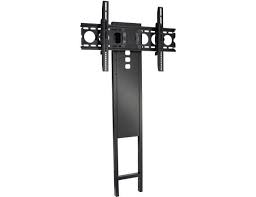
VISIONMOUNT ADJUSTABLE EXTENSION COLUMN FOR VMCM1-VMCA10B - TV Mount SANUS - Free user manual and instructions
Find the device manual for free VISIONMOUNT ADJUSTABLE EXTENSION COLUMN FOR VMCM1-VMCA10B SANUS in PDF.


| Product Type | Adjustable extension column for TV mount |
| Brand | SANUS |
| Model | VISIONMOUNT ADJUSTABLE EXTENSION COLUMN FOR VMCM1-VMCA10B |
| Maximum load capacity | 226.8 kg (500 lb) |
| Mounting type | Ceiling mount |
| Pipe compatibility | NPT 1-1/2 inch threaded pipe |
| Length adjustment | Yes, adjustable height via extension |
| Included parts | Extension tubes (x3), screws, washers, locking screws, flange |
| Dimensions (approximate) | Fixed length: approx 30 cm (each tube, adjustable) |
| Material | Steel |
| Product weight | Not specified (estimated ~5 kg) |
| Power supply | Not applicable (mechanical support) |
| Safety instructions | Use at least 7 turns to screw the tubes; load capacity multiplied by 5 for ceiling |
| Maintenance and cleaning | Clean with a soft, dry cloth; do not use abrasive products |
| Repairability | Spare parts available via customer service |
| Warranty | Limited warranty (consult manufacturer) |
Frequently Asked Questions - VISIONMOUNT ADJUSTABLE EXTENSION COLUMN FOR VMCM1-VMCA10B SANUS
User questions about VISIONMOUNT ADJUSTABLE EXTENSION COLUMN FOR VMCM1-VMCA10B SANUS
0 question about this device. Answer the ones you know or ask your own.
Ask a new question about this device
Download the instructions for your TV Mount in PDF format for free! Find your manual VISIONMOUNT ADJUSTABLE EXTENSION COLUMN FOR VMCM1-VMCA10B - SANUS and take your electronic device back in hand. On this page are published all the documents necessary for the use of your device. VISIONMOUNT ADJUSTABLE EXTENSION COLUMN FOR VMCM1-VMCA10B by SANUS.
USER MANUAL VISIONMOUNT ADJUSTABLE EXTENSION COLUMN FOR VMCM1-VMCA10B SANUS
IMPORTANT SAFETY INSTRUCTIONS - SAVE THESE INSTRUCTIONS
Thank you for choosing the VisionMount VMCA10 extension column. The VMCA10 extension column is designed to suspend your A/V equipment mount from a ceiling attachment. The VMCA10 will accommodate an NPT 1-1/2 in. threaded pipe. The VMCA10 will support a maximum weight of 226.8kg (500 lbs).

CAUTION
Do not use this product for any purpose not explicitly specified by Sanus Systems. Improper assembly may cause property damage or personal injury. If you do not understand these directions, or have doubts about the safety of the assembly, contact Customer Service or call a qualified contractor. Sanus Systems is not responsible for damage or injury caused by incorrect assembly or use.

CAUTION
Improper installation may result in serious injury! The ceiling structure and mounting hardware (not included) must be capable of supporting up to five times the weight of the A/V equipment and mount combined. If you have any doubts about the ability of the ceiling to support the installation, contact Sanus Systems Customer Service, or a qualified contractor.

WARNING
This product contains small items that could be a choking hazard if swallowed. Keep these items away from young children!

Hardware and procedures for multiple mounting configurations are included. When you see this symbol, choose the correct configuration to suit your needs. Not all hardware included will be used.
Supplied Parts and Hardware
Before starting assembly, verify all parts are included and undamaged. If any parts are missing or damaged, do not return the item to your dealer; contact Customer Service. Never use damaged parts!
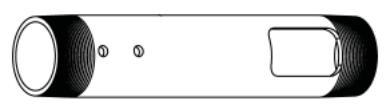
[01] x 1

[02] x 1

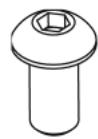
[03] x 1

[04] x 1
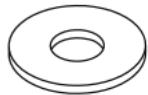
[05] x 1

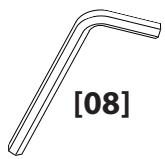
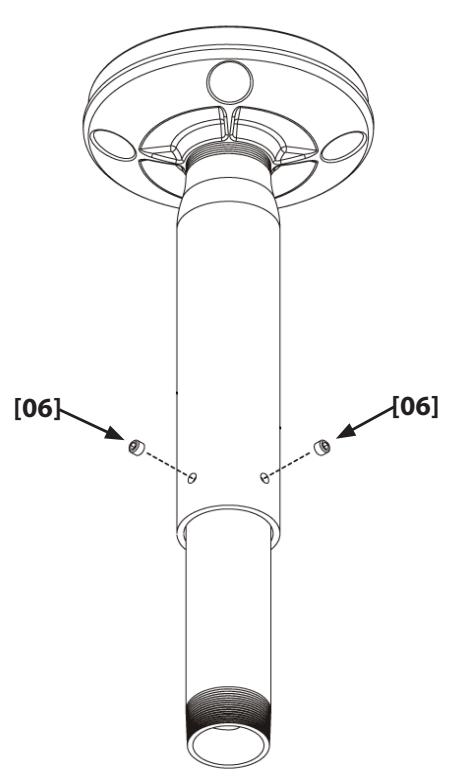
[06] x 2

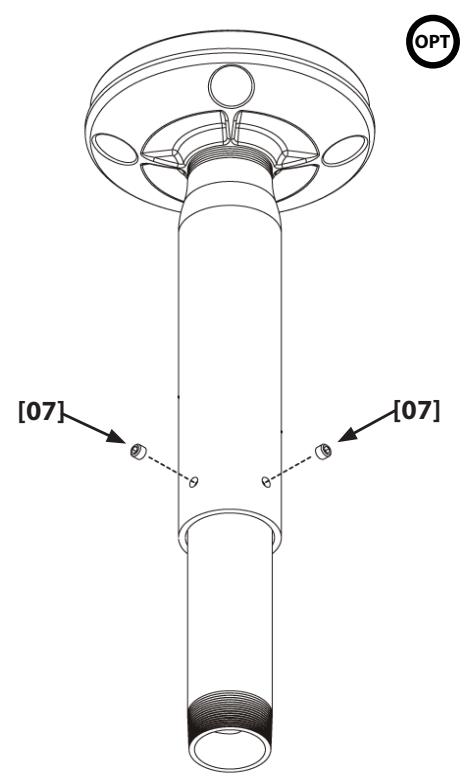
[07] x 2
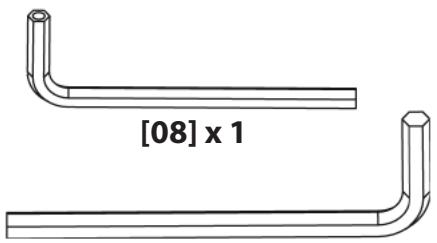
[09] x 1

Dimensions

Fixed Length Extension Column
NOTE
The ceiling attachment shown in this manual is generic; it is intended to illustrate a procedure only.
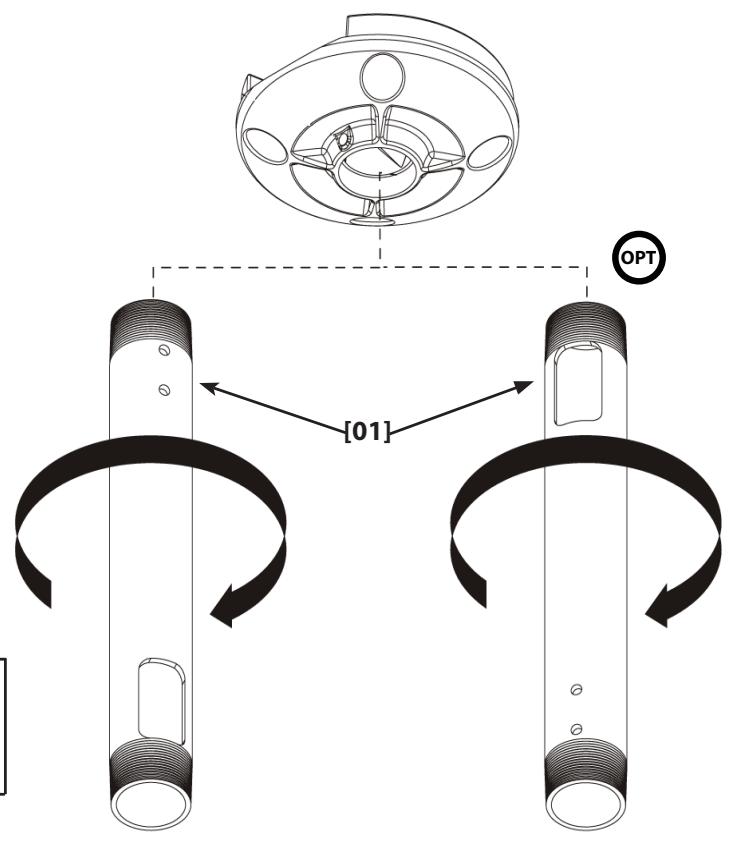
1: Install Extension Column

CAUTION
Avoid potential injuries and / or property damage! Always use a minimum of seven turns to thread the extension pipe [01] into a mating surface.
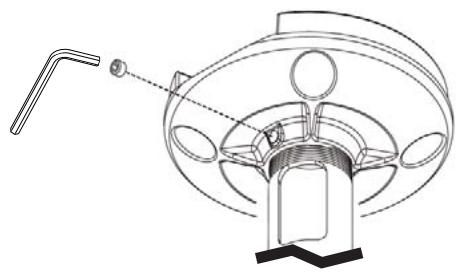
2:Tighten Set Screw

1: Install Extension Columns
CAUTION
Avoid potential injuries and / or property damage! Always use a minimum of seven turns to thread the extension pipe [01], [02] into a mating surface.
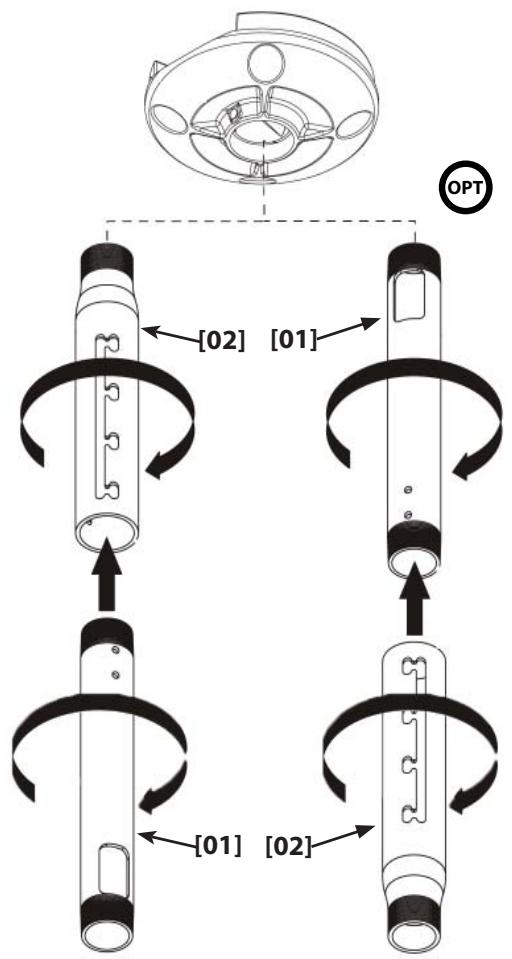
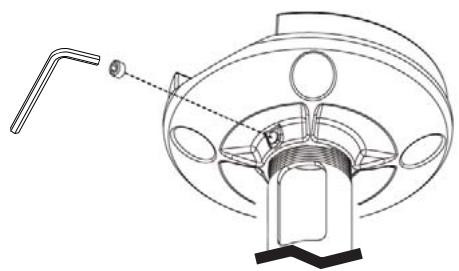
2: Tighten Set Screw
3: Install and Tighten Screw and Washers
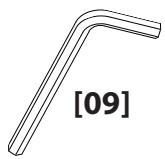
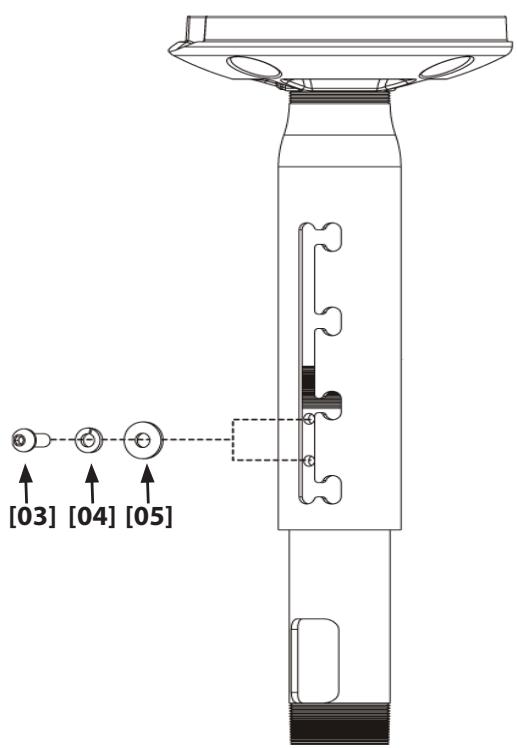
4: Adjust Column Length
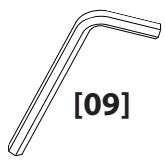
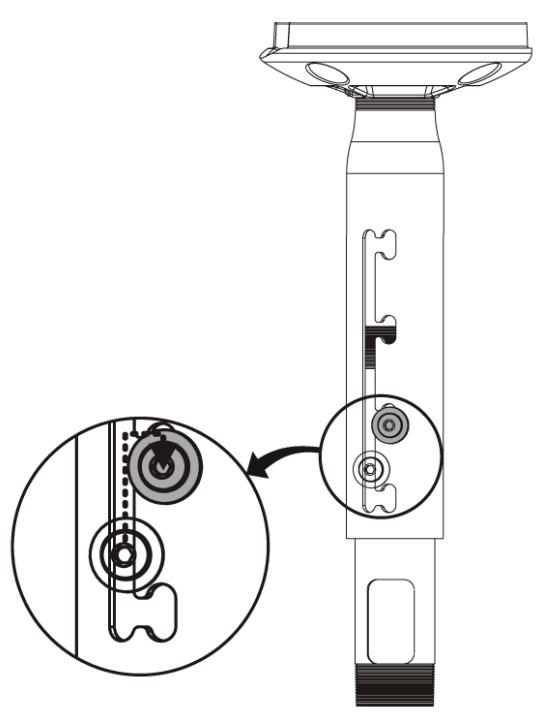
5: Install and Tighten Set Screws
Milestone AV Technologies and its affiliated corporations and subsidiaries (collectively, "Milestone"), intend to make this manual accurate and complete. However, Milestone makes no claim that the information contained herein covers all details, conditions, or variations. Nor does it provide for every possible contingency in connection with the installation or use of this product. The information contained in this document is subject to change without notice or obligation of any kind. Milestone makes no representation of warranty, expressed or implied, regarding the information contained herein. Milestone assumes no responsibility for accuracy, completeness or sufficiency of the information contained in this document.