
YUR.BEAT FUSION STREAM - Portable radio YURAKU - Free user manual and instructions
Find the device manual for free YUR.BEAT FUSION STREAM YURAKU in PDF.



User questions about YUR.BEAT FUSION STREAM YURAKU
0 question about this device. Answer the ones you know or ask your own.
Ask a new question about this device
Download the instructions for your Portable radio in PDF format for free! Find your manual YUR.BEAT FUSION STREAM - YURAKU and take your electronic device back in hand. On this page are published all the documents necessary for the use of your device. YUR.BEAT FUSION STREAM by YURAKU.
USER MANUAL YUR.BEAT FUSION STREAM YURAKU
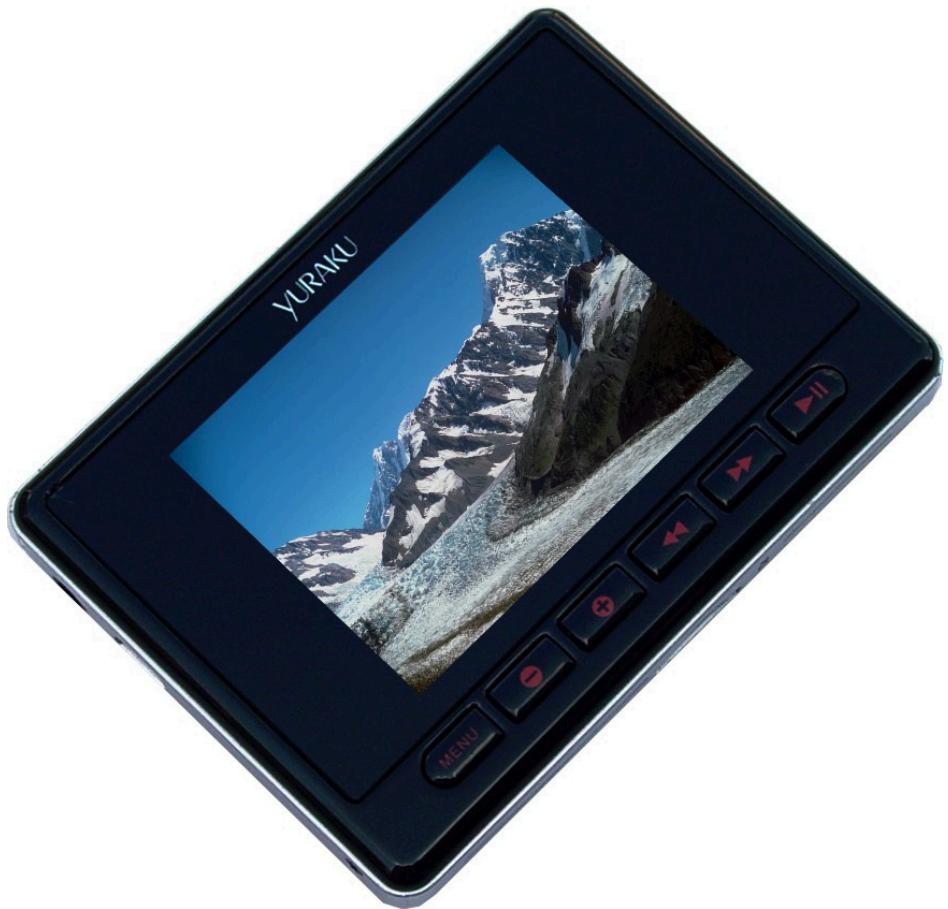
Portable Wireless Internet Radio - Handheld Media player with Internet Radio using Wireless LAN connection


YUR.BEAT FUSION STREAM
Quick Start Guide YUR-SM325
©Yuraku
CERTIFICATE
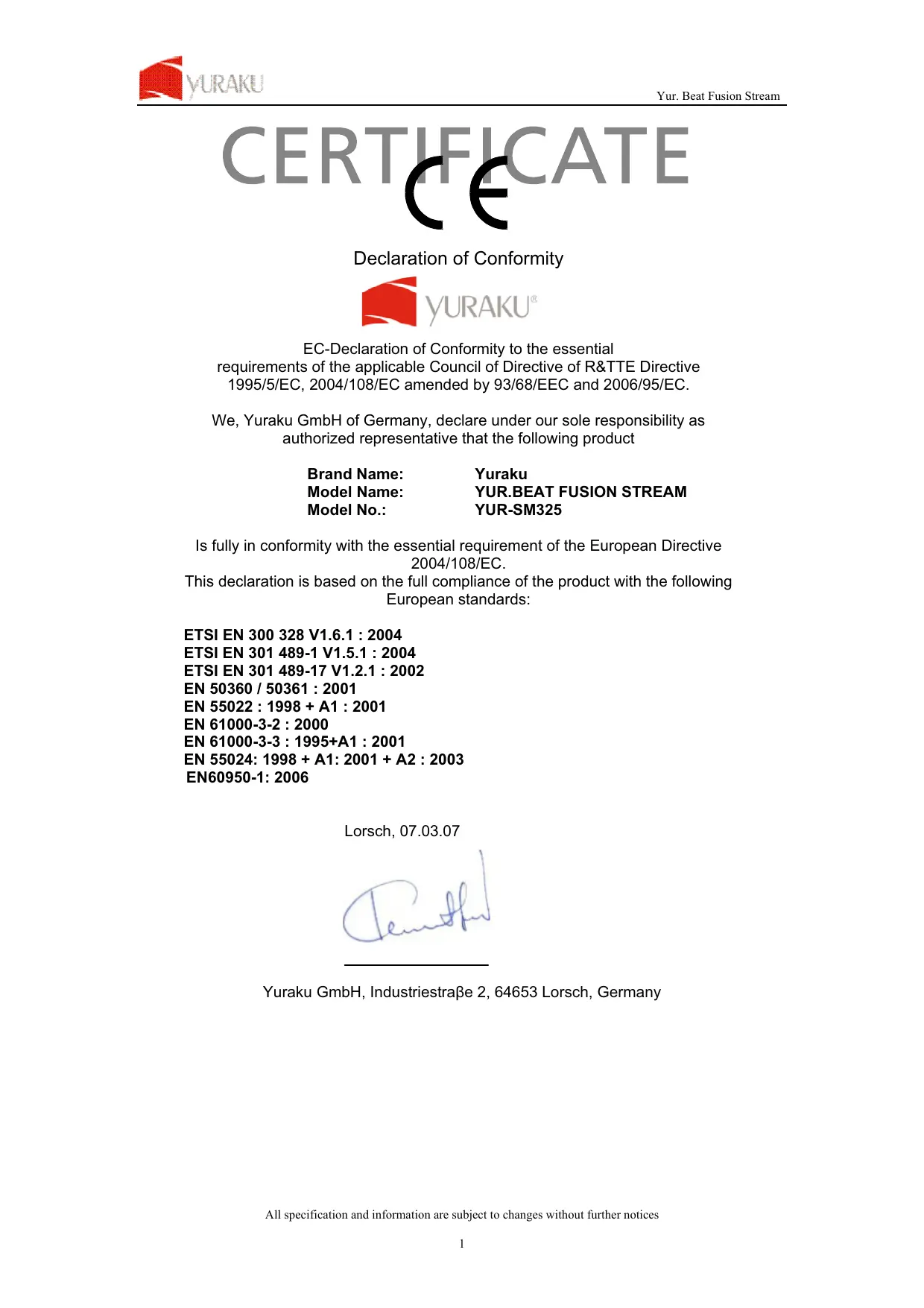
Declaration of Conformity

YURAKU
EC-Declaration of Conformity to the essential
requirements of the applicable Council of Directive of R&TTE Directive
1995/5/EC, 2004/108/EC amended by 93/68/EEC and 2006/95/EC.
We, Yuraku GmbH of Germany, declare under our sole responsibility as authorized representative that the following product
Brand Name:
Yuraku
Model Name:
YUR.BEAT FUSION STREAM
Model No.:
YUR-SM325
Is fully in conformity with the essential requirement of the European Directive 2004/108/EC.
This declaration is based on the full compliance of the product with the following European standards:
ETSI EN 300 328 V1.6.1 : 2004
Thank you for selecting the Yur.Beat Fusion Stream!
QUICK START GUIDE
This Quick start guide introduces you to the many features of the Yur.Beat Fusion Stream. For full details, refer to the User Guide.
IMPORTANT SAFETY INFORMATION
Read the safety instructions carefully before using your Yur.Beat Fusion Stream.
- Do not use Headphone/Earphones while driving, cycling or operating any motorized vehicle. This may create traffic hazard and may be illegal in some areas. It can also be dangerous to play your Headphones/Earphones at high volume while walking or engaged in other activities. You should exercise extreme caution and discontinue use in potentially hazardous situations.
- Avoid using Headphones/Earphones at high volume. Hearing expert's advice against continuous loud and extended music play. Keep the volume at a moderate level, so that you are able to hear outside sound, and to be considerate of the people around you.
- Keep your player away from sinks, drinks, bathtub, showers, rain and other sources of moisture. Moisture can cause electric shocks with any electronic device.
- Follow these tips to keep your player working well for a long time:
a. Clean your player with a soft lint free cloth used on glass lenses.
b. Do not allow young children to use your player or your computer. Make sure your connectors are the identical shape and size before you connect.
c. Do not disassemble, crush, short-circuit or incinerate your battery as it may cause fire, injury, burns or other hazards.
Disposal Instructions
Do not dispose of this device with unsorted waste. Improper disposal may be harmful to the environment and human health. Please refer to your local waste authority for information on return and collection systems in your area.
Guide to Yur.Beat Fusion Stream Controls
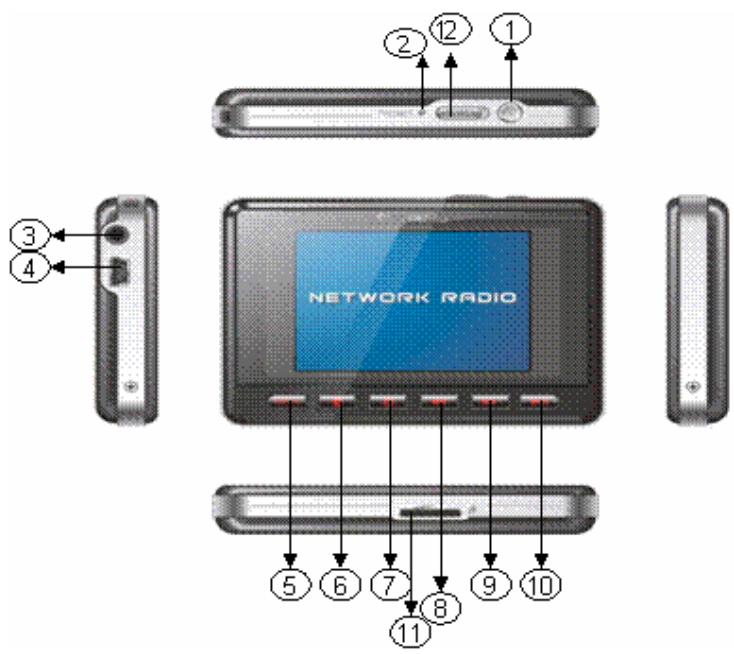
| 1 | Power On/Off | 7 | Volume + / up |
| 2 | Reset | 8 | Backward |
| 3 | Earphone Jack | 9 | Forward |
| 4 | USB/Power terminal | 10 | Enter / Play / Pause |
| 5 | Menu | 11 | microSD card slot |
| 6 | Volume - / down | 12 | Hold |

Getting Started
To turn on your Yur.Beat Fusion Stream press the power on/off ' button. You will see a welcome screen once you power on the device. Please note that before using the Yur.Beat Fusion Stream the battery needs to be fully charged. You can charge the battery by connecting it to a working PC or Notebook USB port, it will takes approximately 4 hours for full charge. Charging can only happen when you have switch on the working PC.

Using the Functions
Yur.Beat Fusion Stream is a Portable internet player and has 7 modes, i.e. Internet Radio, Media Stream, Music Player, Video Player, Photo Album, FM Radio and System. To navigate use the and buttons and to select a mode press the enter button. Read on to know the details of each mode. For the details of each mode please refer to step 6.

Setting up the Wi-Fi
Set up your Wi-Fi network to start using the Yur.Beat Fusion Stream. You will need to have the details of the Access point (AP) which you can refer to the Wireless and Broadband router manual.
Now select the System mode by using and buttons to navigate and use the enter key (▶II) to select. You will see a screen similar to the one on right.
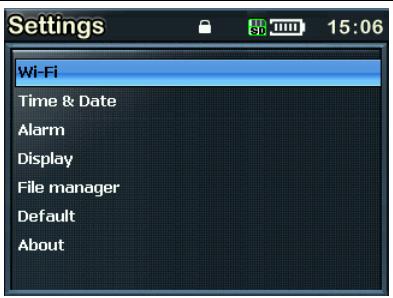
Select 'Wi-Fi' from the menu and goto 'Wi-Fi setup wizard'.
Make sure 'Wi-Fi on' is selected. And search the network; you will get the list of nearby Wi-Fi networks. Once the network is selected it prompts for the Network key which is the WEP default transmit key of the Wi-Fi Access point.
Use , , and buttons and the delete button to type the network key, and then press the menu button to exit from the keypad. Next press to confirm.
You have set up your Wi-Fi now; enjoy your Yur.Beat Fusion Stream!
4 Internet Radio
While in the Internet Radio, the radio automatically connects to the previous played channel. The screen also shows the channel which is being played. To access the menu, press and hold the 'Menu' button for 2-3 seconds. The detail of the menu is listed below.
My Radio, contains your favorite channels
Radio Search, is an advanced search on based different criteria
Add to my Radio, will save that particular station in you're My Radio
To the main menu, takes you to the Main Menu
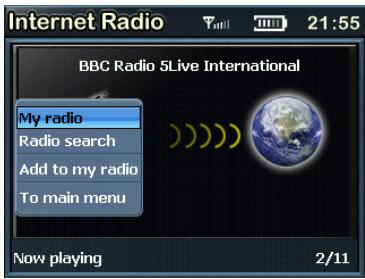
When a channel is selected, and you get a message 'Unformatted channel', it is because the Channel is closed at that time.
5 Media Stream
Press the or button from the main menu to select the Media stream. Make sure that you have opened the Windows media player version 11 or Vista, and you have shared the Music streaming of the entire new device in the Media Player.
Once the Wi-Fi connection is complete; press to view the menu like the one below.
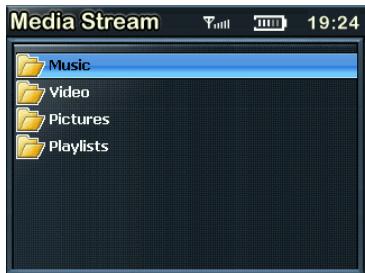
From the menu you can choose to select music or Play lists to hear your favorite music or see your video.
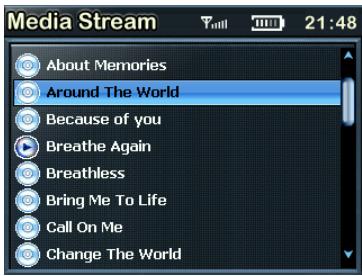
Select Music by pressing button and play the music you like.
To go back to the menu at any time press and hold the menu button for 2-3 seconds.
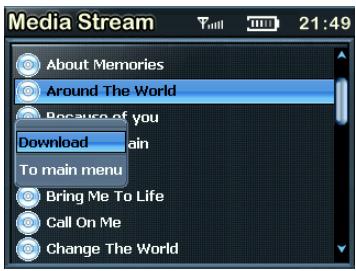
Download, helps you to transfer a selected music file to the Music Player.
To main menu, takes you back to the menu.

Details of various mode

Internet Radio gets you connected to various radio stations around the world through the Wi-Fi
Media Stream play music streams from your Windows media player version11 application in your PC or Notebook running Windows XP or Vista OS over the Wi-Fi connection.

Music Player, is a MP3 player and playback the music files stored in YurBeat Fusion Stream

Video Player,Playback the video files (MPEG 4) stored in the YurBeat Fusion Stream

Photo Album, Stores and displays the photos (JPEG) from YurBeat Fusion Stream

FM Radio, connects to the local FM Radio Stations

System, used for performing all the settings in your Yur.Beat Fusion Stream

Enjoy your Yur.Beat Fusion Stream
Hope you will enjoy your YurBeat Fusion Stream. For any further information on how to use the features of YurBeat Fusion Stream please refer to the User Guide.
YURAKU
YurBeat Fusion Stream
Portable Wireless Internet Radio - Handheld Media player with Internet Radio using Wireless LAN connection


YUR.BEAT FUSION STREAM
Declaration of Conformity

YURAKU
EC-Declaration of Conformity to the essential
requirements of the applicable Council of Directive of R&TTE Directive
1995/5/EC, 2004/108/EC amended by 93/68/EEC and 2006/95/EC.
We, Yuraku GmbH of Germany, declare under our sole responsibility as authorized representative that the following product
Brand Name:
Yuraku
Model Name:
YUR.BEAT FUSION STREAM
Model No.:
YUR-SM325
Is fully in conformity with the essential requirement of the European Directive 2004/108/EC.
This declaration is based on the full compliance of the product with the following European standards:
ETSI EN 300 328 V1.6.1 : 2004
Portable Wireless Internet Radio - Handheld Media player with Internet Radio using Wireless LAN connection


YUR.BEAT FUSION STREAM
Guide De Demarrage Rapide YUR-SM325
CERTIFICATE
Declaration of Conformity

YURAKU
EC-Declaration of Conformity to the essential
requirements of the applicable Council of Directive of R&TTE Directive
1995/5/EC, 2004/108/EC amended by 93/68/EEC and 2006/95/EC.
We, Yuraku GmbH of Germany, declare under our sole responsibility as authorized representative that the following product
Brand Name:
Yuraku
Model Name:
YUR.BEAT FUSION STREAM
Model No.:
YUR-SM325
Is fully in conformity with the essential requirement of the European Directive 2004/108/EC.
This declaration is based on the full compliance of the product with the following European standards:
ETSI EN 300 328 V1.6.1 : 2004
Portable Wireless Internet Radio - Handheld Media player with Internet Radio using Wireless LAN connection


YUR.BEAT FUSION STREAM
Declaration of Conformity

YURAKU
EC-Declaration of Conformity to the essential
requirements of the applicable Council of Directive of R&TTE Directive
1995/5/EC, 2004/108/EC amended by 93/68/EEC and 2006/95/EC.
We, Yuraku GmbH of Germany, declare under our sole responsibility as authorized representative that the following product
Brand Name:
Yuraku
Model Name:
YUR.BEAT FUSION STREAM
Model No.:
YUR-SM325
Is fully in conformity with the essential requirement of the European Directive 2004/108/EC.
This declaration is based on the full compliance of the product with the following European standards:
ETSI EN 300 328 V1.6.1 : 2004
Music Player, reproduce i file video (MPEG 4) memorizzati in Yur.Beat Fusion Stream

Photo Album, memorizza e visualizza le Foto (JPEG) da Yur.Beat Fusion Stream
Portable Wireless Internet Radio - Handheld Media player with Internet Radio using Wireless LAN connection


YUR.BEAT FUSION STREAM
Declaration of Conformity

YURAKU
EC-Declaration of Conformity to the essential
requirements of the applicable Council of Directive of R&TTE Directive
1995/5/EC, 2004/108/EC amended by 93/68/EEC and 2006/95/EC.
We, Yuraku GmbH of Germany, declare under our sole responsibility as authorized representative that the following product
Brand Name:
Yuraku
Model Name:
YUR.BEAT FUSION STREAM
Model No.:
YUR-SM325
Is fully in conformity with the essential requirement of the European Directive 2004/108/EC.
This declaration is based on the full compliance of the product with the following European standards:
ETSI EN 300 328 V1.6.1 : 2004