
ADH 254 A - Planer ATIKA - Free user manual and instructions
Find the device manual for free ADH 254 A ATIKA in PDF.



| Product type | Jointer / Planer |
| Brand | ATIKA |
| Model | ADH 254 A |
| Motor power | 1600 W (S1) |
| Supply voltage | 230 V~ |
| Frequency | 50 Hz |
| Mains fuse | 10 A delayed |
| Jointer table dimensions | 1050 x 260 mm |
| Planer table dimensions | 480 x 254 mm |
| Height with stand | 890 mm |
| Weight | approx. 82 kg |
| Max workpiece width | 254 mm |
| Workpiece height (planing) | 5 - 160 mm |
| Depth of cut (jointing) | 0 - 3 mm |
| Depth of cut (planing) | 0 - 2 mm |
| Blade dimensions | 258 x 20 x 2,5 mm |
| No-load speed | 6700 min⁻¹ |
| Feed speed (planing) | 8 m/min |
| Dust extraction connection | Yes (chip bag included) |
| Main functions | Jointing, planing, chamfering |
| Maintenance and cleaning | Regular cleaning, blade replacement, chain lubrication |
| Safety | Blade guard, emergency stop switch, motor circuit breaker |
| Main spare parts | Planer blade (ref. 363880), chip bag (ref. 363890), belts |
| Sound level (LWA at no load) | 109,5 dB(A) |
| Warranty | Conforms to CE declaration of conformity |
Frequently Asked Questions - ADH 254 A ATIKA
User questions about ADH 254 A ATIKA
0 question about this device. Answer the ones you know or ask your own.
Ask a new question about this device
Download the instructions for your Planer in PDF format for free! Find your manual ADH 254 A - ATIKA and take your electronic device back in hand. On this page are published all the documents necessary for the use of your device. ADH 254 A by ATIKA.
USER MANUAL ADH 254 A ATIKA
Surface planing and thicknessing machine
Operating Manual - Safety instructions - Spare parts
2004/108/EG, 2006/95/EG
EC Declaration of Conformity 12
Extent of delivery 12
Characteristics noise values 12
Symbols machine / operating manual 12/13
Normal intended use 13
Residual risks 13
Safe working 13
Before the first start-up 15
Start-up 15
Working with the surface planing and thicknessing 16 machine
Maintenance and cleaning 18
Transport 18
Storage 19
Guarantee 19
Maintenance and cleaning schedule 19
Description of device / spare parts 20
Possible faults 20
Technical data 21
EC Declaration of Conformity
according to Directive 98/37 EC
ATIKA GmbH & Co. KG
declare under our sole responsibility, that the device
Surface planing and thicknessing machine
type MBY10 / model ADH 254 A
to which this declaration relates corresponds to the relevant basic safety and health requirements of the Directive 98/37/EC, and to the requirements for the other relevant Directives
2004/108/EG, 2006/95/EG
and that the above-named machine agrees with the model, which received the EC type-examination certificate
BM 60017295 0001
Notified body:
TUV Rheinland Product Safety GmbH
A. Pollmeier, management
Extent of delivery
Surface planing and thicknessing machine ADH 254 A
Shavings exhauster hood
Shavings exhauster connector
1 push stick
- Blade shaft guard
Guide plate
- Stand
- Installation tools
Fasteners - Operating manual
After unpacking, check the contents of the box
That it is complete
Check for possible transport damage
Report any damage or missing items to your dealer, supplier or the manufacturer immediately. Complaints made at a later date will not be acknowledged.
Characteristics noise values
EN ISO 3744
Machine used as surface planer and thicknesser with standard cutting blades.
| Noise power level | Sound pressure level at the workplace | |
| No-load | LWA=109,5 dB(A) | LpA=93,9 dB(A) |
| Load Planing | LWA=112,3 dB(A) | LpA=99,3 dB(A) |
| Load Thicknessing | LWA=111,3 dB(A) | LpA=97,9 dB(A) |
The factor of measurement uncertainty is 2 dB.
The values given are emission values and must therefore not simultaneously represent safe workplace values too. Although there is a relationship between emission and immersion levels, it can be reliably deduced whether additional precautionary measures are necessary or not. Factors, which can influence the immersion level currently existing at the workplace include the duration of the effects, the special type of the workroom, other noise sources, etc. e.g. the number of machines and other adjacent processes. The permissible workplace values can also vary from country to country. This information should however enable an improved assessment of the danger and risk to be carried out.
Symbols machine
| Carefully read operator's manual and the safety instructions before starting the machine and observe the instructions when operating. | Before starting any repair, maintenance or cleaning work, always switch off the motor and remove the plug from the socket. |
| Risk of finger and hand injury by the cutting blade. | Do not expose to rain. Protect against humidity. |
| Wear eye and ear protection. | Wear dust mask. | Wear protective gloves. |
Symbols operating manual
| ! | Threatened hazard or hazardous situation. Not observing this instruction can lead to injuries or cause damage to property. |
| i | Important information on proper handling. Not observing this instruction can lead to faults. |
| User information. This information helps you to use all the functions optimally. | |
| Assembly, operation and servicing. Here you are explained exactly what to do. |
Normal intended use
- The surface planing and thicknessing machine is only intended for use in household and hobby areas. It is designed for surface planing and thicknessing of solid wood. Compliance with admissible work piece dimensions is compulsory (see Technical data). For thicknessing, the contact area of the work piece must be flat.
- The surface planing and thicknessing machine is not suited for outdoor use.
- Only workpieces which have been securely mounted and aligned can be processed.
- For safe working the machine must be securely fixed on the floor on which it is placed (see "Installation").
- This surface planing and thicknessing machine is not suited for cutting recesses, mortise tenons or other shapes.
- The intended usage also includes compliance with the operating, servicing and repair conditions prescribed by the manufacturer and following the safety instructions included in the instructions.
- The relevant accident prevention regulations for the operation as well as the other generally acknowledged occupational medicine and safety rules must be complied with.
- Any other use is deemed not to be intended use. The manufacturer is not liable for any type of damage resulting from this: the user bears the sole risk.
- Unauthorised modifications on the surface planing and thicknessing machine will exempt the manufacturer from any liability for damages of any kind resulting from it.
- The surface planing and thicknessing machine shall only be assembled, used and maintained by persons who are familiar with it and instructed about the risks. Repair works may only be carried out by us or by a customer service agent nominated by us.
- This machine must not be used in an explosive environment or exposed to rain.
Metallic parts (wires etc.) have unconditionally to be removed from the material to be planed or thickened.
Residual risks
Even if used properly, residual risks can exist even if the relevant safety regulations are complied with due to the design determined by the intended purpose.
Residual risks can be minimised if the "Safety instructions" and the "Normal intended use" as well as the whole of the operating instructions are observed.
Observing these instructions, and taking proper care, will reduce the risk of personal injury or damage to the equipment.
- Risk of injury on fingers and hands by touching the blades on non-covered areas.
- Risk of injury on fingers and hands when changing tools.
- Squeezing of fingers when opening the guards.
- Throwback of the workpiece or workpiece parts.
- Risk from electricity, by using non-standard electrical connections.
- Touching live parts of opened electrical components.
- Impairment of hearing when working on the machine for longer periods of time without ear protection.
- Emission of harmful wood dust when working without shavings extractor or shavings bag.
In addition, in spite of all the precautionary measures taken, non-obvious residual risks can still exist.
Safe working
Woodworking machines can be dangerous if not used properly. If electrical tools are used, the fundamental safety precautions must be met to preclude the risks of fire, electric shock and injuries to persons.
Before starting this device, read and keep to the following advice. Also observe the preventive regulations of your professional association and the safety provisions applicable in the respective country, in order to protect yourself and others from possible injury.
Pass the safety instructions on to all persons who work with the machine.
i Keep these safety instructions in a safe place.
- Make yourself familiar with the equipment before using it, by reading and understanding the operating instructions.
- Do not use the machine for unsuitable purposes (see "Normal intended use").
- Mount the machine on a non-slip and level surface (risk of tipping). Make sure that the table plates are horizontally levelled.
- Avoid abnormal posture. Provide a safe standing position and keep at any time the balance.
- Be attentive. Be careful what you do. Behave sensibly when working. Do not use the device when you are tired or under the influence of drugs, alcohol or medicaments. One moment of carelessness when using the device can result in serious injuries.
Wear suitable work clothes:
-
Do not wear loose-fitting clothes or jewellery; they can catch in moving parts.
slip-proof shoes
Hairnet in case of long hair -
Wear personal protective clothing:
-
ear protection (Sound intensity level at workplace can exceed 85 dB (A))
- safety goggles
-
Dust mask with work activities generating dust
Gloves for blade exchange. -
Keep your workplace in an orderly condition! Untidiness can result in accidents.
Take into consideration environmental influences:
- Do not expose this surface planing and thickening machine to rain.
- Do not use the device in moist or wet ambience.
- Do only work with sufficient visibility conditions. Provide for good illumination.
- Do not use this machine near inflammable liquids or gases.
-
The wood dust generated during operation impedes the necessary view and is harmful to health to some degree. Always connect the shavings bag to the exhauster connector.
-
Never leave the machine unattended.
- Persons under the age of 18 must not operate the device.
- Keep other persons away.
Do not allow other persons, especially children, to touch the tool or the cable.
Keep them away from your working area.
- Do not overload the machine! You work better and safer in the given performance range.
- Only operate the machine with complete and correctly attached safety equipment and do not alter anything on the machine that could impair the safety.
- Assume the correct work posture. Stand to the side of the machine.
- While the machine runs keep your hands at a safe distance from the blade shaft and the location where shavings are ejected.
Always keep sufficient distance to the blade shaft. Maintain sufficient distance from driven components during operation. - Remove all nails and metallic objects from the work piece before planing or thicknessing.
- Pay attention that the work piece does not contain any cables, ropes, cords or the like.
- Do not machine wood which has numerous knots and knot holes.
- Only start planing and thicknessing when the blade shaft has reached its required speed.
- Use only well sharpened blades as edgeless blades increase not only the risk of backstrokes but also charge the motor.
-
Use appropriate devices when machining thin work pieces to position and guide the wood pieces properly.
-
When machining make sure that the unused blade shaft is covered by the knife guard.
- Do only use tools according to EN 847-1 which are marked with MAN.
The use of other tools and other accessories can signify a risk of injury for you.
- Use the push stick or pushing blocks when machining short work pieces.
- Do not use defective pushing blocks or sticks.
- Always keep the pushing blocks and bars handy at the machine if they are not used.
- Secure long workpieces against dropping down when finishing the cutting process. Use roller supports or similar devices for this purpose.
- Do not remove splinters, shavings and waste with your hands from the dangerous area of the blade shaft.
-
Switch the machine off and remove the mains plug from the socket when
-
carrying out repair works
- maintenance and cleaning
- Fault elimination (this also includes removing of jammed shavings or splinters)
- Checking connecting lines, whether these are knotted or damaged.
- Transporting the machine
-
Changing the blades
Leaving the machine (also for short-term interruption) -
Maintain your machine with care:
-
Keep your tools sharp and clean in order to be able to work better and safer.
- Follow the maintenance instructions and the instructions for tool exchange.
-
Keep handles dry and free of oil and grease.
-
Check the machine for possible damage:
-
Before further use of the machine the protection devices or slightly damaged parts must be checked carefully for their proper and intended function.
- Check whether movable parts function perfectly and do not stick or whether parts are damaged. All parts must be correctly installed and fulfil all conditions to ensure perfect operation of the machine.
- Damaged guards and parts must be properly repaired or exchanged by a recognized, specialist workshop; insofar as nothing else is stated in the instructions for use.
-
Damaged or illegible safety labels should be replaced immediately.
-
Do not allow any tool key to be plugged in!
Before switching on, check always that wrenches and adjusting tools are removed. - Store unused equipment in a dry, locked place out of the reach of children.
Electrical safety
- Extension cable to be designed in compliance with IEC 60 245 (H 07 RN-F) having a core cross-section of at least:
1.5 mm² for cable lengths up to 25 m
2.5 mm² for cable lengths over 25m
- Long and thin connection lines result in a potential drop. The motor does not reach any longer its maximal power; the function of the device is reduced.
- Plugs and coupler outlets on connection cables must be made of rubber, non-rigid PVC or other thermoplastic material of same mechanical stability or be covered with this material.
- Protect yourself against an electric shock. Avoid touching earthed parts with your body.
- The connector of the connection cable must be splashproof.
- Wind off completely the cable when using a cable drum.
- Do not use the cable for purposes for which it is not meant. Protect the cable against heat, oil and sharp edges. Do not use the cable to pull the plug from the socket.
- Regularly check the cable and if damaged, have it renewed by a recognised skilled electrician.
- When running the connection line observe that it does not interfere, is not squeezed, bended and the plug connection does not get wet.
- Regularly check the extension cables and replace them if they are damaged.
- Do not use any defective connection cables.
- Do not set up any provisional electrical connections.
- Never bypass protective devices or deactivate them.
- Only hook up the machine by means of a fault-current circuit breaker (30 mA).

The electrical connection or repairs to electrical parts of the machine must be carried out by a certified electrician or one of our customer service points. Local regulations - especially regarding protective measures - must be observed.

Repairs to other parts of the machine must be carried out by the manufacturer or one of his customer service points.

Use only original spare parts and accessory parts. Accidents can arise for the user through the use of other spare parts. The manufacturer is not liable for any damage or injury resulting from such action.
Before the first start-up

To achieve flawless functioning of the machine, please follow the instructions listed:
-
Place the surface planing and thickening machine at a location which meets following conditions:
-
secured against slipping
free of vibrations - even
free of tripping hazards
adequate light
Before each use, check
-
Connection cables for defects (cracks, cuts, etc.).
Do not use any defective cables.
whether the pushstick is to hand
Is the unused blade shaft covered by the blade shaft guard? -
When working do not stand directly in front or behind the machine but stand to the side.
You have to attach the following parts:
Base frame A1 - A7
- Assemble the four parts of the stand as shown in the figures A1 through A7.
- Use a second person to place the surface planing and thicknessing machine on the stand.
- Secure the surface planing and thicknessing machine to the stand.
Securing on the floor A8
Secure the surface planing and thicknessing machine to the floor using 4 screws.
Guide plate
- Secure the guide plate guideway (7) to the housing.
- Slide in the guide plate holder (10) and secure the locking lever (12).
- Mount the guide plate (13).
Shavings exhauster C1 - C7
Install the shavings exhauster connector (16).
- Connect the shavings exhauster hose (17) and secure it using a hose band clip (18).
- Connect the shavings exhauster hood (27) to the exhaust hose and tighten the hose band clip.
- Attach the shavings bag (19) to the exhauster connector and secure it using the hose band clip.
Start-up
Mains connection
Compare the voltage listed on the machine's type plate, e.g. 230V , with the mains voltage and connect the machine to a suited and properly earthed electrical socket.

Alternating
current
motor:
Use a shockproof plug, mains voltage 230V with residual current circuit breaker and 10 A inert fuses.
- Use connection cable or extension cable respectively with a cross section of at least 1.5 mm^2 .
On/Off switch D1
Do not use any device where the switch can not be switched on and off. Damaged switches must be repaired or replaced immediately by the customer service.
Switching on

Press the green button (I) on the switch.
If there is a power cut, the machine switches off automatically. Push the green (I) button to start the machine again.
Switching off

Press the red button. (0)
EMERGENCY-STOP button

In an emergency case, the surface planing and thicknessing machine can be cut off by pressing the EMERGENCY-STOP button (21).
Motor protection

The motor is equipped with a safety switch and switches off automatically when overloaded.
It can be switched back on following a cooling off phase (5 - 10 min).
Press the
- red button (0).
- the small button next to the button (20)
- the green button ( I ) to start
Dust / chip exhaustion

The wood dust generated during operation impedes the necessary view and is harmful to health to some degree.
Therefore, always connect the shavings bag (19) to the shavings exhauster connector (16). C6 - C7

Empty the shavings bag on a regular basis.

The motor will only start if the extractor hood (27) is properly attached and thus releases the safety switch.
Working with the surface planing and thicknessing machine

Before starting to work consider the following safety advices to keep the risk of injuries as small as possible.
- Workplace tidied?
- Is the surface planing and thicknessing machine securely installed?
Are all fastening screws tightened?
Are the blades securely fastened on the blade shaft?
whether the pushstick is to hand - You may not start to operate the machine until you have read these operating instructions, observed all the instructions given and installed the machine as described!

Also, note the following important points:
- Make sure that the non-used area of the blade shaft is covered by the blade shaft guard.
- Place yourself outside of the area of danger.
- Place your hands flat on the workpiece with fingers closed.
- Never remove loose splinters, chips, or similar by hand.
- Connect the shavings bag.
- Make sure that the feed rollers and cutting tools are free from wood shavings and dust.
- Do only machine workpieces the dimensions of which are within the specifications for this machine (see "Technical data" on page 21).
- Do not guide back the workpiece over the open-running blade shaft.
- Adjust the smallest cutting depth after your work is finished.
Ensure that you always comply with the safety instructions given on p. 13
Surface planing
The objective of surface planing is to smooth a rough surface (planing), e.g. to smooth the edge of a board.
For this the workpiece is placed onto the feed table plate and is machined on its underside. Feed direction is from right to left.
Preparations:


Pull the mains plug before performing settings.

Installing the dust extractor
- Loosen the locking wheel (24) on the crank handle (25) and turn the latter anticlockwisely to move the thicknessing table plate to its lowest position. E2 - E3
- Slide the shavings exhauster hood (27) under the feed table plate. Slide two fixing brackets in the grooves of the table plate. E4 - E5
- Make sure that the shavings exhauster hose and the bag are secured.
Planing and joining workpieces

Adjusting the guide plate
- Loosen the locking lever (12).
If you can not sufficiently turn the locking lever, pull out the lever head and turn it back. - Tilt the guide plate to your desired angle which you can read from the angle scale (40). Make sure that the lower edge of the guide plate is above the table edge when tilting. E8
- Tighten the locking lever (12) again.

Adjusting the depth of cut
- Turn the adjusting screw for the depth of cut (29)
- You can read it from the depth of cut scale (45).

Adjusting the blade shaft guard
- Push the workpiece against the guide plate.
- Loosen the clamping device for the blade shaft guard (46)
- Turn the adjusting screw (30) to adjust the arm of the blade shaft guard.
- For flat workpieces (< 75 mm):
Push the blade shaft guard (23) against the guide plate (13) and lift it according to the workpiece thickness. Turn therefore the adjusting screw (30):
Push the workpiece somewhat below the blade shaft guard and lower the latter onto the workpiece.
For high workpieces (>75mm) ..
Lower the blade shaft guard down to the table plate and push it against the workpiece. E12

Planing
- Start the motor.
- Push the workpiece right-angled over the feed table plate.
- Hold your fingers close to each other and guide the workpiece with flat hands over the feed table plate.
- When planing narrow surfaces (joining edges) push the workpiece with both hands and clenched fists against the guide plate and the table plate and push it over the feed table plate.
- When planing and joining short workpieces use the push stick (31)
- Press down the workpiece only on the delivery table.
- Turn the machine off if the work is not immediately continued.

Skewing
- Place the workpiece against the tilted guide plate.
- Adjust the blade shaft guard so that it just contacts the workpiece.
- With your left clenched fist press the workpiece against the guide plate and the delivery table plate. Push the workpiece with your closed right hand over the feed table plate.
- Turn the machine off if the work is not immediately continued.
Thickening
The purpose of thickening is to make the workpiece with already planed surface thinner.
For this the workpiece is guided through the machine and machined on its top surface. The already planed surface faces the thicknessing table plate. The feed direction is exactly the other way round as for planing from left to right.
When thickening a step will be formed on the lead and tail edges of the workpieces. Therefore cut the workpiece to length only after thickening
Preparations:
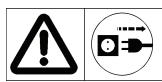
Pull the mains plug before performing settings.

Installing the dust extractor
- Loosen the locking lever (46) and push the blade shaft guard off from the table plate.
- Adjust the guide plate (13) to 90^ and slide it beyond the edge of the table plate.
- Place the extractor hood (27) onto the planing plate. Slide two fixing brackets in the grooves of the table plate.
- Make sure that the shavings exhauster hose and the bag are secured.

Thickening
- Make sure that the thicknessing adjusting lever (35) is in its top position.
- Adjust the depth of cut.
i
In a single pass the machine can cut 2mm as a maximum. However do only adjust this depth if:
- your blades are very sharp,
- you machine soft wood types,
-
you machine workpieces the width of which is smaller than the maximum width.
-
Start the motor.
-
Push in the workpiece slowly and right-angled in arrow direction. It will be drawn in automatically.
- Guide the workpiece straight through the machine.
- Turn the machine off if the work is not immediately continued.
Maintenance and cleaning
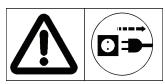
Before each maintenance and cleaning work
- switch off device
- wait until the machine comes to a stop.
- pull out power plug
Maintenance and repair work other than those described in this chapter is only allowed to be carried out by service staff.
For maintaining and cleaning, removed security devices must unconditionally be mounted properly and proved again.
Use only original parts. Other parts can result in unexpected damages and injuries.
Cleaning

Observe the following to maintain the operability of the machine:
- Do not wash down device with water.
- Remove splints and dust only with a brush or vacuum cleaner.
- Slightly spray maintenance spray or dry-film lubricant on the height adjustment device of the thicknessing table.
Take care that the feed rollers remain free of rust and resin. - Remove resin residues from the table plate surfaces.
Resin residues can be removed with a commercial maintenance and care spray.
- Apply a thin film of sliding wax on the feed, delivery and thicknessing table plates.
- Regularly remove resin from the blade shaft and from the parts attached to it. For this purpose put the clamping device, the blade holders and the blades into paraffin, gasoline or commercial resin remover for 24 hours.
- Carefully shake out the shavings bag. Manually wash it in case of heavy soiling but at least once a year with a mild soap solution.
Maintenance
The cutting blades are wearing parts and will become dull after longer or frequent use.
If so, replace the cutting blades or have them sharpened.

Regrinding of cutting blades is only allowed to a height of 15 mm.
Always use cutting blades which are approved for the machine (see "Technical data").
Replace or sharpen both cutting blades together.
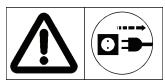
Before replacing or sharpening the cutting blades unplug the machine.

Danger of cutting! Wear gloves when replacing the
cutting blades.

Replacing the cutting blades
- Adjust the guide plate (13) to 90^ and slide it beyond the edge of the table plate.
- Loosen the locking lever (46) and push the blade shaft guard off from the table plate.
- Screw in the clamping screws (34) using the delivered open-end spanner (32). G1 - G2
If the nuts are not visible, carefully turn the blade shaft (47) using a waste wood block.
- Remove the blade (33). C3
- Clean all parts including the blade slots in the blade shaft.
- Reinstall a new or sharpened blade.
-
Align the blade:
-
Place the setting gauge (53) for the cutting blades onto the delivery table plate.
- Firmly press the gauge onto the delivery table plate while making sure that the edge of the setting gauge is flush with the edge of the delivery table plate. G4
- Then, the setting gauge presses the blade in its correct position.
- Retighten the clamping screws.
When doing so start in the centre and move outwards.
- Replace also the other blade of the blade shaft.
- Push the blade shaft guard over the blade shaft.

Maintenance of the gearbox
Perform the following steps approx. every 50 operating hours:
- Remove the gearbox cover (48).
- Remove wood dust and shavings using a vacuum or a brush.
- Slightly spray maintenance spray on the roller chain (44) and on the bearings of the belt roller and pulley.
Do not use grease.
- Re-mount the gearbox cover.
Transport
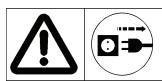
Remove mains plug before each transport.

Before any transport make sure that the blade shaft guard fully covers the blade shaft.
This will avoid injury by the blades.
Two persons are required to lift the machine.
Storage
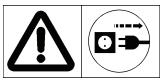
Pull out power plug
-
Store unused equipment in a dry, locked place out of the reach of children.
Before a longer period of storage carry out the following to extend the machine's service life and ensure an easy operating: -
Carry out a thorough cleaning and maintenance.

Never use any grease!
Guarantee
Please observe the enclosed terms of guarantee.
Maintenance and cleaning schedule
| Before each starting | Check • the mains cord • the backstroke protection (49) €5 • the cutting blades, • the draw in/out rollers (50/51) €5 • the feed and delivery tables. | Check for damages and have it replaced by an electrician if required. The grippers must fall back automatically and the tips must not be rounded. The cutting blades must be sharp and properly secured. Check that the coating shows no damages and that the workpieces are conveyed without problems? Apply a thin film of sliding wax. |
| After each use | Check and clean • the interior of the machine, • the threaded rods of the height adjustment, • Exhaust connector | Remove wood dust and shavings. |
| Once in a month (if used daily) | Check • the threaded rods of the height adjustment, | Slightly spray with maintenance spray. |
| No. | Denomination | Order-No. | No. | Denomination | Order-No. | |
| 1 | Stand - rear | } 363902 | 28 | Fixing brackets for extractor hood | - | |
| 2 | Stand - side | 29 | Adjusting screw for depth of cut | 363865 | ||
| 3 | Hexagon socket screw M6 x 10 | 30 | Adjusting screw for blade shaft guard holder | 363872 | ||
| 4 | Stand - front | 31 | Push stick | - | ||
| 5 | Tools cpl. | 363884 | 32 | Open-end spanner SW 8/10 | - | |
| 6 | Hexagon socket screw M8 x 16 | - | 33 | Cutting blade | - | |
| 7 | Guide plate guideway | - | 34 | Clamping screw | 361110 | |
| 8 | Mushroom head square neck screw | - | 35 | Lever for thicknessing adjustment | - | |
| 9 | Hexagon socket screw M8 x 20 | - | 36 | Safety label | 363880 | |
| 10 | Guide carrier | - | 37 | Hexagon socket screw key (Allan key) SW 6 | - | |
| 11 | Spacer plate | - | 38 | Hexagon socket screw key (Allan key) SW 5 | - | |
| 12 | Locking lever for guide plate holder | - | 39 | Hexagon socket screw key (Allan key) SW 4 | 363742 | |
| 13 | Guide plate | 363862 | 40 | Angle adjustment scale | - | |
| 14 | Mushroom head square neck screw | - | 41 | Driving belt | - | |
| 15 | Locking lever for guide plate | - | 42 | Driving belt | - | |
| 16 | Exhaust neck | 363889 | 43 | Driving belt | - | |
| 17 | Extraction hose | 363895 | 44 | Roller chain | 363892 | |
| 18 | Hose clip | 363893 | 45 | Depth-of-cut scale | 363891 | |
| 19 | Shavings bag | 363890 | 46 | Clamping device | 363882 | |
| 20 | Motor protection switch | - | 47 | Blade shaft | 363908 | |
| 21 | EMERGENCY-STOP button | - | 48 | Gearbox cover | 363864 | |
| 22 | ON / OFF-switch | - | 49 | Backstroke protection | 363881 | |
| 23 | Blade shaft guard | 363888 | 50 | Draw in roller | - | |
| 24 | Locking wheel | - | 51 | Draw out roller | - | |
| 25 | Crank for height adjustment | - | 52 | Hexagon socket screw key (Allan key) SW 3 | - | |
| 26 | Scale for height adjustment | 363875 | 53 | Setting gauge for the cutting blades | - | |
| 27 | Extractor hood | 363876 | - |
Possible faults
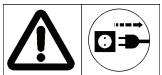
Before each fault elimination:
- switch off device
- Wait until the machine comes to a stop.
- Pull out power plug
After each fault clearance, put into operation and recheck all security installations.
| Fault | Possible cause | Remedy |
| Machine fails to start after switching on or switches off during idle running | • Power failure • Extension cable defect • Motor or switch defect | • Check the fuse. • Check cable, no longer use defect cable • Have motor or switch checked by an approved electrician or replaced by original spare parts |
| Machine is stalled during machining. | Dull cutting bladesFeed is too greatMotor protecting switch has tripped | Replace or sharpen the blades.Continue working with slower rate of feed.Switch motor back on after cooling("Motor protection",p.9) |
| Workpiece is jammed during thicknessing. | Excessive depth of cut | Reduce depth of cut and machine workpiece in multiple passes. |
| Surface unsatisfactory. | Dull cutting bladesCutting blades blocked by shavingsErratic feeding | Replace or sharpen the blades.Remove shavings.Feed the workpiece with constant pressure and reduced speed. |
| Machined surface too rough. | Too much moisture in the workpiece | Dry the workpiece. |
| Machined surface is shaky. | Workpiece was machined against the growth directionToo much material cut in a single pass | Machine the workpiece in opposite direction.Machine the workpiece in multiple passes. |
| Workpiece advance is slow during thicknessing. | Thickening adjusting lever not in its top positionResin on the thickningssing table plateSluggish transport rollers | Put the thickening adjusting lever to its top positionF2Clean the table plate and apply a thin film of sliding wax.Repair the transport rollers. |
Technical data
| Type / Model | MBY10 / ADH 254 |
| Motor rating P1 | 1600 W (S1) |
| Mains voltage | 230 V |
| Mains frequency | 50 Hz |
| Mains fuse | 10 A inert |
| Idle speed (cutting blades) | 6700 rpm |
| Feed rate for thicknessing | 8 m/min |
| Max. workpiece width | 254 mm |
| Workpiece height for thicknessing | 5 - 160 mm |
| Depth of cut for planing | 0 - 3 mm |
| Depth of cut for thicknessing | 0 - 2 mm |
| Cutting blade dimensions | |
| (length x width x thickness) | 258 x 20 x 2.5 mm |
| Table dimensions Planing | 1050 x 260 mm |
| Thickening | 480 x 254 mm |
| Table height with stand | 890 mm |
| Weight | approx. 82 kg |
| Diameter of the shavings exhauster connector | 75 mm |
Commercial small dust removers or industrial vacuum cleaners can be used for exhaustion.