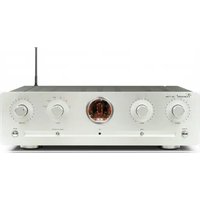
SA-93 PLUS - Audio Amplifier VINCENT - Free user manual and instructions
Find the device manual for free SA-93 PLUS VINCENT in PDF.
Questions des utilisateurs sur SA-93 PLUS VINCENT
0 question sur cet appareil. Repondez a celles que vous connaissez ou posez la votre.
Poser une nouvelle question sur cet appareil
Download the instructions for your Audio Amplifier in PDF format for free! Find your manual SA-93 PLUS - VINCENT and take your electronic device back in hand. On this page are published all the documents necessary for the use of your device. SA-93 PLUS by VINCENT.
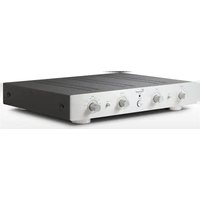
USER MANUAL SA-93 PLUS VINCENT
Instructions for use
english

we thank you for the confidence you prove in purchasing our product. It will match your high demands towards sound and manufacturing quality. Though it is understandable that you want to plug and play this product instantaneously, we encourage you to read this manual carefully before installation.
It will help you in handling and operating this machine in your system and obtaining the best possible performance, even if it was installed by your dealer.
Please follow the security precautions, though some of those things may seem obvious.
In the appendix to this manual you will find a glossary explaining some established technical terms.
If there are open questions your audio specialist dealer will help you. He also represents your contact person in case of needed warranty service or repairs after the warranty period and is interested to hear from your experiences with Vincent products.
We wish you plenty of joy with your / our product,
your Vincent-Team
deutsch
Security precautions 18
User Information 19
Scope of delivery 20
Description of the device 20
Remote control 22
Installation 24
Operation 27
Tips 28
Troubleshooting 29
Technical Specifications 30
Glossary 31

english
Cher client,
- USA System (Pin 2 = COLD, Pin 3 = HOT)

- Europäisches System (Pin 2 = HOT, Pin 3 = COLD)

Cinch Anschluss
This product has been designed and manufactured under strict quality and safety standards to meet all effective international security regulations. However, you should consider the following security precautions to avoid unnecessary harms:

Do not open!
Risc of electric shock! No user servicable parts inside.

Maintenance/Changes
All devices connected to the power supply may be dangerous to the user when used improperly. Do not attempt to service this product yourself. Refer servicing to qualified personal only. This product must not be changed or reconstructed! This product should be operated only from a power source providing 230Volts / 50Hz AC. The power outlet must be compatible to the safety plug. Use this audio component only indoors.
Main Supply/Connection
Always pull the plug and never at the cable when separating the power cord from the power line. Make sure the power cable is not being squeezed, bent unnaturally or cut by sharp edges. Do not touch the cable with wet hands. Use the provided power cable or other ones offered by Vincent. After failure replace the fuse only by one of the same type. You will find the needed values near the fuse housing at the rear panel. When failing repeatedly, the device must be checked by a service technician.

The contact with moisture, liquids, rain or steam is a danger for all electrically powered devices and their users. Dangerous high voltages are present inside the enclosure. To reduce the risk of fire or electric shock, exposition of the appliance to those should be avoided. If that happened accidentally, the appliance must be separated from the power outlet and checked by a service technician.
Never allow objects of any kind or liquids to get inside this product, through openings, as they may touch dangerous voltage points or short-out parts which could result in a fire or electric shock. Do not
use the appliance near water. This product should be situated away from all heat sources such as radiators, heat registers, stoves or other products that produce heat. Do not expose it to direct sunlight for an extended period. Do not expose the device to heavy vibrations.

Switch on/off
Always switch off the appliance before, connecting or separating cable connections with other devices or loudspeakers, connecting or separating the power supply connection, leaving the device unused for an extended period, cleaning of the surface.
After switching off power amplifiers, integrated amplifiers or receivers wait for ca. 1 minute before changing cable connections.

Heat development
All amplifiers generate heat. A minimum distance of 50~mm around the sides and top of the device is recommended to provide adequate ventilation. Do not use the appliance in a closed cabinet or book case.
Volume
The maximum bearable loudness mostly appears far beneath the maximum volume setting of the amplifier. So be careful with this setting to avoid damage to your hearing. To prevent unwanted high sound level always reduce the volume setting before changing to another input channel.

Cleaning
Unplug the power cord from the wall outlet before
SECURITY PRECAUTIONS
cleaning the surface of the appliance. Use a damp cloth. Do not use aerosol cleaners, solvents, thinners, inflammable chemicals, polish or other products that leave stains.

Batteries
Please read the chapter „Remote Control" concerning the handling of batteries!
USER INFORMATION

Placement
The setup and way of placement of your audio system will affect its sound quality. Therefore, place the equipment only on top of an adequate and stable base. To achieve the maximum of the sound quality potential of your system we recommend to place your electronic audio equipment on Vincent Racks and to not pile up the components.

Electronic waste regulations
This device is covered by the European directive 2002/96/EC. This is displayed by the crossed-out wheeled bin symbol on the back side of the housing.
The meaning for you is: All electric and electronic devices that are out of use must be disposed of separately from the household waste and can be deposited free of charge in designated local and communal collection facilities appointed by the government or the local authorities. Doing this will help prevent potential negative consequences for the environment and human health and motivate manufacturers to produce re-cyclable and long-life products. You can obtain further information at your city office, the waste disposal service or the shop where you purchased the product.
Copyrights
© April 2006, all rights reserved.
This document has been created by Andreas Boer. It is a product of the Sintron Vertriebs GmbH, 76473 Ilfezheim, Germany and must not (in parts or complete) be copied or distributed without their permission in written form.
Disclaimer
Vincent is permanently improving and developing its products. This means that designs, componentry or features are subject to changes without notice. Manufacturer and owner of the trademark have no obligation to announce technical changes to the appliance as far as dedicated to the technical progress. All contents of this manual are of informational character and may be altered at any time without prior notice. No obligations or responsibilities for the owner of the trademark Vincent arise from these informations. He will not take responsibility for the correctness of the given information. Vincent is a registered trademark owned by Sintron Vertriebs GmbH, 76473 Iffezheim, Germany.

CE-Sign
This appliance is in accordance with all valid EUregulations necessary for receiving the right to display the CE-Sign. It is in conformity with the requirements to electric and electronic devices (EMC regulations, safety regulations and guidelines for low voltage devices).

Symbols
The lightning flash symbol is intended to alert you to the presence of uninsulated "dangerous voltage" within the product's enclosure that may be of sufficient magnitude to constitute a risk of electric shock to persons.
The exclamation point is intended to alert the user to important operating and maintenance (servicing) instructions in the literature accompanying the product.
SCOPE OF DELIVERY
Please check the contents of the package, it should contain the
following:
1 pre-amplifier SA-93Plus
1 remote control VRC-1
2 batteries of the type AAA (LR3)
1 power cable
2 XLR-Cables
this handbook
DESCRIPTION OF THE DEVICE
A high-quality Stereo System can make music a great experience. To achieve the therefore needed precise and authentic reproduction of the audio signals stored on your CDs, DVDs etc. the following qualities are imperative:
- mechanical construction
- design and structure of the internal power supply
- design of the electronics and signal paths (amplifying circuits, electromechanical components)
Consequently we implemented this:
The SA-93Plus is a remote-controllable Vincent stereo Pre-amplifier suitable for up to six input sources and up to four main amplifier channels.
The functional and ergonomic, non-magnetic, polished aluminum chassis meets all quality demands. The stable metalwork represents a solid base for the electronic componentry.
Following the tradition of the model history, power supply and small signal amplification circuits are situated in separate cabinets to eliminate unwanted interactions between the fully regulated power supply and the delicate, low-level audio signals.
At a closer look the power supply consists of two identical independent power supplies for the left and right channels that are driven by huge, custom-built toroidal transformers that feed the circuitry for both channels separately. Building up to this, circuitry for the left and the right channels have been kept apart in True Dual Mono Configuration, beginning at the rear panel source inputs leading to the pre-amplifier outputs to minimize crosstalk.
The amplifier circuits use full-symmetrical FET modules. Even from unsymmetrical signal sources (as most CD-Players) symmetrical signals are being created to permit the usage of this technology for the connection between pre-amplifier and main amplifier.
All other sound-influencing electronic and electromechanical components (input selector, passive resistor volume controller, connectors etc.) have been selected carefully from premium-grade parts. The SA-93Plus features a brilliant Vacuum Fluorescent Display (with 1 lines and 13 characters) that indicates volume setting and source selection in bright, legible letters.
The SA-93Plus is the ideal partner for the powerful Vincent main-amplifiers such as SP-993, SP-991 or SP-991Plus.
FRONT VIEW:

- Power: Power switch
Switches the appliance on and off.
- Mute: Touch button for the muting of the pre-amplifier output
Press it to mute your system loudspeakers or headphones.
- Input push buttons
To select the input source audible from your Hi-Fi system.
- 13 digit VFD display
Indicates selected input source, present volume setting and other functions.
- Level▲ and Level▼: Volume push button
Control the level of the output signal and thus the volume of loudspeakers and headphones in your system.
REAR VIEW:

- Input: Terminal for up to six Audio sources (1xXLR 5xRCA)
Connect the signal cables coming from your source devices here.
- Output: Terminal for Pre-amplifier Output (1xXLR, 2xRCA)
One or more main amplifiers can be connected here.
- REC Output: Connectors dedicated to recording device (Cinch)
If desired, connect for example an audio recording device (CD-Recorder, tape recorder etc.).
- AC power connector and fuse holder
To establish the power supply, connect the plugs of the power cable to the device and to a 230V AC wall outlet. The small plastic housing beneath the plug opening holds the fuse. Refer to the security precautions.
REMOTE CONTROL
Point the diode side of the remote set to the front panel of the pre-amplifier, make sure there are no objects between the remote set and the device.
Keep the distance between remote set and device less than 7 meters. Do not point from an angle greater than 30 degrees from the middle axis.
Change the batteries when the distance of reliab- le operation is shortening.
BATTERIES
Incorrect handling of the batteries can cause acid leakage or in extreme cases explosion.
The cells must be inserted respecting the correct polarity as seen on the plan inside the battery housing.
For longlife operation do not mix old batteries and new ones and use the same battery type (for example alcaline).
Some battery cells are recharging, some are not. Refer to the details written on the cell surface.
Remove batteries when not using the remote control for an extended period. Used batteries are hazardous waste and must be disposed of according to local regulations. Do not put them into household waste.
Changing of batteries:
- Open the metal cover on the backside of the remote. The cover plate is being held magnetically, a little pull from underneath the notch in the case of the remote set will do.

- Remove used cells and insert new ones as seen on the scheme inside.

- Close the cover.

REMOTE CONTROL BUTTONS

- Mute: Push button for the volume muting
Press it to mute your system loudspeakers or headphones (as an effect to muted the output signal).
- Gain: Push button for -10dB attenuation of Pre Out signal
Should only be activated for main amplifiers with high sensitivity.
- Bal L and Bal R: Push buttons for volume balance
Set the volume difference between right and left channel if needed
- Input selection push buttons
To select the input source audible from your Hi-Fi system.
- Level und Level : Volume buttons
Control the level of the output signal and thus the volume of loudspeakers and headphones in your system.

Use only micro AAA cells (LR3)
INSTALLATION
Pre- and main amplifier compose the amplifier used in High-End systems. They must be interconnected.
Your loudspeakers will be connected to the main amplifier, your audio sources to the pre-amplifier. To achieve best performance only quality interconnection cables as produced by Vincent should be utilized. Consult your audio specialist dealer.
Remove plastic protective covers
Prior to the first installation, remove the plastic protective covers on RCA and XLR connectors.

Connections
Input connectors for audio source devices and output connectors for the main amplifier are mechanically identical RCA jacks that must not be interchanged!

Connection quality
Make sure all connections are tight. Loose connections may cause noise, failure or malfunctions.

Connect carefully
Contacting the middle pin of the RCA plugs at the pre/main interconnection cable with the outer ring of the RCA chassis jack may lead to damages to the main amplifier if it is active! To avoid this hazard, connect or disconnect both devices only in switched-
off state and more than one minute after deactivating!

Inputs
The most often used device or the audio source providing best sound quality should be connected to the balanced input. This way
of signal connection is more robust and less sensible to radiated noise.
XLR Input
Note that European and US-American XLR signal assignments are different! This pre-amplifier uses the European system. Both variants use identical cables. If both connected devices use the same type, the signal connection is correct (Always, if both devices have been produced by Vincent). For the connection of two devices using the opposite system a different cable must be used to avoid inverting of both channel signals. Contact your dealer for more information and support.
- USA System (Pin 2 = COLD, Pin 3 = HOT)

- Europäisches System (Pin 2 = HOT, Pin 3 = COLD)

RCA Connection
At most audio equipment, RCA connectors are color-coded using red for the right channel and white or black for the left channel.

CD-Player connection
Bear in mind that the signal into the „balanced" input (XLR) is not being transferred to the REC-Output. It is not possible to make a recording from a CD-Player (for example) connected there via the Recording Output.
MAIN AMPLIFIER CONNECTION
You can choose between symmetrical (using RCA connectors) or unsymmetrical (using XLR connectors) interconnection of your pre- and power-amplifiers. Up to four main amplifier channels can be connected. So more than two loudspeakers can be supplied or two speakers can be used biwiring or biamping them.
Choose the appropriate setup for your system:
UNSYMMETRICAL CONNECTION
Unsymmetrical connection of one or more main amplifiers
With all equipment switched off, connect the RCA cables to the pre-amplifier outputs marked with 1^ in the output terminal and on the other side of the cable(s) to the main amplifier RCA inputs
(often marked as "Input" oder "Power Amp In"). Make sure to not interchange right and left channels. Letters "R" and "L" show you the assignment. When connecting four amplifier channels additionally use the pre-amplifier outputs marked with "2" in the same way.

Connection one Amplifier

Connection two Amplifiers
SYMMETRICAL CONNECTION
Symmetrical connection of two main amplifier channels
Connect two XLR cables to the pre-amplifier outputs marked with „balanced" in the „output" terminal and on the other side of the cables with the main amplifier XLR inputs (often marked as „Input", „Balanced IN" oder „Power Amp IN"). Make sure to not interchange right and left channels.
Letters ^ and ^ show you the assignments.

AUDIO SOURCE CONNECTIONS
To provide your audio system with the input signals (from CD-Players, Tuners etc.) connect their stereo audio outputs to the inputs of this pre-amplifier using RCA and XLR connections. The output connectors of your source devices are mostly named "Output", "Audio Out", "Front OUT" or "Line OUT".
Inputs "Line1" to "Line 5" represent standard high level audio inputs.

CONNECTION TO A RECORDING DEVICE
If that is desired you can connect a recording device like a CD-Recorder or a tape recorder to the preamplifier's "REC Output" RCA connectors. It delivers the unchanged, fixed level (line level) of the source device that is connected to the SA-93Plus and currently selected. This output level is independent from the volume and mute settings.
The "balanced" input can only be connected to a device equipped with symmetrical output. At the source device you can recognize it by the three-pin XLR-type of the output jack. Leave the XLR input of your pre-amplifier open if none of your audio sources uses this. Sometimes both types of output connectors are provided.
For utilization of a record player mostly a separate phono pre-amplifier is needed. It must be situated in the signal path between record player and pre-amplifier high level input. Most types are RCA-connected. Some models integrate this small amplifier unit and can be connected directly to the pre-amplifier.
For more information see manuals of the source devices to be connected.
Connect this signal output of the preamplifier (REC Output) using RCA cables to the signal input (, Record^ or , Input^ ) of the recording device. It is possible to connect other types of audio devices (mixing desk, Personal Computer).

Note: The signal of the „balanced" input (XLR) is not available for recording at the REC Output!
To establish the power supply push the plug of the power cable into the AC socket on the back panel and connect the plug on the other side of the cable to a 220V-240V AC wall outlet.
Notes on Bi-Amping
This mode of operation can only be set up using
(unsymmetrical) RCA-interconnections and four main amplifier channels, for example two stereomain amplifiers connected as seen in (1).
Additionally the speakers must be suited for this.
More information about the cable connections between main amplifier and loudspeakers is available in the manuals of those components.
OPERATION
When switched off the device is internally separated from the AC power. It has no standby circuit, it is switched on and off at the front panel and not from the remote controller. Four seconds after switching on the pre-amplifier is operational.
Switch on and off

Display
WELCOME
Keep the Level▲-Button pressed to increase the volume. Use the Level▼-button to decrease it. You can use either the front panel buttons or the remote controller buttons. In the process of changing volume the display changes to indicating the momentary numerical value of the setting. The volume minimum appears at -99dB, the maximum volume setting is 0dB.
Set the Volume

Display
VOLUME-99DB
VOLUME 0008
Shortly press the corresponding touch button to change to the desired input channel (Line1-5 or balanced). You find those buttons at the front panel as well as on the remote controller. For a short period the display shows only the name of the input channel. As a precaution, prior to changing the input channel the value of the volume setting should be reduced!
Select the
LINE1
LINE 3
IE4
LINE 5
BALANCED
Display
LINE /
input channel
One channel of the system and thus one of the speakers of your system can be adjusted to be more loud than the other one. This balance adjustment can only be made using the corresponding remote controller buttons. Sometimes this is desirable if you are situated closer to one of the speakers than to the other one because then you will perceive a volume difference. The channel volume balance can be set in 10 steps to both sides respectively. The maximum difference appears at the setting displaying +10dB . Additionally the display shows the name of the channel that has the higher volume. At "0dB" both channels are in balance.
Set the volume balance


Display
BAL L +/008
BAL R +/OBB
The mute function can be activated at the pre-amplifier front panel or using the remote controller buttons. It cuts off the pre-amplifier output signal and thereby silences loudspeakers and headphones of your system. The next push at the button will recover the original volume.

The corresponding button activates an output level attenuation of 10dB. This Gain adjustment can only be made using the corresponding remote controller buttons. This may be of use when the pre-amplifier is combined with a main amplifier of high sensitivity, for example the Vincent SP-991. In everyday use this button must not be pressed!
Adjust to main amplifiers with high sensitivity

Display
GAIN-1008
TIPS
Burn in / Warm up
Your audio components need a certain time period until they reach maximum performance. The duration of this „warm up“ time is very different for the various elements of your audio system. Higher and homogeneous sound quality is achieved while keeping the device switched on.
Your audio specialist dealer has enough experience to give you more information.
Net frequency noise
Some audio source devices may together with the amplifier cause a humming noise at powerline frequency audible from your speakers. Usually its volume is variable with the volume setting of the amplifier.
This is no sign of a defect or fault of your audio products but has to be eliminated.
Generally, every wall-powered device connected to the ground wire of the power plug can cause this problem when connected to the amplifier.
Experience shows that this problem is mainly caused by antenna-connected components (as TV-sets
or Tuners), personal computers, electrostatic loudspeakers, subwoofer, record players or headphone amplifiers that are connected to the audio inputs of the amplifier. Another possible reason for humming noise is electromagnetic interference of other components' power supplies with pick-up systems of record players (change the place of the record player for a test).
Some main amplifiers are equipped with a "Ground Lift" switch. If it is activated, ground potential of the chassis and the protective ground wire are being separated from the central signal ground point. The protective ground wire keeps its function. Sometimes this helps prevent noise caused by errors in grounding.
If the problem occurs and cannot be solved by yourself your audio specialist dealer will help you
TROUBLESHOOTING
| Symptom | Possible reason | Possible solution |
| No function after switching on | Power cable not connected to an active wall outlet | Connect the power cable to an active wall outlet |
| Power cable not connected tight to wall outlet or chassis jack | Press the power plugs tight into the wall outlet and the device's power connector | |
| Power cable defective | Change against an adequate power cable | |
| Blown Fuse | Change fuse | |
| No playback, pre-amplifier display is functional | Volume setting too low | Carefully increase the volume |
| Not the desired input channel has been chosen | Revise your selection | |
| You did not (or not correctly) connect the output of the source device oder not to the desired input connector of the pre-amplifier | Check and correct the connections | |
| Source device does not give output signal | Start the playback of the source device | |
| You did not (or not correctly) connect the main amplifier, or switched it off | Check connections and function of the main amplifier | |
| Speaker cable connections to the main amplifier are not correct or speakercable damaged | Check and revise speaker cables and their connections | |
| One channel play back only | One of the speaker cables has not or not correctly been connected, or defective speaker cable | Check speaker cables and their connections on both sides |
| One of the signal cables between pre-amplifier and main amplifier has not or not correctly been connected, or defective signal cable | Check signal cables and their connections on both sides | |
| One of the signal cables between Source and pre-amplifier has not or not correctly been connected, or defective signal cable | Check signal cables and their connections on both sides | |
| The balance setting is extreme | Correct this setting | |
| Remote commands have no effect | No batteries or used-up cells in the remote set | Check and replace battery cells if necessary |
| Line of sight between remote set and audio device is blocked or maximum distance is exceeded or commands given from a too large angle | Try and use remote set only at free line of sight inside the radius of maximum distance facing the front panel | |
| Device switched off | Device switched on | |
| Low frequency humming noise audible | See previous page | |
TECHNICAL SPECIFICATIONS
Frequency response:
THD (20Hz-20kHz):
Signal to Noise Ratio:
Input sensitivity:
Input overdrive/clipping:
Input Impedance:
Channel separation:
Nominal Output voltage (20Hz-20kHz, THD<0,03%):
Total Gain:
Power consumption:
AC power connection type:
Dimensions (WxHxL):
Weight:
Color:
10 Hz - 20 kHz
<0,1%
95dB
380mV
8V
47 kΩ
86 dB
2V (max.8V)
15 dB
15 W
220V-240V/50Hz
430 × 84 × 360 ~mm
(feet 10 mm)
10,9 kg
black / silver
GLOSSARY
RCA/Cinch:
Name of a coaxial two-pole plug-and-socket connection (abbrev. for Radio Corporation of America). Plugs and sockets are built from a middle pin conductor and a concentric metal cylinder mantle as the outer conductor. One (mono) signal can be transferred. Compared to XLR, this type is being called unsymmetrical signal connection (unbalanced).
XLR:
Also: „Symmetrical Connection"
or "balanced". A plug-and-socket connection for audio devices. It is round (with approx. 1.5cm in diameter) and has 3 contacts/pins. XLR is an alternative connection to RCA used to transmit NF-Signals in professional audio equipment.
The advantage is one additional transmission path for the modified (phase inverted) signal. If the receiving device can process this, all inducted noise received in the cable screen can be eliminated.
The signal voltage level used for this type of transfer is higher, so it is a more robust less sensitive signal path.
Audio Sources / Source devices:
Components of your Hi-Fi system and devices that deliver the audio signal you want to listen to, for example CD-Players, Tuners, Tape recorders, DAT Recorders, Personal Computers, Record players, portable audio devices and many more.
Input sensitivity:
Term used for the smallest input voltage that makes the amplifier generate the maximum output power at maximum volume setting. Examples: 100 to 500mV (Millivolts) at high level inputs, 2 to 5mV at Phono-MM-Inputs or 0,1 to 0,5mV at PhonomC-Inputs.
Bi-Wiring:
Loudspeakers qualified for this can be connected to two pairs of one (main or integrated) amplifier's outputs using two separate bifilar standard speaker cables at each of the speakers. Those speakers feature a double connection terminal.
One set of speaker cables is used for the high frequency range, the other one for the middle and low frequency range. The amplifier's output is the complete frequency range signal, the filtering is done inside the speaker.
Though the double number of speaker cables is needed, for many combinations of amplifiers and speakers the sound quality improves. Prior to changing the setup to BiWiring the normally applied metal bridges must be removed from the speakers' connection terminals.
Bi-Amping:
Loudspeakers qualified for this can be connected to the outputs of two (main or integrated) amplifiers using two separate bifilar standard speaker cables at each of the speakers. Those speakers feature a double connection terminal.
One main amplifier is used for the high frequency range, the other one for the middle and low frequency range. The amplifier's output is the complete frequency range signal, the filtering is done inside the speaker.
Though additional main amplifiers and the double number of speaker cables are needed, for many combinations of amplifiers and speakers the sound quality improves remarkably. Prior to changing the setup to BiAmping the normally applied metal bridges must be removed from the speakers' connection terminals.
CONSIGNES DE SECURITÉ
REPLACEMENT DES PILES
- USA System (Pin 2 = COLD, Pin 3 = HOT)

- Europäisches System (Pin 2 = HOT, Pin 3 = COLD)

Connexion Cinch
2 amplificates final

EasyManual