CU 4000 - Battery charger AKG - Free user manual and instructions
Find the device manual for free CU 4000 AKG in PDF.


User questions about CU 4000 AKG
0 question about this device. Answer the ones you know or ask your own.
Ask a new question about this device
Download the instructions for your Battery charger in PDF format for free! Find your manual CU 4000 - AKG and take your electronic device back in hand. On this page are published all the documents necessary for the use of your device. CU 4000 by AKG.
USER MANUAL CU 4000 AKG
Please read the manual before using the equipment!
MODE D'EMPLOI p.28
1 Safety and Environment. 16
1.1 Safety 16
1.2 Environment 16
2 Description. 17
2.1 Introduction 17
2.2 Packing List 17
2.3 Description 17
3 Connecting to Power 18
4 Charging 19
4.1 CHARGE and RECOVER LEDs 19
4.2 Inserting the BP 4000 Battery Pack 20
4.3 Inserting a Transmitter/Receiver with a BP 4000 Inside 20
4.4 Normal Charging Cycle 21
4.5 Initial Charging Cycle for New or Deep-discharged Battery Packs 21
4.6Recovery Cycle 23
4.7 Important Notes 25
5 Cleaning 26
6 Specifications 26
7 Troubleshooting 27
1.1 Safety
1 Safety and Environment
- Do not spill any liquids on the charger. This may cause short circuits and contaminate the charging contacts.
- If any liquid penetrates into the charging receptacle, disconnect the charger from power immediately and have the charger checked by AKG service personnel.
- Never use the charger to charge dry batteries. The charger will detect dry batteries and automatically deactivate the charging function.
- Use the charger in dry rooms only.
- The charger may be opened, serviced, and repaired by authorized personnel only. The charger contains no user-serviceable parts.
- Place the charger at least 1 inch away from walls or other equipment to ensure adequate heat dissipation from the charger. If the charger overheats, the charging cycle will be stopped immediately.
- Before connecting the charger to power, check that the AC mains voltage stated on the included power supply is identical to the AC mains voltage available where you will use the charger.
- Do not operate the charger with any power supply other than the included local power supply or the optional PSU 4000 central power supply from AKG with an output voltage of 12 VDC. Using a power supply with an AC output and/or a different output voltage may cause serious damage to the charger.
- If you will not use the charger for a long period of time, disconnect the charger from power. To prevent unwanted discharging, be sure to remove the transmitter(s)/receiver(s) and/or BP 4000 Battery Pack(s) from the charger every time you disconnect the charger from power.
- Do not place the charger near heat sources such as radiators, heating ducts, or amplifiers, etc. and do not expose it to direct sunlight, excessive dust, moisture, rain, mechanical vibrations, or shock.
- Clean the charger with a moistened (not wet) cloth only. Be sure to disconnect the charger from power before cleaning the charger! Never use caustic or scouring cleaners or cleaning agents containing alcohol or solvents since these may damage the enamel and plastic parts.
- Use the charger for the applications described in this manual only. AKG cannot accept any liability for damages resulting from improper handling or misuse.
1.2 Environment

- The charger will draw a low current even when the charging mode is off. To save energy, disconnect the charger from power if you will not use the charger for a long period of time. To prevent unwanted discharging, be sure to remove the transmitter(s)/receiver(s) and/or BP 4000 Battery Pack(s) from the charger every time you disconnect the charger from power.
- Be sure to dispose of used batteries as required by local waste disposal rules. Never throw batteries into a fire (risk of explosion) or garbage can.
- When scrapping the charger, separate the case, circuit boards, and cables, and dispose of all components in accordance with local waste disposal rules.
- The packaging of the charger is recyclable. To dispose of the packaging, make sure to use a collection/recycling system provided for that purpose and observe local legislation relating to waste disposal and recycling.
Thank you for purchasing an AKG product. This Manual contains important instructions for setting up and operating your equipment. Please take a few minutes to read the instructions below carefully before operating the equipment. Please keep the Manual for future reference. Have fun and impress your audience!
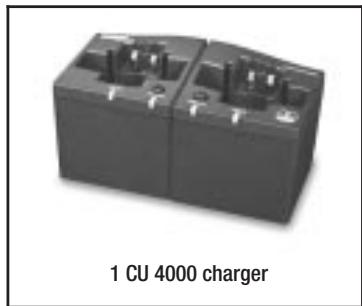
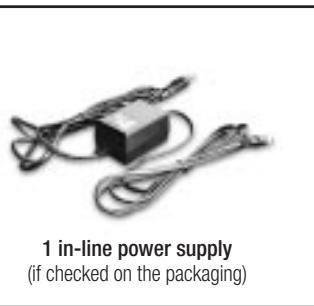
2.2 Packing List
Check that the packaging contains all of the items listed above. Should anything be missing, please contact your AKG dealer.
The CU 4000 has been designed specifically for use with the WMS 4000/4500 system. The CU 4000 and optional BP 4000 Battery Pack make up an intelligent powering system for WMS 4000/4500 transmitters and IVM 4 Series receivers.
The charger provides two charging slots specially shaped to accept the HT 4000/4500 and PT 4000/4500 transmitters, the SPR 4 portable stereo receiver, or BP 4000 Battery Pack. The charging slots operate completely independently so you can charge two BP 4000 Battery Packs simultaneously. Although you do not need to remove the BP 4000 from the device for charging, you may also charge the BP 4000 separately.
Designed specifically for use with the WMS 4000/4500 Series transmitters, the SPR 4 portable stereo receiver, and the BP 4000 Battery Pack, the CU 4000 charger
- measures the battery capacity in mAh during each charging cycle;
- generates a flag signaling the end of the charging cycle upon reaching the deflection point (maximum capacity);
- subtracts the self-discharge of the BP 4000 from the current capacity so the remaining capacity will always be correctly memorized by the BP 4000. The device will apply the correction for self-discharge as soon as it is switched on outside the charger so the device can display the correct remaining battery capacity at any time;
- counts the number of partial charging cycles and suggests a recovery cycle after 16 partial charging cycles;
- stops the charging or recovery cycle immediately if the inside temperature of the BP 4000 is too high or too low, protecting the charger and device from damage.
The charger checks whether the batteries inserted are dry batteries, standard rechargeable batteries, or a BP 4000 Battery Pack and will automatically deactivate the charging function if it detects dry or standard rechargeable batteries.
There are two indicator LEDs in front of each charging slot:
- The tricolor (red/orange/green) CHARGE LED indicates the current operating status of the charger.
2.3 Description
- Indicators and controls
2 Description
- The tricolor (red/orange/green) RECOVER LED alerts you to the necessity of running a recovery cycle for the BP 4000 and indicates the current recovery status.
The RECOVER key starts the recovery cycle.
DC input
- The DC 12 V jack on the rear panel accepts the DC cable on the included power supply or a connecting cable to the optional PSU 4000 central power supply.


3 Connecting to Power
Refer to fig. 1.
Refer to fig. 2.
-
Check that the AC mains voltage stated on the included power supply is identical to the AC mains voltage available where you will use your system. Using the power supply with a different AC voltage may damage the unit.
-
You can power the charger in one of two ways:
-
Use the included power supply.
-
Connect the DC 12 V jack to the DC OUT 2 or DC OUT 3 12 V output jack on the optional PSU 4000 central power supply. (DC OUT 1 is reserved for powering a complete antenna network.)
-
The charger is ready to operate. Note that all LEDs remain dark.
-
The CU 4000 charger has been designed specifically for charging the BP 4000 Battery Pack and will not charge any other type of rechargeable batteries.
- All BP 4000 Battery Packs are delivered uncharged. Therefore, you will need to charge each new BP 4000 before using it. (Refer to section 4.5 Initial Charging Cycle.)
Each charging slot features two LEDs that indicate the current operating status of the respective charging slot ( >...< ) marks an LED flashing in the indicated color):
Table 1: Indications of the CHARGE and RECOVER LEDs
| CHARGE | RECOVER | Status |
| --- | --- | The charger is ready to operate, no device or BP 4000 is inserted in a charging slot. |
| orange | --- | The inserted device or BP 4000 is being checked. The test takes about 4 to 10 seconds. |
| >orange< | --- | The BP 4000 is being initialized. (This is only needed if the battery voltage is too low to power the circuitry in the BP 4000.) |
| red | --- | The BP 4000 is being charged. |
| green | --- | The BP 4000 is fully charged; the charging cycle is completed. |
| >red< | --- | The charging cycle has been stopped because of an error. Refer to section 7 Troubleshooting. |
| red | >orange< | The BP 4000 is being charged, and a recovery cycle is recommended. |
| red | >green< | The BP 4000 is being charged and the RECOVER key is being pressed. |
| green | >orange< | The BP 4000 is fully charged, and a recovery cycle is recommended. |
| green | >green< | The BP 4000 is fully charged; the RECOVER key is being pressed. |
| red | red | Recovery cycle: the BP 4000 is being charged. |
4.1 CHARGE and RECOVER LEDs
(Table 1)
4 Charging
| CHARGE | RECOVER | Status |
| >red/orange< | red | Recovery cycle: the BP 4000 is being discharged. |
| green | green | The recovery cycle has been successfully completed and the BP 4000 is fully charged. |
| green | >red< | The recovery cycle failed. Although the BP 4000 is fully charged, it has aged to the point that its capacity cannot be accurately calculated anymore. Refer to section 7 Troubleshooting. |
| >red< | >red< | The recovery cycle has been stopped because of an error in the device/ BP 4000 or charger. Refer to section 7 Troubleshooting. |
4.2 Inserting the BP 4000 Battery Pack Refer to fig.3.
4.3 Inserting a Trans-mitter/ Receiver with a BP 4000 Inside Refer to fig.4.
- Insert the BP 4000 such that the wider charging contacts on the BP 4000 point at the LEDs on the charger.
Due to the specific shapes of the charging slot and the BP 4000, you can only insert the BP 4000 in the correct orientation.
- Check that a BP 4000 is inserted in the transmitter or SPR 4 receiver. If the batteries inside the transmitter/receiver are dry or standard rechargeable types, do not try to charge them.
- Insert the transmitter or receiver into the charging slot so that the display on the transmitter or receiver points at the LEDs on the charger.
The charger will automatically power up the transmitter/receiver in SILENT mode via the charging contacts. The display will indicate "----". The transmitter/receiver will remain in SILENT mode and power down automatically as you remove the transmitter/receiver from the charger.
| CHARGE | RECOVER | Status |
| orange | --- | The inserted device is being checked. The test takes about 4 to 10 seconds. |
| red | --- | The BP 4000 is being charged. The charging time for completely discharged batteries is approx. one hour and proportionately less for partially discharged batteries. |
| green | --- | The BP 4000 is fully charged; the charging cycle is completed. The charger switches to trickle charging mode. You may remove the device or BP 4000 from the charger. |
- The charging cycle will start automatically as soon as you insert a transmitter or receiver with a BP 4000 inside or a BP 4000 into the charger.
4.4 Normal Charging Cycle
Table 2: Normal charging cycle (for a BP 4000 with sufficient residual voltage)
Note:
Table 3: Charging a new or deep-discharged BP 4000 (residual voltage too low)
| CHARGE | RECOVER | Status | Action |
| orange | --- | The inserted device is being checked. The test takes about 4 to 10 seconds. | --- |
| >orange< | --- | The BP 4000 is being initialized. | --- |
| red | >orange< | The BP 4000 is being charged, and a recovery cycle is recommended. | Press and hold the RECOVER key next to the flashing RECOVER LED. |
| red | >green< | The BP 4000 is being charged and the RECOVER LED indicates the RE-COVER key is being pressed. | Hold the RECOVER key for at least 3 seconds. |
| red | red | The recovery cycle has started. The BP 4000 is charged for a few minutes if required. | Release the RECOVER key. |
| >red/orange< | red | Recovery cycle: the BP 4000 is being discharged. | --- |
4.5 Initial Charging Cycle for New or Deep-discharged Battery Packs
| CHARGE | RECOVER | Status | Action |
| red | red | Recovery cycle: the BP 4000 is charged for the first time. | --- |
| >red/orange< | red | Recovery cycle: the BP 4000 is being discharged. | --- |
| red | red | Recovery cycle: the BP 4000 is being charged for the second time. | --- |
| >red/orange< | red | Recovery cycle: the BP 4000 is being discharged. | --- |
| red | red | Recovery cycle: the BP 4000 is being charged for the third time. | --- |
| >red/orange< | red | Recovery cycle: the BP 4000 is being discharged. | --- |
| red | red | Recovery cycle: the BP 4000 is being charged for the fourth time. | --- |
| >red/orange< | red | Recovery cycle: the BP 4000 is being discharged. | --- |
| red | red | Recovery cycle: the BP 4000 is being charged for the last time. | --- |
| green | green | ||
| The recovery cycle has been successfully completed and the BP 4000 is fully charged. The charger switches to trickle-charging mode. | Remove the device/BP 4000 from the charger. |
The entire initial charging cycle takes about 15 to 17 hours.
Note:
- If you do not press the RECOVER key, the BP 4000 will be charged normally upon initialization.
Partially discharging the BP 4000 many times may reduce its capacity (memory effect) or affect the accuracy of the remaining-capacity display.
The recovery cycle performed by the CU 4000 charger reduces the memory effect and restores the accuracy of the remaining-capacity display.
After approx. every 16 partial-discharge cycles, the device display will indicate "Err.Acc" and "...-" instead of the hour display. (The remaining battery capacity will only be indicated by the bar graph.) Once you insert the device into the charger, the RECOVER LED will start flashing orange.
These messages request you to start a recovery cycle as soon as possible. The charger will not perform a recovery cycle before you have pressed the RECOVER key for at least 3 seconds.
- In most cases, the "Err.Acc" or "Rec.Acc" message in the device display is only a request to perform a recovery cycle rather than an error message!
- However, if the "Err.Acc" message comes up again when you power the device up after a successful recovery cycle (the RECOVER LED will not flash orange on inserting the device), there may be a communication problem between the device and the BP 4000. In this case, please contact your nearest AKG Service Center.
Note:
Table 4: Recovery cycle
| CHARGE | RECOVER | Status | Action |
| orange | --- | The inserted device is being checked. The test takes about 4 to 10 seconds. | --- |
| red | >orange< | The BP 4000 is being charged, and a recovery cycle is recommended. | Press and hold the RECOVER key next to the flashing RECOVER LED. |
| red | >green< | The BP 4000 is being charged and the RECOVER LED indicates the RECOVER key is being held down. | Hold the RECOVER key down for at least 3 seconds. |
| red | red | The recovery cycle has started. The BP 4000 is charged for a few minutes if required. | Release the RECOVER key. |
| >red/orange< | red | Recovery cycle: the BP 4000 is being discharged. | --- |
| red | red | Recovery cycle: the BP 4000 is being charged for the first time. | --- |
| >red/orange< | red | Recovery cycle: the BP 4000 is being discharged. | --- |
| red | red | Recovery cycle: the BP 4000 is being charged for the second time. | --- |
| >red/orange< | red | Recovery cycle: the BP 4000 is being discharged. | --- |
| red | red | Recovery cycle: the BP 4000 is being charged once more. | --- |
| green | green | The recovery cycle has been successfully completed and the BP 4000 is fully charged. The charger switches to trickle-charging mode. | Remove the device/BP 4000 from the charger. |
| green | >red< | The recovery cycle failed. Although the BP 4000 is fully charged, it has aged to the point that its capacity cannot be accurately calculated anymore. | Press and hold the RECOVER key for 3 seconds to restart the recovery cycle. If the problem persists, replace the BP 4000. Refer to section 7 Troubleshooting. |
A recovery cycle takes about 8 to 10 hours.
Should the recovery cycle fail on the first run, it will be automatically repeated so the entire cycle will take about 15 to 17 hours. If the second recovery cycle fails, too, the RECOVER LED will start flashing red.
Note:
- You can start a recovery cycle even if you are not requested to:
- during a normal charging cycle (CHARGE is lit red);
- after the successful completion of a charging or recovery cycle (CHARGE is lit green);
-
after a failed recovery cycle (refer to Table 4).
-
Press and hold the RECOVER key (the RECOVER LED will be flashing green).
- Release the RECOVER key,
- when the RECOVER LED changes to red (if you have pressed RECOVER during a normal charging cycle) OR
- when CHARGE changes to orange (if you have pressed RECOVER after completion of a charging or recovery cycle).
The recovery cycle will start (refer to Table 4).
-
To prevent data communication between the device/BP 4000 battery pack and the CU 4000 from being interrupted, make sure
-
never to remove the device/battery pack from the charger during the battery test (CHARGE is lit orange; refer to section 4.1 above);
- never to reinsert the same device/battery pack into the charger any sooner than 5 seconds after you removed the device form the charger (this is the time the battery pack takes to reset data communication).
Interrupting data communication during the battery test or reset periods may cause charger malfunction (e.g., incorrect charging status display).
-
The BP 4000 and CU 4000 are rugged enough so that
-
you can remove the BP 4000 at any time before a charging or recovery cycle is completed;
- you can charge the BP 4000 at any time, even before it is completely discharged;
- you can run a normal charging cycle (i.e., without pressing the RECOVER key) even if the RECOVER LED is flashing orange.
The device will be fully functional in all the above cases.
If, for instance, an "emergency" arises and you need a transmitter quickly, charging the BP 4000 for about ten minutes gives you up to two hours of battery life.
However, if the charger proposes a recovery cycle (RECOVER flashing orange, device display showing "Err.Acc") the remaining battery capacity will not be indicated in hours but only as a bargraph (at reduced accuracy). If you develop a habit of partially charging or discharging a device, the capacity and thus the useful life of the BP 4000 will decrease somewhat (memory effect).
-
To ensure both a long useful life of the BP 4000 and the highest possible accuracy of the remaining-capacity display, be sure
-
to completely discharge the BP 4000 every time, i.e., not to charge the BP 4000 before the battery warning appears in the transmitter and receiver displays (see also the transmitter and receiver manuals);
to charge the BP 4000 fully every time, i.e., not to remove it from the charger before the charging cycle is completed; -
to run a recovery cycle as soon as possible every time the RECOVER LED starts flashing orange;
to charge each new BP 4000 as per Table 3. -
If you insert a device with dry or standard rechargeable batteries into the charger, the charging cycle will be stopped immediately after the battery test. (CHARGE will be lit orange for a few seconds and start flashing red.)
Although there is virtually no risk of damaging the device or charger, it is good practice not to insert devices using dry or standard rechargeable batteries into the charger.
- Avoid charging the BP 4000 at temperatures below +5^ or above +40^ . At these temperatures, the charging cycle will not start and the CHARGE LED will start flashing red.

Important!

Important!


5 Cleaning
- Disconnect the DC cable from the rear panel DC 12 V jack.
- Use a cloth moistened (not wet!) with water to clean the surfaces of the charger.
- Never use caustic or scouring cleaners or cleaning agents containing alcohol or solvents since these may damage the enamel coat or plastic parts.
6 Specifications
| Operating voltage: | 12 VDC |
| AC voltage: | refer to label on power supply |
| Charging current: | typ. 1.5 A per charging slot |
| Charging time: | 1 to 17 hours depending on charging cycle |
| Size (LxHxD): | 170 x 90 x 85 mm (6.7 x 3.5 x 3.3 in.) |
| Weight: | approx. 590 g (1.3 lbs.) |
This product conforms to the standards listed in the Declaration of Conformity. To order a free copy of the Declaration of Conformity, visit http://www.akg.com or contact sales@akg.com
| Problem | Possible Cause | Remedy |
| All LEDs dark. | No defect. LEDs in front of each charging slot are not activated before you insert a BP 4000 or transmitter w/BP 4000 into the charging slot. | (Insert BP 4000 or device w/BP 4000.) |
| All LEDs dark although BP 400 or device w/BP 4000 is in a charging slot. | 1. Power supply is not connected to power. | 1. Connect power supply to convenient power outlet. |
| 2. DC cable is no not connected to power supply/PSU 4000 and/or charger. | 2. Connect DC cable to power supply/PSU 4000 and/or charger. | |
| 3. Internal error. | 3. Disconnect power or DC cable, wait for 10 secs, and connect again. Should the problem persist, contact your nearest AKG Service Center. | |
| LEDs on one charging slot dark, although BP 400 or device w/BP 4000 is in this charging slot. | Internal error. | Disconnect power or DC cable, wait for 10 secs, and connect again. Should the problem persist, contact your nearest AKG Service Center. |
| CHARGE LED flashing red. | Charging cycle has stopped: 1. Device uses dry or standard recharge-able batteries 2. Charging contacts contaminated. 3. Inside temperature of BP 4000 or charger too high/low. 4. BP 4000 defective. 5. Charger defective. 6. Excessive mechanical vibrations during charging (HT 4000/4500, SPR 4, and PT 4000/4500 w/o belt clip only). | Remove device from charging slot; replace batteries with BP 4000. Clean charging contacts on charger and device/BP 4000 with soft cloth. a) Allow BP 4000/charger to cool down, start charging cycle again at lower/higher ambient temperature. b) Make sure there is enough free space around charger to ensure adequate heat dissipation. 4. Replace BP 4000. Should the problem persist, contact your nearest AKG Service Center. 5. Contact your nearest AKG Service Center. 6. Make sure charger will not be exposed to vibrations and restart charging cycle. |
| CHARGE and/or RECOVER LED(s) flashing red. | Recovery cycle has stopped: 1. Device uses dry or standard recharge-able batteries 2. Charging contacts contaminated. 3. Inside temperature of BP 4000 or charger too high/low. 4. BP 4000 defective. 5. Charger defective. 6. Excessive mechanical vibrations during charging (HT 4000/4500, SPR 4, and PT 4000/4500 w/oelt clip only). | Remove device from charging slot, replace batteries with BP 4000. Clean charging contacts on charger and device/BP 4000 with soft cloth. a) Allow BP 4000/charger to cool down, start charging cycle again at lower/higher ambient temperature. b) Make sure there is enough free space around charger to ensure adequate heat dissipation. 4. Replace BP 4000. Should the problem persist, contact your nearest AKG Service Center. 5. Contact your nearest AKG Service Center. 6. Make sure charger will not be exposed to vibrations and restart charging cycle. |
Page
7 Resolver problemas 79
1.1 Segurarca
For other products and distributors worldwide visit www.akg.com

C E ① ROHS OK
H A Harman International Company
Technische Änderungen vorbehalten. Specifications subject to change without notice. Ces caractéristiques sont susceptibles de modifications. Ci riserviamo il diritto di effettare modifiche tecniche. Nos reservamos el correcho de introducr modificaciones Tecnicas. Especificações sujeitas a mudanças sem uso prévio.
Printed in China (P.R.C.)
10/08/9100 U 11210