
D 11 - Microphone LEXICON - Free user manual and instructions
Find the device manual for free D 11 LEXICON in PDF.


| Product type | Dynamic microphone for instruments |
| Brand | LEXICON |
| Model | D 11 |
| Polar pattern | Cardioid |
| Frequency response | 20 Hz – 20 kHz |
| Sensitivity | 2.5 mV/Pa |
| Connector | Balanced XLR |
| Included cable | XLR/XLR, 5 m |
| Included accessory | Rigid transparent carrying case |
| Recommended use | Kick drum, bass amp, wind instruments |
| Microphone body | Rugged metal |
| Weight | Approximately 350 g |
| Dimensions | Approximately 170 mm (length) × 52 mm (diameter) |
| Power supply | Passive (none) |
| Cleaning | Slightly damp cloth (clear water) |
| Safety | Equipment grounding required |
| Warranty | 2 years (according to manufacturer's conditions) |
| Compliance | CE standards |
Frequently Asked Questions - D 11 LEXICON
User questions about D 11 LEXICON
0 question about this device. Answer the ones you know or ask your own.
Ask a new question about this device
Download the instructions for your Microphone in PDF format for free! Find your manual D 11 - LEXICON and take your electronic device back in hand. On this page are published all the documents necessary for the use of your device. D 11 by LEXICON.
USER MANUAL D 11 LEXICON
User Instructions . p. 10
Please read the manual before using the equipment!
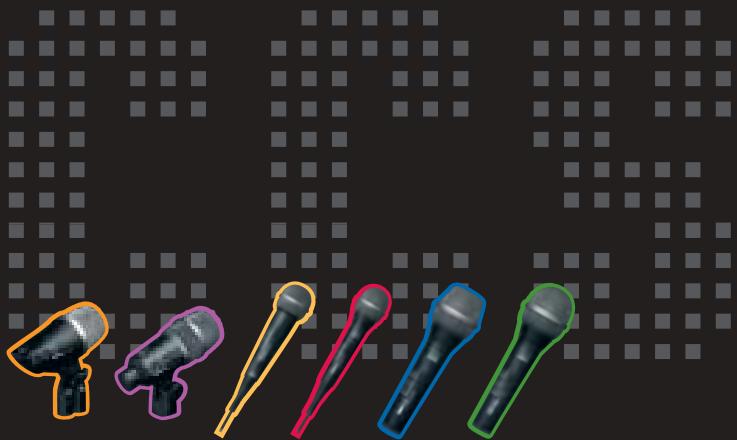
D 11, D 22, D 77 S/XLR, D 88 S/XLR
2.5 Vocals (D 77 S, D 88 S)
- Dynamic instrument microphone
Cardioid polar pattern
16-ft. (5-m) balanced XLR/XLR cable
Rugged clear-plastic carrying case - For kick drum, bass amps, wind instruments


D 22
- Dynamic instrument microphone
Cardioid polar pattern
16-ft. (5-m) balanced XLR/XLR cable
H 440 bracket
Rugged clear-plastic carrying case - For toms, percussion, guitar amps, wind instruments

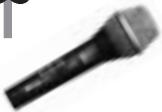
D77S
- Dynamic instrument microphone with on/off switch
Cardioid polar pattern
16-ft. (5-m) cable: XLR/XLR (D 77 S/XLR) or XLR/1/4" jack (D 77 S/Jack)
SA 44 stand adapter
Rugged clear-plastic carrying case - For instruments and backing vocals

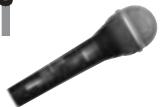
D 88 S
- Dynamic vocal microphone with on/off switch
Cardioid polar pattern
16-ft. (5-m) cable: XLR/XLR (D 77 S/XLR) or XLR/1/4" jack (D 77 S/Jack)
SA 44 stand adapter
Rugged clear-plastic carrying case - For solo vocals
1.1 Optional Accessories
(D 11, D 22 only)
- MK 9/10 microphone cable: 10m (30 ft.) 2-conductor shielded cable with 3-pin male and 3-contact female XLR connectors
ST 102A, ST 200 floor stands
ST 1, ST 12, ST 45 table stands
W 880 windscreen
Please make sure that the piece of equipment your microphone will be connected to fulfills the safety regulations in force in your country and is fitted with a ground lead.
D 11, D 22, D 77 S/XLR, D 88 S/XLR
Use the supplied balanced cable to connect the microphone to the desired XLR input.
D 77 S/Jack, D 88 S/Jack
Use the supplied unbalanced cable to connect the microphone to the desired 1/4 input jack. Please note that unbalanced cables may pick up interference from stray magnetic fields near power or lighting cables, electric motors, etc. like an antenna. This may cause hum or similar noise when you use a cable that is longer than 16 feet (5 m).
- To switch the microphone on, slide the on/off switch toward the front grill ("ON" position).
- To switch the microphone off, slide the on/off switch toward the microphone cable ("OFF" position).
To prevent unwanted bursts of noise, be sure to switch the microphone off before connecting or disconnecting the microphone cable.
2.1 Precaution
2.2 Connecting the Microphone
Refer to fig. 1.
Refer to fig. 2.
2.3 Switching the Microphone on/off (D 77 S, D 88 S)
Refer to fig. 3.
Note:

2 Using Your Microphone
2.4 Positioning the Microphone for Instruments
The following sections contain suggestions for placing the microphone optimally for a number of instruments.
Please note that moving the microphone closer to the instrument will boost the bass range. (This is known as "proximity effect".)
2.4.1 Flute
Refer to fig. 4.
Microphone: D 77 S
Working distance
Jazz/pop: 1 to 2 inches. Blow a little below the microphone to avoid overemphasizing blowing and breathing noise.
Classical music: 4 to 8 inches above the instrument.
2.4.2 Saxophone
Refer to fig. 5.
Microphones: D 22, D 77 S
Working distance
0 to 2 inches: The microphone will pick up the bell sound only.
2 to 8 inches: The microphone will pick up both the bell sound and the sound radiated from the keys.
2.4.3 Harmonica
Refer to fig. 6.
Microphone: D 77 S
Working distance: "zero" - clamp the microphone between your hands. You will get a very direct sound that you can "shape" with your hands.
2.4.4 Trumpet, Tuba, Trombone
Refer to figs. 7, 8, 9.
Microphone: D 22 (trumpet), D 11 (tuba and trombone)
Working distance
0 to 2 inches: The microphone will pick up the bell sound only.
2 to 8 inches: The microphone will pick up both the bell sound and the sound radiated from the body.
Microphone: D 22
Working distance: 0 to 2 inches. Aim the microphone at a point between the center and the perimeter of (one of) the speaker diaphragm(s).
Microphone: D 11
Working distance
Bass amp with single speaker: 2 inches. Aim the microphone at a point between the center and the perimeter of the speaker diaphragm.
Bass amp with woofer and tweeter: 4 to 6 inches. Aim the microphone at a point halfway between the woofer and tweeter.
Microphone: D 11
Working distance: Aim the microphone at the point where the beater hits the skin.
The sound will be the drier and harder, the closer the microphone sits to the head. Working distances around 1 inch provide the famous "click".
If you prefer a rounder sound aim the microphone at a point between the center and the perimeter of the head.
Microphones: D 22, D 77 S
Working distance: 1/2 to 1 1/2 inches away from the top skin.
2.4.5 Guitar Amplifier
Refer to fig. 10.
2.4.6 Bass Amplifier
Refer to fig. 11.
2.4.7 Kick Drum
Refer to fig. 12.
2.4.8 Toms, Snare, Percussions
Refer to figs. 13 and 14.
- Screw the supplied H 440 bracket to the stand adapter on the microphone using the captive knurled-head screw on the H 440 bracket.
- Engage the top groove of the H 440 bracket in the top hoop from above.
- Engage the lower arm of the H 440 bracket in the underside of the top hoop.
2.4.9 Mounting the D 22 on a Drum
Refer to fig. 15.
- Align the microphone with the perimeter of the top head.
2.5 Vocals (D 77 S, D 88 S)
2.5.1 Working Distance and Proximity Effect
The closer you hold the microphone to your lips, the louder and darker your voice will sound. As you move away from the microphone, your voice will sound quieter and brighter.
If you hold the microphone closer than 2 inches to your lips, the proximity effect, an inherent property of any unidirectional microphone, will sharply boost the low frequencies.
2.5.2 Angle of Incidence Refer to fig. 16.
Sing to one side of the microphone or above and across the microphone's top. This provides a well-balanced, natural sound.
If you sing directly into the microphone, it will not only pick up excessive breath noise but also overemphasize "sss", "sh", "tch", "p", and "t" sounds.
2.5.3 Feedback Refer to fig. 17.
Part of the sound projected by the speakers will be picked up by the microphone, amplified, and fed back to the speakers. Above a certain volume level, this "vicious circle" causes the sound system to howl and whistle.
Preventing feedback
-
Never point your microphones directly at monitor or PA speakers.
-
Place your monitor speakers where the microphone sensitivity is at a minimum. With the D 88 S supercardioid microphone, these areas are behind and to the sides of the microphone. With the D 77 S cardioid, the minimum sensitivity area is right behind the microphone.
-
Be sure to hold the microphone by the shaft and never cover the sound entries behind the
2 Using Your Microphone
microphone grill. If you cover the rear sound entries, the microphone will lose its directivity and its gain before feedback would drop sharply.
- Keep the maximum number of vocalists sharing a microphone to two.
- To get adequate signal level, make sure the two vocalists will remain within an angle of ± 35 degrees off the microphone axis.
2.5.4 Backing Vocals
Refer to fig. 18.
3 Cleaning

To clean the microphone case, use a soft cloth moistened with water.
- Unscrew the front grill from the microphone CCW.
- Remove the windscreen from the from grill and wash the windscreen in soap suds.
- Allow the windscreen to dry overnight.
- Replace the windscreen in the front grill and screw the front grill on the microphone CW.
3.1 Microphone Case
3.2 Internal Windscreen (D 77 S, D 88 S)
| D 11 | D 22 | |
| Polar pattern | cardioid | cardioid |
| Frequency range | 20 Hz to 20 kHz | 60 Hz to 18 kHz |
| Sensitivity | 2.5 mV/Pa | 2.5 mV/Pa |
| D 77 S | D 88 S | |
| Polar pattern | cardioid | supercardioid |
| Frequency range | 40 Hz to 20 kHz | 40 Hz to 20 kHz |
| Sensitivity | 2.5 mV/Pa | 2.5 mV/Pa |
This product conforms to the standards listed in the Declaration of Conformity. To order a free copy of the Declaration of Conformity, visit http://www.akg.com or contact sales@akg.com

5 Warranty Conditions
This product carries a two-year warranty by AKG Acoustics GmbH starting from the date of purchase when new. The warranty agreement covers material and labor cost to repair proven faults and is only valid for end customers. Exemptions: Batteries, normal wear and tear, misuse, handling faults, repair by non-authorized workshops. Furthermore the relevant legal warranties apply. The details of the AKG warranty agreement and the address of the nearest AKG service center can be found on www.akg.com
For more information call AKG USA at (+1-615) 6203800
| Problem | Possible Cause | Remedy |
| No sound. | 1. Power to mixer and/or amplifier is off. 2. Channel or master fader on mixer, or volume control on amplifier is at zero. 3. Microphone is not connected to mixer or amplifier. 4. Cable connectors are seated loosely. 5. Cable is defective. 6. D 77 S, D 88 S: Switch in "OFF" position. | 1. Switch power to mixer or amplifier on. 2. Set channel or master fader on mixer or volume control on amplifier to desired level. 3. Connect micro-phone to mixer or amplifier. 4. Check cable connectors for secure seat. 5. Check cable and replace if damaged. 6. D 77 S, D 88 S: Set switch to "ON" position. |

1 Description

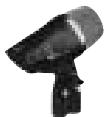
D 11
D 11, D 22, D 77 S/XLR, D 88 S/XLR
D 11, D 22, D 77 S/XLR, D 88 S/XLR
2.5 Vocals (D 77 S, D 88 S)
D 11, D 22, D 77 S/XLR, D 88 S/XLR
D 77 S/jack, D 88 S/jack
2.4.7 Bass drum (bombo)
Véase Fig. 12.
2.4.8 Tom-toms, snare (tambor afinable), baterias
Véanse Figs. 13, 14.
D 11, D 22, D 77 S/XLR, D 88 S/XLR
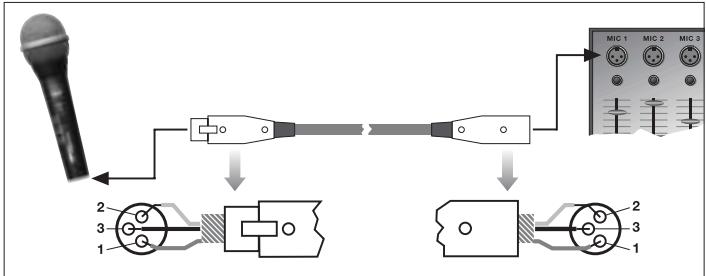
Fig. 1 (D 11, D 22, D 77 S/XLR, D 88 S/XLR)
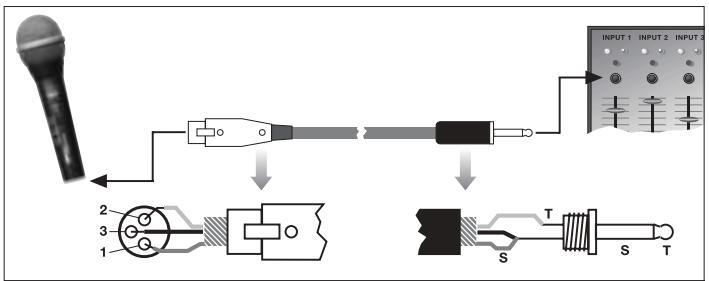
Fig. 2 (D 77 S/Jack, D 88 S/Jack)
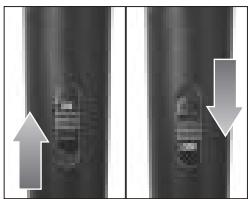
Fig.3 (D 77 S,D 88 S)
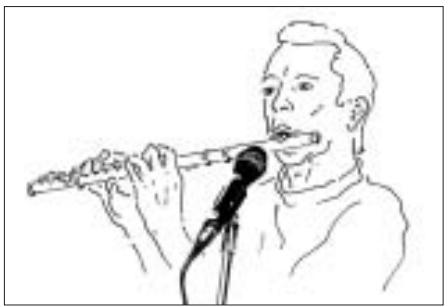
Fig. 4 (D 77 S)
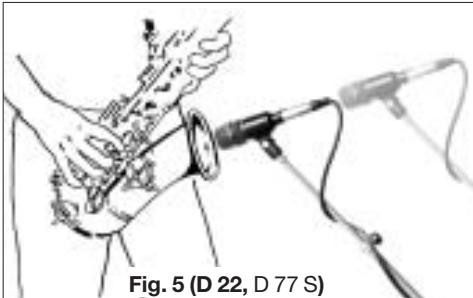
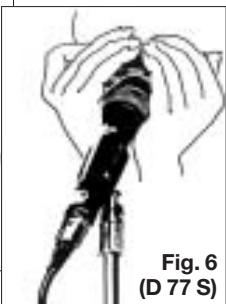
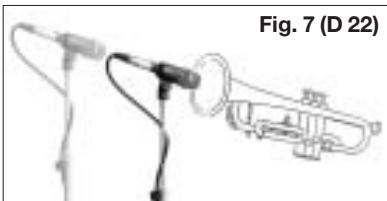
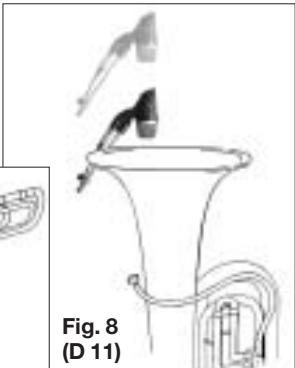
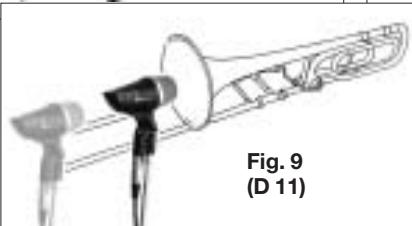
Fig.8 (D 11)
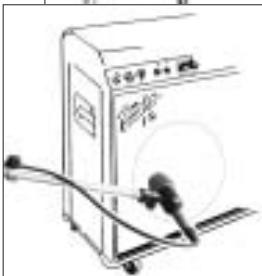
Fig. 10 (D 22)
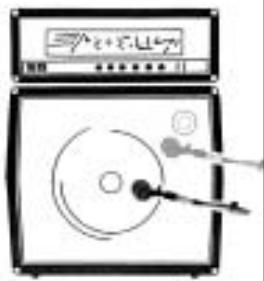
Fig. 11 (D 11)
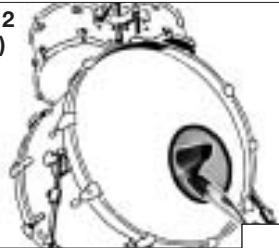
Fig. 12 (D 11)
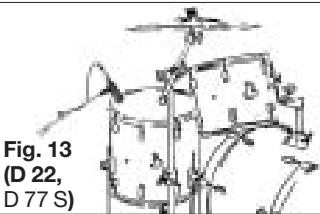
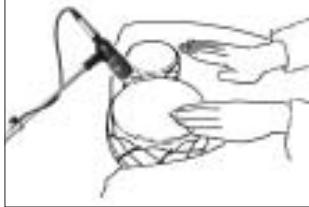
Fig. 14 (D 22, D 77 S)
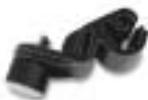
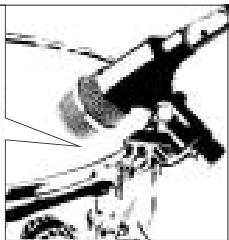
Fig. 15 (D 22)
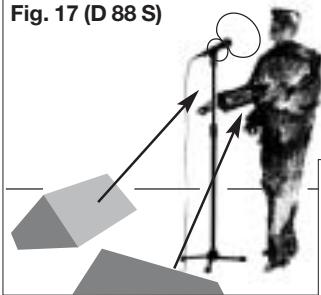
Fig.17 (D 88 S)

Fig.16 (D 88 S,D 77 S)

Fig. 18 (D 77 S, D 88 S)
AKG ACoustics
Technische Änderungen vorbehalten. Specifications subject to change without notice.
Ces caractéristiques sont susceptibles de modifications. Ci riserviamo il diritto di effettuare modifiche tecniche.
H A Harman International Company
AKG Acoustics GmbH
Bodensestraße 228, D-81243 München/GERMANY, Tel: (+49 89) 87 16-0, Fax: (+49 89) 87 16-200
www.akg.com/de, e-mail: infode@akg.com, Hotline: (+49 89) 87 16-22 50, hotlinede@akg.com
AKG ACOUSTICS, U.S.
914 Airpark Center Drive, Nashville, TN 37217, U.S.A., Tel: (+1 615) 620-3800, Fax: (+1 615) 620-3875.
www.akgusa.com, e-mail: akgusa@harman.com
For other products and distributors worldwide see our website: www.akg.com