
Revolt SFX PH-P750GSF - Computer power supply Phanteks - Free user manual and instructions
Find the device manual for free Revolt SFX PH-P750GSF Phanteks in PDF.


User questions about Revolt SFX PH-P750GSF Phanteks
0 question about this device. Answer the ones you know or ask your own.
Ask a new question about this device
Download the instructions for your Computer power supply in PDF format for free! Find your manual Revolt SFX PH-P750GSF - Phanteks and take your electronic device back in hand. On this page are published all the documents necessary for the use of your device. Revolt SFX PH-P750GSF by Phanteks.
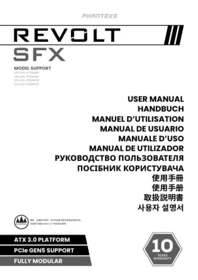
USER MANUAL Revolt SFX PH-P750GSF Phanteks
- NEVER, under any circumstances, open the power supply unit. High voltage inside. WARRANTY IS VOID once the cover is removed.
- DO NOT insert any object into the fan grill or the ventilation area of the power supply unit.
- DO NOT place any object in front of the fan or the ventilation area of the power supply unit that may obstruct or restrict airflow.
- USE ONLY the Phanteks modular cables provided with the power supply unit.
- Keep the power supply unit in a dry environment, away from humidity.
- The power supply unit is for integration into a computer system and not intended for external or outdoor usage.
TROUBLESHOOTING
If the power supply unit fails to function properly, please go through the below checklist.
- Check to make sure the AC cord is properly connected to the AC outlet and the power supply unit.
- Check to make sure the AC power is On.
- Check to make sure the AC On/Off switch on the back panel of the power supply unit is in the "1" (On) position.
- Check and secure all mainboard and peripheral connectors.
- The AC On/Off switch on the back of the power supply unit can be toggled between "I" and "O" a few times, with a 0.5 second delay in between to make sure the power supply unit is reset.
If you are still experiencing difficulties to get the power supply unit to function properly, please visit www.phanteks.com/support for further technical support.
Notes
- The operation of power supply is a "pull" technology, which means that the unit only provides the power as demanded by the mainboard and the system components.
- If there is a mainboard malfunction, the power supply will not turn on.
- If there is a peripheral component malfunction, the power supply will not provide power to that particular component.
- This power supply complies with the latest ErP 2013 requirements. For optimal system performance, please update your mainboard BIOS to the newest version and configure the BIOS according to the ErP 2013 requirements; enable all Energy Saving functions for Standby and Normal operations and disable Audio Always On. Please consult your motherboard manufacturer for further assistance.
WARRANTY
Phanteks's Warranty covers products against defects in materials or workmanship purchased from an authorized Phanteks retailer from the date of purchase. During the warranty period, Phanteks maintains the discretion to either repair units or replace broken components with parts of similar or equal performance, provided that:
- The product is returned to the point of purchase, postage prepaid.
- The product was properly used according to the manufacturer's intended purposes.
- The product was not damaged due to acts of nature, such as lightening, flood or fire.
- The product's cover was never removed and the warranty sticker was not broken.
For additional details, please visit www.phanteks.com/warranty
Note
- Warranty terms may vary between different geographic regions.
DISCLAIMER
All efforts have been made to ensure accuracy of all information provided herein. Phanteks assumes no liability, expressed or implied, for any damage(s) occurring to your system's components or other devices as a result of any mistake or omission during power supply installation or removal, or due to any defect or failure of the product itself.
Please visit our homepage www.phanteks.com for further details.
WARNING!
This device complies with Part 15 of the FCC Rules. Operation is subject to the following two conditions: (1) this device may not cause harmful interference, and (2) this device must accept any interference received, including interference that may cause undesired operation. | Product: Switching Power Supply | Model name: Please refer to the rating label on the product. | Contact: www.phanteks.com/support
HANDBUCH
FOLLOW US
SOCIAL MEDIA

Phanteks

Phanteks

YouTube
Phanteks

@phanteks
SUPPORT
US & Canada
support@phanteksusa.com
International
support@phanteks.com
REVOLT
SFX
USER MANUAL
www.phanteks.com




Brand : Phanteks
Model : Revolt SFX PH-P750GSF
Category : Computer power supply