
YT60308 - Weather Station Vevor - Free user manual and instructions
Find the device manual for free YT60308 Vevor in PDF.


Pick your language and provide your email: we'll send you a specifically translated version.
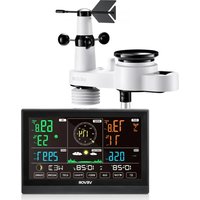
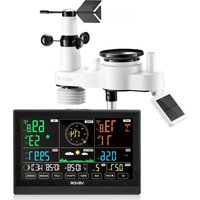
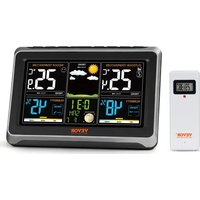
| Product type | Weather station |
| Brand | Vevor |
| Model | YT60308 |
| Display | Backlit LCD screen |
| Indoor temperature | From -5°C to 50°C |
| Outdoor temperature | From -40°C to 60°C |
| Indoor humidity | From 20% to 95% |
| Outdoor humidity | From 1% to 99% |
| Wind speed | From 0 to 50 m/s |
| Wind direction | From 0° to 360° |
| Precipitation | Wireless rain gauge |
| Atmospheric pressure | From 700 to 1100 hPa |
| Weather forecasts | Multi-day forecast icons |
| Wireless transmission | 433 MHz |
| Transmission range | Up to 100 m in open field |
| Power supply | AAA batteries or AC adapter |
| Number of sensors | Base station with outdoor sensor |
| Dimensions | Approximately 200 × 150 × 50 mm |
| Weight | Approximately 300 g |
| Additional functions | Clock, calendar, moon phase, alarm |
| Care and cleaning | Soft dry cloth |
| Safety | Do not expose the device to moisture or shocks |
| Spare parts | Outdoor sensor available separately |
| Repairability | Repair by a qualified professional |
Frequently Asked Questions - YT60308 Vevor
How to install the outdoor sensor of the Vevor YT60308 weather station?
Place the outdoor sensor in a sheltered location, away from heat sources and direct sunlight. Attach it using the provided bracket. Make sure the distance between the sensor and the base station does not exceed 100 m in open field. Ensure that the sensor is correctly installed with the included batteries.
How to replace the batteries of the outdoor sensor?
Open the battery compartment at the back of the sensor. Remove the old batteries and insert new AAA batteries respecting the polarity. Close the compartment and check that the LED indicator blinks to confirm transmission.
How to reset the base station?
Use a thin object, such as a paperclip, to press the RESET button located at the back or under the station. The reset deletes all settings and restores factory defaults. It is recommended to reset if the screen displays abnormal values.
What is the transmission range between the sensors and the station?
The weather station uses a 433 MHz frequency with a range of up to 100 m in open field. Walls, metal obstacles, and interference can reduce this distance. Ideally, place the station high up and the sensor outside for better reception.
How to interpret the weather forecast icons?
The icons provide a weather trend for the coming hours: sunny, partly cloudy, cloudy, rain, snow. They are based on variations in atmospheric pressure and not on precise precipitation data. Check the pressure values to track the changes.
How to set the clock and calendar?
Press the MODE button to enter the clock settings. Use the + and - buttons to change the time, date, 12/24-hour format, and time zone. Confirm each step with MODE.
What to do if the screen displays incorrect values?
Check that the outdoor sensor is properly synchronized with the station. Temporarily move the sensor closer to the station to restore the connection. If the problem persists, replace the batteries, then perform a full reset.
Can the weather station be used indoors only?
Yes, the station works indoors even without an outdoor sensor. Outdoor readings will be missing, but the clock, pressure, and forecast functions will remain active. For complete data, install the sensor outdoors.
How to clean and maintain the weather station?
Use a slightly damp soft cloth to clean the screen and the housing. Do not use abrasive cleaners or solvents. Avoid leaving the station exposed to extreme temperatures or prolonged humidity.
Is the weather station waterproof?
The base station is not waterproof and must be used indoors. The outdoor sensor is weather-resistant but should not be submerged. Install it under a shelter to extend its lifespan.
User questions about YT60308 Vevor
0 question about this device. Answer the ones you know or ask your own.
Ask a new question about this device
No questions yet. Be the first to ask one.
Download the instructions for your Weather Station in PDF format for free! Find your manual YT60308 - Vevor and take your electronic device back in hand. On this page are published all the documents necessary for the use of your device. YT60308 by Vevor.
USER MANUAL YT60308 Vevor
Manual assistant
Powered by Anthropic
Waiting for your message
Product information
Brand : Vevor
Model : YT60308
Category : Weather Station