ORANGE ORBIT - Cordless phone

ORBIT - Cordless phone ORANGE - Free user manual and instructions

Find the device manual for free ORBIT ORANGE in PDF.

📄 44 pages English EN Download 💬 AI Question 10 questions ⚙️ Specs
Notice ORANGE ORBIT - page 40
View the manual : Français FR English EN
Pick your language and provide your email: we'll send you a specifically translated version.
Product Type DECT Cordless Phone
Brand ORANGE
Model ORBIT
Base dimensions 112 x 112 x 64 mm (L x D x H)
Handset dimensions 34 x 52.5 x 154 mm (L x D x H)
Base weight with adapter 319 g
Handset weight with batteries 124 g
Base power supply 230 V / 50 Hz, output 6.5 V DC 300 mA
Handset batteries 2 rechargeable AAA NiMH batteries 1.2 V 750 mAh
Standby time 110 hours
Talk time 11 hours
Range 300 m outdoors, 50 m indoors
Number of channels 120 duplex
Frequency 1880 - 1900 MHz
Main functions Calls, hands-free, phonebook 250 entries, call log 30 calls, SMS, caller ID, intercom, alarm, wake-up, key lock, handset search
Maximum number of handsets 5 per base
Care and cleaning Clean with a slightly damp or antistatic cloth. Do not use abrasive detergents.
Safety Do not use in wet environments. Disconnect during thunderstorms. Do not open the casing. Use only the supplied adapter.
Spare parts and repairability Replaceable AAA rechargeable batteries. For any repairs, contact ORANGE after-sales service.
Warranty 24 months (6 months for batteries)

Frequently Asked Questions - ORBIT ORANGE

How to set the date and time?
Go to the menu, select Clock & Alarm then Date & Time. Enter the day, month, year, hour and minutes, then confirm with Save.
How to register a new handset to the base?
Press and hold the Search button on the base for 3 seconds. On the handset, go to Menu > Subscription > Subscribe handset, select the base number, enter the system PIN code (default 0000) and confirm.
Why doesn't my phone display the caller's number?
The Caller ID function requires a subscription from your telephone operator. Check that this service is activated on your line.
How to send an SMS?
Go to the menu, select SMS then Write SMS. Write your message, press Options then choose Send. Enter the recipient's number and confirm.
How to set the wake-up alarm?
Go to Menu > Clock & Alarm > Alarm. Activate the alarm, choose the repetition (Once, Daily, Monday-Friday), set the time and confirm.
How to reset to factory settings?
Go to Menu > Settings > Base settings > Reset. Confirm with Yes. This restores default settings without deleting the phonebook or call log.
How to mount the base on the wall?
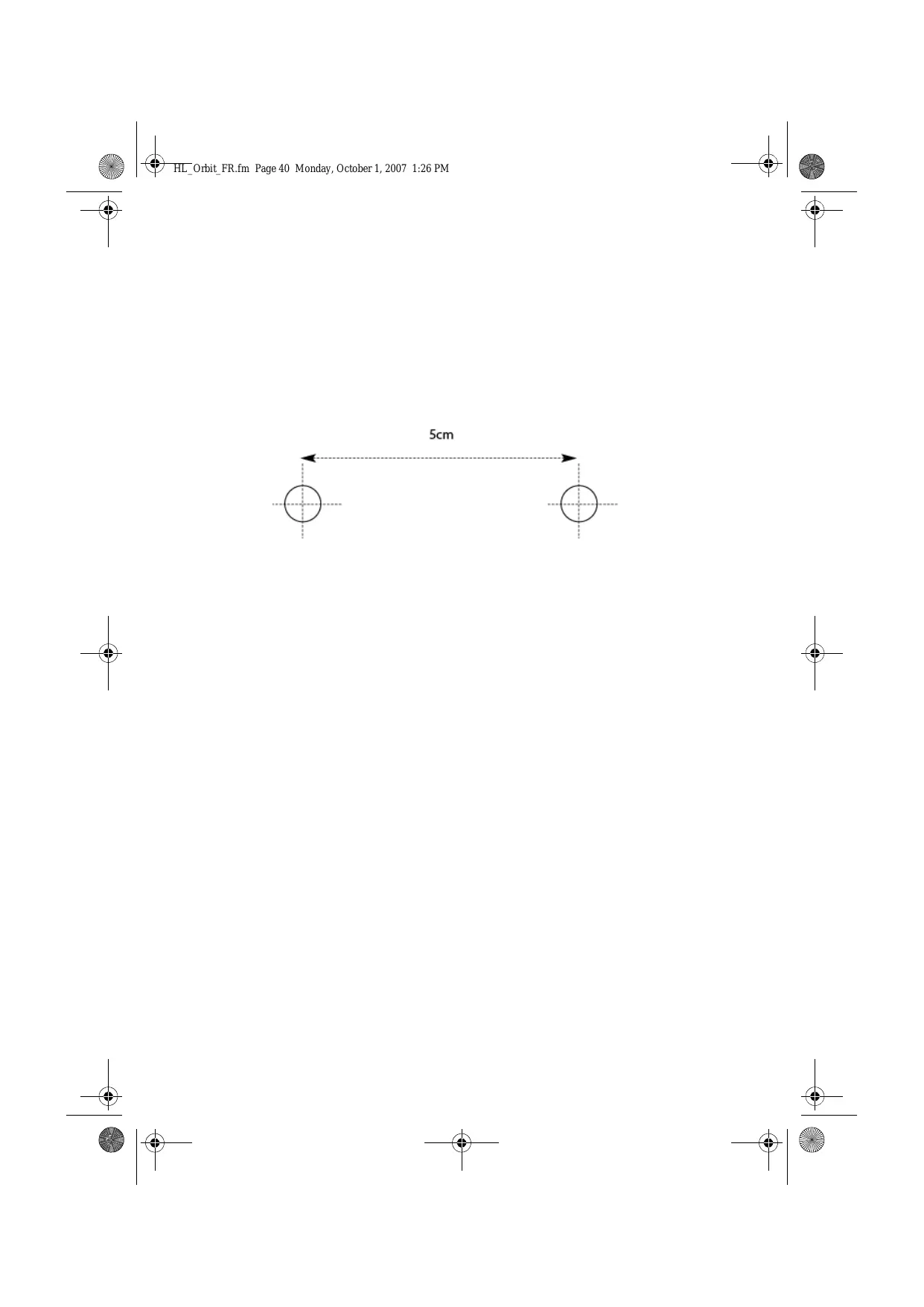
Rotate the base bracket to wall position. Use the provided template to drill two holes spaced 5 cm apart horizontally, then fix the base.
How to change the menu language?
Go to Menu > Settings > Handset settings > Language. Select the desired language and confirm.
How to make an intercom call with another handset?
Press the INT button, then enter the internal handset number (1 to 5). Press OK to start the call.
What to do if I hear no dial tone?
Check that the telephone cable is properly connected to the base and the wall socket. Make sure the handset batteries are charged and the handset is on. If the problem persists, contact customer service.

User questions about ORBIT ORANGE

0 question about this device. Answer the ones you know or ask your own.

Ask a new question about this device

The email remains private: it is only used to notify you if someone responds to your question.

No questions yet. Be the first to ask one.

Download the instructions for your Cordless phone in PDF format for free! Find your manual ORBIT - ORANGE and take your electronic device back in hand. On this page are published all the documents necessary for the use of your device. ORBIT by ORANGE.

USER MANUAL ORBIT ORANGE

Pour composer ce numero :

11.7 Supprimer SMS (Delete messages)

Class of equipment: Class 1

Fonction: Technical Director

ORANGE ORBIT - Supprimer SMS (Delete messages) - 1

European contact: Topcom Europe Nv, R&D department, Research Park, Grauwweer 17, 3001 Heverlee, Belgium. Tel : +32 16 398920 , Fax : +32 16 398939

CARTE DE RETOUR SERVICE

Table of contents Click a title to access it
Manual assistant
Powered by Anthropic
Waiting for your message
Product information

Brand : ORANGE

Model : ORBIT

Category : Cordless phone