
PA12 - Hi-Fi System BLAUPUNKT - Free user manual and instructions
Find the device manual for free PA12 BLAUPUNKT in PDF.


Pick your language and provide your email: we'll send you a specifically translated version.
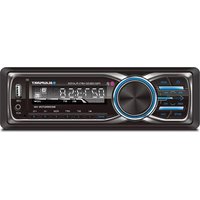
| Type of product | Hi-Fi System |
| Brand | Blaupunkt |
| Model | PA12 |
| Colour | Black |
| Power output (RMS) | 20 W (2 x 10 W) |
| Audio inputs | Bluetooth, AUX, USB |
| Disc playback | CD, CD-R/RW, MP3 |
| Radio tuner | FM with 30 station presets |
| Speaker type | 2-way bass reflex with 8 cm woofer and 2 cm tweeter |
| Display | LED display with track and time information |
| Remote control | Yes, included in the package |
| Power supply | AC 220-240 V, 50/60 Hz |
| Power consumption | 30 W max, < 1 W in standby |
| Main unit dimensions (W x H x D) | 180 x 250 x 220 mm |
| Speaker dimensions (W x H x D) | 160 x 200 x 180 mm |
| Main unit weight | 2.0 kg |
| Pair of speakers weight | 2.5 kg |
| Accessories included | Remote control, FM antenna, user manual |
| Headphone output | 3.5 mm jack |
| Maintenance | Clean with a soft, dry cloth; avoid solvents |
| Safety instructions | Do not expose to rain or moisture; unplug during lightning storms |
| Spare parts and repairability | Spare parts available through authorised service centres; product is repairable |
| Intended use | Indoor personal audio entertainment |
Frequently Asked Questions - PA12 BLAUPUNKT
How do I pair my smartphone with the PA12 via Bluetooth?
To connect your phone, press the Source button on the unit or remote until Bluetooth appears on the display. Activate Bluetooth on your phone, search for Blaupunkt PA12, and select it. If prompted, enter the PIN 0000. The connection is established once the BT indicator stops flashing.
How can I reset the system to factory settings?
To reset the PA12, press and hold the Power button for about 5 seconds until the display shows RESET. Release the button to confirm. The system will restart with default settings. All presets and custom settings will be erased.
Why does the CD skip or not play?
First, check the disc for scratches or dust. Clean it with a soft cloth, wiping from the centre outward. Ensure the disc is inserted with the label side up. If the problem persists, the laser lens may be dirty; use a CD lens cleaner. If it still fails, contact an authorised service centre.
How do I preset FM radio stations?
Tune to the desired station by pressing the Tune +/- buttons. Then press the Program button on the remote; the preset number will flash. Use the numeric keypad to select a preset slot (e.g., 01) and press Program again to store it. Repeat for other stations.
Can I play MP3 files from a USB stick?
Yes, insert a USB stick into the USB port behind the front flap. Press Source repeatedly until USB appears. The system will automatically scan the drive for MP3, WMA, and WAV files. Use Folder navigation to browse and play your music.
What is the maximum output power of the speakers?
The system delivers 20 W RMS (2 x 10 W per channel). This is sufficient for small to medium rooms. For the best sound, position the speakers at least 1 metre away from walls and at ear height.
How should I clean the PA12?
Always disconnect the power before cleaning. Use a soft, dry cloth to wipe the exterior and display. Never use water, solvents, or abrasive cleaners. Remove dust from the speakers with a slightly damp cloth and dry immediately.
Is the PA12 portable?
The PA12 is designed to be a stationary home audio system. It does not have a built-in battery and requires an AC outlet. However, its compact size makes it easy to move between rooms. Do not operate it while carrying it to avoid disc playback errors.
Does the remote control require batteries?
Yes, the remote uses two AAA batteries (not included). Open the battery compartment on the back, insert the batteries with correct polarity, and ensure the sensor on the main unit is not blocked. Replace the batteries when the response range decreases.
How can I reduce standby power consumption?
The PA12 automatically enters standby when you press Power. To reduce consumption to below 1 W, switch off the power strip connection or unplug the unit when not in use for extended periods. Also, enable the ECO mode in the settings menu if available.
User questions about PA12 BLAUPUNKT
0 question about this device. Answer the ones you know or ask your own.
Ask a new question about this device
No questions yet. Be the first to ask one.
Download the instructions for your Hi-Fi System in PDF format for free! Find your manual PA12 - BLAUPUNKT and take your electronic device back in hand. On this page are published all the documents necessary for the use of your device. PA12 by BLAUPUNKT.
USER MANUAL PA12 BLAUPUNKT


Manual assistant
Powered by Anthropic
Waiting for your message
Product information
Brand : BLAUPUNKT
Model : PA12
Category : Hi-Fi System