EX1200M Pro - Wi-Fi repeater Totolink - Free user manual and instructions
Find the device manual for free EX1200M Pro Totolink in PDF.


Pick your language and provide your email: we'll send you a specifically translated version.
| Product Type | Wi-Fi Repeater / Extender |
| Brand | Totolink |
| Model | EX1200M Pro |
| Wireless Standard | IEEE 802.11ac/b/g/n |
| Frequency Band | Dual Band (2.4 GHz + 5 GHz) |
| Max Wireless Speed | 300 Mbps (2.4 GHz) + 867 Mbps (5 GHz) = AC1200 |
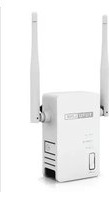
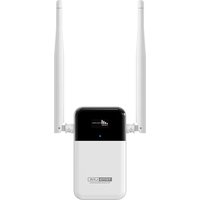
| Antenna Type | External Omni-directional |
| Number of Antennas | 2 |
| Ethernet Ports | 1 x 10/100 Mbps LAN |
| WPS Button | Yes |
| Power Input | AC 100-240V, 50/60 Hz (adapter included) |
| Power Consumption | Max 5 W (typical) |
| Dimensions (W x D x H) | 110 x 66 x 38 mm |
| Weight | 150 g |
| Operating Temperature | 0°C to 40°C |
| Storage Temperature | -40°C to 70°C |
| Operating Humidity | 10% to 90% non-condensing |
| Security Encryption | WEP, WPA/WPA2-PSK, WPS |
| LED Indicators | Power/Status, LAN, Signal strength |
| Reset Button | Yes |
| Operating Modes | Repeater, Access Point |
| Configuration Interface | Web-based UI, WPS pairing |
| Package Contents | Repeater, Power Adapter, Ethernet Cable, User Manual |
| Maintenance and Cleaning | Wipe with a soft dry cloth; avoid liquids and abrasive cleaners |
| Spare Parts and Repairability | No user-serviceable parts; contact support for replacement |
Frequently Asked Questions - EX1200M Pro Totolink
How do I set up my Totolink EX1200M Pro repeater?
Place the repeater within the range of your existing Wi-Fi router. Connect the adapter and power it on. Press the WPS button on the router, then press the WPS button on the repeater within 2 minutes. Alternatively, use a web browser to access the web-based setup page and manually select your Wi-Fi network.
Does the EX1200M Pro support WPS pairing?
Yes, the EX1200M Pro has a WPS button for quick and secure connection to your router. Simply press the WPS button on both devices to establish a secure link automatically.
What is the maximum wireless speed of this repeater?
The EX1200M Pro provides a combined AC1200 speed: up to 300 Mbps on the 2.4 GHz band and up to 867 Mbps on the 5 GHz band. Actual throughput may vary based on distance and interference.
Can I use the EX1200M Pro as an access point?
Yes, the device supports Access Point mode. Connect it to your router via an Ethernet cable, then switch the mode in the web interface. This turns your wired network into a Wi-Fi hotspot.
How do I reset the repeater to factory settings?
Press and hold the Reset button (located in a pinhole) for about 10 seconds using a paperclip or similar tool. The device will reboot and restore all settings to factory defaults.
What security encryption does it support?
It supports WEP, WPA, and WPA2-PSK encryption. It also supports WPS for easy, secure setup. For maximum security, it is recommended to use WPA2-PSK with a strong password.
Can I connect an Ethernet device to the repeater?
Yes, the EX1200M Pro has a 10/100Mbps LAN port. You can connect a smart TV, game console, or computer via an Ethernet cable for a faster and more stable connection.
Does the EX1200M Pro work with any router?
Yes, the repeater is compatible with any standard Wi-Fi router that supports IEEE 802.11ac/b/g/n, regardless of brand. It simply extends your existing Wi-Fi signal.
How can I optimize the signal strength?
Place the repeater approximately halfway between your router and the dead zone, but still within a good range. Avoid obstructions like thick walls and metal objects. Use the signal LED indicator to find the optimal location.
What does the LED indicator on the repeater mean?
The LEDs indicate the power status, LAN connection, and signal strength. For example, a solid green signal LED indicates a strong connection, while blinking or red may indicate poor signal or no connection.
User questions about EX1200M Pro Totolink
0 question about this device. Answer the ones you know or ask your own.
Ask a new question about this device
No questions yet. Be the first to ask one.
Download the instructions for your Wi-Fi repeater in PDF format for free! Find your manual EX1200M Pro - Totolink and take your electronic device back in hand. On this page are published all the documents necessary for the use of your device. EX1200M Pro by Totolink.
USER MANUAL EX1200M Pro Totolink
Manual assistant
Powered by Anthropic
Waiting for your message
Product information
Brand : Totolink
Model : EX1200M Pro
Category : Wi-Fi repeater