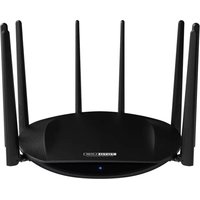
ND150 - Router Totolink - Free user manual and instructions
Find the device manual for free ND150 Totolink in PDF.


Pick your language and provide your email: we'll send you a specifically translated version.
| Product Type | Wireless Router |
| Brand | Totolink |
| Model | ND150 |
| Wireless Standard | IEEE 802.11b/g/n |
| Maximum Wireless Speed | 150 Mbps |
| Frequency Band | 2.4 GHz |
| Antenna | External antenna with 5 dBi gain |
| Ports | 4 x 10/100 Mbps LAN, 1 x 10/100 Mbps WAN |
| Buttons | Reset, WPS |
| Power Supply | 9V DC, 0.6A |
| Dimensions | 160 x 120 x 30 mm |
| Weight | 200 g |
| LED Indicators | Power, WLAN, LAN, WAN |
| Security | WEP, WPA/WPA2-PSK |
| Management | Web-based interface |
| Main Functions | Internet sharing, DHCP server, NAT/NAPT, firewall |
| Care and Maintenance | Keep in a dry and ventilated place; wipe with a dry cloth |
| Safety | Do not place near water or heat sources |
| Spare Parts and Repairability | Contact authorized service center for replacement parts |
| Operating Temperature | 0°C to 40°C |
| Storage Humidity | 10% to 90% non-condensing |
Frequently Asked Questions - ND150 Totolink
How do I set up my Totolink ND150 router?
Connect the router to your modem via the WAN port, then link your computer to a LAN port. Open a web browser, go to 192.168.0.1, and use the default login (admin/admin). Follow the Quick Setup wizard to configure your internet connection and Wi-Fi.
How can I reset my router to factory defaults?
With the router powered on, press and hold the Reset button for about 10 seconds using a paper clip. The router will reboot, and all settings will be restored to factory defaults.
What security encryption should I use?
For best security, use WPA2-PSK with AES encryption. This is strongly recommended over WEP, which is outdated and vulnerable.
How do I change my Wi-Fi password?
Log into the router's web interface, go to Wireless Settings, and find the security section. Enter your new passphrase in the WPA/WPA2 passphrase field, save the settings, and reconnect your devices.
Can I use the router as an access point?
Yes, you can disable the DHCP server function and assign an IP address in the same subnet as your main router. Connect one of the LAN ports to your main router's LAN port, and the ND150 will act as a wireless access point.
How do I update the firmware?
Download the latest firmware from the Totolink support website. Log into the router, go to System Tools > Firmware Update, select the downloaded file, and click Update. Do not power off during the process.
What is the default IP address and login?
The default IP address is 192.168.0.1, with the username admin and password admin. It is recommended to change the password after the first login.
How can I improve wireless range?
Place the router in a central, elevated location away from walls and metallic objects. Also, switch to a less congested Wi-Fi channel, like 1, 6, or 11, via the Wireless Settings page.
Does the router support QoS?
The ND150 may have basic QoS (Quality of Service) options in the web interface. You can prioritize bandwidth for specific devices or applications, but it is not as advanced as on higher-end models.
What should I do if I forget my router password?
Perform a factory reset using the Reset button. This will erase all custom settings, including your password, and restore the default admin/admin login.
User questions about ND150 Totolink
0 question about this device. Answer the ones you know or ask your own.
Ask a new question about this device
No questions yet. Be the first to ask one.
Download the instructions for your Router in PDF format for free! Find your manual ND150 - Totolink and take your electronic device back in hand. On this page are published all the documents necessary for the use of your device. ND150 by Totolink.
USER MANUAL ND150 Totolink
Manual assistant
Powered by Anthropic
Waiting for your message
Product information
Brand : Totolink
Model : ND150
Category : Router