EX200U - Wi-Fi repeater Totolink - Free user manual and instructions
Find the device manual for free EX200U Totolink in PDF.


Pick your language and provide your email: we'll send you a specifically translated version.
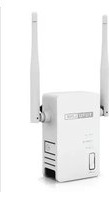
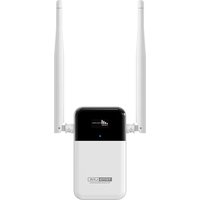
| Product Type | Wi-Fi Repeater |
| Brand | Totolink |
| Model | EX200U |
| Wireless Standard | IEEE 802.11 b/g/n |
| Frequency Band | 2.4 GHz |
| Max Wireless Speed | 300 Mbps |
| Interfaces | 1 x 10/100 Ethernet LAN port |
| Antenna Type | Internal |
| Buttons | WPS/Reset, Power |
| LED Indicators | Power, WLAN, LAN, WPS |
| Power Supply | AC 100-240V, built-in plug |
| Dimensions (W x D x H) | 110 x 65 x 45 mm |
| Weight | 100 g |
| Operating Temperature | 0°C to 40°C |
| Storage Temperature | -20°C to 70°C |
| Humidity | 10% to 90% non-condensing |
| Security | WPA2-PSK, WPA-PSK, WEP |
| Operation Modes | Repeater, Access Point |
| Microfilter | Not required |
| Package Contents | Repeater, Quick Installation Guide |
| Maintenance | Wipe with a dry cloth; no liquid cleaners |
| Spare Parts Availability | Not available; device is not user-serviceable |
| Repairability | Limited; contact support for issues |
Frequently Asked Questions - EX200U Totolink
How do I set up the Totolink EX200U repeater?
Plug the repeater into a power outlet, press the WPS button on your router, then press the WPS button on the EX200U within 2 minutes. The LED will turn solid when the connection is established. Alternatively, use the web interface by connecting to the repeater's Wi-Fi and visiting 192.168.0.254.
What does the WPS button do?
The WPS button initiates easy pairing with your router. Press it once to enable WPS mode; the LED will blink. After successful connection, the LED becomes solid. Press and hold for 10 seconds to reset the device to factory defaults.
How can I tell if the repeater is working?
Check the LED indicators: a solid green power LED means the device is on. The WLAN LED should be solid or blinking to indicate connection to the router. If the LEDs are off or red, reposition the repeater or reconfigure.
How do I reset the Totolink EX200U?
Press and hold the WPS/Reset button for about 10 seconds until the LEDs flash. The device will reboot with factory settings. You can then set it up again via the web interface or WPS.
Can I use this repeater with any router?
Yes, the EX200U is compatible with any standard Wi-Fi router that supports 802.11 b/g/n on 2.4 GHz. It works with major brands like TP-Link, Netgear, Asus, and others.
What is the maximum range of the EX200U?
The range varies by environment, but typically it can extend coverage up to 300 meters in open areas. Walls and interference reduce range. Place the repeater halfway between your router and dead zone for best results.
Does the repeater support 5 GHz?
No, the EX200U operates only on the 2.4 GHz band (300 Mbps). It does not support dual-band or 5 GHz. If you need 5 GHz, consider a dual-band model.
How do I secure my network when using the repeater?
The repeater automatically copies the encryption settings (WPA2/WPA) from your router. You can also log in to the web interface (192.168.0.254) and set a custom SSID and password. Always use WPA2 for security.
How do I update the firmware?
Visit the official Totolink website, download the latest firmware for EX200U, then log in to the web interface (192.168.0.254), go to System Tools -> Firmware Upgrade, and upload the file. Do not power off during update.
What should I do if the repeater keeps disconnecting?
Ensure the repeater is within range of the router (preferably 50% signal strength). Reduce interference from other electronics. Try changing the Wi-Fi channel on your router. Also, reset the repeater and reconfigure if issues persist.
User questions about EX200U Totolink
0 question about this device. Answer the ones you know or ask your own.
Ask a new question about this device
No questions yet. Be the first to ask one.
Download the instructions for your Wi-Fi repeater in PDF format for free! Find your manual EX200U - Totolink and take your electronic device back in hand. On this page are published all the documents necessary for the use of your device. EX200U by Totolink.
USER MANUAL EX200U Totolink
Manual assistant
Powered by Anthropic
Waiting for your message
Product information
Brand : Totolink
Model : EX200U
Category : Wi-Fi repeater