
FLOORTEC 550 B - Floor cleaner NILFISK - Free user manual and instructions
Find the device manual for free FLOORTEC 550 B NILFISK in PDF.



| Product type | Floor cleaner (sweeper) |
| Brand | NILFISK |
| Model | FLOORTEC 550 B |
| Cleaning width | 500 mm (without side brush) / 700 mm (with side brush) |
| Dimensions (L x W x H) | 1,070 x 667 x 836 mm (with handle folded) |
| Handle height | 650 to 1,120 mm |
| Weight (without battery) | 84 kg |
| Waste container capacity | 40 L |
| Maximum forward speed | 4.5 km/h |
| Maximum climbable slope | 2 % |
| Motor | Electric 600 W |
| Power supply | Battery 12 V (lead or gel), max capacity 240 Ah |
| Sound level (LpA) | 64 dB(A) |
| Dust filter | Paper, area 2 m², tolerance 5-10 μm |
| Center brush | Dimensions 265 x 500 mm, adjustable height |
| Side brush | Diameter 420 mm, adjustable height |
| Brake | Pedal brake on front wheel (optional) |
| Safety | Safety switch on cover, ignition key, automatic stop |
| Maintenance | Filter cleaning, container emptying, brush and belt inspection |
| Spare parts | Brushes, belts, filters, fuses, battery charger |
| Repairability | Maintenance manual available, Nilfisk approved assistance |
Frequently Asked Questions - FLOORTEC 550 B NILFISK
User questions about FLOORTEC 550 B NILFISK
0 question about this device. Answer the ones you know or ask your own.
Ask a new question about this device
Download the instructions for your Floor cleaner in PDF format for free! Find your manual FLOORTEC 550 B - NILFISK and take your electronic device back in hand. On this page are published all the documents necessary for the use of your device. FLOORTEC 550 B by NILFISK.
USER MANUAL FLOORTEC 550 B NILFISK
EC Machine Directive 98/37/EC
EC Low Voltage Directive 73/23/EEC
EC EMC Directive 89/336/EEC
EN 12100-1,EN 12100-2,EN 294,EN 349
CONSERVATION DU MANUEL 2
DONNEES D'IDENTIFICATION 2
ACCESSIONS/OPTIONS 5
UTILISATION 5
CONTROLE / PREPARATION DE LA BATTERIE SUR UNE MACHINE NOUVELLE 6
INSTALLATION DE LA BATTERIE ET ETABILISSEMENT DU TYPE DE BATTERIE (WET OU GEL) ............ 6
AVANT LA MISE EN MARCHE 6
MISE EN MARCHE ET ARRET DE LA MACHINE 7
MACHINE AU TRAVAIL 7
DECHARGEMENT DU CONTENEUR DECHETS 8
APRES L'UTILISATION DE LA MACHINE 8
MouvEMENT DE LA MACHINE PAR POUSSEE 8
INACTIVITE PROLONGEE DE LA MACHINE 8
ENTRETIEN 8
PROGRAMME D'ENTRETIEN 9
CONTROLE DE LA HAUTEUR DE LA BROSSE CENTRALE 9
REEMPLACEMENT DE LA BROSSE CENTRALE 10
CONSERVATION DU MANUEL
REEMPLACEMENT DE LA BROSSE CENTRALE

REMARQUE
EC Machine Directive 98/37/EC
EC Low Voltage Directive 73/23/EEC
EC EMC Directive 89/336/EEC
EN 12100-1,EN 12100-2,EN 294,EN 349
EN 60335-2-72
EN 55014-1, EN 55014-2
MANUAL PURPOSE AND CONTENTS 2
TARGET 2
HOW TO KEEP THIS MANUAL 2
IDENTIFICATION DATA 2
OTHER REFERENCE MANUALS 2
SPARE PARTS AND MAINTENANCE 2
CHANGES AND IMPROVEMENTS 2
SAFETY 2
SYMBOLS 3
GENERAL INSTRUCTIONS 3
UNPACKING 4
MACHINE DESCRIPTION 4
ACCESSIONS/OPTIONS 5
USE 5
BATTERY CHECK/SETTING ON A NEW MACHINE 6
BATTERY INSTALLATION AND BATTERY TYPE SETTING (WET OR GEL) 6
BEFORE START-UP 6
STARTING AND STOPPING THE MACHINE 7
MACHINE OPERATION 7
AFTER USING THE MACHINE 8
PUSHING THE MACHINE 8
MACHINE LONG INACTIVITY 8
MAINTENANCE 8
SCHEDULED MAINTENANCE TABLE 9
MAIN BROOM HEIGHT CHECK 9
MAIN BROOM REPLACEMENT 10
SIDE BROOM HEIGHT ADJUSTMENT 10
SIDE BROOM REPLACEMENT 10
DUST FILTER CLEANING AND INTEGRITY CHECK 11
EC DECLARATION OF CONFORMITY 14
INTRODUCTION
MANUAL PURPOSE AND CONTENTS
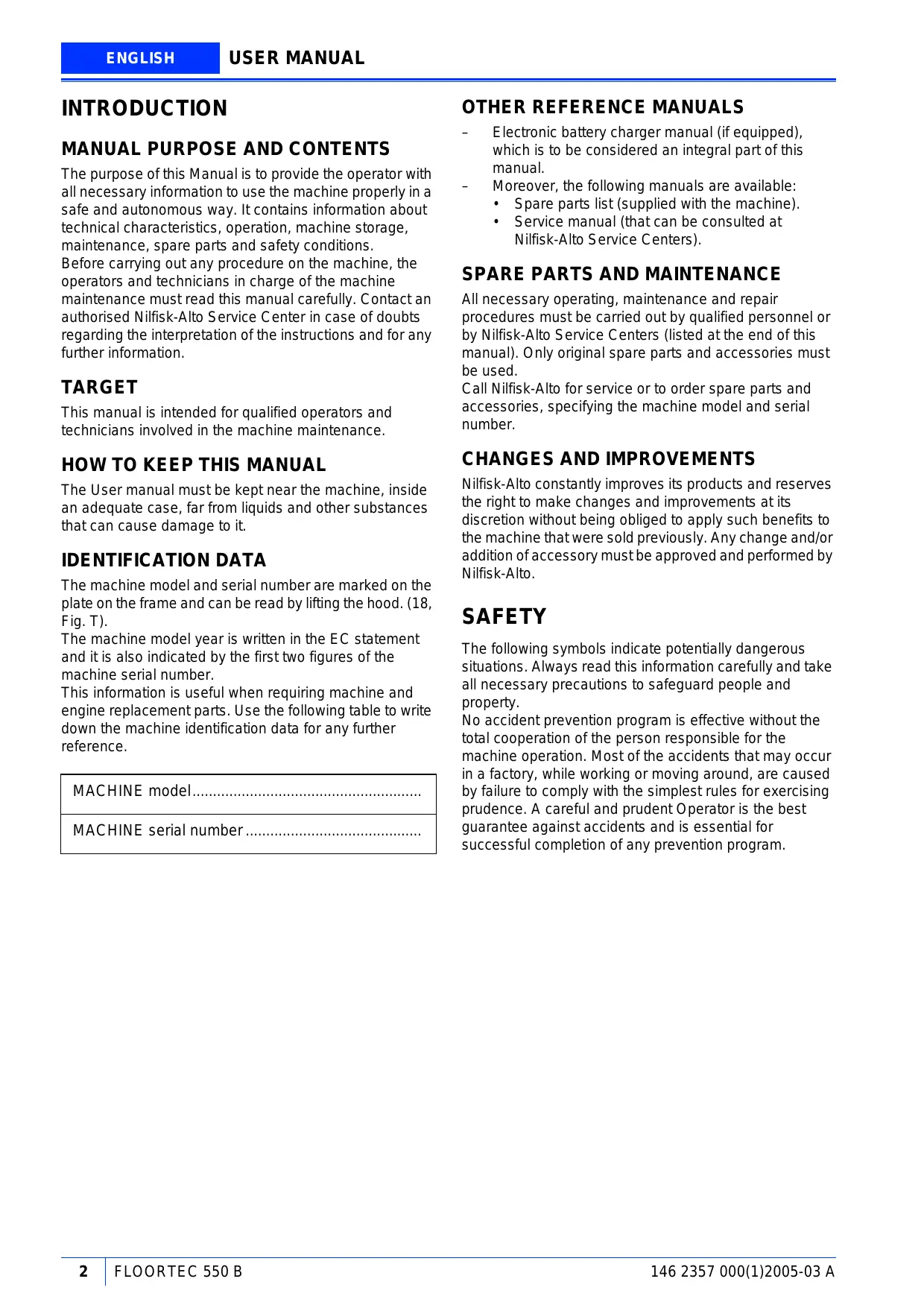
The purpose of this Manual is to provide the operator with all necessary information to use the machine properly in a safe and autonomous way. It contains information about technical characteristics, operation, machine storage, maintenance, spare parts and safety conditions. Before carrying out any procedure on the machine, the operators and technicians in charge of the machine maintenance must read this manual carefully. Contact an authorised Nilfisk-Alto Service Center in case of doubts regarding the interpretation of the instructions and for any further information.
TARGET
This manual is intended for qualified operators and technicians involved in the machine maintenance.
HOW TO KEEP THIS MANUAL
The User manual must be kept near the machine, inside an adequate case, far from liquids and other substances that can cause damage to it.
IDENTIFICATION DATA
The machine model and serial number are marked on the plate on the frame and can be read by lifting the hood. (18, Fig. T).
The machine model year is written in the EC statement and it is also indicated by the first two figures of the machine serial number.
This information is useful when requiring machine and engine replacement parts. Use the following table to write down the machine identification data for any further reference.
MACHINE model
MACHINE serial number
OTHER REFERENCE MANUALS
Electronic battery charger manual (if equipped), which is to be considered an integral part of this manual.
Moreover, the following manuals are available:
- Spare parts list (supplied with the machine).
Service manual (that can be consulted at Nilfisk-Alto Service Centers).
SPARE PARTS AND MAINTENANCE
All necessary operating, maintenance and repair procedures must be carried out by qualified personnel or by Nilfisk-Alto Service Centers (listed at the end of this manual). Only original spare parts and accessories must be used.
Call Nilfisk-Alto for service or to order spare parts and accessories, specifying the machine model and serial number.
CHANGES AND IMPROVEMENTS
Nilfisk-Alto constantly improves its products and reserves the right to make changes and improvements at its discretion without being obliged to apply such benefits to the machine that were sold previously. Any change and/or addition of accessory must be approved and performed by Nilfisk-Alto.
SAFETY
The following symbols indicate potentially dangerous situations. Always read this information carefully and take all necessary precautions to safeguard people and property.
No accident prevention program is effective without the total cooperation of the person responsible for the machine operation. Most of the accidents that may occur in a factory, while working or moving around, are caused by failure to comply with the simplest rules for exercising prudence. A careful and prudent Operator is the best guarantee against accidents and is essential for successful completion of any prevention program.
SYMBOLS

DANGER!
It indicates a dangerous situation with risk of death for the Operator.

WARNING!
It indicates a potential risk of injury for people.

CAUTION!
It indicates a caution or a remark related to important or useful functions. Pay attention to the paragraphs marked by this symbol.

NOTE
Consult the User manual before performing any procedure.
GENERAL INSTRUCTIONS
Specific warnings and cautions to inform about potential damages to people and machine are shown below.

DANGER!

- To perform maintenance/repair procedures turn the machine ignition key to OFF position and disconnect the battery.
- This machine must be used by properly trained and authorised personnel only. Children or disabled people cannot use this machine.
- Keep sparks, flames and smoking materials away from the batteries. During the normal operation explosive gases are released.
- Do not wear jewels when working near electrical components.
- Do not work under the lifted machine, if it is not securely fixed.
- Do not operate the machine near toxic, dangerous, inflammable and/or explosive powders, liquids or vapours.
- Battery charging produces highly explosive hydrogen gas. Keep the hood open during battery charging and perform the operation only in well-ventilated areas and far from naked flames.

WARNING!

- Carefully read all the instructions before carrying out any maintenance/repair procedure.
Take all necessary precautions to prevent hair, jewels and loose clothes from being caught in the moving parts of the machine. - Do not smoke while charging the batteries.
- Do not leave the machine unattended with the ignition key inserted and the parking brake deactivated.
- Do not use the machine on surfaces with a gradient greater than the one indicated on the machine.
- Do not wash the machine with direct or pressurised water jets, or with corrosive substances. Do not use compressed air to clean this type of machine.
- Do not use the machine in particularly dusty areas.
While using this machine, take care not to cause damage to other people, especially children. - Do not put any can containing fluids on the machine.
- The storage temperature must be between 0^ and +40^ .
- The machine operating temperature must be between 0^ and +40^ .
- The humidity must be between 30% and 95% .
Always protect the machine against the sun, rain and bad weather, both under operation or inactivity condition. - Do not use the machine as a means of transport.
- Do not allow the brooms to operate while the machine is stationary to avoid damaging the floor.
In case of fire, possibly use a powder fire extinguisher, not a water one. - Do not bump into shelves or scaffoldings, particularly where there is a risk of falling objects.
- Adjust the operation speed to suit the floor conditions.
- Do not tamper with the machine safety guards and follow the ordinary maintenance instructions scrupulously.
- Do not remove or modify the plates affixed to the machine by the Manufacturer.
In case of machine malfunctions ensure that these are not caused by a lack of maintenance. Otherwise, request assistance from the authorised personnel or from an authorised Service Center.
UNPACKING
When the machine is delivered, check that the cardboard packing and the machine were not damaged during transportation. If the damage is evident, keep the packing and have it checked by the Parcel Service that delivered it. Call the Carrier immediately to fill in a damage claim. Please check that the following items have been supplied with the machine:
-
Technical documents: Sweeper Use and Maintenance Manual, Electronic Battery Charger Manual (if installed on the machine), Spare Part List
-
No. 1 main fuse
- No. 1 side broom fuse
MACHINE DESCRIPTION
The sweeper is used to sweep dust or light debris on smooth and solid floor, in civil or industrial environment, under safe operation conditions by a qualified Operator.

NOTE
Forward, backward, front, rear, left or right are intended with reference to the operator's position, that is to say on the driver's seat with the hands on the handlebar (3, Fig. C).
Control panel (See Fig. B)
- Control panel
- Ignition key
- Discharged battery warning light
- Semi-discharged battery warning light
- Charged battery warning light
- Display
- Display selection button: hour counter/ hour and minutes counter / battery voltage (V),
- Filter-shaker button (optional)
- Panel fastening screws
Exterior general overview (See Fig. C)
- Pedal brake on front wheel (optional)
- Side broom retainer
- Handlebar
- Selector lever
- Handlebar inclination adjusting knobs
- Can holder
- Hood
- Rear wheels on fixed axle
- Pivoting front wheel
- Side broom
- Main broom
- Side broom lifting and adjusting knob
- Left side skirt
- Right side skirt
- Front skirt
- Rear skirt
- Hopper
- Hopper hook
- Hopper hook handle
- Manual filter-shaker handle
- Main broom movable door
- Main broom height left adjuster
- Main broom height right adjuster
- Main broom right door
- Main broom right door fixing screws
Underhood (See Fig. T)
- Hood (open position)
- Batteries
- Battery connector
- Electronic battery charger (optional)
- Battery charger electrical cable
- Main fuse
- Side broom motor fuse
- (Lead) battery caps
- Lead (WET) or gel (GEL) battery selector switch located on the optional electronic battery charger
- Battery assembly diagram
- Charged battery warning light
- Main broom belt
- Drive belt
- Main broom drive pulley
- Rear wheels drive pulley
- Fan
- Main motor
- Serial number plate/technical data/EC certification
TECHNICAL DATA
| Dimensions | Values |
| Cleaning width without side broom | 500 mm |
| Cleaning width with side broom | 700 mm |
| Machine length with lowered handlebar | 1,070 mm |
| Machine width, without side broom | 667 mm |
| Height when the handlebar is lowered | 836 mm |
| Minimum height from ground | 40 mm |
| Handlebar height, minimum/maximum | 650/1,120 mm |
| Main broom size | 265 mm x 500 mm |
| Side broom size | 420 mm |
| Speed with maximum push force | 4.5 Km/h |
| Gradeability | 2% |
| Hopper capacity | 40 L |
| Machine weight without battery | 84 Kg |
| Front wheel, steering | 125/37.5-50 mm |
| Rear wheels, driving | 250 x 45 mm |
| Electric motor | 600W |
| Sound pressure level (LpA) | 64 dB(A) |
| Batteries | Values |
| Standard battery | Lead, with acid electrolyte |
| Optional battery | Gel, hermetic |
| Battery voltage | 12 V |
| Usable battery capacity | Max. 240 Ah |
| Battery compartment max. size | 398x262x283 |
| Dust vacuuming and filtering | Values |
| Paper dust filter 5-10 μm | 2 m² |
| Electric filter-shaker (optional) | 12V, 30W |
| Main broom compartment vacuum | 18 mm H₂O |
Wiring diagrams for optional equipments. (See Fig. U)
CH1 Battery charger
CN1 Battery connector
CN2 Battery charger connector
EB1 Electronic board
ES1 Electromagnetic switch
F1 Main fuse
F2 Sidebroomfuse(15A)
F3 Filter-shaker fuse (15A)
M1 Main broom motor
M2 Sidebroomotor
M3 Filter-shaker motor
R1 Filter-shaker relay
SW1 Key switch
SW2 Hood safety switch
SW3 Filter-shaker switch
Color code
BK Black
BU Blue
BN Brown
GN Green
GY Grey
OG Orange
PK Pink
RD Red
Violet
WH White
YE Yellow
ELECTRICAL FUSES
Main fuse: 6, Fig. T
Sidebroomuse: 7,Fig.T
Filter-shaker fuse (optional): in the compartment under the control panel
ACCESSIONS/OPTIONS
In addition to the standard components, the machine can be equipped with the following accessories/options, according to the machine specific use:
Gel batteries;
Electronic battery charger;
- Main and side brooms with harder or softer bristles;
- Antistatic polyester or polyester BIA C dust filter;
Electric filter-shaker;
front wheel with brake pedal.
For further information concerning the optional accessories, contact Your Retailer.
USE

WARNING!
On some points of the machine there are some adhesives indicating:
DANGER
WARNING
- CAUTION
- NOTE
While reading this Manual, the Operator must pay particular attention to these symbols.
Do not cover these adhesives for any reason, in case of damage replace them immediately.
BATTERY CHECK/SETTING ON A NEW MACHINE
The machine needs a 12V battery or two 6 V batteries connected according to the diagram in Fig. T, 10. The machine can be equipped:
a) (Lead or gel) battery installed on the machine and ready to be used.
- Open the hood (7, Fig. C) and check that the battery is connected to the machine through the appropriate connector (3, Fig. T).
- Lower the hood and check that it is correctly closed (the machine must be as shown in Fig. C).
- Insert the ignition key (2, Fig. B) in the control panel and turn it to "l" position (without pulling the lever 4, Fig. C).
If the green warning light (5, Fig. B) turns on, the battery is ready to be used.
Otherwise the battery needs to be charged (see the procedure in the Maintenance chapter).
b) Lead battery installed on the machine but dry, that is without liquid electrolyte.
- Open the machine hood (7, Fig. C).
- Remove the battery caps (8, Fig. T).

CAUTION!
Be extremely careful when working with sulphuric acid, as it is corrosive. If it comes in contact with skin or eyes, rinse thoroughly with water and call a physician. Batteries have to be filled in a well-ventilated area. Use protective gloves.
- Fill up each battery element with sulphuric acid for batteries (density from 1.27 to 1.29Kg at 25^ ) in accordance with the instructions specified in the Battery manual. The correct quantity of sulphuric acid is indicated in the Battery Manual.
- Let the battery rest and fill in with sulphuric acid in accordance with the instructions specified in the Battery manual.
- Proceed with battery recharging (see the procedure in the Maintenance paragraph).
c) Without battery
- Buy an appropriate battery (See Technical Characteristics paragraph and the diagram 10, Fig. T). For the battery choice and installation, apply to qualified battery retailers.
- Install the battery.
- Proceed with machine and battery charger (if installed) setting according to the chosen battery type.
BATTERY INSTALLATION AND BATTERY TYPE SETTING (WET OR GEL)
According to the chosen battery type (lead or gel) perform the setting of the electronic board of the machine and the battery charger (if installed on the machine), operating as indicated below:
Machine setting
- Turn the key (2, Fig. B) to "0" position.
- Open the hood (7, Fig. C).
- The machine setting performed at the factory is for lead (WET) batteries. If this setting corresponds to the type of battery installed on your machine, go to the next paragraph, otherwise perform the following operations:
- Disconnect the connector (3, Fig. T).
- Close the hood (7, Fig. C).
- Remove the screws (9, Fig. B) and take out the control panel (1) with care.
- Install a jumper wire (1, Fig. S) on the "WET" connectors (2) for lead battery or on the "GEL" connectors (3) for gel battery.
- Reinstall the control panel and tighten the screw (9, Fig. B).
- Disconnect the connector (3, Fig. T).
Battery charger setting
- Turn the key (2, Fig. B) to “0” position; open the hood (7, Fig. C) and take the selector (9, Fig. T) to (WET) for lead battery or to (GEL) for gel battery.
- Install the battery on the machine according to the diagram (10, Fig. T).
- Proceed with recharging the batteries (see the procedure in the Maintenance paragraph).
BEFORE START-UP

WARNING!
Ensure that the hopper (17, Fig. C) is correctly closed before starting up the machine.
STARTING AND STOPPING THE MACHINE
At every start-up
- Insert the ignition key (2, Fig. B) in the control panel; turn it to "l" position [without pulling the lever (4)], then check that the green warning light (5, Fig. B) turns on.
- If the warning light becomes green or red (3 or 4, Fig. B) take the ignition key to "0" position and take it out. Proceed with recharging the batteries (see the procedure in the Maintenance paragraph).
Starting the machine
- Adjust the handlebar (3, Fig. B) by means of the handles (5), to reach a comfortable position.
- Lower the side broom (10, Fig. C), disengage the handle (12) from its retainer (2) and lower the handle (without turning it).

NOTE
The side broom (10, Fig. C) can be lowered also when it is running.
- Turn the ignition key (1, Fig. B) to "I" position without pulling the selector lever (4, Fig. C).
- Check that the green warning light (5, Fig. B) (battery charger) turns on. If the warning light becomes green or red (3 or 4, Fig. B) take the ignition key to "0" position, then charge the battery. (See related chapter).
- Pull the selector lever (4, Fig. C) with care until the machine starts to move. The speed is proportional to the pressure applied to the selector lever (4, Fig. C).
Stopping the machine
Release the selector lever (4, Fig. B) completely to stop the machine.
To stop the machine, turn the key (1, Fig. B) to "0" position.
To lift the side broom (10, Fig. C), lift the handle (12)
(without turning it) and engage its retainer (2).
MACHINE OPERATION
- Avoid stopping for a long time with the machine in the same position and the brooms rotating: this could create unwanted marks on the floor.
- For the machine to sweep properly the dust filter must be as clean as possible. To clean the filter while sweeping, activate the filter-shaker proceeding as follows and according to the type of filter-shaker installed:
a) Manual filter-shaker: turn the ignition key to "0" position, pull the handle outward (20, Fig. C) till the end of stroke, and then release it. The internal return spring strikes the dust filter frame and shakes it. Repeat this operation several times. Turn the ignition key to "1" position.
b) Electric filter-shaker (optional): press and hold the filter-shaker button (8, Fig. B) for few seconds. While working, repeat the operation every 10 minutes on average (depending on the dustiness of the area to be cleaned).

NOTE
During this operation the main engine and all functions are automatically stopped.

NOTE
When the dust filter is obstructed the machine cannot collect dust and debris anymore.

CAUTION!
To avoid damaging the dust filter do not work on wet grounds.
The hopper (17, Fig. C) should be emptied after each working period and whenever is full.

NOTE
When the hopper is full the machine cannot collect dust and debris anymore.
EMPTYING THE HOPPER
- Release the lever to stop the machine.
- Turn the ignition key (2, Fig. B) to "0" position.
- Disengage the hook (18, Fig. C) by pulling its inferior end.
- By means of the handle (19, Fig. C) pull out the hopper (17) and empty it.
- Take back the hopper to its normal position and engage the hook (18).
- The machine is ready to start working again.
AFTER USING THE MACHINE
After working, before leaving the machine:
- Clean the filter with the manual filter-shaker lever (20, Fig. C) or with the electrical filter-shaker switch (2, Fig. B) (if equipped).
- Empty the hopper (17, Fig. C) (see instructions in the previous paragraph).
- Lift the side broom by means of the handle (12, Fig. C).
- Remove the ignition key (2, Fig. B) from the machine.
- Make sure that the machine cannot move independently.
- Activate the optional pedal brake (26, Fig. C).
PUSHING THE MACHINE
The machine can be moved my pushing it both with the ignition key (2, Fig. B) to "0" and to "1" positions.
MACHINE LONG INACTIVITY
If you foresee that the machine will not be used for more than 30 days, proceed as follows:
- Disconnect the battery connector (3, Fig. T).
- Lift the machine so that the skirts, the main broom and the wheels do not touch the ground.
- If the optional battery charger is installed, disconnect the positive battery terminal (+) directly from the battery (+) pole.
FIRST PERIOD OF USE
After the first period of use (first 8 hours) it is necessary to check that the fixing and connecting elements are correctly tightened, that the visible parts are integral and that there are no leakages.
MAINTENANCE
The lifespan of the machine and its operating safety are ensured by correct and regular maintenance.
The following chart provides the scheduled maintenance. The intervals shown may vary according to particular working conditions, which are to be defined by the person in charge of the maintenance.

WARNING!
Operations to be carried out with the machine off, the ignition key not inserted and (if required) the battery disconnected. Moreover, carefully read the instructions in the Safety chapter.
All routine or extraordinary maintenance operations must be performed by skilled personnel, or by an authorised Service Center.
This manual describes only the easier and most common maintenance procedures.

NOTE
For other service procedures of the scheduled maintenance, please refer to the Service Centers.
SCHEDULED MAINTENANCE TABLE
| Operation | On delivery | Every 10 hours | Every 50 hours | Every 100 hours | Every 200 hours | Every 400 hours |
| Battery fluid level check | (1) | |||||
| Driving belt visual inspection: traction, main broom | (*) | |||||
| Skirt height and operation check | ||||||
| Side and main broom height check | ||||||
| Dust filter cleaning and integrity check | (1) | |||||
| Electrical filter-shaker (optional) operation check | (*) | |||||
| Nut and screw tightening check | (*) | |||||
| Driving belt tensioner adjustment | (*) | |||||
| Driving belt replacement: traction, main broom | (*) | |||||
| Main electric motor brush (or carbon brush) check or replacement | (*) | |||||
| Hood opening switch operation check | (*) |
(^*) : For the related procedure, see the Service Manual.
(1): Or at every start-up.
MAIN BROOM HEIGHT CHECK

NOTE
Brooms of various hardness are available. This procedure is applicable to all types of brooms.
-
Check the main broom for proper ground clearance, proceeding as follows:
-
Drive the machine on a level ground.
Keep the machine stationary and rotate the main broom for a few seconds; - Stop the main broom and move the machine.
- Check that the main broom print (1, Fig. D), along its length, is from 2 to 4cm wide.
-
If the print (A) is different, it is necessary to adjust the broom height, proceeding as described in step 2.
-
Drive the machine on a level ground and activate the pedal brake (26, Fig. C) (if present).
-
Turn the ignition key (2, Fig. B) to "0" position.
- Loosen the knobs (1, Fig. E) on both sides of the machine.
- Move the broom height variation indicator (2) as necessary on both sides of the machine by using the knobs (1, Fig. E), then screw down the knobs (1).

NOTE
The indicator (2) must be at the same position on both sides of the machine; the maximum difference allowed is 2 notches to obtain the print (1, Fig. D) from 2 to 4cm as described in step 1.
- Perform step 1 again to check the proper adjustment of the main broom height from the ground.
- When the broom is too worn to be adjusted, replace it as shown in the next paragraph.

CAUTION!
If the main broom print is excessive (superior to 4cm ), the machine regular operation is affected and the moving or electrical parts can overheat, thus reducing machine life.
Take care when performing the above-mentioned checks and use the machine only according to the indicated conditions.
MAIN BROOM REPLACEMENT

NOTE
Brooms of various hardness are available. This procedure is applicable to all types of brooms.

CAUTION!
It is advisable to use protective gloves when replacing the main or side brooms because there can be cutting debris between the bristles.
- Drive the machine on a level ground and activate the pedal brake (26, Fig. C) (if present).
- Turn the ignition key (2, Fig. B) to "0" position.
- Loosen the knobs (1, Fig. E) on both sides of the machine.
- Move the broom height variation indicators (2, Fig. E) until the broom is at the maximum ground clearance. Screw down the knobs (1).
- Open the hood (7, Fig. C).
- On the left side of the machine, loosen the knob (3, Fig. E).
- Remove the broom cover (1, Fig. F) pressing downward to disengage the retainers (2).
- Remove the broom (1, Fig. G).
- Check also that the entrainer hub is free from dirt or foreign materials (cords, clothes, etc.) accidentally rolled up.
- The new broom must be installed with the bristles rows bended as shown in the figure H (top view).
- Install the new broom on the machine and ensure that its mesh (1, Fig. 1) correctly fits in the related entrainer hub (4, Fig. Q).
- Reinstall the broom cover (1, Fig. F), engaging the retainers (2).
- Screw down the knob (3, Fig. E).
- Carry out the main broom height adjustment as described in the previous paragraph.
SIDE BROOM HEIGHT ADJUSTMENT

NOTE
Brooms of various hardness are available. This procedure is applicable to all types of brooms.
-
Check the side broom is at the correct height from the ground, proceeding as follows:
-
Drive the machine on a level ground and lower the side broom.
- Keep the machine stationary and rotate the side broom for few seconds.
- Stop the side broom and move the machine.
-
Check that the side broom print is, in extension and orientation, as shown in figure J. If it is different, adjust the broom height as described in the following step 2.
-
Rotate the knob (12, Fig. C) clockwise or counter-clockwise to adjust the broom height from the ground.
- Perform step 1 again to check the proper adjustment of the side broom height from ground.
- When the broom is too worn to be adjusted, replace it as shown in the next paragraph.
SIDE BROOM REPLACEMENT

NOTE
Brooms of various hardness are available. This procedure is applicable to all types of brooms.

CAUTION!
It is advisable to use protective gloves when replacing the main broom because there can be cutting debris between the bristles.
- Drive the machine on a level ground and activate the pedal brake (25, Fig. C) (if present).
- Turn the ignition key (2, Fig. B) to "0" position.
- Introduce the hand inside the side broom and press the tabs (1, Fig. K) inwards, then remove the broom (2) disengaging it from the four pins (3).
- Install the new broom on the machine engaging it on the pins (3) and on the tabs (1).
- Carry out the side broom height adjustment as described in the previous paragraph.
DUST FILTER CLEANING AND INTEGRITY CHECK

NOTE
Besides the standard paper filter, optional polyester filters are also available. The following procedure is applicable to each type of filter.
- Drive the machine on a level ground and activate the pedal brake (26, Fig. C) (if present).
- Turn the ignition key (2, Fig. B) to "0" position.
- Disengage the retainer (18, Fig. C).
- By means of the handle (19, Fig. C) pull out the hopper (17).
- Turn the handle (1, Fig. L) upwards (90^ approximately) and let the filter frame (2) rotate outwards.
- Pull out the dust filter (3) upwards.
- In an outdoor area, clean the filter shaking it on a level and clean surface, tapping the side (1, Fig. M), opposite to the wire gauze (2). Complete the cleaning by means of a compressed air perpendicular jet (3) of max. 6 bars, blowing only from the side protected by the wire gauze (2).
According to the filter type, observe the following cautions:
- Paper filter (standard): do not use water or detergents to clean it; the filter can be damaged.
-
Polyester filter (optional): to clean it, see the above-mentioned instructions. For a better cleaning, it is allowed to wash the filter with water and non-lathering detergents. This provides better quality cleaning but reduces the life of the filter, which will have to be replaced more frequently. The use of unsuitable detergents can damage the filter.
-
Check the filter body for tears.
- If necessary, clean the filter compartment rubber seal (4, Fig. L) along its perimeter and check it for integrity. If necessary, replace it.
- Reassemble in the reverse order of disassembly.

NOTE
Reinstall the filter with the wire gauze (2, Fig. M) facing the front part of the machine. (Facing the fan (16, Fig. U)).
- Drive the machine on a level and adequate ground to check the skirt height. Activate the pedal brake (26, Fig. C) (if equipped) or lock the wheels.
- Turn the ignition key (2, Fig. B) to "0" position.
Side skirt check
- Check the side skirt (13 and 14, Fig C) integrity. Replace the skirts when they have cuts (1, Fig. N) larger than 20mm or cracks (2) larger than 10mm (for skirt replacement, refer to the Service Manual).
- Check that side skirt (13 e 14, Fig. C) height from the ground is within 0 - 3mm (see figure O). If necessary, adjust the skirt height, proceeding as follows.
Left skirt:
a) Open the hood, loosen the knob (3, Fig. E) and remove the broom left cover (1, Fig. F), pushing downward to disengage the retainers (2).
b) Adjust the skirt (3, Fig. F) height using its slots (4).
c) Reassemble in the reverse order of disassembly.
Right skirt:
a) Remove the main broom, as described in the related paragraph.
b) Remove the belt (12, Fig. T) from the pulley (14); to facilitate the operation, make the pulley (14) rotate operating on the fan (16).
c) Unscrew the screws (25, Fig. C) and remove the right cover (24) together with the belt (12, Fig. T).
d) On the machine, adjust the skirt (1, Fig. R) height using its slots (2).
e) Reassemble in the reverse order of disassembly.
Front and rear skirt check
- Remove the main broom, as described in the related paragraph.
- Check the front (1, Fig. Q) and rear (2) skirts for integrity.
- Replace the skirts when they have cuts (1, Fig. N) larger than 20mm or cracks (2) larger than 10mm (for skirt replacement, refer to the Service Manual).
- Check that the front and rear skirts (1 and 2, Fig. Q) rub lightly on the floor but are not completely lifted from the ground (see figure P).
- If necessary, adjust the skirt height using its slots (3, Fig. Q).
- Install in the reverse order of removal.
BATTERY CHARGING

WARNING!
Battery charging produces highly
explosive hydrogen gas. Charge the
batteries in well-ventilated areas and away
from naked flames.
Do not smoke while charging the batteries.
Keep the hood open while recharging the battery.

WARNING!
Be extremely careful when charging the battery as there may be battery fluid leakages. The battery liquid is corrosive. If it comes in contact with the skin or eyes, rinse thoroughly with water and consult a physician.
- Drive the machine on a level ground and activate the pedal brake (26, Fig. C) (if present).
- Turn the ignition key (2, Fig. B) to "0" position.
- Open the hood (7, Fig. C).
- (Only for lead battery) check the correct level of electrolyte inside the battery; if it is necessary top up through the caps (8, Fig. T).
- Leave the caps (8) open for the next battery charge.
- Clean (if necessary) the upper surface of the battery.
- Proceed with recharging the battery according to one of the following way depending on the presence of the electronic battery charger (4, Fig. T).
Charging the battery with an external battery charger
- Check that the battery charger is adequate referring to the Battery Manual, if necessary: battery charger rated voltage = 12V.

NOTE
The battery charger must be appropriate for the battery installed on the machine.
- Disconnect the battery connector (3, Fig. T) and connect it to the external battery charger.
- Connect the battery charger to the electrical mains.
- When the recharging is complete, disconnect the battery charger from the electrical system and from the battery connector (3, Fig. T).
- Check the correct level of electrolyte inside the battery and close the caps (8). (For lead batteries only).
- Reconnect the battery connector (3, Fig. T) to the machine.
- Close the hood (7, Fig. C); the machine is ready to be used.
Battery charging with optional battery charger supplied with the machine
- (Only for lead battery) check the correct level of electrolyte inside the battery; if it is necessary top up through the caps (8, Fig. T).
- When the correct level is reached, close the caps (8) and clean (if necessary) the upper surface of the battery.
- Connect the battery charger electrical cable (5, Fig. T) to the electrical mains.

WARNING!
Check that the voltage and frequency shown on the machine serial number plate (18, Fig. T) correspond to the electrical mains values.
- When the green warning light (11, Fig. T) turns on, the battery is charged.
- For further information about the battery charger operation (4, Fig. T), see the Battery Charger Operating Manual.
- Disconnect the battery charger electrical cable (5, Fig. T) from the electrical mains and place it in its special housing.
- Close the hood (7, Fig. C); the machine is ready to be used.

NOTE
When the battery charger is connected to the electrical mains, all machine functions are automatically cut off.
SAFETY FUNCTIONS
HOOD SAFETY SWITCH
It is activated when the machine hood is raised. It stops all functions.
In case of machine start even when the hood is open, contact an authorized Service Center or Retailer.
TROUBLESHOOTING
| TROUBLE | REMEDY |
| When the key is to “I” position the machine does not start. | Check that the connector 3, Fig. T is properly connected. |
| Check that the hood is correctly closed. | |
| Check the fuse (6, Fig. T) integrity. | |
| Check that the optional battery charger is not connected. | |
| The side broom does not operate. | Check the fuse (7, Fig. T) integrity. |
| The machine operates only when stationary, otherwise the red warning light turns on. | Re-charge the battery. If the problem persists, replace the battery. |
| The battery autonomy is low. | Install a battery with greater capacity. (min. 140 Ah) |

NOTE
If the machine has an optional battery charger installed, the machine cannot operate if the charger is not on board. In case of battery charger malfunction, contact an authorised Service Center.
For further information, refer to the Service Manual, available at any Nilfisk-Alto Service Center.
SCRAPPING
Have the machine scrapped by a qualified scraper. Before scrapping the machine, remove the following components:
Battery
Polyester dust filter
- Main and side brooms

CAUTION!
The removed components must be disposed of properly according to the Law in force.
EC DECLARATION OF CONFORMITY
CE
EC declaration of conformity
The design of the appliance corresponds to the following pertinent regulations:
EC Machine Directive 98/37/EC
EC Low Voltage Directive 73/23/EEC
EC EMC Directive 89/336/EEC
Applied harmonized standards:
EN 12100-1,EN 12100-2,EN 294,EN 349
EN 60335-2-72
EN 55014-1, EN 55014-2
Applied national standards and technical specifications:
DIN EN 60335-2-72
IEC 60335-2-72
ACCESSIONS / OPTIES 5
GEBRUK 5
CONTROLE / VOORBEREIDINGEN VOOR EEN ACCU OP EEN NIEUWE MACHINE 6
MONTAGE VAN DE ACCU EN INSTellenEN VAN HET TYPE ACCU (WET OF GEL) 6
VOOR HET STARTEN 6
DE MACHINE STARTEN EN STOPPEN 7
MACHINE IN BEDRIJF 7
AFVALCONTAINER LEGEN 8
NA GEBRUIK VAN DE MACHINE 8
MAXIMALE VOORWAARTSE BEWEGING 8
LANGE PERIODE VAN STILLSTAND 8
ONDERHOUD 8
ONDERHOUDSSCHEMA 9
CONTROLE VAN DE HOOGTE VAN DE HOOFDBORSTEL 9
DE HOOFDBORSTELVERVANGEN 10
HOOGTEAFSTELLING VAN DE ZIJBORSTEL 10
DE ZIJBORSTEL VERVANGEN 10
REINIGING STOFFILTER EN CONTROLE OP BESCHADIGING 11
HOOGTE EN WERKING VAN DE FLAPS CONTROLLEREN 11
OPLADEN VAN DE ACCU 12
VEILIGHEIDSFUNCTIES 13
BEVEILIGINGSSCHAKELAAR OPENING MOTORKAP 13
STORINGEN LOKALISEREN 13
VERWIJDERING 13
CE-CONFORMITEITSVERKLARING 14
INLEIDING
DOEL EN INHOUD VAN DEZE HANDLEIDING
EC Machine Directive 98/37/EC
EC Low Voltage Directive 73/23/EEC
EC EMC Directive 89/336/EEC
EN 12100-1,EN 12100-2,EN 294,EN 349
EN 60335-2-72
EN 55014-1, EN 55014-2
24 Constellation Road
Rexdale
Ontario M9W 1K1
Canada
Nilfisk-ALTO Food Division
Division of Nilfisk-Advance A/S
Blytaekkervej 2,
9000 Aalborg
Denmark
Tel.: (+45) 72 18 21 00
Fax: (+45) 72 18 20 99
E-mail: scanio先进技术@nilfsk-alto.dk
www.nilfisk-alto.com
FRANCE
Nilfisk-ALTO
ALTO France SA
Aeroparc 1
19 rue lcare
67960 Entzheim
France
Tel.: (+33) 388288400
Fax: (+33) 388300500
E-mail: info@nilfisk-alto-fr
www.nilfisk-alto.com
GERMANY
Nilfisk-Advance AG
Nilfisk-ALTO Business Unit
Division of Nilfisk-Advance BV
Camastraat 9
NL-1322 BB Almere
Tel.: (+31) 365460760
Fax: (+31) 36 5460 761
E-mail: info@nilfisk-alto.nl
www.nilfisk-alto.nl
HONG KONG
Nilfisk-Advance Ltd.
2001 HK Worsted Mills Ind'I Bldg.,
31-39 Wo Tong Tsui St.
Kwai Chung, Hong Kong
Tel.: (+852) 2427 5951
Fax: (+852) 2487 5828
HUNGARY
Nilfisk-Advance Kereskedelmi Kft.
Rakoczi Ferenc 10
2310 Szigetszentmiklos-Lakihegy
Hungary
PEOPLE'S REPUBLIC OF CHINA
Nilfisk-Advance (Shenzhen) Ltd
Blok 3, Unit 130, 1001 Honghua Road
Int. Commercial & Trade Center
Italian Free Trade Zone
518038 Shenzhen
P.R. China
Tel.: (+86) 755 8359 7937
Fax: (+86) 755 8359 1063
POLAND
Nilfisk-Advance Sp. Z.O.O.
05-800 Pruszków
ul. 3-go MAJA 8
Poland
Tel.: (+48) 22 738 37 50 Fax: (+48) 22 738 37 51
info@nilfisk-alto.pl
www.nilfisk-alto.pl
NORWAY
ALTO Norge AS
Bjørnerudveien 24
1266 Oslo
Norway
Tel.: (+47) 22 75 17 70
Fax: (+47) 22 75 17 71
Sintra Business Park
Zona Industrial Da Abrunheira
Edificio 1, 10 A
P-2710-089 Sintra
Tel.: (+35) 808200537
Fax: (+35) 121 911 2679
E-mail: mkt@nilfisk-advance.es
www.nilfisk-alto.com
SINGAPORE
Nilfisk-Advance Pte. Ltd.
Nilfisk-ALTO Division
40 Loyang Drive
Singapore 508961
sales@nilfisk-advance.com.sg
Tel.: (+65) 6759 9100
Fax: (+65) 6759 9133
SPAIN
Nilfisk-ALTO
Division of Nilfisk-Advance S.A.
Torre Dara
Member of Nilfisk-Advance Group
Aminogatan 18, Box 4029
S-431 04 Molndal
Sweden
Tel.: (+46) 317067300
Fax: (+46) 317067340
E-mail: info@nilfisk-alto.se
www.nilfisk-alto.se
TAIWAN
Nilfisk-Advance Ltd.
Taiwan Branch (H.K.)
F, No. 193, Sec.2
Xing Long Rd.,Taipei
Taiwan, R.O.C.
Tel.: (+886) 2 2239 8812
Fax: (+886) 2 2239 8832
THAILAND
sk-Advance Co. Ltd.
89 Soi Chokechai-Ruammitr
Viphavadee-Rangsit Road
Ladyao, Jatuchak, Bangkok 10900
Thailand
Tel.: (+66) 2 275 5630
Fax: (+66) 2 691 4079
UNITED KINGDOM
Nilfisk-ALTO Division of Nilfisk-Advance Ltd.
Bowerbank Way
Gilwilly Industrial Estate
Penrith Cumbria CA11 9BQ
Great Britain
Tel.: (+44) (0) 1768 868995
Fax: (+44) (0) 1768 864713
E-mail: sales@nilfisk-alto.co.uk
www.nilfisk-alto.co.uk
- UTILISATION 5
- ENTRETIEN 8
- CONSERVATION DU MANUEL
- REEMPLACEMENT DE LA BROSSE CENTRALE
- REMARQUE
- SAFETY 2
- UNPACKING 4
- MACHINE DESCRIPTION 4
- USE 5
- MAINTENANCE 8
- EC DECLARATION OF CONFORMITY 14
- INTRODUCTION
- MANUAL PURPOSE AND CONTENTS
- TARGET
- HOW TO KEEP THIS MANUAL
- IDENTIFICATION DATA
- OTHER REFERENCE MANUALS
- SPARE PARTS AND MAINTENANCE
- CHANGES AND IMPROVEMENTS
- SAFETY
- SYMBOLS
- DANGER!
- WARNING!
- CAUTION!
- NOTE
- GENERAL INSTRUCTIONS
- UNPACKING
- MACHINE DESCRIPTION
- Control panel (See Fig. B)
- Exterior general overview (See Fig. C)
- Underhood (See Fig. T)
- Wiring diagrams for optional equipments. (See Fig. U)
- Color code
- ELECTRICAL FUSES
- ACCESSIONS/OPTIONS
- USE
- BATTERY CHECK/SETTING ON A NEW MACHINE
- BATTERY INSTALLATION AND BATTERY TYPE SETTING (WET OR GEL)
- Machine setting
- Battery charger setting
- BEFORE START-UP
- STARTING AND STOPPING THE MACHINE
- At every start-up
- Starting the machine
- Stopping the machine
- MACHINE OPERATION
- EMPTYING THE HOPPER
- AFTER USING THE MACHINE
- PUSHING THE MACHINE
- MACHINE LONG INACTIVITY
- FIRST PERIOD OF USE
- MAINTENANCE
- MAIN BROOM HEIGHT CHECK
- MAIN BROOM REPLACEMENT
- SIDE BROOM HEIGHT ADJUSTMENT
- SIDE BROOM REPLACEMENT
- DUST FILTER CLEANING AND INTEGRITY CHECK
- Side skirt check
- Left skirt:
- Right skirt:
- Front and rear skirt check
- BATTERY CHARGING
- Charging the battery with an external battery charger
- Battery charging with optional battery charger supplied with the machine
- SAFETY FUNCTIONS
- HOOD SAFETY SWITCH
- TROUBLESHOOTING
- SCRAPPING
- EC DECLARATION OF CONFORMITY
- CE
- The design of the appliance corresponds to the following pertinent regulations:
- Applied harmonized standards:
- Applied national standards and technical specifications:
- GEBRUK 5
- ONDERHOUD 8
- VEILIGHEIDSFUNCTIES 13
- STORINGEN LOKALISEREN 13
- VERWIJDERING 13
- CE-CONFORMITEITSVERKLARING 14
- INLEIDING
- DOEL EN INHOUD VAN DEZE HANDLEIDING
- FRANCE
- GERMANY
- HONG KONG
- HUNGARY
- PEOPLE'S REPUBLIC OF CHINA
- POLAND
- NORWAY
- SINGAPORE
- SPAIN
- TAIWAN
- THAILAND
- UNITED KINGDOM
Brand : NILFISK
Model : FLOORTEC 550 B
Category : Floor cleaner