TV FOR MAC - TV Software PINNACLE - Free user manual and instructions
Find the device manual for free TV FOR MAC PINNACLE in PDF.


User questions about TV FOR MAC PINNACLE
0 question about this device. Answer the ones you know or ask your own.
Ask a new question about this device
Download the instructions for your TV Software in PDF format for free! Find your manual TV FOR MAC - PINNACLE and take your electronic device back in hand. On this page are published all the documents necessary for the use of your device. TV FOR MAC by PINNACLE.
USER MANUAL TV FOR MAC PINNACLE
Pinnacle TV for Mac Remote Control
Pinnacle TV for Mac Remote Control
GB 07/2007
© 2003 - 2007 Pinnacle Systems, Inc.
All rights reserved.
No part of this manual may be reproduced or transferred to other media without explicit written permission from Pinnacle Systems, Inc.
All brand or product names are trademarks or registered trademarks of their respective holders.
Pinnacle Systems, Inc. has written this manual to the best of its knowledge, but does not guarantee that the programs/systems will fulfill the users' intended applications.
No warranty is made as to the specifications of features.
Pinnacle Systems, Inc. retains the right to make alterations to the content of the manual without obligation to inform third parties.
All quotes, sales, supply and manufacturing contracts from Pinnacle Systems, Inc., including consulting, installation and other contractual services are subject exclusively to the General Sales and Delivery Terms of Pinnacle Systems, Inc.

Disposal and Recycling
Do not dispose of electric components in the garbage. Either return defective or unwanted devices to the retailer or take them to an appropriate recycling station!
Installation
- Please insert the batteries into the remote control.
- Please ensure that you are pointing the remote control directly towards the stick housing.
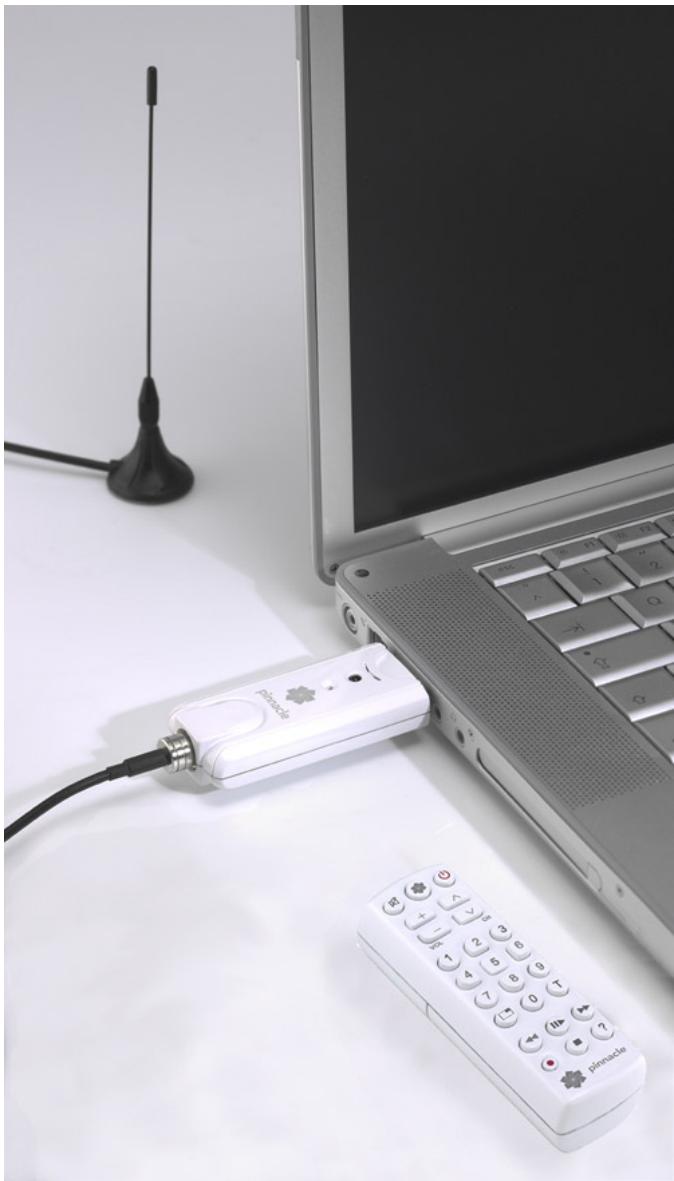
illustrations are samples
Remote Control Button Assignments
The following diagram shows you an overview of the individual functions for the remote control:
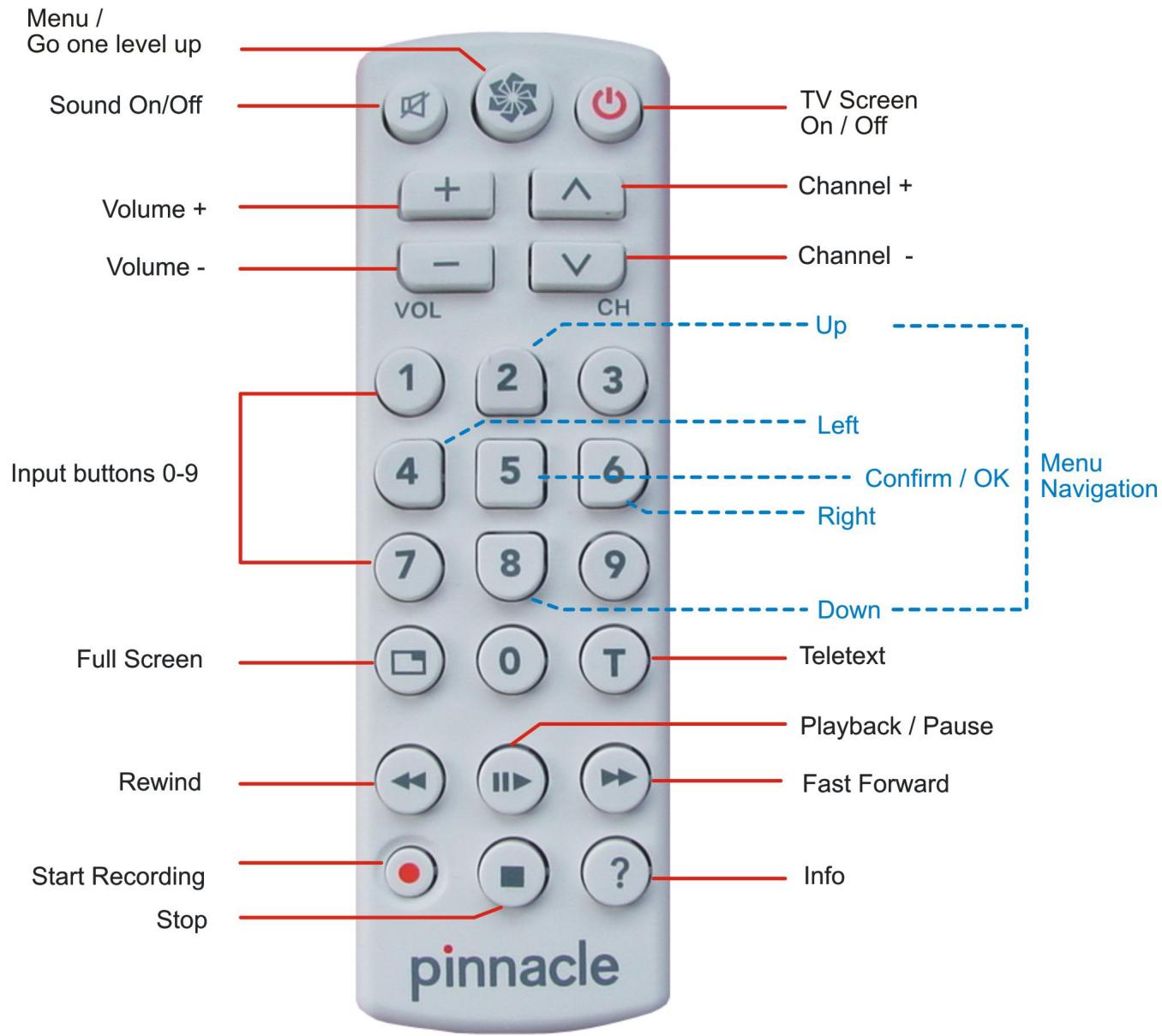

For details on how to use the input buttons and navigate the menu, please see the next page.
Functions of the Input Buttons
Numeric input
Use the input buttons 0-9 to enter numbers, e.g. to select a TV station directly.

Menu navigation
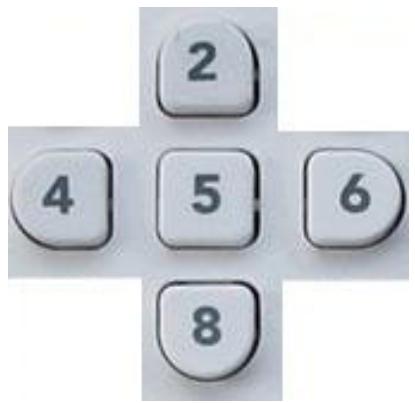
When you have opened a menu, you can use the buttons 2, 4, 6 and 8 as arrow keys (similar to cursor control keys) in order to navigate the menu. The currently selected menu item is highlighted in colour.
To start the selected function, press button 5.