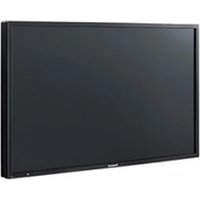
TH-37PH9UK - Screen PANASONIC - Free user manual and instructions
Find the device manual for free TH-37PH9UK PANASONIC in PDF.


Pick your language and provide your email: we'll send you a specifically translated version.
| Product Type | Plasma Display |
| Screen Size | 37 inches (diagonal) |
| Aspect Ratio | 16:9 |
| Resolution | 1024 x 768 pixels |
| Brightness | 1,000 cd/m² |
| Contrast Ratio | 5,000:1 |
| Dimensions (W x H x D) | 92.0 x 56.0 x 10.0 cm (without stand) |
| Weight | 27.0 kg (without stand) |
| Power Consumption | 295 W (max) |
| Standby Power | 0.5 W |
| Power Supply | AC 110-240V, 50/60Hz |
| Video Inputs | D-sub 15-pin, Composite (RCA), S-Video, Component (Y,Pb,Pr) |
| Audio Inputs | RCA (L/R) |
| Control Interface | RS-232C (D-sub 9-pin) |
| Mounting Pattern (VESA) | 400 x 200 mm |
| Fan Noise | 28 dB (silent mode) |
| Temperature Range | 0°C to 40°C |
| Cleaning Method | Use a soft dry cloth; avoid water or cleaners |
| Safety Certifications | UL, CSA, FCC Class B |
| Repairability | Spare parts available; service by qualified technicians |
Frequently Asked Questions - TH-37PH9UK PANASONIC
How do I clean the TH-37PH9UK screen?
Use a soft, dry cloth to gently wipe the screen. Do not use water, solvents, or abrasive cleaners, as they may damage the anti-glare coating.
What is the recommended mounting pattern?
The display supports VESA 400 x 200 mm mounting. Ensure the wall mount can support at least 30 kg.
Can I connect a PC to this display?
Yes, use the D-sub 15-pin VGA input for a PC. Supported resolutions include 1024x768 at 60 Hz.
Why is there no picture on the screen?
First, check that the power cord is plugged in and the display is turned on. Then verify the input source is correct and the connected device is sending a signal. Try a different input or cable.
How do I adjust the picture settings?
Use the remote control or the buttons on the display. Press MENU to access Brightness, Contrast, Color, and other settings.
Is the display HD compatible?
Yes, it supports HD signals up to 720p via component input. It is not full HD (1080p).
What should I do if the display overheats?
Ensure the ventilation slots are not blocked. Keep at least 10 cm clearance around the display. If the problem persists, reduce ambient temperature or contact service.
Can I use this display as a TV?
No, it is a professional monitor without a TV tuner. You need an external tuner or source such as a cable box.
How do I reset the display to factory defaults?
Go to the menu, find the Setup section, and select Factory Reset. Confirm with ENTER.
Are replacement remote controls available?
Yes, you can purchase a replacement remote (model: EUR764262) from Panasonic or third-party vendors.
User questions about TH-37PH9UK PANASONIC
0 question about this device. Answer the ones you know or ask your own.
Ask a new question about this device
No questions yet. Be the first to ask one.
Download the instructions for your Screen in PDF format for free! Find your manual TH-37PH9UK - PANASONIC and take your electronic device back in hand. On this page are published all the documents necessary for the use of your device. TH-37PH9UK by PANASONIC.
USER MANUAL TH-37PH9UK PANASONIC
Manual assistant
Powered by Anthropic
Waiting for your message
Product information
Brand : PANASONIC
Model : TH-37PH9UK
Category : Screen